Timebase Atlas Key Concepts
Atlas uses a small set of words with very precise meanings, and several of them are ordinary English words used in an unusual way.
Overview#
Atlas uses a small set of words with very precise meanings, and several of them are ordinary English words used in an unusual way. This article defines every term you will meet in the Atlas interface, in error messages, and in conversations with the Atlas AI assistant. Read it before you build your first model. Every other Atlas article links back here rather than re-defining these terms, so this is the one place where a definition is authoritative.
If you take away one sentence, take this one: you author types and instance maps, you press Compile, and Atlas produces a World that you can query. Everything below hangs off that sentence.
How the pieces fit together#
Here is the whole product in one chain. Each bolded word is defined further down.
- You work inside a domain (your model) on a branch (a version of the repository, exactly like Git).
- A domain holds an ontology (the types) and a set of instance maps (the recipes that create the real things).
- The ontology is built from five kinds of resource: entity types, relationship types, properties, data types, and functions. You can import ready-made ones from a library.
- Each instance map says which type it creates, how many, what to call them, and where each property gets its value from - a fixed value, a binding path to a connector, or a function.
- You press Compile. Atlas validates everything and builds the World: the compiled, queryable form of your model.
- You read the World with Cypher queries, saved views, the Instances screens, or live value subscriptions.
Domains and libraries#
Domain#
A domain is one complete model with a name. It holds one ontology and one set of instance maps. A domain usually maps to a plant, a production area, a process, or a business unit.
A domain is the only thing you can compile, because it is the only thing that contains instances.
On disk, a domain is a folder in the Atlas Git repository:
domains/<your-domain-name>/ontology.jsonld
domains/<your-domain-name>/instances/<map-name>.map.json
When you create a domain, Atlas lowercases the name you typed and turns spaces into hyphens to build the internal name. "Lonestar Plant" becomes lonestar-plant. The display label stays title-cased.
Note: a fresh Atlas installation has no domains. Create your first domain from the Domains page, or import a shipped example from its Import button.
Library#
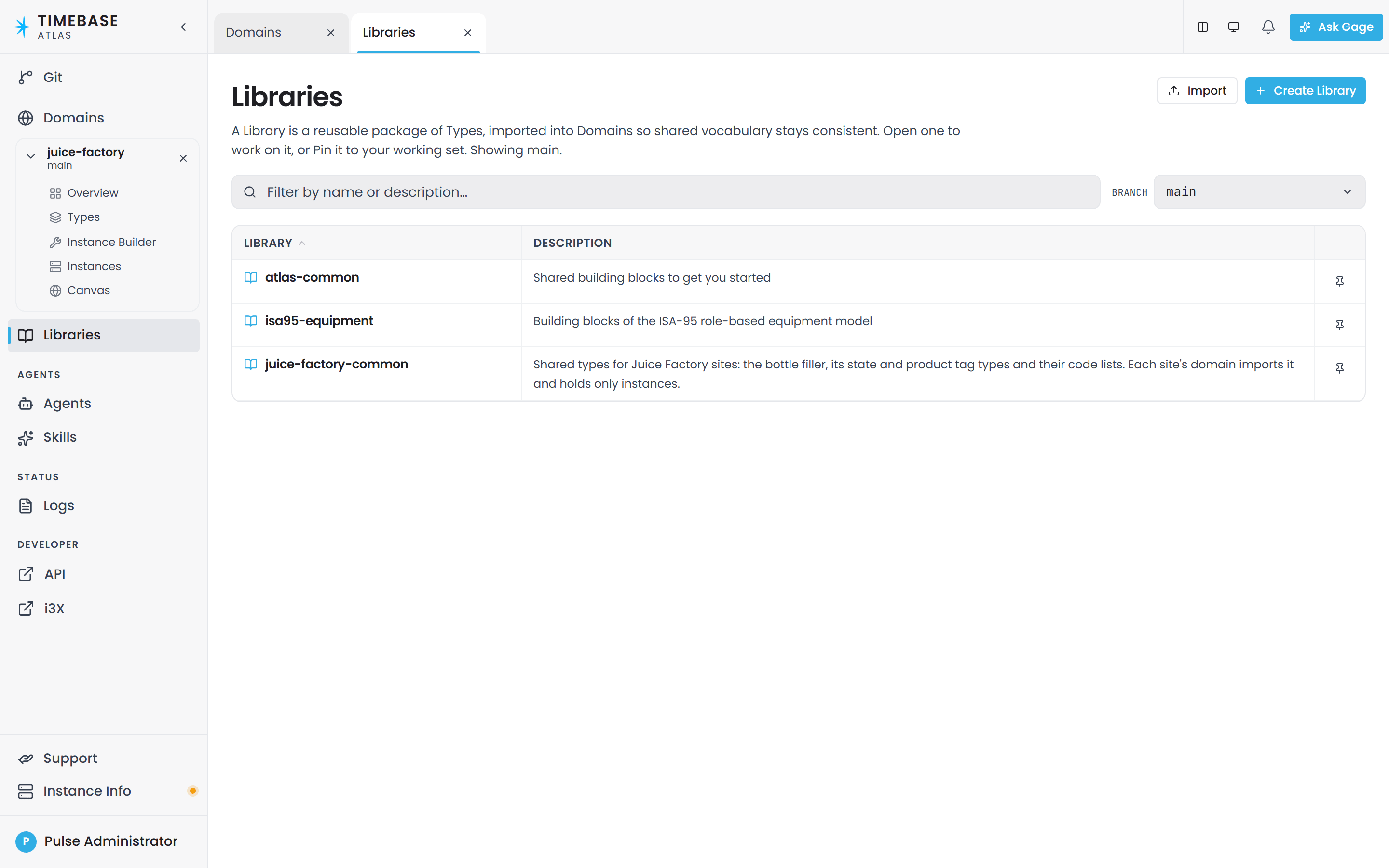
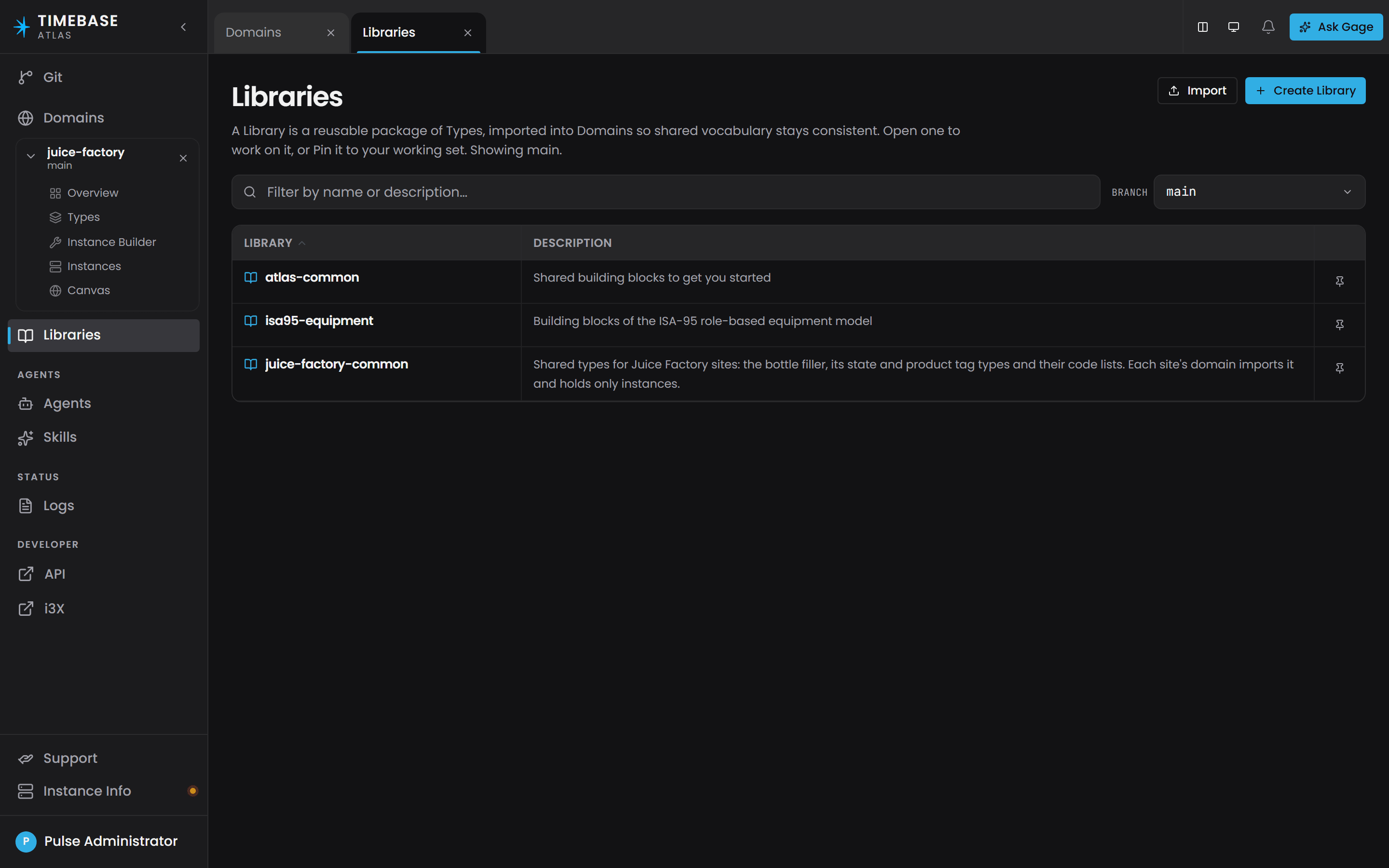
A library is a collection of type definitions that any domain can import and reuse. A library contains only types. It has no instances, so there is nothing to compile and a library has no Compile step, no Instances screens, and no World.
Two libraries are always present:
| Library | What it holds |
|---|---|
atlas-core |
The Atlas framework vocabulary itself: the JSON-LD context, the strategy vocabulary, bindingPath, isTimeAxis. Everything else imports it. |
Others are copied into your repository when you ask for them during commissioning, and are yours to edit once copied. atlas-common holds the everyday building blocks: TVQ (the standard timestamp-value-quality measurement), the Tag entity types, Folder, the folderContains, feeds and relatesTo relationships and the properties Timestamp, Value, Quality, UOM, Description, Format. isa95-equipment carries the ISA-95 equipment hierarchy modelled on OPC 10030 - Enterprise, Site, Area, and so on - and isa88-physical adds the ISA-88 physical model to it.
Important: atlas-core is system-owned. Atlas compares your copy against the shipped copy at every start and restores the shipped version if they differ, which keeps the framework vocabulary consistent across upgrades. Build in a library of your own that imports atlas-common.
To reuse types, a domain imports a library. That is the only cross-model sharing mechanism in Atlas. There is no federation feature and no cross-domain subscription feature.
Branch and version#
Atlas stores everything in a Git repository, so every domain and library exists on one or more branches. A branch is an independent line of edits, exactly as in Git.
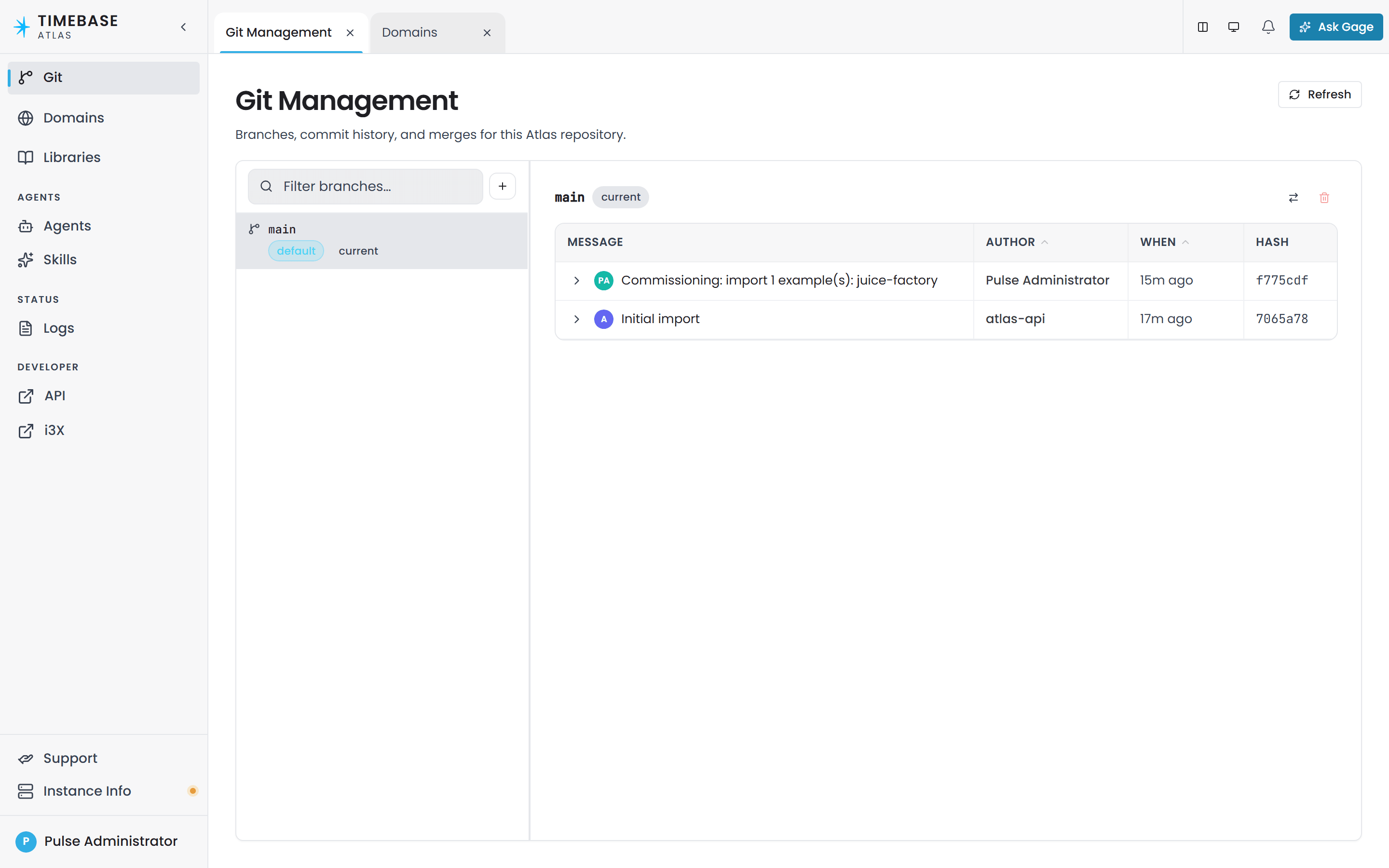
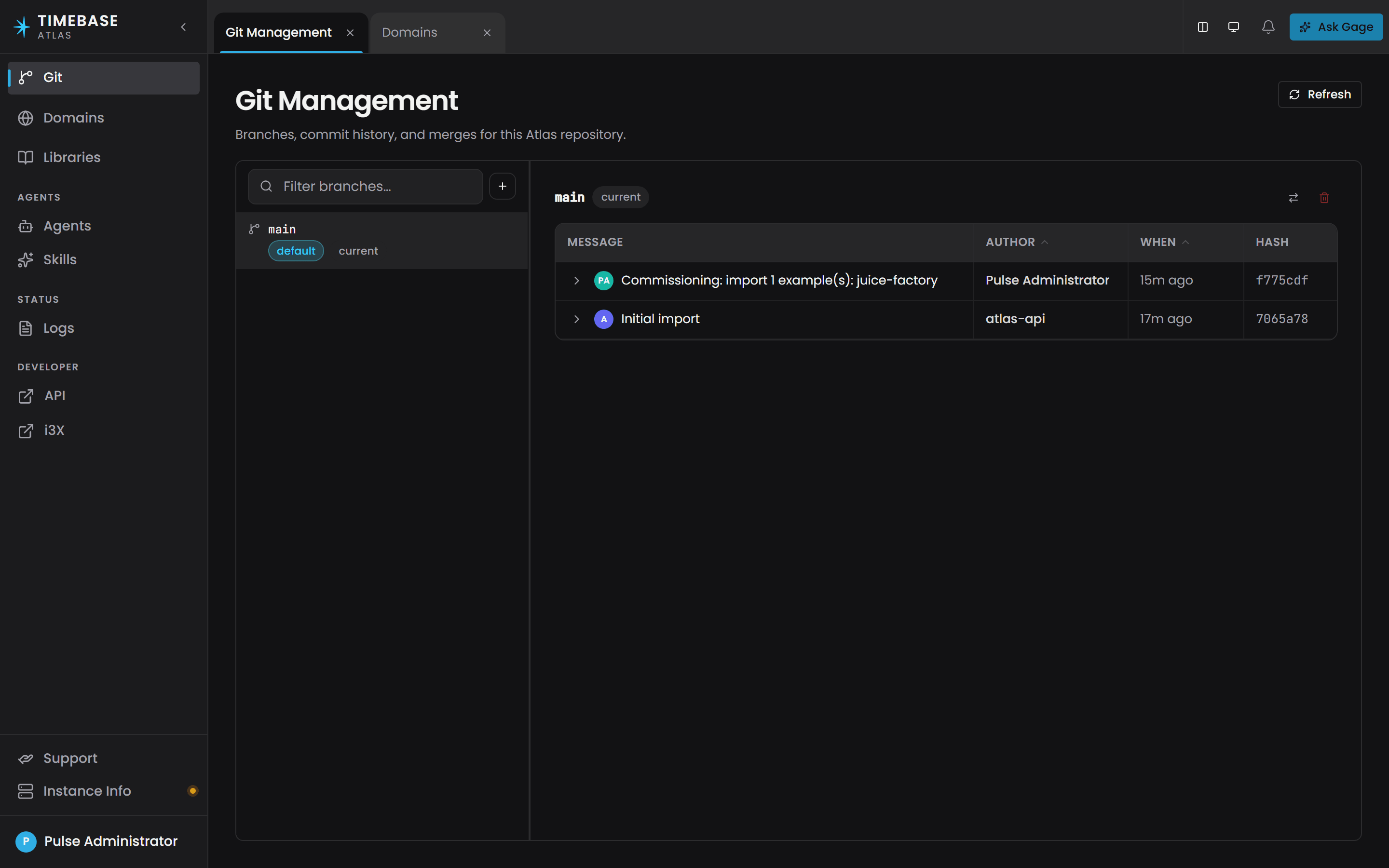
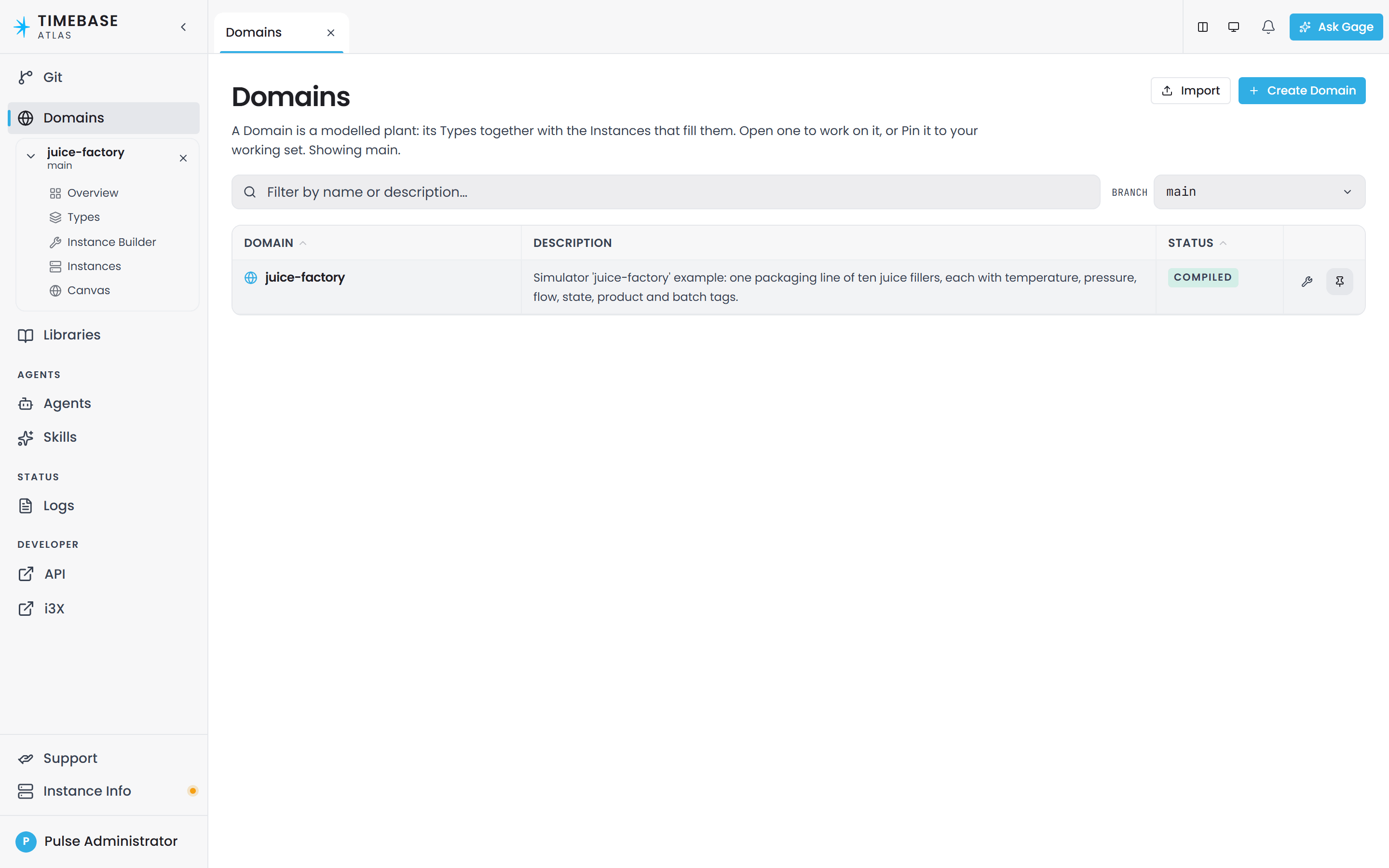
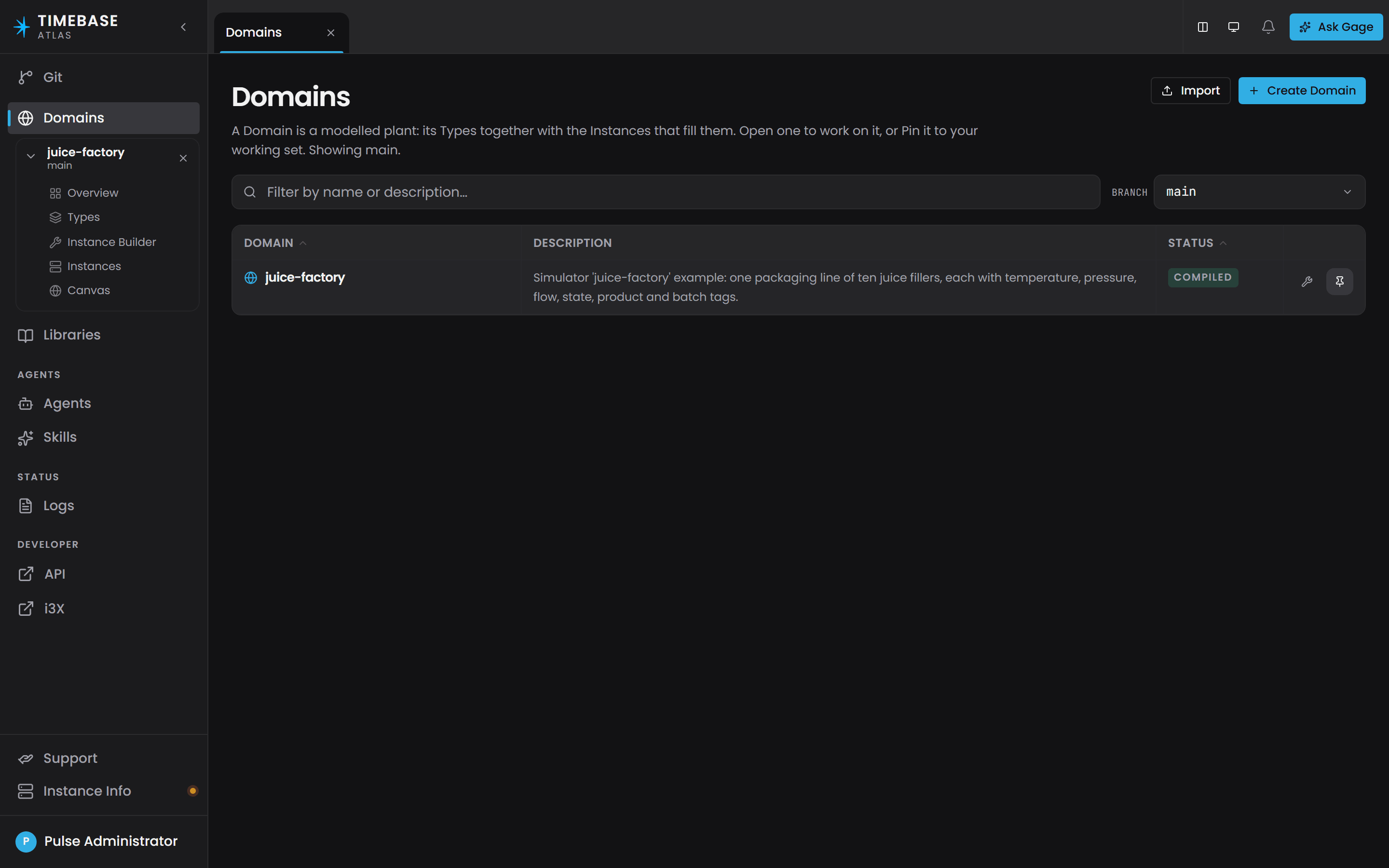
A version is the unit you actually open and work on: a (domain, branch) pair, or a (library, branch) pair. Open the same domain on two branches and you get two independent versions side by side, each with its own tabs. The set of versions you have open is your working set, shown in the left-hand navigation.
Every Atlas web address and every API path carries the branch, so a branch is never ambiguous. Pick a branch in the Branch select on the Domains or Libraries page, then press Pin on the row to add that version to your working set.
Draft sessions and publishing#
This is the concept most likely to catch you out, so read it even if you skim the rest.
A draft session is a private, per-person copy of a branch that Atlas creates for you automatically when a save does not fully validate. It is turned on by default.
Here is what actually happens when you save:
- Your save is valid. It is committed straight to the branch. Nothing is left behind and there is nothing to publish.
- Your save has validation problems. The save still succeeds. Your work is stored safely, but it goes into your own draft session and the branch does not move. Nobody else sees it.
So "saved successfully" does not always mean "on the branch".
You can always see whether you are in a session. While one is open, a Draft pill sits in the header of every modeling screen for that branch, next to the domain or library name, and it counts your unpublished changes. It stays there for the whole life of the session rather than appearing only when something goes wrong, so you never edit for an afternoon without knowing your work has not reached the branch. Hover it for a reminder that the session covers every domain you edit on that branch.
To get the work onto the branch, open the Overview screen. The Outstanding items panel lists what is still wrong, and the Unpublished changes panel carries a Publish to {branch} button. Publishing runs the same validation over the merged result and refuses if it still fails.
Outstanding items groups what it shows. One mistake in a model can produce a violation on every row an instance map expands to, so each line in the list is a group: one rule, one file, one definition, badged with how many violations it stands for. Fix the one cause and the whole line goes. The count in the section header counts violations rather than lines, so a large number above a short list is expected.
A session is one branch, not one domain, and Publish promotes all of it. If you edited three domains and a library on the same branch, one Publish sends all four. The Unpublished changes panel names them, so you can see exactly what is about to go out before you press the button, including anything you deleted in the session.
The same scope applies to readiness. Publish to {branch} only reads Ready to publish when every domain and library in the session is clean. If another one still has errors, the button tells you which, even though the Outstanding items panel above it is only ever showing the screen you are on.
A draft session belongs to you and to one target branch, so you can hold several at once, one per branch, in the same way you might have several feature branches checked out. Atlas reclaims a session that has sat untouched for 7 days.
You cannot delete a domain or a library while you hold a draft session on its branch. Atlas refuses the delete and tells you to publish or discard first. A deletion is not something that can sit half-finished waiting to be fixed, so parking it in a private session would only hide the branch's fate from everyone else. Somebody else's open session never blocks your delete, only your own.
Note: compiling while you hold a draft builds your own copy and shows you the result, leaving the shared compiled World in place until you publish. If a change is not showing up for other people, check the Outstanding items panel on the Overview screen and publish your draft.
Ask Gage
Ask the
atlasagent: "Explain draft sessions to me in plain language. When would I end up with one, and why does publishing matter?"It answers from this vocabulary and offers guidance for your own domain.
The five ontology building blocks#
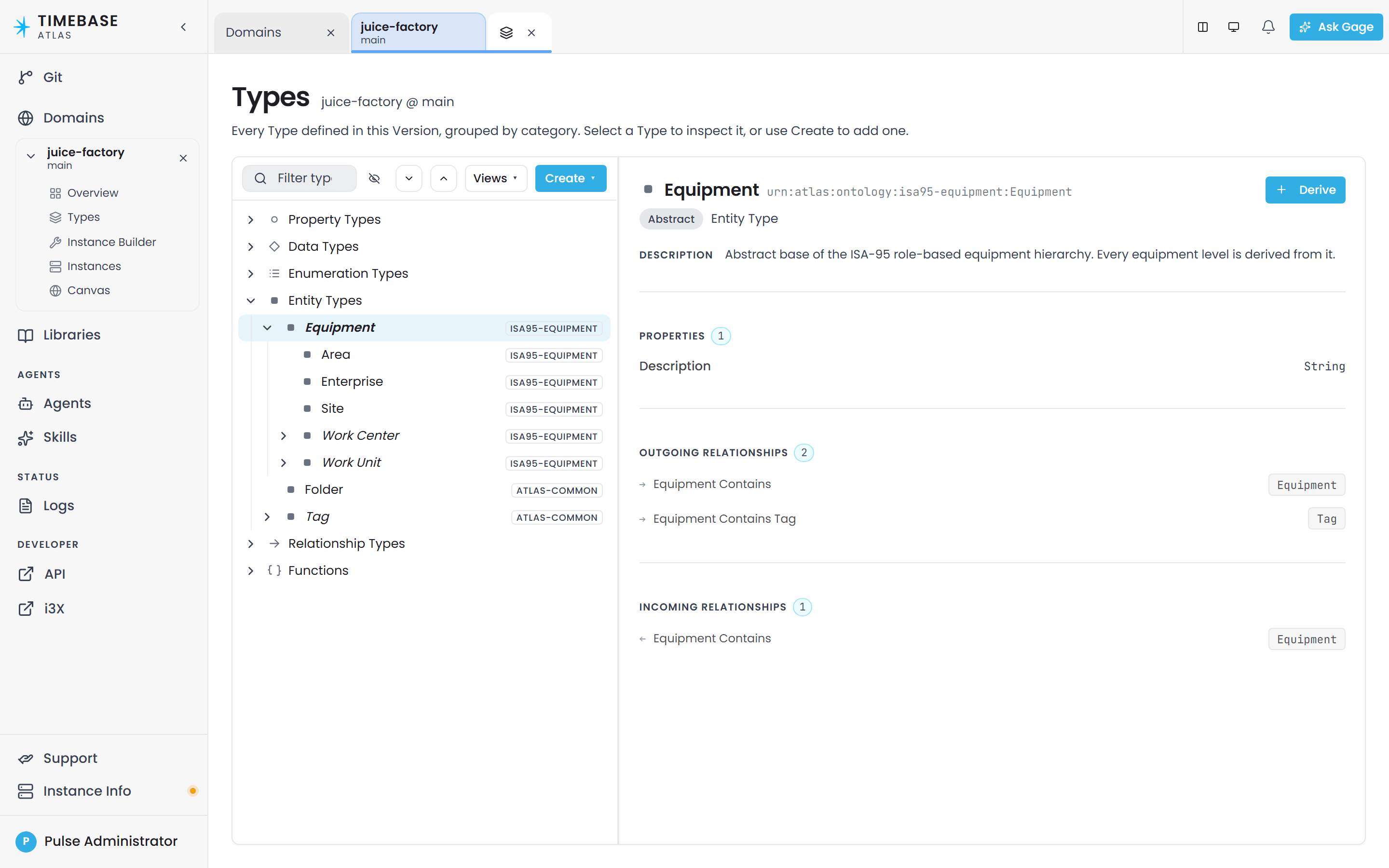
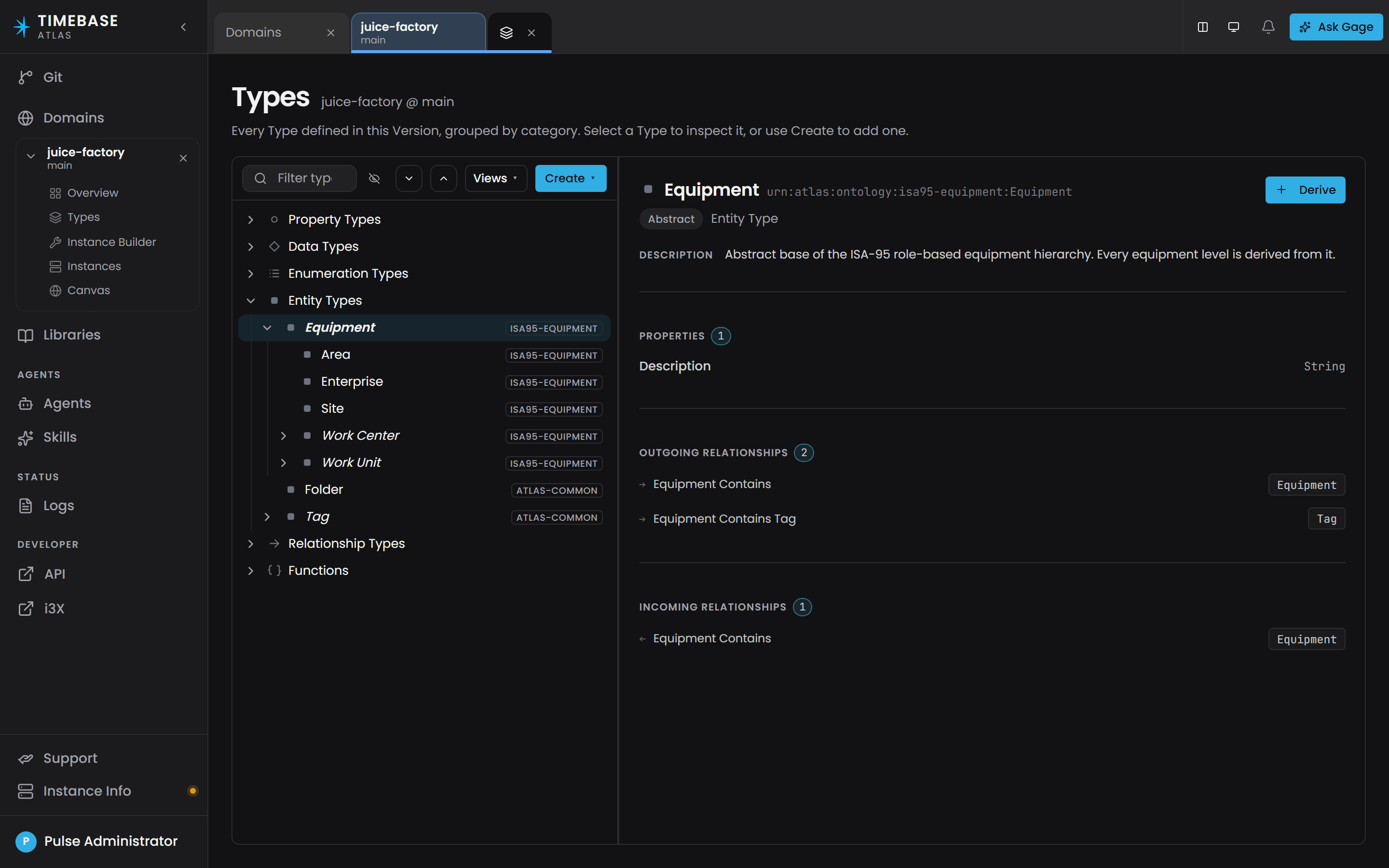
The ontology is the type half of a domain: what kinds of things exist, not which ones exist. The Types screen groups everything into exactly five categories, which are the five kinds of resource you can create.
| Category | What it defines |
|---|---|
| Entity Types | The things in your model |
| Relationship Types | The named connections between things |
| Property Types | The values a thing can carry |
| Data Types | The shape of a value, including multi-field shapes such as timestamp-value-quality |
| Functions | Reusable calculation logic |
Note: the terms are entity type and relationship type.
Entity types#
An entity type defines a kind of thing: Motor, PumpStation, ProductionLine, Batch. An entity type can inherit from a parent entity type, and inherits that parent's properties.
Every entity type ultimately descends from the framework root atlas:NodeBase. atlas:NodeBase is a real root you can reference, for example as the endpoint of a relationship type that should accept anything.
Relationship types#
A relationship type defines a named, directed connection: contains, feeds, connectsTo. It has:
- a direction: a Source end and a Target end
- an endpoint constraint on each end, naming which entity type is allowed there (use
NodeBasefor "anything") - an optional parent relationship type to inherit from
- its own properties
Its framework root is either atlas:ContainsBase (for containment, which drives hierarchy views) or atlas:RelationshipBase (for everything else).
A relationship is a thing, not a line. Atlas treats a relationship instance as a first-class instance in its own right. It gets its own identity, it can carry its own property values (a flow rate on a feeds, a commissioning date on a contains), and it is created by its own instance map with a top-level source and target. Because of this, you should not invent an intermediate entity type just to hang data on an association. Model it as a relationship type with properties and give it an instance map.
Note: relationship participation is unconstrained. There is no one-to-one or one-to-many setting, so enforce a rule of that kind in how you build your instance maps.
Properties#
A property is a standalone definition of a value: Speed, Temperature, Running, OEE. It is authored on its own, exactly like an entity type, and then attached to the types that should carry it.
This is the biggest difference from ordinary object modelling, so it is worth stating plainly:
- A property is not owned by one type. The attachment link lives on the type, not on the property.
- The same property can be attached to any number of types, including unrelated ones.
- Attaching a property to a parent type shares it down the entire subtree. Attach
Descriptiononce toEquipmentand everyTank,PumpandValvebeneath it has aDescription. Attach it toatlas:NodeBaseand every type in the model has it. - In the API, the field is
attachToTypeswhen you write andattachedTypeswhen you read. Both are lists.
To share a property widely, attach it once to a common ancestor. Do not duplicate it.
A property has a range, meaning the kind of value it holds: an XSD scalar such as xsd:string, xsd:integer, xsd:double, xsd:dateTime or xsd:boolean, or a data type (see below). An entity type is never a property's value type: modelling one that way is a validation error.
Note: "Range" always means "the kind of value this property holds". It never means "how many instances to create". Instance counts come from an instance map's variables.
Data types#
A data type is the fifth ontology resource and the one people miss. It defines a compound value: a single property value made of several named fields that always travel together.
The canonical example ships in atlas-common and is called TVQ, for Timestamp-Value-Quality:
| Field | Kind | Field order | Time axis |
|---|---|---|---|
Timestamp |
xsd:dateTime |
0 | yes |
Value |
xsd:double |
1 | |
Quality |
xsd:integer |
2 |
Any property whose range is TVQ therefore carries all three values at once. That is how nearly every measurement in Atlas is shaped.
Three details show up in files, error messages and the editor:
- A data type is a class that inherits from
atlas:CompoundPropertyType. - Each field is declared by its own small class inheriting from
atlas:HasFieldBase, which names the parent compound and the field property. The optionalatlas:fieldOrdernumber sets the order the fields appear in. - Exactly one field may be marked
atlas:isTimeAxis. In the New Data Type and Edit Data Type editor this is the Time axis dropdown, and it only offers fields whose range isxsd:dateTime. Link a date-time field on the Properties tab first, or the dropdown is empty.
The Time axis flag is what tells Atlas which field is "when this happened". Time-range queries and point normalization both depend on it. A measurement compound with no time axis will still compile, but it cannot participate in either.
Quality is a raw OPC quality code where the top two bits carry the status: 0 is Bad, 64 is Uncertain, 192 is Good.
Functions#
A function is reusable calculation logic with named parameters and one output. You define it once and then reference it from any property that should be calculated.
A function has parameters, an output, an implementation, and optionally a normalization anchor specification. It has no schedule and no trigger settings. A calculated value is worked out when something reads it: a query, an Instances screen, or a live subscription. There is no "run every 60 seconds" option.
Note: a parameter declared on a function and left unbound on an instance map is reported as validation rule I-B22, at Warning severity. The calculation runs with that parameter reading as the default for its type, which for a number is zero.
How types are named: the URN scheme#
Every entity type, relationship type, property, data type and function is identified by a URN. There is exactly one naming pattern:
urn:atlas:ontology:<scope>:<LocalName>
<scope> is the domain or library name. <LocalName> is the name you typed. So a Plant entity type in the lonestar-plant domain is:
urn:atlas:ontology:lonestar-plant:Plant
All five element kinds share one namespace per scope, so there are no per-kind prefixes: a property, a function and a type are all addressed as urn:atlas:ontology:{scope}:{Name}.
Two related namespaces you will also see:
urn:atlas:instance:...for individual instances in the compiled World.urn:atlas:vocab:...for the Atlas framework vocabulary itself:atlas:NodeBase,atlas:bindingPath,atlas:isTimeAxisand the rest.
Warning: Because all five kinds share one namespace per scope, two different kinds cannot use the same name in the same domain. Create a property called Tank in a domain that already has an entity type called Tank and the write is rejected with:
Cannot create Property 'Tank': the key 'urn:atlas:ontology:brewery:Tank' is already used by a Type. All element kinds (Types, Properties, Relationships, Data Types, Functions) share one URN namespace per domain.
Ask Gage
Ask the
atlasagent: "I am designing types for a bottling line. Give me an example ontology with eight entity types, the relationships between them, and the key properties each one should carry."It returns a pattern you can adapt to your own domain.
Instance maps#
An instance map is a recipe that creates instances from a type. Instead of authoring Tank-01 through Tank-12 by hand, you write one map and Atlas expands it.
An instance map file lives at domains/<your-domain>/instances/<map-name>.map.json. Each map names the type it creates, an instance id template, an optional label template, a set of variables, and the property strategies for each property.
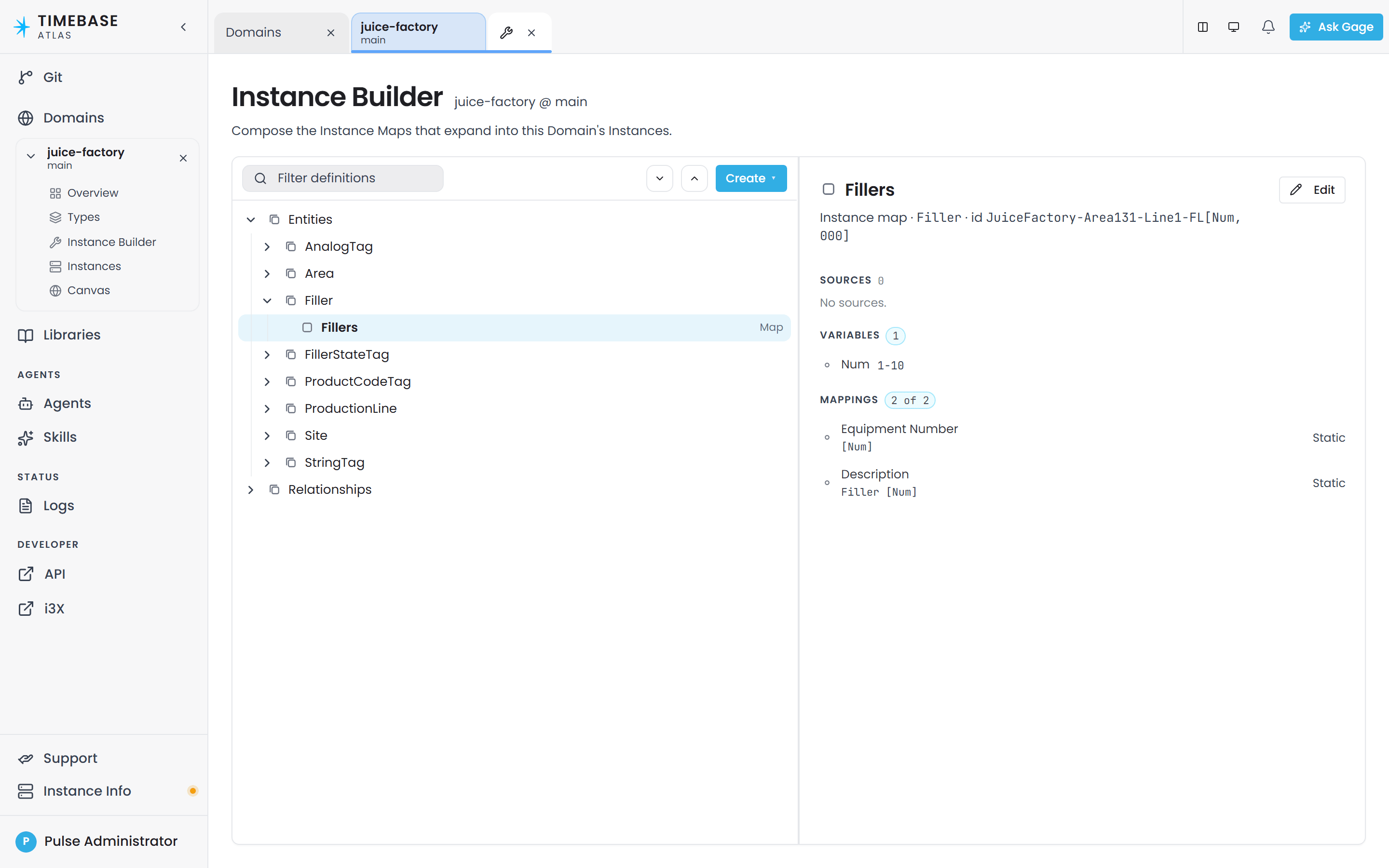
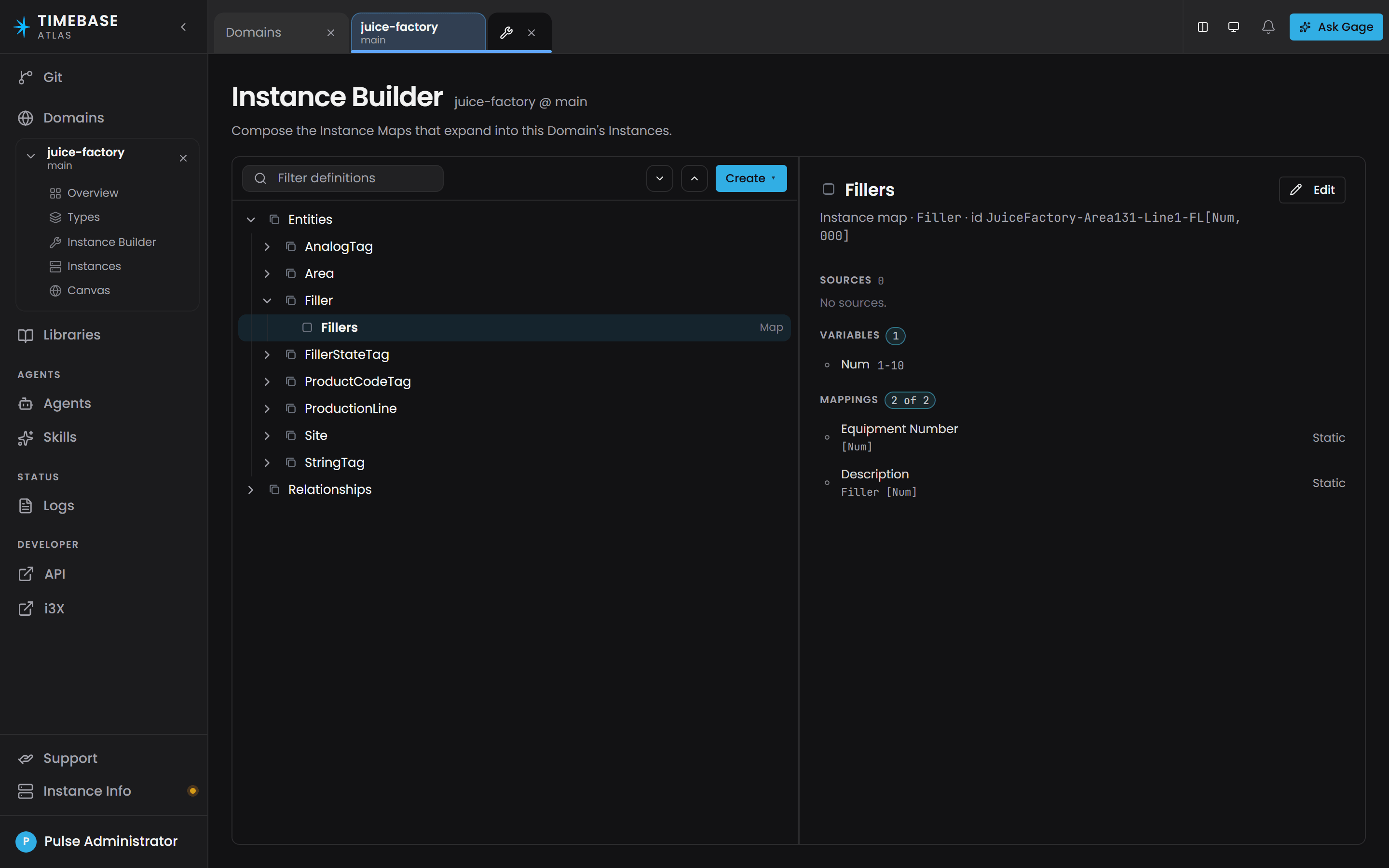
Atlas does not ask you to pick a mode. It works the mode out from what you filled in:
| What you filled in | What you get |
|---|---|
| Every variable has a single value, and there is no source | One instance. This is a singleton, and it is what you use for a one-of-a-kind asset such as a site or a control system. |
| At least one variable holds a multi-value expression | One instance per value, expanded from that expression. |
| You added a Source with a binding path | One instance per row the data source returns. Add equipment to the source system and the next compile picks it up. |
The multi-value expressions a variable understands are:
| Expression | Produces |
|---|---|
1-12 |
1, 2, 3 … 12 |
1-10/2 |
1, 3, 5, 7, 9 |
1-10, 20-30/2 |
both ranges, joined |
A, B, C |
A, B, C |
Tank*3 |
Tank, Tank, Tank |
ABC*10, DEF*3 |
ten ABC then three DEF |
12.3*10 |
the number 12.3, ten times |
Reference a variable in the instance id, the label, or a binding path with square brackets: [Num], or [Num, 00] to apply a format. When the map is driven by a source, reference a returned column as [sourceName.columnName].
Note: A relationship instance map works the same way but adds top-level source and target templates, which name the two instances the relationship connects. This is how you build relationships in bulk from something like an asset register.
Property sourcing strategies#
You decide where a property's value comes from per instance map, on the Mappings tab, so the same property can be a fixed value on one map and a live tag on another. A property type can also carry a default strategy that every instance inherits until an instance map overrides it.
Five strategies are offered on the selector:
- Static - a fixed value you type. Use it for unit of measure, nameplate data, targets and set-points.
- Bound - a live value from a connected data source, identified by a binding path.
- Calculated - a value worked out by a function from other properties, computed when it is read.
- Reference - an alias that reads another instance's property and delegates to whatever strategy that property uses.
- Composed - available on a property whose value type is a data type. Each field of the data type gets its own strategy on that instance, for example a
TVQ-typed property whoseValueis Bound while itsQualityis Static. A data type is otherwise an ordinary Static or Bound value that the connector fills in one write.
One more exists but is not chosen from the selector:
- Null - no value.
Each strategy entry can carry a validFrom timestamp, so a property can change its source over time. Omit it and the strategy applies from the beginning.
Note: the word is Static. There is no "Manual" property kind in Atlas. A static value is changed by editing the instance map, so the domain's Git history is its change record.
Connectors and binding paths#
Connector#
A connector is a separate Timebase component that connects Atlas to a real data source: a Timebase Historian, OPC UA, i3X, SQL Server, PostgreSQL, MySQL, Oracle, AVEVA Historian, AVEVA PI System, CanaryLabs, InfoHub or an HTTP API. It connects outward to Atlas over a live connection and advertises which data points it can serve.
MQTT and Sparkplug B arrive through the Collector, not through an Atlas connector. The Timebase Collector ingests MQTT, Sparkplug B, OPC UA and Telegraf, stores into the Timebase Historian, and Atlas connects to that Historian with the
Timebase.Historianconnector. You get store-and-forward buffering and full history on the way through.What that means practically is that the connector list above is Atlas's direct list. It is not the platform's list of supported sources, which is larger. To bring in Kafka, files or generic event streams, land the data in a Historian or a SQL table and connect Atlas to that.
MQTT also appears on the outbound side, as a Bridge destination. See Connecting Data Sources.
A connector must be connected and advertising before any of its data reaches your model. Atlas asks a connector for a range of history when a query needs one, and subscribes for live updates; the connector then pushes new rows to Atlas as they arrive.
Atlas keeps no history of its own. When a query asks for a time range, Atlas asks the connector for that range and passes the answer through. The result is not stored. Atlas is not a historian: history stays in the source and is read on demand, so there is no gap in Atlas to fill.
Binding path#
A binding path is the string that names one data point on a connected connector. It is the bridge between a data source and a Bound property.
A binding path is a slash-delimited path whose first segment is the connector instance id:
historian-juice-factory/The Juice Factory/131-TT-[Num].PV
It is never written as a scheme:// URL. In files and in the API the field is bindingPath; in the ontology the term is atlas:bindingPath.
Binding paths support the same [Variable] placeholders instance maps use, so one mapping row covers every instance the map expands to.
Important: a binding path is matched against the connector's advertised paths at start-up rather than when you author it, so copy the path from the Connectors screen rather than typing it.
Note: a bound property that has not yet received a sample holds no value, so its value, timestamp and quality read as null. A written zero is a value, and a Quality of 0 means Bad, so neither is mistaken for "no sample yet". Test the field, for example WHERE n.Temperature.Value IS NULL.
If two properties, in the same domain or in different domains, use the same binding path, both receive every value. Atlas fans each incoming row out to every property that matches.
Compile and the World#
World#
The World is the compiled, queryable form of a domain: every type, every expanded instance, every relationship, held in memory and ready to answer queries. It is the thing your queries actually read.
There is exactly one World per (branch, domain) pair. There is no separate development copy and production copy, no deploy step, and no separate runtime service to install. Atlas is a single service that stores, compiles, caches and queries your domains.
Compile#
Compile is the single most important action in Atlas. It is the gate between "I authored it" and "I can query it".
Press Compile on the domain's Overview screen. The button reads Compile the first time and Recompile afterwards. On success you get a build report: the number of entities, the number of edges, the number of archetypes, and the time it completed.
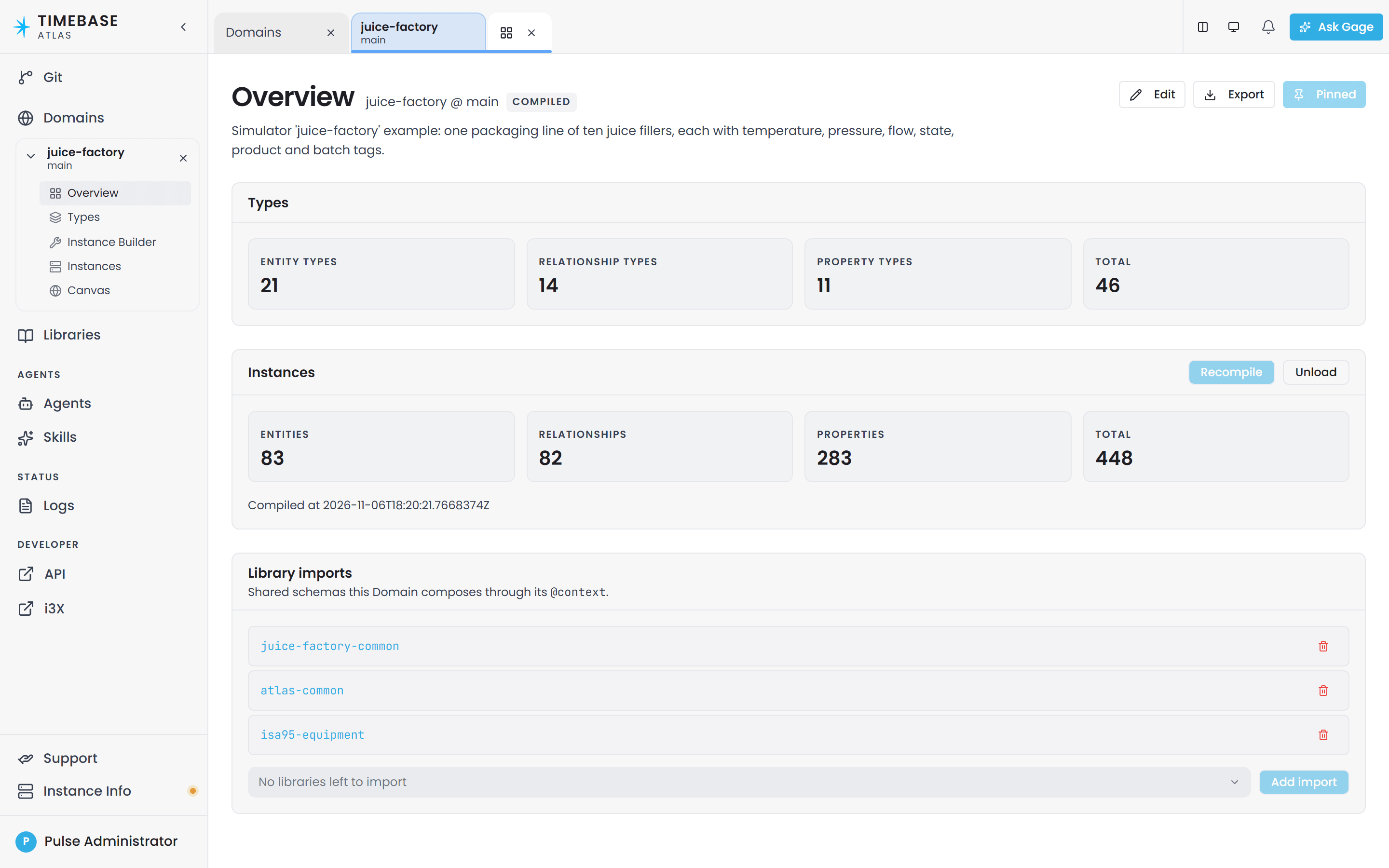
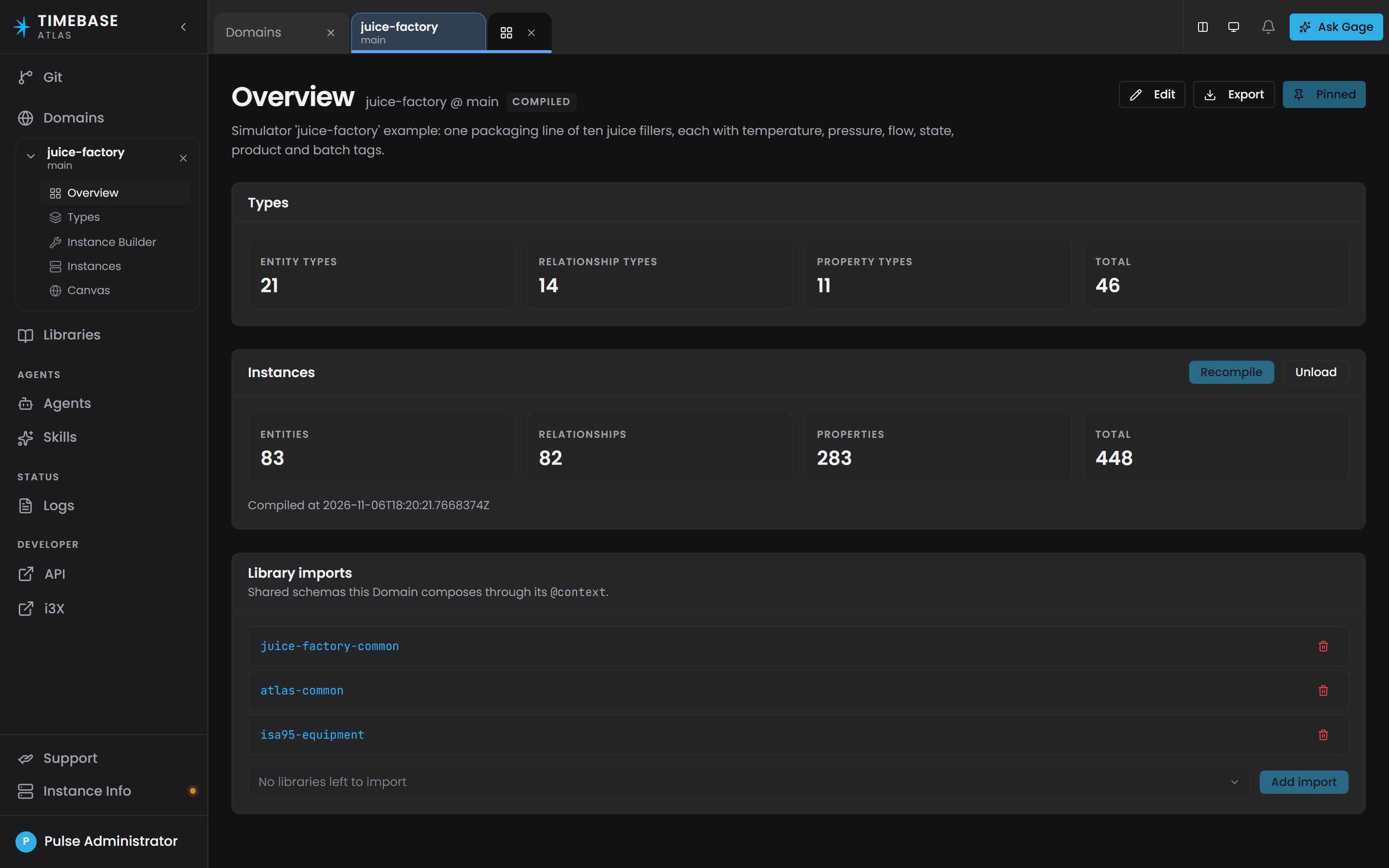
Compiling is idempotent. Every compile is a full rebuild that replaces the previous World. You can recompile as often as you like.
Types are not frozen after compiling. Edit a type whenever you want; the change takes effect on the next compile.
Staleness and automatic recompiling#
Atlas tracks whether the World matches the current content. When it does not, the domain is stale and the Overview screen shows:
This domain has uncompiled changes. Recompile to apply them.
Note: Atlas recompiles automatically when it starts up. You do not need to recompile after a restart. The one exception is a domain whose instances are driven by a connector source: Atlas waits until that connector connects and advertises the paths, then compiles it. If such a connector never comes online, that domain stays uncompiled.
Validation violations#
Before building a World, Atlas validates the whole domain. Compile does not degrade or skip the broken parts. It aborts. If there is a single error-severity violation, no World is built at all and you get the list of violations back.
Each violation carries a rule ID, and the letters are meaningful:
| Prefix | Meaning |
|---|---|
O-A… |
Ontology, format. The file could not be read or is structurally wrong. |
O-B… |
Ontology, semantic. The shapes are fine but something does not resolve, for example an attachment pointing at a property that does not exist. |
I-A… |
Instance, format. An instance map file is structurally wrong. |
I-B… |
Instance, semantic. A map references a type, property or instance that does not resolve. |
A handful of rules are fatal, currently O-A1 and O-A2. Those mean the entry file cannot be parsed into a graph at all, so the violation list that comes with them is truncated - fix those first and re-validate to see the rest.
Note: A violation can be an error or a warning, but only one rule (I-B22, an unbound function parameter) is ever raised as a warning today. Warnings never block anything, and the compile report does not list them at all. If you want the full picture including warnings, open the Validation screen, which reports an error count and a warning count separately.
Views#
A view is a saved query: a name plus a Cypher query, stored against a domain. Views let you keep the filters and projections your team uses regularly instead of retyping them. View names must be unique within a domain, and views are a domain-only feature - libraries do not have them.
Warning: "View" is overloaded in the interface. The saved-query kind is what this section describes. The navigation also calls its screens views: Overview, Type Hierarchy, Type Canvas, Instance Builder and Instance Hierarchy are all "views" in the navigation sense. When a document says "view", check which one it means.
What a tab remembers#
Atlas keeps how you were looking at something per tab, separately for each domain or library and branch that tab is pinned to. Open the same domain in two tabs and each keeps its own filters, sort and layout.
What is kept:
| Screen | What it remembers |
|---|---|
| Type Canvas | The layout mode and its tuning, clustering, the filter, and each side panel's sub-tab and search |
| Type Hierarchy | The view and the filter |
| Instances Table | The filter |
| Instance Builder, Instance Hierarchy | The view |
| Instances | The fetch limit |
| Domains and Libraries | The filter and the sort |
| Git | The view, and a commit diff's display mode |
| Anywhere | Whether Live values are on |
It lasts as long as the browser tab and no longer. None of it is stored against the model, none of it is shared with anyone else, and a reload starts fresh. So a Canvas you spent a while arranging survives switching to another tab and back, and does not survive closing the browser. Nothing here changes the model: these are all ways of looking, not edits.
Live values#
Compiled instances are static in the interface until you switch on live data.
Live Mode is a per-tab switch labelled Live in the instance inspector header. It starts off. Turn on Live and then expand an instance row: Atlas opens a live subscription for that instance, returns the current values immediately, and then pushes changes as they arrive. Many rows can stream at once, one subscription per expanded row.
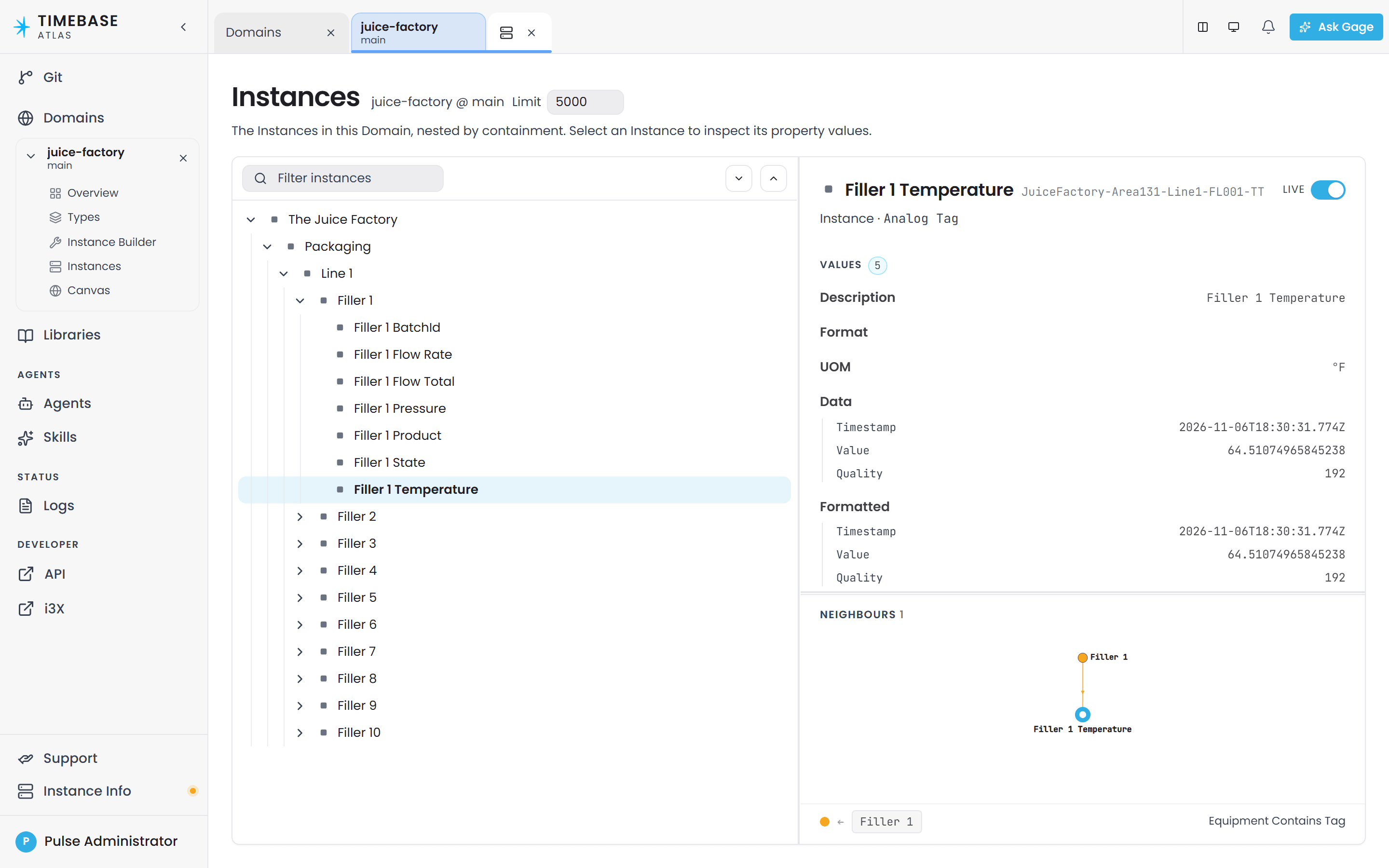
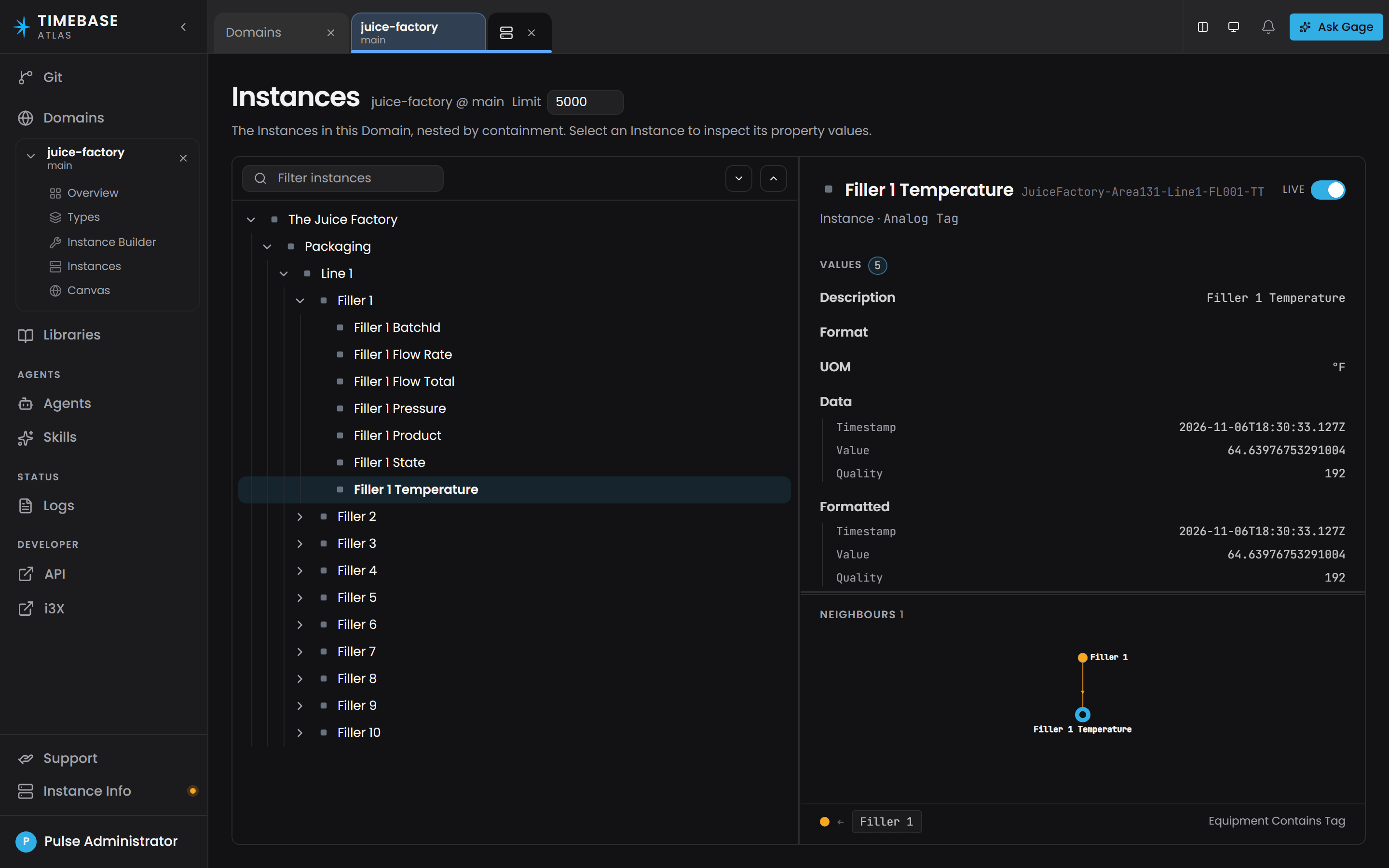
A subscription is torn down when you close the tab, when you press Pause, or about 30 seconds after you collapse the row. The delay means re-opening a row you just closed reuses the existing subscription instead of setting up a new one, which matters on models with a hundred thousand instances.
Note: Live values only exist after a compile, because instance identities are minted at compile time.
Aligning inputs that arrive at different rates#
When several inputs arrive at different times and rates, there are two mechanisms for lining them up, and they apply to different things.
Point normalization aligns values onto a common set of timestamps for live subscriptions and the value hub - a full-instance or full-type subscription. It is a host-level setting, LiveProjection:AllowedLatencyMs.
An anchored function aligns the inputs to a calculation. You opt in twice:
- On the data type, set the Time axis field so Atlas knows which field carries the sample time.
- On the function, mark which inputs contribute to the anchor. A function with no contributing inputs is single-row.
An ordinary calculation, without an anchor, reads each input at its latest known value once every input has reached that point in time. See Calculations and Functions.
Reading the World in a query#
These come up in query results and in the AI assistant's answers:
- Property names are case-sensitive and must be spelled exactly as defined. A lowercase spelling returns null rather than an error.
- There is no
nameproperty. The universal display name is reached asLabel. - A live property reads through its compound. For a
TVQ-shaped property you want.Value, not the bare property. labels()returns full URNs, not short names, for exampleurn:atlas:ontology:lonestar-plant:Plant.- The durable identity property is
entityId.
The full query language reference, including the conventions that shape a result, lives in Querying with Cypher.
Concept map#
| Term | What it is | Relates to |
|---|---|---|
| Domain | One complete model: an ontology plus instance maps | The only thing you compile |
| Library | Reusable type definitions only, no instances | Imported by domains; four ship with Atlas |
| Branch | A Git branch of the Atlas repository | Every path and screen carries one |
| Version | A (domain, branch) or (library, branch) pair |
The unit you open into your working set |
| Draft session | Your private copy of a branch, created when a save fails validation | Promoted onto the branch by publishing |
| Ontology | The type half of a domain | Built from the five resources below |
| Entity type | A kind of thing | Rooted at atlas:NodeBase; carries attached properties |
| Relationship type | A named, directed connection with its own properties | Rooted at atlas:ContainsBase or atlas:RelationshipBase; created by its own instance map |
| Property | A standalone value definition | Attached to any number of types; inherited down a subtree |
| Data type | A compound value shape such as TVQ |
Fields inherit atlas:HasFieldBase; one may be the isTimeAxis |
| Function | Reusable calculation logic | Referenced by a Calculated strategy; evaluated on read |
| Instance map | A recipe that expands into instances | Lives in instances/*.map.json; chooses each property's strategy |
| Strategy | Where one property's value comes from on one map | Static, Bound, Calculated, Composed, Reference, Null |
| Binding path | The slash-delimited name of a data point on a connector | Used by the Bound strategy; never validated at author time |
| Connector | A component that connects a data source to Atlas | Must be connected and advertising for a binding path to resolve |
| Compile | Validate everything and build the World | Aborts on any error-severity violation |
| World | The compiled, queryable form of a domain | One per (branch, domain); rebuilt entirely on each compile |
| Validation violation | One problem found by a rule, with an ID such as O-B1 |
Error severity blocks the compile; warning severity never blocks |
| View | A saved Cypher query on a domain | Not the same as a navigation screen |
| Live Mode | Per-tab Live switch in the instance inspector header | Off by default; subscriptions are created when you expand a row |
Terms people mix up#
- "Range" the value type and "range" the instance count. A property's range is the kind of value it holds. The number of instances a map creates comes from a multi-value variable expression such as
1-12. These are unrelated, and the second one is not called a range in the interface. - A property versus how it gets its value. A property definition has no source. Static / Bound / Calculated are chosen per instance map, on the Mappings tab, so one property can be static in one place and bound in another. If you go looking for a source dropdown on the property editor, you will not find one.
- Compile versus Publish. Compile builds the World so you can query it. Publish promotes your draft session onto the branch so other people can see it. They are different actions solving different problems, and doing one does not do the other.
- View the saved query versus view the screen. A saved view is a stored Cypher query. The navigation also calls Overview, Type Hierarchy, Type Canvas, Instance Builder and Instance Hierarchy views.
- Entity type versus entity. An entity type is the definition,
Tank. An entity (or instance) is the real thing,Tank-07, created by an instance map at compile time. - Error versus warning. An error-severity violation blocks the compile completely. A warning never blocks anything, and today exactly one rule produces one.
Troubleshooting#
- I saved my change, compiled, and nothing is different. Your save probably did not fully validate, so it went into your private draft session and the branch did not move. Open the Overview screen for the domain, check the Outstanding items panel, fix the listed violations, then publish your draft from the Unpublished changes panel. A save can report success while leaving the branch untouched.
- Compile fails and no World is built at all. Compiling aborts on the first error-severity violation rather than skipping the affected types. Read the rule IDs in the failure:
O-A…andO-B…are ontology problems,I-A…andI-B…are instance-map problems. FixO-A1andO-A2first if they appear, because they truncate the rest of the list. - A bound property never shows a value, and there is no error. The binding path is not resolving. Binding paths are not checked when you author them, so a typo compiles cleanly and simply never binds. Check the exact path against what the Connectors screen shows the connector advertising, remember the first segment is the connector instance id, and remember the separator is
/and never://. - A property shows a dash, or its value, timestamp and quality read null. A bound property holds no value before its first sample arrives. It usually means the tag is offline, the connector is down, or the binding path is wrong. It does not mean the source reported zero.
- A calculated value is always 0. A function parameter has probably been left unbound on the instance map. That is validation rule
I-B22, which is only a warning, so it will not have blocked your compile. Open the Validation screen and check the warning count. - I cannot create a type, property or function because the name is taken. All five resource kinds share one name space per domain. You cannot have a property called
Tankin a domain that already has an entity type calledTank. Pick a different local name. - My query returns null for a property I can see on screen. Property names are case-sensitive and must match exactly. There is also no
nameproperty in Atlas: the display name isLabel, and a live measurement reads through its compound as.Value. - Values on the Instances screen are frozen. Live Mode starts off. Turn on Live in the instance inspector header, then expand the row you want. Values stream per expanded row, not for the whole table.
- I edited
atlas-coreand my change was restored after a restart. That library is system-owned and is refreshed from the installation at every start. Put your changes in a library of your own.
Related articles#
Each of these owns its own subject in detail. This article owns the vocabulary; they link here rather than redefining terms.
| Article | Owns |
|---|---|
| What is Timebase Atlas? | The product pitch and where Atlas sits alongside Historian, Collector and Pulse |
| Atlas Libraries | Creating, importing and versioning libraries, and what is inside each shipped library |
| Introduction to Domain Modeling | How to design an ontology: choosing entity types, attaching properties, building hierarchies |
| Defining Types and Schemas | Authoring entity types, relationship types, properties and data types step by step |
| Instance Maps | Authoring instance maps in detail, including source-driven maps and transforms |
| Property Sourcing Strategies - Static, Bound, and Calculated | Static, Bound and Calculated in depth, plus Composed and Reference |
| Calculations and Functions | Writing functions, parameters, anchors and point normalization in practice |
| Connecting Data Sources | Setting up connectors and discovering the binding paths they advertise |
| Connector Diagnostics - Data Not Flowing | Working through data that is configured but not arriving |
| Compiling and Publishing a Domain | The compile lifecycle, staleness and draft publishing, in operational detail |
| Validation Rules Reference | Every validation rule ID, what triggers it, and how to clear it |
| Querying with Cypher | Worked query examples and the query traps |
| Query Troubleshooting | Queries that return nothing, too much, or the wrong answer |
| Branch Management | Creating, comparing and merging branches |
| Atlas API Overview | The /api/v1 surface, authentication, error format and pagination |
| Start Here for Docker: How to Deploy and Secure Timebase 2.0 | Installing and first-run setup |