Calculations and Functions
How a calculated property works in Atlas: writing a function, binding its parameters, and what happens when an input is missing.
Overview#
A calculated property is a property whose value Atlas works out from other properties instead of receiving it from a connector or from a person. It is how you model a KPI, an efficiency figure, a unit conversion, a rolled-up total, or a threshold flag.
A calculated property has two halves, and they live in two different places:
| Half | What it is | Where it lives |
|---|---|---|
| The function | The formula. A named, typed signature plus a C# body | The ontology of a domain or a library, in ontology.jsonld |
| The Calculated strategy | Which function this property calls, and what each of the function's parameters reads from | The instance map, in a *.map.json file |
You author the function once and reuse it. You wire it up once per property, per instance map.
this article is about functions you author. The functions built into the query language
(avg, round, datetime, startNode, and the rest) are a separate mechanism - see
Querying with Cypher for those. The two lists are independent
of each other.
Where a function lives#
A function is a first-class ontology element, alongside entity types, relationship types, property types and data types. It can be defined in either scope:
- Domain scope. The function belongs to one domain and is only usable there. Use this for a formula that is specific to one plant or one model.
- Library scope. The function belongs to a library. Every domain that imports the library can bind a Calculated strategy to it. Use this for a formula you want to define once and reuse: a unit conversion, a standard efficiency calculation, a comparison helper.
Both scopes are symmetrical. The same drawer authors both, and the API has a matching route pair.
All five ontology element kinds share one URN namespace per scope, so a function cannot have the same
local name as an entity type, a property, a relationship type or a data type in the same domain or
library. A function's full URI is urn:atlas:ontology:{scope}:{Name}. There is no urn:atlas:fn: prefix.
Author a function#
- Open the domain or library from the Domains or Libraries page and select the Types view.
- Select Create and then Function. The New Function drawer opens.
- Fill in the four tabs, described below.
- Select Create. The drawer reads Save when you reopen a function to edit it, and Discard throws away unsaved edits.
A successful save leaves the drawer open, so you can keep working on the same function.
To change a function later, select it in the tree, then use the Edit action in the Inspector. The drawer reopens as Edit Function with the body and signature loaded.
Ask Gage
Ask the
designeragent: "Plan a function that converts temperature from Fahrenheit to Celsius. The input should be a TVQ compound and the output should also be TVQ. What should the parameter and output names be?"Review the plan. When you are ready, hand it to
builderto create the function.
General#
| Field | What to put in it |
|---|---|
| Label | An optional human-readable name, for example Temp vs Setpoint. It comes first in the drawer, and the name is built from it until you edit the name yourself. |
| Name | The function's local name, for example TempVsSetpoint. This becomes the URI key and is locked after you create the function - the drawer shows it read-only when editing. |
| Description | Optional free text. |
Inputs#
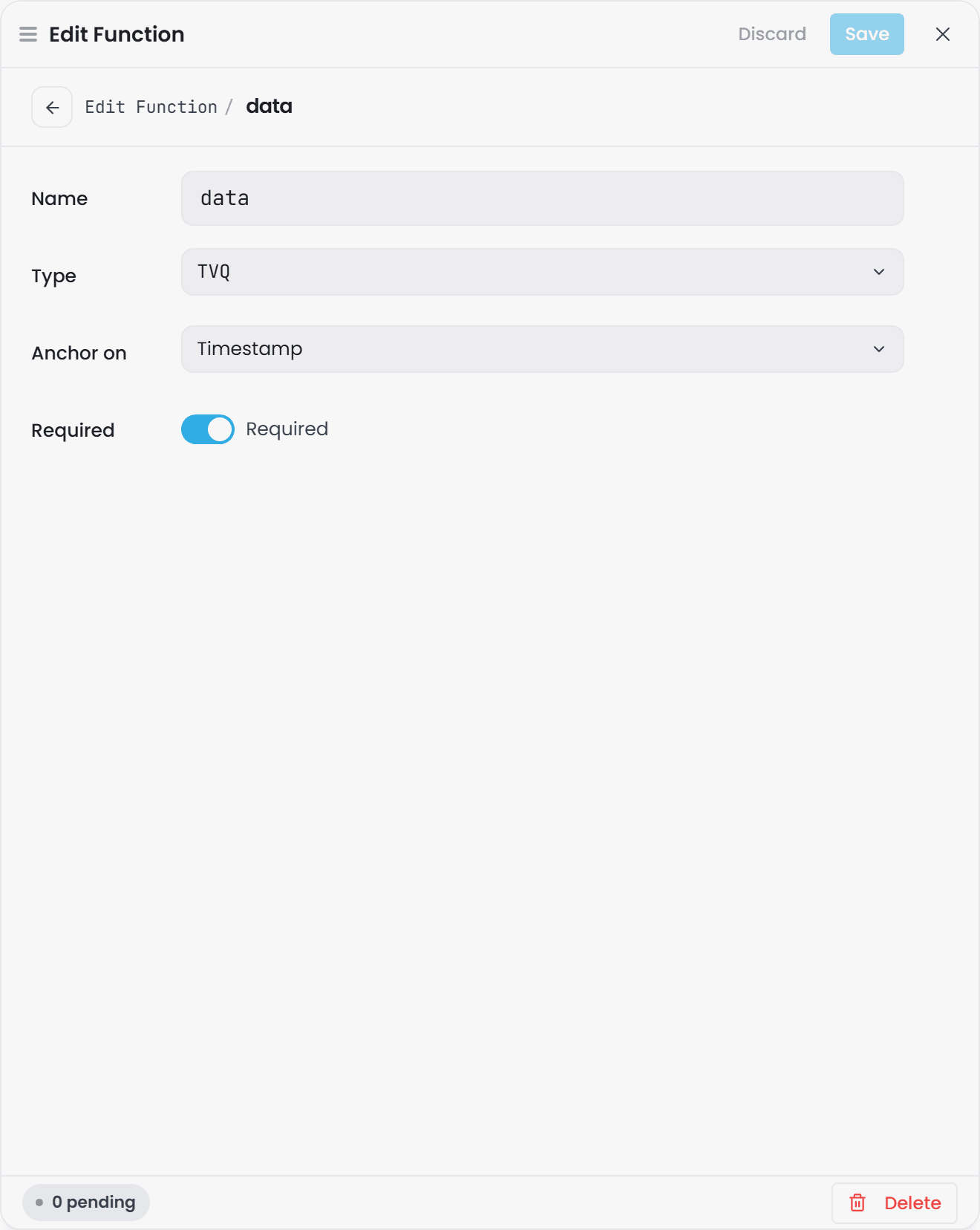
The Parameters list is where you declare the function's inputs. Select + Add item for each one; a row opens as its own small form, and Back returns you to the list:
| Field | What to put in it |
|---|---|
| Name | The local identifier you will use inside the body, for example fahrenheit. It must be a valid C# identifier: a letter or underscore first, then letters, digits and underscores, and not a reserved C# word such as class. anchor is also off limits, because Atlas reserves it for the anchor of an anchored function. |
| Type | The input's type, picked from a grouped list of Primitives (XSD scalars) and Data Types (compounds such as TVQ). |
| Anchor on | Only shown when the chosen Type has date-and-time fields. See Anchored (multi-row) functions. Leave it alone unless you need that. |
| Required | Whether the parameter is required. |
A function with no parameters is legal. It compiles and runs as a constant generator.
An input's name becomes the parameter name in the generated method, which is why it is held to the C# rules. When an input is removed, or the function is deleted, the input's shared property is removed with it, unless another function or something else in the model still uses it. That check looks only inside the Domain or Library that owns the function: a Domain that imports a Library and has attached one of the Library's input properties to its own types is not consulted, so deleting the Library function still removes the property. Detach it in the Domain first, or create a property of your own there instead of attaching a function input.
Output#
A function declares exactly one output.
| Field | What to put in it |
|---|---|
| Output name | The output's local name, for example deviation. It can contain letters, digits, underscores (_) and hyphens (-), the same rule every other element name follows. An output name never appears in the generated code, so the C# rules do not apply to it. |
| Output type | Picked from the same Primitives / Data Types list. |
A warning for rule O-F4 shows at the top of the drawer until both are filled in, and the drawer keeps counting what is still pending in its footer.
| Output timestamp | Only shown when the output type has more than one date-and-time field, so there is a real choice to make. It selects which output field the anchor resolves to. |
Implementation#
A C# editor. Type the function body here. See the next section for what is allowed.
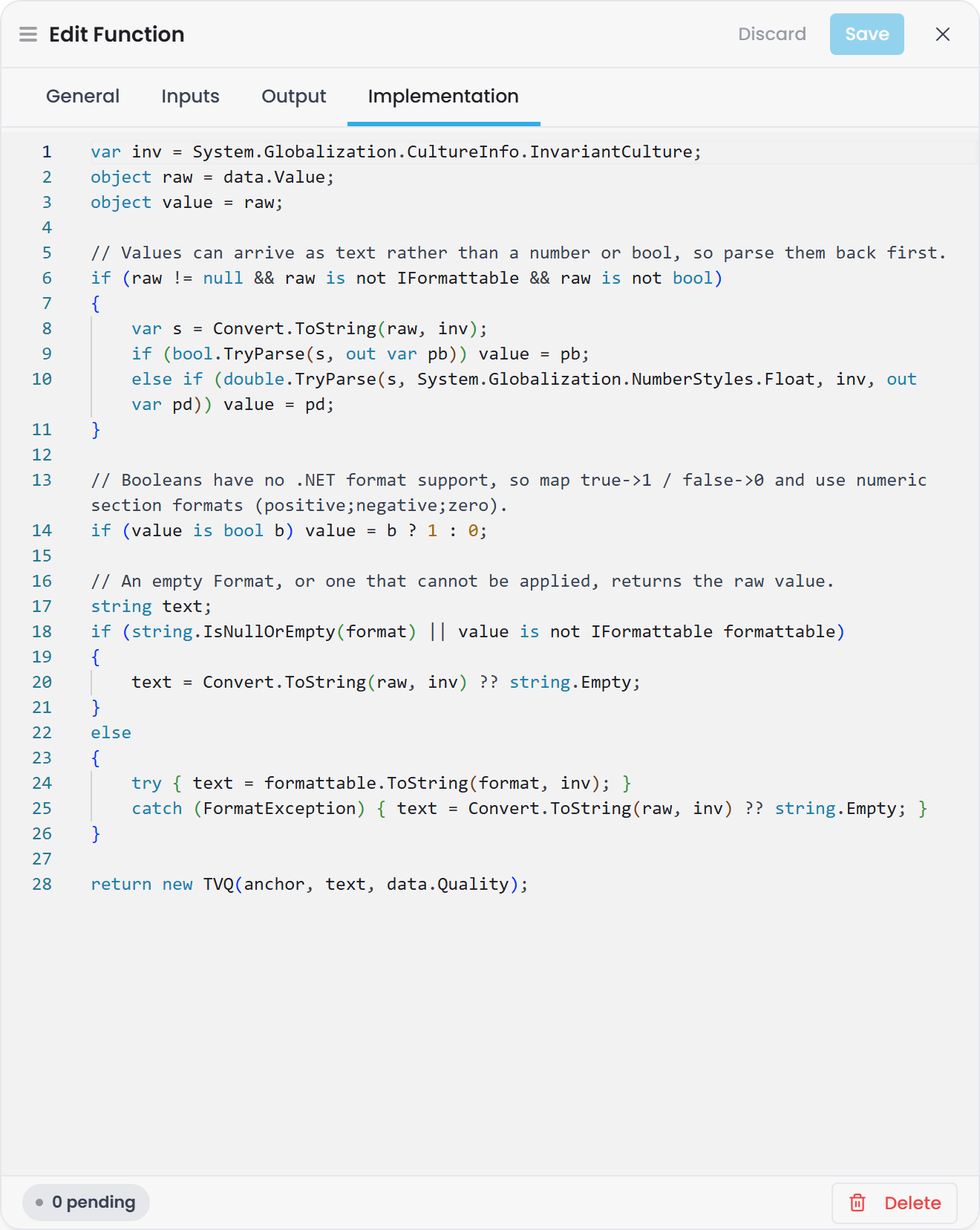
The body is compiled when you save. Atlas compiles it with the same scaffold the domain compile uses, so what you see on save is what the domain compile will report, and returns the compiler's own diagnostics:
- Each diagnostic is marked in the editor at the line and column it applies to, counted from the first line of your body.
- The full list appears under the editor, with the compiler's message and its identifier.
- Markers clear as soon as you edit the body, and again at the start of the next save.
An error keeps the drawer open. The function is saved, the drawer stays on the Implementation tab, and the status reads Saved with issues so you can correct the body straight away. Warnings do not hold the drawer open.
The drawer also checks the signature as you type, mirroring the save-time rules below, so a name collision or a missing output shows before you save.
Writing the function body#
The body is C# statements, and it must return#
The body is one or more C# statements, not an expression. Atlas wraps what you write in a generated method:
public static object? YourFunction(TVQ fahrenheit, TVQ setpoint)
{
    <your body goes here>
}
You write only the inside. Do not write the method signature and do not write the braces. Because it is
a method body and not an expression, it must end in a return. A bare expression such as
rawFlow * coefficient will not compile.
A real shipped example, converting Fahrenheit to Celsius and subtracting a setpoint, where both inputs
are TVQ compounds:
return new TVQ(
    fahrenheit.Timestamp,
    (((double)fahrenheit.Value) - 32.0) * 5.0 / 9.0 - ((double)setpoint.Value),
    fahrenheit.Quality);
C# is the only language. There is no per-function language setting.
What is in scope#
- Your parameter names, exactly as you typed them on the Inputs tab.
- The fields of a compound-typed parameter. A
TVQinput gives you.Timestamp,.Valueand.Quality. anchor, but only on an anchored function. See below.
What the body may reference#
The compiler references the entire .NET base class library plus every assembly Atlas already has loaded.
In practice that means System, System.Collections.Generic, Math, DateTime and the Atlas value
types are all available with no configuration and no using gymnastics.
You can add your own compiled libraries with the FunctionLibraries configuration section - a map of
name to DLL path. Every listed assembly is referenced by every function in every domain; there is no
per-function filtering. The section ships empty.
"FunctionLibraries": {
  "MyPlantMath": "/opt/atlas/libs/MyPlantMath.dll"
}
Functions in the same scope can call each other#
Functions whose URIs share a namespace are generated into one C# class, so a function can call another function in the same domain or library by its bare name, with no qualification. Use this to factor a shared sub-calculation out of several KPIs.
Parameter and output types#
An input or output type must be an XSD primitive or a Data Type (a compound) that exists in this scope or in an imported library.
The primitives that generate a real C# type are:
| Type URI | C# type in your body |
|---|---|
xsd:double |
double |
xsd:float |
float |
xsd:integer |
int |
xsd:int |
int |
xsd:long |
long |
xsd:boolean |
bool |
xsd:string |
string |
xsd:dateTime |
System.DateTime |
use xsd:double for decimal values. xsd:decimal is accepted at save time but does not
map to a C# numeric type, so arithmetic on it reports a type error when you compile the domain.
Compound (Data Type) parameters are how real calculations are written. A plain xsd:double input
carries a number and nothing else. A TVQ input carries the timestamp and the quality code as well, so
your body can propagate the reading's own timestamp into the result and branch on bad quality. Every
shipped example function takes compounds.
quality is data your function decides what to do with. A Bad-quality input is passed to the
function and the function still returns a result. To make a calculation react to quality, take the
compound as the parameter type and branch on .Quality in the body.
Ask Gage
Ask the
builderagent: "Create a function called FahrenheitToCelsius. Take a TVQ parameter named rawTemp and return TVQ. Use the formula (Value - 32) * 5 / 9, passing Timestamp and Quality through unchanged."Requires the
pulse:administratorrole.
Saving a function#
A function save is checked before it is written. If the check passes, the function goes onto the branch.
If it does not, you receive HTTP 422 with a violations[] array and nothing is written, so you fix
the function in the drawer and save again.
Six rules run at save time - the O-F1 to O-F6 family in
Validation Rules Reference, which carries the full
catalogue and the exact message text:
| Rule | What it catches |
|---|---|
O-F1 |
An empty name, or a name already taken in this scope. |
O-F2 |
An input or output type that does not resolve to a primitive or a Data Type in scope. |
O-F3 |
A shared parameter predicate reused with a different type than an existing function declared. |
O-F4 |
No output declared, or an empty implementation body. |
O-F5 |
An anchor pointed at a field that is not a date-and-time field of the relevant type. |
O-F6 |
An input or output name that breaks the name rule: an input that is not a C# identifier, is a reserved C# word, or is anchor; an output with a character other than letters, digits, underscores and hyphens. |
On an edit, only a name that is new or changed is checked, so a function saved under the older, looser rule stays editable. The one exception is an input named anchor on an anchored function, which is refused on every save because the function cannot compile.
These six cover the signature. The body is compiled at the same moment and reported separately, as compiler diagnostics rather than rule violations - see Implementation above and When a function does not compile for the domain-compile view.
Wire the function to a property#
A function on its own computes nothing. It runs when a property in an instance map declares a Calculated sourcing strategy that names it and binds each of its parameters to something.
For the full set of strategies, see Property Sourcing Strategies. This section covers the Calculated strategy.
In the interface#
-
Open the domain and select the Instance Builder view.
-
Select the instance map definition, then the Mappings tab.
-
Select the property and choose Calculated on the sourcing-strategy control.
-
Pick the function from the Function list. The drawer shows the function's Returns type.
-
Under Bind each parameter to a property or Member Path of this Type, bind each parameter. Each row has a Property / Literal toggle:
- Property offers this type's properties and Member Paths whose type matches the parameter. To
read the input from another instance, use the row's Read from instance field: search the
domain's instances, or type an id by hand, and the property list switches to that instance's own
properties. For a definition expanded from a map, type the target's templated id, for example
TK-[Num]; its type still resolves, so the property list still fills. - Literal takes a fixed value, typed as the parameter expects. A parameter you have not bound is tagged Unbound. A row that names an instance the domain does not have shows a warning under the instance field, and a bound property the target no longer has stays visible as Custom value, so a blank row always means unbound.
- Property offers this type's properties and Member Paths whose type matches the parameter. To
read the input from another instance, use the row's Read from instance field: search the
domain's instances, or type an id by hand, and the property list switches to that instance's own
properties. For a definition expanded from a map, type the target's templated id, for example
-
Save, then compile the domain.
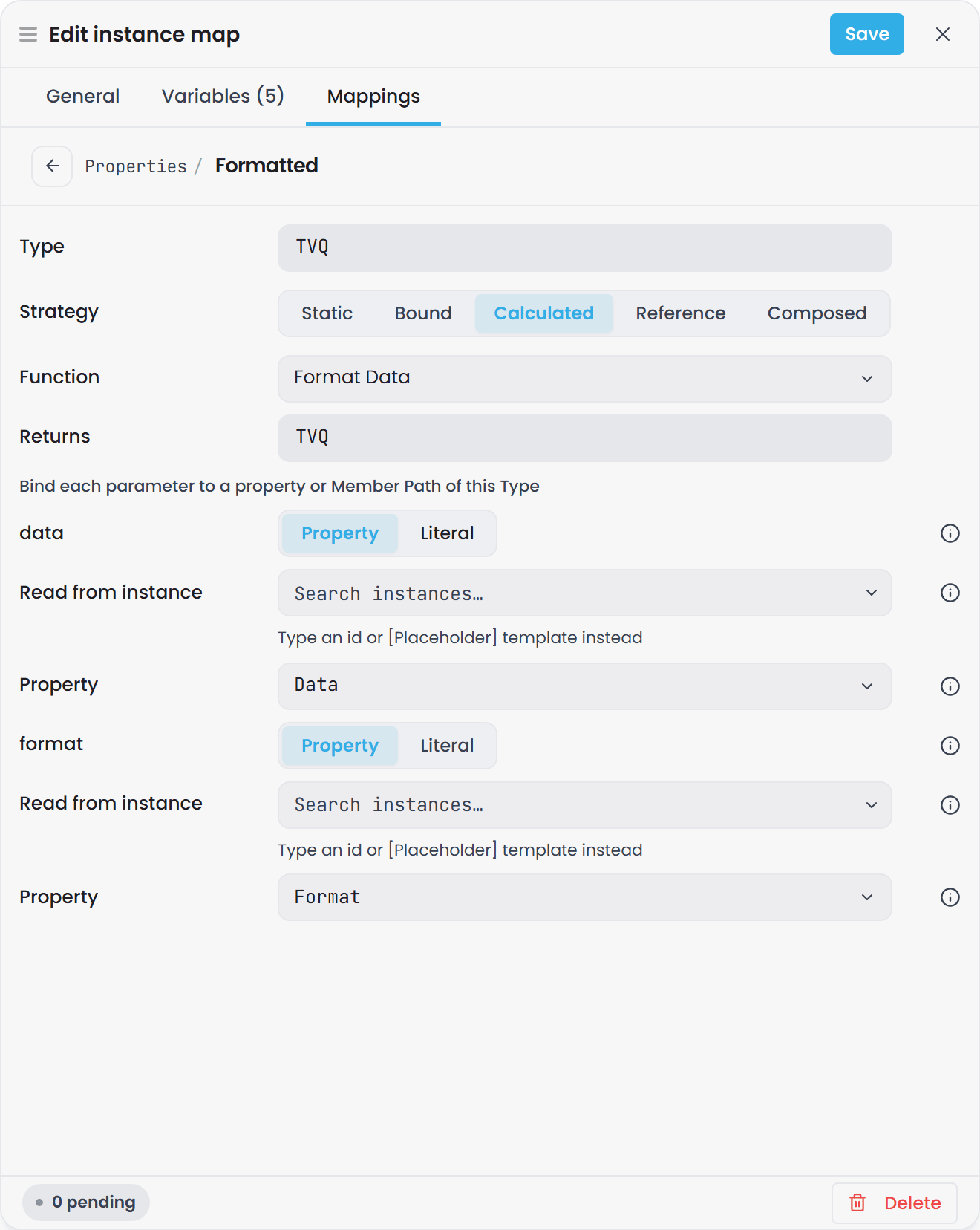
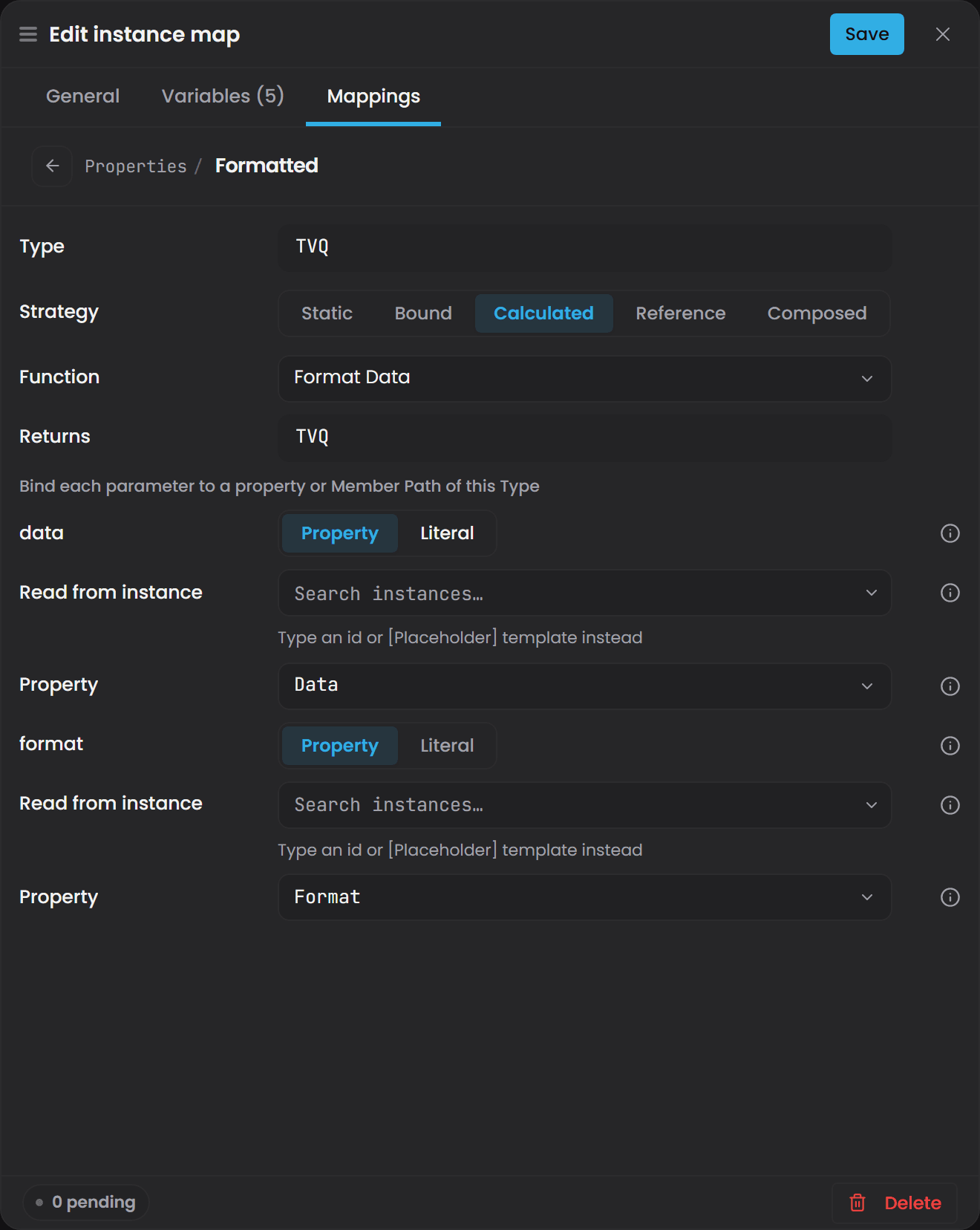
The same rows appear on a property type's Default (see Property Sourcing Strategies) and on a Composed property's members.
In the file#
A Calculated strategy is an entry in the instance map definition's properties block, keyed by the full
property URI:
"urn:atlas:ontology:juice-factory:temperatureCelsius": [
  {
    "type": "CalculatedStrategy",
    "functionUri": "urn:atlas:ontology:juice-factory:FahrenheitToCelsius",
    "arguments": [
      {
        "type": "propertyRef",
        "parameter": "urn:atlas:ontology:juice-factory:param/fahrenheit",
        "propertyUri": "urn:atlas:ontology:juice-factory:temperature"
      }
    ]
  }
]
Both functionUri and arguments are required. Leaving either out is rejected on save with
CalculatedStrategy requires field 'arguments'. (rule I-A6). An empty arguments array is legal -
that is how you wire a zero-parameter function.
Each entry in arguments has these fields:
| Field | Required | What it does |
|---|---|---|
type |
Yes | "propertyRef" to read another property, or "literal" for a fixed value. Anything that is not exactly "propertyRef" is treated as a literal. |
parameter |
Yes | Which function parameter this argument fills. This is the binding key. |
propertyUri |
For propertyRef |
The full URI of the property to read. |
value |
For literal |
The fixed value. |
instanceUri |
No | On a propertyRef only. Reads the property from another instance instead of this one. |
order |
No | Vestigial. See below. |
parameter is the binding key#
parameterdecides which function input an argument fills. Position and property name are not used, so list every input you want the function to receive inargumentsexplicitly.- The canonical form of
parameteris the parameter's predicate URI, which isurn:atlas:ontology:{scope}:param/{name}. That is what the interface writes and what the shipped example files contain. - The bare local name (
fahrenheit) is also accepted as a compatibility form. RuleI-B22reports aparameterthat matches neither. orderis not used to map arguments to parameters. The interface does not write it, and it is read only as a tie-break when collapsing a multi-row anchor grid to a single row. Anorderalready in a file is preserved as written.
an input whose parameter key matches none of the function's inputs is read as the default
for its type, which for a number is zero. A calculated property returning 0 on a clean compile is
usually a parameter key to check. Rule I-B22 reports exactly this, at Warning severity, so it
appears in GET .../validation rather than in the compile response.
Read a value from another instance#
Add instanceUri to a propertyRef argument and the input is read from the instance you name instead of
from the instance that owns the calculated property. This is how a site-level or line-level KPI reads
values off the assets underneath it.
{
  "type": "propertyRef",
  "parameter": "urn:atlas:ontology:plant:param/upstreamFlow",
  "propertyUri": "urn:atlas:ontology:plant:FlowRate",
  "instanceUri": "urn:atlas:instance:plant:pump-01"
}
An instanceUri that does not match any expanded instance is reported as an error at validation time
(I-B19), so it is caught before the domain compiles. In the interface this is the row's Read from
instance field, which is the same instance search the Reference strategy uses.
Ask Gage
Ask the
instance-builderagent: "In an instance map for Pump instances, add a Calculated sourcing strategy to the TemperatureCelsius property. Wire it to call the FahrenheitToCelsius function, binding the rawTemp parameter to the TemperatureFahrenheit property."Requires the
pulse:administratorrole.
Calculations can chain#
A calculated property may take another calculated property as an input, to any depth. Atlas resolves the
chain on read. A cycle is detected and reported rather than looped: at compile time as
Circular dependency detected in calculated-property graph, and at read time as
Circular dependency detected resolving property '<uri>' on entity <id>.
Compiling functions#
Functions are compiled when you compile the domain - open the domain's Overview view and select Compile (the button reads Recompile once a world exists).
What happens:
- Every function in scope is compiled into a single release-optimised assembly for that compile.
- The compiled functions are registered against their function URIs.
- On a recompile, the previous set is released once the queries still running against it have finished, so repeated recompiles do not accumulate.
Atlas also recompiles every domain it has a record of when it starts up, so you do not need to recompile manually after a restart.
Nothing about the compiled function is persisted. There is no compiled-assembly cache on disk and no function-body version history.
When a function does not compile#
A function with an error in its body does not stop the domain compiling:
- Atlas compiles all functions together. If one body reports an error, that function and anything calling it are set aside and the rest compile.
- The world is still built, and the compile returns 200.
- Each set-aside function is listed on the compile result under
functionErrors, with its compiler diagnostics.
{
  "entityCount": 634,
  "edgeCount": 73,
  "archetypeCount": 42,
  "compiledAt": "2026-08-03T09:14:22.881Z",
  "functionErrors": [
    {
      "functionUri": "urn:atlas:ontology:plant:Efficiency",
      "diagnostics": [
        "(1,8): error CS0019: Operator '-' cannot be applied to operands of type 'string' and 'double'"
      ]
    }
  ]
}
In the interface this list appears under Function compilation errors, in the Compile section of the domain's Overview view, below the entity, edge and archetype counts. Check it after every compile that touches a function.
The line numbers in the diagnostics count lines within your body, starting at 1.
A Calculated strategy naming a function that did not compile resolves to null, so a calculated property
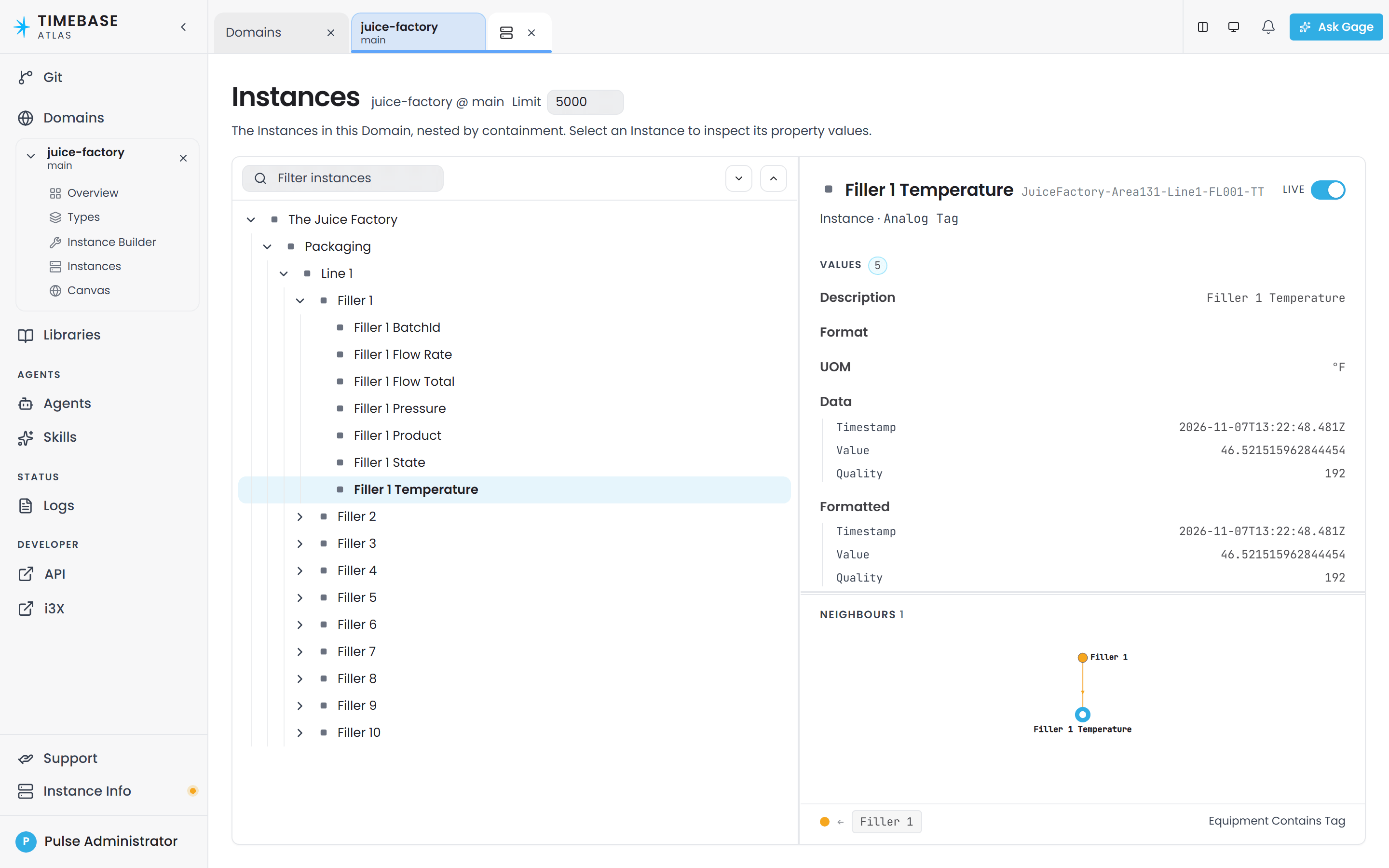
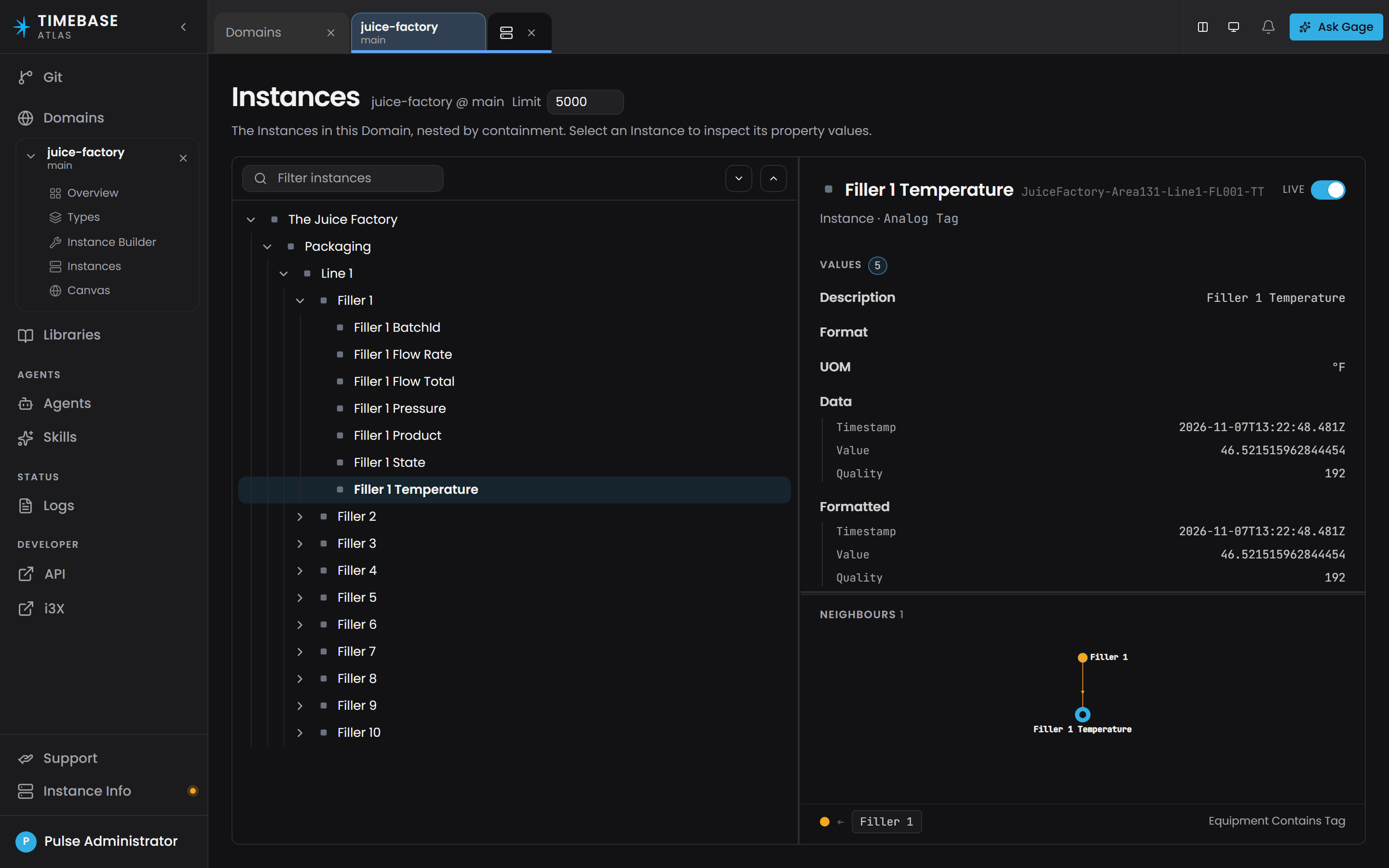 that is blank after a successful compile is the signal to look at
functionErrors.
this is separate from a validation failure. Validation violations return 422 with a
violations[] array of rule IDs and no world is built. A function compile error arrives on a 200 and
leaves the rest of the model working. Both are described in
Validation Rules Reference.
Generated-name collisions#
Two functions whose URIs normalise to the same generated C# name are both set aside, with this message:
Generated C# method signature collision: <uriA> and <uriB> all map to <key>.
Rename one of the functions or their ontology's namespace/class segments so they differ.
Name generation collapses separators, so scale-factor and scale_factor collide even though they are
distinct URIs. Rename one of them.
When a calculation runs#
Calculations need no trigger, schedule or interval configuration. Atlas evaluates a calculation on one of two paths and selects between them for you.
Live, as inputs arrive#
For each calculated property in a compiled domain, Atlas runs one worker. That worker subscribes to every input the calculation reads, and it releases a new result only once every input has advanced to a common point in time - it gates on the lowest of the per-input watermarks, with a deterministic tie-break when two inputs land at the same instant.
The practical consequences:
- A fast input on its own does not advance the calculation - the result waits for the slowest input, so it updates at roughly the slowest input's interval.
- Inputs other than the one that triggered the recompute are read at their latest known value.
When you recompile a domain, the workers are replaced wholesale: new workers start against the new world immediately while the old ones drain against the old one.
A function whose parameters are all range collections has no per-sample cadence to react to, and is evaluated on the range path below.
On demand, when a query asks#
A query that reads a calculated property computes it there and then, from its inputs' current values. A query that asks for a calculated property over a time range fetches each input's range, builds a wide table, and invokes the function once per row.
Calculated values are never stored. Nothing is written to a history store and nothing is backfilled. The upside is that this works backwards for free: a calculation you add today can be queried over past data straight away, for as far back as its inputs have history. The limit is the inputs' history, not the calculation's age.
Point normalization does not apply to calculations#
Point normalization - lining up values from sources with different update rates onto one shared grid of timestamps - is a live-subscription and value-hub feature. It runs when a subscriber asks for an aligned view of an instance or a type, and it is separate from calculation.
If you have a KPI whose availability figure comes from a PLC updating every 100 ms and whose quality figure comes from a database updating every 60 seconds, the calculation waits for the 60-second input and then reads the latest value of each. It does not resample them onto a shared grid.
Anchored (multi-row) functions#
A separate, opt-in mechanism does exist for functions that need to produce a row per input timestamp over a range. It is switched on by the Anchor on field on a parameter, plus Output timestamp on the output.
- It requires compound input and output types with date-and-time fields. A plain
xsd:doubleparameter cannot be anchored on. RuleO-F5enforces this at save time. - On the range path, Atlas builds an anchor grid from the union of the contributing inputs' timestamps and invokes the function once per anchor.
- On the point-in-time path, that grid is collapsed to a single row.
Leave Anchor on empty unless you specifically need this. A function with no anchor is single-row, and that is the ordinary case.
Manage functions through the API#
Functions are full CRUD, in both scopes, and the two route groups are symmetrical:
GET    /api/v1/branches/{branch}/domains/{domain}/functions
GET    /api/v1/branches/{branch}/domains/{domain}/functions/{name}
POST   /api/v1/branches/{branch}/domains/{domain}/functions
PUT    /api/v1/branches/{branch}/domains/{domain}/functions/{name}
DELETE /api/v1/branches/{branch}/domains/{domain}/functions/{name}

GET    /api/v1/branches/{branch}/libraries/{library}/functions
GET    /api/v1/branches/{branch}/libraries/{library}/functions/{name}
POST   /api/v1/branches/{branch}/libraries/{library}/functions
PUT    /api/v1/branches/{branch}/libraries/{library}/functions/{name}
DELETE /api/v1/branches/{branch}/libraries/{library}/functions/{name}
Points worth knowing:
- Every route requires a Pulse bearer token.
- Update is
PUT. It is a full replacement: the previous definition is retracted and the new one asserted in a single operation. - The list read is lighter than the single read. Only
GET .../functions/{name}carries the C# body and the anchor. DELETEreturns 409 when the function is in use. See the Troubleshooting table.
A create body looks like this:
{
  "name": "TempVsSetpoint",
  "label": "Temp vs Setpoint",
  "parameters": [
    { "name": "fahrenheit", "type": "atlas-common:TVQ",
      "predicateUri": "urn:atlas:ontology:plant:param/fahrenheit", "required": true },
    { "name": "setpoint", "type": "atlas-common:TVQ",
      "predicateUri": "urn:atlas:ontology:plant:param/setpoint", "required": true }
  ],
  "output": {
    "name": "deviation",
    "type": "atlas-common:TVQ",
    "predicateUri": "urn:atlas:ontology:plant:output/deviation"
  },
  "implementation": {
    "body": "return new TVQ(fahrenheit.Timestamp, (((double)fahrenheit.Value) - 32.0) * 5.0 / 9.0 - ((double)setpoint.Value), fahrenheit.Quality);"
  }
}
name is the local name; Atlas scopes it to the domain or library namespace to produce the full URI.
Asking the AI assistant#
The assistant authors a function for you from a plain-language description, writing the definition through the same path the drawer uses. To see what a function returns, compile the domain and query the property that uses it.
Troubleshooting#
| Symptom | Likely cause | What to do |
|---|---|---|
| A calculated property is blank after a successful compile | The function body reported a compiler error, so the function was set aside | Open the domain's Overview view and check Function compilation errors in the Compile section. Fix the body, compile again |
A calculated property returns 0 on a clean compile |
A parameter key does not match any of the function's inputs, so that input reads as the type default |
Compare each argument's parameter against the function's parameter predicate URIs, then call GET /api/v1/branches/{branch}/domains/{domain}/validation and check warningCount - I-B22 reports this |
Saving a function returns 422 with a violations[] array |
One of the O-F1 to O-F5 save rules |
Read the messages, fix the function in the drawer, save again. Rule details are in Validation Rules Reference |
Saving fails with A function must declare exactly one output. |
The Output tab is incomplete (O-F4) |
Fill in Output name and Output type |
Saving fails with A function must have a non-empty implementation body. |
The Implementation tab is empty (O-F4) |
Write a body ending in return |
Saving fails with Function 'X' already exists (URI '...'). |
The name is taken (O-F1). All five ontology element kinds share one namespace per scope, so it may be taken by a type or a property, not another function |
Pick a different local name |
| Compile reports a C# error on a body that looks correct | The body is not an expression. A bare expression such as a * b produces a "not all code paths return a value" error |
Rewrite as a statement: return a * b;. Do not add the method signature or the braces |
Compile reports a type error on a parameter typed xsd:decimal |
xsd:decimal does not map to a C# numeric type |
Change the parameter type to xsd:double and compile again |
Compile reports Generated C# method signature collision or adapter class name collision |
Two function URIs normalise to the same generated C# name. Name generation collapses separators, so scale-factor and scale_factor collide, and both are set aside |
Rename one of them, or change the namespace segment so the two differ |
Saving an instance map fails with CalculatedStrategy requires field 'arguments'. |
The strategy entry has functionUri but no arguments (I-A6). Both are required |
Add an arguments array. Use [] if the function takes no parameters |
Saving an instance map fails with ... references function URI '...', which is not registered |
The functionUri is misspelled, points at a scope this domain does not import, or names a function that was never saved (I-B9) |
Check the URI. It is urn:atlas:ontology:{scope}:{Name} - there is no urn:atlas:fn: form. If the function is in a library, confirm the domain imports that library |
A cross-node argument reports ... does not match any expanded instance id in the domain |
The instanceUri names an instance that does not exist after expansion (I-B19) |
Check the instance id after expansion rather than the template |
Deleting a function returns 409 with Cannot delete 'X' - it is referenced by N dependents. |
An instance map's Calculated strategy still binds the function | The response lists the dependent instance maps by name. Unwire the function from each of them, then delete it. The interface shows the same list in its "Detach from" dialog |
| A calculated property does not update when one of its inputs does | The calculation releases a result once every input has advanced to that point in time | Confirm the slowest input is receiving values |
| A calculation returns a number even though a sensor reports bad quality | Quality is data the function decides what to do with | Type the parameter as a compound such as TVQ and branch on .Quality in the body |
| The calculation mixes values from different moments | Point normalization is a value-hub and subscription feature, and non-triggering inputs are read at their latest known value | For timestamp-aligned inputs over a range, use an anchored function. For a live aligned view, subscribe to the value hub |
| A range query over a calculated property returns nothing for old data | Calculated values are never stored. A range is computed from the inputs' history | Confirm the input properties themselves have history over that window |
Circular dependency detected in calculated-property graph at compile, or Circular dependency detected resolving property ... at query time |
Two or more calculated properties depend on each other, directly or through a chain | Break the cycle named in the message |
| You saved the function, compiled, and nothing changed | An instance map or ontology save in the same session is still in your draft session | Publish the draft with POST /api/v1/branches/{branch}/draft/publish, then compile again |