Defining Types and Schemas
The ontology is the type blueprint of your model.
Overview#
The ontology is the type blueprint of your model. It says what kinds of things exist, what values they carry, how they connect, what shape those values have, and what calculations run on them. Nothing else in Atlas works until the ontology exists: instances are built from types, and queries are written against them.
This article explains how to author each kind of type from the Types screen, what every field in each drawer does, and how Atlas tells you when something is wrong. Read Timebase Atlas Key Concepts first if the words domain, branch, library, instance map or compile are new to you. This article does not re-define them.
Where you author types#
Open a domain or library from the Domains or Libraries page, then select Types from the launcher on the Overview screen. The screen's own description reads:
Every Type defined in this Version, grouped by category. Select a Type to inspect it, or use Create to add one.
The tree on the left groups everything into six categories:
| Category | What it defines |
|---|---|
| Property Types | The values a thing can carry |
| Data Types | The shape of a value, including multi-field shapes such as timestamp-value-quality |
| Enumeration Types | A fixed set of named members, each with a key, for a property that holds a state or a code |
| Entity Types | The kinds of things in your model |
| Relationship Types | The named, directed connections between things |
| Functions | Reusable calculation logic |
Above the tree sit a label filter and a Create button with a dropdown. The dropdown is the single entry point for authoring, and it lists those six kinds by name: Property Type, Data Type, Enumeration Type, Entity Type, Relationship Type, Function. Selecting one opens a drawer on the right.
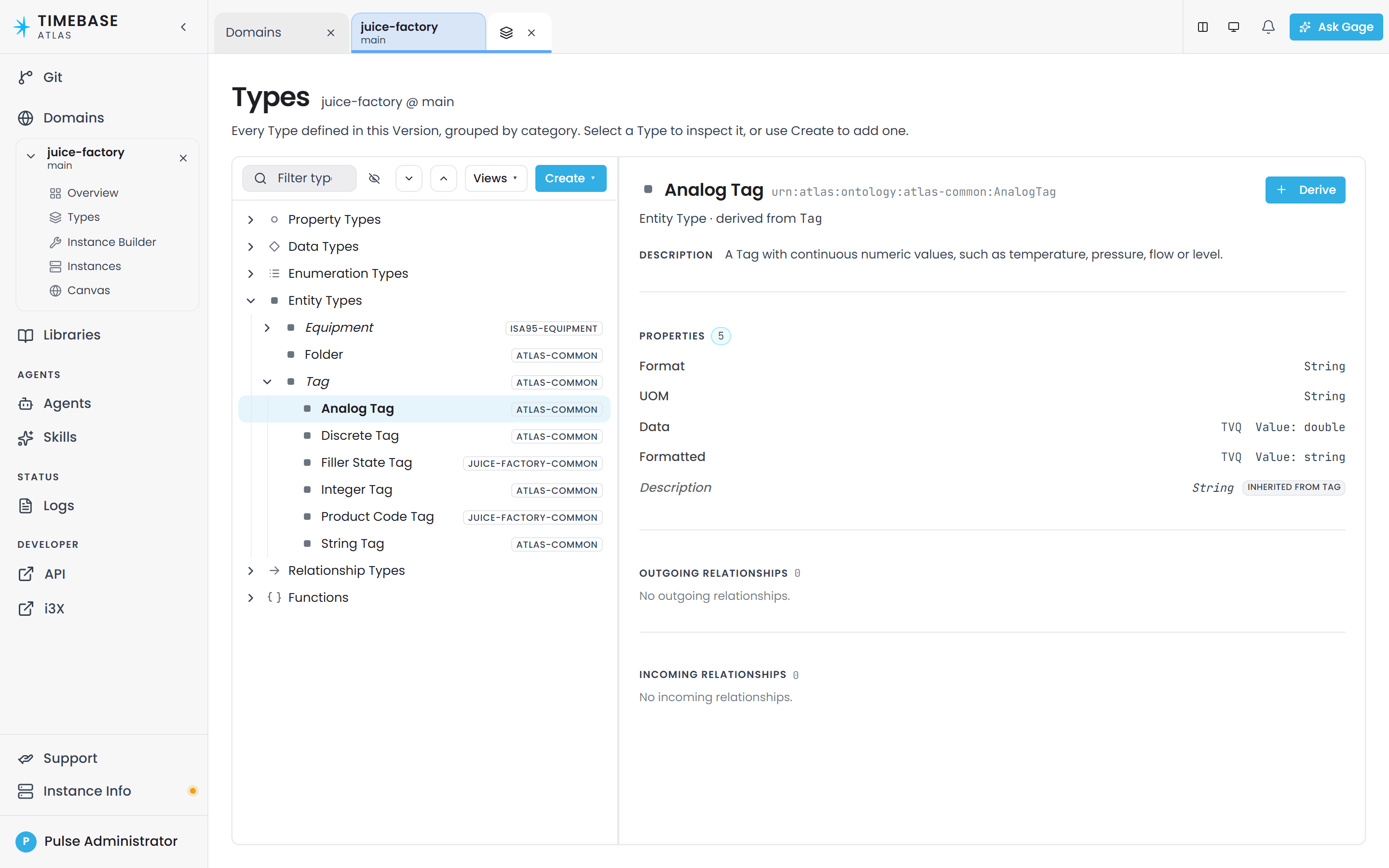
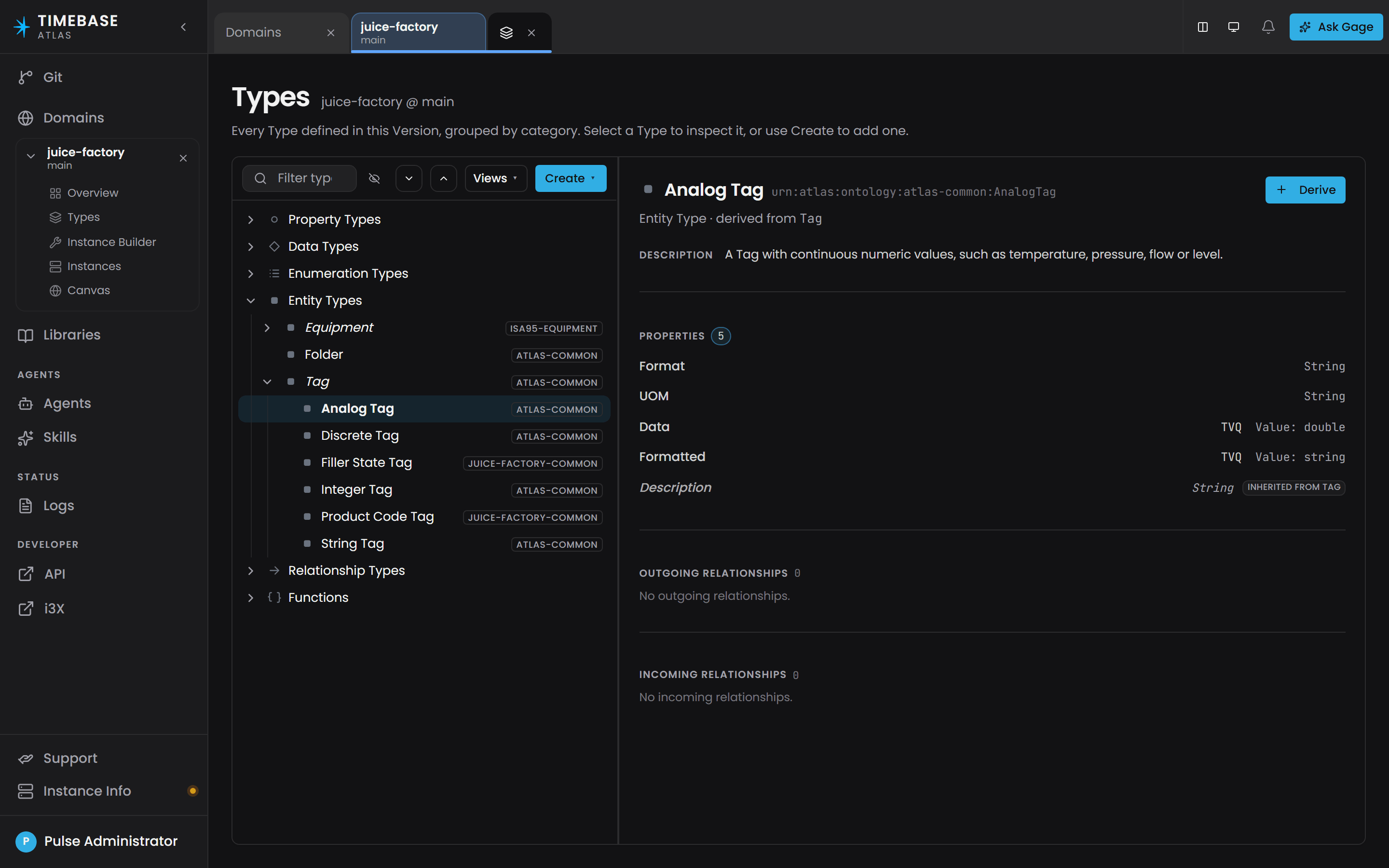
Editing and deleting happen from the inspector on the right, not from the tree rows. Select a type in the tree, then Edit in the inspector reopens its drawer, and Delete sits at the foot of that drawer. A type that comes from an imported library carries the library's name on its row and has no Edit button here; open the library from the Libraries page to change it.
Note: A library uses the same six drawers and the same Types screen as a domain. A library holds only types, so it has just Overview, Types and Canvas in its launcher - no instances, no compile.
Tip: Canvas is a second view of the same content: a visual map of the entity types in this version and the relationships between them. Many people find it easier to sketch a hierarchy there and use Types for the detail.
Naming your types#
Nothing in Atlas enforces a naming style, so consistency is on you. The summary below is enough for most work; Naming Conventions for Atlas Models is the canonical reference and covers the collision rule, case sensitivity and relationship naming in full.
The house style, and the style every shipped library follows, is:
- Entity types, property types and data types: PascalCase.
Motor,PumpStation,MotorTemperature,TVQ. - Relationship types: camelCase. Every relationship type in the shipped
atlas-commonlibrary is camelCase:contains,connectsTo,relatesTo,sameAs. Follow it, or your model will read inconsistently against the libraries you import. - Domains and libraries: lower case with hyphens. Atlas does this for you: it lower-cases what you type and turns spaces into hyphens, so "Lonestar Plant" is stored as
lonestar-plant.
Every drawer puts Label first and fills Name from it until you edit the name yourself. The name is the local segment of the type's internal identifier, and its help text is: "Built from the Label until you change it. Letters, digits, underscores and hyphens only."
Name is locked after creation. Every drawer shows the field as read-only in edit mode with the help text "Locked after creation." You get one chance at a name. Label and Description can be changed freely afterwards; the name cannot. If you need a different name, create a new type and delete the old one.
One name space for all five kinds#
All five kinds share a single name space per domain or library, so a name can only be used once across every kind. You cannot have a property type called Tank in a domain that already has an entity type called Tank. The Name field checks this as you type and blocks the save:
Cannot create Property 'Tank': the key 'urn:atlas:ontology:brewery:Tank' is already used by a Type. All element kinds (Types, Properties, Relationships, Data Types, Functions) share one URN namespace per domain.
Define an entity type#
An entity type is a kind of thing: equipment, a process, a material, a site, a batch. It is the thing instances are made from.
-
Open the domain or library and select Types.
-
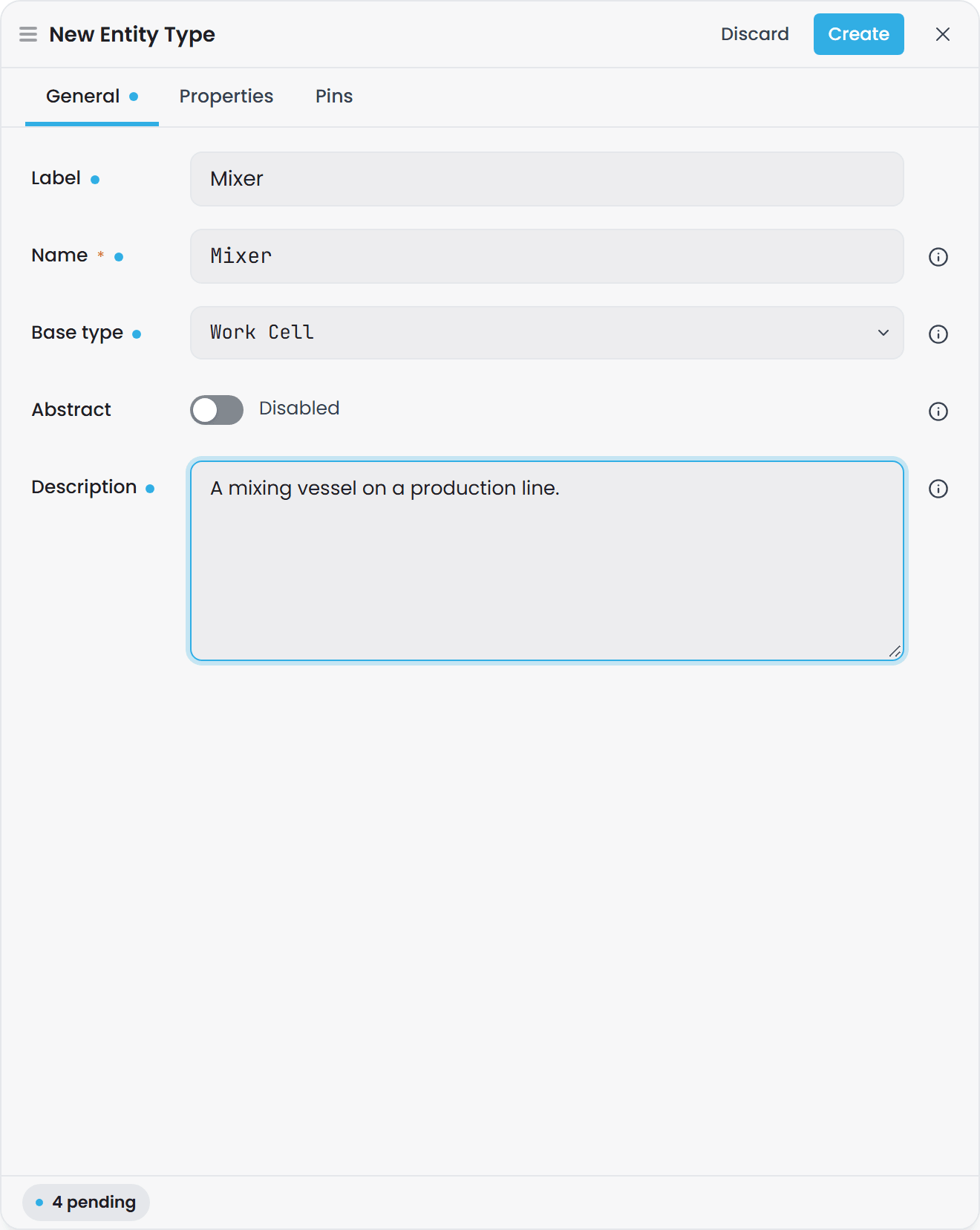
Select Create, then Entity Type. The New Entity Type drawer opens.
-
Fill in the General tab.
-
Select Create. The same drawer reads Save when you reopen a type to edit it.
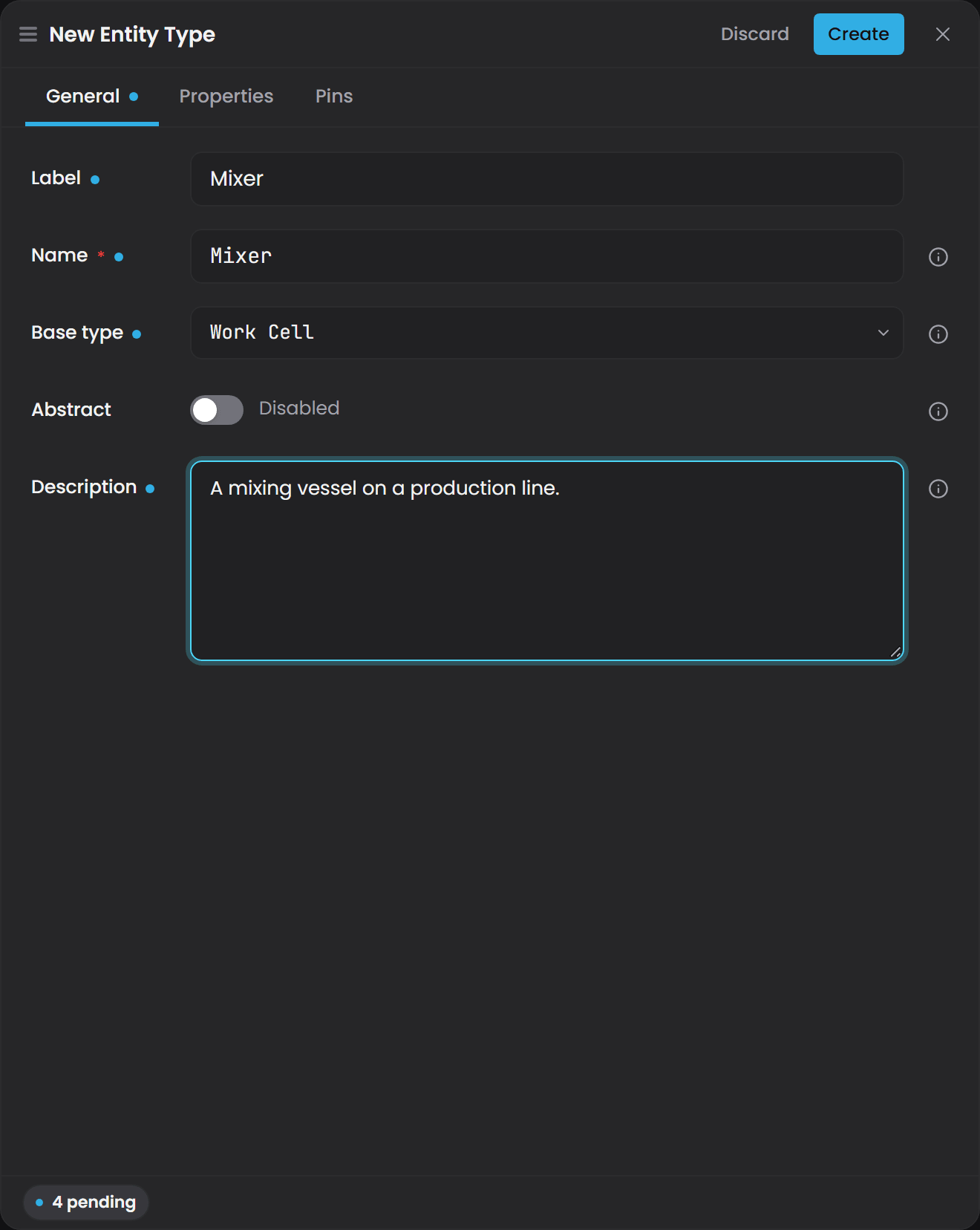
Entity type fields#
| Field | Required | What it does |
|---|---|---|
| Name | Yes | The type name, in PascalCase. Example: Pump. Locked after you save. |
| Label | No | A human-readable display name shown in the interface instead of the name. Example: Centrifugal Pump. If you leave it blank the interface falls back to the name; nothing is stored. |
| Base type | No | The entity type this one inherits from. Its help text is "Derive from an existing Entity Type to inherit its properties." Leave it at None (root entity) for a type with no parent. |
| Description | No | What this type represents, in plain words. Example: A single pump within a pump station. This is what the AI assistant and your colleagues read to understand intent. |
| Abstract | No | A switch. On, the type is derivation-only: it can be a Base type for others, but nothing can be an instance of it. See Abstract types. |
There is a second tab, Properties, covered under Attach a property to an entity type. A third tab, Pins, resolves the open leaves of a property that is still Defer, as described under Defer properties.
Note: the parent field is called Base type. The picker lists entity types, so the framework root NodeBase is not among them. NodeBase appears in the relationship endpoint pickers instead, where it means "any entity".
Inheritance#
An entity type can specialise another entity type, and it inherits that parent's attached properties. A workable hierarchy looks like this:
Equipment- a root entity, carryingDescriptionandLocationRotatingEquipment- base typeEquipment, addsRPMandBearingTemperaturePump- base typeRotatingEquipment, addsFlowRateandSuctionPressureFan- base typeRotatingEquipment, addsAirVolumeFlow
The compiled model keeps the whole subclass chain, so a query that asks for RotatingEquipment reaches Pump and Fan instances beneath it. A label match on the base type includes all descendants.
The quickest way to add a subtype is Derive in the inspector of the parent: it opens the New Entity Type drawer with Base type already set to the type you were looking at.
Define a small set of base types that capture what is common across your plant, then specialise downward, and attach shared properties to the base rather than repeating them on every child.
Ask Gage
Ask the
designeragent: "Design a hierarchy: Equipment as the root with Description and Location properties. RotatingEquipment under Equipment adding RPM and BearingTemperature. Pump under RotatingEquipment adding FlowRate and SuctionPressure. Should any of these properties move to a different level?"Review the plan before handing it to
builderto create the types.
Define a property type#
A property type is a standalone definition of a value: Speed, MotorTemperature, Running, OEE. It is authored on its own and then attached to the types that should carry it.
-
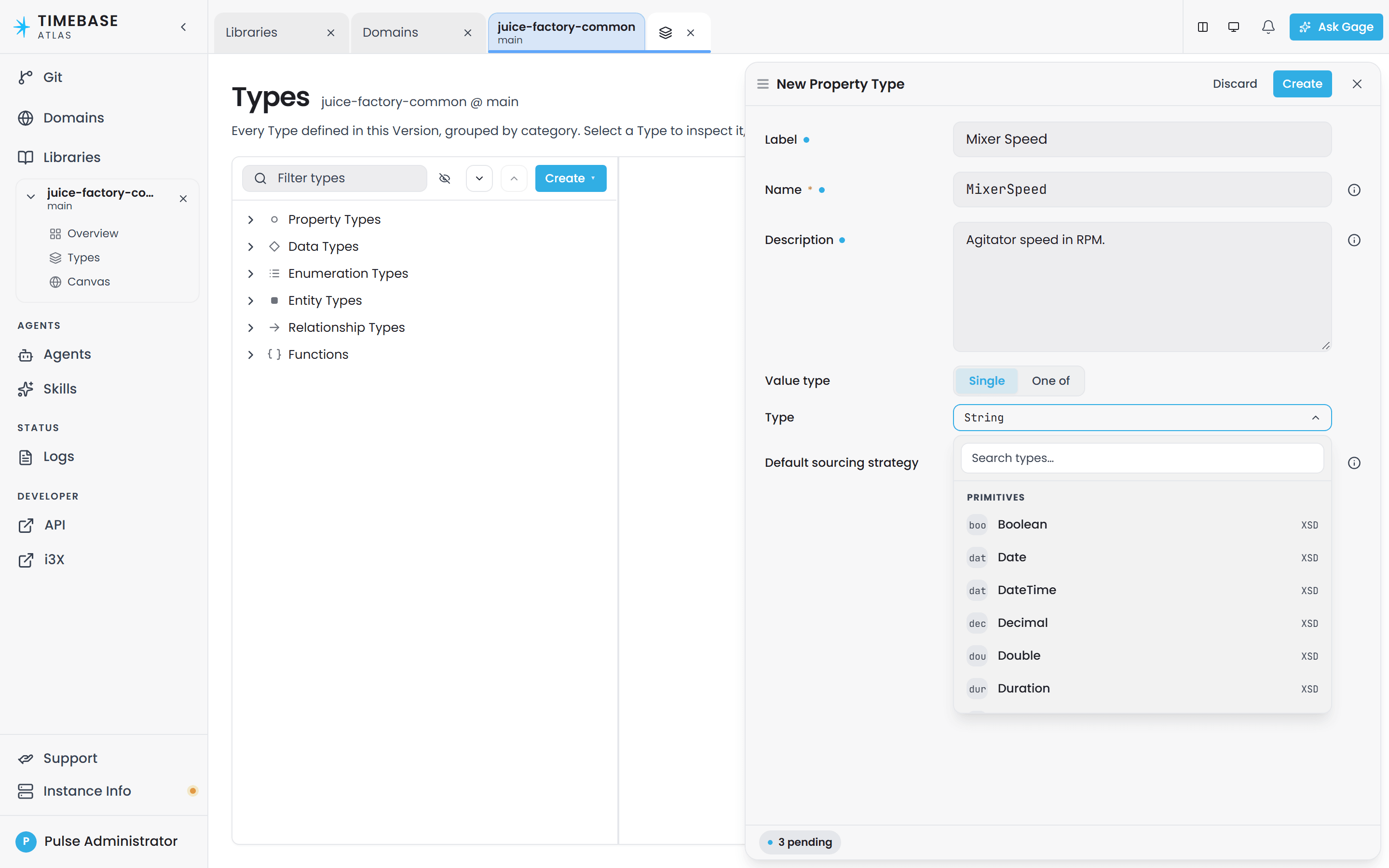
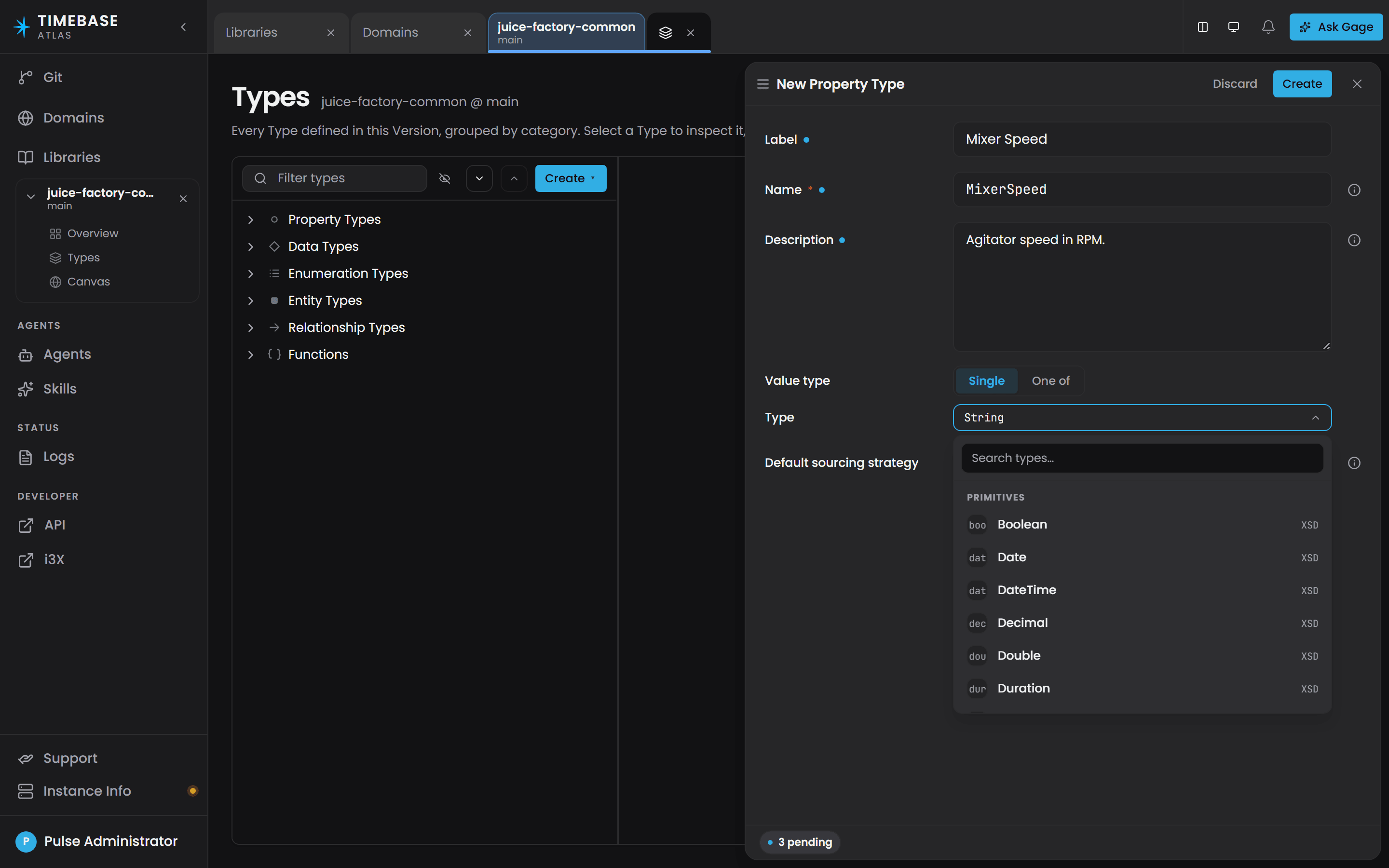
Select Create, then Property Type. The New Property Type drawer opens.
-
Fill in the fields. This drawer has no tabs.
-
Select Create.
Property type fields#
The New Property Type drawer has these fields:
| Field | Required | What it does |
|---|---|---|
| Name | Yes | The property name. Example: MotorTemperature. Locked after you save. |
| Label | No | A human-readable display name. Example: Motor Temperature. |
| Description | No | What this property measures, including the expected unit. Example: Bearing temperature in degrees Celsius. |
| Value type | No | The kind of value this property holds. Single takes one type; One of takes a union of scalars. The Type picker beneath offers Primitives and Data Types only: an entity type is never a property's value type. |
The drawer ends with Default sourcing strategy (None, Static, Bound or Calculated), a class-level default that every instance inherits unless an instance map overrides it. See Set a default on the property type.
a property type is created standalone, and you attach it from the entity type's Properties tab, so the property drawer carries no attachment field. A rdfs:domain entry written into a property by hand reports validation error O-A12: "Property '{id}' declares 'rdfs:domain' - the retired property-owns-attachment shape."
Attach a property to an entity type#
Attachment lives on the entity type, not on the property. One property can be attached to any number of entity types.
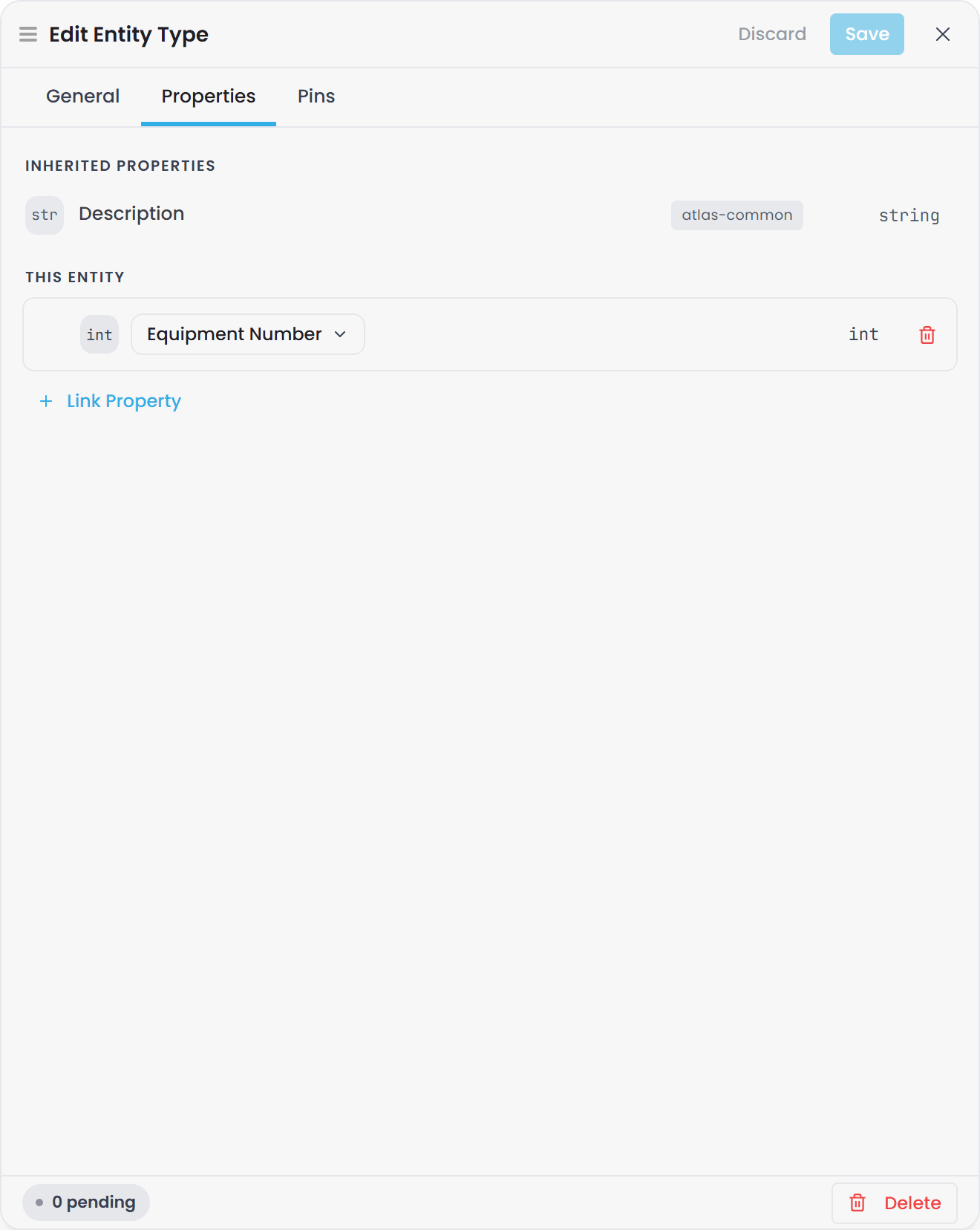
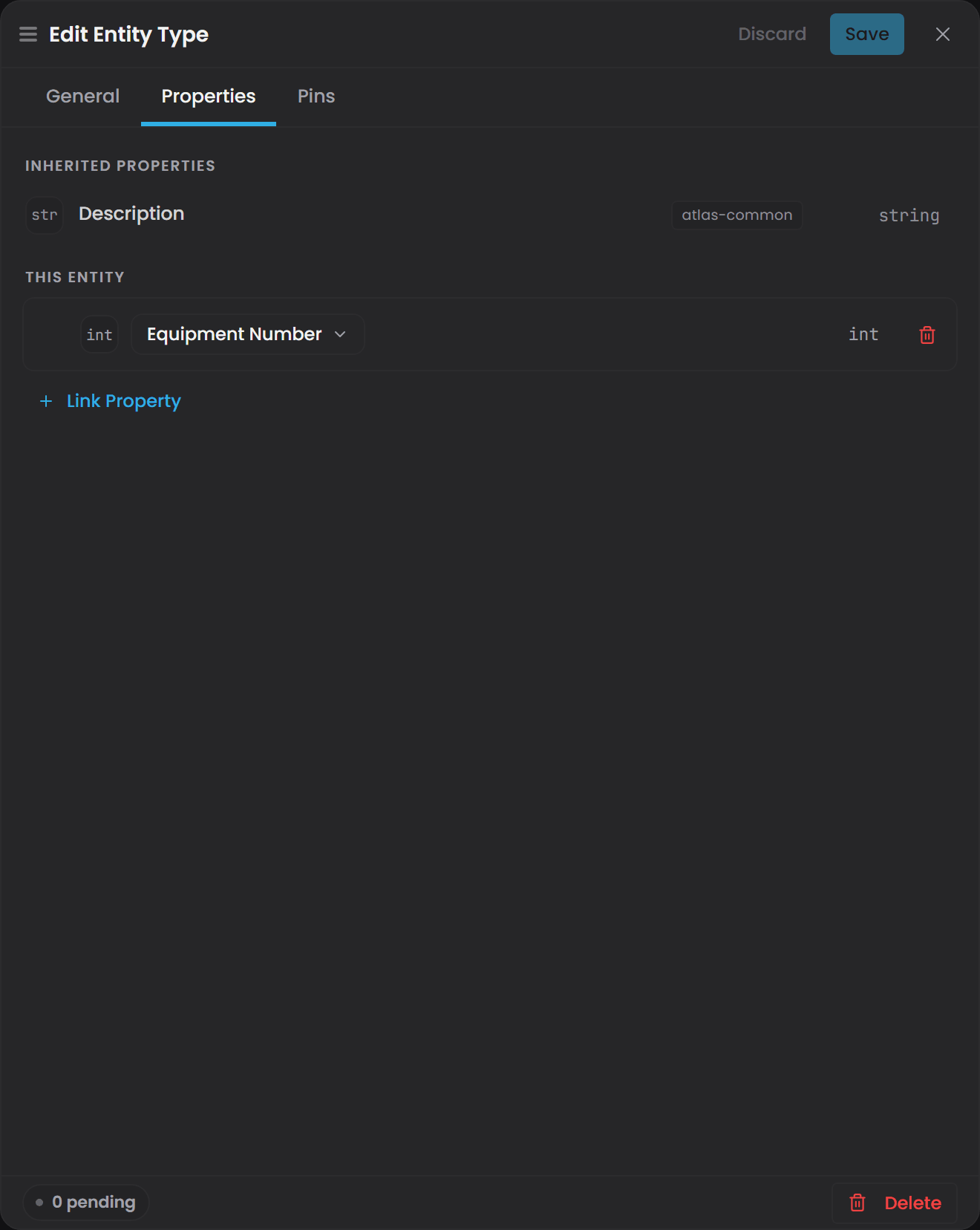
- In the Types tree, select the entity type that should carry the property.
- Open its editor and select the Properties tab.
- Select Link Property, then pick the property on the row that appears. Properties inherited from the base type are listed above the grid and cannot be removed here.
- Select Save.
Because attachment is inherited, attaching a property to a parent shares it down the whole subtree. Attach Description once to Equipment and every Tank, Pump and Valve beneath it has one.
Ask Gage
Ask the
builderagent: "Create a Description property (xsd:string, 'What this equipment is and what it does') and attach it to the Equipment entity type. If Equipment does not exist yet, create it first as a root entity type."Requires the
pulse:administratorrole. Without it the write tools are filtered out before the agent runs, so it will simply say it cannot do this rather than returning a permission error.
Value types Atlas actually stores#
The Value type picker offers twelve XSD entries. Atlas only recognises eight of them. Use these:
| Value type | Use for | Example values |
|---|---|---|
xsd:double |
Measurements, rates, percentages, any real number | 42.7, 1234.5, 0.98 |
xsd:float |
Measurements where a smaller number is enough | 42.7 |
xsd:integer |
Counts and discrete numbers | 12, 0, -3 |
xsd:int |
The same as xsd:integer in Atlas |
12 |
xsd:long |
Large whole numbers, counters, tick values | 18446744073 |
xsd:boolean |
On/off states, running status, alarms | true, false |
xsd:string |
Text values, identifiers, labels | Running, Zone A |
xsd:dateTime |
Timestamps and event times | 2026-04-30T08:00:00Z |
Use xsd:double for measurements. It is the numeric type the shipped libraries use.
the picker also offers Decimal, Date, Time, Duration and URI. A property typed as one of these is stored as text, so a comparison such as Temperature > 80 compares strings. Use xsd:double for measurements, xsd:integer for counts and xsd:dateTime for times.
a property with Value type left blank is stored as text. Set it explicitly wherever you intend to compare, sort or aggregate the value.
Two further options exist for people who need them:
- A union of scalars. Set Value type to One of and pick the members. A property can then accept more than one scalar type. The shipped
atlas-common:Valueproperty, for example, acceptsxsd:double,xsd:stringorxsd:boolean. A property left like this is shown as Defer in the editors, because its type is not yet fixed. - A Data Type, sourced whole or field by field. On the Mappings tab, a property with a Data Type value can take one strategy for the whole value, or the Composed strategy, which gives each field its own. See Use Composed to source a data type's fields separately.
- A Data Type, with pinned fields. When you pick a Data Type as the value type, you can pin individual fields to a specific scalar. That is how you get a
TVQwhoseValueis specifically a double, which is the standard shape for a historian-bound measurement. The drawer surfaces this as a Pin fields table under the picked value type. A Data Type field that accepts a union, such asTVQ.Value, leaves the property Defer until you pin it. The shipped typed Tags (atlas-common:AnalogTagand its siblings) take the other route and pinData.Valueon the type; see Defer properties.
Where a property's value comes from#
A property type says what a value is. It never says where the value comes from. That is decided per instance map, on the Mappings tab, so the same property can be a fixed value on one map and a live tag on another.
See Property Sourcing Strategies for the full picture.
The word for a value you type in yourself is Static. There is no "Manual" strategy in Atlas.
Why a property shows an owner you did not give it#
A property used as a field of a Data Type reports that Data Type as its owner, so a field-only property such as TVQ's Quality does not read as unattached. If a property lists an owner you did not attach it to, check whether a Data Type links it as a field.
Define a data type#
A data type defines a compound value: one property value made of several named fields that always travel together. It is the fifth kind of type, it is authored from the same screen as everything else, and it is the one people most often miss.
The canonical example ships in atlas-common and is called TVQ, for Timestamp-Value-Quality:
| Field | Value type | Field order | Time axis |
|---|---|---|---|
Timestamp |
xsd:dateTime |
0 | yes |
Value |
xsd:double, xsd:string or xsd:boolean |
1 | |
Quality |
xsd:integer |
2 |
Any property whose value type is TVQ therefore carries all three values at once. Nearly every measurement in Atlas is shaped this way.
Create one#
- Create the property types that will become the fields first, if they do not exist yet. A data type links existing property types; it does not create them.
- Select Create, then Data Type. The New Data Type drawer opens.
- Fill in Name (for example
TVQ), Label and Description on the General tab. - Select the Properties tab and Link Property once per field, in the order you want them. The order you place them in is the field order, and the handle on each row reorders them.
- Go back to General and set Time axis if the compound carries a sample time. The dropdown only offers fields whose value type is
xsd:dateTime, so link a date-time field on the Properties tab first or the dropdown is empty. - Select Create.
Data type fields#
| Field | Required | What it does |
|---|---|---|
| Name | Yes | The compound's name. Example: TVQ. Locked after you save. |
| Label | No | A human-readable display name. |
| Description | No | What this shape represents. |
| Time axis | No | Which field carries "when this happened". Its help text is "The dateTime field that is this data type's time axis. Choose one of its linked dateTime fields, or leave blank for none." At most one per data type. |
| Properties tab | Yes in practice | The property types linked as this compound's fields, in field order. |
The time axis is a declaration, and it is load-bearing. It is what tells Atlas which field is the sample time. Time-range queries and point normalization both depend on it. A measurement compound with no declared time axis still compiles, but it is treated as one indivisible value: it cannot be split by time and it is excluded from instance history. If you define your own measurement compound and want history over it, declare the time axis.
Editing a data type replaces its whole field roster in one go. Adds, removes and reorders all land together, so reordering the Properties tab renumbers the field order.
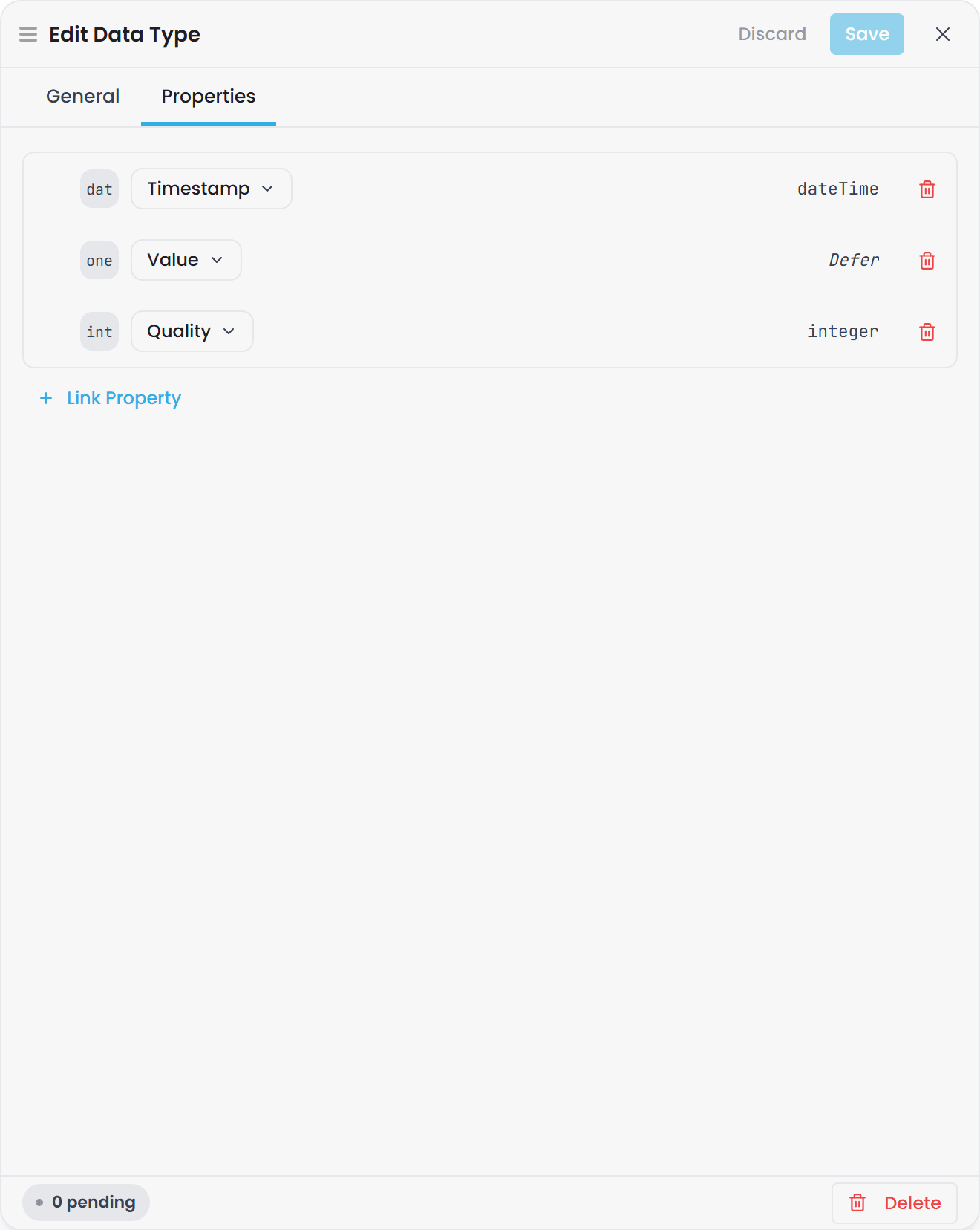
A field's value type can itself be another data type, so compounds can nest.
Defer properties#
A property is Defer when its own value type is a union of scalars, or when its Data Type has a union-typed field that it has not pinned. Each such spot is an unresolved leaf. A Defer property can be attached to an entity type or a relationship type: the Entity and Relationship drawers list it and let you pick it. But a concrete type that uses a property with an unresolved leaf cannot compile. Validation reports it as rule O-B23 (an Error), and the domain still loads and every save still lands. Compile refuses until every leaf used by a type is pinned.
You can pin a leaf in two places:
- On the property, in its Pin fields table. Every type that uses the property gets that type. Use this when the concept has one shape everywhere, such as
Temperature, which is always a double. - On the type, on the Pins tab. Only that type, and its subtypes, get that type. Use this when the shape depends on the type. A
Runningproperty can be a boolean onPumpand a double onTank, without declaring two properties.
The Pins tab is on the entity type, the type edit and the relationship type drawers. It has one row for each open leaf of each Defer property the type uses, including properties it inherits from a base type. Each row is a select over the members the leaf allows, for example boolean, double and string for Value. A leaf that the base type already pinned shows read-only, with the base type named.
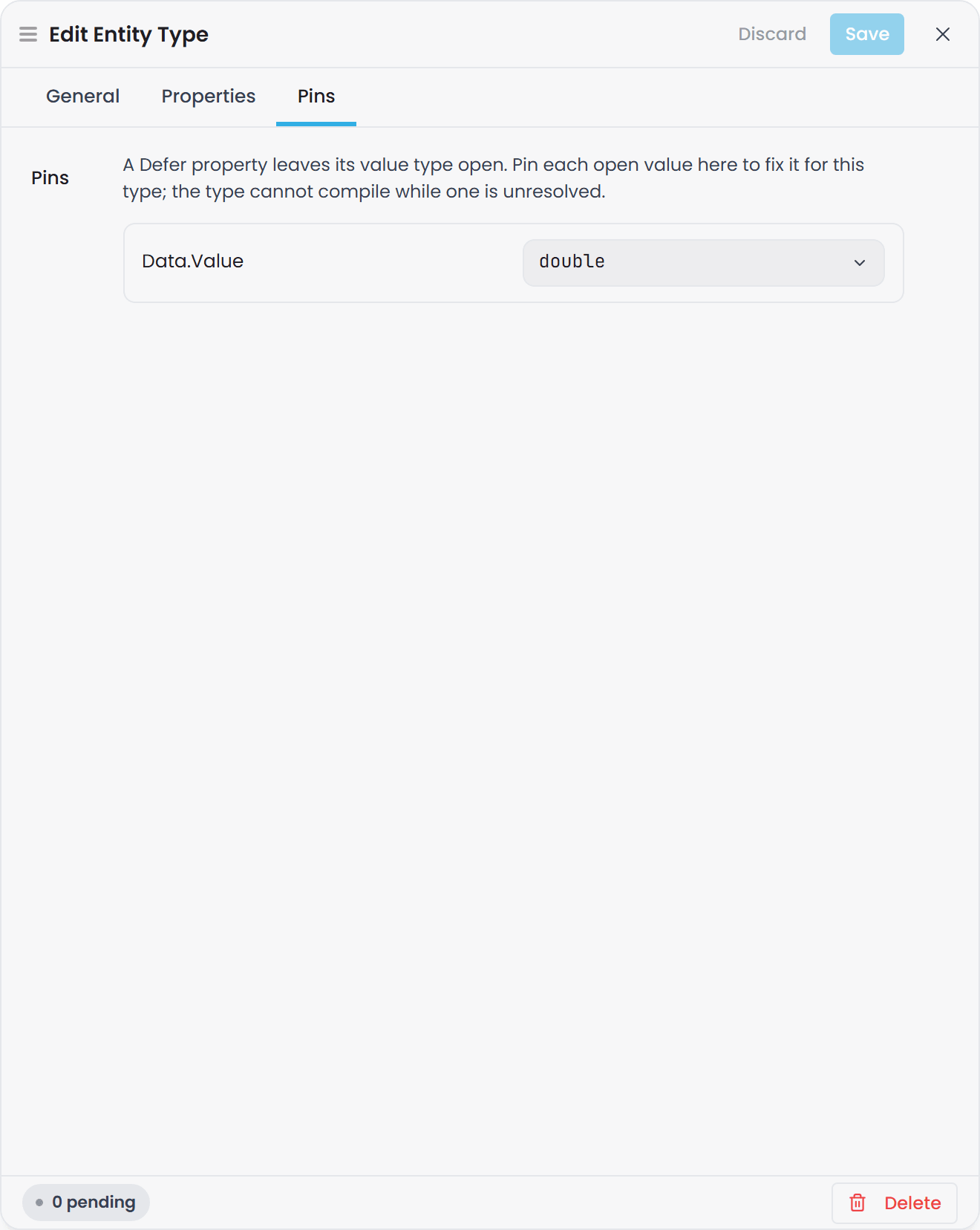
Three rules keep a pin unambiguous:
- A property pin is final. If the property already fixed a leaf, a type cannot pin it again, and the Pins tab does not show a row for it.
- A subtype only pins a leaf its base types left open. A leaf that
Equipmentpinned to a double stays a double on every type beneath it. - The pinned type must be one of the leaf's members. A leaf that accepts a double, a string or a boolean cannot be pinned to
xsd:integer.
The save is refused with the reason if a pin breaks one of these. Rule O-B24 reports the same cases when it finds them in a file. A domain can also pin a property that comes from an imported library, on its own type, without editing the library. See Atlas libraries.
The Types inspector shows a chip on every property a type uses that is Defer on the property. When the type resolves it, the chip shows the resolved type, for example boolean. When the type leaves a leaf open, the chip reads Defer and names the open leaves.
Resolve every open leaf on every concrete type: pin a TVQ property's Value on the property, or on each type that uses it. Use xsd:double for a measurement, xsd:string for an identifier or name, and xsd:boolean for an alarm flag. An open one leaves every type that uses it unable to compile (O-B23).
A property whose value type is an entity type fails validation with rule O-B22. If you want the entity's attached properties to be the parts of a value, make it a data type instead, and its attached properties become fields.
Define an enumeration type#
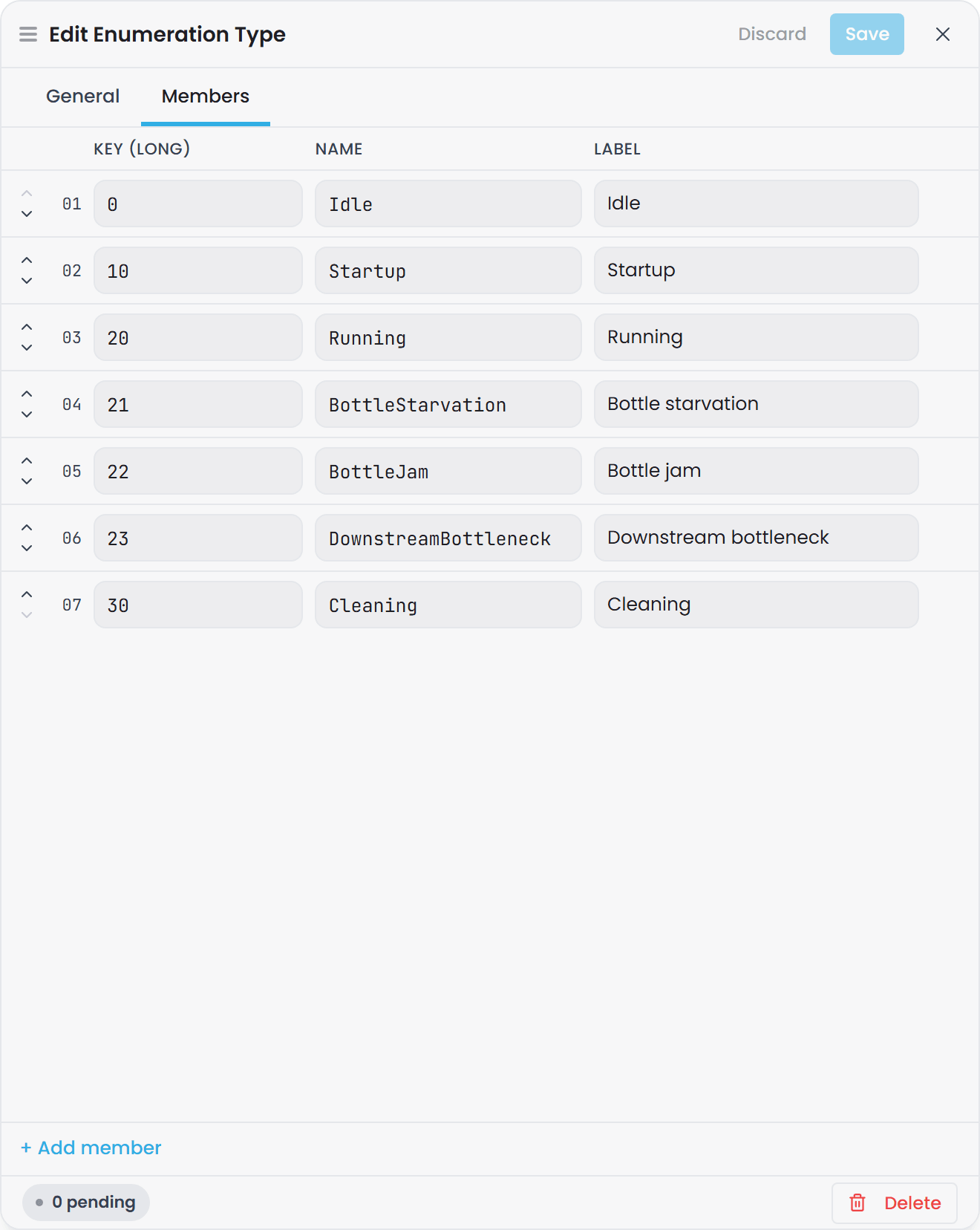
An enumeration type is a fixed list of named members, each with a key: the operating states of a machine, a product code, a quality band. A property bound to an enumeration still stores the key (20), and the model knows that 20 means Running, so the Instance Inspector, queries and Bridge exports can show the name as well as the number.
- Select Create, then Enumeration Type. The New Enumeration Type drawer opens.
- Fill in the General tab, including Key type.
- On the Members tab, select + Add member once per member and fill in its Key, Name and Label. The arrows on each row reorder the members.
- Select Create.
Enumeration type fields#
| Field | Required | What it does |
|---|---|---|
| Name | Yes | The enumeration's name. Example: FillerState. Locked after you save. |
| Label | No | A human-readable display name. Example: Filler State. |
| Description | No | What the members classify. |
| Key type | Yes | The type of every member's key: Integer, Boolean, String, Long, Float or Double. Its help text is "The wire type of every member key. Integer, Boolean and String round-trip as native JSON scalars; Long, Float and Double are stored with an explicit type marker." |
| Members tab | Yes in practice | One row per member: a Key that is a valid value of the key type, a Name in PascalCase, and a Label shown in the interface. Keys and names must be unique within the type. |
Bind a property to an enumeration#
The binding lives on the property type, in its Pin fields table. Give the property a value type whose leaf is the enumeration's key type, then pick the enumeration in the Enumeration type column of that row. The shipped juice-factory-common:StateData property does exactly this: its value type is TVQ, its TVQ.Value is pinned to long, and the enumeration beside it is Filler State. A type pin on the Pins tab can bind an enumeration the same way.
The key type and the pinned type must agree. Pin TVQ.Value to double and bind an enumeration keyed by Long, and validation reports rule O-B16; name something that is not an enumeration and it reports O-B15. A malformed enumeration in a hand-edited file reports O-B17. All three are in the Validation Rules Reference.
Define a relationship type#
A relationship type defines a named, directed connection between two entity types. Relationships are what let a query walk from a site, to its lines, to its equipment in one hop chain.
-
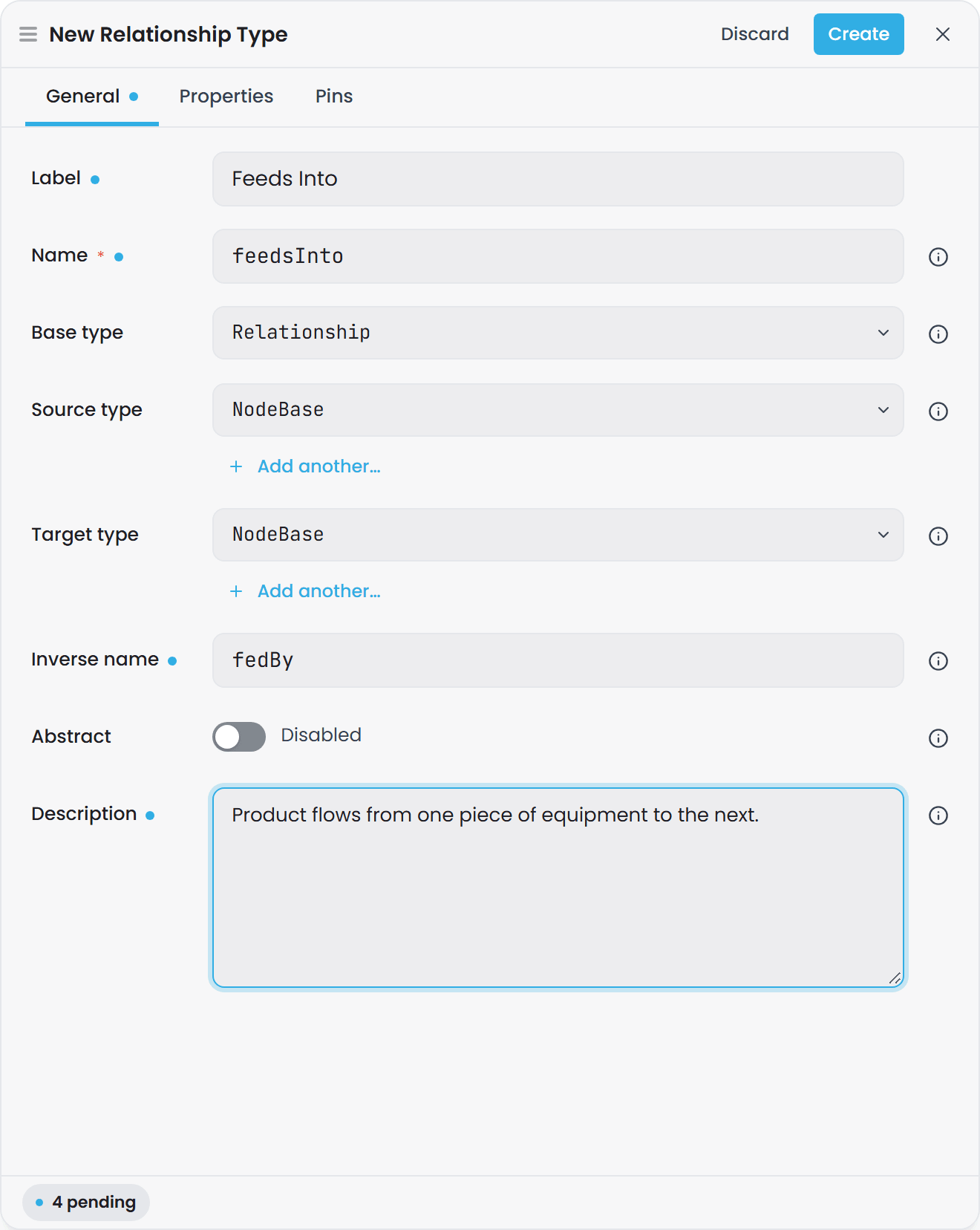
Select Create, then Relationship Type. The New Relationship Type drawer opens.
-
Fill in the General tab.
-
Use the Properties tab if the connection itself carries data.
-
Select Create.
Relationship type fields#
| Field | Required | What it does |
|---|---|---|
| Name | Yes | The relationship name, in camelCase. Example: feedsInto. Atlas suggests one from the endpoints you pick. Locked after you save. |
| Label | No | A human-readable display name. |
| Base type | Yes | The root this relationship starts from, or an existing relationship type it specialises. Its help text is "A root (Relationship / Contains) starts a new concept; pick an existing relationship to derive from it. Containment follows the Contains root." Locked after you save. |
| Source type | No | The entity type at the source end. "Leave blank to accept any node." Add another… accepts a second type at that end. |
| Target type | No | The entity type at the target end. "Leave blank to accept any node." Add another… accepts a second type at that end. |
| Inverse name | No | The name of the traversal in the other direction, for example containedIn for contains. Leave it blank for a symmetric relationship with no inverse. |
| Description | No | What this connection means. |
| Abstract | No | Marks the relationship type as derivation-only, exactly as it does on an entity type. See Abstract types. |
| Properties tab | No | Data carried by the connection itself. |
| Pins tab | No | Resolves the open leaves of a Defer property that the connection carries. See Defer properties. |
Abstract types#
Switch on Abstract on an Entity Type or a Relationship Type and it becomes derivation-only: it can still be the Base type for other types, but nothing can be an instance of it.
This is how you say "every pump has these properties, but nothing is just a pump". Attach the shared
properties to an abstract Pump, derive CentrifugalPump and PositiveDisplacementPump from it, and
the model refuses the vague case rather than relying on everyone remembering not to author it.
What changes once a type is abstract:
| Where | What happens |
|---|---|
| Instance Builder type pickers | The type stops being offered |
| Base type pickers | The type is still offered. That is the point of the marker |
| Creating or re-typing an instance onto it | Refused, with "Cannot instantiate ' |
| Instances that already existed | Reported as validation warning I-B23, not refused |
That last row is the one worth planning around. Marking a type abstract does not break a model that already has instances of it, and it does not block a compile. It raises a warning against each one so you can re-type them at your own pace. See Validation Rules Reference.
Unticking Abstract restores instantiation immediately. The marker is a flag on the type, not a structural change, so there is nothing to migrate in either direction.
Containment or association#
Every relationship type picks a root, and the choice matters:
- Contains is physical or logical containment. It is what drives the hierarchy views: a
containsedge is why an area appears nested under a site on the Instances screen. - Relationship is everything else: a flow between two machines, a logical association, an identity assertion.
The shipped atlas-common library gives you contains (rooted at Contains) and connectsTo, relatesTo and sameAs (rooted at Relationship), all with both endpoints open to anything. Import the library and reuse them rather than defining near-duplicates.
Data on the connection itself#
A relationship type can carry its own properties, added on the drawer's Properties tab. A feeds relationship can carry a flow rate; a contains relationship can carry a commissioning date.
A relationship in Atlas is a first-class thing, not a line on a diagram. It gets its own identity, its own property values, and its own instance map with a top-level source and target.
to hang data on an association, model it as a relationship type with properties rather than as an intermediate entity type. A relationship carries its own property values.
give a relationship property a scalar value type such as xsd:double. To carry a compound alongside a relationship, put it on one of the connected entity types.
Relationship types inherit, and narrowing is enforced#
A relationship type can specialise another relationship type by naming it as the Base type. When it does, its endpoints may only narrow: a child's Source and Target must be subtypes of the parent's. Break that and validation rule O-B10 fires:
Relationship 'urn:atlas:ontology:brewery:pumpFeedsTank' narrows its Source from 'Equipment' to 'Batch', which is not a subtype of the parent's Source.
There is no cardinality setting#
Relationship participation is unconstrained: any number of edges of a given type may exist between any pair of instances whose types satisfy the Source and Target. There is no one-to-one or one-to-many setting in the drawer, the API or the stored file.
If a rule like "a machine has exactly one control panel" matters to you, it is a modelling convention you enforce in how you build your instance maps, not something Atlas checks.
Ask Gage
Ask the
designeragent: "Design two relationships for Equipment: one called 'contains' rooted at Contains for physical containment, one called 'requires' rooted at Relationship meaning an Equipment requires a Tool to operate. What should their descriptions be? Should either have type constraints?"Review the plan. When ready, hand it to
builderto create the relationships.
Functions#
A function is reusable calculation logic: named parameters, one output, defined once and referenced from any property that should be calculated. Functions are the fifth category on the Types screen and are created from the same Create dropdown.
Functions are covered in Calculations and Functions.
Import types from a library#
If the types you need already exist in a library, import the library into your domain rather than redefining them. Once imported, every type in the library is available as a base type, as a property to attach, and as a relationship endpoint.
You can also author into a library. A library gets the same Types screen and the same five drawers as a domain, so building a shared vocabulary for several plants is the same job you have just read about, done in a library instead of a domain.
Libraries and imports are covered in Atlas Libraries.
Use the AI assistant to draft your types#
Describing your plant to the assistant is the fastest way to a first draft.
- Open the AI assistant panel.
- Describe your domain: what equipment exists, what it measures, what units it uses, and how it is organised.
- The assistant creates entity types, property types, relationship types, data types and functions, and proposes a hierarchy where your description has a natural one.
- Review what it produced on the Types screen. Accept it, ask for changes in plain words ("attach
FlowRatetoPumpas well", "add a description to thecontainsrelationship type"), or edit individual types in the drawers. - Check the Outstanding items panel on the Overview screen before you compile.
The assistant writes types in batches, so one instruction becomes one saved change rather than a dozen. Ask it to list what already exists before you ask it to add something, otherwise it may propose a type you already have under a slightly different name.
the assistant works within the same feature set as the drawer, so it tells you when something you ask for is outside it - a relationship cardinality, for example.
Check your work#
Atlas validates continuously as you save. You do not have to compile to find out what is wrong.
The Outstanding items panel#
The domain or library Overview screen (and the Domain Lifecycle screen) shows a panel headed Outstanding items with a "{n} to fix" chip, whenever anything is outstanding. Its body copy reads, verbatim:
Your changes are saved. These items don't block saving - fix them in any order - but this Domain Version can't be compiled until they're resolved.
Inside, items are split into two lists:
- To fix - errors. These block the compile.
- Advisory - warnings. These never block anything.
If one of the items stops the file being read at all, a red line appears above the lists:
One of these items stops the file being read, so the list below may be incomplete. Resolve it first.
Fix that one first, save, and the rest of the list becomes trustworthy.
Rule IDs#
Every item carries a rule ID, shown next to its severity. The letters tell you where to look:
| Prefix | Meaning |
|---|---|
O-A… |
Ontology, format. A type file is structurally wrong or could not be read. |
O-B… |
Ontology, semantic. The shapes are fine but something does not resolve. |
I-A… |
Instance, format. An instance map file is structurally wrong. |
I-B… |
Instance, semantic. A map references something that does not resolve. |
O-A1 and O-A2 are the fatal ones that truncate the rest of the list. Everything you author on the Types screen produces O-… rules.
The full catalogue, with what triggers each rule and how to clear it, is in the Validation Rules Reference.
Saved, and waiting to be published#
A clean save commits straight through to the branch and there is nothing to publish. A save that leaves error-severity items outstanding is held in a private draft session of your own, so the branch does not move until you publish it.
While you hold a draft, a second panel appears on Overview, headed Unpublished changes, with a chip reading either Ready to publish or "{n} to fix first". Clear the outstanding items, then select Publish to {branch}. To set the work aside instead, use Discard changes.
compiling from a draft builds your copy and leaves the shared compiled model in place, so publish first if a change is not appearing for other people. Outstanding items and Unpublished changes on the Overview screen tell you where the work is.
Delete a type#
Select the type in the tree, select Edit in the inspector, then Delete at the foot of the drawer. Deletion is permanent and is not undoable, and several kinds are blocked while something still depends on them. The confirmation dialogs say so:
| Kind | What the dialog tells you |
|---|---|
| Entity type | "This permanently removes the entity type from this Domain Version. This action cannot be undone." |
| Property type | "It is blocked if any type still declares it. Detach from those types first." |
| Data type | "It is blocked if any property or data type still references it." |
| Relationship type | "This permanently removes the relationship type from this Domain Version. This action cannot be undone." |
| Function | "It is blocked if any instance-map Calculated strategy still references it." |
When a delete is blocked, Atlas returns the list of things depending on the type. Clear those first, then delete.
Troubleshooting#
| Symptom | Likely cause | What to do |
|---|---|---|
| You are looking for "Nodes", or a "New Node" button | The term is Entity Type | Open Types. The six categories are Property Types, Data Types, Enumeration Types, Entity Types, Relationship Types and Functions, and the Create dropdown lists the same six |
| You are looking for the field that attaches a property to a type | Attachment lives on the entity type, so the New Property Type drawer has no attachment field | Select the entity type in the Types tree, open its Properties tab, and add the property there. One property can be attached to any number of entity types |
| Validation reports O-A12, "declares 'rdfs:domain' - the retired property-owns-attachment shape" | A property definition names its owner, and attachment now lives on the entity type | Remove the rdfs:domain entry and attach the property from the entity type's Properties tab. Save, then check Outstanding items is clear before compiling |
A number property sorts alphabetically and Temperature > 80 compares as text |
The value type is xsd:decimal, xsd:date, xsd:time, xsd:duration, xsd:anyURI, or was left blank, all of which are stored as text |
Set Value type to xsd:double for measurements or xsd:integer for counts, save, and compile |
| You are looking for a Cardinality dropdown on a relationship type | Relationship participation is unconstrained | Any number of edges may exist between any pair of instances whose types satisfy the Source and Target. Enforce a rule such as "one control panel per machine" in how you build the instance maps |
| Validation reports O-B1, "references unresolved URI … via rdfs:subClassOf" | A base type, a relationship endpoint, or a relationship property names something that does not exist in this version, its imported libraries, or atlas-core |
Check the spelling and casing - names are case-sensitive. If the type lives in a library, import the library into the domain first. The violation usually carries a suggestion naming the closest match |
| Saving a new type fails with "already exists" | Another type of the same kind already uses that name | Pick a different name, or edit the existing type instead. This happens at save, not at compile, so nothing was created |
| Saving fails with "the key … is already used by a Type" | A different kind already uses that name. All five kinds share one name space per domain | Pick a different name. You cannot have a property type and an entity type both called Tank in the same domain |
| Validation reports O-B10, "narrows its Source … which is not a subtype of the parent's Source" | A relationship type specialises another one but points an endpoint somewhere outside the parent's endpoint | Either change the endpoint to a subtype of the parent's, or give the relationship type a root Base type instead of a parent relationship type |
| You saved a change, compiled, and nothing is different | The save left error-severity items outstanding, so it is held in your private draft session | Open the domain's Overview screen. Clear everything in Outstanding items, select Publish to {branch} in the Unpublished changes panel, then compile |
| You cannot rename a type - the Name field is greyed out | Names are locked after creation on every kind | Change the Label instead, which is what the interface displays. If you genuinely need a different name, create a new type, move its attachments and instance maps across, and delete the old one |
| A property lists an owning type you did not attach it to | The property is linked as a field of a Data Type, and field membership is reported as ownership | Check the Data Type's Properties tab to see the link |
| A relationship property never appears in query results | Relationship properties whose value type is a Data Type are saved but skipped when the domain compiles | Give the relationship property a scalar value type such as xsd:double, or carry the compound on one of the connected entity types instead |
| The Time axis dropdown on a Data Type is empty | The dropdown only offers fields whose value type is xsd:dateTime, and none is linked yet |
Link a date-time property on the Properties tab first, save, then set Time axis on the General tab |
| Inheritance appears not to work: a child type is missing the parent's properties in queries | The base type is a library type but the library is not imported into the domain, so the chain cannot resolve | Import the library into the domain and compile again. The whole inheritance chain has to resolve within the domain and its imports |
| A type cannot be deleted | Something still depends on it: a type still declares the property, a property still references the data type, or an instance map still calls the function | Read the dependents list in the failure and clear those first. Detach the property from its types, or repoint the instance map, then delete |
Related articles#
| Article | Owns |
|---|---|
| Timebase Atlas Key Concepts | Every term used here: domain, branch, library, ontology, instance map, compile, draft session |
| Property Sourcing Strategies - Static, Bound, and Calculated | Static, Bound and Calculated, plus Composed, Reference and Null |
| Introduction to Domain Modeling | Design guidance: when to specialise, when to reuse a library type |
| Atlas Libraries | Creating, importing and versioning libraries |
| Instance Maps | Turning types into instances, including relationship instance maps |
| Calculations and Functions | Authoring functions, parameters and anchors |
| Compiling and Publishing a Domain | The compile lifecycle, staleness and publishing |
| Validation Rules Reference | Every rule ID, what triggers it, and how to clear it |