Introduction to Domain Modeling
Domain modeling is how you build a structured, queryable representation of your plant, facility or process in Atlas.
Overview#
Domain modeling is how you build a structured, queryable representation of your plant, facility or process in Atlas. You describe the kinds of things that exist, you describe which real ones exist and where their values come from, and Atlas turns that into a World: a live graph you can query and subscribe to.
You do not need to write code. All the work happens in the Atlas browser interface, with an AI assistant called Ask Gage on hand throughout. What you author is stored as open, version-controlled files in a Git repository that Atlas manages for you.
This article introduces the workflow, walks you round the interface, and takes you end to end through a first domain. The articles it links to own the detail; this one owns the map.
Atlas has no separate deploy step. There is no runtime engine to install alongside it. The single action that makes your model live is Compile, and Atlas serves the result itself.
Before you start, read Timebase Atlas Key Concepts. It defines every term used here - domain, library, branch, ontology, instance map, binding path, compile, World, draft session - and this article does not redefine them.
Who builds domain models#
Domain modeling is primarily done by domain experts and data engineers: people who understand the plant or process being modelled and the data sources it generates. You do not need to be a software developer. The knowledge you bring is:
- What assets, equipment or processes exist in your domain
- What measurements, statuses and settings matter
- How assets relate to each other (containment, process flow, dependencies)
- Where the data comes from (OPC UA servers, historians, databases, MQTT topics)
Ask Gage can translate that operational knowledge into a formal model, which shortens the trip from concept to working graph considerably.
Before you start#
Three things catch people out on the very first click.
1. The address is 4551 or 4552, not 3100#
Atlas listens on 4551 for HTTP and 4552 for HTTPS.
| What you want | Address |
|---|---|
| The Atlas interface | https://localhost:4552 |
| Plain HTTP (redirects) | http://localhost:4551 |
http://localhost:4551 answers with an HTTP 307 redirect to https://localhost:4552, so both addresses land you in the same place as long as 4552 is reachable. Replace localhost with your server's host name for a shared installation.
The shipped docker-compose.yml publishes only port 4551. Because every request is redirected to 4552, and 4552 is exposed by the image but not published by that compose file, a browser following the redirect cannot connect. If you started Atlas from that file, add - "4552:4552" to the service's ports list and bring it up again. This is a known gap in the shipped compose file, not something you have done wrong.
2. You have to sign in#
Authentication is on by default. Pulse:Auth:Enabled is true in the shipped settings.config, and the interface resolves your identity before it renders anything, so an unauthenticated session is redirected to the Timebase Pulse sign-in page. You will see Pulse, not Atlas, until you have signed in.
That means a working Atlas needs a reachable Pulse instance with a client registered for Atlas. Setting that up is covered in Start Here for Docker: How to Deploy and Secure Timebase 2.0.
Atlas needs a reachable Pulse. The platform Compose file provides one as the pulse service, which is the host the shipped Docker settings point at, so run Atlas from that file rather than on its own. For a throwaway local trial only, set "Pulse": { "Auth": { "Enabled": false } } in settings.config and restart. With authentication off, Atlas grants a synthetic full-access identity and the interface opens with no sign-in.
In the platform Compose file, settings.config is composed into the named volume at /atlas/settings/settings.config on the first start. A bare container image uses /settings/settings.config via the default Settings environment variable.
3. A fresh installation has no domains#
Atlas installs two libraries of reusable types, offers a catalogue of others you can import, and ships no domains at all. Creating the first one is step 5 of the walkthrough below. The Domains panel on the Home page will read "No domains yet - create one in the Model workspace to get started." until you do.
How the workspace is laid out#
Atlas is a single tabbed workspace. There is one sidebar on the left, a strip of tabs across the content area, and the Ask Gage panel docked on the right.
The sidebar#
| Group | Items | What it is for |
|---|---|---|
| (no label) | Git, Domains, Libraries, with your pinned Versions beneath Domains and Libraries | Where all modeling starts |
| Agents | Agents, Skills | Manage the AI agents and the skills they can use |
| Status | Logs | A live tail of the Atlas server's own log output |
| Developer | API, i3X | The interactive OpenAPI documentation, opened in a new browser tab |
Git sits above Domains and Libraries, because branches are the frame everything else lives inside. Domains and Libraries are two pages of the same shape: a list of what exists on one branch, with a Branch select beside the filter box, Create and Import at the top right, and a Pin button on every row.
Your working set#
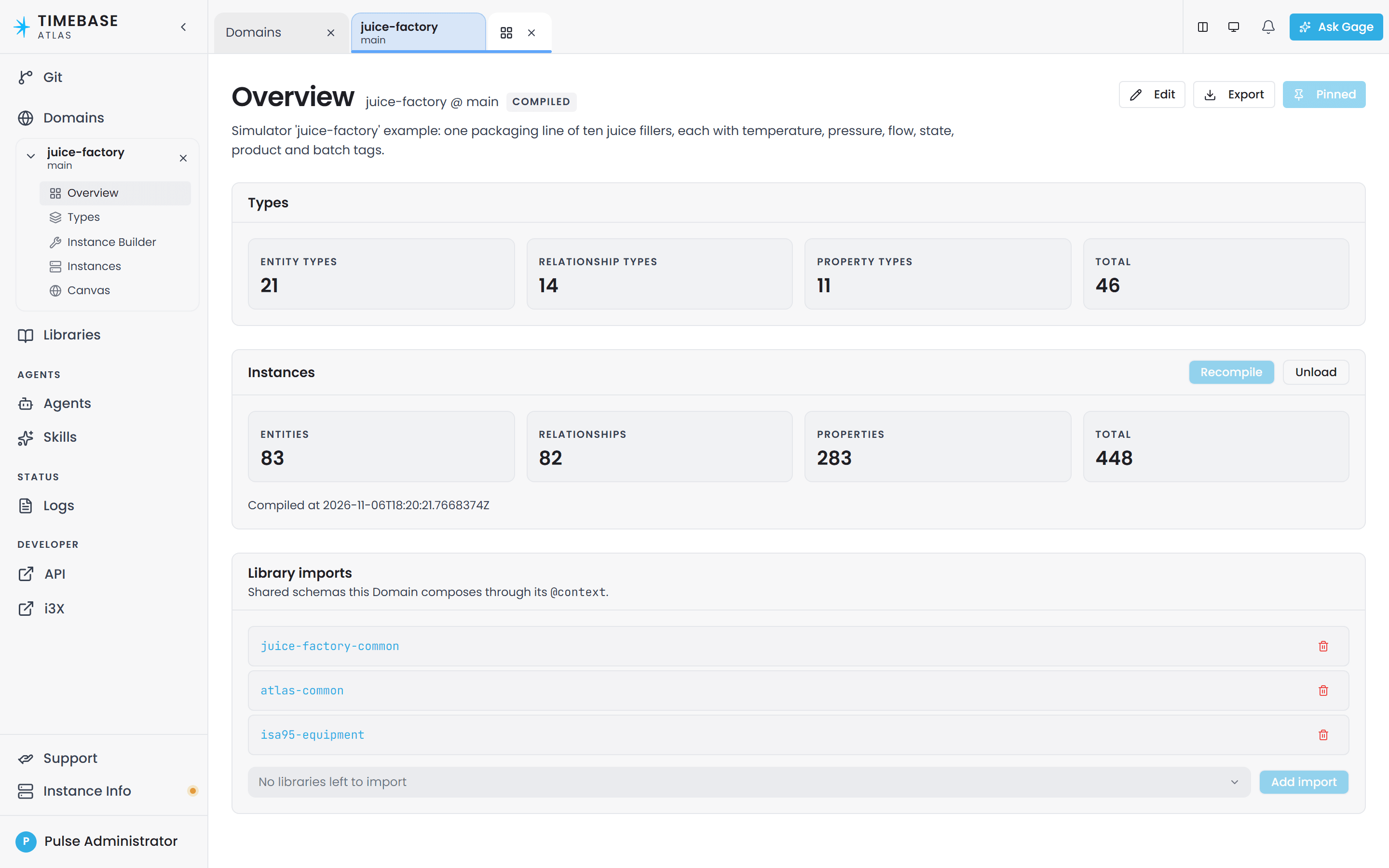
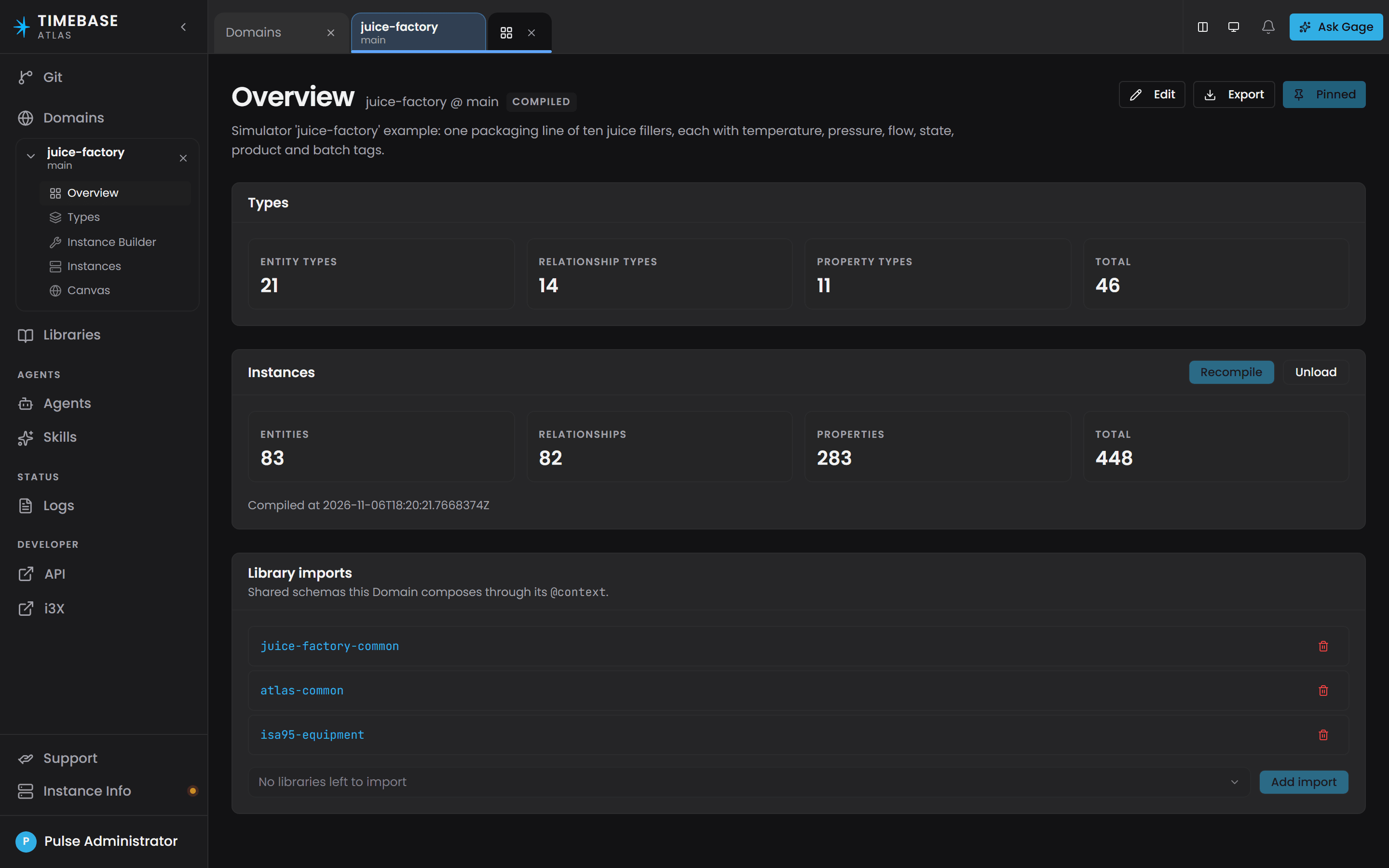
Pinning a domain or library (the Pin button on its row, or creating one) adds a Version to your working set: a (name, branch) pair that appears as its own entry beneath Domains or Libraries in the sidebar. Clicking a row opens the Version's Overview without pinning it. Expand a pinned entry and you get a flat list of screens.
| Screen | What you do there |
|---|---|
| Overview | The landing surface: outstanding validation items, unpublished changes, schema counts, Compile, and library imports |
| Types | Author every kind of type. The tree groups them into Property Types, Data Types, Entity Types, Relationship Types and Functions |
| Canvas | The model as a graph: the entity types and the relationships between them, and the compiled instances on the same surface |
| Instance Builder | Author the instance maps that expand into real instances |
| Instances | Browse the compiled instances, nested by containment, and inspect their live values |
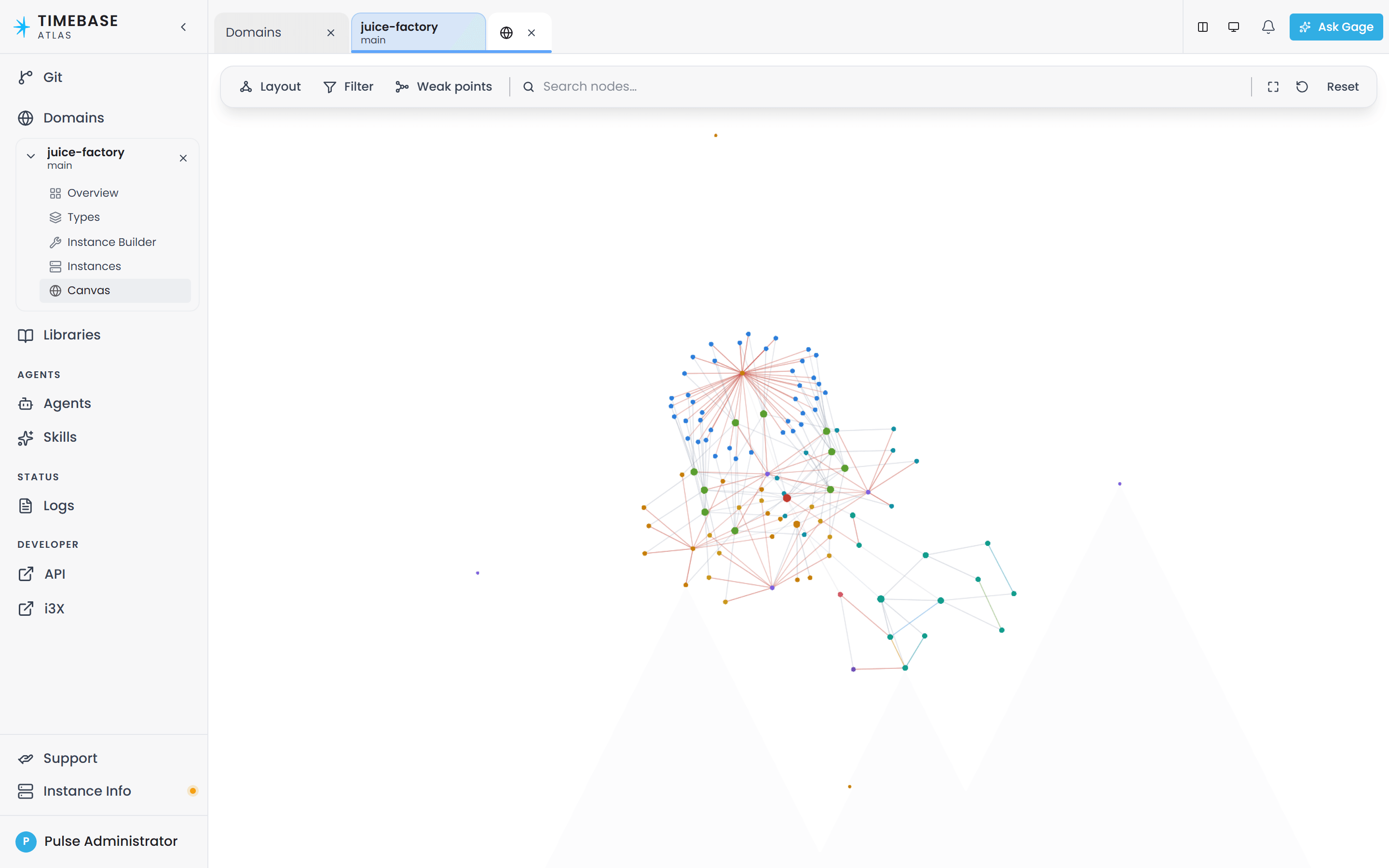
A Library Version gets only Overview, Types and Canvas. A library holds types and nothing else, so it has no instances and no compile.
Each screen you open becomes a tab. The top bar carries a split-view toggle (so you can put two screens side by side), a light/dark toggle, and the Ask Gage button. Every screen also has a shareable web address of the form /model/{domain}/{branch}/{view}, so you can send a colleague a link straight to the screen you are looking at.
Ask Gage#
The AI assistant is called Gage, and it lives in a resizable panel docked to the right of the workspace. On a fresh session the panel is already open. If you close it, the Ask Gage button in the top bar brings it back.
Gage is not one assistant but a set of agents, each with a job. Press + (Spawn agent) in the panel's tab strip to open the Start an agent picker, which lists agents under Built-in and User-defined.
| Built-in agent | What it does |
|---|---|
atlas |
General-purpose modeling assistant. Designs, inspects and queries. Start here if you are unsure |
designer |
Plans an ontology or library. Read-only: it plans, it never writes |
builder |
Executes a plan: creates entity types, properties and relationship types |
instance-builder |
Writes instance map definitions |
graph-query |
Writes, explains and optimises Cypher against the compiled World |
reviewer |
Checks a domain before or after a change. Read-only; reports, never fixes |
designer and reviewer are read-only. Ask designer for a plan and builder to carry it out, or ask atlas to do both.
Branches come first#
Everything in Atlas lives on a Git branch, and almost every screen is scoped to one. A fresh repository has a single branch called main.
- The Domains and Libraries pages each have a Branch select beside the filter box, and the page header names the branch it is showing. Every row acts on that branch; there is no per-row branch picker.
- Creating a domain asks you which Branch to create it on.
- Every pinned Version shows its branch under its name in the sidebar.
A domain created on a branch you are not browsing is invisible until you switch to it. If something you just created has vanished, check the branch picker before anything else. (Creating from the Domains page follows you to the target branch automatically, so this bites hardest when a colleague creates something, or when you use the API.)
Creating, comparing and merging branches is done on the Git page, titled Git Management. See Branch Management.
The modeling workflow#
Every domain model follows the same four stages.
1. Define: describe your types#
You start with the ontology: the kinds of things that exist, the values they carry, and how they connect. You author this on the Types screen, using one Create menu that offers five kinds.
| Kind | Example |
|---|---|
| Entity Type | PumpStation, Pump |
| Property Type | Speed, FlowRate, MotorTemperature, Running |
| Relationship Type | contains, feeds |
| Data Type | TVQ, the timestamp-value-quality shape nearly every measurement uses |
| Function | Reusable calculation logic |
Two things differ from ordinary object modelling. A property is authored standalone and then attached to the types that should carry it, from the entity type's Properties tab, so the same property can be attached to any number of unrelated types. And relationship participation is unconstrained: there is no one-to-one or one-to-many setting, so enforce a rule of that kind in how you build your instance maps.
Before you define anything, check whether it already exists. atlas-core is always present, atlas-common, isa95-equipment and the other supplied libraries are copied in during commissioning, and a domain can import any of them plus any library you build yourself. atlas-common alone gives you TVQ, the abstract Tag base and its four typed Tags (AnalogTag, DiscreteTag, IntegerTag, StringTag), Folder, contains, connectsTo and the standard Timestamp / Value / Quality / UOM / Description properties. Imports are managed in the Library imports section on the domain's Overview.
The ontology is stored as a single JSON-LD file per domain, at domains/<your-domain>/ontology.jsonld.
There is no such thing as a "DomainSchema". The file is ontology.jsonld, and Atlas's own validation messages name it that way.
The full authoring reference is Defining Types and Schemas.
Ask Gage
Ask the
designeragent: "Design an ontology for a pump station with PumpStation and Pump entity types. PumpStation should relate to the pumps it contains. Each Pump should carry Speed, FlowRate and MotorTemperature as properties. Sketch out the hierarchy and which properties attach where."It produces a plan and writes nothing. Hand the plan to the
builderagent when you are ready to create the types.
2. Map: create instances and bind data#
An instance map is a recipe that turns one type into real things. It says which type to create, how many, what each one is called, and where each property's value comes from. You author instance maps on the Instance Builder screen, and they are stored as .map.json files under domains/<your-domain>/instances/.
A map can produce one instance, a fixed set, or one instance per row a connector returns. You do not pick a mode; Atlas works it out from what you filled in.
Each property gets a sourcing strategy, chosen per map on the Mappings tab from a segmented Static / Bound / Calculated selector:
- Static is a fixed value you type: a unit of measure, nameplate data, a set-point.
- Bound is a live value from a connector, identified by a Binding path.
- Calculated is a value worked out by a function when something reads it.
A Binding path is a slash-delimited path whose first segment is the connector instance id. The field's placeholder shows the shape: connector/path, or connector/path/[Variable] where the map expands over several instances.
the field is Binding path, and its separator is / rather than ://.
a binding path is matched against the connector's advertised paths at start-up rather than when you author it, so copy the path from the connector rather than typing it.
The full authoring reference is Instance Maps, and the strategies are covered in Property Sourcing Strategies.
Ask Gage
Ask the
instance-builderagent: "Create a single PumpStation instance called pump-station-north with instance id pump-station-north. Set all properties to Static for now (no connectors yet). Use the instance label North Pump Station."Requires the
pulse:administratorrole. Without it the write tools are filtered out before the agent runs, so it will simply say it cannot do this rather than returning a permission error.
3. Compile: the step that makes the model real#
Compile is the gate between "I authored it" and "I can query it". Atlas validates the whole domain, expands every instance map, and builds the World: the compiled, queryable form of your model, held by Atlas itself.
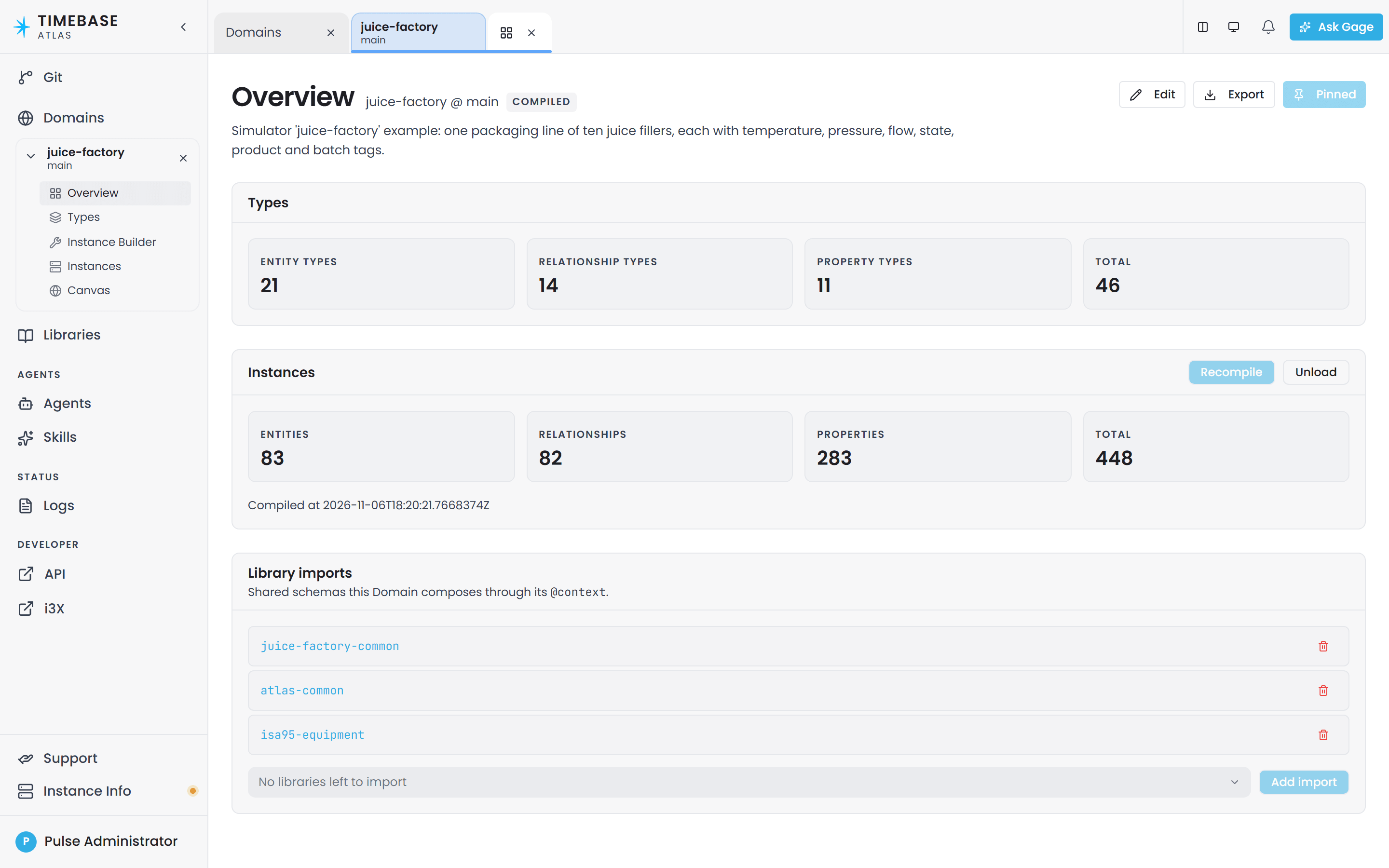
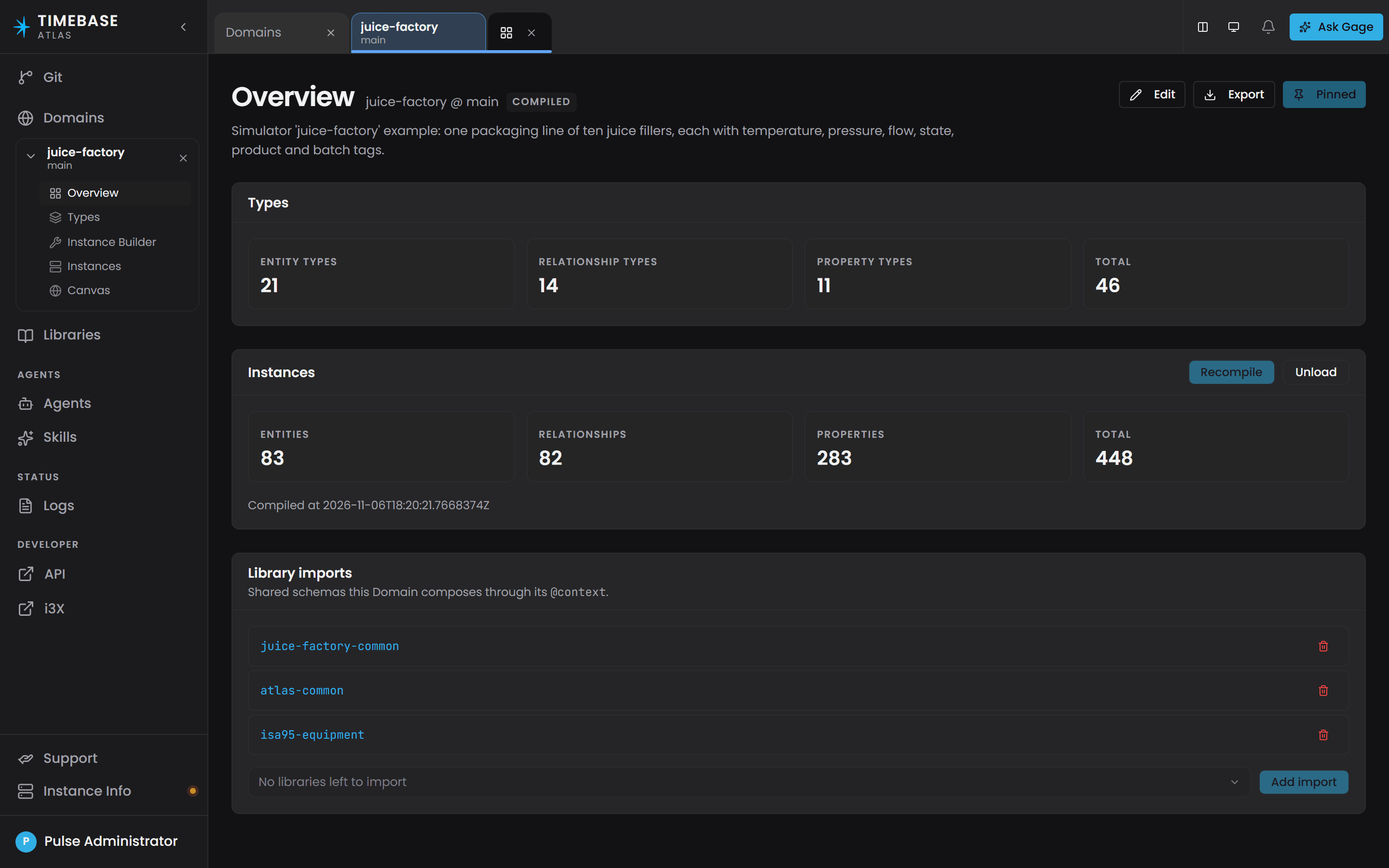
The Compile section sits on the domain's Overview screen and has exactly one button. It reads Compile the first time and Recompile afterwards, and it greys out while the World is current. On success you get three counts, Entities, Edges and Archetypes, plus the time it completed and any Function compilation errors.
There is nothing after this. No deploy, no publish-to-runtime, no separate engine. Atlas stores, compiles, caches and queries your domain in one service.
Atlas validates the whole domain before it builds, so the World is built once every error-severity violation is cleared. Each violation carries a rule ID: O-A… and O-B… for ontology items, I-A… and I-B… for instance-map items.
Because a compile is a full rebuild, it is safe to repeat as often as you like. And types are not frozen once compiled: edit anything at any time. See Iterating on a domain.
Ask Gage
Ask the
revieweragent: "Check the compiled domain and report: does every entity type have at least one instance? Are there any property types that are not attached to any entity type? List any validation errors or warnings."It reads the domain without writing.
4. Consume: query and subscribe#
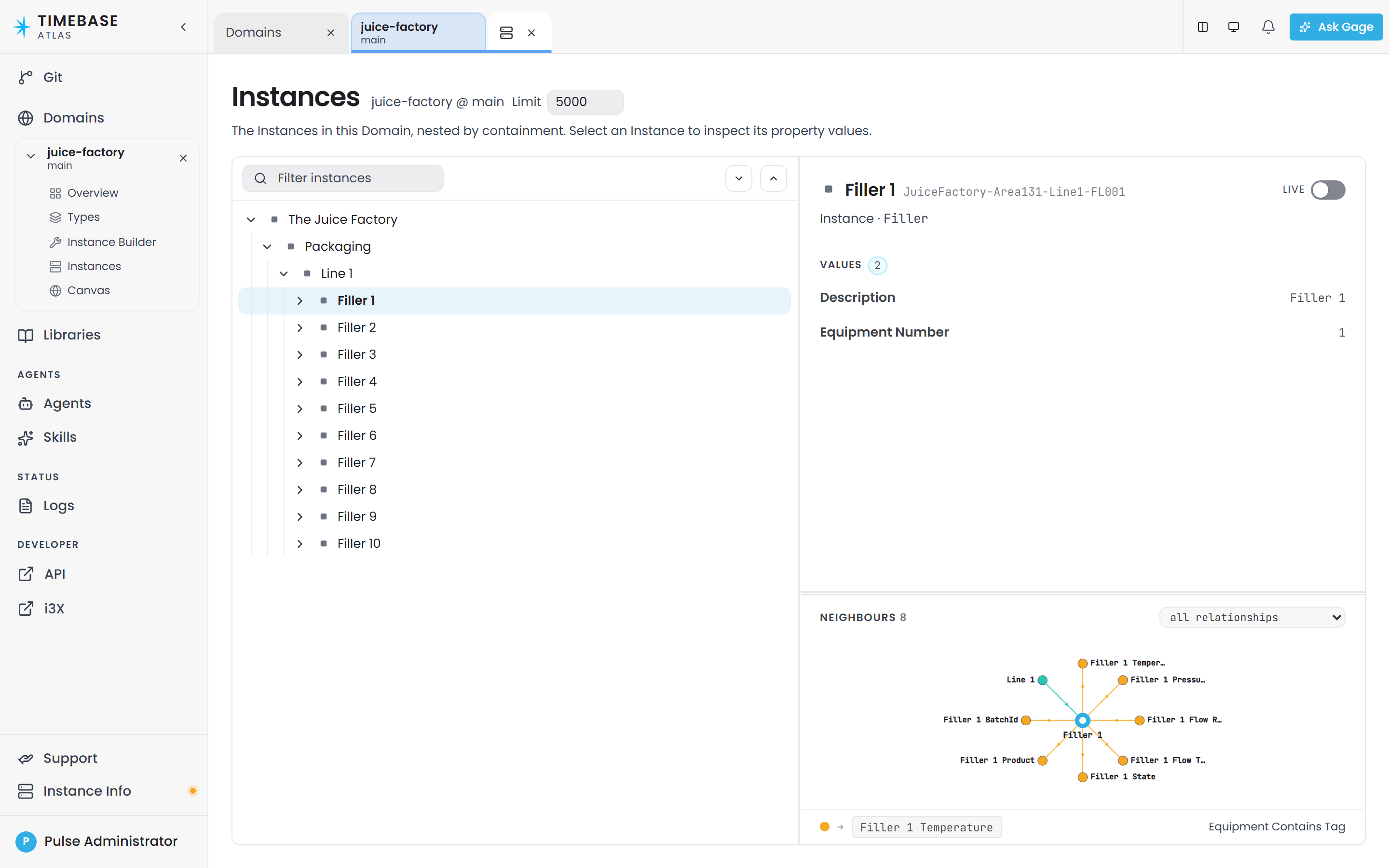
Once a World exists you can read it. The Instances screen browses it, nested by containment, and its inspector shows each instance's property values. Turn the inspector's Live switch on and Atlas opens a live subscription for the selected instance, returning current values immediately and then streaming changes as they arrive.
Saved views keep the Cypher filters your team uses regularly on the Types and Instances trees, the graph-query agent answers questions in plain language by writing Cypher for you, and external applications subscribe to live property updates over the Atlas value hub.
There is no standalone query screen in the navigation. Cypher reaches you through saved views, through the graph-query agent, and through the API. See Cypher Query Patterns.
Starting your first domain#
The whole path, one action per step. It assumes Atlas is running and reachable, per Before you start.
-
Open
https://localhost:4552in your browser, or your Atlas server's address. -
Sign in at the Timebase Pulse page that appears. Atlas loads once you are authenticated.
-
In the sidebar, select Domains.
-
In the Branch select beside the filter box, choose the branch you want to work on. On a new installation this is
main. -
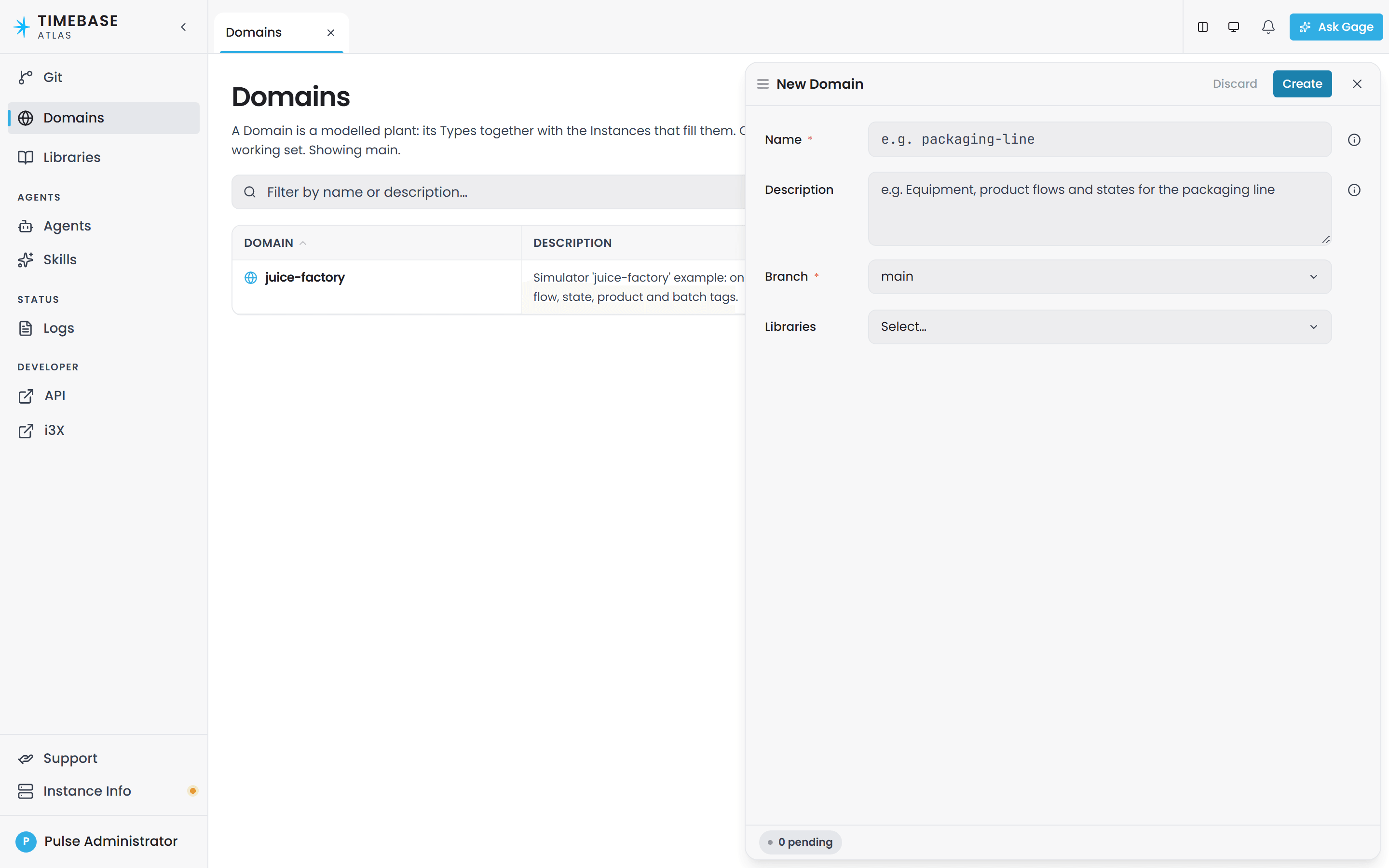
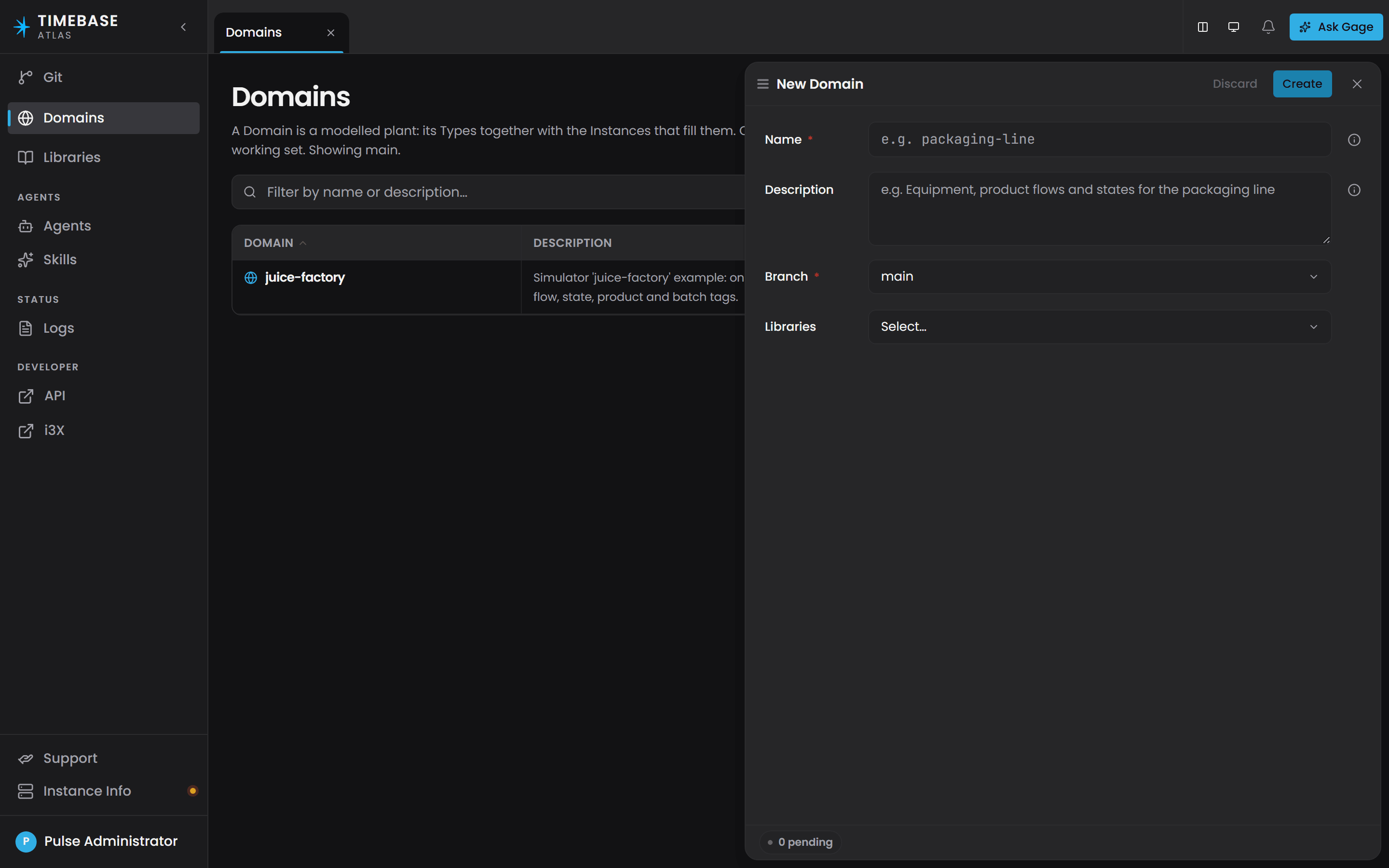
Select Create Domain at the top right of the page. The New Domain drawer opens on the right.
-
Enter a Name. It must be lowercase letters, numbers and single hyphens, for example
pump-station-north. The field's own help text reads "Lowercase letters, numbers, and single hyphens." -
Confirm the Branch. It defaults to the branch you are browsing.
-
In Libraries, add
atlas-common. It gives you theTVQmeasurement shape and theTagentity types, both of which you will want. Addisa95-equipmenttoo if you are modelling an ISA-95 equipment hierarchy. -
Write a one-line Description of what this domain models, then select Save domain.
Atlas adds the new Version to your working set under Domains and opens its Overview tab.
-
In the sidebar, expand your new Version and select Types.
-
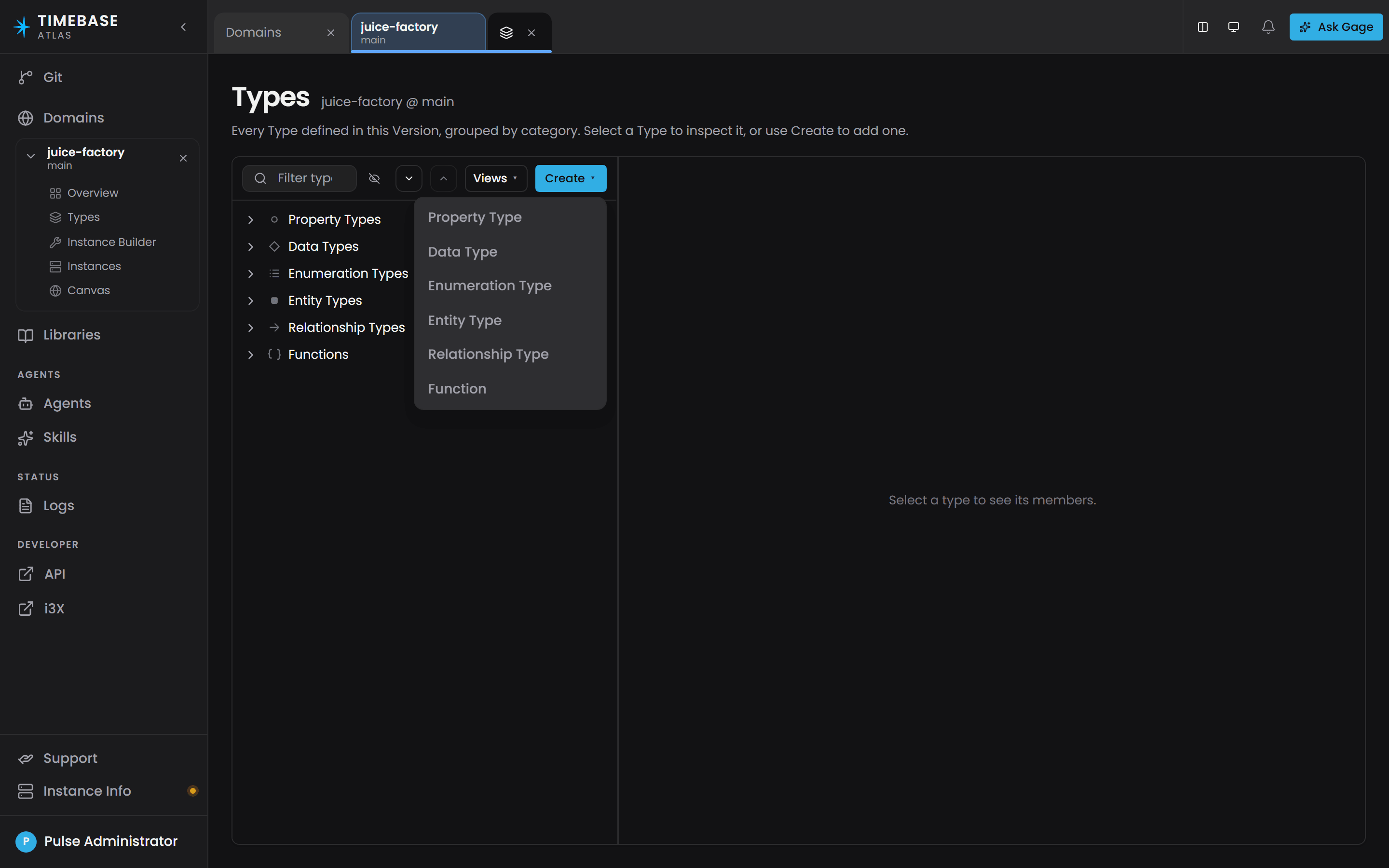
Select Create, then Entity Type, and create your first type. Fill in Name (PascalCase, for example
Pump), an optional Label and a Description, then Save. Repeat for the three to five asset types you need.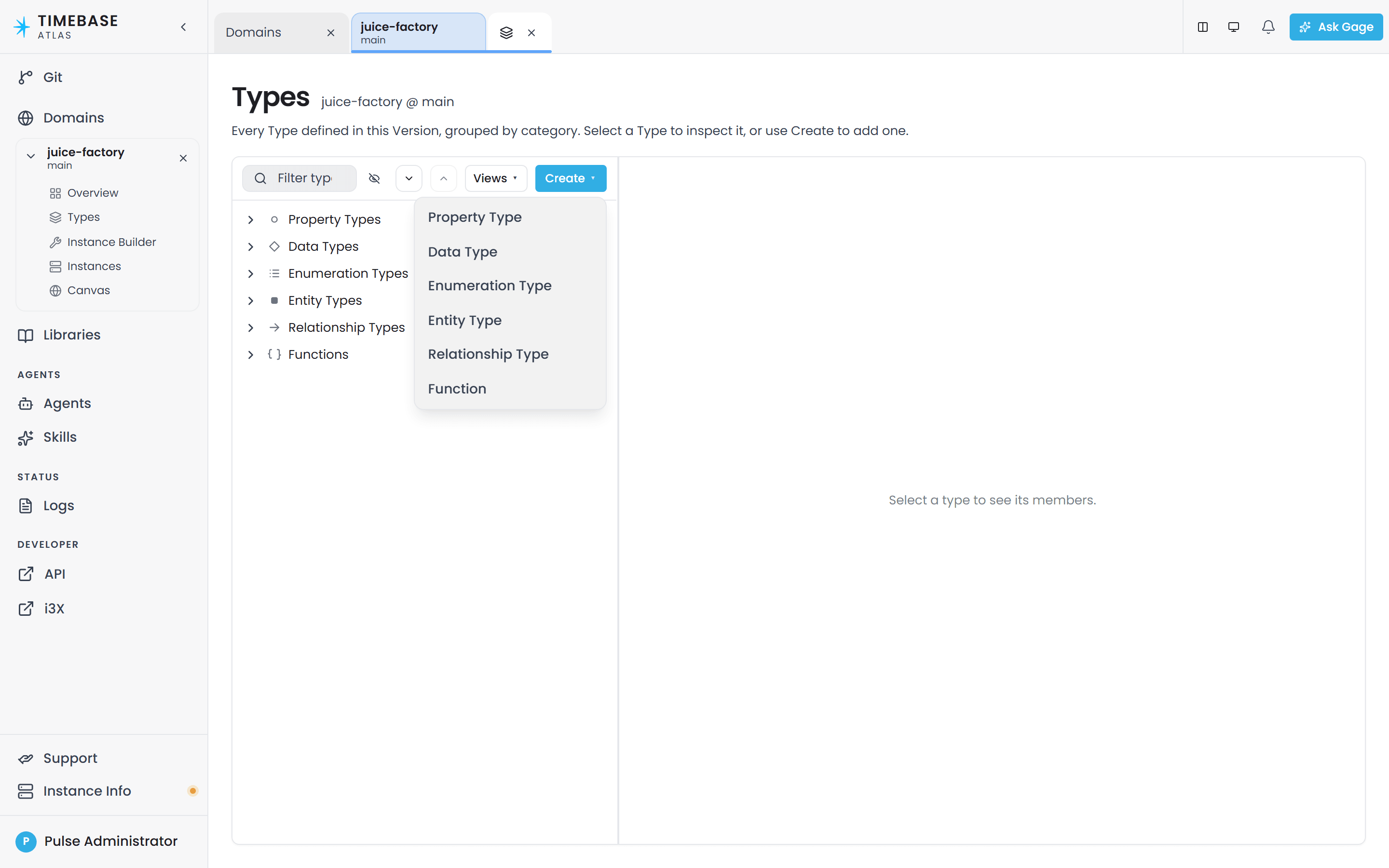
 Important
Name is locked after creation on every kind of type. Label and description can be changed freely afterwards; the name cannot.
-
Select Create, then Property Type, to create the values those types carry, for example
Speed,FlowRateandMotorTemperature. Set each one's Value type: usexsd:doublefor measurements, andTVQfromatlas-commonfor anything that comes from a historian or an OPC UA server. -
Attach each property to the type that should carry it: select the entity type in the tree, open its Properties tab, select the add control (the drawer opens titled Add Property, and the empty-state link reads "Create property"), and save. Attaching to a parent type shares the property down the whole subtree.
-
Select Create, then Relationship Type, to connect your types. Choose the Contains root for physical containment (that is what makes the Instances tree nest), or the Relationship root for everything else.
atlas-commonalready gives youcontains, so import and reuse it rather than defining a near-duplicate. -
In the sidebar, select Instance Builder.
-
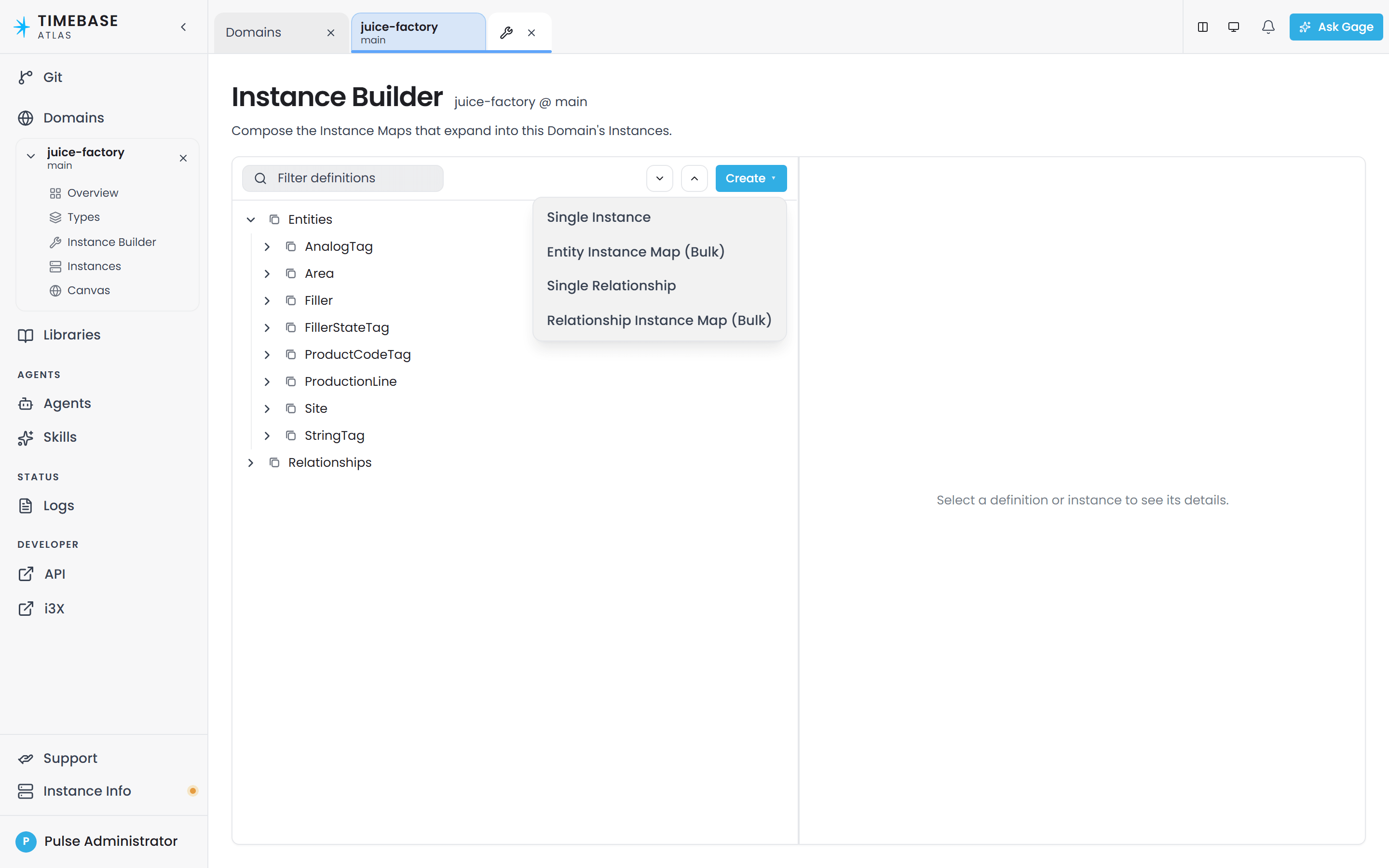
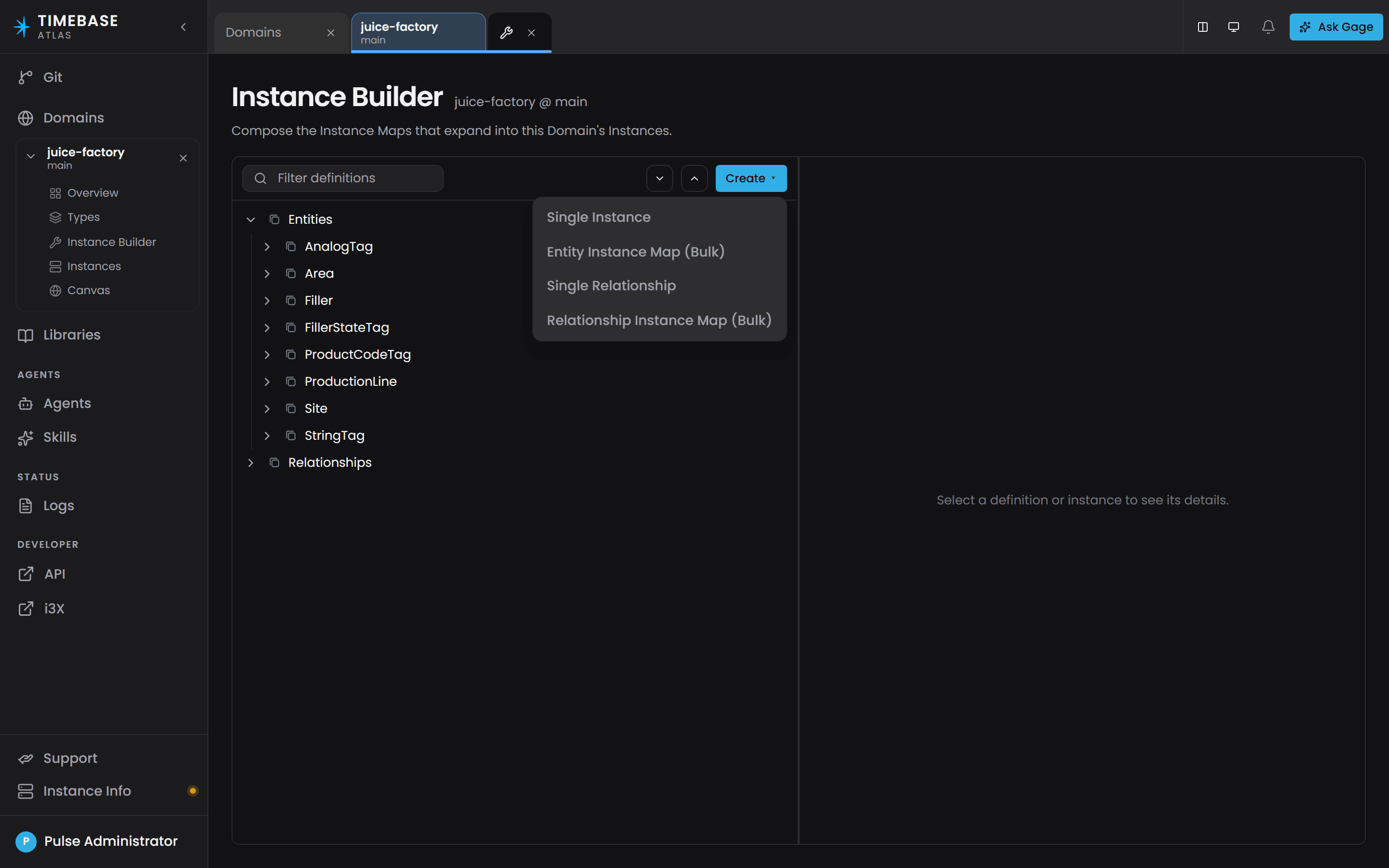
Select Create, then one of Single Instance, Entity Instance Map (Bulk), Single Relationship or Relationship Instance Map (Bulk). For a first pass, Single Instance for a one-off asset such as the pump station, and Entity Instance Map (Bulk) for the pumps themselves.
-
On the drawer's General tab, fill in Definition ID, Definition name, Type, Instance ID and Instance label. Use
[Name]placeholders in Instance ID to vary it per instance, for examplePump-[Num, 00].ImportantThe placeholder syntax is
[Name]. It is not{i}. A pattern writtenpump-{i}has no variables at all, so you get exactly one instance literally namedpump-{i}, and nothing warns you. -
On the Variables tab, select + Add variable and give the variable that drives the count its data, for example a variable named
Numwith the data1-6. -
Open the Mappings tab, select a property, and choose Static, Bound or Calculated on the Sourcing strategy selector.
-
For a Bound property, type the connector path into Binding path, using the same placeholders, for example
historian-juice-factory/The Juice Factory/131-TT-[Num].PV. If you have no live data yet, leave the properties Static and come back later; the model still compiles and is still queryable. -
Select Save instance map.
-
In the sidebar, select Overview.
-
Read the Outstanding items panel if it is showing. Its body copy reads, verbatim:
Your changes are saved. These items don't block saving - fix them in any order - but this Domain Version can't be compiled until they're resolved.
Items are split into To fix (errors, which block the compile) and Advisory (warnings, which never block anything). Each line begins with its rule ID. Clear everything under To fix before you go on.
-
Look for a panel headed Unpublished changes. If it is there, your work is sitting in a private draft and the branch has not moved. When its chip reads Ready to publish, select Publish to {branch}. If the chip reads "{n} to fix first", clear Outstanding items first.
Notea save with outstanding violations is held in your own draft session rather than written to the branch, and compiling from a draft builds your copy. If something you saved is not appearing for other people, publish it here first.
-
In the Compile section, select Compile.
-
Read the result. Three cards show Entities, Edges and Archetypes, followed by the time it completed. If validation failed instead, work through the listed violations and compile again.
-
In the sidebar, select Instances. Your instances appear, nested by containment.
-
Select an instance, then turn on the Live switch in the inspector header to stream its current values. Live starts off, and is remembered per tab.
Start simple. Model three to five asset types with their most important properties before adding calculated properties, complex relationships or connector-driven instance maps. A small working model that you can query is more useful than a large model that does not compile.
Doing the same thing with Ask Gage#
Steps 10 to 21 can be handed to the assistant instead.
-
Open the Ask Gage panel. It is open by default; if you closed it, use the Ask Gage button in the top bar.
-
Press + (Spawn agent) and pick
atlasfrom the Start an agent dialog. -
Describe your plant in plain language, and be concrete. Actual asset names, actual measurement units, actual relationships. For example: "I have a pump station with six pumps. Each pump has a speed in RPM, a flow rate in cubic metres per hour and a motor temperature in Celsius, all from the historian. The pump station contains the pumps and has an overall flow rate that is the sum of the pump flow rates."
-
Review what it produced on the Types screen and in Instance Builder before you compile. The agent writes to your branch exactly as you would, so its output goes through the same validation and the same Outstanding items panel.
-
Ask for changes in plain words ("attach
FlowRatetoPumpStationas well", "add a description to thecontainsrelationship type") rather than starting again.
the assistant works within the same feature set as the interface, so it tells you when something you ask for is outside it - a relationship cardinality, for example.
Iterating on a domain#
Domain models are meant to evolve, and nothing has to be torn down first.
- Edit types and instance maps at any time. Nothing is frozen by a compile. The World keeps serving the last compiled result while you work.
- Atlas marks the World stale for you. Once the content no longer matches the compiled World, the Overview header swaps its grey Compiled chip for an amber Needs recompile chip, the Compile section shows the callout "This domain has uncompiled changes. Recompile to apply them.", and the Recompile button becomes available again. The Domains page shows the same two chips on the domain's row.
- Recompile when you are ready. Every compile is a full rebuild that replaces the previous World entirely.
- You do not need to recompile after a restart. Atlas recompiles every domain it knows about when the service starts. The one exception is a domain whose instances are driven by a connector: Atlas waits for that connector to connect and advertise its paths, so if the connector never appears, that domain stays uncompiled.
- Use branches for bigger changes. Create a branch on the Git page, open your domain on it from the Domains page, model there, and merge when you are happy. Both Versions can be open side by side in the workspace.
compiling is a full rebuild from the current source. A row removed from the register that a connector-driven instance map reads is not built at the next compile, so its instance leaves Instances and queries at that point.
For commit history, diffs, comparison and merges, use Git, titled Git Management. To recover an earlier version of a file, restore it from the Git page and recompile.
Troubleshooting#
| Symptom | Likely cause | What to do |
|---|---|---|
| The browser cannot connect to Atlas at all | The address or port is wrong, or 4552 is not published | Use https://localhost:4552. http://localhost:4551 redirects there, so 4552 must be reachable. If you started Atlas from the shipped docker-compose.yml, add - "4552:4552" to the service's ports and bring it up again |
| You get a Pulse sign-in page instead of Atlas, and cannot get past it | Authentication is on by default and Atlas cannot reach the Pulse instance it is configured for | Check that Pulse is running and that Pulse:Host in settings.config points at it. See Start Here for Docker: How to Deploy and Secure Timebase 2.0 |
| The domain you just created is nowhere on the Domains page | You are browsing a different branch from the one it was created on | Change the Branch select on the Domains page to the domain's branch |
| You cannot find the Deploy button | There is no deploy step in Atlas and never a button for one | Use Compile on the domain's Overview. That is the only action needed to make the model live |
| You cannot find a BindKey field | The field does not exist and never did under that name | Open the instance map, go to the Mappings tab, select the property, set it to Bound, and fill in Binding path. The format is connector/path, slash-delimited, never scheme:// |
| Compiling reports violations and no World is built | Atlas validates the whole domain before it builds | Read the rule IDs in the response. O-A… and O-B… are ontology items, I-A… and I-B… are instance-map items. Clear O-A1 and O-A2 first if they appear, because the rest of the list follows from them |
| Compiling reports a type that "references unresolved URI … via rdfs:subClassOf" | This is rule O-B1. A base type, relationship endpoint or property reference names something that does not exist in this domain, its imported libraries, or atlas-core |
Check spelling and casing; names are case-sensitive. If the type lives in a library, import the library on the Overview screen's Library imports section first. The violation usually carries a Suggestion naming the closest known type |
| You saved a change, compiled, and nothing is different | The save had outstanding violations, so it is held in your private draft session | On Overview, clear everything under Outstanding items, select Publish to {branch} in the Unpublished changes panel, then compile again |
| The Instances screen says "Compile to view instances" | The domain has never been compiled. Saving definitions does not create instances | Open Overview and select Compile |
| Instances exist but a Bound property never shows a value | The binding path does not match a path the connector advertises | Confirm the connector is registered in the Connectors panel on the Home page, then compare the path character for character against what that connector advertises. The first segment is the connector instance id |
| A property shows a dash, or reads null | A bound property holds no value before its first sample arrives | Check whether the tag is offline, the connector is down, or the binding path needs correcting |
| The values on the Instances screen never change | The Live switch starts off, and is remembered per tab | Select an instance and turn on Live in the inspector header |
| Ask Gage proposes types that do not reflect your plant | The description was too abstract | Describe it more specifically: actual asset names, actual measurement units, actual relationships between assets. Ask the agent to list what already exists before asking it to add anything, or it may propose duplicates under slightly different names |
| You asked an agent to build something and nothing was created | designer and reviewer are read-only |
Ask designer for a plan, then builder to carry it out. Or use atlas, which does both |
| A query that worked before a change now returns nothing | The change renamed a type, property or relationship the query depends on, or the domain has not been recompiled since | Check the Overview header for the Needs recompile chip and recompile. Then update the query. Property names are case-sensitive, there is no name property (the display name is Label), and a live measurement is read through its compound as .Value |
| You are looking for a Cardinality setting on a relationship | Relationship participation is unconstrained | Enforce a rule such as "one control panel per machine" in how you build your instance maps |
Related articles#
| Article | Owns |
|---|---|
| Timebase Atlas Key Concepts | Every term used here: domain, library, branch, ontology, instance map, binding path, compile, World, draft session |
| Defining Types and Schemas | Authoring entity types, relationship types, property types, data types and functions, field by field |
| Instance Maps | Authoring instance maps in detail, including variables, sources, transforms and relationship maps |
| Property Sourcing Strategies - Static, Bound, and Calculated | Static, Bound and Calculated in depth, plus Composed, Reference and Null |
| Atlas Libraries | Creating, importing and versioning libraries, and what is inside each shipped one |
| Calculations and Functions | Functions, parameters, anchors and point normalization |
| Connecting Data Sources | Setting up connectors and discovering the binding paths they advertise |
| Compiling and Publishing a Domain | The compile lifecycle, staleness and draft publishing, in operational detail |
| Validation Rules Reference | Every rule ID, what triggers it, and how to clear it |
| Querying with Cypher | Worked query examples and the query traps |
| Branch Management | Creating, comparing and merging branches |
| Start Here for Docker: How to Deploy and Secure Timebase 2.0 | Installing Atlas and its Pulse prerequisite |