Property Sourcing Strategies - Static, Bound, and Calculated
Every property on an instance in an Atlas domain gets its value from a sourcing strategy.
Overview#
Every property on an instance in an Atlas domain gets its value from a sourcing strategy. The strategy decides whether you type the value in yourself, whether it streams in from a connected data source, or whether Atlas computes it from other properties. This article covers the strategies Atlas ships with, how to set one on the Mappings tab, the format of a connector binding path, and how to tell a property waiting for its first sample from a real reading of zero.
You would read this when you are modelling a domain and need to decide where each property's value comes from, or when a property you expected to be live is sitting there showing nothing.
How a property gets its value#
A property's sourcing strategy is configured in the Instance Map, not in the Ontology. The Ontology defines that a property exists and what data type it holds. The Instance Map defines where the value comes from. This separation means the same Ontology type can be instantiated with different binding configurations depending on the deployment context: the same Pump type can be bound to an OPC UA server on one site and to a SQL history table on another, with no change to the Ontology.
Two terms used throughout, in plain English:
- Instance Map - the definition that turns one Ontology type into one or many real instances, saved as a
.map.jsonfile in the domain's Git repository. - Connector - a component that talks to an outside system (the Timebase Historian, an OPC UA server, a SQL database, an MQTT broker) and pushes values into Atlas.
Nothing in this article takes effect until you compile the domain. See Compile before anything takes effect.
The six sourcing strategies#
Atlas recognises six strategies. Five of them you choose yourself in the drawer: Composed only appears for a property whose value type is a data type. Null is authored through the API or an agent.
| Strategy (UI label) | Value in the file (type) |
Where the value comes from | Can you pick it in the drawer? |
|---|---|---|---|
| Static | StaticStrategy |
A fixed value you type in | Yes |
| Bound | BoundStrategy |
A live connector binding path | Yes |
| Calculated | CalculatedStrategy |
A function plus its bound inputs | Yes |
| Composed | CompositeStrategy |
Each field of a data-type property is sourced separately, each with its own strategy | Yes, on a property whose value type is a data type |
| Reference | ReferenceStrategy |
Another instance's property, read live with no copy and no relationship | Yes |
| Null | NullStrategy |
Nothing. The property is explicitly unset and reads as empty | No. Authored through the API or an agent |
There is no strategy called "Manual". If you are looking for the place to type a value in by hand, it is Static.
The collective name for these in the interface is Sourcing Strategy. Anything other than these six values is rejected when you save, with this message:
Strategy type '<YourValueHere>' is not recognised. Allowed values: StaticStrategy, BoundStrategy, CalculatedStrategy, NullStrategy, CompositeStrategy, ReferenceStrategy.
Set a property's source#
-
Open the domain from the Domains page and select the Instance Builder view.
-
Select the instance map definition you want to change, or create one.
-
Select the Mappings tab in the drawer. Every property the type declares is listed, each with a chip showing its current strategy.
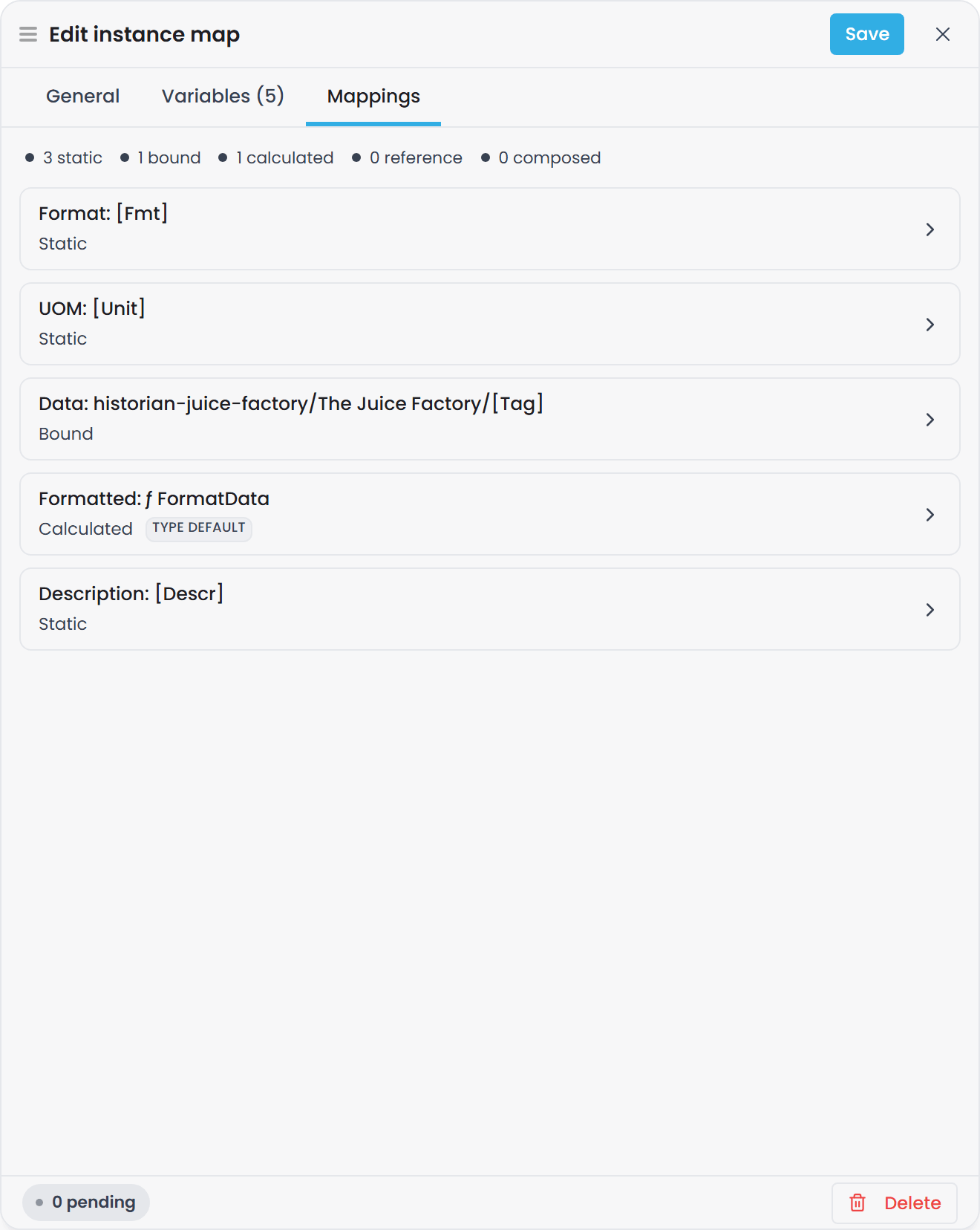
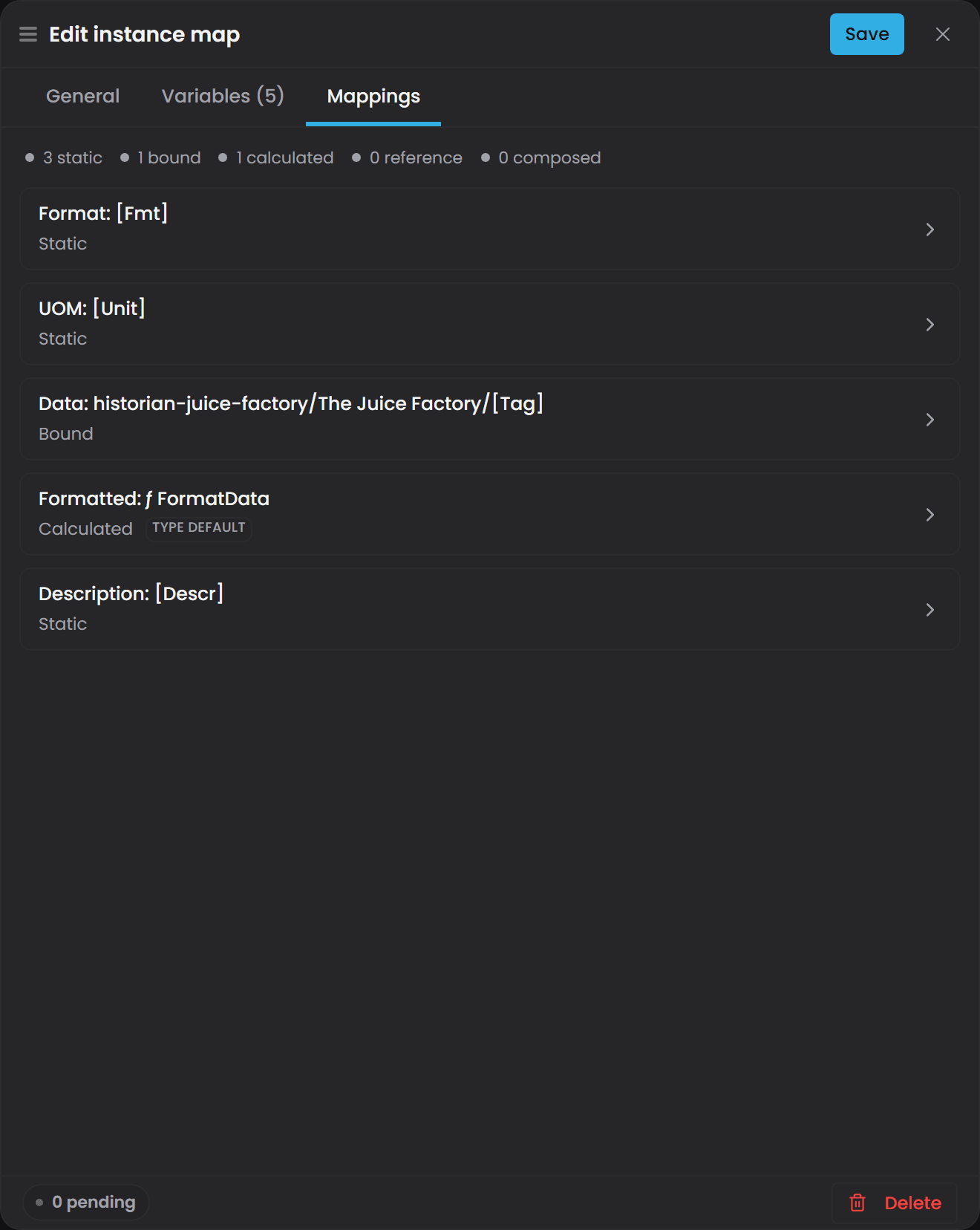
-
Select the property. A segmented control appears with Static, Bound, Calculated and Reference, plus Composed when the property's value type is a data type.
-
Choose the strategy and fill in the fields it asks for:
- Static needs a
value. - Bound needs a
bindingPath. - Calculated needs a
functionUriand itsarguments. - Composed needs a strategy for each field. See Use Composed to source a data type's fields separately.
- Static needs a
-
Save. This writes the
.map.jsonfile and commits it to the branch you are working on. -
Go to the domain Overview view and select Compile (the button reads Recompile once a world exists). Until you do this, the change is on the branch but not in the running world.
a property whose type the interface does not recognise is shown locked rather than editable, so an entry the editor does not author is preserved exactly as written.
How strategies are stored in the instance map file#
All six strategies live in one place in the file: the properties block of the instance map definition. There is no separate bindings section.
properties is keyed by the full property URI and each value is a list of strategy intervals:
"properties": {
  "urn:atlas:ontology:my-domain:Site": [
    { "type": "StaticStrategy", "value": "North" }
  ],
  "urn:atlas:ontology:my-domain:AssetClass": [
    { "type": "StaticStrategy", "value": "Rotating Equipment" }
  ],
  "urn:atlas:ontology:my-domain:MaintenanceInterval": [
    { "type": "StaticStrategy", "value": 90 }
  ],
  "urn:atlas:ontology:my-domain:Speed": [
    { "type": "BoundStrategy",
      "bindingPath": "historian-juice-factory/The Juice Factory/131-TT-[Num].PV" }
  ]
}
Two rules bite immediately if you hand-edit this file:
- The key must be the full URI. A short name such as
"Site"returns:Property key 'Site' is not a full URI. Property keys must start with 'urn:atlas:ontology:'. - The value must be a list of strategy entries, not a bare value.
"Site": "North"will not load. It has to be"Site-URI": [ { "type": "StaticStrategy", "value": "North" } ].
The list is a list because a property's source can change over time. See Change a property's source over time. If you only ever need one source, the list has one entry.
Use Static for values you set yourself#
A Static property holds a fixed value written into the instance map definition. It is not connected to anything and it does not change on its own.
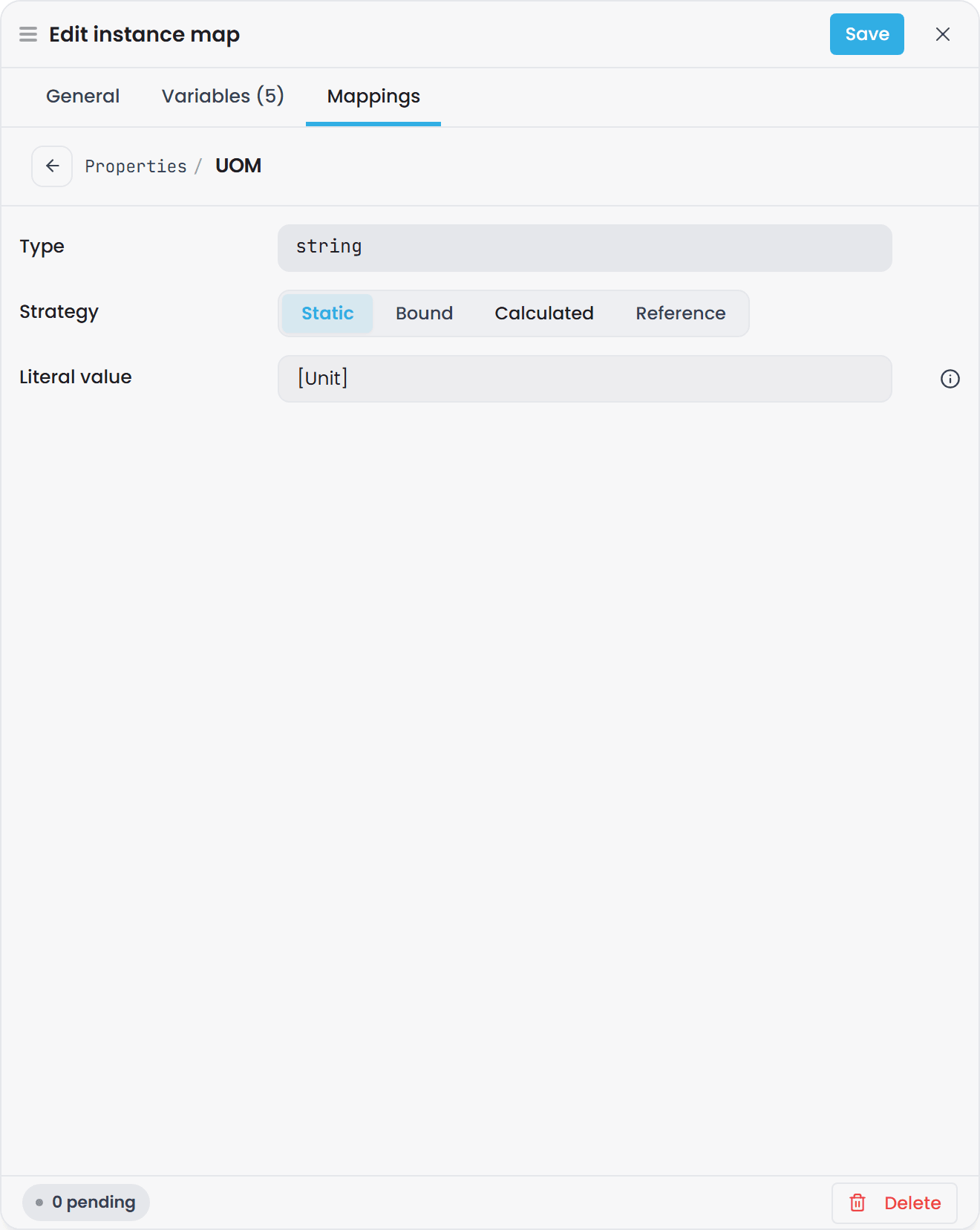
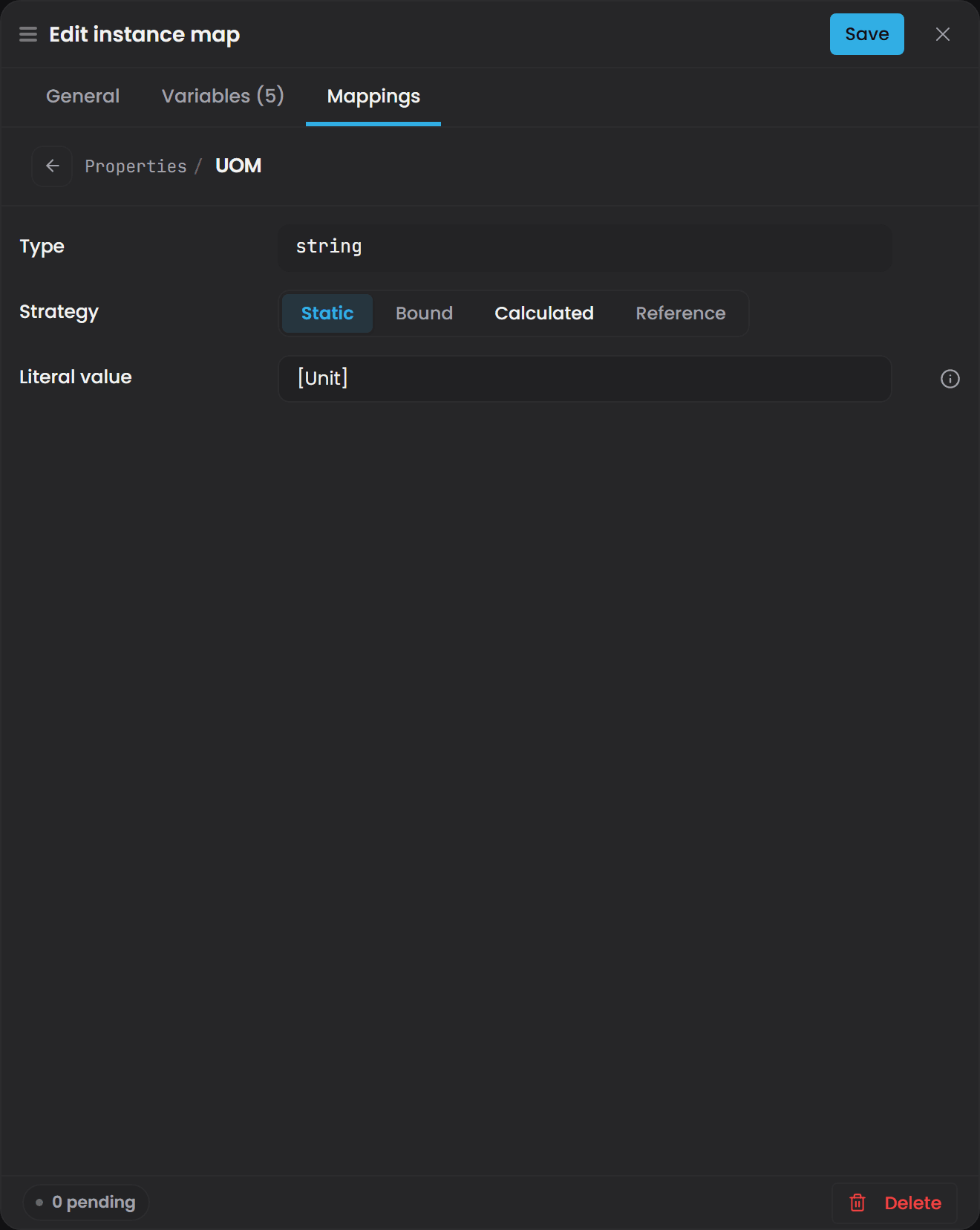
Use Static for:
- Set-points and targets, for example
DesiredFlowRateorMaxTemperatureLimit - Asset metadata that does not change automatically, for example
AssetClass,Manufacturer,InstallationYear - Operator annotations and flags, for example
MaintenanceNotesorInspectionPassed - Configuration values that must be consciously set, for example
SiteorArea
"urn:atlas:ontology:my-domain:Site": [
  { "type": "StaticStrategy", "value": "North" }
]
A Static value supports the same [Placeholder] interpolation as instance ids, so one definition can give each expanded instance a different fixed value:
"urn:atlas:ontology:my-domain:Capacity": [
  { "type": "StaticStrategy", "value": "[Cap]" }
]
[Cap] must match the name of an entry in the definition's map[] list. A placeholder inside a value or a binding path is checked when the domain is compiled and the definition is expanded into instances:
Placeholder references undefined map entry: [Cap] in template: [Cap]
(A placeholder in the definition's instanceId or label is checked earlier, when you save. See the Troubleshooting table.)
A blank Static value on a number, boolean or date-time property means "no value": it saves, and the property reads as null. A blank value on a text property is an empty string.
Changing a Static value#
There is no runtime "edit this value" field on an instance. Instance values are read-only in the API and the interface. To change a Static value you edit the instance map definition, save it, and compile the domain again. That save is a Git commit on the domain's branch, and the commit author is the signed-in user, so the domain's Git history is your change record.
a save with outstanding validation violations is held in your private draft session rather than written to the branch. If you saved, compiled, and the result is unchanged, publish the draft and compile again.
commit authorship comes from the signed-in identity, so keep authentication enabled where you want the Git history to serve as your change record.
Ask Gage
Ask the
designeragent: "I am building a {domain} for {plant-or-system}. Which properties should be Static - set once at commissioning and not expected to change? Assume {list a few property names or types}."It returns a plan with no writing. Hand the plan to
instance-builderto set the strategies.
Use Bound for live values from a connector#
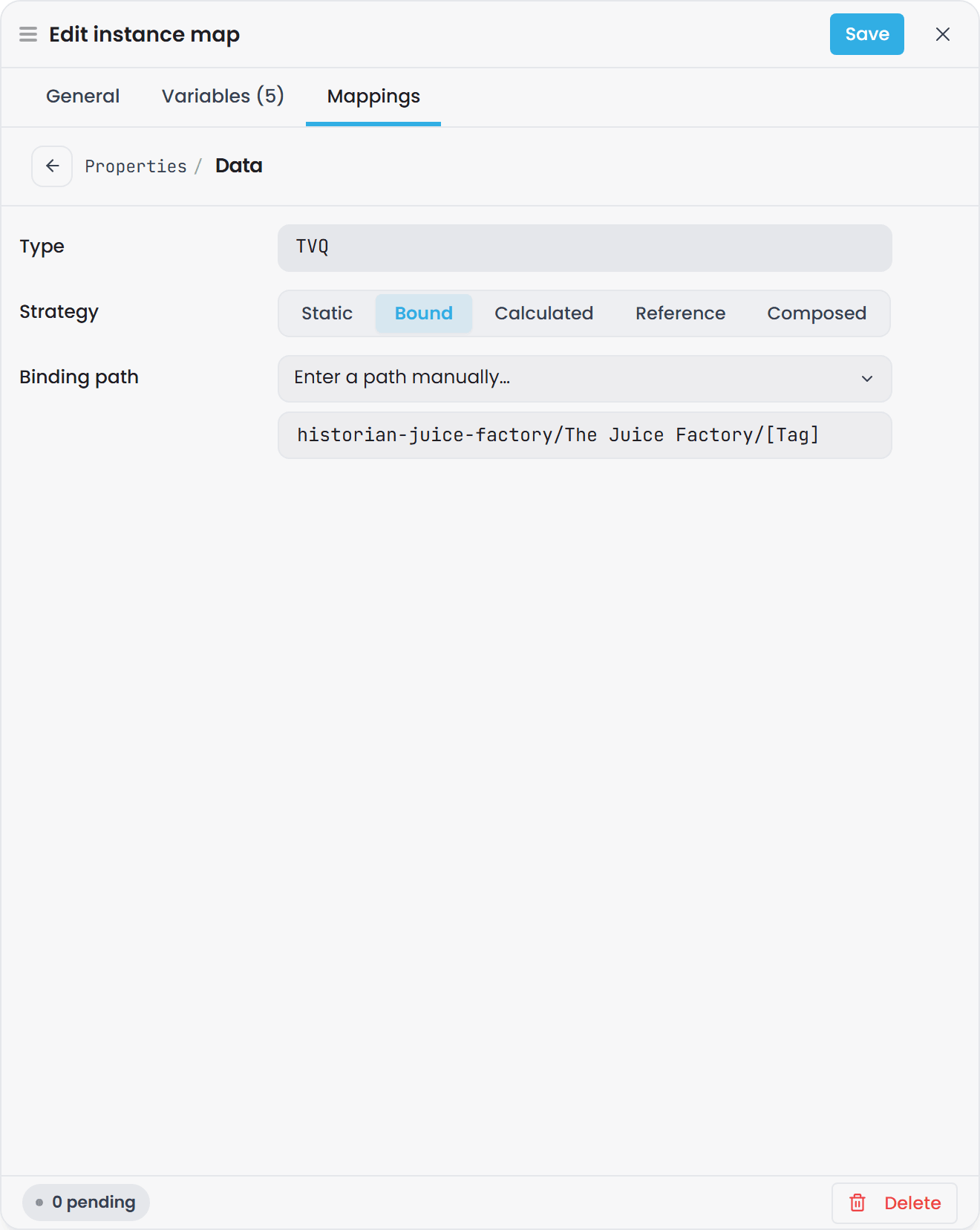
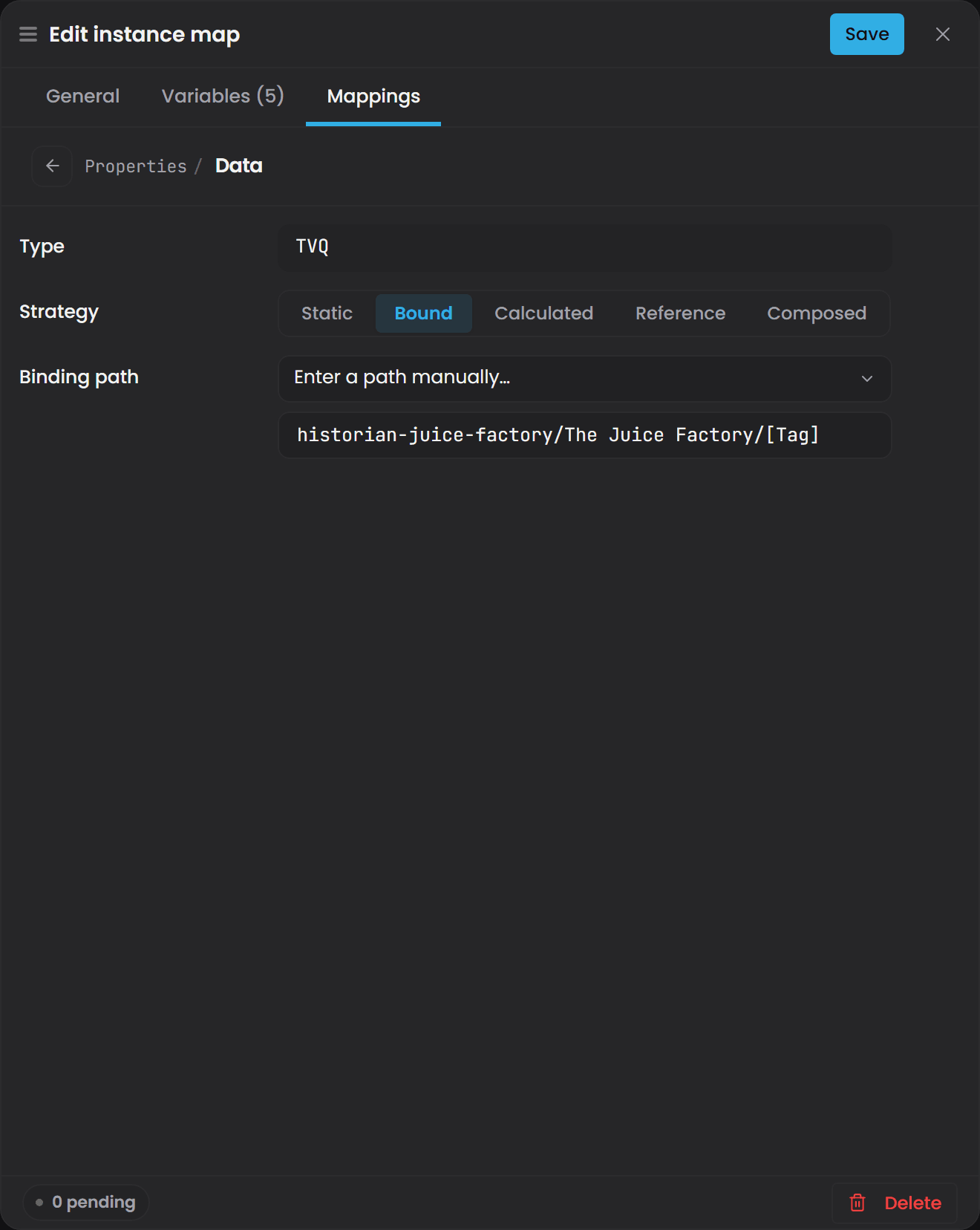
A Bound property receives its value from an external system through a connector. Connect pushes new rows into Atlas, Atlas writes the value into the compiled domain, and anyone subscribed to the value hub is notified. There is no polling from your side and nothing to press.
Use Bound for:
- Live measurements from sensors and instruments, for example
Speed,Temperature,FlowRate,Pressure - Process statuses from PLCs or SCADA systems, for example
IsRunning,AlarmActive,Mode - Values from the Timebase Historian, SQL databases, MQTT topics, or OPC UA servers
- Any value that changes frequently without human intervention
"urn:atlas:ontology:my-domain:Speed": [
  { "type": "BoundStrategy",
    "bindingPath": "historian-juice-factory/The Juice Factory/131-TT-01.PV" }
]
Binding path format#
The bindingPath is the single field that connects a property to a data point. Get its shape right:
- It is slash-delimited segments.
- The first segment is usually the connector's instance id, exactly as that connector is registered
in Atlas. Most plugins build their advertised paths that way. The Timebase Historian plugin, for
example, advertises
{InstanceId}/{Dataset}/{Topic}. - Two plugins differ. The HTTP/REST plugin advertises the endpoint's
BindingPathvalue as written, with no instance-id prefix, and the Timebase Reference plugin advertises fixedfake/...paths. For those two, type the path exactly as the plugin advertises it. - The rule in every case: copy the path the plugin advertises, and write it as plain
slash-delimited segments with no
scheme://prefix. - The remaining segments are whatever that connector uses to identify a point.
- Segments may contain spaces and dots.
The Juice Factoryand131-TT-01.PVare single segments. - For the historian connectors (Timebase Historian, AVEVA Historian, AVEVA PI, Canary) the tag is everything after the dataset or filter, so a tag whose name contains
/is written as named, without escaping. This needs the first release after 2.0.0; see Tag names that contain a slash.
a binding path is a set of slash-delimited segments, not a URI. A scheme:// prefix such as historian://, opc:// or sql:// does not match any advertised path, so leave it out.
Per-connector shapes:
| Connector | Path shape |
|---|---|
| Timebase Historian | <ConnectorInstanceId>/<Dataset>/<TagName> |
| OPC UA | <ConnectorInstanceId>/<BrowsePath> |
| i3X | <ConnectorInstanceId>/<ElementId> |
| SQL | <ConnectorInstanceId>/<Topic> |
A real Historian path looks like this: historian-juice-factory/The Juice Factory/131-TT-01.PV, where historian-juice-factory is the connector instance id, The Juice Factory is the dataset, and 131-TT-01.PV is the tag.
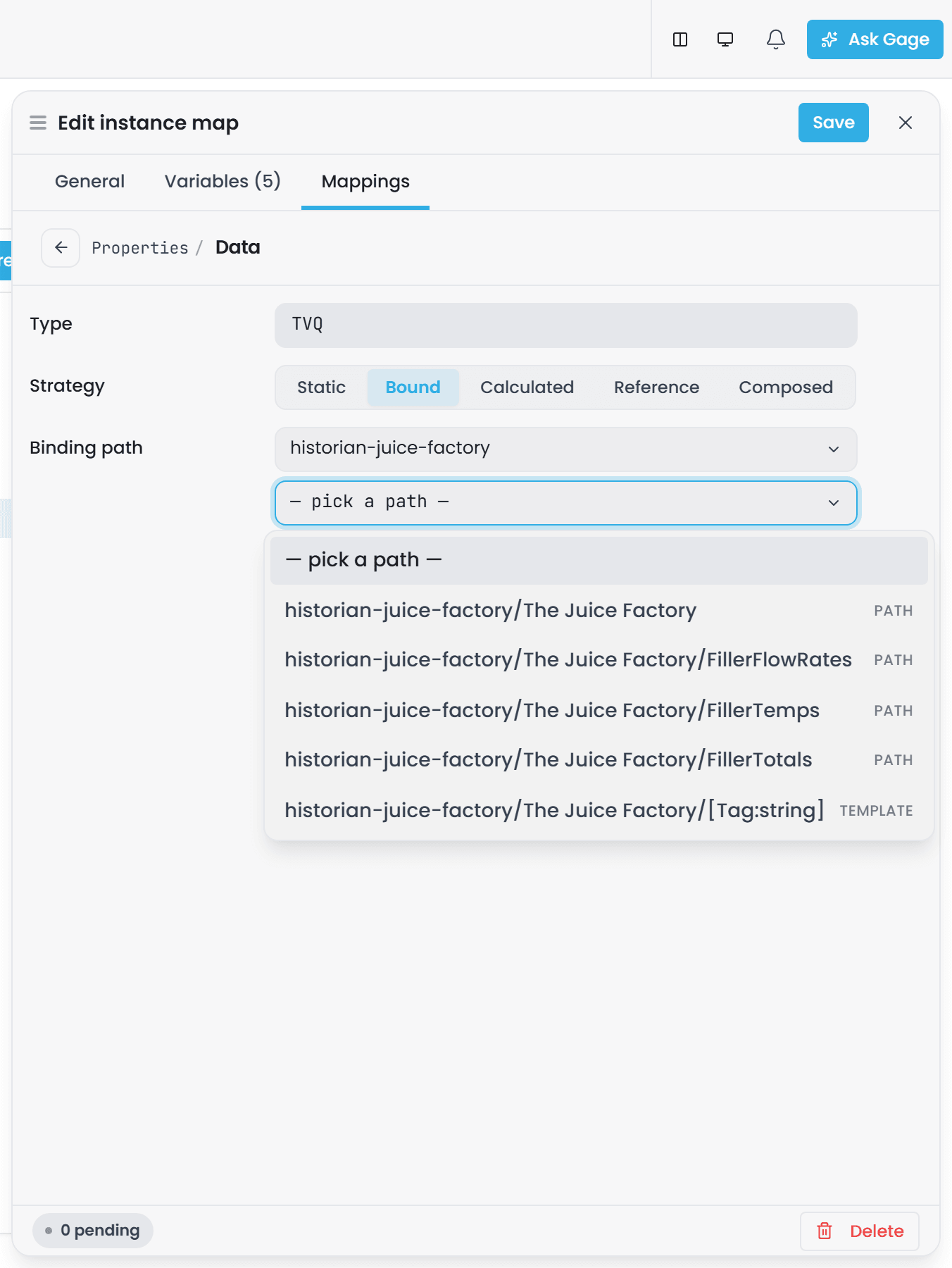
a Bound binding path is matched against the connector's advertised paths at start-up rather than when you save, so pick it from the list where you can, and copy rather than type where you cannot. The Binding path field opens as a picker; Enter a path manually… turns it into free text with a connector/path/[Variable] hint.
Do not guess a path. Get it from one of these instead:
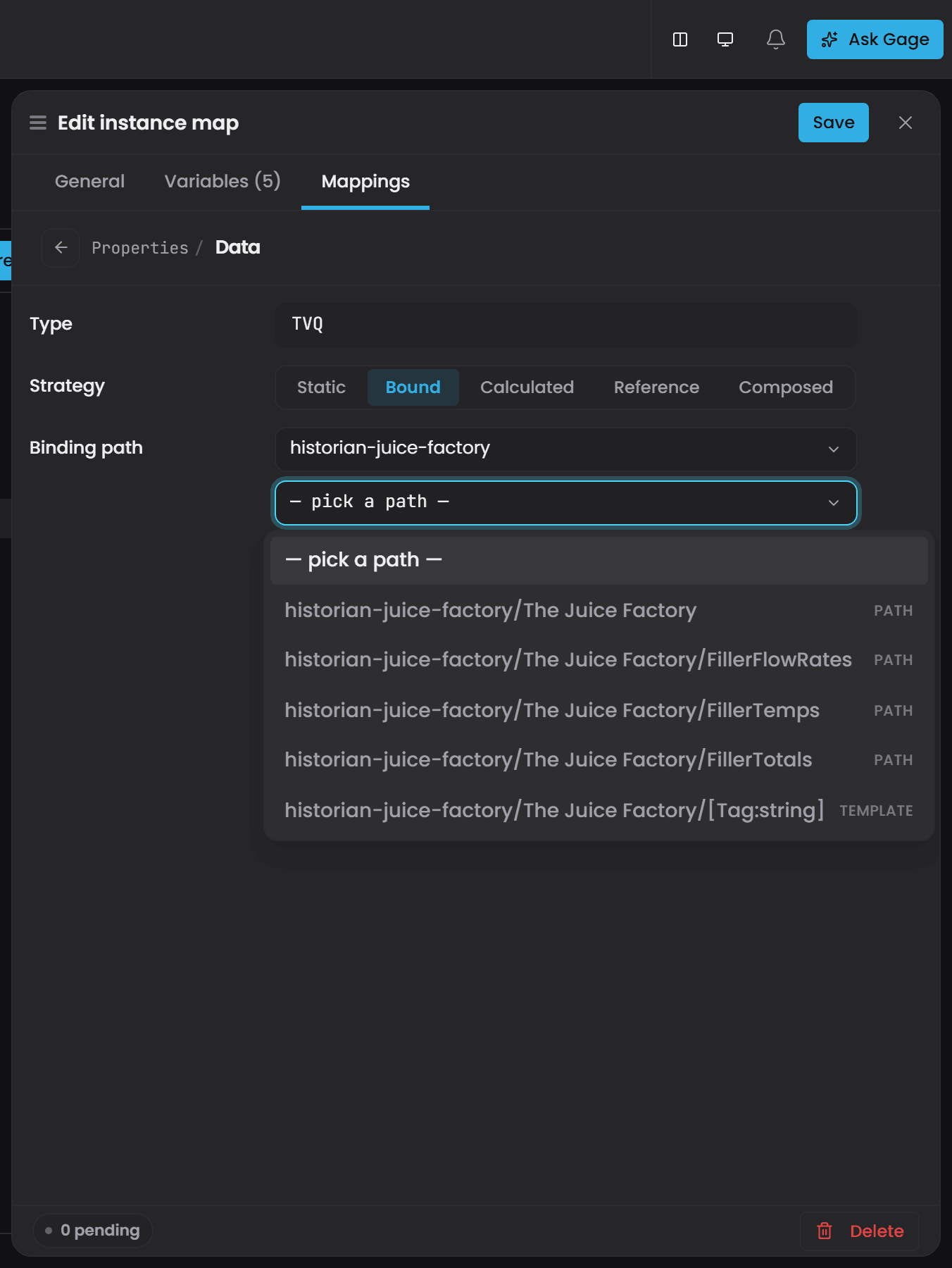
- The Binding path picker itself. Its first list is the connectors Atlas knows; pick one and the second list is every path that connector advertises, each marked path for a fixed point or template for a shape with a typed placeholder such as
[Tag:string]. A template is the one to pick when the definition binds many instances, with the typed placeholder replaced by one of your own variables. - An existing working Bound property in the same domain. Open its Mappings entry and copy the path.
- The source system itself, for example the exact dataset and tag name as they appear in the Timebase Historian.
The Connectors panel on the Home page tells you which connectors are online and how many datasources each advertises.
Bind many instances with placeholders#
A binding path supports [Name] placeholders, resolved once per expanded instance. This is how one definition binds 200 pumps to 200 different tags:
"urn:atlas:ontology:my-domain:Temperature": [
  { "type": "BoundStrategy",
    "bindingPath": "historian-juice-factory/The Juice Factory/131-TT-[Num].PV" }
]
[Num] must match the name of an entry in the definition's map[] list, the same rule as instance ids. The placeholder syntax is square brackets. It is not {i} and it is not $-prefixed.
After the placeholders are filled in, the resulting path must match a path the connector has advertised, or one of that connector's path templates. A path matching neither is not subscribed at start-up.
if two connectors advertise the same path, the last one to register serves it, and Atlas records the overlap in its log. Give each connector instance a distinct instance id so the first segment of the path identifies the source unambiguously.
When a bound property shows nothing#
Four things to check, in this order:
- The path does not match an advertised path. The path may be mistyped, the connector may not be connected, or it may not advertise that point. Nothing is subscribed at start-up, so the property receives nothing.
- A compound binding matched no column names. For a compound property, Atlas matches the connector's columns to the property's fields by name. A connector emitting
Valdoes not fill a field namedValue. - A scalar property is bound to a multi-column rowset. For a plain (non-compound) property, Atlas reads the first column, by position, so binding a scalar property to a
[Timestamp, Value, Quality]rowset lands the Timestamp in it. Check this first when a temperature reads as a date or a very large number. - The first sample has not arrived. See the next section.
A property waiting for its first sample reads as null#
A property holds no value until something writes one, so until the first sample lands it reads as null:
| Property type | Reads as before the first sample |
|---|---|
| Number | null |
| Date and time | null |
| Quality (whole number) | null |
This happens in three ordinary situations: the property is subscribed but no update has arrived yet, the source tag is offline, or the connector is down.
a genuine reading of zero is a value, so null and zero are different. A compound property such as a Timestamp-Value-Quality tag is null as a whole before its first sample, so WHERE n.Temperature IS NULL finds it. Once any field holds a value the property is a compound; test a single field with WHERE n.Temperature.Value IS NULL.
Ask Gage
Ask the
graph-queryagent: "In the compiled {domain} on {branch}, list every property that uses the Bound strategy. Group them by the first segment of their binding path (the connector instance id)."It answers by querying the model. No administrator role is needed.
Set a default on the property type#
Everything above sets a strategy on one property of one instance map. You can also set one on the property type itself, and every instance that carries that property inherits it without being mapped. Use it where a property has the same source across a whole class of assets: a plant-wide set-point, a unit conversion every pump shares, a status that is always read from the same place.
A type default can be Static, Bound or Calculated.
Set one#
-
Open the domain or library from the Domains or Libraries page and select the Types view.
-
Select the property, then Edit in the Inspector.
-
Scroll to Default sourcing strategy at the foot of the drawer.
-
Choose Static, Bound or Calculated and fill in the fields it asks for. Calculated offers the same function picker and per-argument rows as an instance-level mapping, so a default can bind each argument to a property or to a literal value.
-
Save, then compile the domain.
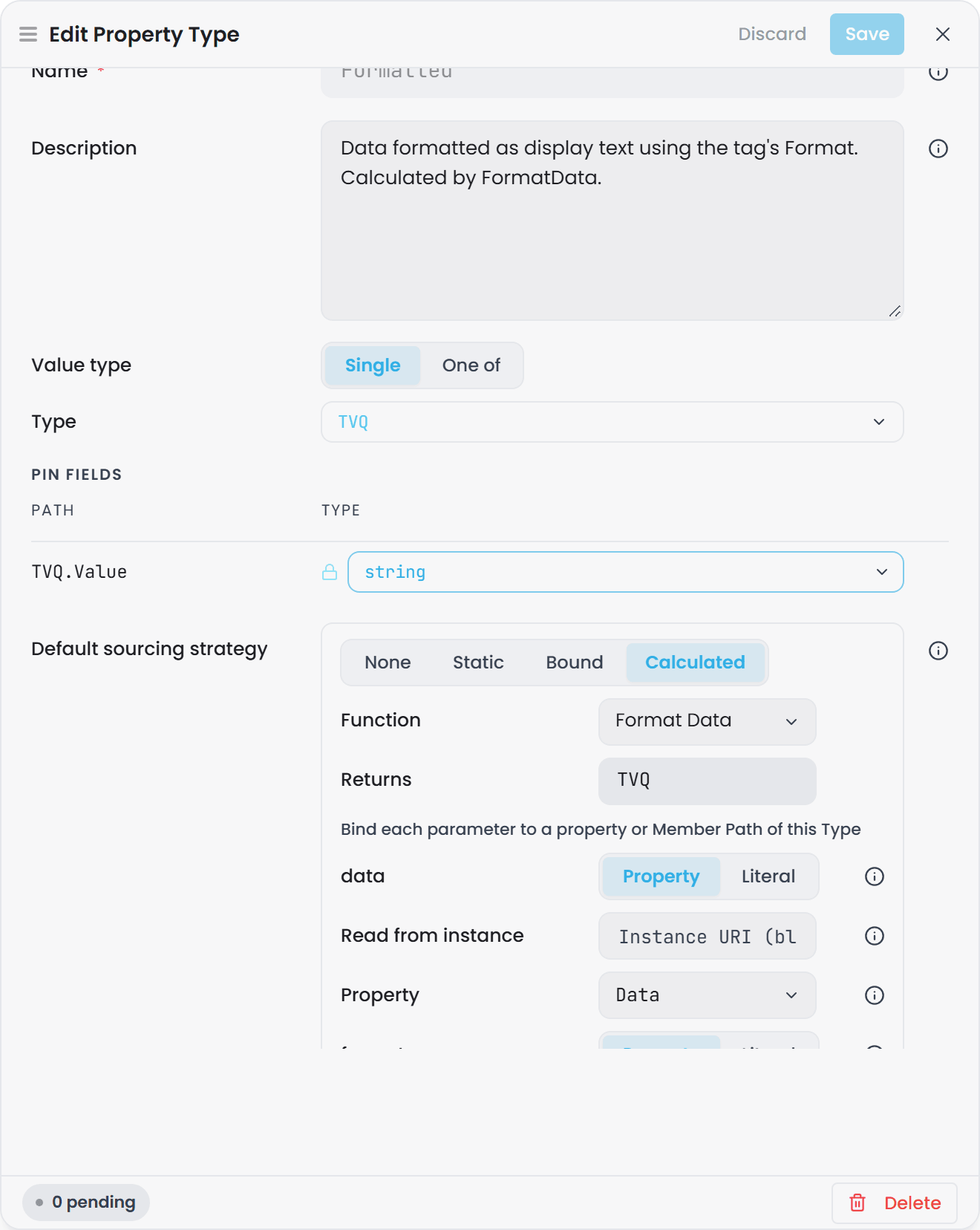
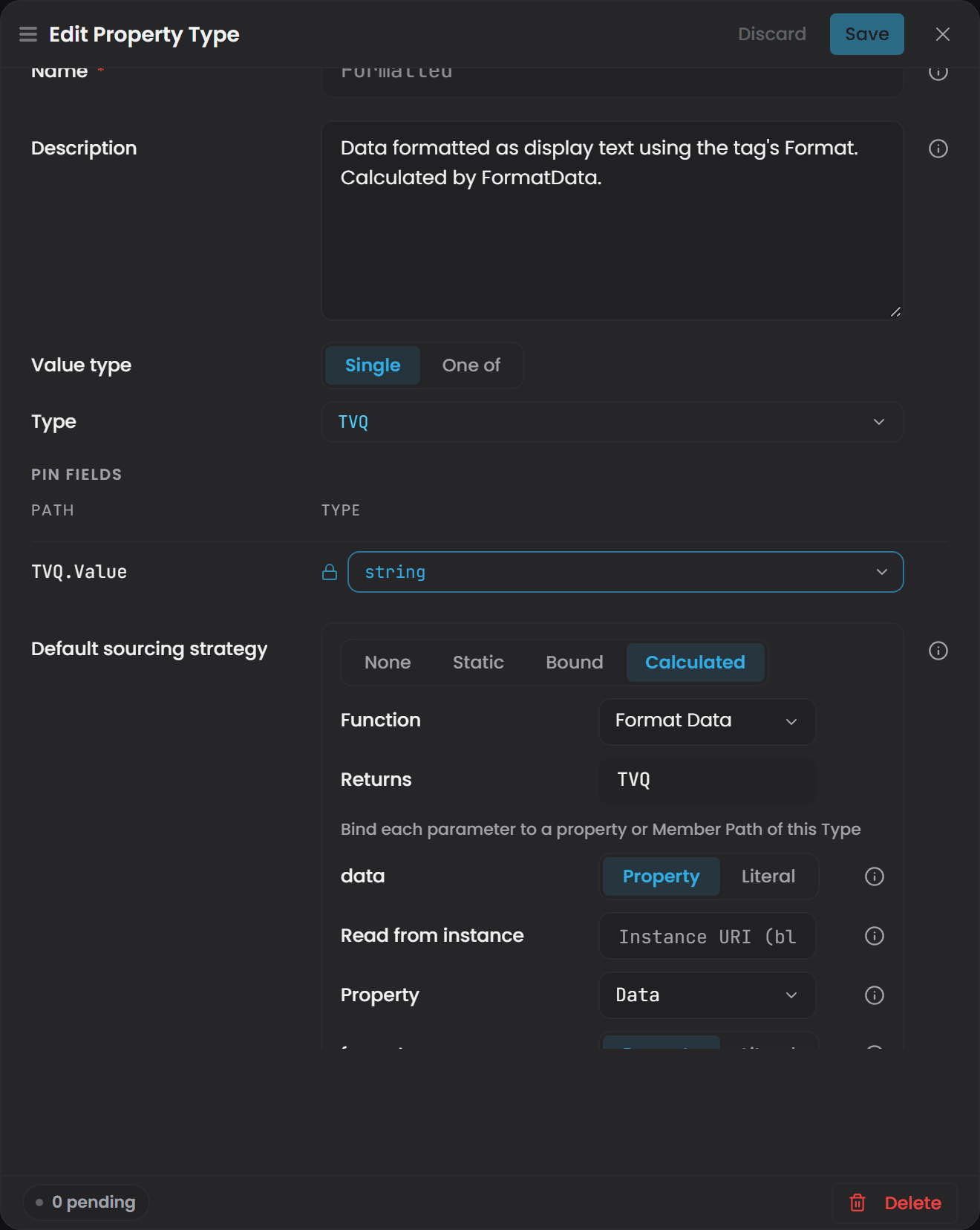
Choose None and save to remove a default that is already set.
What wins#
An instance map is always the authority. For any property on any instance:
| What exists | What Atlas uses |
|---|---|
| A strategy on the instance map | The instance map's strategy |
| No instance-map strategy, and a default on the property type | The type default |
| Neither | The property is unmapped and holds no value |
A default is inherited down the type hierarchy, so attaching a property and its default to a base type covers every subtype that carries the property. Where more than one type in the ancestry declares one, the nearest wins. Relationship types follow their own parent chain the same way, so an edge property can carry a default too.
Seeing it in the interface#
A type default is visible wherever an instance's mappings are:
- On the Mappings tab, an unmapped property whose type carries a default shows that strategy with a Type default badge instead of an empty placeholder. Editing the row authors an instance-level mapping, which overrides the default from then on.
- The Instance Inspector shows the same thing on its read-only mappings summary, so an inherited value does not read as "not mapped".
Nothing is written into the instance map until you edit the row. A badge is telling you where the value comes from, not that the map contains it.
Reading from a fixed instance#
A Calculated default can read an argument from one named instance, the same way an instance-level
argument can, by giving the argument an instanceUri. On a type default that target is shared: every
instance of the type reads from that one instance. This is how a class of assets all divide by the same
plant-level total. In the drawer it is the argument row's Read from instance field; on an instance
map the field also searches the domain's instances and lists the chosen instance's own properties.
In the file#
A default lives with the property in the ontology rather than in an instance map, and is written through the property's own create or update call:
{
  "name": "TemperatureCelsius",
  "range": "atlas-common:TVQ",
  "attachToTypes": ["Pump"],
  "defaultConfig": {
    "type": "CalculatedStrategy",
    "functionUri": "urn:atlas:ontology:juice-factory:FahrenheitToCelsius",
    "arguments": [
      {
        "type": "propertyRef",
        "parameter": "urn:atlas:ontology:juice-factory:param/fahrenheit",
        "propertyUri": "urn:atlas:ontology:juice-factory:TemperatureFahrenheit"
      }
    ]
  }
}
The strategy shape is the same one an instance map uses, so a mapping that works in a .map.json works
here. Two differences:
ReferenceStrategyis not accepted as a type default. Alias a property on the instance map.- To clear a default over the API, send
clearDefaultConfig. OmittingdefaultConfigon an update leaves the existing one in place.
Four validation rules cover a default: O-B18 to O-B21 in
Validation Rules Reference. They are the ontology
twins of the instance-map rules, so a mistake reads the same either way.
A function referenced by a type default counts as a dependent, so deleting that function returns 409
until the default is changed.
Ask Gage
Ask the
builderagent: "Set a default Calculated strategy on the TemperatureCelsius property that calls FahrenheitToCelsius, binding fahrenheit to TemperatureFahrenheit."Requires the
pulse:administratorrole.
Read a compound property (Timestamp, Value, Quality)#
A compound property is a property whose data type is a small record with named fields rather than a single number. The one you will meet most often is atlas-common:TVQ, the Timestamp-Value-Quality measurement tuple.
A compound is not a seventh strategy. It is an ordinary Static or Bound property whose data type happens to be a compound, and the connector fills each field of it in one write. If the fields should come from different places, use Composed instead.
Reading it. A bound compound is not a bare scalar. Reading the property itself gives you the record, not the number. In a query you navigate to the field:
MATCH (p:Pump) RETURN p.Label, p.Temperature.Value, p.Temperature.Quality
p.Temperature on its own returns the whole record. Property and field names are case-sensitive, so write p.Temperature.Value rather than p.temperature.value.
Quality values#
Quality is a field of the compound, not a flag hanging off every property. Its URI is atlas-common:Quality and it is a whole number, not the words Good, Uncertain, or Bad. It is the raw OPC quality code, and the status is carried in the top two bits:
| Value you see | Meaning |
|---|---|
0 |
Bad |
64 |
Uncertain |
192 |
Good |
Seven connector plugins emit a Quality column, and it lands in the property alongside the value: Timebase Historian, Aveva Historian, Aveva PI System, CanaryLabs Historian, CESMII i3X, OPC Foundation OPC UA, and InfoHub.
quality is data your model decides what to do with. A Bad-quality input is read and any calculation depending on it still runs. To make a KPI react to quality, pass the Quality field into the function as an input and branch on it.
a property waiting for its first sample reads a null quality, together with a null timestamp and a null value. That is different from a Bad quality of 0, which is a reading that arrived.
The time axis#
One field of a compound can be marked as its time axis with isTimeAxis. On atlas-common:TVQ this is the Timestamp field, set for you in the shipped library.
The time axis is what makes a compound time-segmentable. A compound with no declared time axis is treated as a single indivisible value and is not included in instance history, so declare a time axis on any custom compound you want history over. The declaration lives with the data type in the Ontology, not in the Instance Map.
Use Calculated for values computed from other properties#
A Calculated property derives its value from other properties using a function defined in the Ontology. You cannot type a value into a Calculated property. It is always the output of its function.
Use Calculated for:
- KPIs derived from multiple measurements, for example
OEE,MTBF,EnergyIntensity - Derived metrics, for example
PowerFactor,TotalFlowRate,AverageTemperature - State calculations, for example
IsOverTemperaturewhereTemperature > 80 - Aggregations across instances, for example the sum of every pump's flow rate at a pump station
Bind the function's inputs with arguments#
The function declares which parameters it takes. The instance map decides what each parameter reads from. That binding is the arguments list, and a Calculated strategy will not save without it.
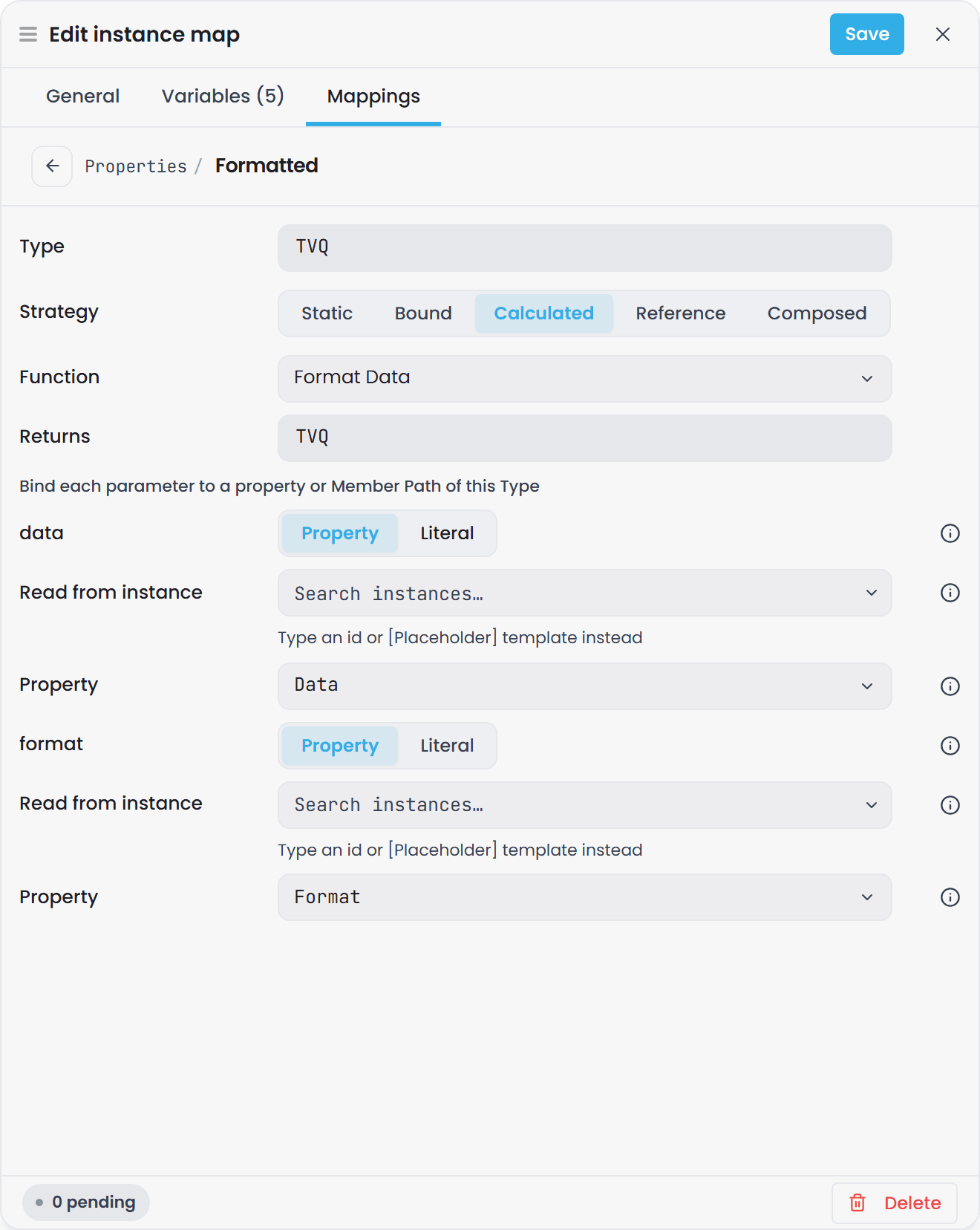
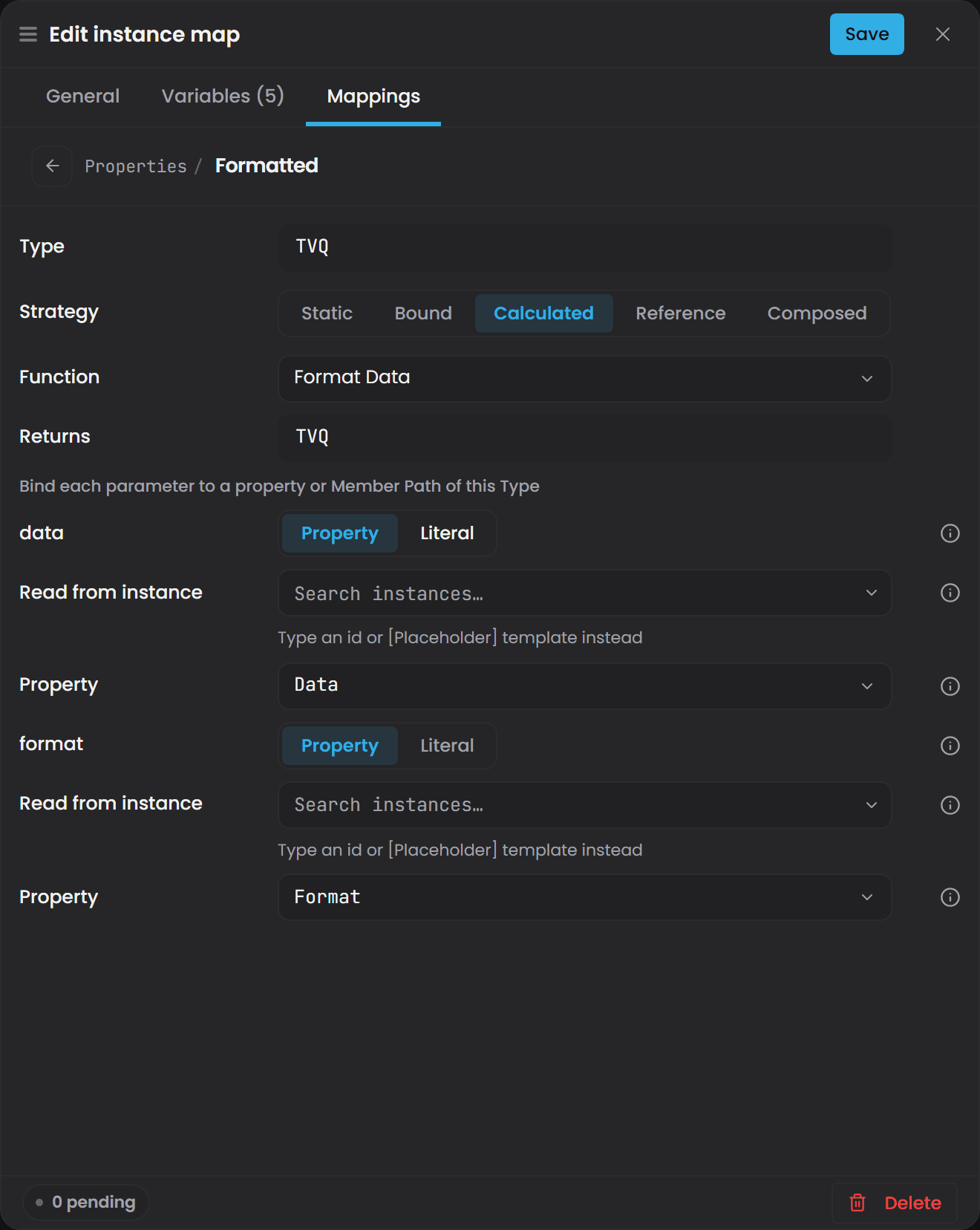
"urn:atlas:ontology:my-domain:IsOverTemperature": [
  {
    "type": "CalculatedStrategy",
    "functionUri": "urn:atlas:ontology:my-lib:GreaterThan",
    "arguments": [
      { "type": "propertyRef",
        "parameter": "left",
        "propertyUri": "urn:atlas:ontology:my-domain:Temperature",
        "order": 0 },
      { "type": "literal",
        "parameter": "right",
        "value": 80,
        "order": 1 }
    ]
  }
]
Each argument entry has:
| Field | What it does |
|---|---|
type |
"literal" for a fixed number or string, "propertyRef" to read another property |
parameter |
The function parameter this argument fills. Either the bare name (level) or the full parameter URI (urn:atlas:ontology:my-lib:param/level). Both work |
value |
The fixed value, for a literal |
propertyUri |
The property to read, for a propertyRef |
instanceUri |
Optional, on a propertyRef only. Reads the property from another instance instead of this one. This is how you aggregate across instances. Leave it out for the normal same-instance case |
order |
Not used to map arguments to parameters. See Calculations and Functions |
Missing fields are reported when you save, in the form CalculatedStrategy requires field 'arguments'.
Calculated properties can chain. A calculation may take another calculated property as an input, and Atlas resolves the chain on read. Cycles are detected and stopped rather than looping.
When a calculation runs#
Calculations need no trigger, interval or schedule configuration.
A calculated property recomputes when one of its inputs publishes a new value, once every input has reached that point in time. Atlas tracks a watermark per input and releases the calculation at the lowest of them:
- A fast input does not advance the calculation on its own - the result waits for the slowest input, so it updates at roughly that input's interval.
- Inputs other than the one that triggered the recalculation are read at their latest known value rather than resampled to the trigger's timestamp.
point normalization, which lines up values from different sources onto a common set of timestamps, is a subscription and value-hub feature. For a KPI such as OEE whose availability comes from a PLC updating every 100 ms and whose quality comes from a SQL database updating every 60 seconds, the calculation waits for the 60-second input and reads the latest value of each.
When a calculation is blank#
A function whose body reports a compiler error is set aside and the rest of the world is built, so the compile returns success and the calculation using that function returns nothing.
The compile result lists each set-aside function under Function compilation errors, with its diagnostics. Check that list after any compile that touches a function.
This is separate from a validation failure: validation violations return 422 with a list of rule IDs, and the world is built once they are cleared.
Ask Gage
Ask the
designeragent: "I want to add a calculated property to {domain} that computes {description of the calculation - for example, 'energy intensity by dividing total energy by production volume'}. Which functions in the imported libraries could work, and what would the inputs be?"It returns a plan with function suggestions and argument bindings. No administrator role is needed.
Use Reference to alias another instance's property#
A Reference property is an alias. Its value is another instance's property value, read live at query time: nothing is copied, and no relationship is created between the two instances. Use it where one instance should report a figure that belongs to another - a line reporting its site's shift number, or a header instance surfacing a reading from the asset underneath it.
In the interface#
-
Open the domain and select the Instance Builder view.
-
Select the instance map definition, then the Mappings tab.
-
Select the property and choose Reference on the sourcing-strategy control.
-
Pick the Reference instance. The picker lists the domain's definitions by name, each with its type; picking a bulk map writes its instance id template with the placeholders left as you wrote them. Type an id or [Placeholder] template instead takes an exact identity or a template.
-
Pick the Reference property. The list is the property roster of the target's type, so it narrows as soon as the instance is chosen. Custom value… takes a property URI where the target is free text that matches no definition.
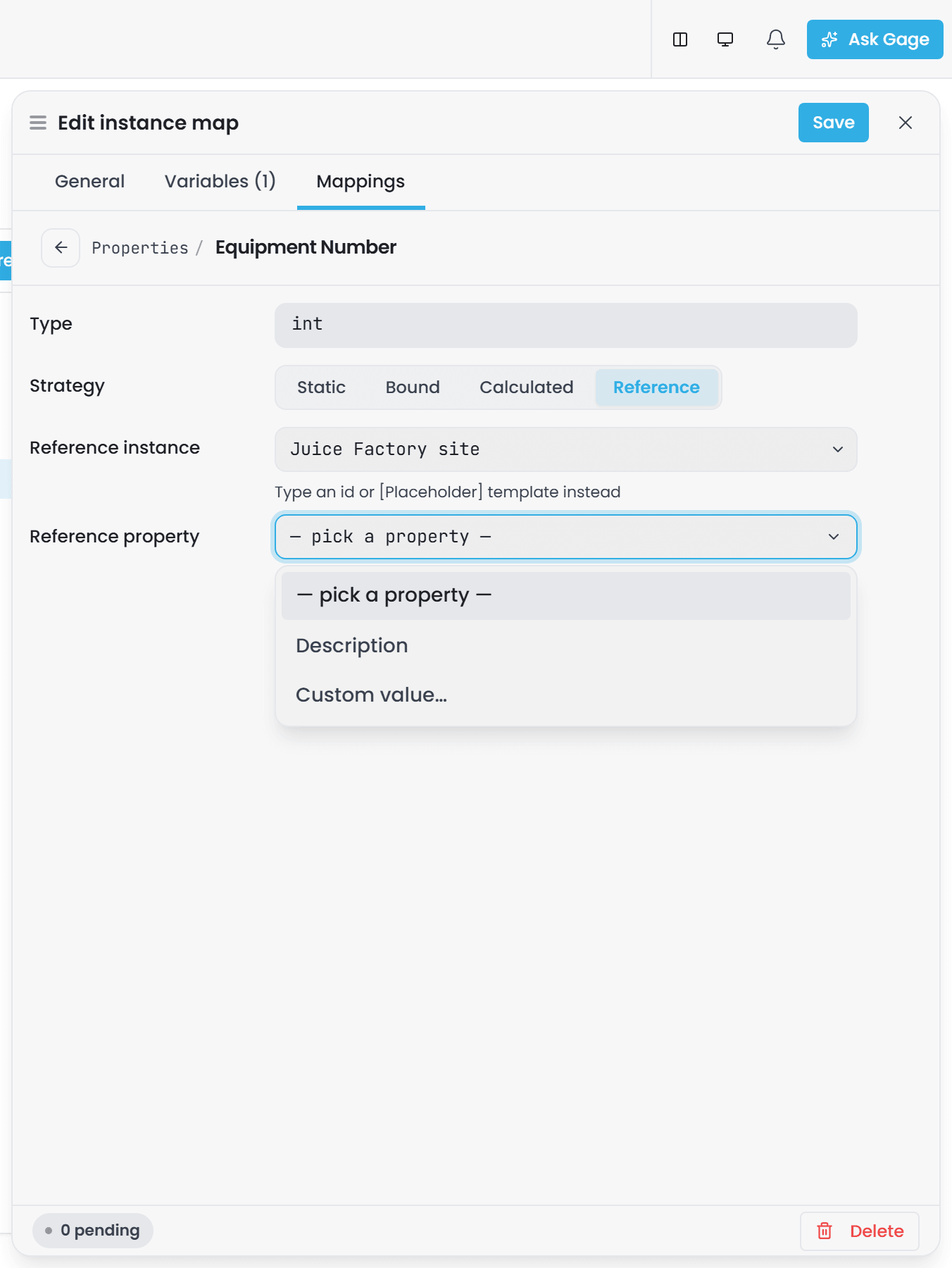
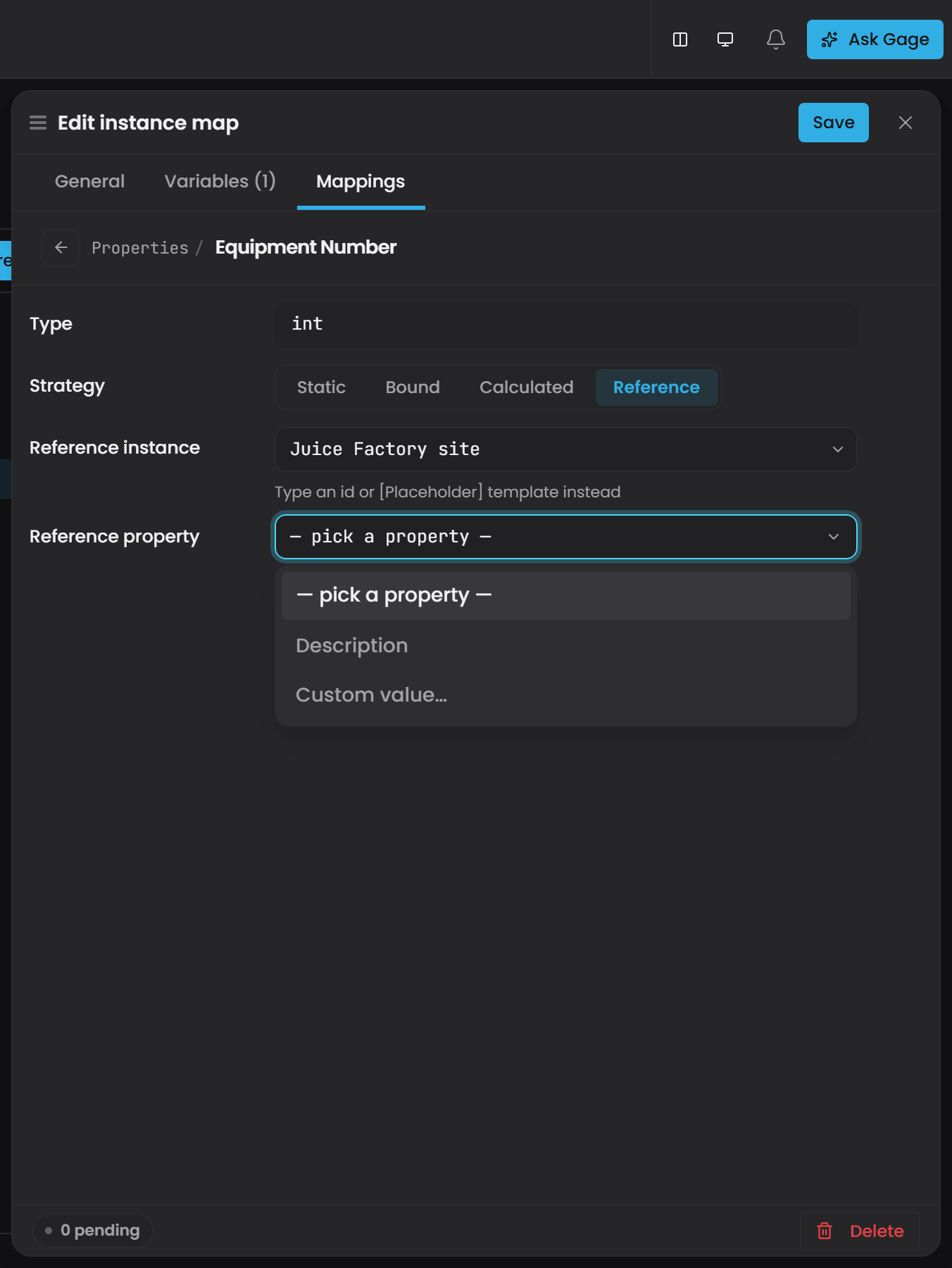
-
Save, then compile the domain.
The editor shows advisory hints while you work - an instance that matches nothing in the domain, a
property that is not on the target's type, or a range that does not agree with this property's. They do
not block the save: the compile is the authority, and the matching I-B19, I-B20 and I-B21 rules
are in Validation Rules Reference. A hint is
withheld whenever the interface cannot know the answer, such as a [Placeholder] template that
resolves per instance at compile time.
The Instance Inspector summarises a Reference mapping as <instance> -> <property>, so you can read
an alias off the instance without opening the drawer.
In the file#
"urn:atlas:ontology:my-domain:ShiftNumber": [
  {
    "type": "ReferenceStrategy",
    "instanceUri": "urn:atlas:instance:my-domain:site-north",
    "propertyUri": "urn:atlas:ontology:my-domain:CurrentShift"
  }
]
Both fields are required. The alias resolves to whatever the target resolves to, so pointing at a bound property gives you a live value and pointing at a calculated one gives you the calculation. A chain of references is followed to 64 hops.
Reference works on a relationship property in the same way, so an edge can alias a value from either instance it connects.
Use Composed to source a data type's fields separately#
Composed applies to a property whose value type is a Data Type, beside Static, Bound and Calculated, which still source the whole value. Use it when the fields of the value have different origins. A Tag data type, for example, has the fields Description, UOM, Format and Data (a TVQ): you can Bind Data to a historian path while UOM is Static on the same instance.
It is chosen per instance. One instance of a type can be Composed while another instance of the same type sources the whole value with a single Bound strategy.
- On the Mappings tab, select a property whose value type is a data type and choose Composed.
- Each field is listed by its path. Give each field a strategy: Static, Bound or Calculated.
- For a field that is itself a data type, such as
Data(a TVQ), either give it one strategy for the whole field, or choose Composed on it to split it intoData.Timestamp,Data.ValueandData.Quality.
The dotted path to a field that ends the nesting is its member path: UOM, Data.Value. A path ends at a primitive field, or at a data-type field that is not itself Composed.
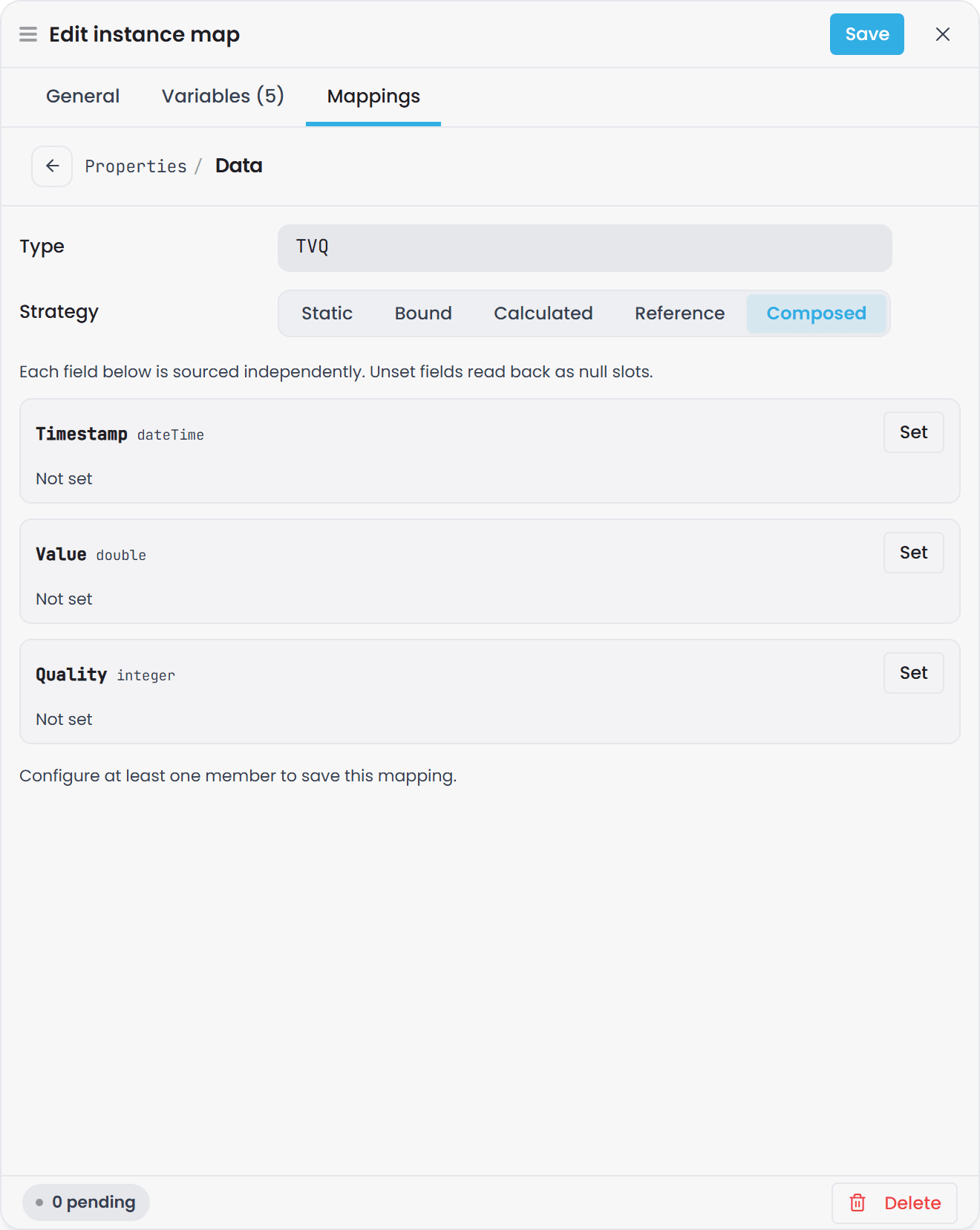
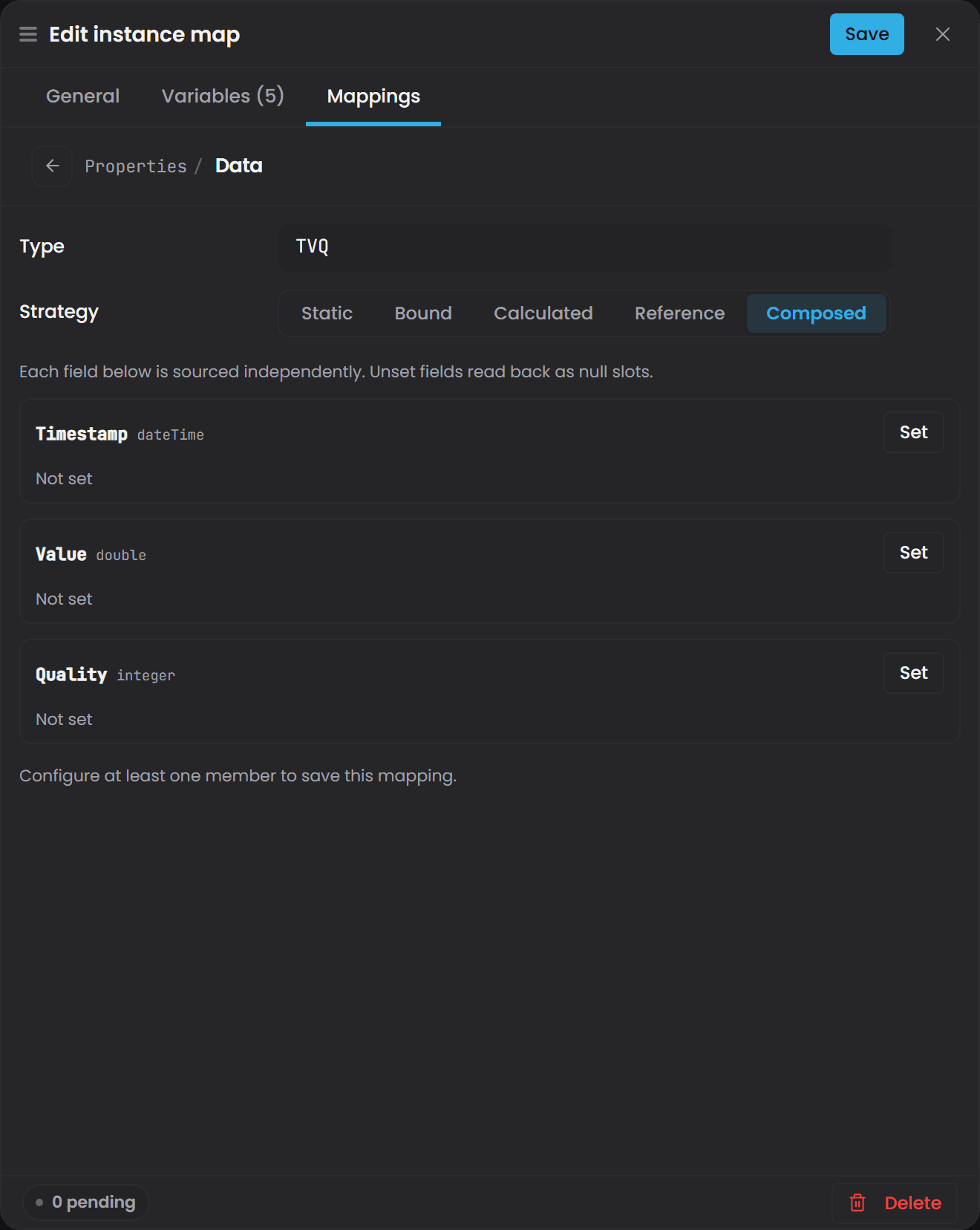
In the file#
A Composed property is a CompositeStrategy with a members block keyed by the field's property URI. Each member holds the same list of strategy entries a properties block does, and a nested Composed field holds another CompositeStrategy.
"urn:atlas:ontology:my-domain:flowTag": [
  { "type": "CompositeStrategy",
    "members": {
      "urn:atlas:ontology:atlas-common:UOM":  [ { "type": "StaticStrategy", "value": "m3/h" } ],
      "urn:atlas:ontology:atlas-common:Data": [ { "type": "BoundStrategy", "bindingPath": "[Source]/FT101/PV" } ]
    } }
]
A Composed value reads back as the same compound record a Bound one does, so queries and subscribers do not need to know which was used.
Composed needs a data-type value. On a number, text, one-of union or a property with no value type, saving reports that the Composed strategy needs a data-type value. A member key that is not a field of the data type is refused too.
An entity type is never a property's value type. To give each part of a value its own source, model it as a data type and use Composed. See Defining Types and Schemas.
Two more strategies you may see#
You do not select these in the drawer, but you will see them in files and in the property chips.
- Reference (
ReferenceStrategy) - an alias, covered under Use Reference to alias another instance's property. - Null (
NullStrategy) - the property is explicitly unset. It needs no other fields and it reads as empty. Use it where a type declares a property that does not apply to this instance, so the model states that rather than leaving it looking like a value still to arrive.
Change a property's source over time#
Each entry in a property's list is a time interval, stamped with validFrom. Atlas picks whichever interval is active at the moment being read. When validFrom is omitted the interval applies from the beginning of time.
This is how you handle a property whose source changes: hand-entered during commissioning, live from an instrument afterwards.
"urn:atlas:ontology:my-domain:FlowRate": [
  { "type": "StaticStrategy",
    "value": 0 },
  { "type": "BoundStrategy",
    "validFrom": "2026-03-01T00:00:00Z",
    "bindingPath": "historian-juice-factory/The Juice Factory/131-FT-01.PV" }
]
A query for a time before 1 March 2026 reads the Static value. A query after it reads the connector-bound value. Range queries are split at the boundary and stitched back together.
validFrom chooses which source applies at a given moment. It does not turn a bound property into a historical look-up. Once the Bound interval is the active one, reading it still gives you that property's current value.
validFrom is the one per-binding setting.
Compile before anything takes effect#
Saving an instance map writes it to the branch. Every strategy change in this article takes effect when the domain is compiled:
- Save your instance map changes.
- Open the domain's Overview view.
- Select Compile (or Recompile).
Saving marks a domain out of date rather than recompiling it. Atlas recompiles automatically at start-up, covering every domain it has a record of, and a domain that depends on a connector is compiled once that connector advertises its paths, so its bound subscriptions establish themselves.
Choose the right strategy#
| Question | Strategy |
|---|---|
| Does the value come from a sensor, PLC, database, or other external system? | Bound |
| Is the value computed from other properties by a formula or an aggregation? | Calculated |
| Is the value set by hand and does it not change automatically? | Static |
| Do you need a record of who changed the value and when? | Static, and read the domain's Git history |
| Is the value derived from measurements plus a threshold someone sets? | Bound for the measurement, Static for the threshold, Calculated for the result |
| Do you need the timestamp and quality stored alongside the number? | Bound, with the property's type set to a compound such as atlas-common:TVQ |
Do the fields of one value (a TVQ's Value and Quality) come from different places? |
Composed, on a property whose type is a data type |
| Should this property be the same value as another instance's property, always? | Reference |
| Does this property genuinely not apply to this instance? | Null |
What a property stores at runtime#
A plain property stores its current value. The timestamp of a change travels with the change notification on the value hub rather than being stored beside the value.
If you need a timestamp and a quality stored with the reading, that is what a compound property is for. Model the property with a compound type such as atlas-common:TVQ and you get all three fields.
Reading a property gives you its current value. Historical data is read with a range query, which is the shape that reaches the connector - see Querying with Cypher.
Troubleshooting#
| Symptom | Likely cause | What to do |
|---|---|---|
| A bound property never shows a value, even though the connector is connected | The binding path does not match a path the connector advertises | Check the Connectors panel on the Home page to confirm the connector is online. Then compare the Binding path character for character against a working Bound property on the same connector, including spaces and dots. Confirm the first segment is the connector's instance id and that there is no scheme:// prefix. Correct it, save, and compile |
| A new bound property shows a null value, timestamp and quality | The first sample has not arrived, so the property holds no value | Confirm the source tag is live and the connector is running. If the value stays null while other properties on the same connector are updating, check the binding path |
| A number property shows what looks like a date, or a large unchanging number | A plain (non-compound) property is bound to a multi-column rowset. Atlas reads the first column by position, so a [Timestamp, Value, Quality] rowset lands the Timestamp in the property |
Change the property's data type to a compound such as atlas-common:TVQ so all three columns land in their own fields, or bind to a path that returns a single value column |
| A compound property updates some fields and leaves others at their defaults | Compound bindings match the connector's columns to fields by name | Compare the connector's column names with the compound type's field names. They must match exactly, including case - a column named Val does not fill a field named Value |
| The property shows values from the wrong system | Two connector instances advertise the same binding path, and the last to register serves it | Check the Connectors panel on the Home page for two connectors that could serve the same path, and check the Atlas log for the overlap entry. Give each connector a distinct instance id so the first segment identifies the source |
| A calculated property is blank after a successful compile | The function body reported a compiler error, so the function was set aside | Look at the compile result under Function compilation errors, which lists the function URI and the diagnostics. Fix the function and compile again |
| A calculated property does not update when one of its inputs does | The calculation releases a result once every input has reached that point in time | Confirm the slowest input is receiving values |
| A calculated property produces a number even though a sensor reports bad quality | Quality is data the function decides what to do with | Pass the Quality field into the function as an input and branch on it in the formula |
| You saved a property change, compiled, and nothing changed | The save had outstanding validation violations, so it is held in your private draft session | Publish your draft session, then compile again. The validation view lists what is outstanding |
Saving fails with Property key 'Site' is not a full URI. Property keys must start with 'urn:atlas:ontology:' |
A property key in properties is a short name |
Use the full URI: urn:atlas:ontology:<YourDomainHere>:<PropertyNameHere> |
Saving fails with StaticStrategy requires field 'value'. (or the same message for another strategy) |
The strategy entry is missing a field that strategy needs | Static needs value; Bound needs bindingPath; Calculated needs functionUri and arguments; Reference needs instanceUri and propertyUri; Composed needs members |
Saving fails with instanceId template references '[Num]' but no map[] entry declares name 'Num'. |
A [Placeholder] in the definition's instanceId or label has no matching entry in map[] |
Add the variable to map[] under that exact name, or correct the spelling. Placeholder names are case-sensitive |
The compile reports Placeholder references undefined map entry: [Num] |
A [Placeholder] in a binding path or a Static value has no matching map[] entry. These are checked when the definition is expanded at compile time |
Add the variable to map[] under that exact name, or correct the spelling |
| A query returns nothing for a property you know has a value | Property names are case-sensitive, and a bound compound is not a bare scalar | Use the exact name as declared, and read the field: p.Temperature.Value, not p.temperature or p.Temperature |