Connector Diagnostics - Data Not Flowing
This article helps you find out why a property in Atlas is not showing live data.
Before working through this: read the source's status on the Sources page first. A Config Fault never started, a Connection Fault started but cannot reach its source, and Connecting… is an outage being waited out - in each case the reason is on screen, and it is a shorter path than the steps below. Only a source that reads Running needs this article. See Plugin Instance States, Connection Status and Retries.
Overview#
This article helps you find out why a property in Atlas is not showing live data. You would use it when a value that should be streaming from a connected system is empty, frozen, or obviously wrong.
Work through the steps in order. Each one tests a single link in the chain between the source system and the property, and each one tells you the exact thing to look at and the exact text to look for. Every log line quoted here is the text Timebase emits, so if you cannot find it, that step really did fail.
Two terms used throughout, in plain English:
- Connector - the component that talks to an outside system (the Timebase Historian, an OPC UA server, a SQL database, an MQTT broker) and pushes values into Atlas.
- Binding path - the text in an Instance Map that names the exact point a property reads from, for example
historian-juice-factory/The Juice Factory/131-TT-01.PV.
What "no data" actually looks like#
"No data" has three appearances in Atlas, and only the first one looks like a fault.
| What you see | What it means |
|---|---|
| An empty chart, or a dash on a tile | The property was never written, and whatever is reading it treats an unwritten value as blank |
| A value that is correct but frozen | The connector was connected and is now gone. Atlas keeps the last value it received rather than clearing it |
| A null value, timestamp and quality, or a dash in the interface | No sample has ever arrived. The property holds no value |
The third row is worth understanding before you start. A property holds no value until something writes one, so until the first sample lands its value, timestamp and quality each read null. A source that sends a null cell leaves the property in the same state.
That is different from a Bad reading. Quality 0 means Bad ("Raw OPC quality code; status is the top two bits (0 = Bad, 64 = Uncertain, 192 = Good)"), and a quality of 0 with a real timestamp is a reading that arrived from the source. A written zero is a value too.
Quality does bind today. Seven connectors send a Quality column and it lands in the property alongside the value: Timebase Historian, Aveva Historian, Aveva PI System, CanaryLabs Historian, CESMII i3X, OPC Foundation OPC UA, and InfoHub. If quality is missing entirely, that is a binding problem, not a connector limitation.
Test the field, not the property. A null quality next to a null timestamp is "never sampled". A quality of 0 next to a recent timestamp is a genuine Bad reading from the source.
In a query, a compound property that has never received a sample is null as a whole, so WHERE n.Temperature IS NULL finds those instances. Once any field holds a value the property is a compound; WHERE n.Temperature.Value IS NULL finds the ones whose value field is null, whatever the other fields hold.
How data reaches Atlas#
Source system
   |
connector plugin  (reads the source, builds rows)
   |
SignalR connection to Atlas at /hubs/connector, port 4552 over TLS
   |
Handshake  (the connector advertises its datasources and binding paths)
   |
Compiled domain  (Atlas reads the bound properties out of the compiled world)
   |
Subscription  (Atlas asks the connector to start pushing one binding path)
   |
Connect pushes rows  ->  the property's cell is written
Two things about this chain are worth keeping in mind, because they explain most confusing symptoms:
- A connected connector is not a registered connector, and a registered connector is not a subscribed one. Each arrow is a separate thing that can fail on its own.
- A break in the chain shows up as a property that stops updating rather than an on-screen error. That is why this page is built around log lines and status surfaces rather than error messages.
The message shapes on the wire are documented separately in Connector Protocol Reference. The format of a binding path and the strategies that use one are documented in Property Sourcing Strategies. This article does not repeat either.
Before you start#
Know where the two log files are. Both components write a dated text file per day:
- Atlas:
C:\ProgramData\Flow Software\Timebase\Atlas\Logs\ - Connector:
C:\ProgramData\Flow Software\Timebase\Connector\Logs\
You can also read Atlas's log without touching the server. Open Atlas in a browser and go to Logs under Status in the left sidebar. It tails new entries live and lets you search and filter by level. The same history is available at GET /api/v1/logs?count=200.
Timebase Connect has its own interface in the same style at https://<ConnectorHostHere>:4562, with its own Logs page. Its filter box narrows the tail to lines containing what you type, the Source list narrows it to one source, and the INF, WRN and ERR buttons narrow it by level.
Raise Atlas's log level before you begin. The messages that explain "why is nothing happening" are written at Debug level, and Atlas ships at Information, so by default you will not see them. In C:\ProgramData\Flow Software\Timebase\Atlas\Settings\settings.config:
"Serilog": {
  "MinimumLevel": {
    "Default": "Warning",
    "Override": {
      "Timebase.Atlas": "Debug"
    }
  }
}
The shipped value of that override is Information. Atlas builds its logger once at start-up, so restart Atlas after changing it, and set it back to Information when you are finished. Debug is noisy on a busy system.
The connector needs no change: it already logs at Information, and every connector line quoted below is Information, Warning, or Error.
Step 1 - Is the connector registered with Atlas?#
Open Connect at https://<ConnectorHostHere>:4562 and select Targets in the sidebar. Each Atlas target has a Status: Connected means Connect reached that Atlas and registered with it. Open a source's page and the same target appears with its Hub URL and the time of the Last handshake, and the Advertised routes section below it counts the datasources, paths and templates the source is offering.
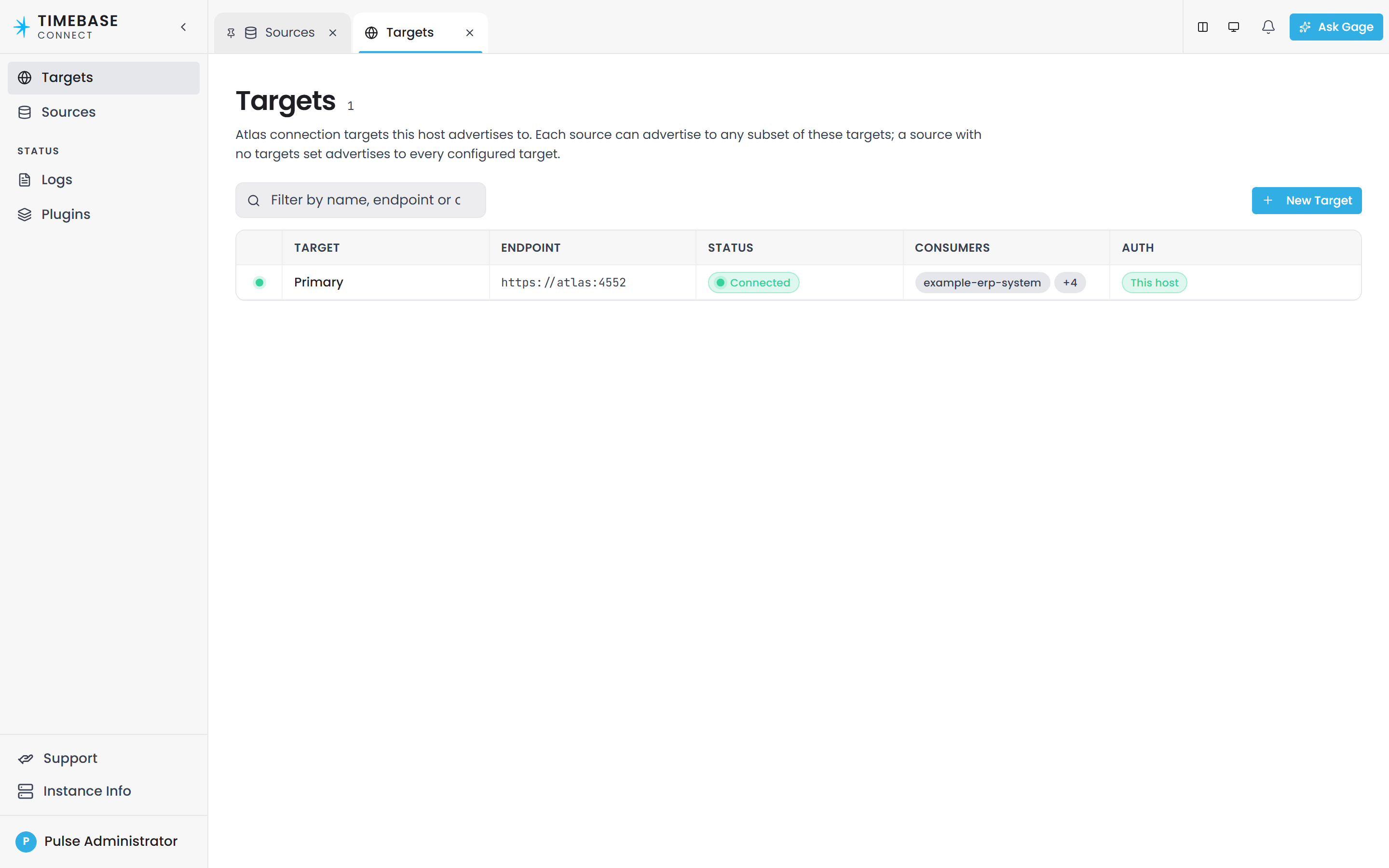
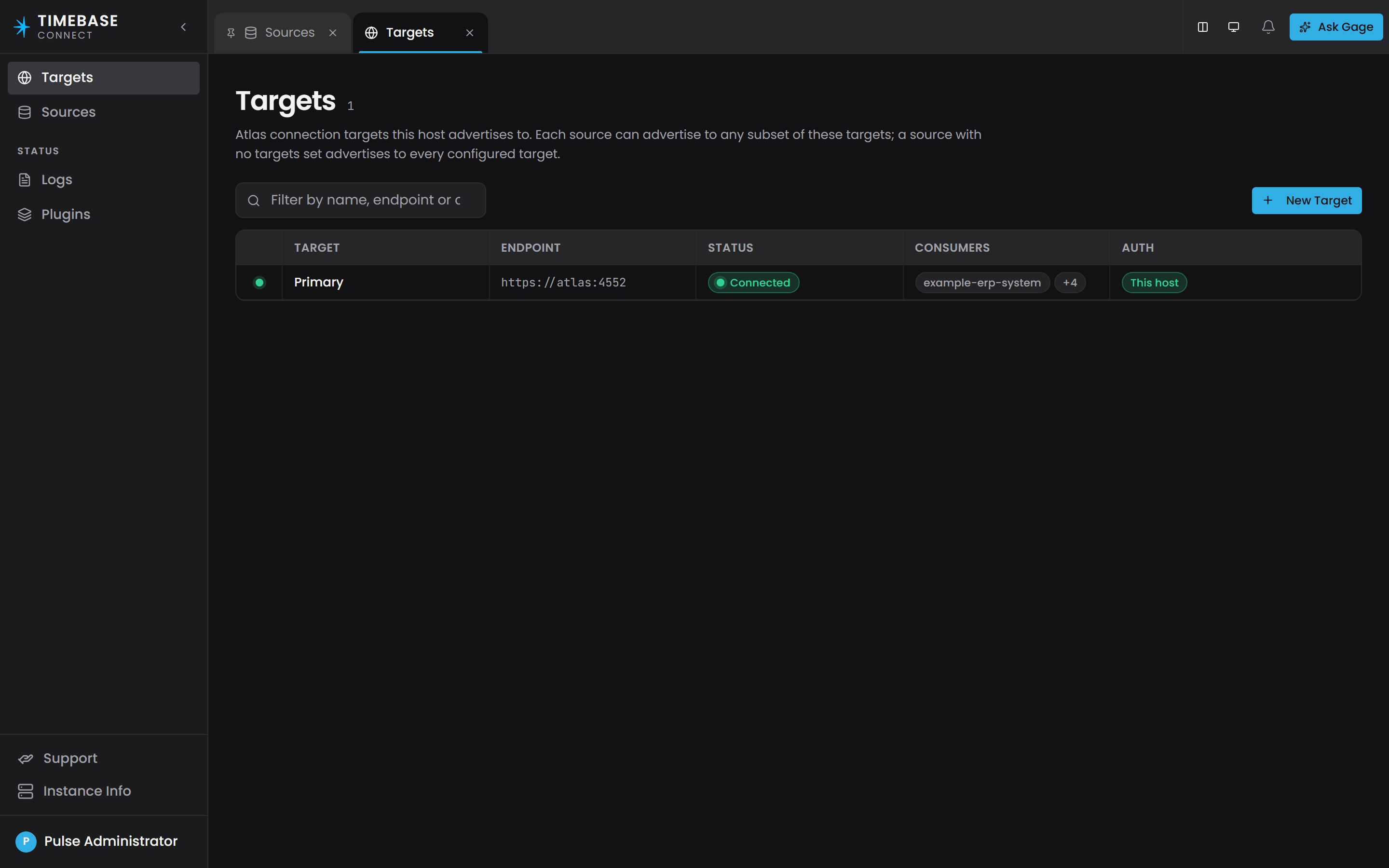
Atlas keeps the same list on its side, and a script can read it at GET /api/v1/connectors, which returns one entry per connector with connectorId, displayName, datasourceCount, registeredAt and transportId. The Atlas interface has no page for it.
This call needs a bearer token from Pulse. Everything under /api/v1 is gated when authentication is on, which is the shipped default.
Read the result like this:
| What you see | What it means | What to do |
|---|---|---|
| The target reads Connected and the source's page shows a Last handshake | It is connected and it completed a handshake. Go to step 4 | - |
| The target reads Connecting… or Connection Fault, and Atlas's list is empty | Nothing has registered. Go to step 2 | - |
The target reads Connected but the source's Advertised routes section is empty, or Atlas's list shows 0 datasources |
It registered and advertised nothing at all. This is a connector-side configuration problem: the plugin has no catalog, so there are no paths for Atlas to bind | Check the source's settings in its Edit drawer, and whether it is enabled |
| A different connector is listed with a name you did not expect | Two connectors may be advertising the same paths. See step 4 | - |
Presence in Atlas's list means online, and absence means offline. There is no grace period: when a connector's connection drops, Atlas removes it immediately.
If the connector is absent, confirm the process is actually running on its host before going further. For a Windows service, open Services and check the connector service is Running. For a container, run docker ps.
Atlas's list reports a count of datasources, never the list of binding paths. Atlas does not publish the paths a connector advertised anywhere. Where to get them is covered in step 4.
Step 2 - Do the connector and Atlas agree about authentication?#
Read this step before you check ports or firewalls. It is the first thing to check between a newly installed Connector and Atlas, and it looks exactly like a network problem.
Symptom. The connector never appears in Atlas's Connectors panel. Its own log repeats this Warning every five seconds, forever:
Initial connection to http://localhost:4551/hubs/connector failed (attempt 12); retrying in 00:00:05.
Cause. Atlas's connector hub is protected whenever authentication is enabled, and the two products need the same Pulse:Auth:Enabled setting:
| Product | File | Setting | Shipped value |
|---|---|---|---|
| Atlas | settings.config |
Pulse:Auth:Enabled |
true |
| Timebase Connect | settings.config |
Pulse:Auth:Enabled |
false |
The connector decides whether to attach a credential by reading its own Pulse:Auth:Enabled setting, not Atlas's. With the shipped defaults it attaches nothing, and Atlas rejects the connection attempt with 401 Unauthorized before any Atlas-side message is logged.
Neither log names authentication directly, so check the credential when a connector will not register. The connector catches the rejection and writes the same generic retry warning it writes for a wrong port, a blocked firewall, or an Atlas that is not running. All four faults look identical from the outside, which is why this step comes first.
Fix. Make the two sides agree. Pick one:
-
If your deployment uses Pulse (the normal case), set
Pulse:Auth:Enabledtotruein the connector'ssettings.config, and give the connector a Pulse Client ID and Client Secret:"Pulse": { "Host": "<PulseHostHere>", "Port": 4542, "UseTls": true, "Auth": { "Enabled": true, "ClientId": "Connect", "ClientSecret": "<YourClientSecretHere>" } }Then, in Pulse, edit that client registration so it lists Atlas's Client ID as an audience. Atlas's Client ID is
Atlasby default. Without the audience the connector gets a valid token that Atlas still refuses, and the symptom does not change at all. -
If you are running a closed test system with no Pulse, set
Pulse:Auth:Enabledtofalsein Atlas'ssettings.configinstead, and restart Atlas. The hub is then open to any connector.
Restart the connector after the change. Success looks like the two lines in step 3.
Do not disable authentication on Atlas to fix a production connector. It opens every hub and every API on that server, not just the connector path.
In Atlas, environment variables are read after settings.config, so an environment variable wins over the file for Auth:*. Change whichever one is set.
Step 3 - Is the connector connecting and handshaking?#
If authentication is agreed and the connector still does not appear, read its log from the moment it started.
A healthy start-up is exactly two Information lines, seconds apart:
Connected to https://<AtlasHostHere>:4552/hubs/connector (attempt 1)
Handshake succeeded for connector '<connectorId>' with 3 datasource(s) (Atlas session 0f4c...)
The handshake runs immediately after the connection succeeds. There is no waiting period to allow for. On Connect's Logs page, type Handshake into the filter to find the line.
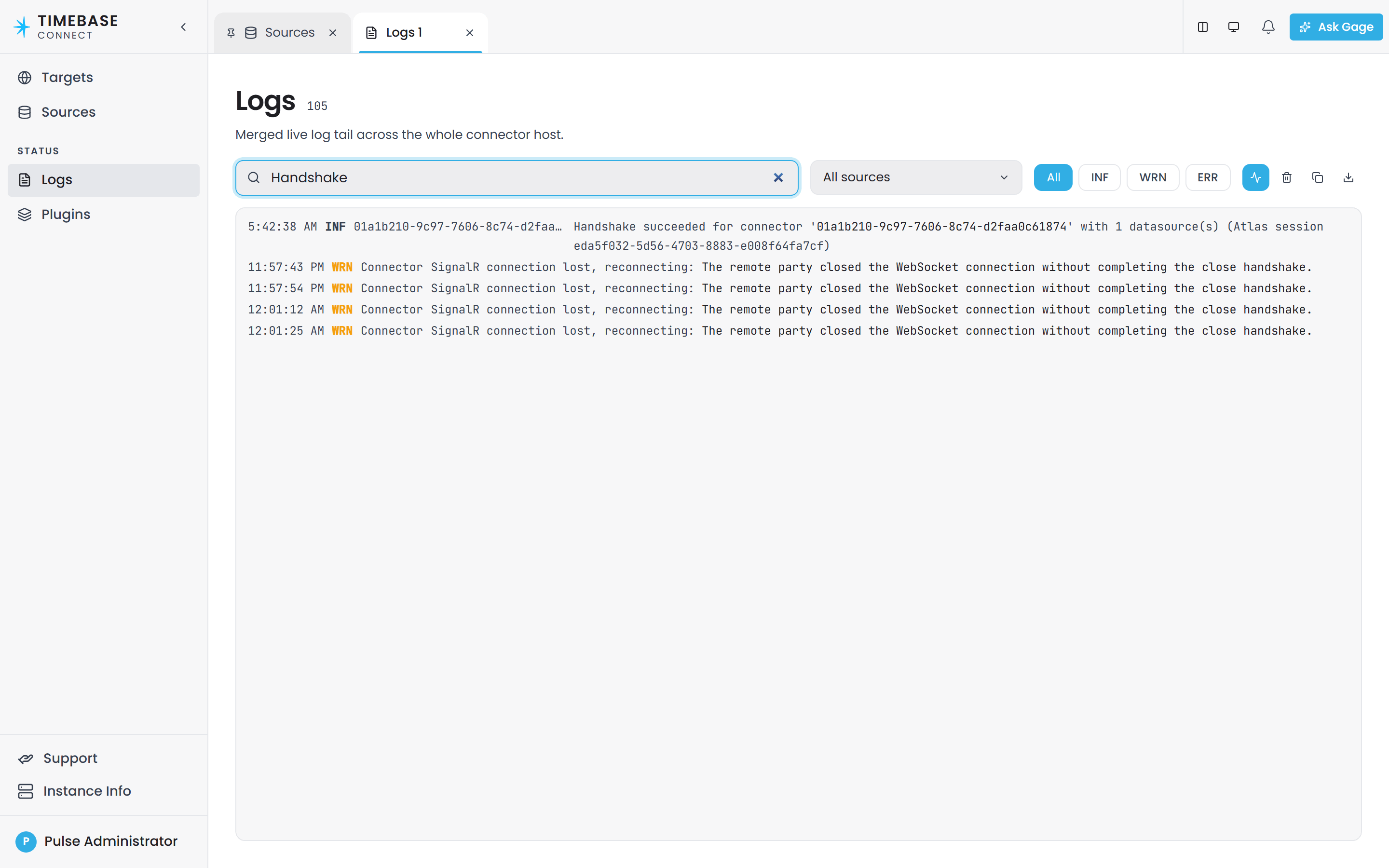
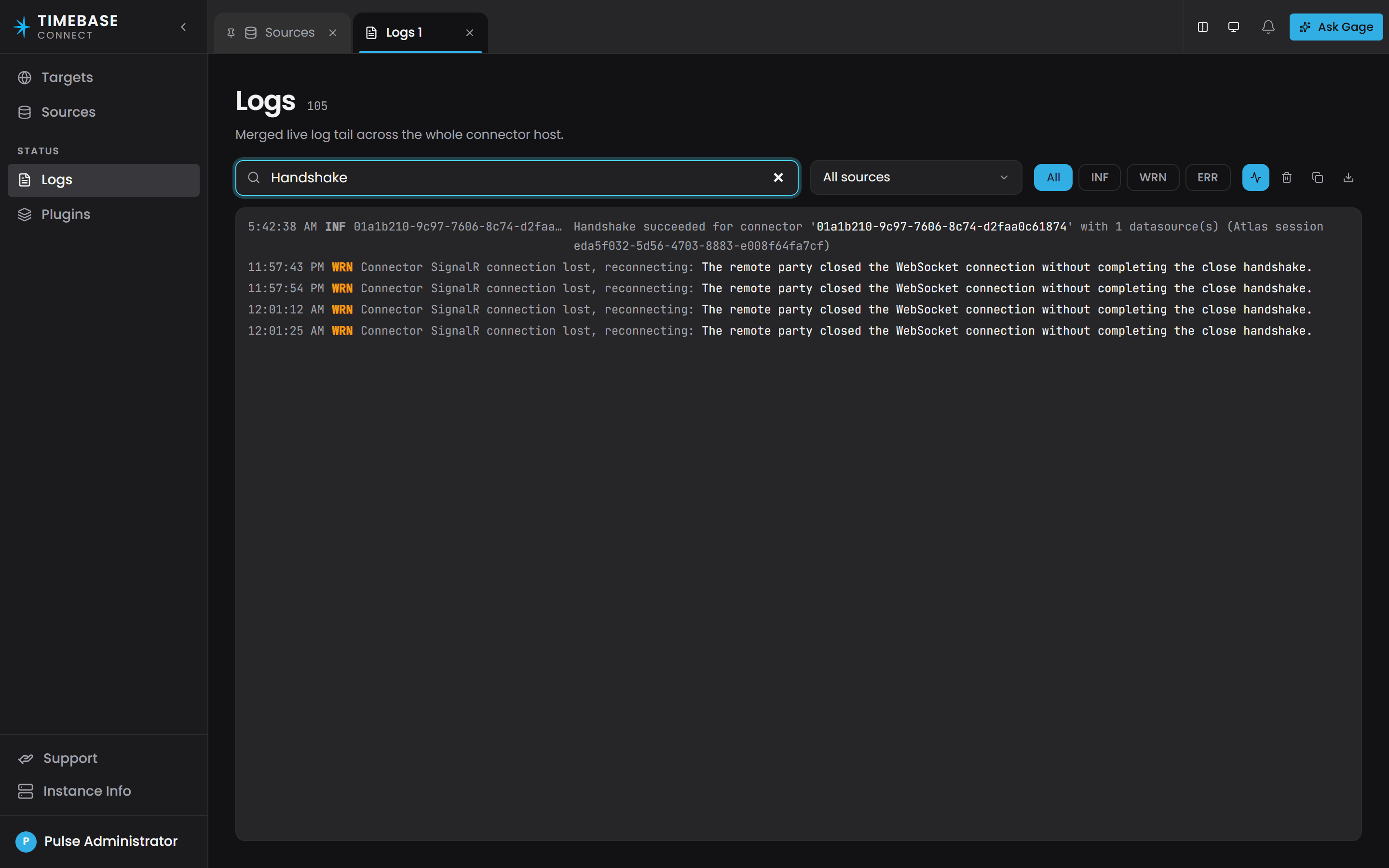
Atlas writes its own confirmation at Information level:
Connector 'timebase-connector' (Timebase Connect Host) handshook on connection abc123 with 3 datasource(s)
Both lines count datasources, not binding paths. A connector serving four thousand tags through one plugin instance logs 1 datasource(s). A low number here is not a problem.
The failure shapes, in the order they are worth checking:
The connection never succeeds#
Initial connection to <hubUrl> failed (attempt <N>); retrying in 00:00:05.
Warning level, repeating forever. The connector never gives up, so this line filling the log is the normal appearance of every connect-side fault. Check in this order:
-
Authentication (step 2). Most likely on a default installation.
-
The address in the log line. If it says
localhost:4551and Atlas is not on this machine, no address is configured and the default is in use. Set it explicitly inC:\ProgramData\Flow Software\Timebase\Connector\Config\atlas.config:"atlases": { "atl_7c3e18": { "name": "Primary", "alias": "primary", "config": { "host": "<AtlasHostHere>", "port": 4551, "useTls": false, "reconnectDelaySeconds": 5 } } } -
The port and the host. Atlas listens on
4551for HTTP and4552for HTTPS. The ports follow the Timebase family convention: Historian4511/4512, Collector4521/4522, Explorer4531/4532, Pulse4541/4542, Atlas4551/4552. In Docker the address is the container name,https://atlas:4552/hubs/connector. -
A firewall between the two hosts.
-
Atlas itself. Open
http://<AtlasHostHere>:4551in a browser. Atlas serves its interface and its API from the same address, so if the page loads, the server is up.
The connection succeeds but the handshake fails#
Initial handshake failed against <hubUrl>; relying on Reconnected/RoutesChanged to retry.
Error level. The connector is connected and will stay connected, so it looks healthy from every angle except that Atlas's Connectors panel stays empty. Two known causes:
-
The message format is not configured on the connector. The connector must use the shared MessagePack options Atlas uses. Without the compression setting, the connection succeeds and then every message fails to decode. With the compression right but the Guid setting wrong, messages decode but subscription identifiers come out different on each side, so Atlas creates subscriptions the connector does not recognise and its pushes are not matched to them. This only affects connectors built in-house. See Connector Protocol Reference, "Mandatory client setup".
-
The connector advertised two overlapping path templates. Atlas rejects the whole advertisement with this message, which appears as the inner detail of the failure:
Connector '<id>' advertises overlapping templates '<a>' and '<b>'. Only the structural
shape matters — '{x:int}' and '{x:string}' overlap because both can match the same
concrete path. Rename one or merge them.
One template that does not parse stops the whole handshake, so check every template when a connector will not register. Rename or merge as the message says.
It worked, then stopped after a reconnect#
An automatic reconnect restores the connection but does not re-register anything. Atlas removed every binding path when the connection dropped, so the connector must handshake again. The shipped connector does this and logs:
Reconnected to <hubUrl>; re-handshaking
If you are running a connector built in-house and it is connected but absent from the Connectors panel after an Atlas restart or a network blip, this hook is what is missing.
Step 4 - Is the domain compiled, and does the binding path match?#
At this point the connector is registered. From here on the work is in Atlas: the domain has to be compiled, and the property's binding path has to match something the connector advertised.
The domain must be compiled#
Atlas gets the list of bound properties from the compiled domain, never from the files you edited. If a domain has not been compiled since you added or changed a bound property, Atlas has no record of that property and will never open a subscription for it. A perfect connector against an uncompiled domain opens zero subscriptions and produces no error.
To check without recompiling:
GET /api/v1/branches/{branch}/domains/{domain}/world
The response reports entityCount, edgeCount, archetypeCount, compiledAt, compiledAtSha, currentSha and isStale. isStale is the field that answers this step: it is true when the branch has moved on since the last compile, which is exactly the case where your latest binding change is not live yet. A domain that has never been compiled returns 404 with the code World.NotCompiled.
In the interface, open the domain and go to its Lifecycle tab. The compile button is labelled Compile on a domain that has never been compiled and Recompile afterwards, and it is enabled only when there is something to do, with a callout when the compiled state is stale.
To recompile from a script, send PUT to the same address:
PUT /api/v1/branches/{branch}/domains/{domain}/world
POST .../compile no longer exists, and neither does anything under /api/v2. Those addresses do not return an error. Atlas serves its interface from the same address as its API, so an unrecognised address returns the interface's home page as 200 OK with HTML in the body. A script gets a success code and a page of HTML, and a person following an old article concludes the compile worked. If a compile call returns HTML, you are calling a retired address.
Compiling fails all or nothing. If the domain has validation errors, the call returns 422 with a violations[] list naming the failing rules, and no world is built. The previously compiled world stays live, so the system keeps running on yesterday's definitions while your change is not in it. See Validation Rules Reference.
A query against a domain that has never been compiled returns 400 with the code Query.NotCompiled, not an empty result.
Atlas recompiles every domain it knows about when it starts, so you do not need to recompile by hand after a restart.
The binding path must match#
Atlas matches the binding path in the Instance Map against the paths the connector advertised. The match is exact and case-sensitive first; if there is no exact match, Atlas scans the connector's path templates. There is no partial or fuzzy matching.
A path that matches neither is not subscribed. Copy the path the connector advertises rather than typing it, and compare it character for character when a property stays empty.
Common mismatches, all of them real:
| Written in the Instance Map | Advertised by the connector | Result |
|---|---|---|
historian-juice-factory/The Juice Factory/131-TT-1.PV |
historian-juice-factory/The Juice Factory/131-TT-01.PV |
No match. One digit |
Historian-Juice-Factory/... |
historian-juice-factory/... |
No match. Case is significant |
historian://plant/pump1/speed |
historian-juice-factory/The Juice Factory/131-TT-01.PV |
No match. A binding path is never a scheme:// address |
historian-juice-factory/The Juice Factory/131-TT-[Num].PV |
historian-juice-factory/The Juice Factory/131-TT-01.PV |
Matches if [Num] fills in as 01. Check what the placeholder actually produced |
The full rules for the format, including placeholders, are in Property Sourcing Strategies.
Where to get the advertised path. Atlas cannot show it to you. Get it from the connector's own configuration instead. For the Timebase Historian connector each advertised path is <PluginInstanceIdHere>/<DatasetHere>/<TagNameHere>, assembled from the entries under the plugin's Datasets configuration, which you can read on the Plugins page of the Connect interface. Other connectors follow the same pattern: the first segment is always the plugin instance id.
Do not retype a path. Copy it from a working bound property in the same domain, or from the source system itself.
If two connectors advertise the same path, the last one to register wins, and the first one goes dark. Atlas logs this at Warning level, so it is visible without raising the log level:
Binding path '<path>' was advertised by connector connection '<existing>' (datasource
'<existing datasource>') and is being overwritten by connection '<new>' (datasource
'<new datasource>'). Last-writer-wins.
This is the signature of a test connector left running, a duplicated configuration, or a blue/green deployment where both sides came up. Search the Atlas log for Last-writer-wins.
Step 5 - Did Atlas open a subscription for the path?#
This is the single most useful check on the page, because it proves the whole chain in one line. When Atlas successfully subscribes to a binding path it writes this at Information level, so it is visible at the shipped log level:
Subscribed 3f9a... on historian-juice-factory/The Juice Factory/131-TT-01.PV via
abc123/historian-ds fanning to 2 bound property/properties (Active)
Search the Atlas log, or the Logs page, for Subscribed and your path.
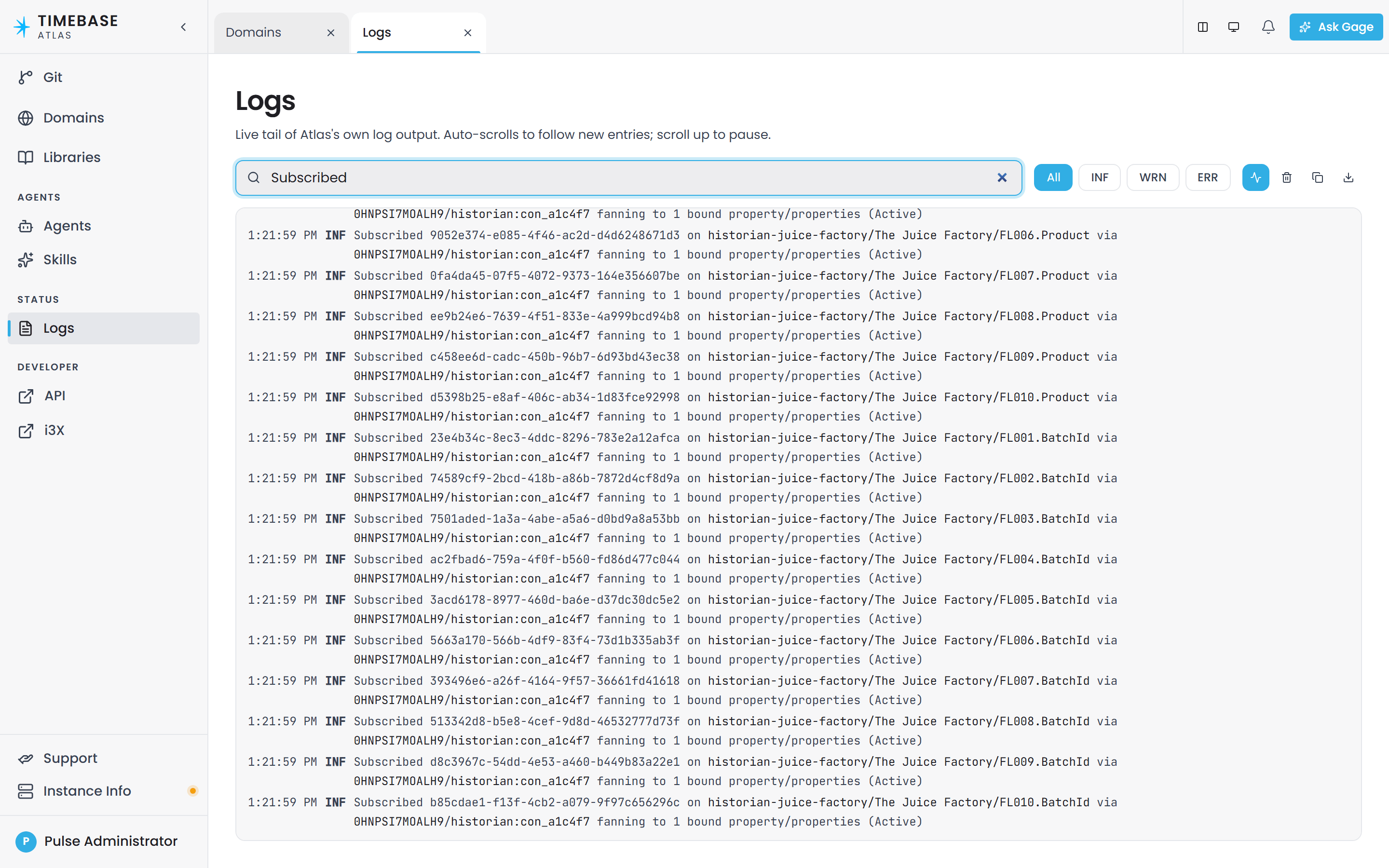
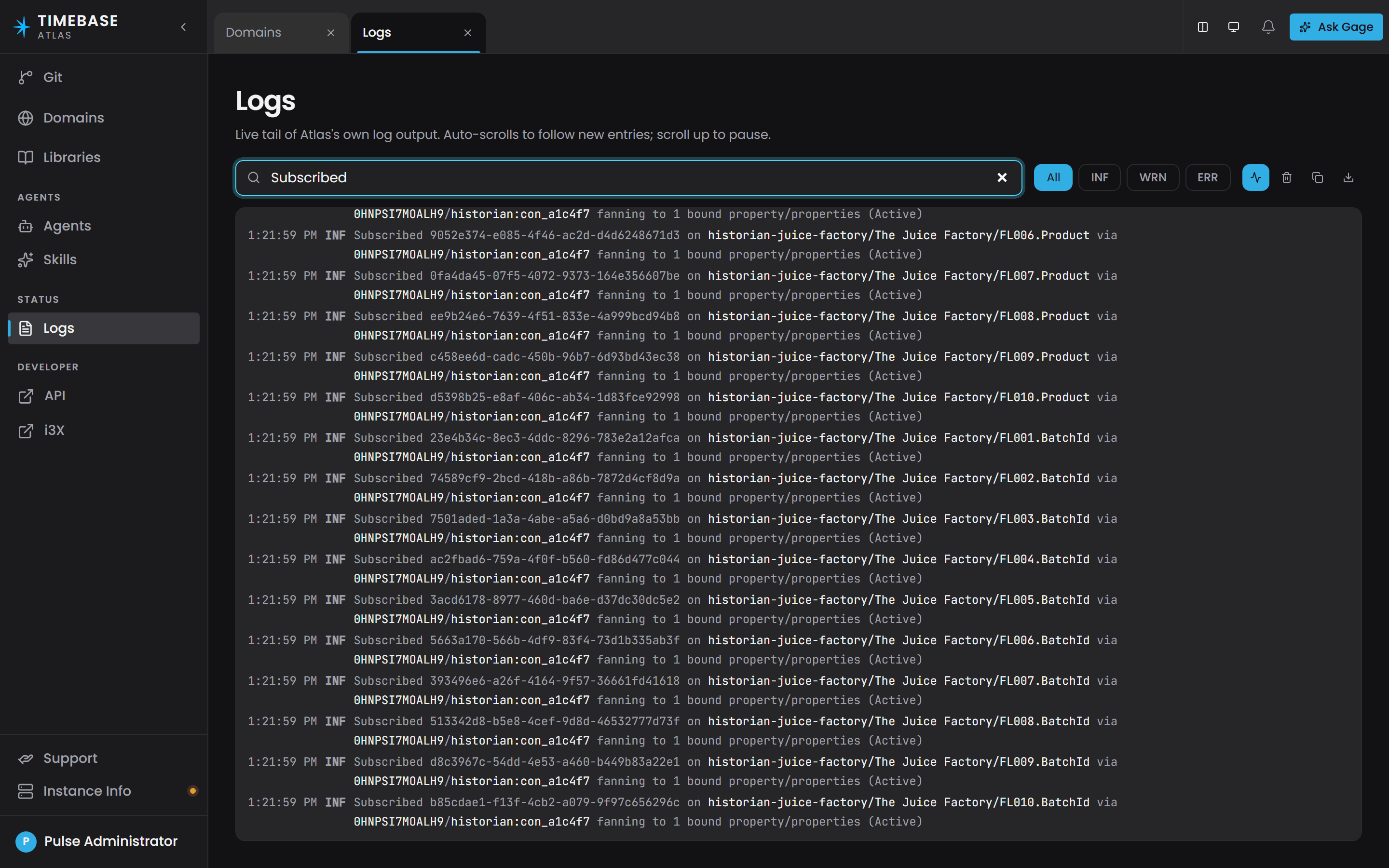
If the line is there, the connector is registered, the domain is compiled, the path matched, and Atlas asked for the data. Any remaining problem is in step 6.
If the line is not there for your path, exactly one of three things is true, and steps 1 to 4 have already ruled out two of them:
- The domain is not compiled, or your property is not in the compiled world (step 4).
- The path did not resolve against anything the connector advertised (step 4).
- No compiled instance is actually bound to that path, for example the property still has a Static value, or the Instance Map entry was never saved to the branch you compiled.
Two companion lines explain the other endings:
Connector <connectionId> unregistered — swept <N> subscription(s). Affected cells retain last value.
Information level. This is why a dead connector's values look frozen rather than blank. Seeing this line is the proof that a "stuck" reading is a lost connector and not a stuck sensor.
Subscription <id> on <path> terminated (Faulted) (was fanning to 2 bound property/properties).
cells retain last value. Reason: <reason>
Information level, with the connector's own reason text. This is the source system rejecting or losing the point: a tag deleted from the historian catalogue, a browse path that no longer exists, an upstream server that dropped the subscription.
At Debug level you also get the negative cases. No connector registered for <path> appears when a historical read is attempted against a path nothing serves, and Received rows for unknown subscription <id>; ignoring. appears when a connector pushes data using an identifier this Atlas process never issued, which normally means Atlas restarted and the connector did not notice.
Step 6 - Is the data landing on the right property?#
Everything above can pass and a property can still be empty or wrong. This step covers the two failure modes where the connector is running, connected, registered, matched, compiled and pushing rows, and the value still is not what you expect. Neither is logged.
A compound property fills some fields and not others#
For a property whose type is a compound record, such as the Timestamp-Value-Quality type, Atlas matches the connector's columns to the record's fields by name. Any column with a name Atlas does not recognise is dropped without a log entry.
The match is exact and case-sensitive. quality does not fill Quality. Val does not fill Value.
Symptom. The value updates but quality stays at 0 or null, or the timestamp stays null, or one field of a compound never moves while the others do.
Fix. Compare the connector's column names against the compound type's field names, character for character. For the shipped Timestamp-Value-Quality type the three names are exactly Timestamp, Value and Quality.
The extreme case looks like nothing at all. If none of the column names is recognised, Atlas writes no field, publishes nothing, and the result is the same as a connector that sent no rows. If you have proof the connector is pushing and the property never moves, check the names before you look anywhere else.
A plain property is bound to a multi-column result#
For a plain, non-compound property, Atlas ignores column names entirely and reads the first column, by position.
Most connectors send the conventional three columns in the order [Timestamp, Value, Quality]. Bind a plain property to that, and the property receives the Timestamp.
Symptom. The property populates and updates on schedule, and the number is nonsense: an enormous integer around 638 quadrillion, or a date where you expected a temperature.
Fix. Give the property a Timestamp-Value-Quality type in the Ontology rather than a plain number, then bind it. That is the intended shape for anything time-series. See Property Sourcing Strategies.
Only the last row of a push is kept#
Atlas stores one current value per property, so a batch of rows writes its last row into the cell and a 500-row push updates the property once. This explains why a chart driven by current values does not fill in when a connector back-fills a burst of history.
To see what a property currently holds#
GET /api/v1/branches/{branch}/domains/{domain}/instances/{instanceId}/values
This returns the current value of every property on one instance, read at the moment you call it. It is the quickest way to confirm whether a specific property is holding the "never sampled" defaults, a frozen old reading, or the wrong field entirely.
Quick Diagnosis Checklist#
Work down. Each row assumes the ones above it passed.
| Check | Where to look | What passing looks like | If it fails |
|---|---|---|---|
| Connector registered | Connect's Targets page, or GET /api/v1/connectors on Atlas |
The target reads Connected, and Atlas lists your connector | Step 1, then step 2 |
| Both sides agree on authentication | Pulse:Auth:Enabled in Atlas's and the connector's settings.config |
Both true (with an Atlas audience on the connector's Pulse client), or both false |
Step 2 |
| Connected | Connect log | Connected to <hubUrl> (attempt 1) |
Step 3 |
| Handshake accepted | Connect log, and Atlas log | Handshake succeeded for connector '<id>' with N datasource(s) and Connector '<id>' (<name>) handshook on connection <id> with N datasource(s) |
Step 3 |
| Domain compiled and current | GET .../world, or the domain's Lifecycle tab |
isStale is false |
Step 4 |
| Path advertised by exactly one connector | Atlas log | No Last-writer-wins. warning for your path |
Step 4 |
| Subscription opened | Atlas log | Subscribed <id> on <path> ... (Active) |
Step 5 |
| Landing on the right field | GET .../instances/{instanceId}/values |
The value moves and is the field you expect | Step 6 |
Troubleshooting#
| Symptom | Cause | Fix |
|---|---|---|
The connector never appears in Atlas, and its log repeats Initial connection to <hubUrl> failed (attempt N); retrying in 00:00:05. |
The connector is attaching no usable credential and Atlas rejects the connection with 401. A wrong port, a firewall and a stopped Atlas produce the same line | Give the connector its ClientId and ClientSecret, and list Atlas's Client ID as an audience on the connector's Pulse client |
The same warning, and the address in it is localhost:4551, but Atlas is elsewhere |
No Atlas address is configured, so the default is in use | Set host, port and useTls on the target in atlas.config |
The connector logs Connected to ... and then Initial handshake failed against <hubUrl>; ..., and stays connected but unregistered |
Either the message format is misconfigured on an in-house connector, or the connector advertised two overlapping path templates and Atlas rejected the whole advertisement | Read the inner detail of that Error line. For advertises overlapping templates, rename or merge the templates. Otherwise check the MessagePack options |
The connector shows in Atlas but with 0 datasources |
The plugin has no catalogue configured, so the handshake advertised nothing | Configure the plugin's datasets or tags on the Connect interface's Plugins page |
Everything is connected and registered, and no Subscribed line ever appears for the path |
The domain is not compiled, the compiled state predates the binding, the path does not match anything advertised, or nothing in the compiled world is bound to it | Steps 4 and 5. Check isStale first, then the path |
| It worked until a second connector was started | Both advertised the same path, and the last one to register took ownership | Search the Atlas log for Last-writer-wins. Stop the duplicate, or change one connector's paths |
| Values were correct and are now frozen at their last reading | The connector disconnected. Atlas keeps the last value rather than clearing it | Look for unregistered — swept in the Atlas log, then restart the connector. Values resume on the next handshake |
| A brand-new bound property reads null, or shows a dash | No sample has ever arrived. A property holds no value until something writes one | Confirm the point is live at the source, then work steps 4 to 6. A null timestamp is the giveaway that this is "never sampled" and not a bad reading |
| The value updates but quality or timestamp does not | A compound binding matches wire columns to fields by name and drops names it does not recognise | Compare column names against the compound's field names, exactly and including case: Timestamp, Value, Quality |
| A temperature reads as a date, or as a number around 638 quadrillion | A plain property is bound to a multi-column result, and Atlas takes the first column by position, which is the Timestamp | Change the property's type to the Timestamp-Value-Quality compound and rebind |
| A compile or check call returns a page of HTML with a 200 status | You called a retired address. Atlas serves its interface from the same address as its API, so unrecognised paths return the home page instead of an error | Use GET/PUT /api/v1/branches/{branch}/domains/{domain}/world. POST .../compile and every /api/v2 address were removed |
A query returns 400 with the code Query.NotCompiled |
The domain has never been compiled on that branch | Compile it from the Lifecycle tab, or PUT .../world |
GET /api/v1/connectors returns a sign-in page instead of a list |
The call carried no bearer token, or was pointed at a deployment that redirects unauthenticated API calls to Pulse | Send a Pulse bearer token that lists Atlas as an audience |
Atlas runs as a single process and, in Docker, a single container named atlas. It serves the interface, the API and all its hubs from one address. There is no separate interface service, no separate engine service, and no Redis or other cache to check. docker compose ps showing one container is the expected result.