Connecting Data Sources
Data reaches an Atlas domain through Timebase Connect. Connect is a separate service that sits between your data sources and Atlas.
Overview#
Data reaches an Atlas domain through the Timebase Connect. Connect is a separate service that sits between your data sources and Atlas. It connects to Atlas over a long-lived network connection, tells Atlas which data points it can serve, and then pushes values in as they change.
This article takes you from "I have a data source" to "values are arriving in my instances". It covers the plugins that ship today, where the configuration files live, how to point Connect at Atlas, how to add a source, and how to check that data is actually flowing.
Two terms used throughout:
- Source - one configured data source, for example one Historian server or one SQL database. The Connect interface calls these Sources; the configuration file and the API call them connectors. They are the same thing.
- Binding path - the slash-delimited text that identifies a single data point, for example
historian-juice-factory/The Juice Factory/131-TT-01.PV. You type this into a property's Bound strategy in the Instance Map. See Property Sourcing Strategies for the Atlas side of that.
Data sources you can connect#
Twelve plugins ship with the Connector. Each is named Timebase.Connect.{Company}.{Solution}, and the Type column below is the exact string you select in the interface or type into the configuration file.
| Type | Connects to | Live data | History |
|---|---|---|---|
Timebase.Historian |
A Timebase Historian server | Yes | Yes |
Microsoft.SqlServer |
A Microsoft SQL Server database | Yes, by polling | Yes |
PGDG.PostgreSql |
A PostgreSQL database | Yes, by polling | Yes |
Oracle.MySql |
A MySQL database | Yes, by polling | Yes |
Oracle.Database |
An Oracle database | Yes, by polling | Yes |
OPCFoundation.OpcUa |
An OPC UA server | Yes, by subscription | Yes, via HistoryRead |
CESMII.I3X |
An i3X v1.0 server | Yes, by event stream | Yes |
IETF.Http |
A JSON HTTP or REST API | Yes, by polling or event stream | Yes |
Aveva.Historian |
An AVEVA Historian, formerly Wonderware Historian | Yes, by polling | Yes |
Aveva.PiSystem |
An AVEVA PI System, through PI Web API | Yes | Yes |
CanaryLabs.Historian |
A Canary Labs Historian | Yes | Yes |
InfoHub |
Flow Software InfoHub | Yes, by polling | Yes |
the list above is what Atlas connects to directly. It is not the list of sources the Timebase platform supports, which is larger.
For MQTT, Sparkplug B and Telegraf, use the Timebase Collector. The Collector ingests those protocols and stores into a Timebase Historian; Atlas then connects to that Historian with the Timebase.Historian connector, which adds store-and-forward buffering and full stored history. OPC UA can be reached either way: connect Atlas to an OPC UA server directly with the OPCFoundation.OpcUa connector, or historise it through the Collector first when you want the buffering and history. The Collector's Sparkplug B support covers the full v1.0 message set including birth and death certificates, which is what makes it usable as a unified namespace source.
Those Collector plugins have their own published guides: Configuring The MQTT Data Collector, Configuring The MQTT SparkplugB Collector, Configuring The OPC UA Collector and Configuring the Telegraf Data Collector.
To bring in Kafka, CSV or Excel files or generic event streams, land the data in a Historian or a SQL table and connect Atlas to that. (Bridge writes out to Kafka; this is about reading in.)
Default ports#
| Component | HTTP port | HTTPS port |
|---|---|---|
| Historian | 4511 |
4512 |
| Collector (generic) | 4521 |
4522 |
| Explorer | 4531 |
4532 |
| Pulse | 4541 |
4542 |
| Atlas | 4551 |
4552 |
| Connect | 4561 |
4562 |
| Service Starter | 4510 |
- |
Atlas listens on 4551 and 4552. The Connect hosts its own interface on 4561 and 4562.
Where the configuration lives#
Connect reads three configuration files. On a normal Windows install they are under C:\ProgramData\Flow Software\Timebase\Connector\.
| File | Default location | What it holds |
|---|---|---|
settings.config |
C:\ProgramData\Flow Software\Timebase\Connector\Settings\settings.config |
Kestrel ports, Pulse (address, Auth and Gage), Serilog. Not host identity, which lives in the state file |
atlas.config |
C:\ProgramData\Flow Software\Timebase\Connector\Config\atlas.config |
The Atlas targets this Connector advertises to |
connector.config |
C:\ProgramData\Flow Software\Timebase\Connector\Config\connector.config |
The connectors map: one record per data source, keyed by its minted id |
In Docker the directories are set by environment variables on the image: Settings=/settings, Config=/config, Plugins=/plugins, Logs=/logs and Certificates=/certificates.
appsettings.json beside the executable holds the path overrides that relocate the directories above. Operational configuration - the Connector, Plugins and PluginManager sections - belongs in the three files listed here.
Step 1: Point Connect at Atlas#
-
Open
atlas.configin theConfigfolder. -
Set the address. It is a host, a port and a TLS flag rather than a URL:
{ "atlases": { "atl_7c3e18": { "name": "Primary", "alias": "primary", "description": "", "config": { "host": "<YourAtlasServerHere>", "port": 4552, "useTls": true, "reconnectDelaySeconds": 5 } } } } -
The key is a surrogate, not a name.
atl_7c3e18is minted by the host and never changes.nameis a label you can edit freely;aliasis the handle a source uses to name this target (see Multiple Atlas targets). Renaming a target rewrites one line and breaks nothing. -
Save the file and restart the Connect service.
You can also do this from the Connect interface at https://<YourConnectorHostHere>:4562 on the Targets page, which writes the same file for you. Each target row shows its endpoint, whether it is Connected, which sources advertise to it and whose identity Connect signs in with.
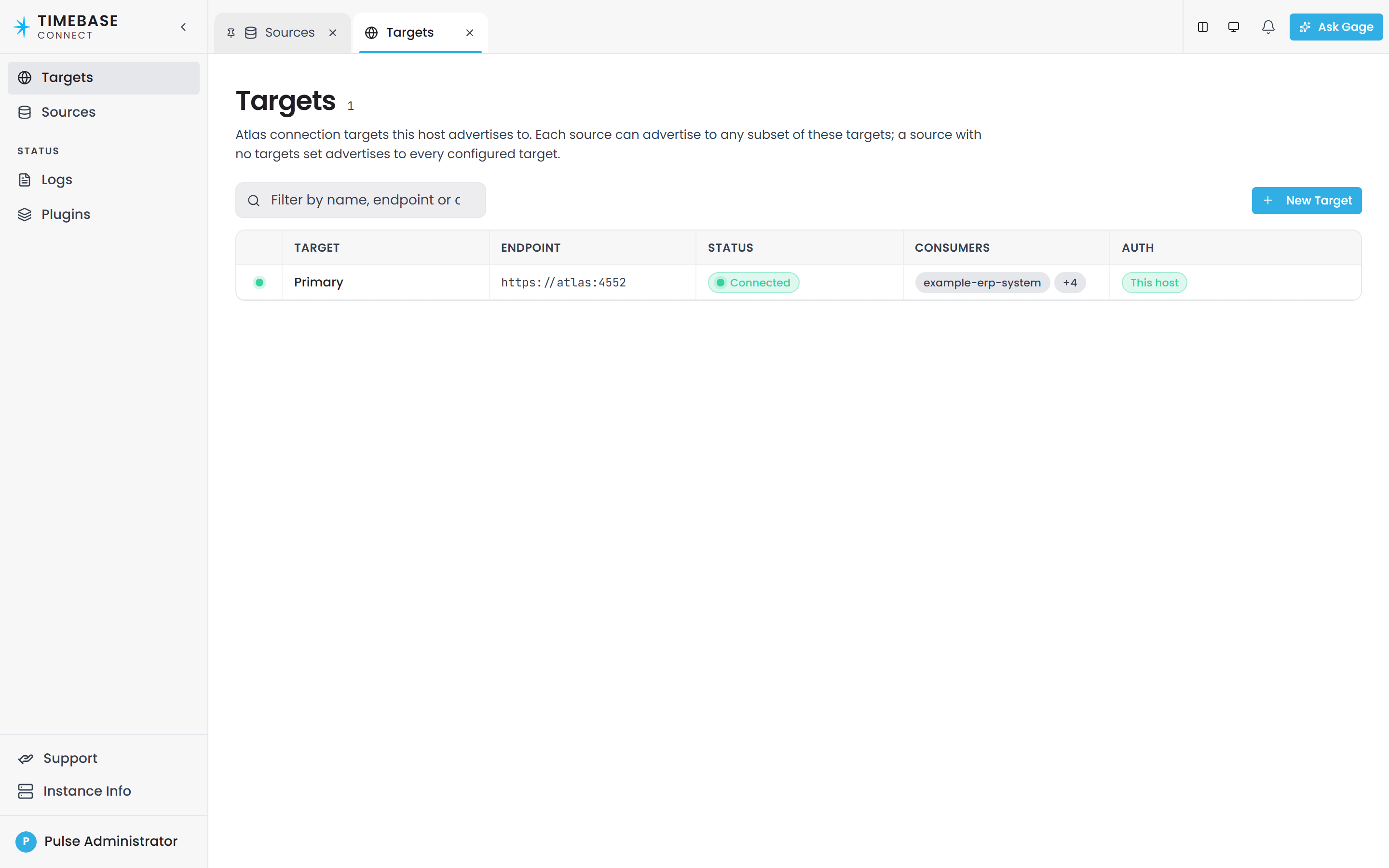
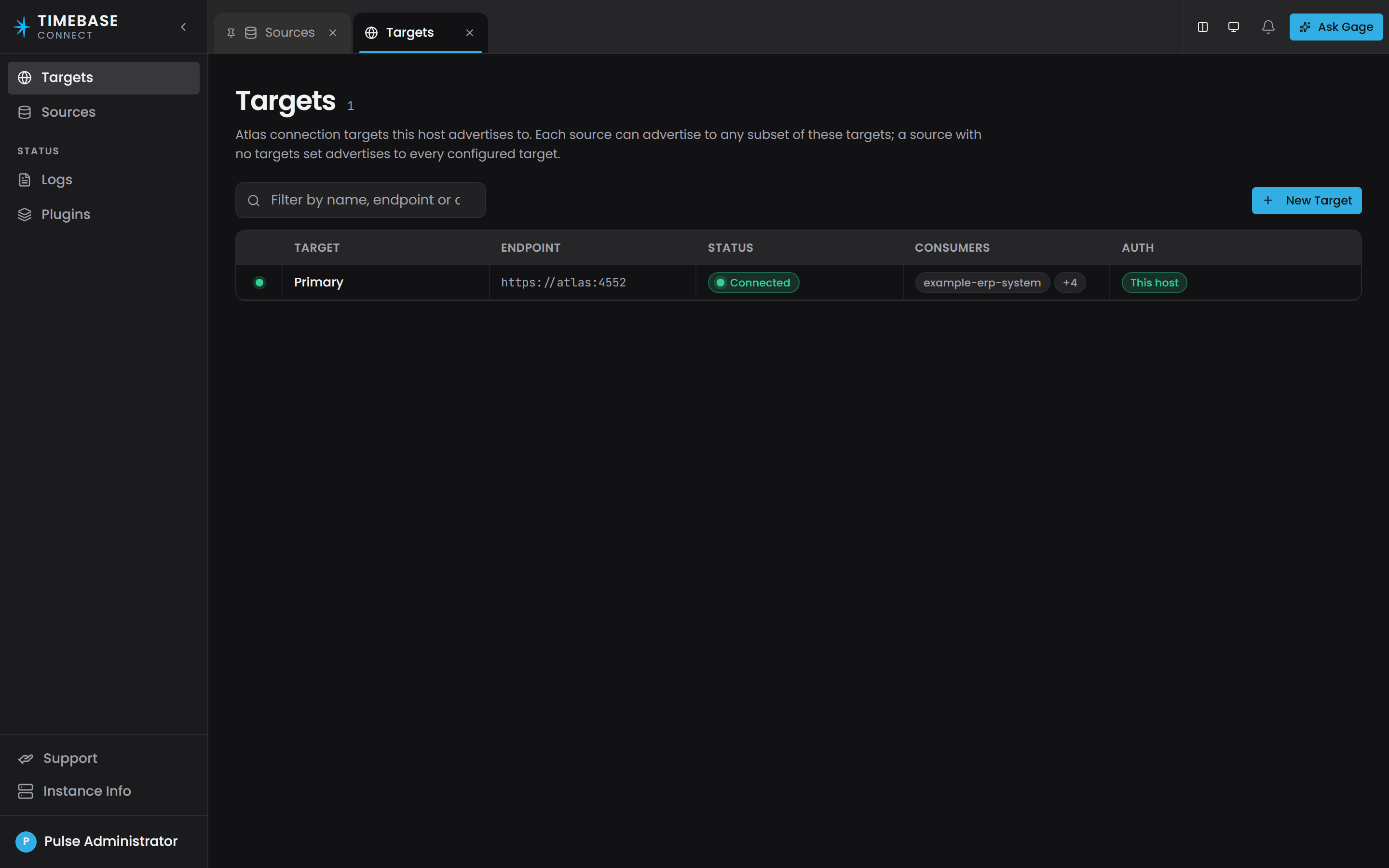
The address per deployment:
| Deployment | host |
port |
useTls |
|---|---|---|---|
| Atlas on the same machine | localhost |
4552 |
true |
| Atlas on another machine | <YourAtlasServerHere> |
4552 |
true |
| Docker, same Docker network | atlas |
4552 |
true |
| Plain HTTP, not recommended | <YourAtlasServerHere> |
4551 |
false |
Atlas listens for HTTPS on 4552 and plain HTTP on 4551. Change port and useTls together: TLS on 4551 cannot connect.
Leaving the address out gives you localhost on 4552 over TLS, which is the same as the shipped file. That is deliberate: absence and the shipped default mean the same thing, so a missing address fails against a plausible address rather than a stale one.
HubUrlis no longer something you set. Connect composes it from the three values above and reports it back on its status API and in its log, so you will still see it in a connection message. Writing aHubUrlintoatlas.configconfigures nothing.
In Docker, the container name is the hostname. Using localhost inside the Connect container points at Connect itself, not at Atlas.
When Atlas is served by a different Pulse#
Each target carries its own optional auth block, and you only need it when that Atlas trusts a different Pulse from the one this Connect uses:
"config": {
  "host": "<YourAtlasServerHere>",
  "port": 4552,
  "useTls": true,
  "auth": {
    "enabled": true,
    "clientId": "Connect",
    "clientSecret": "<the secret from THAT Pulse>",
    "idP": { "host": "<that Atlas's Pulse>", "port": 4542, "useTls": true }
  }
}
Left off - which is the shipped state - Connect authenticates to the target exactly as it authenticates to everything else, using its own Pulse:Auth identity. That covers every deployment where one Pulse serves the whole installation, so most sites never touch this.
Switch it on and Connect presents the client named here instead, obtaining its token from the Pulse named in idP. That is the only way to reach an Atlas belonging to a different Pulse: a token from your own Pulse is signed by the wrong issuer, and Atlas's hub refuses it.
This
idPis not the one that was removed. The old component-wideAuth:IdPwas a second copy of the Pulse address and is gone. This one is per target, and its whole purpose is to name a different Pulse from the one inPulse:Host. If they would be the same, leave the block off.
Step 2: Give Connect its Pulse credentials#
Complete this step before you look for a network problem. Atlas gates its connector hub, so a connector without a usable credential is refused with 401 Unauthorized on every attempt and retries. The retry log reads the same as an unreachable host, so check the credential first when a connector will not register.
Both products ship with "Auth": { "Enabled": true }, so the work is registering Connect in Pulse and telling it what to send.
-
In Pulse, create a client registration for Connect. Note its secret.
-
Add Atlas's client id (
Atlasby default) to that client's audiences. Without it, Connect receives a valid token that Atlas rejects, which produces the same401and is the harder half of this step to diagnose. -
Open Connect's
settings.configand fill inPulse:Auth:ClientIdandPulse:Auth:ClientSecretfrom that registration. -
Confirm
Pulse:Hostpoints at your Pulse server. The shipped values are hostlocalhost, port4542, TLS on. In Docker the first start composes the host aspulseintosettings.config, and aPulse__Hostenvironment variable in the Compose file outranks the file."Pulse": { "Host": "<YourPulseServerHere>", "Port": 4542, "UseTls": true, "Auth": { "Enabled": true, "ClientId": "Connect", "ClientSecret": "<YourClientSecretHere>" } } -
Restart Connect.
For a local trial without Pulse#
Set Pulse:Auth:Enabled to false in Atlas's settings.config and in Connect's. The two settings are read independently - each product reads its own - so they have to be changed together.
set Pulse:Auth:Enabled the same way on both sides. A connector with it set to false against an Atlas that has it on is refused with a 401 on every attempt, with nothing in the log to say why. The reverse - Connect authenticating against an Atlas with authentication off - is not an error, but it makes Connect fetch a token from Pulse on every connect and reconnect, achieving nothing and tying reconnect speed to whether Pulse is reachable.
Step 3: Add a data source#
Connect has its own interface with a schema-driven editor and a connection test. Use it in preference to hand-editing JSON.
- Open
https://<YourConnectorHostHere>:4562in a browser. - Select Sources in the sidebar. The page lists every source grouped by plugin type, with its alias, its status and the targets it advertises to, and the header counts how many are running.
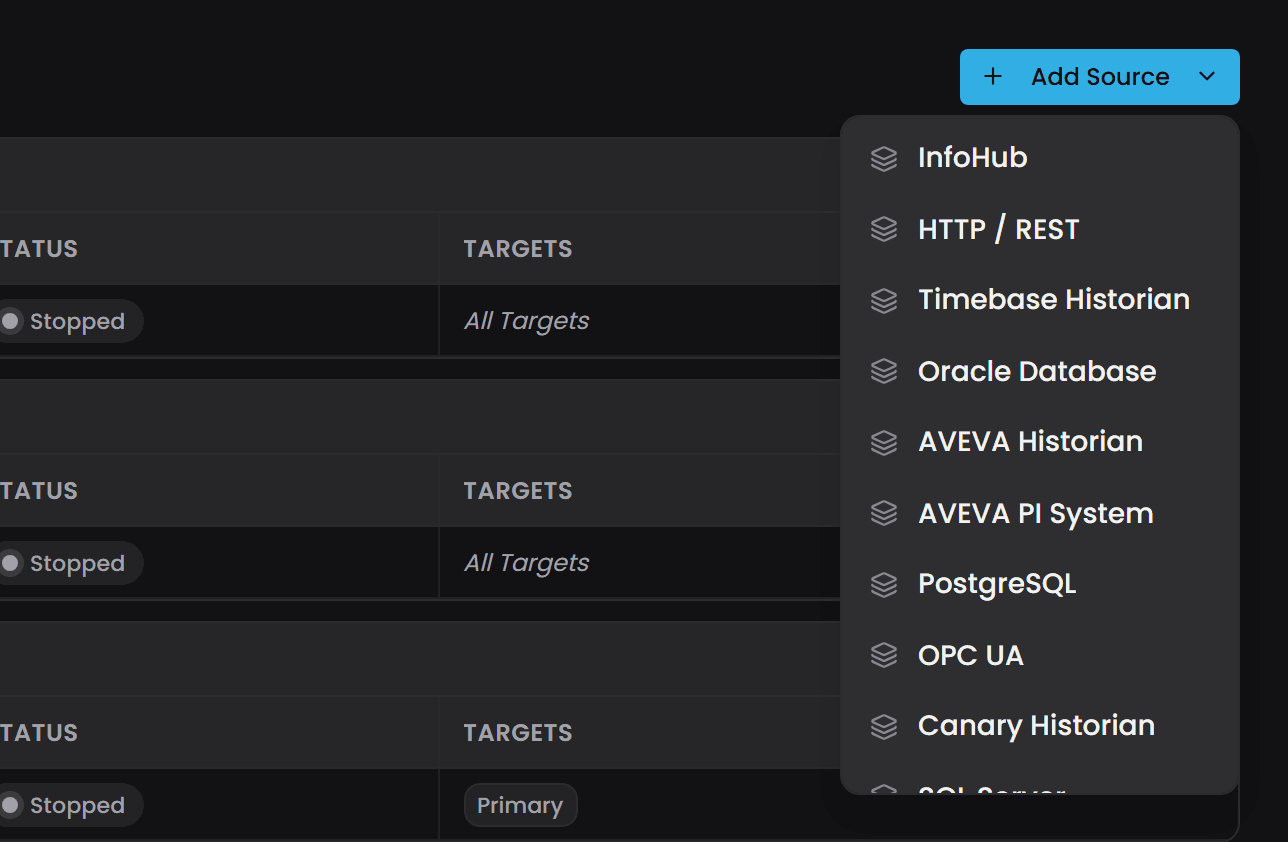
- Select Add Source and choose the plugin from the list (see Data sources you can connect). The list scrolls. A New source drawer opens with three tabs: General, Settings and Targets.
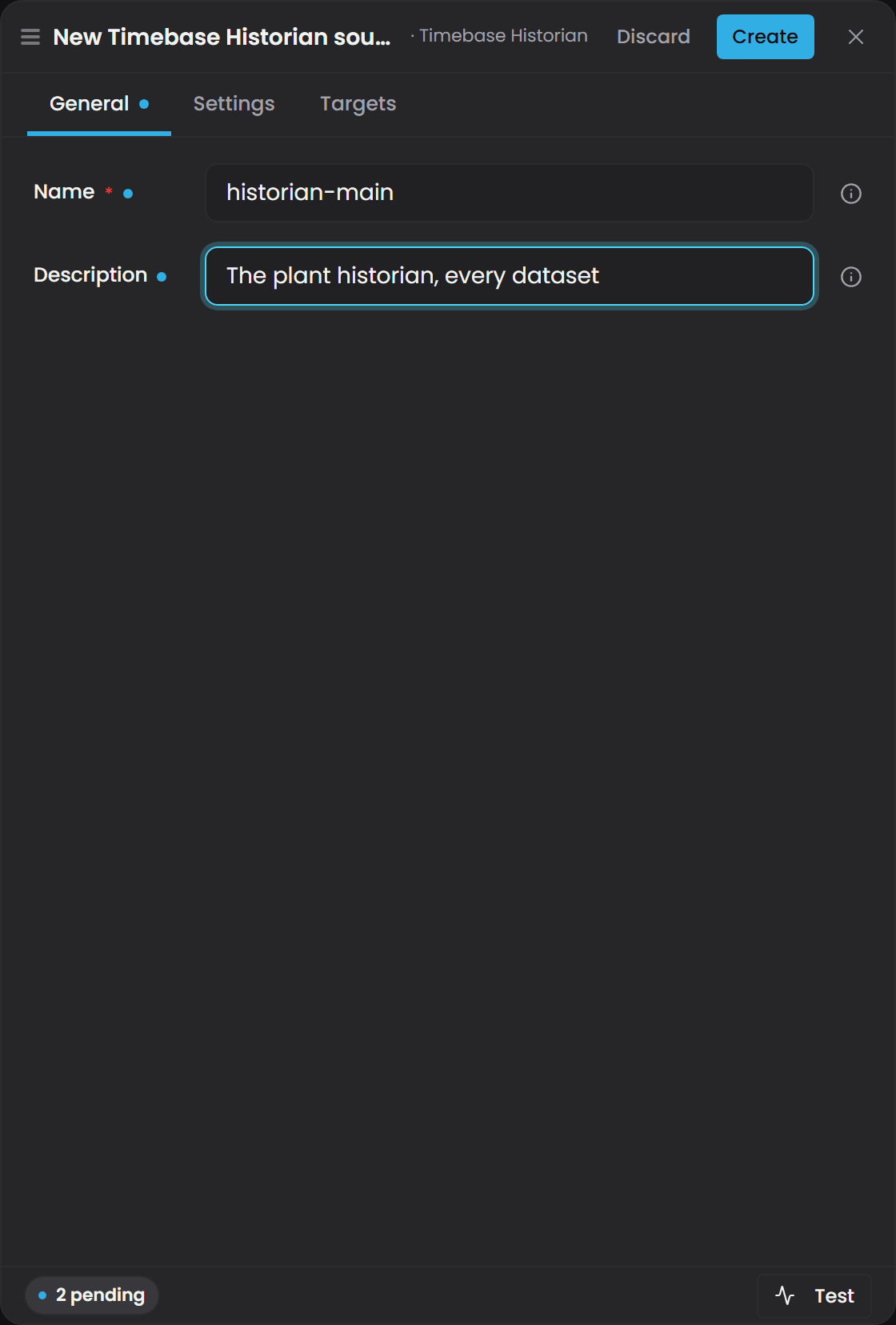
- On General, give the source a Name. Pick something short and stable, for example
historian-mainorerp: Connect derives the source's alias from it, and the alias is the first segment of every binding path this source publishes. - On Settings, fill in the connection fields for the plugin. The form is generated from the plugin's own schema and starts on its defaults. Each plugin's fields are described in Plugin settings below, and the topics, datasets or queries the source should publish are entries on the same tab.
- Select Test. This probes the connection to the source and reports success or the exact error. It does not read any data.
- Select Create. The source is created live, stopped. Select Start on its row to switch it on. No restart is needed.
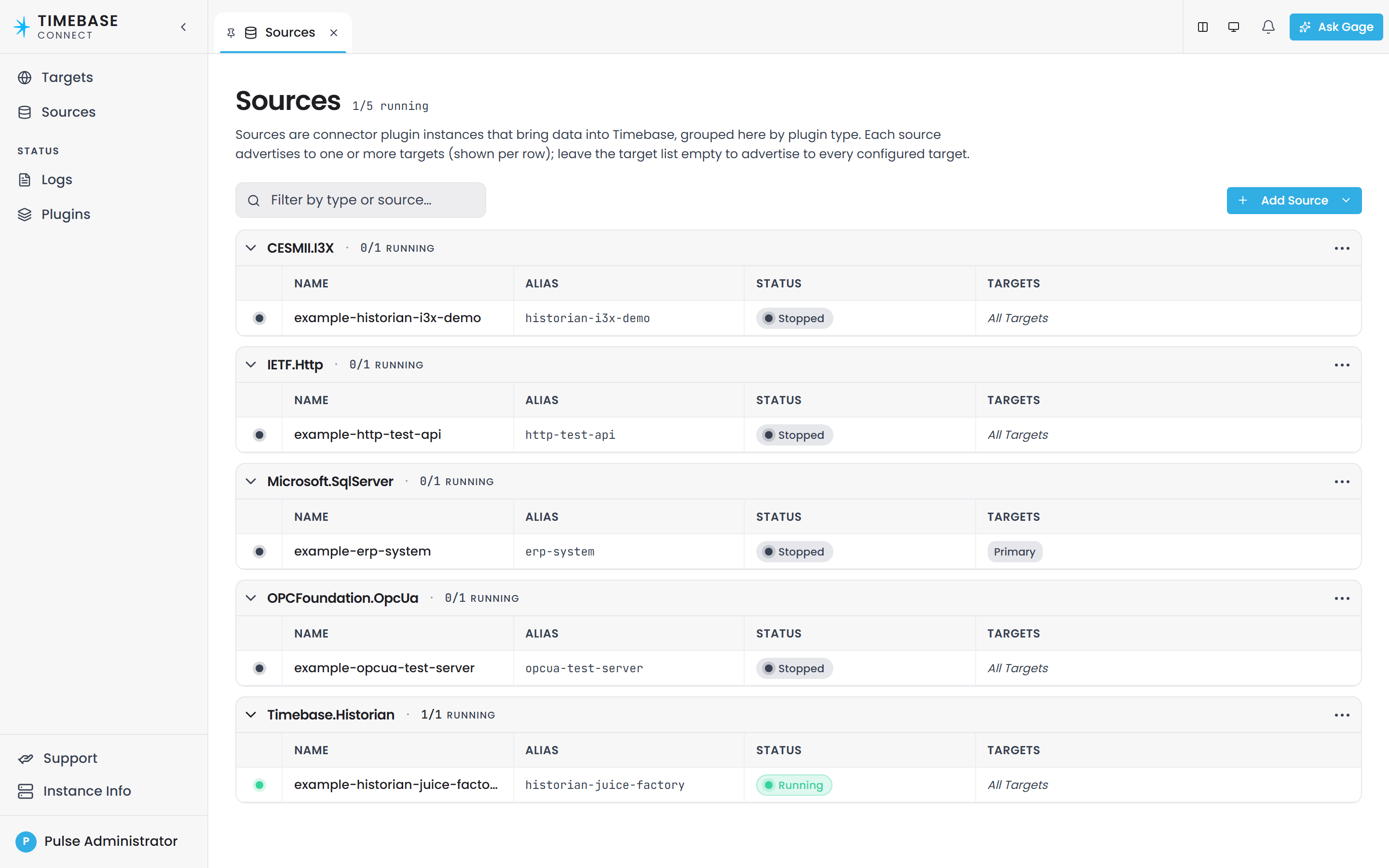
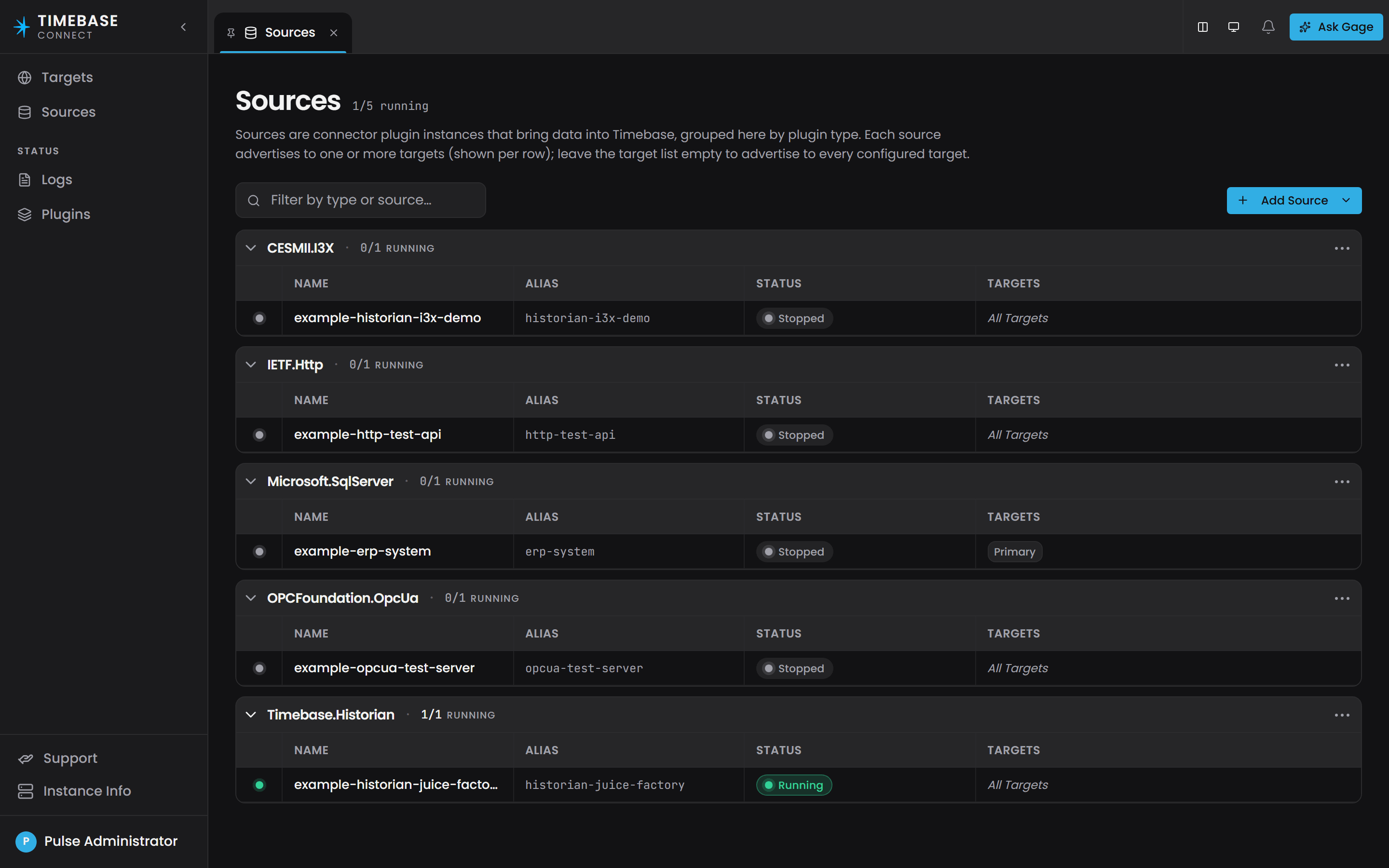
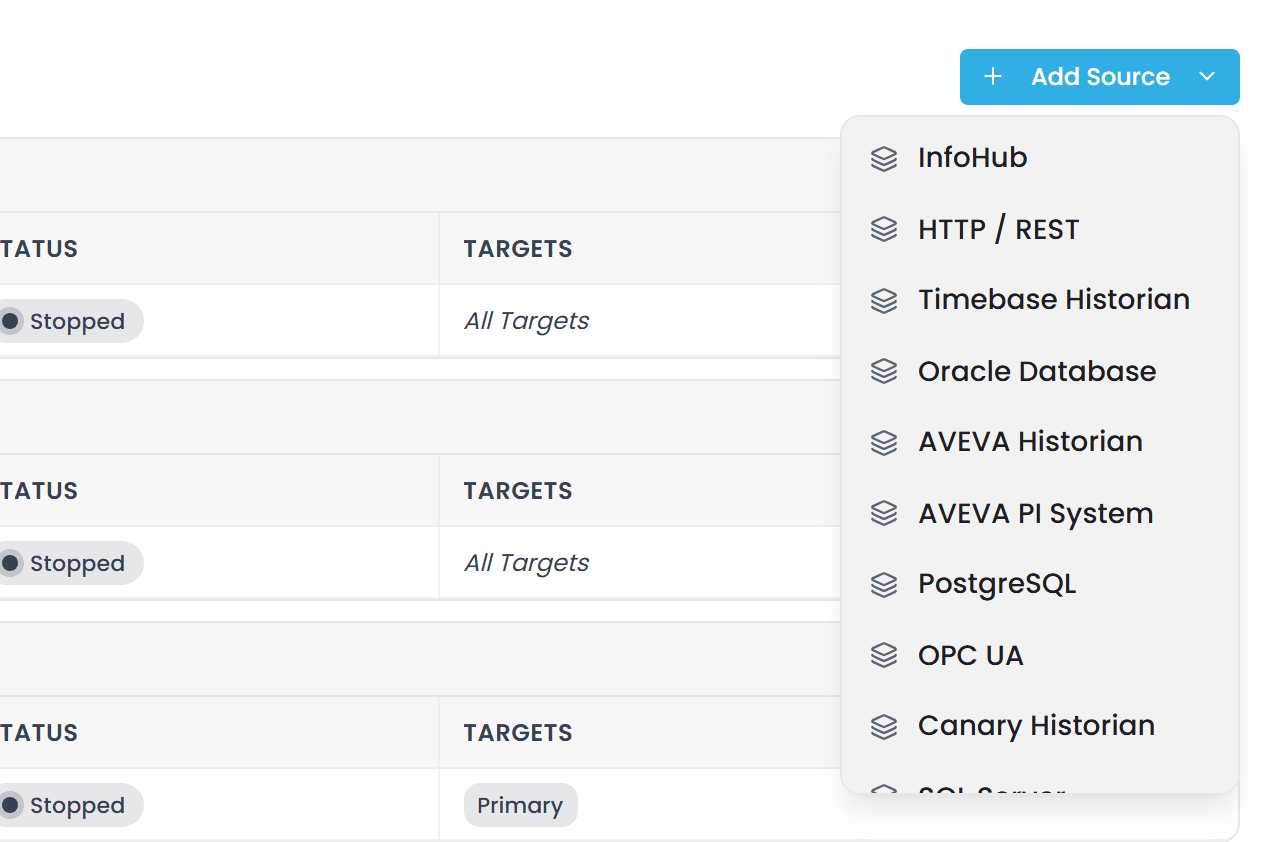
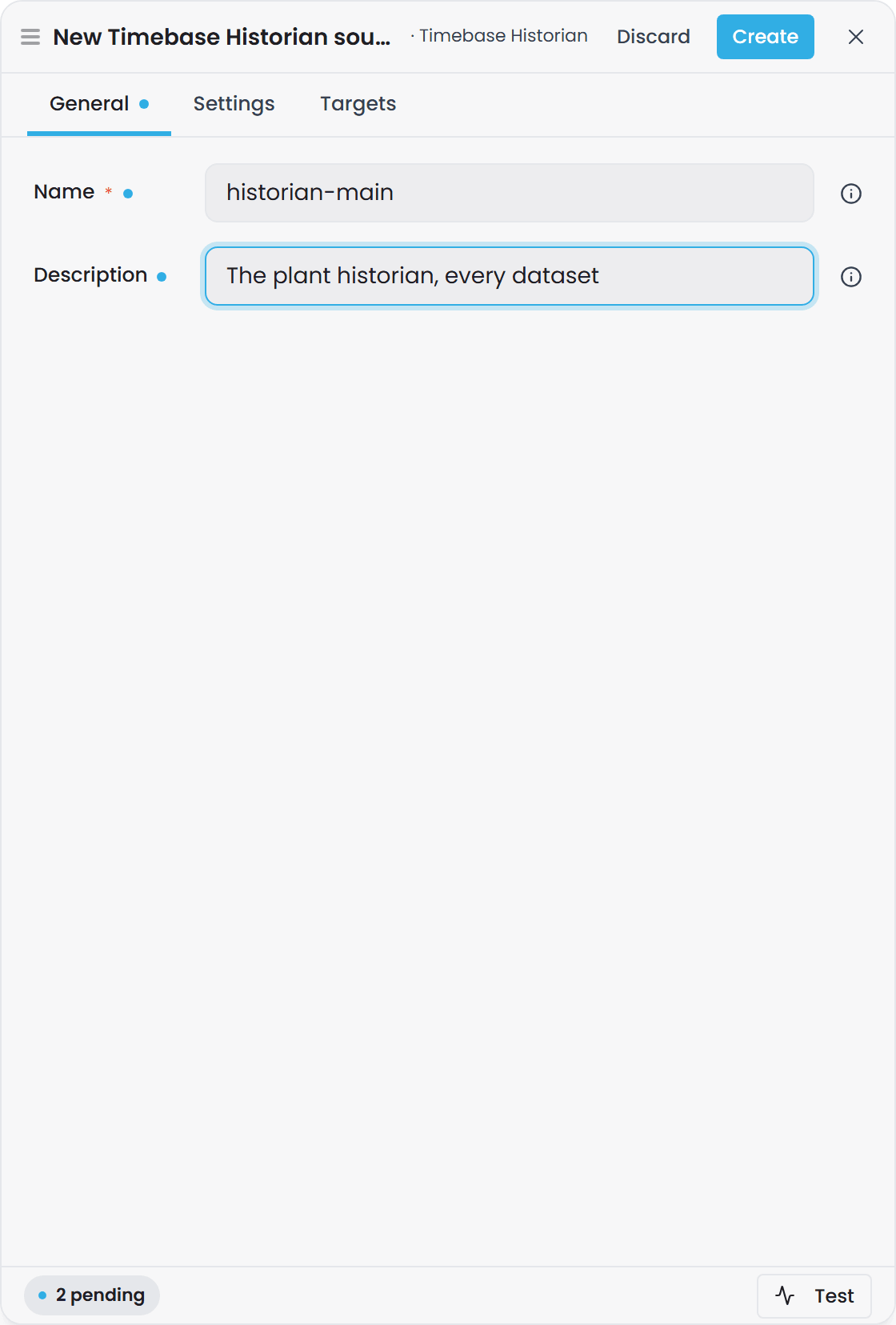
Nothing exists until you select Create. The whole record, name, description and every plugin setting, is written once. Abandoning the drawer leaves nothing behind.
The name matters more than most names do. You cannot set the alias on the create form, because Connect derives it from the name you give here, and once derived it is what Atlas binding paths are written against. Changing it later is possible in the source's Edit drawer, but it stops every hand-authored path that named the old spelling from resolving, so Connect asks you to confirm. Get it right at creation and the question never comes up.
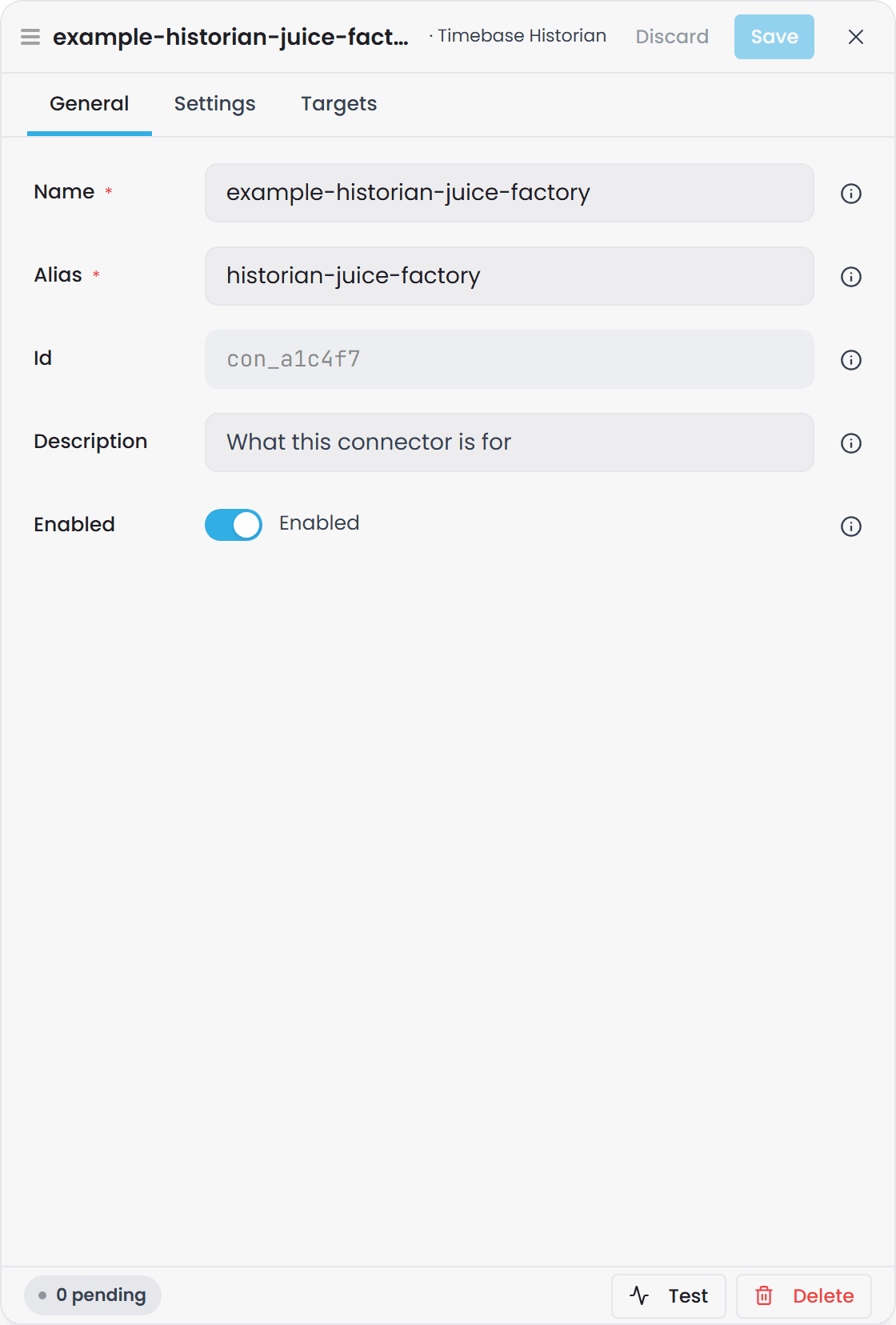
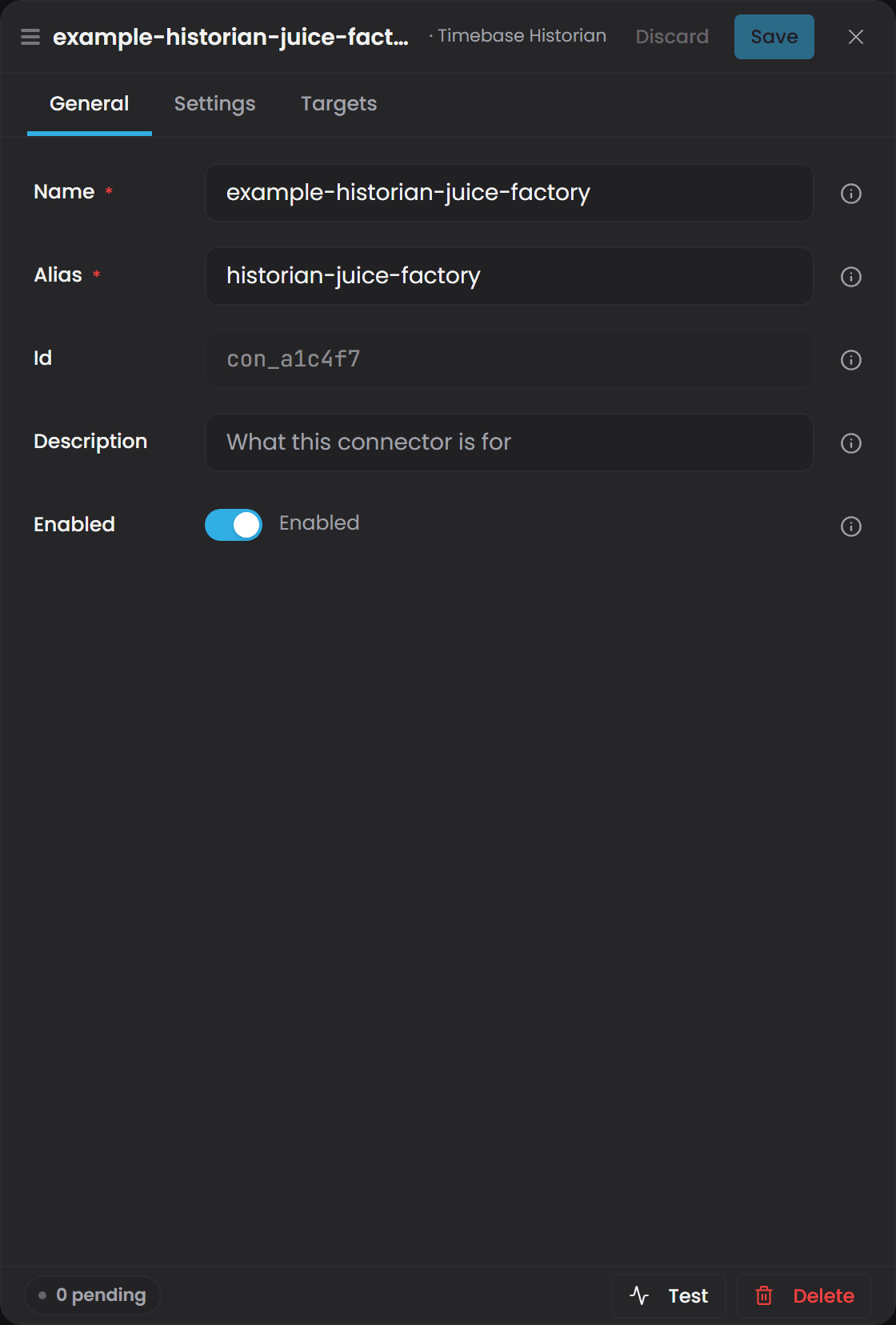
Id and Enabled are not on the create form. The id is minted for you, and a new source starts out disabled. Both are on the General tab of the Edit drawer once the source exists, and the row's Start button flips the same switch.
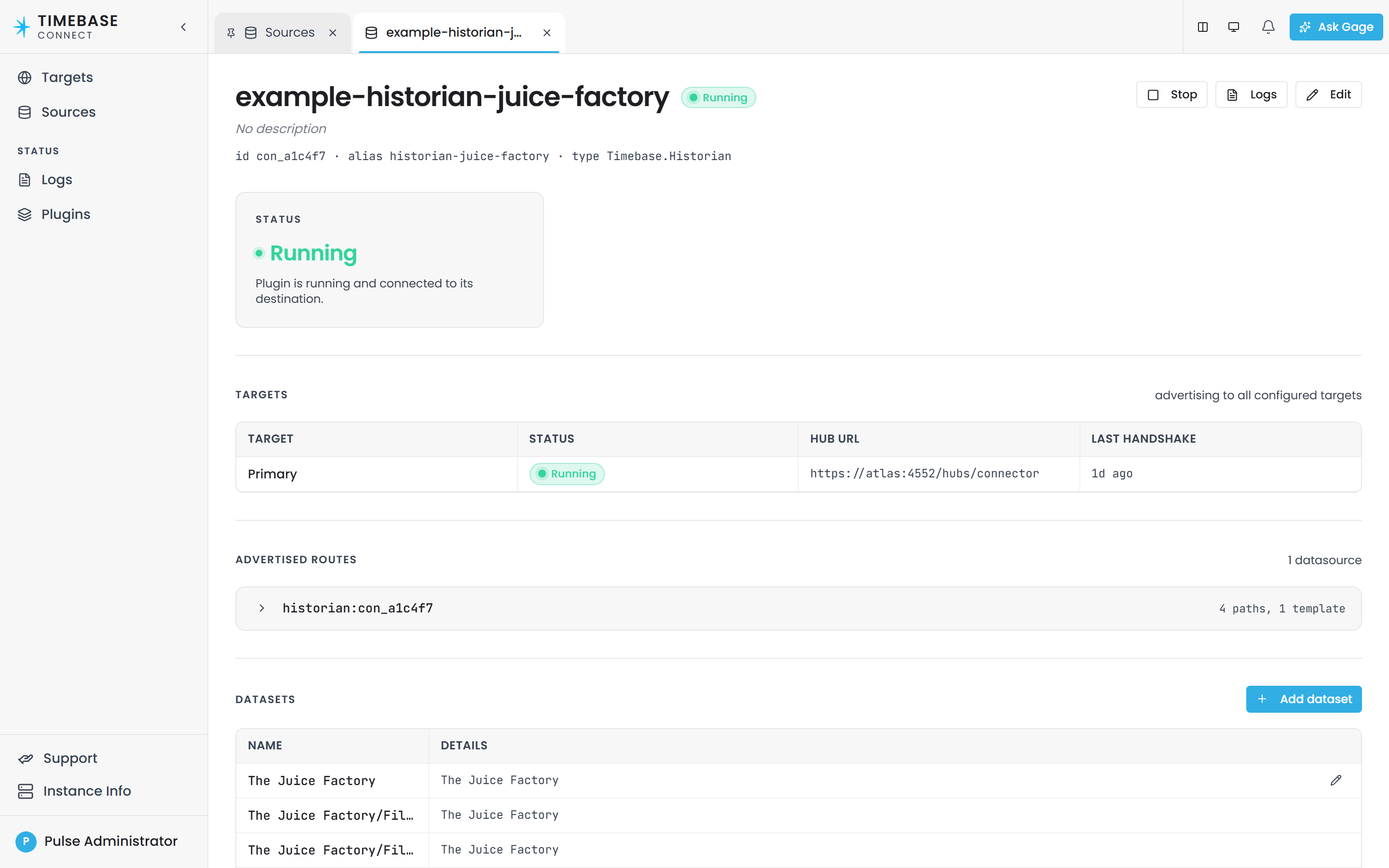
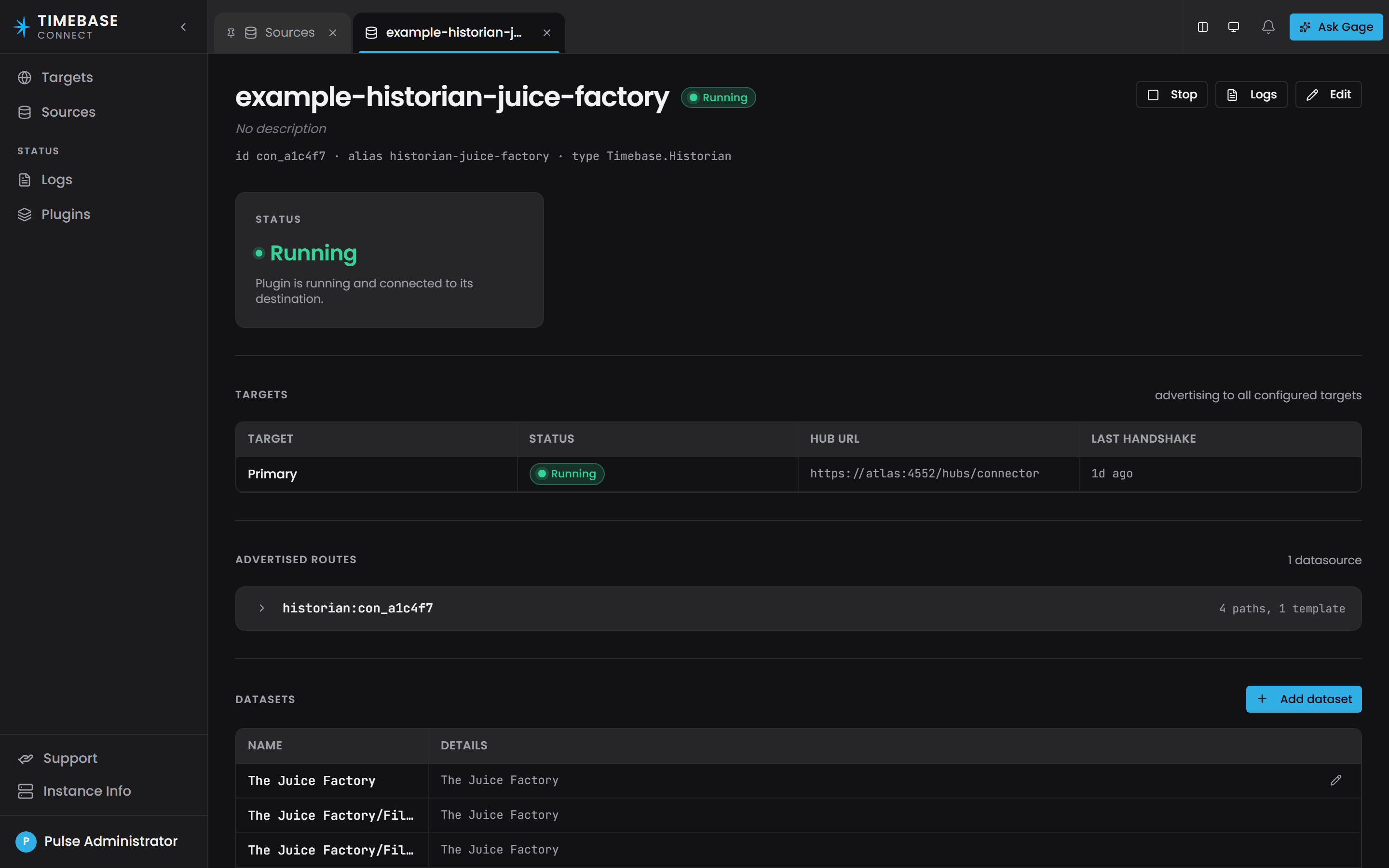
Once created, the source has a page of its own: select its name on the Sources page. The page shows its status, the targets it advertises to with the time of the last handshake, the routes it advertises, and the topics it publishes. Stop and Start switch it off and on, Logs opens a log tail scoped to this source, and Edit opens the same three-tab drawer, now with Alias, Id and Enabled on the General tab.
The same thing in connector.config#
Every source you add is stored as one record in the connectors map of connector.config, keyed by a minted id. The file has a version envelope at the top that must be preserved:
{
  "version": 1,
  "schemas": {},
  "connectors": {
    "con_a1c4f7": {
      "alias": "historian-main",
      "name": "historian-main",
      "type": "Timebase.Historian",
      "enabled": true,
      "config": {
        "Host": "<YourHistorianServerHere>",
        "Port": 4512,
        "UseTls": true,
        "ClientName": "Timebase.Connect.Historian",
        "Datasets": {
          "The Juice Factory/FillerTotals": {
            "Dataset": "The Juice Factory",
            "Filter": "uom[1]:\"ft³\" Fields[\"Instrument Code\"]:\"FQ\""
          }
        },
        "DefaultLookback": "01:00:00"
      }
    }
  }
}
Two levels, and the casing differs between them. The record's own fields are lowerCamel and belong
to Connect. Everything under config belongs to the plugin and keeps the plugin's own casing, which
is PascalCase for every plugin that ships.
| Field | Required | Description |
|---|---|---|
The key (con_ + 6 hex) |
Minted | The source's identity. It appears in routes, logs and environment-variable overrides, and never changes. Do not invent one: let Connect mint it. |
alias |
Yes | Human-readable, and what Atlas accepts as the first segment of a binding path in place of the key. Set once at creation. Must not contain /, :, {, }, [ or ]. |
name |
Yes | The display label. Never an identity: renaming moves only this, and two sources may share a name. |
type |
Yes | The plugin type string, exactly as listed in the roster table. |
enabled |
Yes, in practice | Set this to true. It defaults to false, so a source without it is not started and advertises no paths. |
atlasIds |
No | A list of Atlas targets from atlas.config, each named by its alias or its atl_ key. Leave it out to advertise to every configured target. The interface labels this Atlases. |
config |
Yes | The plugin's own settings, in one sub-tree. Every field in Plugin settings below goes in here. |
Overriding one setting from the environment names the key and the nesting, for example
connectors__con_a1c4f7__config__ConnectionString. Look the id up in this file. It is rename-proof, which a position in an array never was.A file still holding a
Connectors[]array predates this shape. Delete it and let Connect write a fresh one, or convert it by hand.
Edits to connector.config are picked up without a restart. The Connector reconciles the running sources against the file.
Plugin settings#
Only the fields you are most likely to change are listed. Every plugin also exposes its full field set in the Sources editor with inline descriptions.
Timebase Historian#
Reads tags from a Timebase Historian and republishes them.
| Field | Default | Description |
|---|---|---|
Host |
(none) | Hostname or IP address of the Historian. Left blank, the source reads Connection Fault until it is set. |
Port |
4512 |
Port the Historian listens on. 4512 is its HTTPS listener, 4511 plain HTTP. |
UseTls |
true |
Connect over TLS. Switch off only together with Port: 4511. |
ClientName |
Timebase.Connect.Historian |
Name shown in the Historian's connection list. |
DefaultLookback |
01:00:00 |
History window used when a request carries no time bounds. |
Auth.Mode |
This host for a new source |
Whose identity to present: None, This host or Custom client. See below. |
Datasets |
empty | The topics this source publishes. |
Datasets is a flat dictionary. Each key is a topic name you choose. Each value has two fields:
| Field | Required | Description |
|---|---|---|
Dataset |
Yes | The Historian dataset (the logical group of Tags) this topic reads from. Case-sensitive, and it must match the Historian exactly. |
Filter |
No | A Historian tag search expression. Every Tag it matches is included in the topic. Passed to the Historian unchanged. |
"Datasets": {
  "The Juice Factory/FillerTemps": {
    "Dataset": "The Juice Factory",
    "Filter": "uom[1]:\"°F\" Fields[\"Instrument Code\"]:\"TT\""
  }
}
Slashes in the key are cosmetic. They give the binding path a hierarchical look, nothing more. The Dataset value is what the Historian is actually queried with.
Dataset is required on every topic. A topic without one is skipped at startup, logged as "Historian instance '{Id}' topic '{Topic}': empty Dataset - skipping (the historian client needs a dataset to query).", and does not appear in Atlas. Check the Connect log first when a topic you configured is missing.
Authenticating to a secured Historian
The source's Auth.Mode says whose identity Connect presents to the Historian, the same way every link between two Timebase components does:
| Mode | What is sent | When |
|---|---|---|
Host (This host in the editor) |
A token for Connect's own Pulse identity, from its Pulse:Auth settings |
The normal case: the same Pulse secures Connect and the Historian. Nothing else to fill in. A new source starts here. |
Custom (Custom client) |
A token for the client named in the block, from the identity provider named in the block | The Historian trusts a different Pulse, or must see this source as a client of its own. |
Off (None) |
No token | The Historian has authentication switched off. |
A Custom client block names everything itself; the identity provider has no default host or port:
"Auth": {
  "Mode": "Custom",
  "ClientId": "<YourClientIDHere>",
  "ClientSecret": "<YourClientSecretHere>",
  "IdP": { "Host": "<YourPulseServerHere>", "Port": 4542, "UseTls": true }
}
Connect fetches a token from that Pulse and attaches it to every Historian request. A Custom block missing its client, secret or identity provider host reads Connection Fault at once, with the reason naming what is missing; so does This host on a Connect whose own Pulse sign-in is switched off. A source saved on an earlier Beta build with "Enabled": true is converted on load: to Custom, or to Host when the client it named was Connect's own.
client secrets are held as written in connector.config. Treat the Config folder as a secret: restrict its file permissions and keep it off shared storage.
SQL databases#
Four plugins share one identical settings shape: Microsoft.SqlServer, PGDG.PostgreSql, Oracle.MySql and Oracle.Database. Only the connection string format and one SQL rule differ between them.
| Field | Default | Description |
|---|---|---|
ConnectionString |
(empty) | Standard ADO.NET connection string for the database. |
CommandTimeout |
00:00:30 |
How long to wait for a query before giving up. |
Subscription |
see below | Instance-wide live polling defaults. |
Queries |
empty | Named queries, keyed by topic. Each becomes one binding path. |
"con_3e91b2": {
  "alias": "erp",
  "name": "erp",
  "type": "Microsoft.SqlServer",
  "enabled": true,
  "config": {
    "ConnectionString": "Server=<YourSqlServerHere>;Database=ERP;Trusted_Connection=True;TrustServerCertificate=True;",
    "CommandTimeout": "00:00:30",
    "Subscription": { "PollInterval": "00:00:30" },
    "Queries": {
      "Customers": {
        "Sql": "SELECT * FROM Customers"
      },
      "WorkOrders/[CustomerId]": {
        "Sql": "SELECT id, created, status FROM WorkOrders WHERE CustomerId = @CustomerId",
        "Parameters": { "CustomerId": "int" }
      },
      "Setpoints": {
        "Sql": "SELECT TargetTempC AS [Value], ModifiedAt AS [Timestamp] FROM FillerSetpoints",
        "Subscription": { "WatermarkColumn": "Timestamp" }
      }
    }
  }
}
Query fields:
| Field | Description |
|---|---|
Sql |
The SELECT statement. See the rules below. |
Parameters |
For a topic key containing a [placeholder], maps the placeholder name to a type: int, long, guid, bool or string. The name must match the SQL parameter (@CustomerId). Placeholders are square brackets: a key written with curly braces is taken as a literal topic name and never templates. |
RecompileOnPushdown |
Default false. On SQL Server, adds OPTION (RECOMPILE). Other databases ignore it. |
Subscription |
Per-query live polling settings. See below. |
Rules your SQL must follow. Your statement is wrapped as WITH __src AS (<your SQL>) SELECT * FROM __src ... so that Atlas can push a time filter into the database. That wrapping means:
- On every database: no trailing semicolon, and the statement must not start with
WITH. - On SQL Server only: no top-level
ORDER BY, noOPTION (...), noFOR XMLorFOR JSON, and noEXEC. - On PostgreSQL, MySQL and Oracle only: no
CALL.
follow these rules so the time filter reaches the database. Where a query does not meet them, Connect turns pushdown off for that topic and logs "{Prefix} instance '{Id}' topic '{Topic}': pushdown disabled — {Reason}." once at startup. The query still returns correct data, and the database returns the whole result set on every call, which matters on a large history table. Check that log line when a source is slower than you expect.
Live polling. SQL sources do not receive change notifications; they re-run the query on a timer.
| Field | Level | Default | Description |
|---|---|---|---|
PollInterval |
Instance or query | 00:00:05 |
How often a subscribed query is re-run. A per-query value wins over the instance value. |
AllowedLatency |
Instance or query | twice PollInterval |
How far behind the clock a value may be and still be accepted. |
WatermarkColumn |
Query | (none) | A column that only ever increases, for example ModifiedAt. |
NotSupported |
Query | false |
Set to true to make this query history-only, with no live polling. |
Set WatermarkColumn on every query you subscribe to. With it, each poll reads only rows newer than the last one it saw. Without it, every poll re-reads the entire result set. On a large table this is the single most valuable setting on the page.
OPC UA#
Browses an OPC UA server's address space for Variable nodes and republishes them. History comes from HistoryRead, live values from monitored-item subscriptions.
| Field | Default | Description |
|---|---|---|
Url |
(empty) | The OPC UA endpoint, for example opc.tcp://<YourServerHere>:4840. |
SessionTimeout |
60000 |
Session timeout in milliseconds. |
KeepAlivePeriod |
10000 |
Milliseconds between keep-alive probes. |
ReconnectPeriodMaximum |
15000 |
Longest wait between reconnect attempts, in milliseconds. |
BrowseDepth |
8 |
How deep to browse under Objects when building the catalog. |
Username / Password |
(empty) | Leave blank to connect anonymously. |
SecurityPolicy |
(blank, meaning None) | One of Basic256, Basic128Rsa15, Basic256Sha256, Aes128Sha256RsaOaep, Aes256Sha256RsaPss. |
SecurityMode |
(blank, meaning None) | Sign or SignAndEncrypt. Ignored when the policy is None. |
AutoAcceptUntrusted |
true |
Accept server certificates that are not signed by a trusted authority. |
DefaultLookback |
01:00:00 |
History window when a request carries no time bounds. |
PublishingInterval |
1000 |
Subscription publishing interval in milliseconds. |
There are also five certificate-store paths (ApplicationSubjectName, ApplicationStorePath, TrustedIssuerStorePath, TrustedPeerStorePath, RejectedStorePath) for a secured connection.
"con_5b20d9": {
  "alias": "opcua-plant",
  "name": "opcua-plant",
  "type": "OPCFoundation.OpcUa",
  "enabled": true,
  "config": {
    "Url": "opc.tcp://<YourOpcUaServerHere>:4840",
    "SecurityPolicy": "None",
    "SecurityMode": "None",
    "AutoAcceptUntrusted": true,
    "BrowseDepth": 8,
    "DefaultLookback": "01:00:00"
  }
}
AutoAcceptUntrusted defaults to true, which suits a test rig. On a production deployment, set it to false and load the server's certificate into the trusted peer store.
i3X (CESMII)#
Reads an i3X v1.0 server over REST and its event-stream channel. A Timebase Historian exposes an i3X endpoint, so this is one way to connect Historian to Historian across a boundary.
| Field | Default | Description |
|---|---|---|
BaseUrl |
(empty) | The full i3X API root including the version path, for example https://<YourHistorianHere>:4512/i3x/v1. The Connector appends nothing to it. |
NamespaceUri |
(blank) | Optional. Restrict browsing to a single i3X namespace. |
TypeElementId |
Tag |
The i3X object type to publish. Tag is the leaf, data-bearing type and the usual choice. |
Auth |
None | None, OAuth2, a static bearer token, basic authentication, or an API-key header. Against a Timebase Historian this is normally OAuth2 with a Pulse credential. |
DefaultLookback |
01:00:00 |
History window when a request carries no time bounds. |
Expansion |
None |
How to treat an object whose value is a nested tree rather than a single reading. See below. |
Expansion matters when the server publishes composite objects:
| Value | Behaviour |
|---|---|
None |
One binding path per object, value taken as-is. Correct for leaf-tag servers such as a Timebase Historian. |
LeafPaths |
Each composite is expanded into one binding path per measurement, for example <object>/Motor/Speed_RPM. |
CompositeColumns |
One path per object, returning every leaf as its own column so Atlas can bind a compound data type over the whole object. |
HTTP / REST#
Reads JSON from an HTTP API and maps it into rows using JSONPath expressions. Live data comes from re-polling the endpoint or from a Server-Sent Events stream.
Instance-level fields:
| Field | Default | Description |
|---|---|---|
BaseUrl |
(empty) | Root URL every endpoint path is appended to. |
Auth |
(none) | Built-in shortcuts for common authentication schemes. |
DefaultHeaders |
empty | Headers sent on every request. |
Variables |
empty | Named constants available in every template as {vars.NAME}. |
TimeoutSeconds |
30 |
Per-request timeout. |
IgnoreSslErrors |
false |
Skip certificate validation. On-premise self-signed certificates only. |
Subscription.PollInterval |
(per endpoint) | Default poll interval for live subscriptions. |
Endpoints |
empty | The list of endpoints this source publishes. |
Endpoint fields:
| Field | Default | Description |
|---|---|---|
BindingPath |
(empty) | The binding path this endpoint publishes. A [placeholder] in it makes it a template. Square brackets, not braces. |
Method |
GET |
HTTP method. |
Path |
(empty) | Path relative to BaseUrl. Supports [from], [to] and [params.NAME]. Square brackets, not braces. |
TimestampPath |
(empty) | JSONPath selecting the timestamps from the response. |
TimestampFormat |
Iso8601 |
Iso8601, UnixSeconds, UnixMilliseconds or Custom. |
Columns |
empty | One entry per value column: Name, Path, Type. |
Realtime |
Poll |
Poll to re-query on a timer, or None for history only. |
Sse |
(none) | Server-Sent Events settings. When set, subscriptions stream instead of polling. |
Pagination |
(none) | Page-walking settings, for example OffsetLimit with PageSize, PageSizeParam, OffsetParam and MaxPages. |
"con_9d41ae": {
  "alias": "http-api",
  "name": "http-api",
  "type": "IETF.Http",
  "enabled": true,
  "config": {
    "BaseUrl": "https://<YourApiHostHere>",
    "Subscription": { "PollInterval": "00:00:10" },
    "Endpoints": [
      {
        "BindingPath": "http-api/readings",
        "Path": "api/readings?from=[from]&to=[to]",
        "TimestampPath": "$.data[*].ts",
        "TimestampFormat": "Iso8601",
        "Columns": [
          { "Name": "Temperature", "Path": "$.data[*].temperature", "Type": "double" },
          { "Name": "Pressure",    "Path": "$.data[*].pressure",    "Type": "double" }
        ]
      }
    ]
  }
}
The HTTP plugin is the one exception to the "first segment is the source alias" rule. It publishes the BindingPath you type, exactly as you type it, with no prefix added. To keep your paths consistent with every other source, include the source's alias yourself as the first segment, as in the example above.
AVEVA Historian#
Reads an AVEVA Historian (formerly Wonderware Historian) through its Runtime SQL Server database. Authentication is SQL Server authentication only.
| Field | Default | Description |
|---|---|---|
Server |
(empty) | SQL Server address hosting the Runtime database. |
Database |
Runtime |
Database name. Runtime is the standard AVEVA install name. |
Username / Password |
(empty) | SQL Server login. |
Encrypt |
true |
Encrypt the connection to SQL Server. |
TrustServerCertificate |
false |
Skip certificate validation, for self-signed certificates. |
DefaultLookback |
01:00:00 |
History window when a request carries no time bounds. |
PollInterval |
00:00:05 |
How often a live subscription checks for newly recorded values. |
SafetyLag |
twice PollInterval |
How far behind the clock a live subscription's watermark trails. |
Topics |
empty | Published topics. Each has a TagFilter, a SQL LIKE-style pattern such as PlantA.Temps.%. |
There is no raw connection-string field. Connect assembles it from the fields above.
AVEVA PI System#
Reads an AVEVA PI System over PI Web API.
| Field | Default | Description |
|---|---|---|
BaseUrl |
(empty) | PI Web API root, for example https://<YourPiServerHere>/piwebapi. |
TrustServerCertificate |
false |
Skip TLS certificate validation. |
RequestTimeout |
00:00:30 |
Per-request timeout. |
DefaultLookback |
01:00:00 |
History window when a request carries no time bounds. |
HeartbeatInterval |
00:00:05 |
How often a quiet tag confirms it is still current. |
AllowedLatency |
00:00:05 |
Late-arrival tolerance. |
AuthMode |
Basic |
Basic (username and password over TLS) or Bearer (client credentials from an identity provider). |
Username / Password |
(empty) | Used when AuthMode is Basic. |
TokenEndpoint, ClientId, ClientSecret, Scope |
(empty) | Used when AuthMode is Bearer. The Connector runs the token exchange itself. |
Topics |
empty | Published topics. Each has a NameFilter, PI Web API glob syntax such as Plant.*.Temp*. |
Canary Historian#
Reads a Canary Labs Historian over its Views gRPC service.
| Field | Default | Description |
|---|---|---|
Host |
localhost |
Canary server hostname or IP address. |
Port |
55251 |
gRPC port of the Views service. |
UseTls |
true |
Connect over TLS. |
ClientName |
Timebase.Connect.Canary |
Name shown in Canary's client list. |
Auth.Enabled |
false |
When off, connects anonymously. When on, sends Auth.IdentityToken. |
DefaultLookback |
01:00:00 |
History window when a request carries no time bounds. |
HeartbeatInterval |
00:00:05 |
How often a quiet subscription confirms it is still current. |
AllowedLatency |
00:00:05 |
Late-arrival tolerance. |
DataCallTimeout |
00:02:00 |
Deadline for a single history or browse call. |
Topics |
empty | Published topics. Each has a NodePath and an IncludeSubNodes flag (default true). |
InfoHub#
Reads Flow Software InfoHub through its v1 REST API: Tag history, Measure values per calendar or event period, and event occurrences. Read-only and polled. See Flow Software InfoHub Connector Plugin.
| Field | Default | Description |
|---|---|---|
Host |
(empty) | InfoHub server hostname or IP address. |
Port |
443 |
Port the InfoHub web API listens on. |
UseTls |
true |
Connect over HTTPS. |
ServerKeyToken |
(empty) | A ServerKey token issued by an InfoHub administrator. Required. The Connector attaches it as-is and never renews it. |
DefaultLookback |
01:00:00 |
History window when a request carries no time bounds. |
PollInterval |
00:00:05 |
How often a live subscription checks for new values. |
SafetyLag |
twice PollInterval |
How far behind the clock a subscription's watermark trails. |
PeriodPollInterval |
00:00:30 |
How often a live Measure or event subscription re-reads recent periods. |
PeriodRevisionWindow |
1.00:00:00 |
How far back a live Measure or event subscription watches for new or revised periods. |
References |
empty | Published references. Each has a Kind (Folder, Metric or Event) and a numeric Id. |
References are identified by id, never by name, because InfoHub allows any node to be renamed at any time.
Reference#
A built-in synthetic source with no external dependency. Use it to prove that configuration, advertisement and binding work before you connect anything real. It publishes a fixed set of paths regardless of its settings:
fake/sine/double
fake/text/string
fake/onoff/bool
fake/counter/long
fake/temp/float
fake/index/int
This source serves history rather than live values. A property bound to a
fake/...path reads no value in the live cell - it reads as null - and returns generated values for a range query.Use it to prove the plumbing: Connect starts, advertises its paths, Atlas matches your
bindingPathagainst them, the domain compiles, and a historical read returns rows. To check the live path end to end, use a source that serves live values.
Binding paths#
A binding path is the text Atlas uses to route a request to a single data point. When you set a property to the Bound strategy in an Instance Map, the bindingPath you enter must exactly match a path Connect advertises.
Three rules:
- A binding path is slash-delimited segments, and the first segment is the source's alias. The minted
con_id is accepted in the same position, but the alias is what hand-authored paths use, and what stays readable in a git history. - It is not a URI. Never write a
scheme://prefix such ashistorian://,opc://orsql://. A path written that way is accepted, compiles without complaint, and then produces no value for as long as it stays in the file. - Paths are case-sensitive.
historian-main/Plant Data/Tank01.Levelwill not matchhistorian-main/plant data/tank01.level.
Segments may contain spaces and dots. The Juice Factory and 131-TT-01.PV are each a single segment.
For the Timebase Historian, AVEVA Historian, AVEVA PI and Canary per-point paths, <TagName> is everything after the dataset or filter, so a tag whose name contains / (such as an Ignition tag path) is written exactly as named: historian-main/Plant Data/site/area/Process/humidity. Do not escape the slashes; %2F and square brackets are not decoded.
Version: tag names that contain
/bind from the first Timebase release after 2.0.0, which needs both Atlas and Connect from that release. In 2.0.0 the tag part of the path is a single segment, so a path to such a tag is never routed: the domain compiles and the property stays empty, with nothing logged.
Path shapes per plugin#
| Source type | Catalog path (all points in a topic) | Per-point path |
|---|---|---|
Timebase.Historian |
<Alias>/<TopicKey> |
<Alias>/<Dataset>/<TagName> |
| SQL (all four) | <Alias>/<QueryKey> |
<Alias>/<QueryKey>/<Parameter> |
OPCFoundation.OpcUa |
- | <Alias>/<BrowsePath> |
CESMII.I3X |
- | <Alias>/<ElementId> |
IETF.Http |
the BindingPath you configured, verbatim |
the same, with the placeholder filled in |
Aveva.Historian |
<Alias>/<TopicKey> |
<Alias>/<TagFilter>/<TagName> |
Aveva.PiSystem |
<Alias>/<TopicKey> |
<Alias>/<NameFilter>/<TagName> |
CanaryLabs.Historian |
<Alias>/<TopicKey> |
<Alias>/<NodePath>/<TagName> |
InfoHub |
<Alias>/<ReferenceKey> |
Tag: <Alias>/<Kind>/<RootId>/<TagId>; Measure: <Alias>/<Kind>/<RootId>/<MeasureId>/Calendar/<CalendarId> (add /Attributes for attribute splits) or .../<MeasureId>/Event/<EventId>; events: <Alias>/<Kind>/<RootId>/Occurrences/<EventId> |
For the Historian, AVEVA, PI System and Canary plugins the two shapes are built from different parts of your configuration, and this catches people out. The catalog path uses the key you typed in the dictionary. The per-point path uses the value inside it (Dataset, TagFilter, NameFilter, NodePath).
Worked example. With this configuration:
"Datasets": {
  "The Juice Factory/FillerTemps": {
    "Dataset": "The Juice Factory",
    "Filter": "Fields[\"Instrument Code\"]:\"TT\""
  }
}
on a source whose alias is historian-main, the paths are:
- Catalog:
historian-main/The Juice Factory/FillerTemps(from the key) - Per-tag:
historian-main/The Juice Factory/131-TT-01.PV(fromDataset, plus the tag name)
The three segments in the catalog path come from the slash you typed in the key, not from the dataset.
Get the exact path, do not type it from memory#
A binding path is matched against the connector's advertised paths at start-up rather than when you save, so copy it rather than typing it.
To get the exact string:
- Open Connect's Sources page and select the source.
- Read the advertised paths and templates from its page, under Advertised routes. Open the datasource row to list them.
- Copy the path character for character into the Instance Map's Binding path field.
Why a bound property shows the wrong number#
Two cases produce a value that is present but not the one you meant:
- A compound property bound to a source whose column names do not match. Atlas matches the source's columns to the property's fields by name, and drops any name it does not recognise. A source emitting
Valfor a field namedValuewrites nothing at all. - A plain number property bound to a multi-column result. For a non-compound property, Atlas reads the first column by position, so binding a plain
doubleto the standard[Timestamp, Value, Quality]result lands the Timestamp in it, which reads as a large number. Model time-series properties with a compound type such asatlas-common:TVQ.
See Property Sourcing Strategies for how to model the property so this cannot happen.
How live data reaches Atlas#
Once Connect is connected, it does not wait to be asked. It pushes.
- Connect connects to Atlas and identifies itself.
- It advertises every binding path and path template its enabled sources can serve.
- Atlas compares those paths against the domains it has compiled.
- For every path a compiled domain actually binds, Atlas opens a subscription.
- Connect pushes values on those subscriptions as they arrive, and Atlas writes each one straight into the property.
It is one Atlas process end to end. There is no separate cache service and no separate engine service to check.
a connection alone does not move data. Values flow once a domain is compiled and that domain binds the path. A working connection against an uncompiled domain opens zero subscriptions and delivers nothing. If you have just added a binding, save the Instance Map and compile the domain before concluding that the connection is broken.
How each source produces its live values depends on the plugin: OPC UA, i3X, PI System and Canary receive change notifications from the source; Historian, SQL, AVEVA Historian, InfoHub and HTTP re-query on a timer. The PollInterval field on the polled plugins controls how often.
Historical data#
When a query or a chart asks for a window of time in the past, Atlas asks Connect for that window at read time, every time. The source system remains the system of record.
Three consequences worth knowing:
- A property holds its current value. History lives in the source, and Atlas reads it there on demand.
- A connector that was offline loses no history. Because history is read live from the source, a gap in the live stream fills itself the moment a chart asks for that window - so there is no backfill step to run.
- A source with no queryable history answers only for the present. The chart is empty for the past however long the connection has been up.
Data quality#
Seven of the shipped plugins send a quality code alongside every value: Timebase Historian, AVEVA Historian, AVEVA PI System, Canary Historian, i3X, OPC UA and InfoHub.
For that quality to land in Atlas, the property must be modelled as a compound whose type has a field named exactly Quality. The standard type is atlas-common:TVQ, which has Timestamp, Value and Quality. The field names must match exactly, including case.
The property is atlas-common:Quality. It is a whole number, not the words Good or Bad. It is the raw OPC quality code, and only the top two bits carry the status:
| Value | Meaning |
|---|---|
0 |
Bad |
64 |
Uncertain |
192 |
Good |
In a query, read the field through the compound:
MATCH (p:Pump) RETURN p.Label, p.Temperature.Value, p.Temperature.Quality
Atlas does not act on quality. A Bad-quality value is still stored, and any calculation that reads it still runs and still produces a number. If you want a calculation to react to bad quality, pass the Quality field into it as an explicit input and branch on it yourself.
A new binding reads as no value#
This is worth knowing when you verify a new connection. A bound property holds no value until the first one arrives, so a new binding reads as null, not as zero:
| Field | Reads as before the first value |
|---|---|
| Value (number) | null |
| Timestamp | null |
| Quality | null |
A new binding, an offline tag and a connector that is down all read the same way, because nothing has arrived. A real zero is a value: a source that delivers 0.0 reads as 0.0, and a Bad quality of 0 is a reading, not an absence. A source that sends a null cell also leaves the property with no value.
Test the property, or the field. In Cypher a compound property that has never received a sample is null as a whole:
MATCH (p:Pump) WHERE p.Temperature IS NULL RETURN p.Label
Once any field holds a value the property is a compound, so check the field you care about, for example WHERE p.Temperature.Value IS NULL. The pull read of a property's values returns "value": null with a quality of GoodNoData, and the Instances page shows a dash. When you are verifying a new source, look for those first.
Verify the connection#
On Connect#
Open https://<YourConnectorHostHere>:4562 and look at the Sources page. The header shows how many sources are running out of how many configured.
The link to Atlas is on the Targets page. Each target's Status reads Connected once Connect has connected and registered, Connecting… while a first attempt or a retry is in progress, and Connection Fault with the reason when Atlas refused it. A source's own page repeats the targets it advertises to, with the Hub URL and the time of the Last handshake, and lists its Advertised routes: each datasource with its paths and templates.
a connector that cannot reach Atlas stays in Connecting… and keeps retrying, so Connecting… for more than a minute or two is the signal to investigate.
Connect has no unauthenticated status endpoint. The calls behind its pages sit under /app and expect a browser session; a script that wants the same facts reads them from Atlas, as described below.
Each source's own status#
The Targets page describes Connect's link to Atlas. Each source also carries a status of its own on the Sources page: Running when it can reach its system, Connecting… during the first attempt or an outage being waited out, Connection Fault when it cannot reach its system or was refused, with the reason beside it, and Config Fault when it could not start at all. A source whose system is down keeps its subscriptions through the outage and recovers on its own. The statuses, the one-minute grace and the retry rhythm are described in Plugin Instance States, Connection Status and Retries, and each plugin's own article says what its connection check does.
In Atlas#
Atlas keeps the list of connectors that are registered with it, and a script can read it:
GET https://<YourAtlasServerHere>:4552/api/v1/connectors
The call needs a bearer token from Pulse, like everything under /api/v1. It returns one entry per connector with connectorId, displayName, datasourceCount and registeredAt. If your connector is in the list, it is connected and completed a handshake. Presence in the list is the online signal; there is no separate status field, and a connector whose connection drops is removed at once.
The list counts datasources and does not name binding paths. Use the source's page in Connect, under Advertised routes, for those. The Atlas interface itself has no connectors page; its Logs page is where a connector's registration and subscriptions show up, as described in Connector Diagnostics.
Hot reload#
Edits to connector.config take effect without a restart. The Connector detects the change, reconciles the running sources against the file, and re-advertises its paths to Atlas. The Atlas connection is not dropped.
Dropping a new plugin folder into the plugins directory also triggers a reload. The plugins directory is set by the top-level Plugins value in appsettings.json, or by the Plugins environment variable in Docker (/plugins on the shipped image). Its default is Plugins, with a capital P, which matters on Linux.
Four timing settings live in a PluginManager section and rarely need changing:
| Field | Default | Description |
|---|---|---|
DisposeGracePeriod |
00:00:05 |
How long a plugin gets to shut down cleanly. |
FileWatcherDebounce |
00:00:00.500 |
How long to wait after a file change before reloading. |
UnloadWatchdogInterval |
00:00:30 |
How often the host checks whether a replaced plugin has really been released. |
UnloadDeadline |
00:02:00 |
How long a replaced plugin may linger before a warning is logged. |
when you replace a plugin while Connect is running, the host waits for the previous copy to be released. If it is still loaded after UnloadDeadline, the host logs a warning and keeps it - restart the Connect service when you see that warning.
Multiple Atlas targets#
A single connector can be configured with several Atlas targets, each an entry in atlas.config. A source then names the targets it advertises to, by alias (matched without regard to case) or by the atl_ key:
"con_3e91b2": {
  "alias": "erp-system",
  "name": "example-erp-system",
  "type": "Microsoft.SqlServer",
  "enabled": true,
  "atlasIds": [ "primary" ],
  "config": { "ConnectionString": "..." }
}
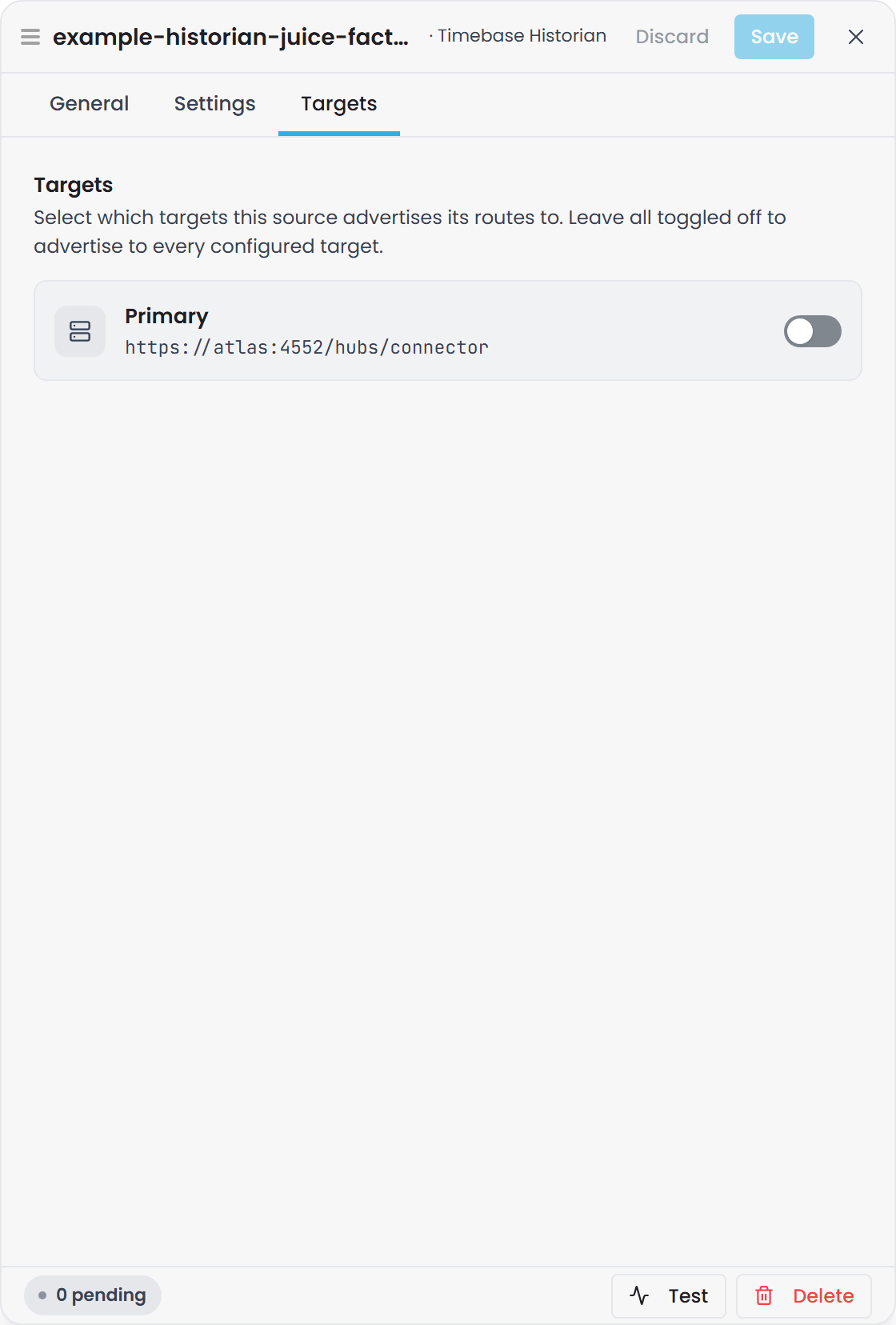
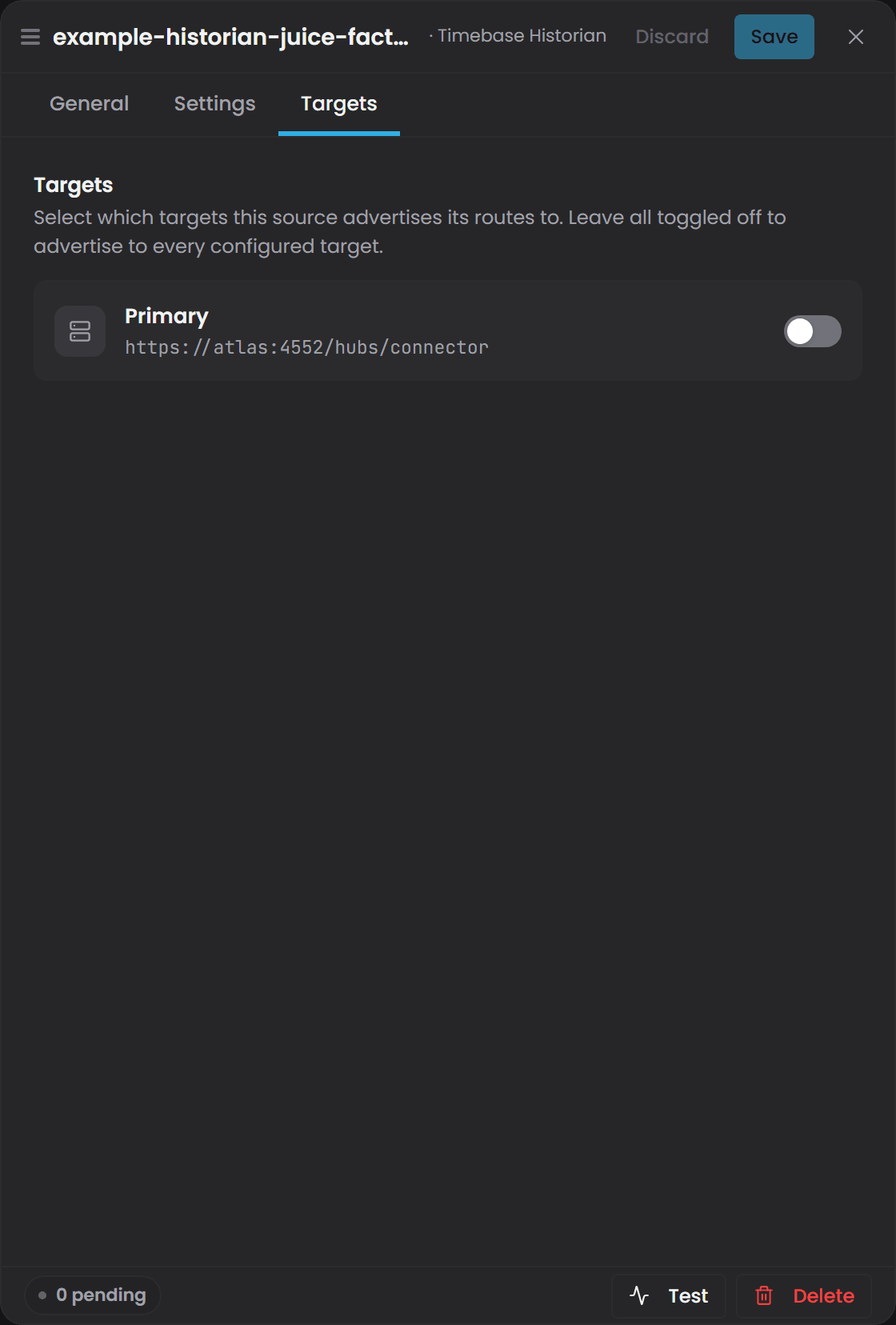
Leave atlasIds out, or leave it empty, and the source advertises to every configured target. In the interface this is the Targets tab of the source's Edit drawer: one switch per target, and with every switch off the source advertises to all of them. The Sources page shows the result in its Targets column, as the target names or All Targets.
Multiple Connectors#
You can connect any number of Connectors to one Atlas. Each connects independently and no coordination is needed between them.
Two rules govern collisions:
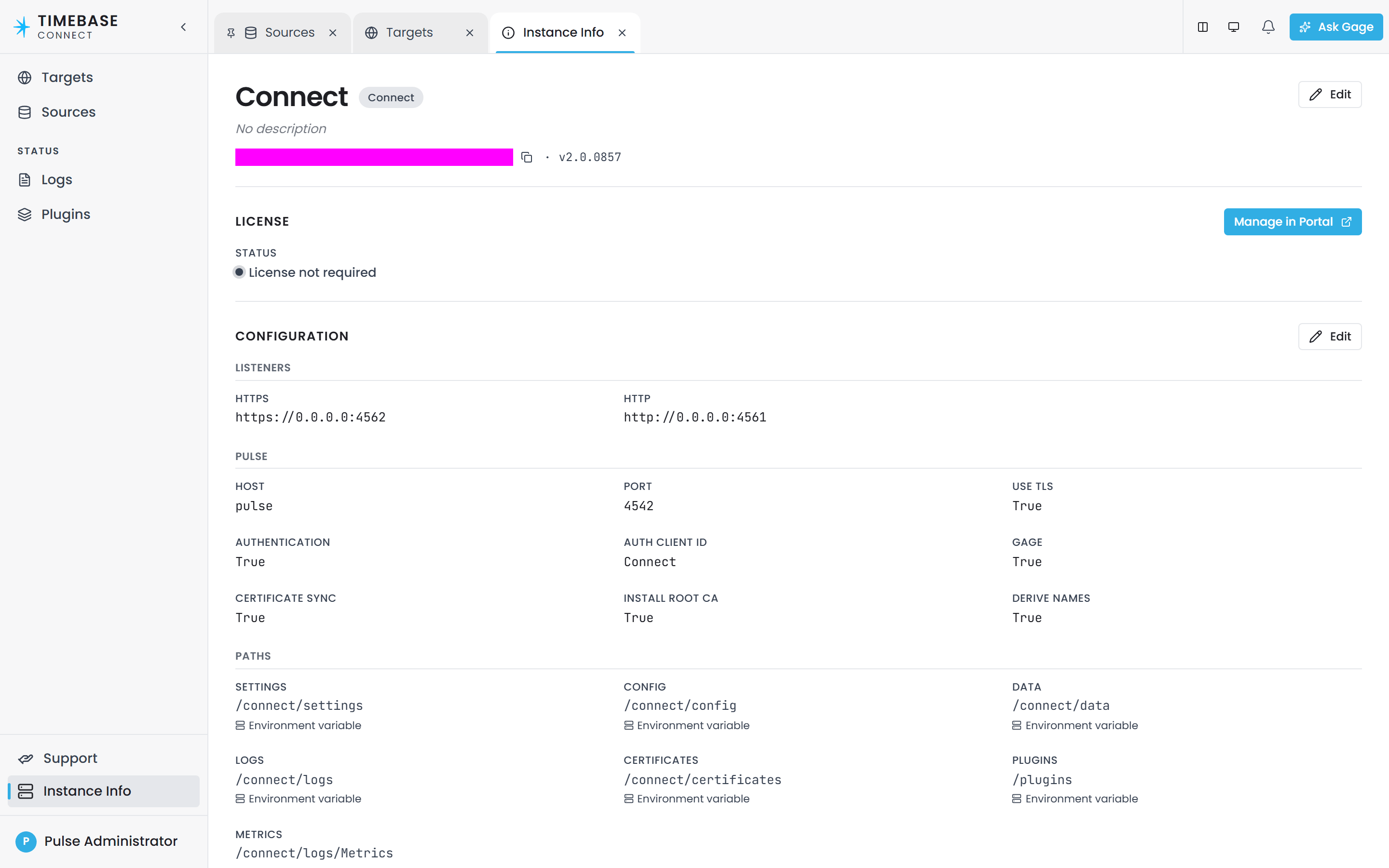
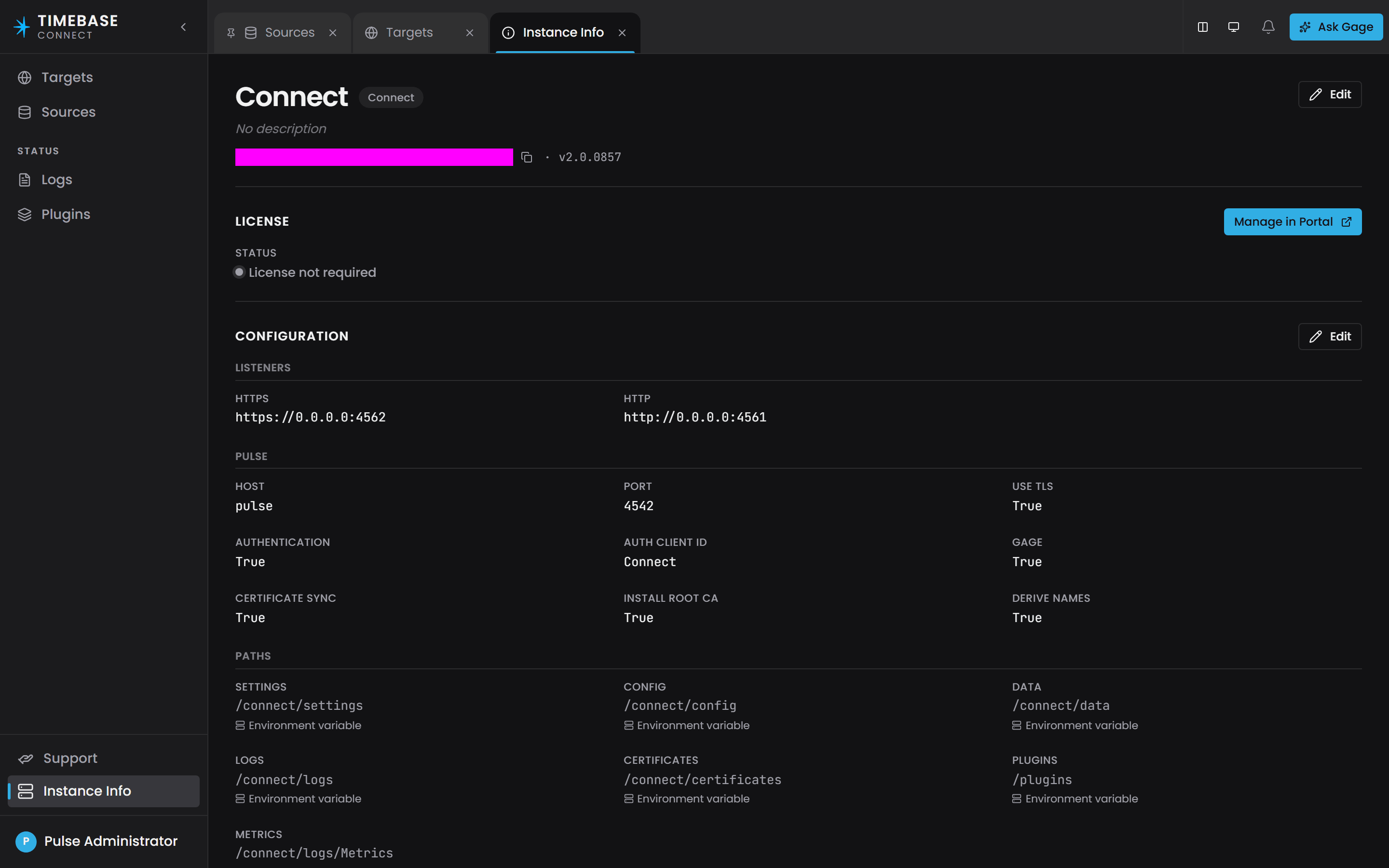
- Two Connectors with the same id overwrite each other. The last one to connect wins. The id comes from the host's own state file rather than
settings.config, so give each deployment site or environment its own name on the Instance Info page, opened from the bottom of the sidebar. The id a connector advertises is still reported asconnectorIdon the wire; only where its value comes from has changed.
- Only one connector serves a binding path. If two advertise the same path, the last to connect takes it and Atlas logs the overlap. The other connector stays connected and stops serving that path, so values are neither merged nor delivered twice. Give each source a distinct
Idso its paths are unambiguous.
Troubleshooting#
| Symptom | Likely cause | What to do |
|---|---|---|
| Connect never appears in Atlas's connector list, and the Targets page shows Connecting… forever | Atlas requires a credential and Connect is not sending a usable one - either its ClientId and ClientSecret are unset, or its Pulse client does not list Atlas as an audience |
Fill in Connect's ClientId and ClientSecret, and in Pulse add Atlas's client id (Atlas by default) to that client's audiences. See Step 2 |
The Connect log repeats "Initial connection to {HubUrl} failed (attempt {Attempt}); retrying in {Delay}." against localhost:4552 |
atlas.config is missing or its atlases section is empty, so Connect is trying the default address. That address is right only when Atlas is on this machine |
Set host, port and useTls for the target and restart |
| Connect connects to Atlas and is then refused, or the hub drops it | The token is signed by a Pulse that Atlas does not trust. This is the cross-Pulse case | Fill in the target's auth block, naming the client and the Pulse that Atlas trusts |
| Connect cannot reach Atlas at all | Wrong host, blocked port, or localhost used inside Docker |
Confirm port 4552 is reachable from the Connect host, and that useTls matches the port (4552 TLS, 4551 plain HTTP). In Docker use the Atlas container name (atlas), not localhost |
| The Targets page shows Connected but the Last handshake on a source's page is missing or very old | The connection succeeded and the handshake did not | Look in the Connector log for "Initial handshake failed against {HubUrl}; relying on Reconnected/RoutesChanged to retry." The usual cause is that no source produced any binding paths |
| A source reads Connection Fault | It cannot reach its system, or was refused by it | Read the reason beside the status: it names the setting to look at where one is to blame (a blank host, a refused credential, an untrusted certificate), and says it is retrying where it is an outage. The plugin's own article lists what its connection check does. |
| Connect is connected but no binding paths appear | The source is disabled or failed to start | Check "Enabled": true on the source. If you omit Enabled, it defaults to false and the source is silently ignored. Then check the source's page under Advertised routes, and the Connect log for start-up errors |
| A Historian source is connected but publishes no topics | One or more topics have an empty Dataset |
Look in the log for "Historian instance '{Id}' topic '{Topic}': empty Dataset - skipping (the historian client needs a dataset to query)." Set Dataset on every topic |
| The whole Connector fails to register after adding a SQL query | Two topic keys have the same shape, for example Orders/{Id:int} and Orders/{Id:string}. Overlapping templates are rejected outright and the entire handshake fails, not just that topic |
Read the Connect log for the overlap message naming the two templates. Rename one or merge them |
| A bound property never receives a value, even though Connect is connected and the source is running | The binding path in the Instance Map does not match what Connect advertises. Bound paths are not checked when you save, so a wrong path compiles cleanly and binds nothing forever | Copy the exact path from the source's page in Connect, under Advertised routes, into the Binding path field. Check case, spaces and dots. Confirm the first segment is the source Id and that there is no scheme:// prefix |
| Everything looks connected and correct, and the property is still empty | The domain has not been compiled, or it does not bind that path | Save the Instance Map, then compile the domain. Nothing is subscribed for a path no compiled domain binds |
| A new binding shows a dash on the Instances page, or a null value, timestamp and quality in a query | No value has arrived yet. A property holds no value until something writes one, which is different from a reading of zero or a Bad quality | Test the field, for example WHERE p.Temperature.Value IS NULL. If it stays null, treat it as a binding or connection problem. A real zero or a Bad reading means data did arrive |
| A number property shows a huge unchanging value that looks like a date | A plain number property is bound to a multi-column result. Atlas reads the first column by position, so it received the Timestamp | Change the property's data type to a compound such as atlas-common:TVQ, or bind to a path that returns a single value column |
| A compound property fills some fields and leaves others at zero | Atlas matches columns to fields by name and drops any name it does not recognise, without a message | Compare the source's column names with the compound type's field names. They must match exactly, including case |
| A SQL query returns correct data but the database gets steadily slower | The query broke a wrapping rule, so the time filter is no longer pushed into the database and the whole result set is returned on every poll | Look for "pushdown disabled" in the Connect log. Remove the trailing semicolon, the leading WITH, and on SQL Server the top-level ORDER BY, OPTION, FOR XML/FOR JSON or EXEC |
| A SQL subscription hammers the database every few seconds | The query has no WatermarkColumn, so every poll re-reads the entire result set |
Add "Subscription": { "WatermarkColumn": "<YourTimestampColumnHere>" } to the query, naming a column that only ever increases |
| A property shows values from the wrong system | Two sources advertise the same binding path. The last one to connect owns it and the other goes dark | Check the Atlas log for the overlap warning. Give each source a distinct Id so the first segment of its paths is unique |
| A plugin was replaced and the old behaviour persists | The old plugin did not release itself, so the host kept it loaded and logged a warning | Restart the Connect service |
Related articles#
- How Atlas Aligns and Times Values - what Atlas does with a connector's watermark, and why
AllowedLatencyon a source affects the rows Atlas emits - SQL Server Connector Plugin - the watermark and re-snapshot subscription modes in full, shared by all four SQL plugins
- Binding Concepts - how a binding path resolves to a source and a topic