Atlas Libraries
A library is a collection of shared type definitions that any number of domains can import and reuse.
Overview#
A library is a collection of shared type definitions that any number of domains can import and reuse. Define Equipment once in a library, import it into every domain that needs it, and every one of those domains inherits the same definition instead of its own near-copy.
A library holds types only. It has no instances, nothing to compile, and no queryable graph of its own. It becomes useful the moment a domain imports it.
This article covers the libraries Atlas ships, how to create your own, and how to import one. For the meaning of the words used here (domain, version, branch, entity type, data type, function, world) see Atlas Key Concepts. For doing any of this from code rather than the web interface, see Atlas API - Libraries.
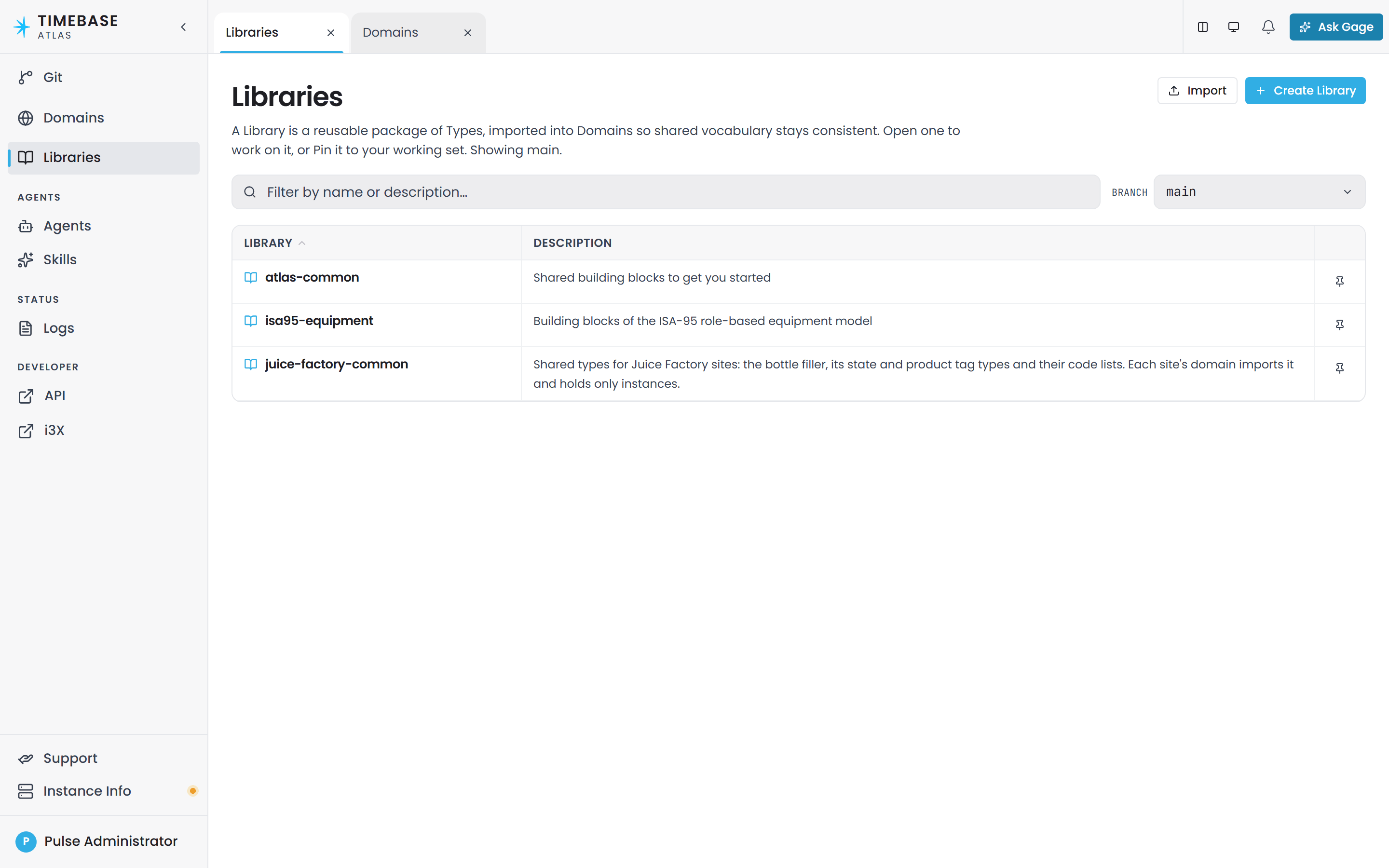
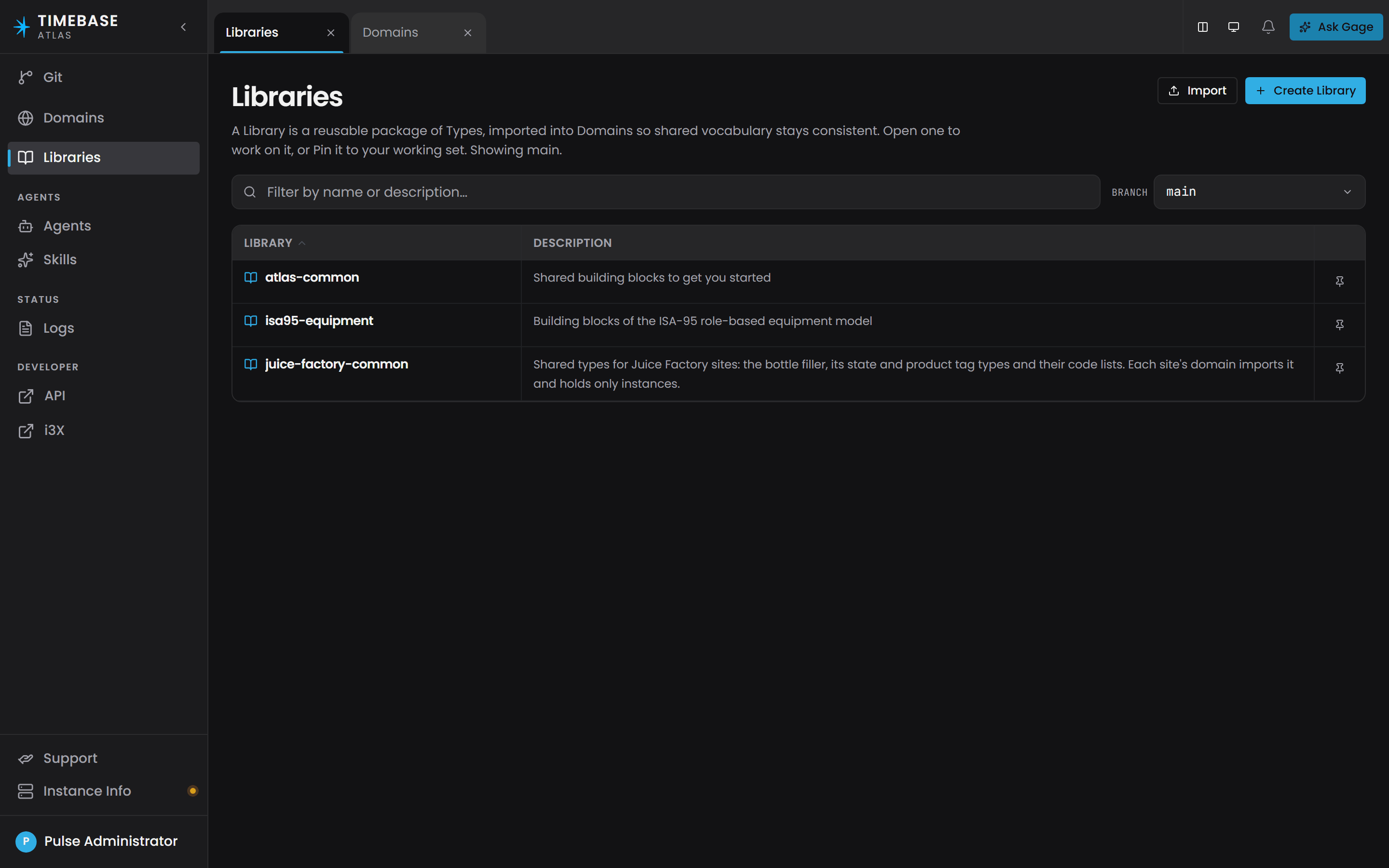
Before you start: creating and deleting libraries are administrator actions. If you can browse libraries but the Create Library button or the delete control refuses your click, ask whoever administers your Atlas deployment for the admin role.
Libraries that ship with Atlas#
One library is installed for you. Everything else is offered, not installed.
| What it is | |
|---|---|
atlas-core |
The Atlas framework vocabulary: the base classes every type descends from, and the markers that make compounds, time axes and functions work. Atlas imports it into every domain and library for you, and hides it from the interface. You never import it by hand |
That one is copied into your model repository the first time the service starts, and it is the only library a fresh installation holds.
Alongside it Atlas ships a catalogue of example libraries you can import when you want them. The first to reach for is atlas-common, under Standard Libraries: the everyday building blocks, meaning the TVQ measurement, Tag, Folder, the common properties and the generic relationships. Import it in nearly every domain; it is the practical starting point. Example libraries are not installed, they do not count against anything until you import one, and you can edit or delete them freely. See The example library catalogue below.
Every type you import counts against your licence. The Atlas free tier allows 100 types, and an imported library's types count exactly as your own do. Some of the standards libraries are large, and the ISA-88 and ISA-95 models come as several libraries so that you can import only the part you model. Check the size of a library before you import it, and import the narrower one where a choice exists. See Licensing and Entitlements.
atlas-coreis read-only. It ships embedded in Atlas and is restored to its shipped contents every time it starts, so an edit to it could never have lasted. Rather than let you make one and lose it, Atlas refuses the write up front: any attempt to add, change or delete an element in it, or to delete the library itself, is rejected with a403and aLibrary.ReadOnlyerror. The same refusal applies to the API, to the interface, and to the AI assistant's tools.It is marked as read-only wherever libraries are listed.
What to do instead: create your own library, declare
atlas-commonor another shipped library as a dependency, and put your types there. Every example library,atlas-commonincluded, is an ordinary library you can edit, and libraries you create yourself are never touched.
atlas-core - the framework vocabulary#
atlas-core is not an ordinary library. It is the vocabulary Atlas itself is built from: the base classes every entity type and relationship type descends from, the marker that turns a type into a compound value, the field-order and time-axis markers, the direction marker that gives a relationship its reverse name, and the plumbing behind functions.
You never import it and you will not find it in any list or picker. Atlas writes it into the @context of every domain and every library at creation time, and the interface filters it out everywhere on purpose. Types that come from it render without a library tag.
You will also see the name in raw model files and in some messages.
atlas-common - the everyday vocabulary#
The library most models should import. It is an example library, listed under Standard Libraries in the catalogue, so you import it the same way as isa95-equipment. Once imported it is yours to edit. An import is additive: a library file is copied only when no file of that name exists yet, so a newer shipped version never replaces your copy and importing it again changes nothing. To adopt a change from a newer shipped version, make it in your copy by hand. It contains:
TVQ- the timestamp, value and quality triple that virtually every measurement in Atlas is shaped as. See Data types and compound types below.Tag- the abstract base for a historian or control-system data point. It carriesDescription,UOMandFormat, and nothing is instantiated as a plainTag. Model each data point as one of the four typed Tags, which attachData(aTVQ) with itsValuealready pinned:AnalogTag(double),DiscreteTag(boolean),IntegerTag(long) andStringTag(string). BindDatato the historian path and leaveDescription,UOMandFormatStatic. When none of the four fits, derive your own subtype ofTag, attachDataand pin itsValueon the Pins tab.
Installed before 2.0.0? Builds before 27 Oct 2026 (up to gc4) seeded an earlier
atlas-commonin whichTagwas a concrete type carryingDescription,UOM,FormatandData, withData.Valueleft open. An upgrade keeps that copy, and from gc5 and 2.0.0 rule O-B23 refuses to compile it:Type 'Tag' uses property 'Data' with an unresolved type (Value is one of double, string, boolean), so 'Tag' cannot compile. Pin it on 'Tag' or on 'Data'. Both come from library 'atlas-common'; fix it there.Importingatlas-commonagain does not help, because imports never replace an installed copy. Fix it in your copy: if every tag is numeric, open Libraries, thenatlas-common, then theTagtype, and on its Pins tab setData/Valuetodouble. If your tags mix numbers, text and booleans, add subtypes ofTagin your own ontology, one per value type, pinData/Valueon each, change thetypeof your instance maps to the matching subtype, and finally tick Abstract onTagso the unpinned base is no longer compiled. See Defer properties for how pins work.
Folder- a grouping node with no meaning of its own, for arranging instances of any type into a tree.- Properties -
Timestamp,Value,Quality,UOM,Description,Format,Data. - Four generic relationships -
contains(directional, reads ascontainedInin reverse),connectsTo,relatesToandsameAs. All four accept any type at both ends, so you can build a hierarchy without inventing a relationship type per pair of types.containsdescends from the containment root inatlas-core, which is what gives it tree behaviour in the interface and in queries; a containment relationship you define yourself gets the same behaviour by descending from the same root.
atlas-common depends on atlas-core, so importing it gives you both.
isa95-equipment - the ISA-95 equipment hierarchy#
Modelled on OPC 10030 (OPC UA Common Object Model: ISA-95), which conforms to ANSI/ISA-95.00.02-2010 Part 2 and IEC 62264-2:2013. It defines the equipment hierarchy levels as entity types under a root Equipment: Enterprise, Site, Area, Work Center with Production Line, Production Unit and Storage Zone beneath it, and Work Unit with Unit, Storage Unit and Work Cell beneath it, plus the typed containment relationships between them and equipmentContainsTag for the tags a unit carries.
Import this when your plant model follows ISA-95. Because it declares atlas-common as a dependency, you get TVQ, Tag, contains and the rest automatically. Do not hand-author this hierarchy; it is already in the box.
Names you may find in older notes.
atlas-templateswas an empty placeholder and has been removed.opc10030-isa95-commonandisa95-commonare nowisa95-equipment, with the material and personnel models split out intoisa95-materialandisa95-personnel, so import it and read its scope note rather than assuming the old contents. None of the old names resolves, andbase-equipmentnever existed at all.
The example library catalogue#
None of these is installed. To import one, open Libraries in the sidebar and select Import at the top right of the page. The Library import page opens for the branch named in its header, with a drop zone for a library exported as a .zip file above a Library examples list. Each example carries a one-line scope note and its tags, and the libraries it depends on are listed beneath it. Tick the ones you want and select Import selected. An example already on the branch shows an Imported badge and cannot be ticked again. Edit what you import freely, and ignore the rest.
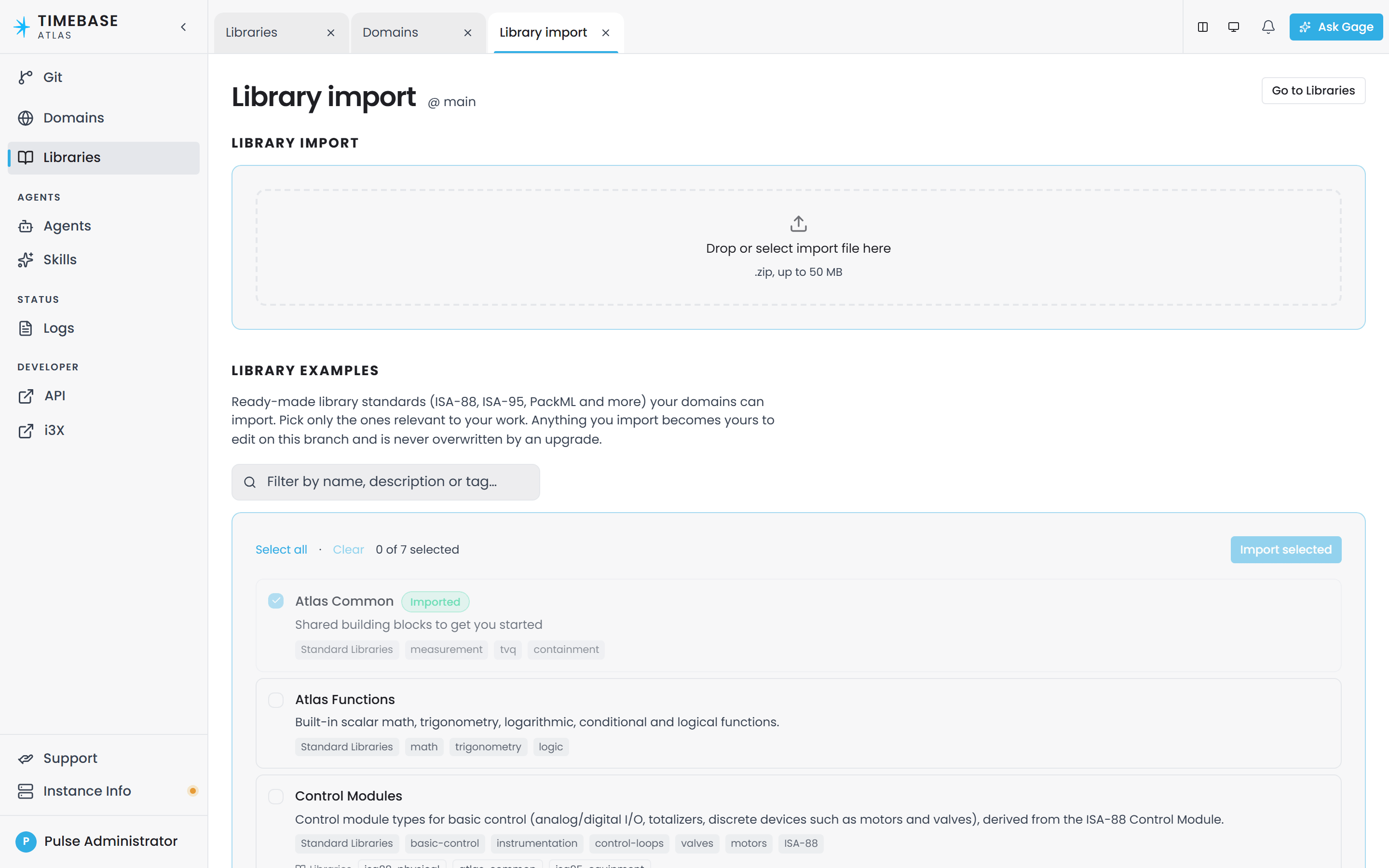
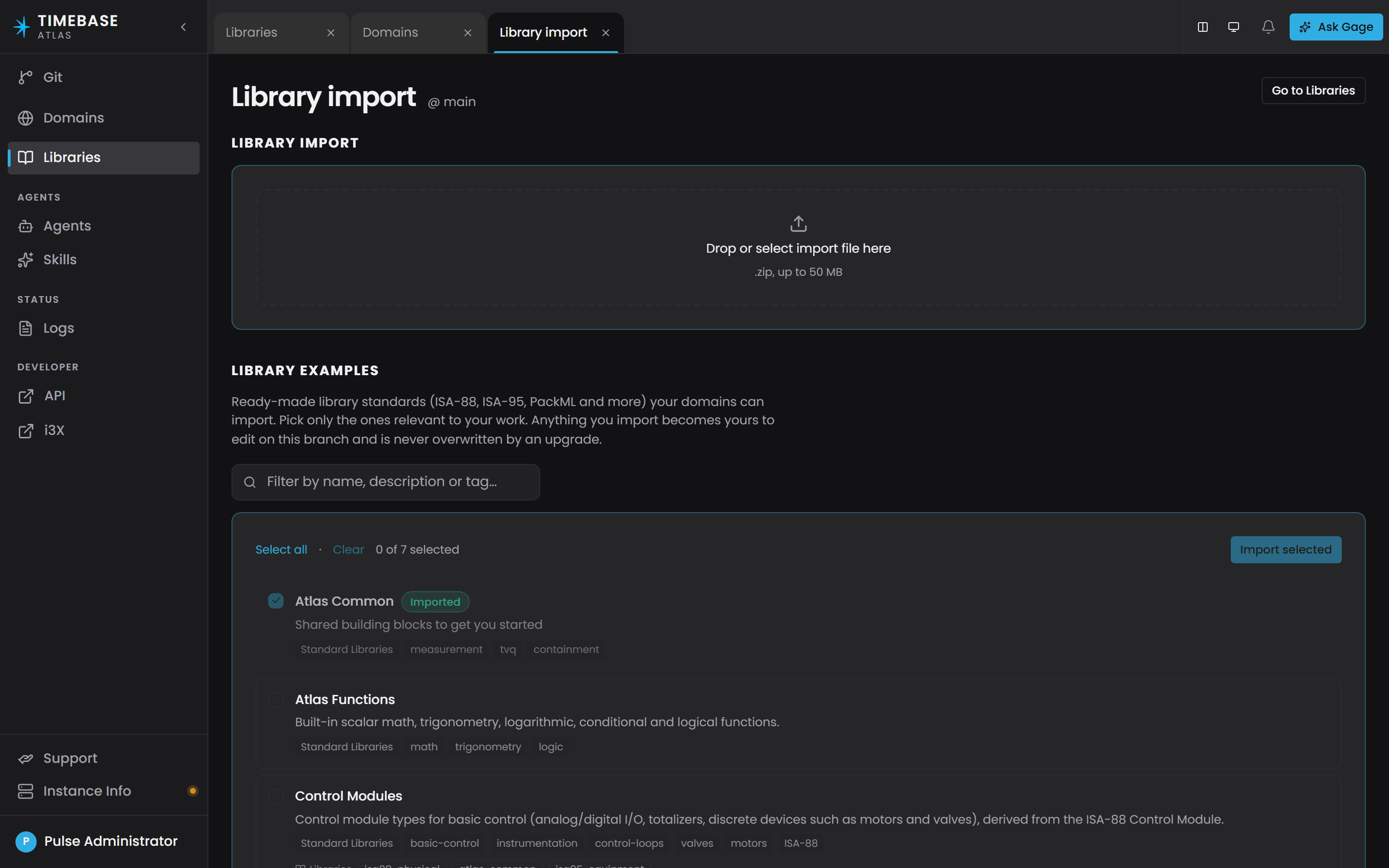
A shipped example is imported onto the branch named in the header of the Library import or Domain import page (@ branch), and its Imported badge describes that branch only. An example already imported on main is still offered on a branch cut from main; import it there and it lands on that branch alone, and main is unchanged.
The catalogue is the standards vocabularies, for modelling against something an auditor or an integrator will recognise, plus two building-block libraries:
| Library | Covers | Depends on |
|---|---|---|
atlas-common |
Shared building blocks to get you started: TVQ, Tag, Folder, the common properties and the generic relationships |
|
atlas-functions |
Built-in scalar math, trigonometry, logarithmic, conditional and logical functions | |
isa95-equipment |
The ISA-95 role-based equipment model: the equipment hierarchy from Enterprise down to Work Cell and Equipment Module, with typed containment | atlas-common |
isa95-material |
The ISA-95 material model. Derive your own material types, for example Sweetener from Raw Material; material definitions are instances with an SKU and lots | isa95-equipment, atlas-common |
isa95-personnel |
The ISA-95 personnel model: a Person type whose instances are people, with an Employee ID that looks up their employment and qualification records | atlas-common, isa95-equipment |
isa88-physical |
The ISA-88 physical model for batch control (IEC 61512) | isa95-equipment, atlas-common |
isa88-procedural |
The ISA-88 procedural control model for equipment procedural elements, with batch records and the state machine | isa88-physical, isa95-equipment, atlas-common |
control-modules |
Control module types for basic control: analog and digital I/O, totalizers, and discrete devices such as motors and valves, derived from the ISA-88 Control Module | isa88-physical, atlas-common, isa95-equipment |
packml |
PackML machine and unit states (ANSI/ISA-TR88.00.02-2015, OPC 30050): the state and mode code lists plus the Status and Admin PackTags OEE is computed from | atlas-common, isa95-equipment |
ISA-95 is three libraries, and that is the point. A domain that only models equipment imports
isa95-equipmentalone. Importisa95-materialandisa95-personnelbeside it when you genuinely model materials or people, and ISA-88 the same way: the physical model on its own, the procedural model when you run batches.
Each library ships with a scope note beside it, saying what it covers and what it deliberately leaves out. Read that before importing, rather than importing to find out.
Complete domain examples#
Alongside the libraries, Atlas ships worked domains for several industries, each modelling a real plant end to end. Open one to see how the libraries above are meant to fit together, rather than assembling it yourself from the parts.
Each example reads its tags, with their descriptions, units and formats, from a Timebase Historian source in Connect at compile time, so it needs the matching Simulator dataset and a Connect source with a specific alias before it compiles. Using the Example Domains lists the names for each example and the steps to wire them up.
Libraries and branches#
Atlas stores your model in Git, and libraries are branch-aware:
- What is inside a library is per branch. Every type in a library belongs to the branch you authored it on. The address of a type always carries the branch (
/api/v1/branches/{branch}/libraries/{library}/...). Add a type onfeature/xand it exists onfeature/xonly, until you merge. - Which libraries you see depends on the branch too. The Libraries page lists whatever exists on the branch chosen in its Branch select, and defaults to the branch currently checked out. The page header names the branch it is showing.
Two practical consequences:
- A library you create on a feature branch disappears from view when you switch the page's Branch select back to
main. It is not lost. Switch back, or merge the branch. - A domain on one branch cannot use a type that only exists on another branch. Merge first, then compile.
Branch creation, comparison and merging are covered in Branch Management.
Creating a library#
-
Open Libraries in the sidebar.
-
In the Branch select beside the filter box, choose the branch you want to work from.
-
Click Create Library at the top right of the page.
-
Fill in the New Library form:
- Name (required). Lowercase letters, numbers and single hyphens, for example
site-hierarchy,core-equipment,iso-15926. Capitals and spaces are rejected by the form. This is not the same convention as type names, which are written in PascalCase. - Description (optional). Shown on the library's row on the Libraries page and on its Overview.
- Branch (required). The branch the library is created on. It defaults to the branch the page is showing, and it determines which branches can see the library, so choose it with that in mind.
- Dependencies (optional). Other libraries whose types yours builds on. Select… opens the list; tick each one.
- Name (required). Lowercase letters, numbers and single hyphens, for example
-
Select Create. The library's Overview opens, and the library is pinned under Libraries in the sidebar on the branch you chose.
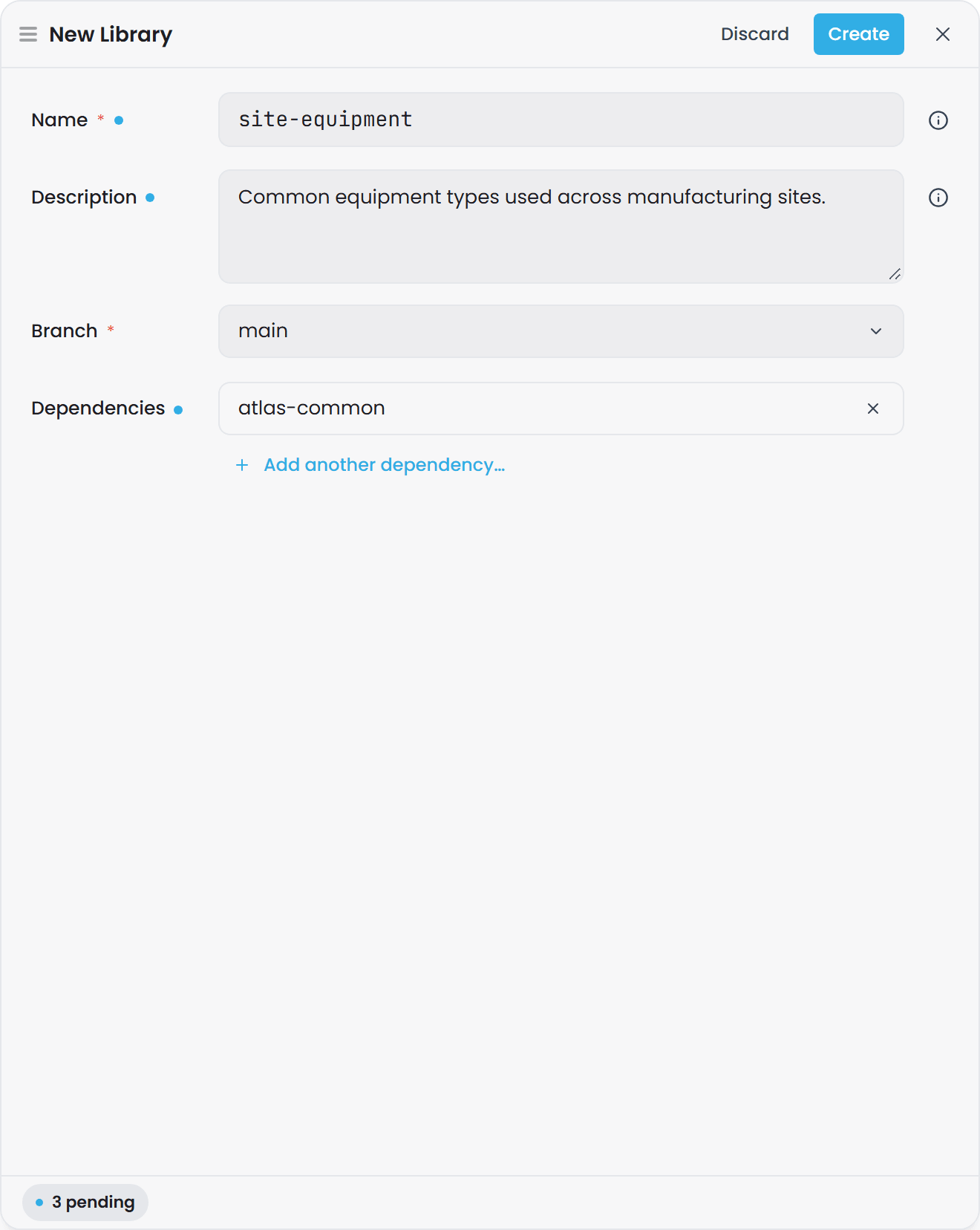
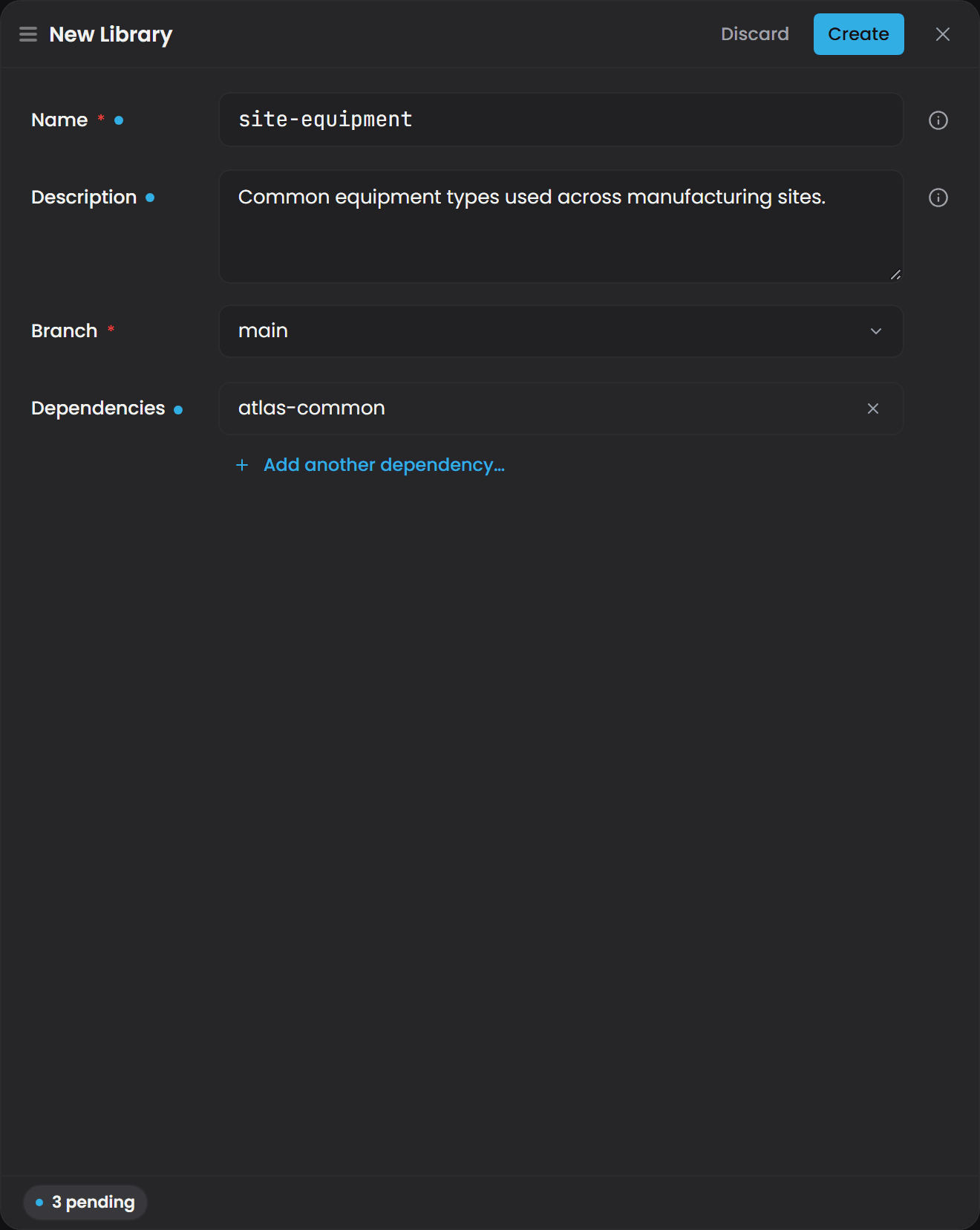
Important: dependencies are chosen once. There is no way to add or remove a dependency after a library is created. The Dependencies field exists only on the New Library form, and there is no edit-library screen. If you get it wrong, create a new library with the right dependency list and re-point the domains that import the old one, or recreate the missing dependency library under its original name.
atlas-core is added for you, so it does not appear in the dependency picker.
if a save of yours has failed validation recently, your work may be sitting in your own private draft session rather than on the branch, which is why a colleague may not see a library you just created. The library's Overview shows a publish section when that is the case. See the draft-session section of Atlas Key Concepts.
If the list is long, the filter box above it (Filter by name or description…) matches on both name and description.
Ask Gage
Ask the
builderagent: "Create a new library called site-equipment with atlas-common as its dependency. The description is 'Common equipment types used across manufacturing sites'."Requires the
pulse:administratorrole. Without it the write tools are filtered out before the agent runs, so it will simply say it cannot do this rather than returning a permission error.
What you get when you open a library#
On the Libraries page, set the Branch select to the branch you want, then click the library's row. Its Overview opens on that branch. Clicking a row does not pin the library: the Pin button on the row (Pin to sidebar) adds it to your working set under Libraries in the sidebar without opening it. There is no per-row branch picker; the page's Branch select is the only branch control, and every row acts on it.
A library offers three views, and only three, because it has no instances and nothing to compile:
- Overview - the library at a glance: name, branch, description, and the type, relationship and property counts. Any outstanding validation items appear here too.
- Types - the authoring surface. Everything in a library is created and edited here.
- Canvas - a picture of the same types and how they inherit and relate. The canvas is read-only in every scope: you can pan, zoom, expand a type card, select things and drag them around to arrange the diagram, and nothing you do on it changes the model. The layout mode, its tuning and your filter are kept for the life of the browser tab (see What a tab remembers); individual node positions are not, and neither survives a reload.
Two controls behave differently in a library than in a domain:
- The Views menu (saved Cypher views) is not shown. A library has no compiled graph to run a query against.
- The Cypher filter applies to compiled domains, so use the plain label filter on a library.
Adding types to a library#
Open the library's Types view and use the Create menu. It offers the same six kinds of type a domain offers:
Property Type, Data Type, Enumeration Type, Entity Type, Relationship Type, Function.
Authoring works exactly as it does in a domain, so the details live in Defining Types and Schemas. The only difference is what you are producing: a type in a library is a reusable definition for other models to import, not something that will ever have instances of its own.
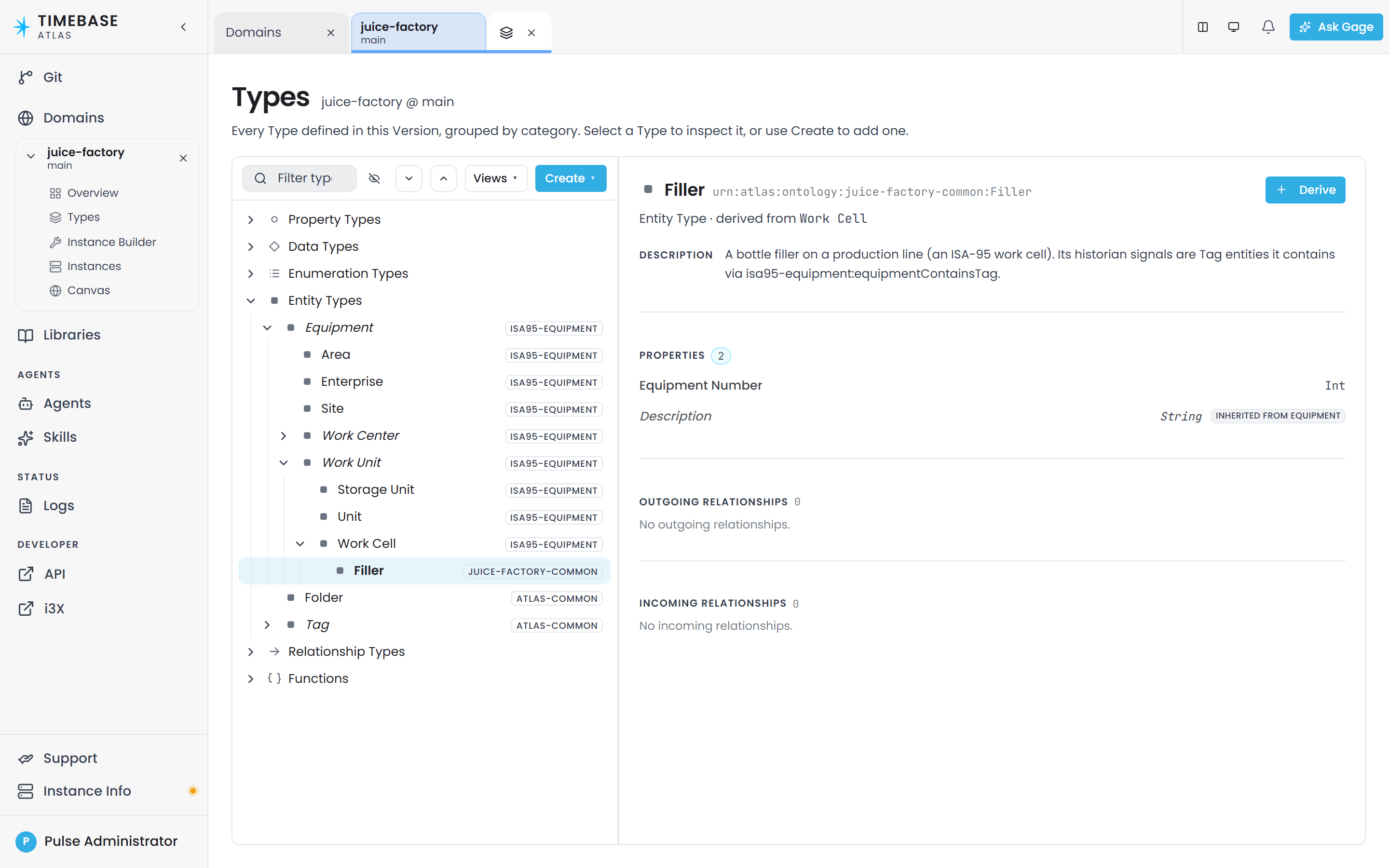
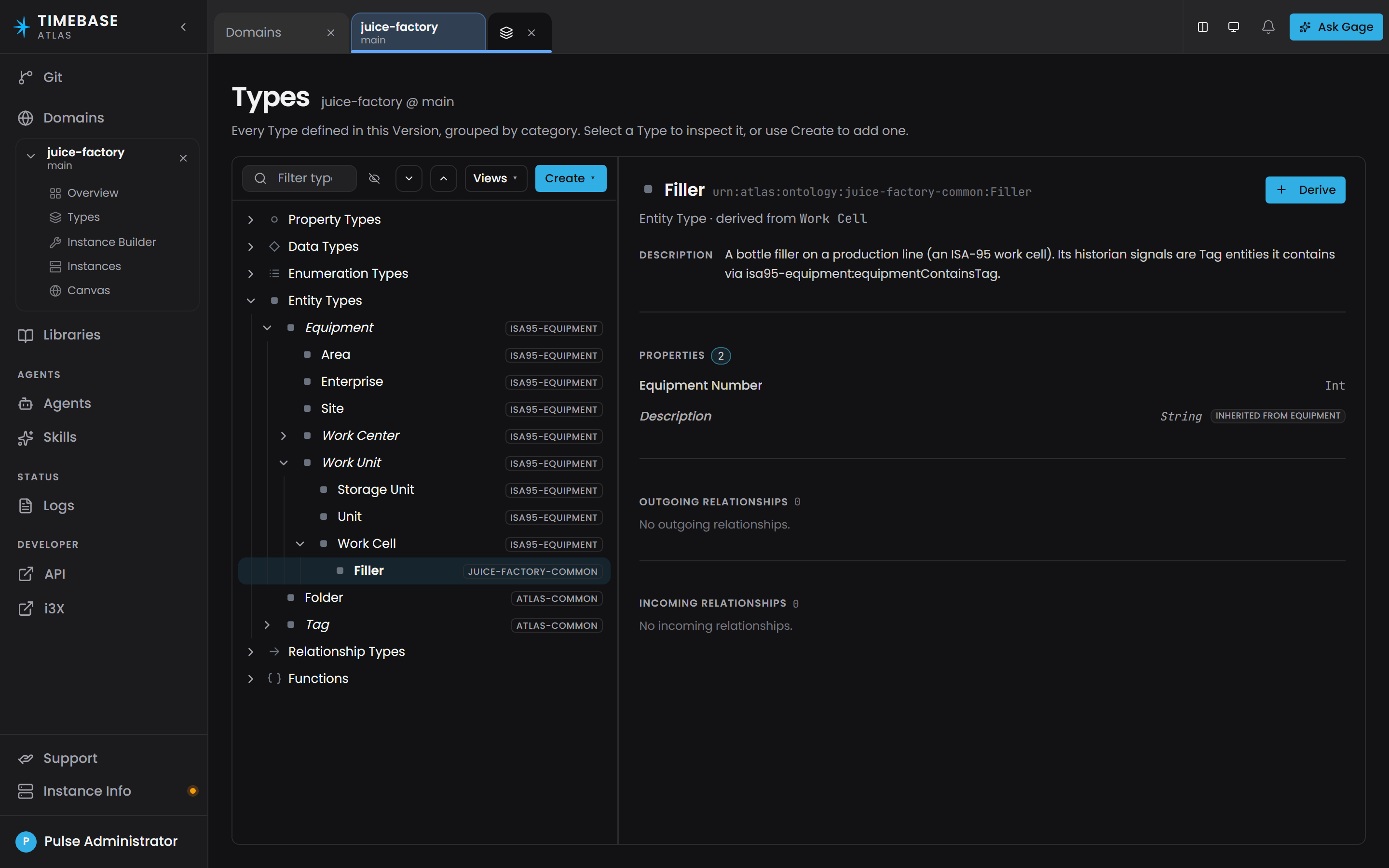
Types you import from a dependency appear in the same tree as your own, tagged with a small chip carrying the source library's name.
Ask Gage
Ask the
builderagent: "In the site-equipment library, create an Equipment entity type with Description (text) and Location (text) properties. Then create a Pump entity type that inherits from Equipment and adds a FlowRating property (xsd:double, for cubic metres per hour)."Requires the
pulse:administratorrole. Without it the write tools are filtered out before the agent runs, so it will simply say it cannot do this rather than returning a permission error.
Data types and compound types#
A large part of what the shipped libraries contain is data types, and they are the piece most people have not met before.
An ordinary property holds one value. A data type (also called a compound) holds several named values that always travel together as one property value. The example that ships in atlas-common is TVQ:
| Field | What it holds | Order | Time axis |
|---|---|---|---|
Timestamp |
when the measurement was taken | 0 | yes |
Value |
the measured value: a number, a string or a true/false | 1 | |
Quality |
the raw OPC quality code: 0 is Bad, 64 is Uncertain, 192 is Good | 2 |
A property whose value is a TVQ therefore carries all three at once. Because Value accepts a double, a string or a boolean, a property that uses TVQ should pin Value, or every concrete type that uses it cannot compile, and the shipped example libraries all do. This is how essentially every historian-backed measurement in Atlas is shaped, which is why atlas-common is worth importing even if you use nothing else from it.
Three things to know when you author your own:
- A data type is a type whose parent is fixed. In the New Data Type form there is no parent field, because a data type is always a compound by definition. You give it a Name, an optional Label and Description, and then link its fields.
- Fields are existing properties, linked in order. On the Properties tab you pick properties already defined in this library or domain (or imported from one), and the order of the rows is the order of the fields. A field's value can itself be another data type.
- One field can be the time axis. The Time axis dropdown marks which field answers "when did this happen". It only offers fields that hold a date and time, so link a date-time field first or the dropdown is empty. Time-range queries and point normalization both depend on this flag. A compound with no time axis is still valid, it just cannot be sliced by time.
The underlying vocabulary comes from atlas-core: the compound marker (atlas:CompoundPropertyType), the field link (atlas:HasFieldBase) with its ordering number, and the time-axis flag (atlas:isTimeAxis). You will see those names in raw files and in validation messages. You do not type them yourself, the editor writes them.
Upgrading from a release before the pin rule#
Installs that imported the example libraries keep their old copies: importing again never overwrites a library, and a library that is in use cannot be deleted. On the first start after the upgrade, Atlas pins, in place, every installed example property that is still exactly the plain shipped type, and commits "Pin shipped measurement properties" on the default branch. Anything you changed is left alone.
Other branches, and properties you created yourself, are not repaired. Types that use them report validation rule O-B23 and will not compile until you pin them by hand, on the property or on each type that uses it. Gage can propose the pins. The domain still loads and saves normally; only compile is refused.
Importing a library into a domain#
A domain cannot use library types until it imports the library.
When you create the domain. The New Domain form has a Libraries field. Pick every library the domain should import and use Add another library… for more than one. This is the usual path.
Afterwards.
-
Open the domain and go to its Overview.
-
Find the Library imports section.
-
Choose the library from the Library to import dropdown. It is a dropdown, not a text box, so a typo is impossible.
-
Click Add import.
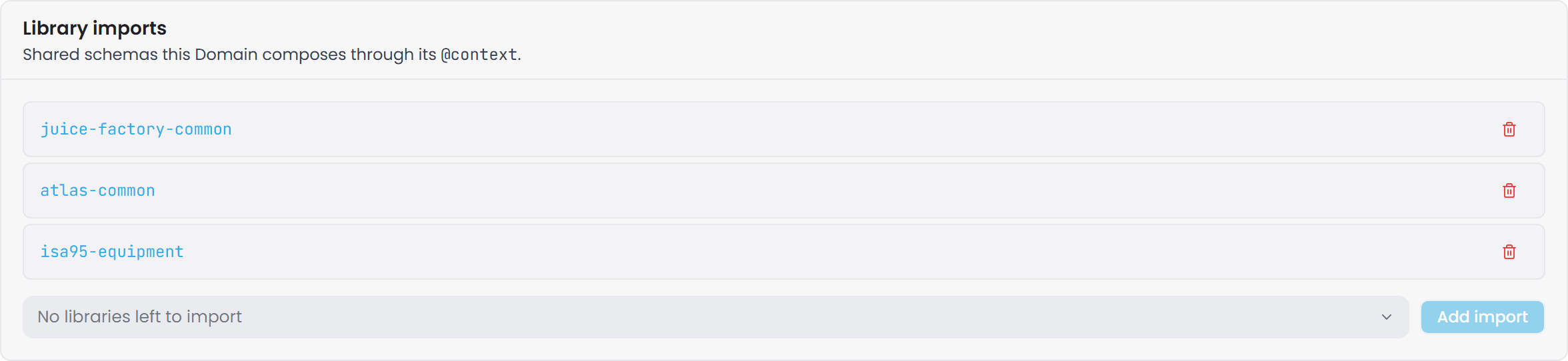
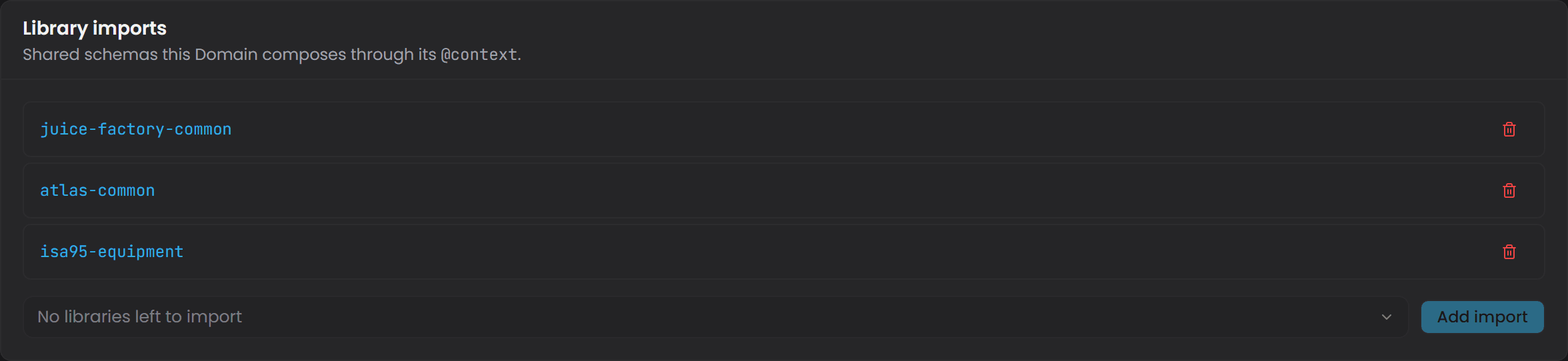
Every type in that library is then available in the domain for inheritance, for attaching properties, and as the source or target of a relationship.
To remove an import, click Remove on its row in Library imports and confirm the Remove import "..."? prompt.
Warning: removing an import that is still in use succeeds. Nothing is checked at removal time. The next time you compile the domain, the compile is refused and the unresolved references are listed as outstanding items on the domain's Overview. No world is built until they are cleared.
You can also ask the AI assistant, for example "import the isa95-equipment library into this domain". It uses the AddDomainImport tool to do exactly what the steps above do.
Ask Gage
Ask the
revieweragent: "Check this domain's library imports and report: which libraries are imported? List all entity types available from the imported libraries and whether any are used as base types in this domain."It reads the domain without writing.
Note that the two halves of that request are backed differently. Listing library contents is always available, but reading a domain's import list sits in the administrator-only lifecycle provider. As a non-administrator you receive the library inventory without the imports, with no message to explain the gap.
Using library types in your domain#
Once imported, library types behave as if they were defined locally:
- Inheritance - a domain type can inherit from a library type, for example a local
CentrifugalPumpunderEquipmentfromisa95-equipment. - Properties - a library property can be attached to your types, and library types can carry the properties you define.
- Relationship endpoints - a library type can be the source or the target of a relationship you define in the domain.
Library types appear in the same Types tree as your own, marked with a small uppercase chip carrying the library's name. The chip is a button: click it and that library's Types view opens in another tab, so you can read a definition without losing your place. Types that come from atlas-core carry no chip. A library type has no Edit button in the domain's inspector; open the library to change it.
Pin a library property on your own type#
A library's property is not yours to change from a domain. If a library property such as Running is still open (a union of types, or a TVQ whose Value is unpinned), a type in your domain that uses it cannot compile until the leaf is pinned. You do not have to edit the library. Open your own type, go to its Pins tab and pin the leaf there. The pin is written in your domain and affects only your type and its subtypes, so Running can be a boolean on your Pump while another domain pins it differently on its own types.
Attempting to change the library's property itself from the domain, for example to pin it, is refused: Property 'Running' is declared by 'isa95-equipment' and cannot be changed from 'plant'. Pin the open leaf on the type that uses it, or pin 'Running' in 'isa95-equipment'. Either pin the leaf on your type, or change the property in the library, which every domain that imports it then shares.
A type that is itself declared by a library can only be pinned in that library.
Dependencies are followed automatically#
If a library declares a dependency, importing that library gives you the dependency too, all the way down the chain.
Worked example, using libraries that actually exist: isa95-equipment declares atlas-common as a dependency. A domain that imports isa95-equipment therefore also gets TVQ, Tag, Folder, contains, relatesTo and the rest of atlas-common, without importing it separately.
Note: there is no version pinning. A dependency is recorded by name only. It resolves to whatever that library contains on the branch being compiled. If someone changes the library, your domain gets the change at its next compile.
Checking a library for problems#
A save with outstanding problems is still saved, and the problems are collected in a list rather than blocking the save.
They appear in the Outstanding items section at the top of the library's Overview, with a count chip reading "{n} to fix" and this note:
Your changes are saved. These items don't block saving - fix them in any order - but they will block any Domain Version that imports this Library.
Clear that list before other people take a dependency on your library: a library with outstanding items stops the domains importing it from compiling, and the domain owner meets that at compile time.
If one item is severe enough that the file cannot be read at all, an extra red line says so, and the rest of the list may be incomplete until that item is fixed.
Deleting a library#
- On the Libraries page, set the Branch select to the branch you want to delete the library from, then click the library's row to open its Overview.
- Click Edit on the Overview. The editor drawer opens with Delete in its footer.
- Click Delete and read the confirmation. It names the branch: "This will permanently delete the library "..." from branch "...". This action cannot be undone."
- Confirm.
The delete applies to that branch only. It cannot be undone from the interface.
If anything still depends on the library, the delete is refused and the dialog lists every blocker under Cannot delete - still referenced by these {n}:, one row per dependent with its kind. Remove those imports and dependencies first, then delete.
Library governance#
Because a library is shared, a change to it reaches every domain that imports it.
- Adding types is safe. New entity types, properties, relationships, data types and functions never break an existing importer.
- Renaming or removing a type is breaking. Any domain still referring to the old name fails to compile. Agree it with the domain owners first, then compile each affected domain from its Overview.
- Work on a branch. Make library changes on a feature branch, compile the importing domains on that branch to prove nothing broke, then merge. This is the only real safety net Atlas gives you.
How many libraries, how big, and where should functions live? Those are design decisions rather than mechanics, and they are covered in Modeling Best Practices. The short version: a library is the unit of both change and adoption, so it should hold what changes together and gets adopted together; erring slightly coarse costs less than over-splitting, because imports resolve transitively but circular dependencies fail the compile outright; and a function must have its parameter types in scope, so primitive-only functions suit one shared library while functions over compounds belong with the types they operate on.
- There is no "restore this version" button. Every change is committed, and the Git page lets you read the history, see which files changed in a commit and view the differences. It has no revert, restore or checkout action. Recovering an old definition means reading it out of the history and re-authoring it, so do not treat "it's in Git" as an undo button.
Troubleshooting#
| Symptom | Likely cause | What to do |
|---|---|---|
Adding, changing or deleting something in atlas-core is refused with a Library.ReadOnly error |
That library is system-owned. Atlas restores it from its embedded copy every time it starts, so it refuses the write up front rather than let it vanish at the next restart. The refusal is the same from the interface, the API and the AI assistant's tools | Create a library of your own that declares atlas-common or another shipped library as a dependency, and put your types there. Never edit atlas-core in place |
Types I added by editing atlas-core.jsonld on disk vanished, and there is an Auto-commit: seed data commit I did not make |
The same restore ran at the next start and committed the reversion. Editing the file on disk is the one route that bypasses the refusal above, and it does not last. An imported library such as atlas-common is not restored, so edits to it stay |
Recreate the work in a library of your own that declares the shipped library as a dependency |
| A library I created has disappeared from the Libraries page | You created it on a different branch, and the page's Branch select is now pointing somewhere else | Switch Branch back to the branch you created it on, or merge that branch |
| I created a library but a colleague cannot see it | The work is in your private draft session because an earlier save had outstanding violations, so the branch has not advanced | Open the library's Overview, clear anything in Outstanding items, then publish from the section below it |
| I imported a library and nothing appeared | It ships empty. There are no types in it | Import atlas-common, or isa95-equipment for an ISA-95 hierarchy |
A library called base-equipment or isa95-common cannot be found |
Neither exists. isa95-equipment does, as an example library you import rather than one that is installed |
Use isa95-equipment |
| Compile fails with "type not found" for a type I can see in a library | The domain does not import that library, or the import was removed | Open the domain's Overview, check Library imports, add it from the Library to import dropdown with Add import, then compile again |
| Compile fails after someone changed a library | A type the domain uses was renamed or removed from the library | Read the domain's Outstanding items for the unresolved names, update the references or ask the library owner to restore the type, then compile again |
| A library type is not in the domain's Types tree | You are on a different branch than the one the library type was authored on, or the library is not imported | Check the branch first, then Library imports on the domain's Overview. There is no view filter that hides library types; imported types always render inline with a library chip |
| Types from a dependency are missing even though the library is imported | The dependency library does not exist on this branch, or was renamed or deleted | Confirm the dependency library exists on the same branch. Dependencies cannot be edited after creation, so the fix is to restore the library under its original name, or recreate your library with a corrected dependency list |
| The Cypher filter and Views do nothing in a library | A library has no compiled graph, so there is nothing to query | Use the plain label filter. To query types, import the library into a domain and compile that domain |
| Deleting a library is refused | Other libraries or domains still reference it | The dialog lists every blocker by name and kind. Remove those imports and dependencies, then delete |
| The Create Library button or the delete control has no effect | Creating and deleting libraries require the administrator role | Ask your Atlas administrator |
| Two domains define the same type slightly differently | The type should have been shared from the start | Create a library, define the canonical type there, import it into both domains, re-point their inheritance, delete the duplicates, then compile both domains. This is what libraries are for |
Related articles#
- Atlas Key Concepts - the vocabulary used throughout this article
- Atlas API - Libraries - the same operations from code
- Defining Types and Schemas - authoring entity types, properties, relationship types and data types
- Introduction to Domain Modeling - designing an ontology
- Branch Management - creating, comparing and merging branches
- Compiling and Publishing a Domain - the compile lifecycle and draft publishing
- Validation Rules Reference - what each outstanding item means