Timebase Connect - AVEVA Historian
Expose an AVEVA Historian to Atlas as a read-only datasource: configuration, binding paths, and troubleshooting.
Overview#
The AVEVA Historian connector reads time-series data from one AVEVA Historian's SQL Server Runtime database and exposes it to Atlas as a read-only datasource. Choose this plugin when you have AVEVA Historian installed on-site and need to republish its tag values and history to Atlas. The plugin polls for live data on a configurable interval since AVEVA Historian does not expose a live-push channel. For a separate AVEVA product that uses REST, see the sibling AVEVA PI System article.
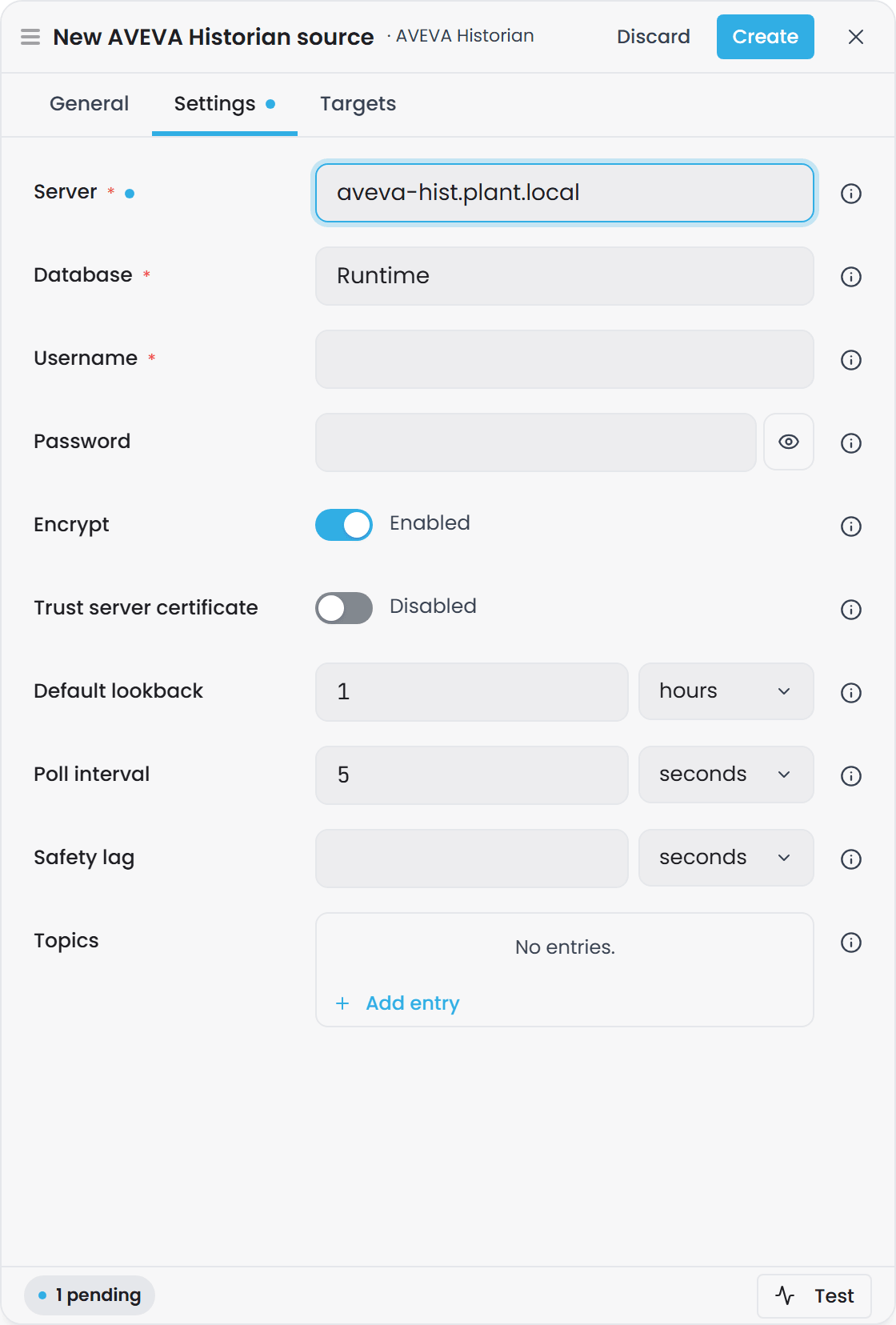
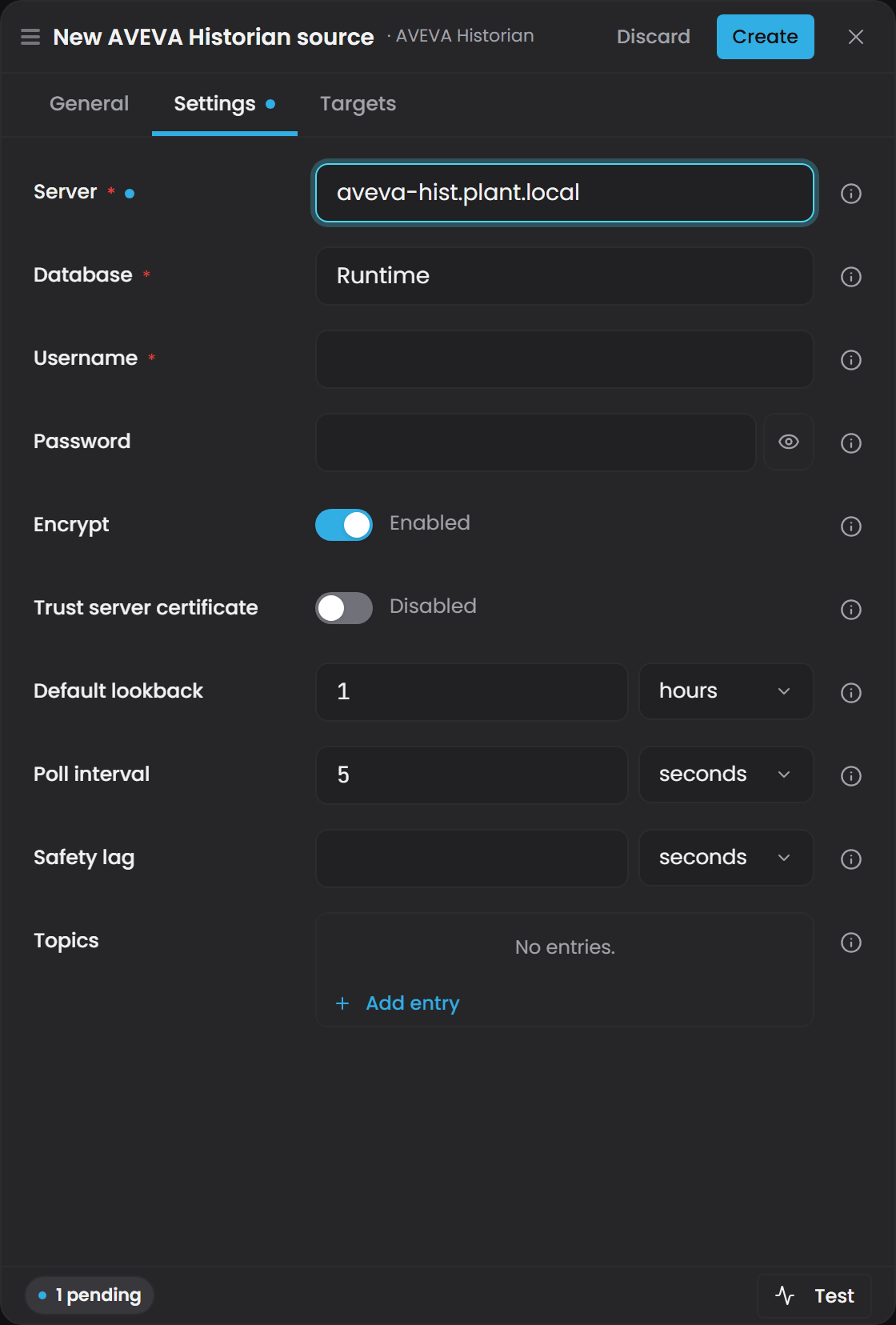
Configuration options#
| Group | Property | Type | Default | Required | Description |
|---|---|---|---|---|---|
| Connection | Server |
string | - | Yes | SQL Server address hosting the AVEVA Historian Runtime database (e.g. historian.plant.local). |
| Connection | Database |
string | Runtime |
No | AVEVA Historian database name. Defaults to Runtime, the standard AVEVA installation name. |
| Connection | Username |
string | - | Yes | SQL Server login username. Authentication is SQL Server auth only (Windows/Integrated auth not supported in v1). |
| Connection | Password |
string | - | No | SQL Server login password. Treated as a secret field. |
| Connection | Encrypt |
boolean | true |
No | Encrypt the connection to SQL Server. Set to true for any connection that leaves a trusted network. |
| Connection | Trust server certificate |
boolean | false |
No | Skip validating the SQL Server TLS certificate. Set to true only for self-signed or internal certificates that the connector host does not otherwise validate. |
| Behaviour | Default lookback |
timespan | 01:00:00 |
No | History window for a range read when no explicit time bound is provided (e.g. when previewing a tag). Formatted as HH:MM:SS or D.HH:MM:SS. Valid range: 1 second to 365 days. |
| Behaviour | Poll interval |
timespan | 00:00:05 |
No | How often a live subscription polls the historian for newly recorded values. Formatted as HH:MM:SS. Valid range: 1 second to 1 hour. |
| Behaviour | Safety lag |
timespan | - | No | How far behind wall-clock time a subscription's watermark trails (asOf = now - SafetyLag). When unset, defaults to twice the poll interval. This lag ensures that a value recorded just before a poll tick is not missed by a race between the query window and the clock. Formatted as HH:MM:SS. |
| Topics | Topics |
object | {} |
No | Dictionary of operator-defined topics, each mapping a name to a SQL LIKE-style tag-name filter. Each topic becomes one catalog binding path plus a per-tag data template. See Binding paths below. |
Connection string assembly#
Connection is expressed as discrete simple fields rather than a raw ADO.NET connection string. The connector assembles a Microsoft.Data.SqlClient connection string internally from these fields at runtime.
Example configuration
{
  "Server": "historian.plant.local",
  "Database": "Runtime",
  "Username": "reader",
  "Password": "<sql login password>",
  "Encrypt": true,
  "TrustServerCertificate": false,
  "DefaultLookback": "01:00:00",
  "PollInterval": "00:00:05",
  "SafetyLag": "00:00:10",
  "Topics": {
    "PlantA/Temps": { "TagFilter": "PlantA.Temps.%" },
    "PlantA/Flows": { "TagFilter": "PlantA.Flows.%" }
  }
}
Connection setup#
1. SQL Server authentication#
The connector uses SQL Server authentication only. Create a standard SQL login on the SQL Server instance hosting the Historian Runtime database:
- Login name: choose a reader account (e.g.
reader) - Password: a strong password
Windows/Integrated authentication is not supported in v1 and is deferred to a later release, as it would require Kerberos ticket handling on a Linux connector host.
2. Minimal permissions#
Grant the login read-only access. The connector only issues SELECT queries against the Tag, AnalogTag, EngineeringUnit, History, and Live tables - never writes or schema changes.
3. Network reachability#
Ensure the connector host can reach the SQL Server instance over TCP/TLS on the configured port (typically 1433). The Encrypt setting controls whether the connection is encrypted:
- Set
Encrypt = truefor any connection that leaves a trusted network (default). - Set
Encrypt = falseandTrustServerCertificate = falseonly within a fully trusted internal network. - Set
TrustServerCertificate = trueif the SQL Server uses a self-signed or internal certificate that the connector host does not otherwise trust.
4. Test connection#
Use the Test button in the connector host's UI to verify reachability, credentials, and Historian sanity. The test probes in order:
- TCP/TLS connection to the SQL Server endpoint.
- Database login with the supplied credentials.
- Schema verification (a
SELECT TOP(1) FROM Tagsanity check - proves the database is an AVEVA Historian Runtime database).
Each failure mode reports a distinct message. Success reports the SQL Server version alongside the server and database names.
Binding paths#
The connector advertises two types of binding paths:
Topic catalog paths#
When you define topics in the configuration, each topic becomes a catalog binding path:
{InstanceId}/{Topic}
Reading this path returns the tags that match the topic's TagFilter, projected into a 3-column rowset:
name(string, non-null) - the AVEVA tag namedescription(string, nullable) - the tag's description from theTagtableunit(string, nullable) - the engineering unit from theAnalogTagandEngineeringUnittables (analog tags only)
A filter matching no tags returns an empty rowset, not an error. The Limit=0 query parameter returns just the schema without a database round-trip.
Example topic catalog paths
For the configuration above:
myconnector/PlantA/Temps- returns all tags matchingPlantA.Temps.%myconnector/PlantA/Flows- returns all tags matchingPlantA.Flows.%
Per-tag data paths#
Each topic's tag filter implicitly creates a per-tag data template. Reading a concrete tag path returns time-series data:
{InstanceId}/{TagFilter}/{TagName}
The middle segment is the topic's TagFilter exactly as configured (PlantA.Temps.%), not the topic key. {TagName} is everything after it, slashes included.
The rowset has three columns:
Timestamp(UTC datetime)Value(typed to the tag's declared data type: boolean, integer, float, double, or string; nulls preserved)Quality(integer, OPC-style severity band - see Quality column below)
Example per-tag paths
For a historian with tags PlantA.Temps.Reactor1 and PlantA.Flows.Pump1:
myconnector/PlantA.Temps.%/PlantA.Temps.Reactor1- history for the Reactor1 temperature tagmyconnector/PlantA.Flows.%/PlantA.Flows.Pump1- history for the Pump1 flow tag
Tag names that contain a slash
The tag part of the path is everything after the tag filter, slashes included. A tag whose name is itself a path, such as one written by the Ignition module (which names each tag after its Ignition tag path), is bound by writing the name exactly as it appears in the source:
myconnector/PlantA.%/PlantA/Line1/Reactor1.Temp
Here the tag is PlantA/Line1/Reactor1.Temp.
- Do not escape the slashes.
%2F,\/and square brackets around the tag are not decoded; they become part of the tag name, so the path matches nothing. - Instance-map variables still work inside the tag, for example
.../Line[Num, 00]/Process/humidity. - Overlapping tag filters: if one configured tag filter starts with another followed by
/(PlantAandPlantA/Line1), a path is matched against the longer one first..../PlantA/Line1/TT1is tagTT1underPlantA/Line1, never tagLine1/TT1underPlantA.
Version: tag names that contain
/bind from the first Timebase release after 2.0.0, which needs both Atlas and Connect from that release. In 2.0.0 the tag part of the path is a single segment, so a path to such a tag is never routed: the domain compiles and the property stays empty, with nothing logged.
History range reads (GetRange)#
When you read a per-tag data path or call GetRange with a Timestamp pushdown predicate, the connector:
-
Extracts the time window from your pushdown predicate (start/end Timestamp comparisons). If no explicit bound is provided, it uses a default lookback ending at "now" (controlled by
DefaultLookback). -
Queries the AVEVA
Historytable with these fixed retrieval parameters:- Retrieval mode:
Delta(raw exception/change-based stored values) - Quality rule:
Good(bad-quality values are converted toNULLserver-side) - Version:
Latest
- Retrieval mode:
-
Returns all rows in the window in a single round-trip (no client-side pagination or capping - the underlying SQL reader streams every point).
-
Normalizes timestamps to UTC and typed values to the tag's declared CLR type (coercing conversion failures to null rather than throwing).
-
Strips the Timestamp comparisons from the pushdown residual so Atlas does not re-apply a filter this connector already satisfied server-side.
Lookback behavior#
When a GetRange request carries no Timestamp bounds (e.g. while previewing), the connector falls back to:
start = now - DefaultLookback
end = now
The default lookback is one hour. You can adjust it to match your use case (e.g. 00:30:00 for the last 30 minutes, or 7.00:00:00 for the last 7 days).
Poll-subscription and watermark behavior#
AVEVA Historian does not expose a live-push channel, so live subscriptions are served by a poll loop rather than a server-pushed stream. When you subscribe to a per-tag data path:
-
Immediate ack - the connector immediately acks the subscription as
Active, carrying the resolvedSafetyLagas the ack'sAllowedLatency. -
Snapshot - the connector emits recent history (the last
DefaultLookbackwindow ending "now") as aSnapshot, then signalsSnapshotComplete. -
Poll ticks - every
PollInterval(default 5 seconds), the connector runs one poll tick:- Reads
Historyfor rows after the subscription's watermark, up toasOf = now - SafetyLag - If rows are found, emits them as data rows and advances the watermark to
asOf - If no rows are found (a quiet tick), emits a bare
OnWatermarkevent so downstream calculated properties never stall
- Reads
-
Safety lag -
SafetyLag(default: 2 ×PollInterval) ensures the poll window trails wall-clock far enough that a value recorded just before a tick is not missed. It is resolved at subscription time and reported asAllowedLatencyin the ack.
Fault handling#
If a poll tick throws an exception:
- The connector retries on a bounded backoff: 1 second, then 5 seconds, then 30 seconds.
- If the 4th consecutive tick still fails, the subscription is faulted (with reason
"connection reconfigured"if a config reload caused it, or the exception message otherwise). - Atlas sees the explicit terminal status and can re-route the subscription.
- A failure is surfaced rather than absorbed, so a fault reaches Atlas and the subscription is re-routed.
Catalog paths are not subscribable#
Topic catalog paths (which return a Tag-shaped rowset, not TVQ data) ack NotSupported when you attempt to subscribe. You can only subscribe to per-tag data paths.
Quality column#
This plugin emits a Quality column on all per-tag data responses. Quality is normalized to the OPC-style severity-band convention shared with OPC UA, Canary Historian, and Timebase Historian:
| Code | Meaning |
|---|---|
192 |
Good |
0 |
Bad |
| (other) | Not used by this plugin |
Quality mapping#
The connector reads AVEVA's raw QualityDetail column from the History table and normalizes it:
- If the stored
ValueisNULL, quality is mapped toBad(0). - If the
QualityDetailcolumn itself isNULL, quality is mapped toBad(0). - Otherwise, quality is mapped to
Good(192).
Confirm the quality mapping against your own server before you rely on it. Two things are worth knowing about how this works.
First, the retrieval parameter wwQualityRule = 'Good' already converts bad-quality stored values to NULL on the database side, so the client-side mapping above is a second line of defence rather than the primary filter.
Second, AVEVA Historian carries its own quality-code enumeration in the OPCQualityMap and QualityMap lookup tables in the Runtime database, and those tables can differ between installations and versions. The mapping described above covers the common case. If quality matters to your model, query those two tables on your own server and check the codes you actually receive against the values Atlas reports.
Current-value reads and Preview#
The connector implements live current-value reads and preview:
Current values#
GetLatestAsync reads a tag's current value from the AVEVA Live table (a distinct read from history range reads). The Live table is AVEVA's documented current-value surface and avoids the staleness that an exception-compressed History-recent read can show. A tag with no current row in Live returns no value (not an error).
Preview#
You can preview a binding path before binding to see what data looks like:
-
Per-tag path (
{InstanceId}/{TagFilter}/{TagName}): returns the tag's current value fromLive(if present) as the leading row, followed by recent history overDefaultLookbackending now - both projected through the same Timestamp/Value/Quality shape. History is capped to the most recent 50 rows (keeping the most recent data). A tag with no current value simply omits the leading row rather than failing the preview. -
Catalog path (
{InstanceId}/{Topic}): returns the tags the topic matches (name/description/unit), capped to 50 tags. -
Unrecognized path: returns
Success = falsewith a clear message, never an exception.
Every preview call is guarded - upstream failures (unreachable database, browse/history error) degrade to Success = false with the exception message, not a thrown exception.
Hot-reload#
Editing an instance's configuration takes effect without a restart:
Editing Topics#
The catalog is rebuilt and re-advertised only when the set of binding paths or per-tag templates actually changes:
- Adding or removing a topic changes the binding-path set and triggers a re-advertise.
- Editing a topic's
TagFilterchanges the set of matched tags and may change the binding-path/template set, triggering re-advertise. - A config edit that leaves the binding-path/template set unchanged does not re-advertise, but the next
GetRange/Subscribecall picks up the change regardless.
Editing connection details#
Editing Server, Database, Username, Password, Encrypt, or TrustServerCertificate:
- The connector rebuilds the
Microsoft.Data.SqlClientclient against the new settings and reconnects. - Any poll-loop subscription in flight against the old client is cleanly faulted (with reason
"connection reconfigured") so Atlas sees an explicit terminal status and re-subscribes against the new connection. - The new connection takes effect immediately; the old one is disposed.
Failed reloads#
A reload that fails to parse (a malformed value) or fails to build a client (unreachable or malformed Server) is logged and ignored:
- The previously working connection, options, and catalog remain fully intact.
- It is as if the bad reload had never been observed.
- A config-reload notification whose content did not actually change (e.g. an unrelated host-level config-file touch) is a true no-op: no client rebuild, no re-advertise.
Disposal#
When an instance is disposed:
- The background poll loop is cancelled.
- The connector awaits the poll loop's termination before disposing the client.
- No poll tick can ever run against (or still be in flight when the plugin disposes) an already-disposed
Microsoft.Data.SqlClientconnection. - The config-change subscription is unhooked first, tightening the window in which a reload can race disposal.
This ordering keeps disposal bounded so it never blocks the connector host's plugin-load-context unload.
Connection status#
The instance's status in Connect says whether it can reach the AVEVA Historian database, separately from whether it started. Connect checks about every 20 seconds, by running the same lightweight check the Test button runs, and the check never writes anything to the AVEVA Historian database. A blank server, a login the database refused, or a server certificate the connector will not trust reads Connection Fault at once, with the reason. A database server that cannot be reached reads Connecting… for a minute and then Connection Fault. Every subscription Atlas holds on the instance is kept through the outage, and the snapshot it owed is delivered once the database answers again, so nothing has to be re-subscribed. See Plugin Instance States, Connection Status and Retries for the status model and the retry ladders.
Troubleshooting#
| Symptom | Cause | Fix |
|---|---|---|
| Test connection fails with "Cannot open database ... requested by the login" | The configured Database name does not exist or is inaccessible. |
Verify the Database property matches the AVEVA Historian installation name (usually Runtime). Check that the SQL login has permission to view the database. |
| Test connection succeeds, but data never flows; binding paths appear empty | No topics are configured, or the configured topic TagFilter does not match any tags. |
Add at least one topic with a TagFilter that matches your historian's tag names (e.g. % to match all tags, or PlantA.% to match a plant-specific subset). Use SQL Server Management Studio to query SELECT TagName FROM Tag WHERE TagName LIKE 'PlantA.%' to verify the filter. |
Preview returns Success = false: "connected and authenticated, but the Historian sanity query failed" |
The connected database does not appear to be an AVEVA Historian Runtime database. | Verify that Server and Database point to a real AVEVA Historian Runtime database, not a different SQL Server database. |
| Subscription faults with "GetHistoryAsync failed"; subsequent re-subscribe attempts also fail | The poll loop encountered a database error and exhausted its retry budget. | Check the connector logs for the underlying exception. Common causes: database temporarily unreachable, credential expiry, network timeout. Restart the connector or re-subscribe after confirming the database is reachable. |
| Subscription shows a large lag or stops advancing its watermark even though the tag is recording | Poll interval is too long or Safety lag is too aggressive. | Reduce PollInterval (default 5 seconds) to poll more frequently. Reduce SafetyLag (default 2 × PollInterval) if you have confirmed your historian's actual write latency is smaller. |
Known limitations#
- Windows/Integrated auth not supported: v1 uses SQL Server auth only. Kerberos support is deferred to a later release.
- The
Livetable is expected to mirrorHistory: the connector reads current values assuming the sameDateTime/vValue/QualityDetailtriple. If your installation exposes a different column list onLive, current-value reads will fail while historical reads keep working. - Quality follows the OPC-style convention:
QualityDetailnull or non-good maps to Bad, non-null maps to Good. Confirm this against theOPCQualityMapandQualityMaptables on your own server if quality drives anything in your model. - The schema follows AVEVA's published reference: the column lists for
Tag,AnalogTag,DiscreteTagandStringTagfollow AVEVA's Database Reference and Retrieval Guide. A customised or older Runtime database may differ, which shows up as a SQL error naming the missing column. - Browse uses an explicit join, not a view: tags are discovered through a
Tag/AnalogTag/EngineeringUnitjoin rather than a unified browse view, so no additional database objects are required. - Connection pooling (per-request): Connections are opened and closed per request, relying on ADO.NET's built-in pooling. Connections are not held open for the instance's lifetime.
See also#
- AVEVA PI System - the sibling AVEVA connector that reads from PI Web API REST instead of a SQL Server database.
- Canary Historian - another historian connector using the same OPC-style quality convention.
- OPC UA - the industry-standard real-time data protocol, also using OPC-style quality codes.