SQL Server Connector Plugin
The SQL Server Connector serves Atlas range requests and live subscriptions against a Microsoft SQL Server database.
Overview#
The SQL Server Connector serves Atlas range requests and live subscriptions against a Microsoft SQL Server database. One plugin instance owns one ConnectionString and connects to a single SQL Server database. Use this connector when you want Atlas to query your SQL Server tables and subscribe to row changes via polling. This is one of four SQL-dialect connectors; the same configuration options apply to PostgreSQL, MySQL, and Oracle, though each dialect has specific validation rules.
Configuration#
Type string: Microsoft.SqlServer
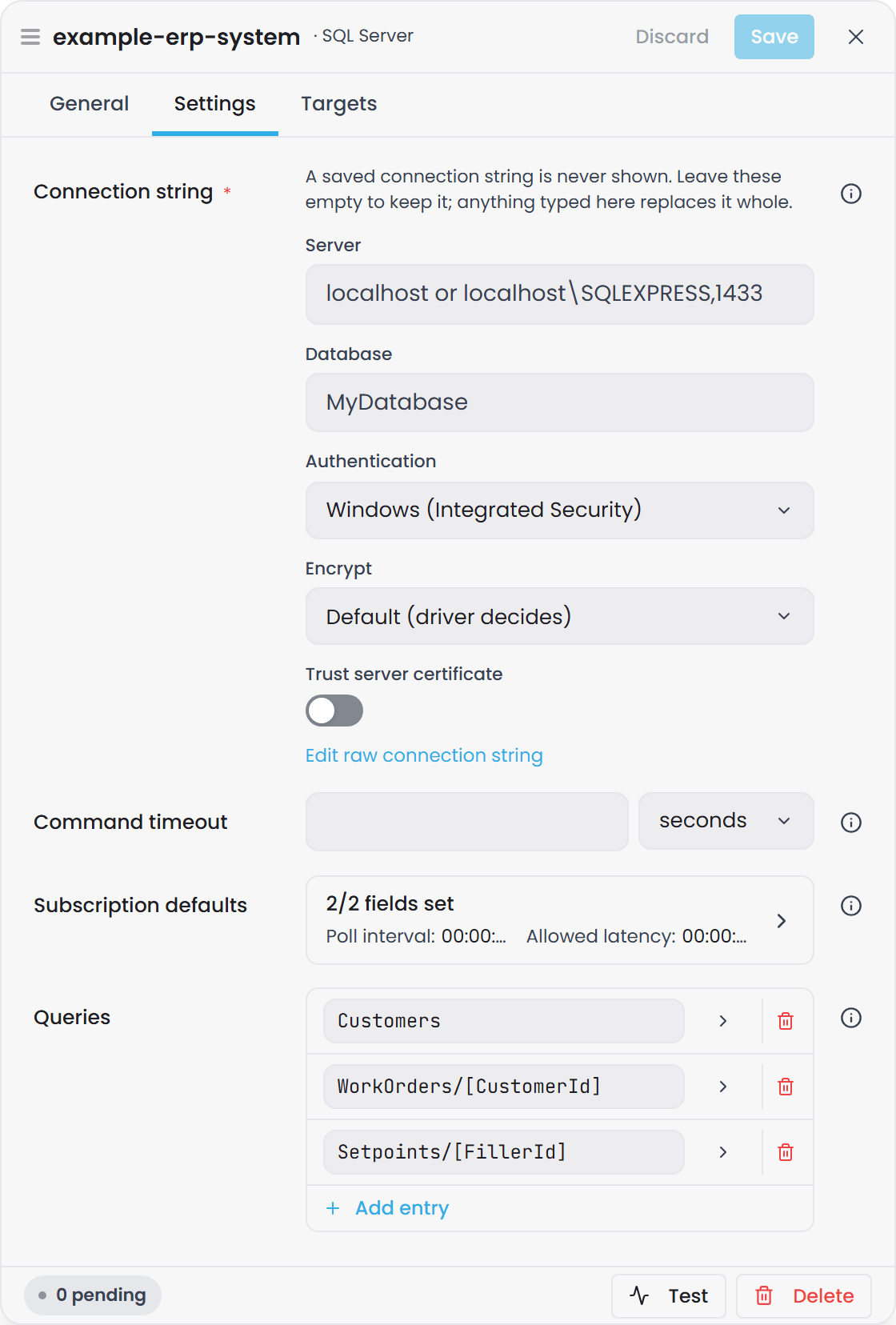
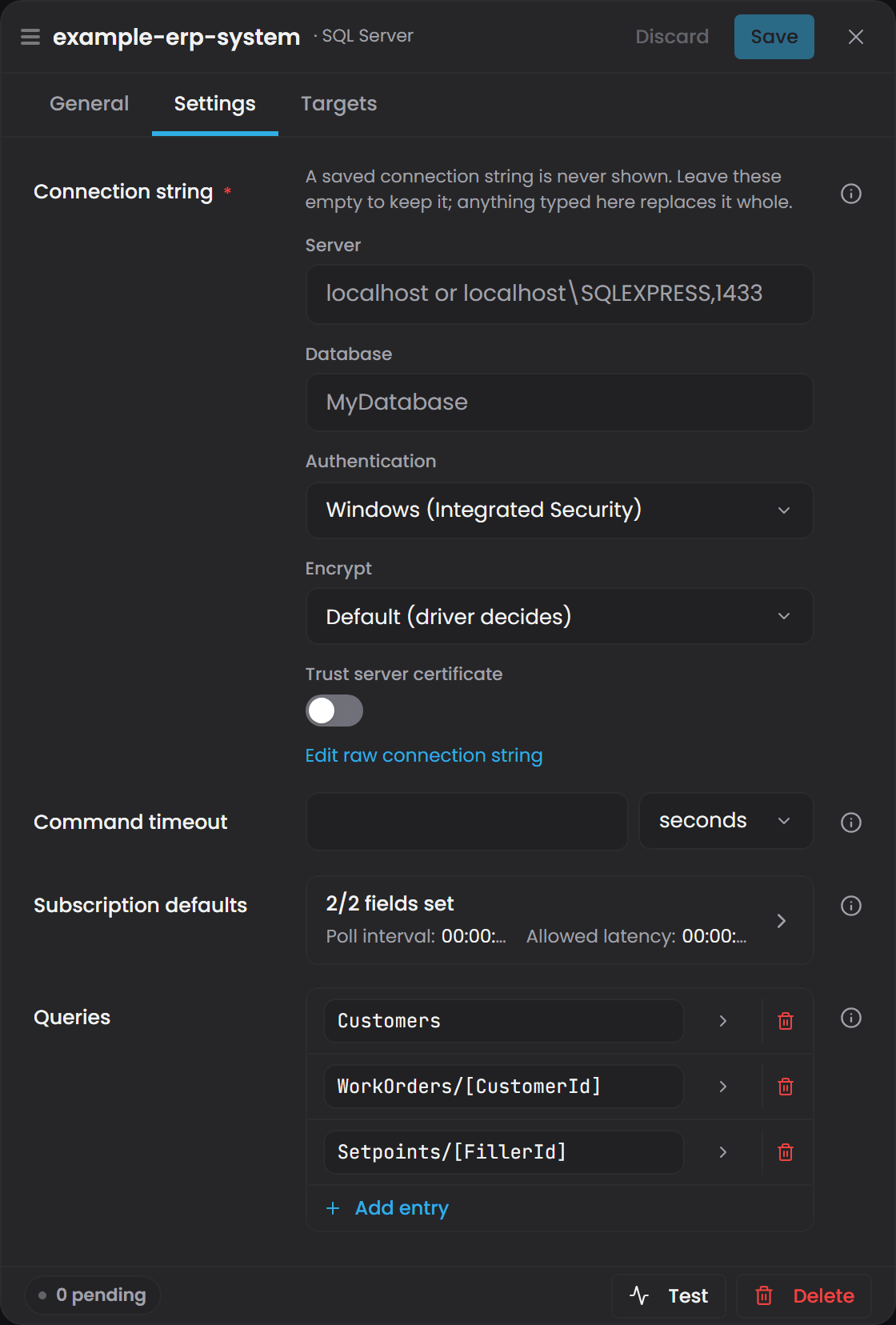
This connector shares a unified configuration schema with the PostgreSQL, MySQL, and Oracle SQL connectors. The options below are the canonical reference for all four.
| Option | Type | Default | Required | Description |
|---|---|---|---|---|
| Connection string | string | - | Yes | ADO.NET connection string for the target database (e.g., Server=myserver.database.windows.net;Database=mydb;User ID=admin;Password=...). v1 stores this in plain text. |
| Command timeout | TimeSpan | 00:00:30 |
No | Per-command timeout applied to every query the connector runs. |
| Subscription defaults / Poll interval | TimeSpan | 00:00:05 |
No | Instance-level default poll cadence for subscribed queries. Per-topic overrides take precedence. |
| Subscription defaults / Allowed latency | TimeSpan | null (→ 2 × poll interval) | No | Tolerance for late-arriving events relative to each poll's watermark. When empty, defaults to twice the poll interval. |
| Queries | dict | empty | No | User-defined queries keyed by topic. Each entry becomes a binding path and optionally a template. |
Queries sub-fields#
Each entry in the Queries dictionary contains:
| Field | Type | Required | Description |
|---|---|---|---|
| SQL | string | Yes | User-authored SELECT statement. Wrapped as a CTE (WITH __src AS ({SQL}) SELECT * FROM __src ...) when pushdown is applied. See Constraints below. |
| Recompile on pushdown | bool | No (default false) |
When true, appends OPTION (RECOMPILE) to the rewritten query. Prompts SQL Server to skip the query plan cache and recompile, useful when parameter selectivity varies widely. Ignored by dialects with no equivalent. |
| Parameters | dict | No | Type tags for placeholders in the topic key (e.g., CustomerId → int). Allowed types: int, long, guid, bool, string and path. Drives both the URI match regex and the bound parameter type in SQL. string matches one path segment; path matches the rest of the path, slashes included, binds as text, and must be the last placeholder in the key. |
| Subscription / Poll interval | TimeSpan | No | Per-topic override of instance poll cadence. Null resolves to the instance default. |
| Subscription / Watermark column | string | No | Name of a monotonically-advancing column in the query projection (e.g., ModifiedAt). When set, selects efficient watermark mode; rows are emitted as EmitKind.Update on each poll. When absent, falls back to re-snapshot mode. Must be safe to quote with [...]. |
| Subscription / Allowed latency | TimeSpan | No | Per-topic override of late-arrival tolerance. Resolution: per-topic → instance default → 2 × poll interval. |
| Subscription / Disable subscriptions | bool | No (default false) |
When true, the topic serves GetRange (pull) only; Subscribe immediately returns NotSupported. Use for queries whose result changes on every poll regardless of source mutations (e.g., time-windowed queries). |
Constraints on user SQL#
SQL Server imposes validation rules on the user's SELECT so it can be wrapped as a CTE. The query is rejected at config load if it:
- Ends with
;- trailing semicolons break the CTE wrap. - Starts with
WITH- a user-authored CTE cannot be a CTE body. - Contains a top-level
ORDER BY- SQL Server does not permitORDER BYin a CTE body without aFETCHorOFFSETclause; the wrapping outer query providesORDER BYwhen sort pushdown is applied. - Contains an
OPTIONclause - the outer query supplies its ownOPTIONhint; an inner one conflicts. - Contains
FOR XMLorFOR JSON- these cannot be inside a CTE. - Starts with
EXECUTEorEXEC- dynamic statements cannot wrap.
When a query fails validation, the topic is marked and no pushdown is attempted for it. On every GetRange request, the bare user SQL (without CTE wrap) is executed. Atlas applies time/row filtering locally, so results stay correct but potentially more rows cross the wire than necessary.
Connection setup#
-
Ensure SQL Server is running and reachable on the configured server and database name.
-
Provide a connection string in the Connection string field using ADO.NET syntax:
- Local:
Server=localhost;Database=mydb;Integrated Security=true; - Azure:
Server=myserver.database.windows.net;Database=mydb;User ID=admin;Password=...;Encrypt=true; - See the ADO.NET SqlConnection documentation for full syntax.
- Local:
-
Verify the database login has
SELECTpermission on every table and view the configured queries reference. -
In the Queries dictionary, define one entry per topic you want to expose:
- Key - operator-chosen topic name (e.g.,
"Orders","Customers/ByRegion"). Slashes organize a hierarchical binding path. - SQL - the SELECT statement, respecting the constraints above.
- Parameters (if the key contains
[placeholders]) - a type-tag map for each placeholder (e.g.,"CustomerId": "int"). - Subscription (if you want live polling) - set
WatermarkColumnto an advancing column to enable watermark mode, or leave it null for re-snapshot mode.
- Key - operator-chosen topic name (e.g.,
-
Use Test to verify connectivity without going live. The test queries the database for version and table list, reporting server name and database name on success.
Binding paths#
This plugin advertises concrete binding paths from configured queries and templated paths from parameterized topics.
Concrete paths#
Each entry in the Queries dictionary (with no [placeholders] in the key) becomes one concrete binding path:
{InstanceId}/{TopicKey}
{InstanceId}is the source's alias (e.g.,sql-1). Its mintedcon_id is accepted in the same position.{TopicKey}is the dictionary key (e.g.,"Orders"→sql-1/Orders).
A GetRange request executes the user SELECT, applies pushdown (time/row filters, sort, paging), and returns all matching rows.
Templated paths#
A topic key containing [placeholder] syntax becomes a template:
{InstanceId}/{TopicKey}
Example: a topic key "Customers/[CustomerId]" with Parameters: { "CustomerId": "int" } advertises the template:
sql-1/Customers/[CustomerId:int]
A concrete request like GetRange for sql-1/Customers/42 captures CustomerId = 42 and binds it as a typed parameter @CustomerId. The connector does not add a WHERE clause for you: your SQL must use the parameter itself.
SELECT CustomerId, Name, Region FROM dbo.Customers WHERE CustomerId = @CustomerId
The value is always bound as a parameter, never pasted into the SQL text. A key that declares a placeholder the SQL never uses logs a warning when the configuration loads, and requests on that template return the query's rows unfiltered.
A templated path is how one query serves several versions of the same data. With a key Assets/[Snapshot] and WHERE snapshot_id = @Snapshot, an Atlas instance map whose source reads sql-1/Assets/41 on one branch and sql-1/Assets/42 on another gives each branch its own snapshot from the same table.
Placeholders are square brackets, and the advertised template always carries a type tag. A topic key uses
[Name], and the template Atlas sees is[Name:type], withstringfilled in when you declared no type. Curly braces are not placeholder syntax: a key written with them is taken as a literal topic name and never templates, with no error to tell you so.
Each concrete instantiation of a template is independent for subscription purposes (each carries its own watermark state).
Multi-row results#
Unlike some connectors, GetRange returns all matching rows from the query, not just the last one. If your SELECT returns 100 rows and applies no row filter, all 100 cross the wire as Rows in the ConnectorRangeResponse. Atlas's subscriber bus consumes only the last row of a multi-row snapshot emit (a known limitation tracked separately), so for multi-row re-snapshot subscriptions, only the final row reaches downstream calculated properties.
When the database cannot be reached, or the query fails, GetRange returns zero rows rather than an error, and the source reports itself unhealthy. A consumer cannot tell that from a query that matched nothing. Atlas treats zero rows from an instance-map source as a warning, so a domain compiled during an outage builds those instances empty. Check instance counts after a compile, and recompile once the database is back.
Quality column#
This plugin does not emit a Quality column. It returns only the columns in your SELECT statement, with their original names and types. If you need a quality indicator, add a literal or computed column to your query (e.g., SELECT ..., CAST(1 AS tinyint) AS Quality).
Live subscriptions#
Subscriptions are opt-out: a topic with no Subscription block defaults to re-snapshot mode.
Watermark mode (efficient, incremental)#
Set Subscription.WatermarkColumn to an advancing column (e.g., ModifiedAt, UpdatedAt, RowVersion). On each poll, the connector runs:
SELECT * FROM (...user SELECT...) WHERE {WatermarkColumn} > @__wm ORDER BY {WatermarkColumn} ASC
and emits only changed rows as EmitKind.Update. The watermark is monotonically non-decreasing per subscription.
Requirements:
- The column must appear in the user SELECT's projection list (its name must be in the
SELECTclause). - It must advance on every modification (every row update increments it).
rowversioncolumns must beCASTtobigintin the user SQL (no binary type in the reader yet).- The column name must not contain
](which would break SQL quoting).
Re-snapshot mode (universal, full re-fetch)#
When Subscription is declared but WatermarkColumn is absent, the connector runs CHECKSUM_AGG(BINARY_CHECKSUM(*)) over the result on each poll. If the checksum changes, it re-emits the full result as EmitKind.Snapshot and SubscriptionStatus.SnapshotComplete.
- Pros: works on any query; handles arbitrary mutations.
- Cons: full re-fetch on every change; collision-free only for the row count and checksum pair (acceptable for alpha).
When no Subscription block is present, the topic defaults to re-snapshot mode with the instance-level PollInterval.
Disabled subscriptions#
Set Subscription.NotSupported = true to make a topic pull-only. Subscribe returns NotSupported, and GetRange still works. Use this for time-windowed queries whose result hash changes on every poll (e.g., WHERE EventDate > DATEADD(day, -7, SYSUTCDATETIME())), which would emit constantly in re-snapshot mode.
Hot-reload#
Changing a topic's Subscription block (including PollInterval, WatermarkColumn, or the Sql itself) Faults active subscriptions, so Atlas re-subscribes against the new baseline. Removing a topic Faults its subscriptions cleanly. Adding an unrelated topic does not disturb existing subscriptions.
Error handling#
A subscription tick that throws backs off 1s → 5s → 30s → Fault on the fourth consecutive error. A single successful tick resets the counter. Check the logs for the underlying exception.
Connection status#
The instance's status in Connect says whether it can reach SQL Server, separately from whether it started. Connect checks about every 20 seconds, by opening a connection, and the check never writes anything to SQL Server. A blank connection string, one the driver rejects outright, a login SQL Server refused, or a server certificate the connector will not trust reads Connection Fault at once, with the reason; retrying cannot change any of those, and the corrected setting is checked as soon as it is saved. A database that cannot be reached reads Connecting… for a minute and then Connection Fault. Every subscription Atlas holds on the instance is kept through the outage, and the snapshot it owed is delivered once the database answers again, so nothing has to be re-subscribed. See Plugin Instance States, Connection Status and Retries for the status model and the retry ladders.
Troubleshooting#
| Symptom | Cause | Fix |
|---|---|---|
| Connecting… for a minute, then Connection Fault, reason says SQL Server could not be reached | Server address wrong, SQL Server not running, or a firewall blocking the port. | Verify the server, port and database in the connection string. Confirm SQL Server accepts remote connections and check firewall rules. The instance recovers on its own when the server answers; use Test to probe without waiting. |
| Connection Fault at once, reason names the login, the certificate or the connection string | A login SQL Server refused, a TLS certificate the connector does not trust, or a connection string the driver cannot parse. | Correct the setting the reason names. The change is checked the moment it is saved. |
| Login failed | Invalid credentials, wrong authentication method, or database user missing. | Verify username, password, and authentication mode (Windows/SQL). Ensure the user exists and has SELECT permission on your tables. Test the connection string directly with sqlcmd. |
| Permission denied on a table | The connection login lacks SELECT on a referenced table or view. |
Grant SELECT permission: GRANT SELECT ON [table] TO [user];. A query that fails this way faults only its own topic; other topics keep serving. |
| Topic bound but returns no rows | Query is correct but produces no results, or GetRange time/row filter is too restrictive. |
Test the query directly in SQL Server Management Studio without filters. Verify your time range overlaps the data. Check pushdown residual in logs if using Atlas filters. |
| Pushdown disabled (no CTE wrap) | User SQL violates a constraint (trailing ;, leading WITH, top-level ORDER BY, OPTION, FOR XML, EXEC). |
Rewrite the query to avoid the rejected pattern. See Constraints above. The logs warn at config load with the exact violation. On GetRange, bare SQL still executes; Atlas filters locally, so rows are correct but unfiltered. |
| Subscription never advances | Watermark column missing from projection, not monotonic, or contains ] in its name. |
Verify the watermark column appears in the SELECT list by name (not aliased). Confirm it advances on every modification. Reject names with ]. The logs warn at config load if validation rejects the column. |
| Subscription emits constantly | Re-snapshot-mode query result changes on every poll. | Give it a WatermarkColumn if one exists, or set NotSupported = true for pull-only. Common culprit: time-windowed queries like WHERE ModifiedAt > DATEADD(day, -7, SYSUTCDATETIME()). |
| Subscription Faults after four ticks | A recurring exception (permission denied, timeout, invalid data type). | Check the logs for the exact error. Verify the query is still valid and the table still exists. Fix the cause and config will reload. |
| Template path binds nothing | Placeholder is missing from the Parameters dict, or the query has no result for that value. |
Confirm every [placeholder] in the topic key has a corresponding entry in Parameters with a valid type. Test the query with a literal value to verify data exists. |
| Wrapped query fails, bare query works | The rewrite introduced a syntax error (rare). | Check the logs for the CTE-wrapped SQL and the error message. Verify your SELECT does not use forbidden patterns. The fallback still serves rows unfiltered. |
| Connection string stored in plain text | The instance configuration holds the connection string as written. | Treat the instance configuration file as a secret: restrict its file permissions, keep it off shared storage, and use a database account scoped to the tables this connector reads. |
Use the Test button in Connect's admin UI to probe your SQL Server without going live. It reports server name, database name, and SQL Server version.
Related articles#
- Connecting Data Sources - the shared source settings this plugin sits inside, including the
SubscriptiondefaultsPollIntervalandAllowedLatency - How Atlas Aligns and Times Values - what Atlas does with the watermark once this plugin reports it, and how a slow source affects the rows it appears in
- Binding Concepts - how a binding path reaches this source in the first place