Configuring The MQTT SparkplugB Collector
How do I log data to the Timebase Historian from a MQTT SparkplugB broker?
Introduction#
The Sparkplug Data Collector allows Timebase to ingest structured, typed, and stateful MQTT data based on the Sparkplug B specification. This collector is designed for environments where reliable equipment state, accurate metric reporting, and minimal polling overhead are important. Sparkplug adds order and meaning to raw MQTT messaging by defining a strict topic structure, lifecycle events, and strongly typed payloads. This guide explains the concepts behind Sparkplug, the benefits of using it, and how to configure every field in the Timebase collector, including Logging Session Properties and Target Historian settings.
Understanding Sparkplug B#
Sparkplug B turns stateless MQTT messaging into a predictable and stateful industrial communication method. Sparkplug uses a consistent topic hierarchy, typed metric structures, birth messages to announce a complete dataset, and death messages to signal that a node or device has gone offline. Sparkplug also requires devices to send full datasets at startup, followed by delta updates, which keeps bandwidth low while ensuring all metric values remain current. Timebase uses this structure to create accurate historical records without polling or custom request logic.
How the Sparkplug Collector Works#
The collector connects to an MQTT broker, subscribes to Sparkplug namespaces, interprets birth, data, and death messages, and writes these metrics into a Timebase Historian dataset. Timebase handles ordering, deduplication, compression, and persistence. The Collector can authenticate with the MQTT server using basic MQTT credentials. Subscriptions determine what the collector listens to, while filters allow you to exclude unwanted metrics so only meaningful data reaches the historian.
Reference the article General Configuration of the Data Collector to learn how to target a historian and dataset and apply security. This article focuses on the specific configuration of the Sparkplug data type.
Sparkplug Configuration#
Connection#
The Sparkplug settings are the Settings tab of the instance's Edit drawer: the broker connection, then authentication, then the subscriptions.
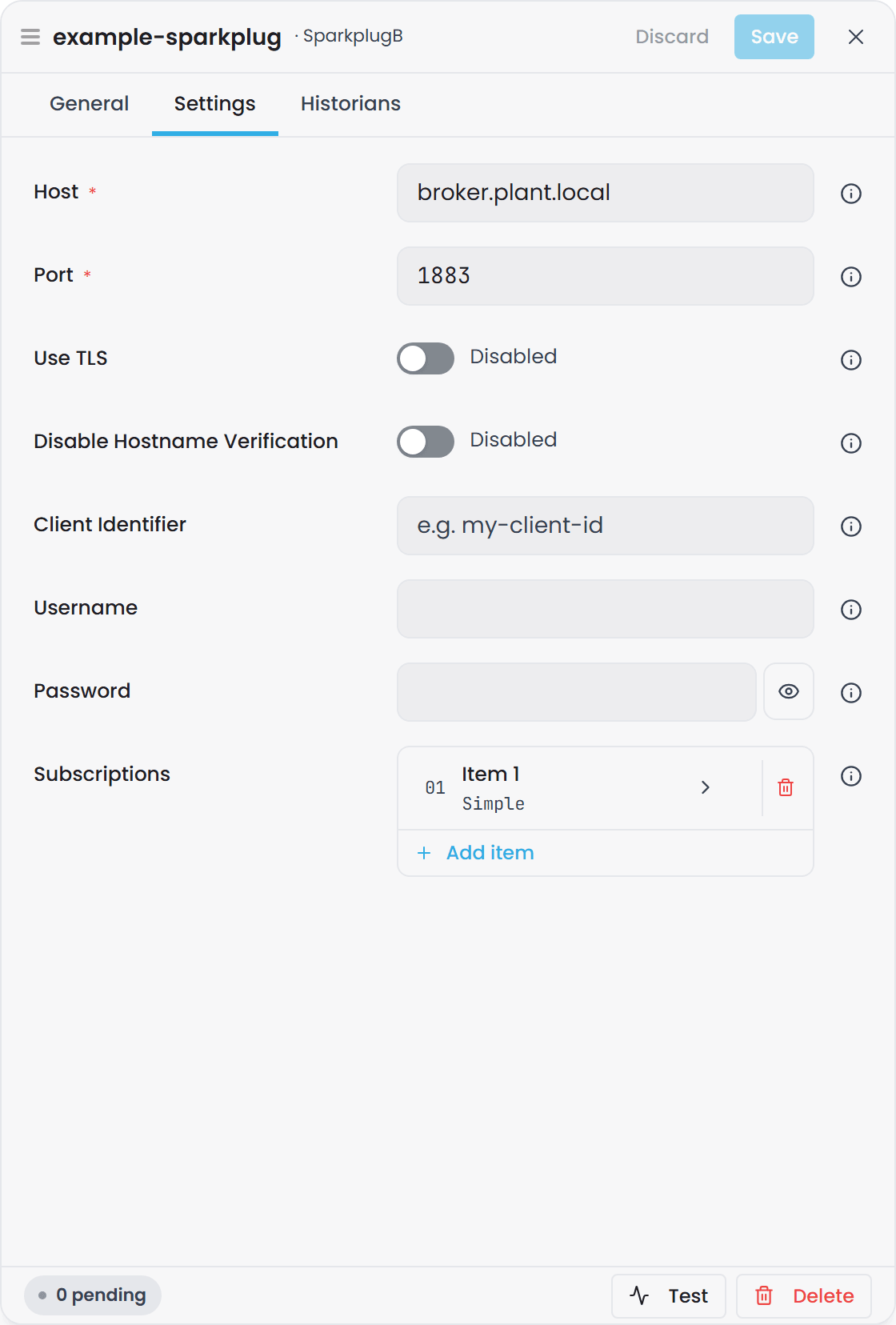
Host: The DNS name or IP address of the MQTT broker that publishes Sparkplug messages; the collector connects here to receive data.
Port: The MQTT port used by the broker; typically 1883 for non TLS and 8883 for TLS.
Use TLS: Enables encrypted MQTT communication with the broker; required when the broker enforces TLS.
Disable Hostname Verification: Accepts a broker certificate whose name does not match the host you connect to. Leave it off unless the broker's certificate is known to be issued for another name.
Client Identifier: The MQTT client id the collector presents to the broker. Leave it blank for a generated one, or set it when the broker's access rules are keyed by client id.
Certificate
Switching on Use TLS adds a Certificate section to the form, with a button that reads how many of its fields are set; open it to fill them in. Fill them in only when the broker requires a client certificate.
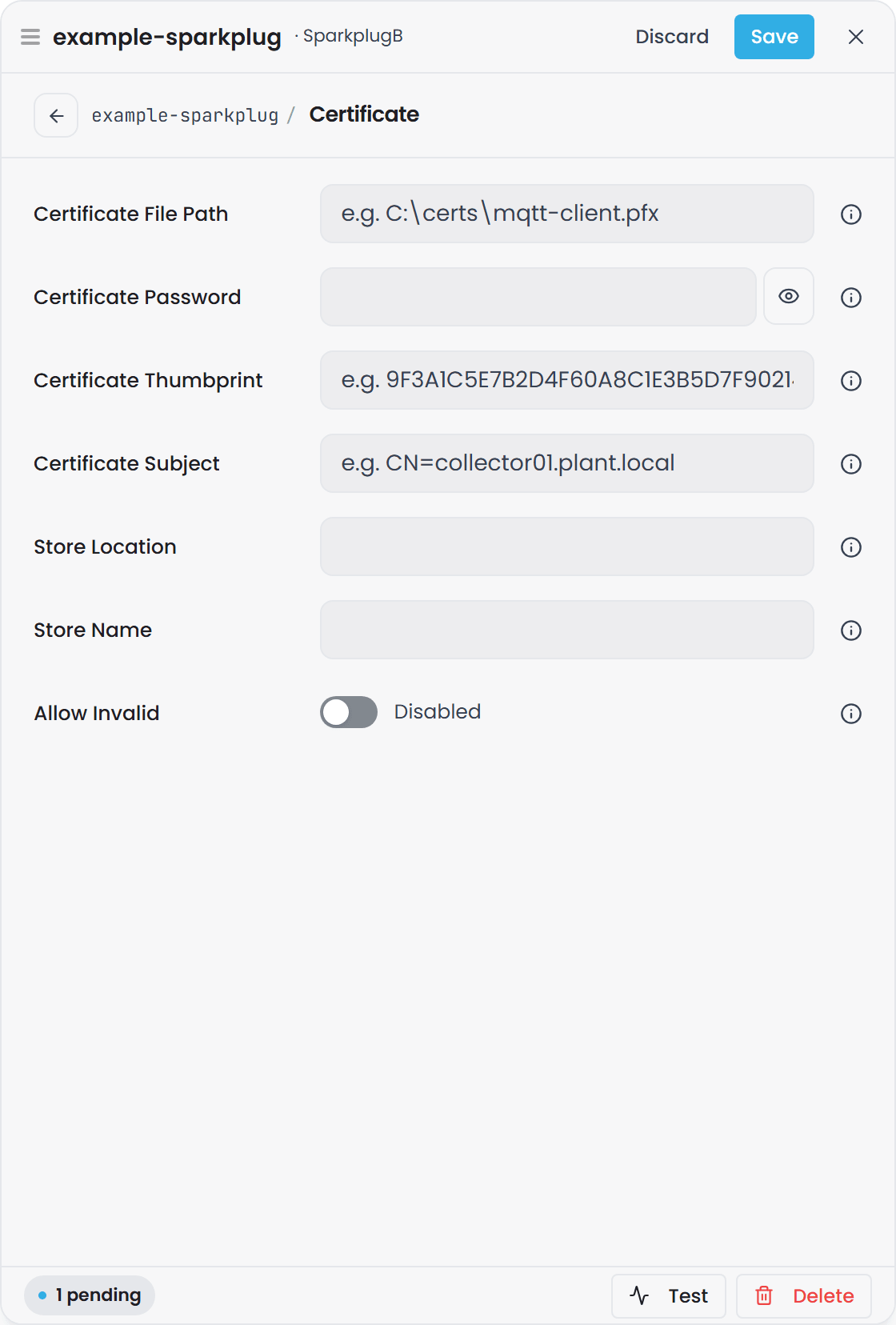
Certificate File Path: The full path to the client certificate file required for mutual TLS; used when the broker requires the collector to authenticate with a certificate.
Certificate Password: The password that unlocks the encrypted certificate file.
Certificate Thumbprint: The unique fingerprint of a certificate installed in the system certificate store; used instead of a certificate file path. It is tried first when set.
Certificate Subject: The subject name of a certificate in the system certificate store, used when no thumbprint is set or the thumbprint matches nothing.
Store Location: The certificate store location such as CurrentUser or LocalMachine to search when using a thumbprint.
Store Name: The specific certificate store such as My, Root, or CA where the certificate is located.
Allow Invalid: Allows the collector to proceed with the TLS handshake even if the certificate is expired, self signed, or invalid; suitable only for non production environments.
Authentication#
Username: The MQTT username required by brokers that enforce user based authentication or ACLs.
Password: The password associated with the MQTT username.
Subscriptions#
Each subscription is an item in the Subscriptions list at the bottom of the Settings tab. Add item adds one, and clicking an item opens its own page in the drawer.
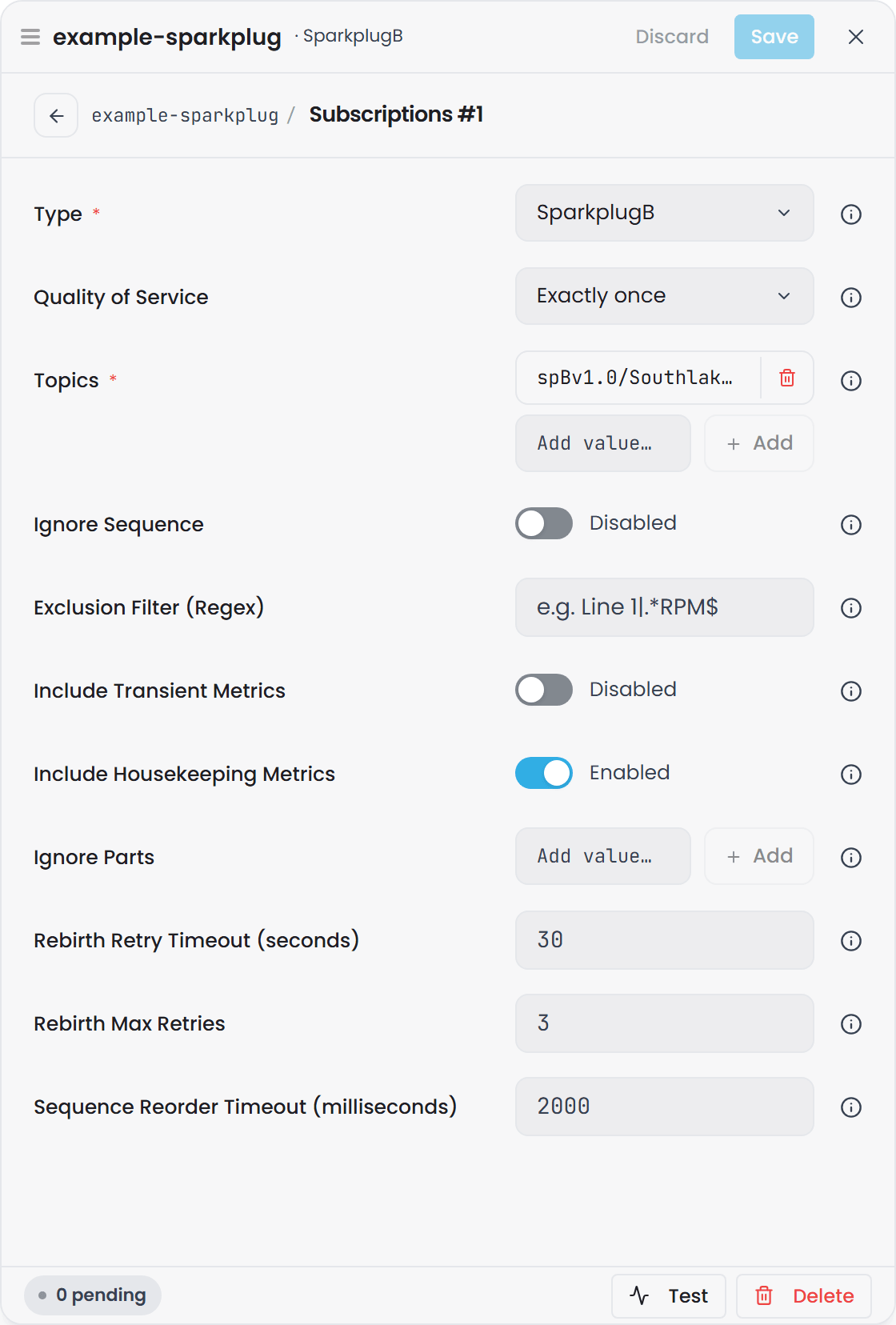
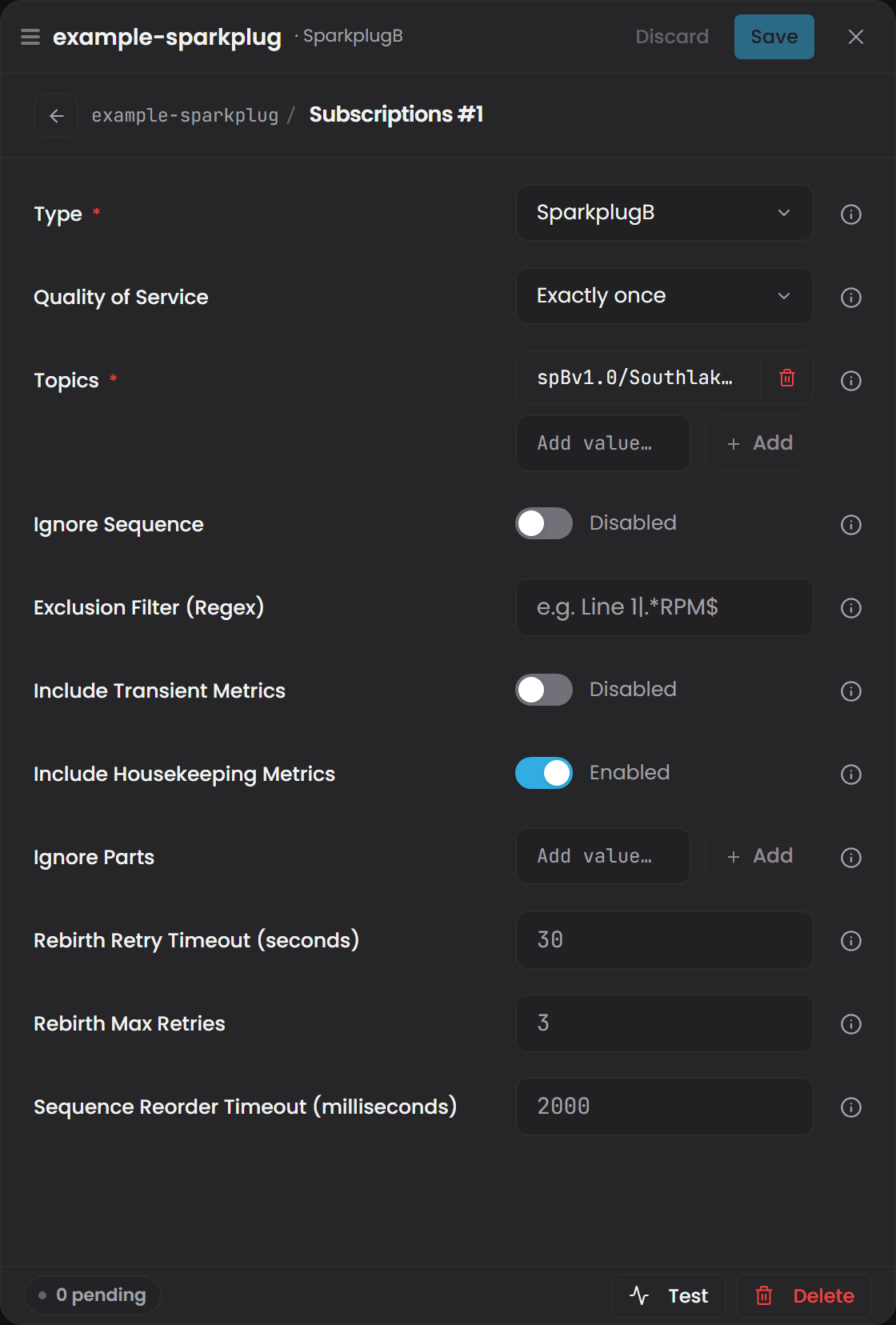
Type: Specifies the Sparkplug message format; SparkplugB is the correct (and currently only) choice for Sparkplug B encoded metrics and lifecycle events.
Quality of Service: Defines the MQTT delivery guarantee for subscribed messages.
| QoS 0 - At Most Once | The broker delivers messages on a best effort basis with no retries, which makes QoS 0 the lowest latency option and useful for high-volume data where occasional loss is acceptable, such as fast changing values that update many times per second or noncritical diagnostics. |
| QoS 1 - At Least Once | The broker guarantees delivery but may deliver a duplicate, which makes QoS 1 the default choice for most industrial data because it balances reliability with performance and ensures metrics arrive even on noisy networks while not incurring the overhead of full transaction semantics. |
| QoS 2 - Exactly Once | The broker and client complete a full handshake to ensure each message is delivered one time only, which makes QoS 2 ideal for state changes, production counts, batch events, or any metric where duplication would create incorrect totals or inaccurate historian records, though it comes with higher latency and processing cost. |
Ignore Sequence: Turns off every Sparkplug session check: birth certificates, sequence numbers and the rebirth requests that follow a gap. Data is then logged exactly as it arrives. Use it for a source that does not implement the Sparkplug session lifecycle at all, or while you are diagnosing one that does it badly. It is deliberately out of specification, so leave it off for a compliant publisher and let the settings below handle the occasional gap instead.
Topics: A list of MQTT topic patterns that define which Sparkplug messages are processed. Wildcards help capture entire groups or nodes when architecture is dynamic or evolving.
More About Sparkplug Topic Structures and Wildcards
Sparkplug topics follow this pattern: spBv1.0/GroupID/NodeID/DeviceID.
-
GroupID identifies a site, area, or logical grouping.
-
NodeID identifies the device gateway or logical controller.
-
DeviceID represents a specific device or metric source.
Timebase can subscribe to narrow or broad topic namespaces depending on how much of the environment you want to ingest.
Wildcards help you subscribe to exactly the data you want without having to list every device or node manually. Wildcards let you capture entire groups of devices, simplify onboarding of new equipment, and reduce the need to constantly update topic lists.
The + Wildcard: The + wildcard matches exactly one level in a topic path. If a segment may vary but stays within a single level, use +.
Example: spBv1.0/Plant1/+/Filler01 matches all nodes in Plant1 that contain a device named Filler01.
Example: spBv1.0/+/Node01/# matches Node01 in all groups.
The # Wildcard: The # wildcard matches zero or more levels and must always be at the end of the topic pattern. Use # when you want to subscribe to everything under a certain point in the hierarchy.
Example: spBv1.0/Plant1/LineA/# captures every device, metric, and event published from LineA.
Example: spBv1.0/+/+/# captures all Sparkplug traffic across all Groups and Nodes, which is helpful for initial discovery or troubleshooting
Rebirth Retry Timeout: (seconds) How long to wait for a birth certificate after asking a node for one, before asking again. The default is 30.
Rebirth Max Retries: How many times to ask. The default is 3. Set it to 0 to ask once and never again.
Sequence Reorder Timeout: (milliseconds) How long to wait for a missing sequence number to turn up before treating the gap as real and requesting a rebirth. The default is 2000. Data is always kept while waiting, and kept while the rebirth is pending; the timeout decides only when to ask. Set it to 0 to ask the moment a gap is seen.
Include Transient Metrics: Off by default. A metric a publisher flags as transient in its birth certificate is one the Sparkplug specification says should not be stored, so the collector drops it unless you switch this on.
Include Housekeeping Metrics: On by default. Historizes bdSeq, Node Control/* and Device Control/*. Leave this on if anyone compares a written command or setpoint with the resulting process value: the command metrics are how that comparison is made, and switching this off removes them from the Historian. Turn it off only on a site that genuinely wants Sparkplug session and control plumbing kept out. Properties/* metrics are kept regardless.
Ignore Parts: Plain text removed from every tag name, one entry at a time with Add, matched literally. Separators left dangling at either end are trimmed afterwards. GroupID/NodeID/ as an entry strips that prefix from every tag the subscription produces.
Exclusion Filter (Regex): A .NET regular expression (regex) used to omit metrics from logging; the collector evaluates the regex against the resolved tag name, case-sensitively, and excludes any tag that matches the pattern, allowing broad subscriptions while preventing unwanted tags from being written to the historian.
How .NET Regex Filtering Works
The .NET regex engine matches your pattern against the full metric name provided in each Sparkplug message; if the name matches the pattern, the collector does not log that metric, which helps keep the historian focused on meaningful operational data.
Simple Contains Match
To exclude any metric containing the word Debug, simply enter Debug into the filter.
Prefix Based Filtering
To exclude all metrics beginning with a specific device prefix, use: ^Filler02_.* which removes Filler02_Speed, Filler02_Temp, and all other metrics starting with Filler02_.
Excluding Classes of Metrics
If alarm metrics follow a known prefix such as Alarm_, you can exclude them using: ^Alarm_.* which keeps the historian from filling with high-frequency alarm chatter.
Matching Multiple Patterns
To exclude metrics belonging to either of two prefixes, use: ^(Filler02_|Capper01_).* which uses .NET grouping and alternation.
Using Negative Lookahead
To keep all metrics except those containing the word Test, use: ^(?!.*Test).* which is a .NET negative lookahead pattern and excludes any name containing Test while allowing everything else.
For a online tutorial in regex or to learn more, we recommend the website RegExr - https://regexr.com/
How the collector handles a Sparkplug session#
The collector is a Sparkplug 3.0 host application that only historizes. Everything below happens without configuration; it is written down so that what you see in the Historian makes sense.
Sequence numbers and rebirth#
Sparkplug gives each Edge Node one sequence counter, shared by its own messages and every device's, counting 0 to 255 and wrapping. The collector tracks it per node, so a node with several devices is validated against the stream it actually sends rather than against a per-device subset of it.
A gap in that stream never discards data. If the missing numbers do not arrive within Sequence Reorder Timeout, the collector sends the node one rebirth request and keeps logging what arrives in the meantime, retrying per Rebirth Retry Timeout and Rebirth Max Retries until a birth certificate comes back. Data that arrives before any birth certificate cannot be decoded; it is dropped and a rebirth is requested.
Two malformed cases are handled quietly rather than as a session fault: data without a sequence number is dropped with one warning per node, and a death message whose bdSeq does not match the current birth, a stale Last Will, is ignored. Other namespaces, STATE messages and unreadable payloads are skipped without disturbing anything else.
Metric aliases#
A publisher may send a metric's integer alias instead of its name after the birth certificate. The collector resolves aliases to names per Edge Node, forgets them on a node or device death so the next birth starts clean, and treats an alias it has never seen as a reason to request a rebirth. Alias 0 is valid. If a publisher never uses aliases, none of this applies.
Templates#
A metric built from a Sparkplug template, a UDT, is flattened into one tag per member, to any depth of nesting. The template definitions a publisher sends in its birth certificate produce no tags; only instances do. A member with no timestamp of its own takes its parent's, then the payload's, then the time the payload was received.
Each member tag records where it came from as Fields: the template it was built from, the instance and member names, the outermost template and instance where they are nested, the template version, and every template parameter as TemplateParam.<name>, taking the instance's value over the definition's default. A member's unit, format and description fall back to the definition's where the instance leaves them out. A metric that names a template the collector has never seen is still flattened, with one warning per node session.
Datatypes#
A value is decoded by the Sparkplug datatype on the metric, else by the one in its birth certificate (data messages usually leave it out), else by the template definition's. The tag carries the matching data type.
| Sparkplug datatype | Stored as |
|---|---|
| Int8, Int16, Int32 | 32-bit integer |
| Int64, UInt8, UInt16, UInt32, UInt64 | 64-bit integer; a UInt64 above the signed range becomes a double |
| Float, Double | Double. A Float keeps its decimal value, so 0.1 stays 0.1 |
| Boolean | Boolean |
| String, Text, UUID | String |
| DateTime | String, ISO 8601 in UTC, for example 2026-09-28T10:00:00.000Z |
| DataSet | String, as JSON with columns, types and rows |
| Any array type | String, as a JSON array |
| Bytes, File, PropertySet | Not stored. One warning per metric |
A metric sent with no value, or flagged null, is stored as a null value rather than dropped, so the gap is visible in the Historian instead of silently absent.
Quality#
Every value carries a quality. A metric's Sparkplug Quality property is mapped per message; a metric without one is Good, and quality never carries over from one message to the next. A template member uses its own quality, else the nearest enclosing instance's, else Good.
Quality received |
Stored as |
|---|---|
| Absent, or 192 | Good |
| 0 | Bad |
| 500, the Sparkplug STALE value | Uncertain, last usable value |
| An Ignition quality code at the Good level | Good |
| An Ignition quality code at the Uncertain level | Uncertain |
| Ignition's Bad_Stale | Uncertain, last usable value |
| Any other Bad or Error level | Bad |
When a node or device goes away#
When a Sparkplug session ends, every tag that session was writing gets a STALE marker: its last live value, written again with the quality Uncertain, last usable value. That is what a trend shows as a flat line of lowered quality after a node drops, rather than a value that looks live and is not.
| Event | Marked | Timestamp used |
|---|---|---|
Node death with a matching bdSeq |
The node's tags and every device's | The collector's clock |
| Device death | That device's tags | The death message's own timestamp, else the collector's clock |
| Broker connection lost | Every tag from every node known through that broker | The collector's clock |
A marker is never written at or before the tag's last live value; where the clocks disagree it lands one millisecond after. Each tag is marked once per session, and the next birth certificate or live value ends the STALE period. Only tags that are being historized are marked: dropped housekeeping, transient and filtered metrics, template definitions and command values are not. After a lost broker connection every session is forgotten, so the first data after reconnecting asks for a rebirth.
Store-and-forward data#
A metric flagged historical, which is what Ignition's MQTT Transmission sends when it flushes a store-and-forward buffer or back-fills, is stored at its own timestamp and handed to the Historian as historical data. It is always stored, even when it is older than the tag's latest value, and the Historian's late-data handling places it. It does not become the tag's current value, it does not appear as the latest value in the collector's preview, and it never ends a STALE period, because a late value from the past does not mean the node is back. A template member is historical when it or any instance enclosing it is flagged.
Compressed payloads#
The compression envelope used by Eclipse Tahu and by Ignition's MQTT modules is decoded automatically: a message whose uuid is SPBV1.0_COMPRESSED is inflated, DEFLATE or GZIP as its algorithm metric says and DEFLATE when it says nothing, and the real payload inside is processed as usual. An envelope that cannot be inflated is dropped with a warning. There is nothing to configure, and an uncompressed message is unaffected.
Reconnecting#
If the broker is unreachable, at startup or later, the collector keeps trying with a delay that starts at one second and doubles to thirty, with some jitter so a fleet of collectors does not reconnect in lockstep. The instance's status reads Connecting… while it retries, Connection Fault once the outage has lasted a minute, and Running again once connected. A blank host, an empty subscription list, or a broker certificate the collector will not trust reads Connection Fault at once, with the reason, because no retry can change those. See Plugin Instance States, Connection Status and Retries.
What the collector deliberately does not do#
- It is not a primary host application. It publishes no
STATEmessage and has no host id, so an Edge Node configured to wait for a primary host will ignore it. InboundSTATEmessages are ignored. - It writes no commands. The only message it ever publishes is a rebirth request. Commands from other hosts are historized under
/NCMD/and/DCMD/tag paths, which is what makes a written setpoint comparable with its process value. - A node's online or offline state is not a tag. Death messages end the session and write STALE markers.
- Bytes and File values are not stored.
- It accepts more than the specification strictly allows: template definitions in a device birth, any sequence on a node birth, a device birth or death without a sequence, Ignition's 32-bit quality codes, and the Tahu compression envelope. Ignore Sequence goes further and is out of specification by choice.
Best Practices#
- Subscribe broadly when first evaluating a Sparkplug namespace, then refine with filters.
- Use TLS whenever the MQTT broker or historian is outside a trusted network.
- Keep Client Identifiers consistent to avoid device rebirth loops.
- Use QoS 1 or 2 for production systems.
- Use Pulse authentication when central identity and auditability are required.