Configuring The OPC UA Collector
How do I log data from an OPC UA server to the Timebase Historian?
Introduction#
The Timebase OPC UA Collector connects directly to OPC UA servers to subscribe to live industrial data and log it to the Timebase historian. It supports continuous sampling, event-driven updates, and data change notifications, ensuring that value changes from PLCs, equipment controllers, and SCADA systems are captured reliably and without polling overhead.
Reference the article General Configuration of the Data Collector to learn how to target a historian and dataset and apply security. This article focuses on the specific configuration of the OPC UA data type.
OPC UA Configuration#
Connection#
The OPC UA settings are the Settings tab of the instance's Edit drawer, from the top: the connection, then authentication, security, certificate stores, browsing and transport limits, and finally the subscriptions.
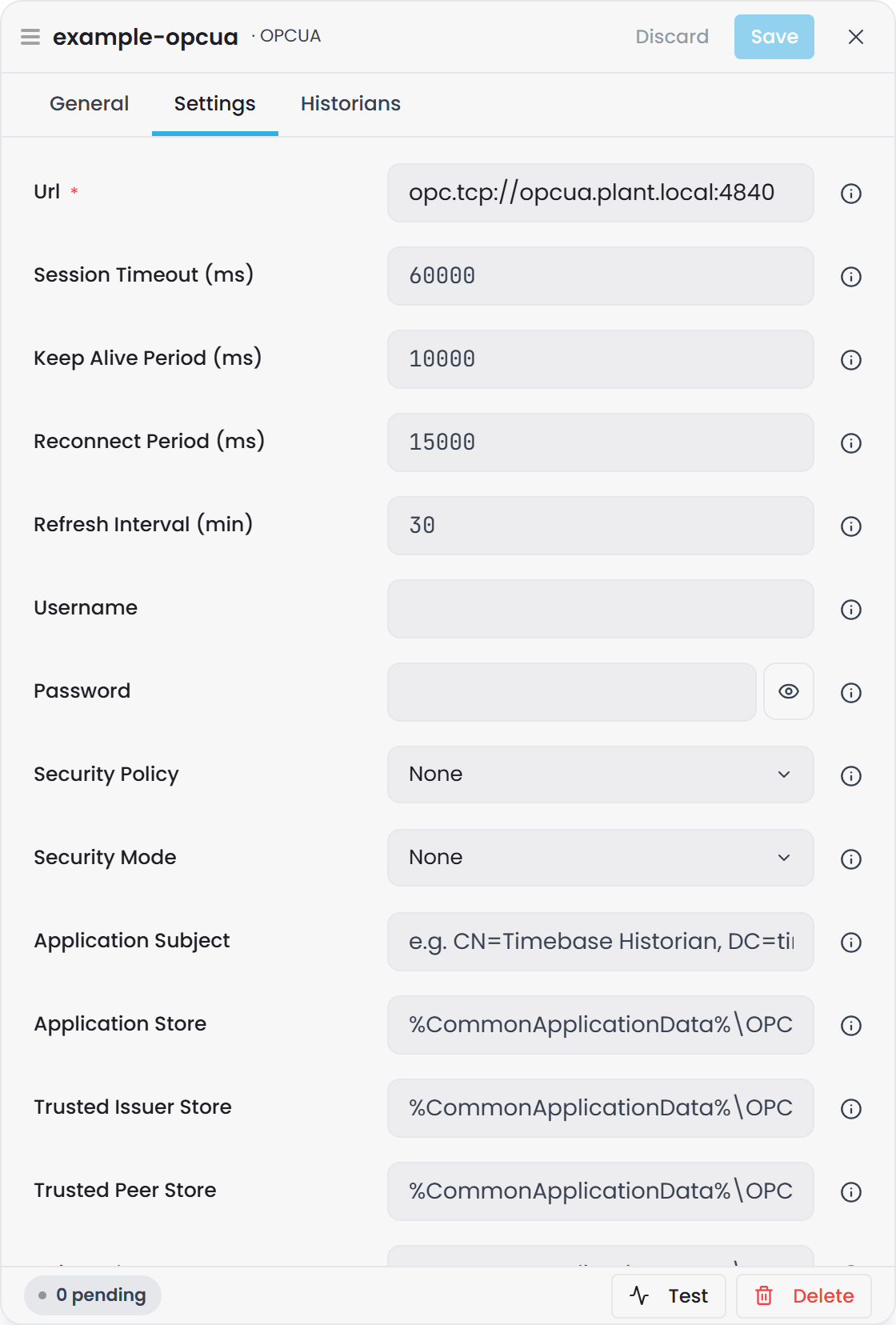
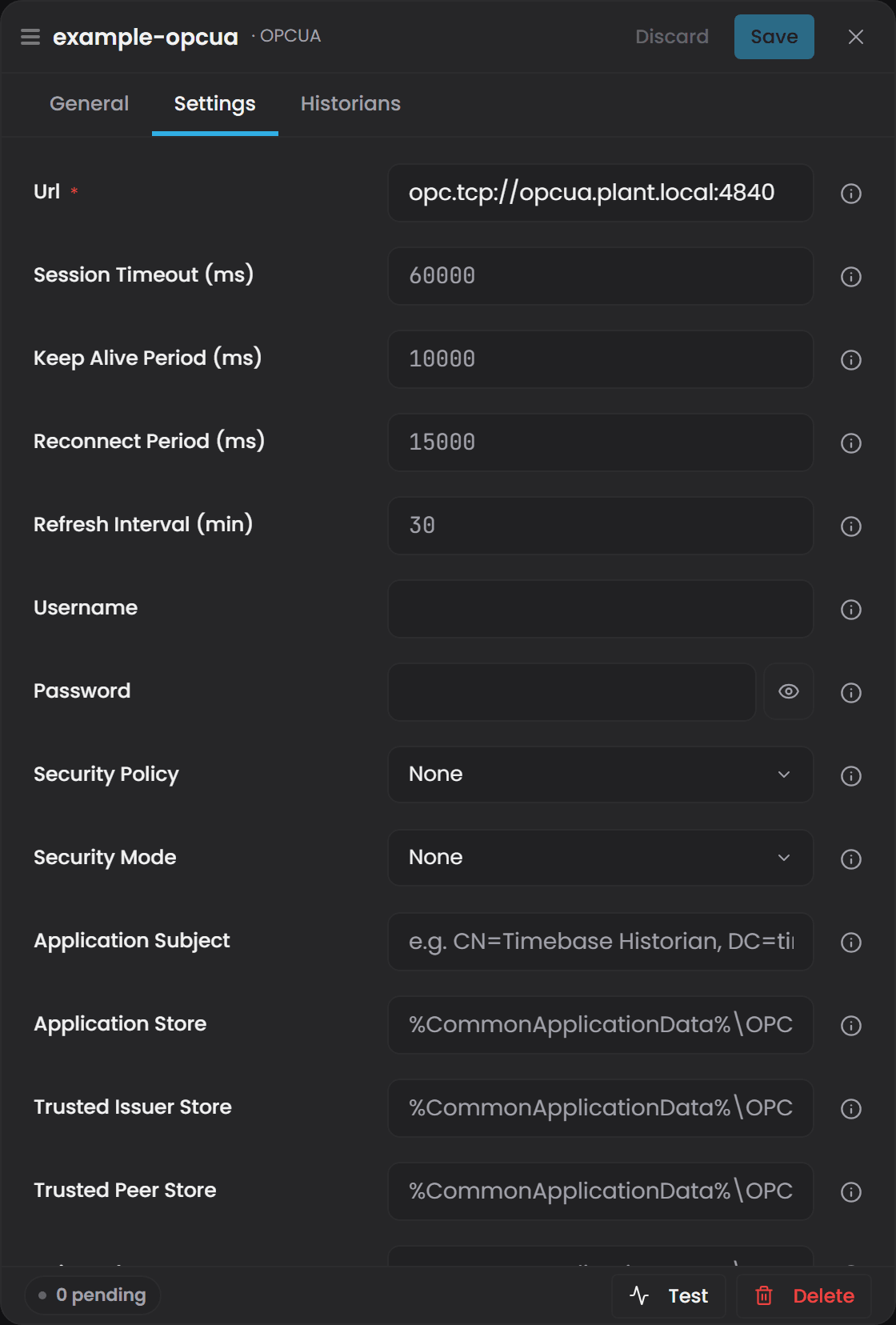
Url: The DNS name or IP address of the OPC UA server in the form opc.tcp://host:port.
Session Timeout: (milliseconds) The maximum amount of time that the OPC UA session can remain inactive before the server treats the session as expired and requires a new connection.
Keep Alive Period: (milliseconds) The interval at which the Collector sends keep-alive messages to confirm the session is still valid and responsive, helping detect stalled or broken connections quickly.
Reconnect Period: (milliseconds) The delay before the collector attempts to automatically reconnect after a lost session or failed network communication, ensuring recovery without manual intervention.
Refresh Interval: (minutes) The frequency at which the collector re-browses the server's address space to pick up nodes that were added since the last cycle. A cycle also runs immediately after the session reconnects, so a browse that was cut short by a dropped connection is not left waiting for the next interval.
Browsing#
These settings control how the collector walks the server's address space. The defaults suit PLC-hosted servers; change them only when a browse fails.
Max References Per Browse: The number of child references requested per Browse call. Wide folders are then read in pages using continuation points, which keeps every response under the server's and the client's message size limits. The default is 1000. A value of 0 lets the server decide, which on many embedded servers means the whole folder in one response and a dropped connection.
Concurrent Browses: How many topics are browsed at the same time on the one session. Embedded servers often drop the connection when several Browse requests arrive together, so the default is 1. Raise it only for servers known to cope with parallel requests.
Operation Timeout: (milliseconds) How long a single request (Browse, Read, CreateSubscription) may take before it is abandoned. The default is 15000.
Transport#
Client-side limits on what the collector will accept from the server. The defaults are the OPC UA stack's own values, so a configuration written before these settings existed behaves exactly as it did.
Max Message Size: (bytes) The largest single message the collector will accept. A response bigger than this closes the secure channel. The default is 2097152 (2 MB). Raise it only when a server cannot page its responses.
Max Array Length: The largest array (for example the list of references in one Browse response) the collector will decode. The default is 65535.
Large address spaces#
Browsing is not the only call that can outgrow a message. Once a topic has matched its nodes, the collector reads each node's data type and then creates a monitored item for each one, and on a large plant either of those, sent as a single request, is bigger than any message a server or client will accept. The collector therefore sends them a batch at a time, and nothing about this needs configuring:
- A batch holds at most 1,000 nodes, or fewer when the server advertises a lower operation limit (
MaxNodesPerRead,MaxMonitoredItemsPerCall). A server that advertises no limit at all still gets calls of 1,000. The collector also sets its own operation limits, so the calls the OPC UA stack makes for itself are split too. - A call the server refuses for its size (
BadEncodingLimitsExceeded,BadRequestTooLarge,BadResponseTooLarge) is halved and sent again, and the smaller size is kept from then on. The log says so plainly:a CreateMonitoredItems of 1000 items was too big for the connection; sending 500 at a time. - A batch that fails for another reason does not end the cycle. The other batches are still subscribed, the log gives one line with how many nodes failed and the first reason, and those nodes are matched again on the next cycle rather than lost.
- One OPC UA subscription holds at most 50,000 monitored items, or the server's
MaxMonitoredItemsPerSubscriptionif that is lower. A configured subscription with more nodes opens as many OPC UA subscriptions as it needs; they appear asSubscription[0],Subscription[0] #2and so on. - One Publish response carries at most Max Message Size divided by 1 KB notifications, 2,048 at the default, so the first values of a large plant arrive over several responses rather than one that does not fit.
- Subscriptions are not sequential. A server that cannot hold a burst drops part of it (an OPC Foundation server keeps 10 responses of 100 notifications per subscription by default and logs
QUEUE OVERFLOW). The values it dropped are lost and the rest still arrive. A sequential subscription would wait for the dropped messages for ever and deliver nothing, which is what happened before.
The server's own publish capacity still applies. With the OPC Foundation defaults above, a subscription can deliver at most 1,000 changes per publishing interval whatever the collector asks for. A server meant to feed a plant of that size needs MaxNotificationsPerPublish and MaxMessageQueueSize raised on its side; nothing in the collector can lift a limit the server imposes.
Raise Max Message Size and Max Array Length only for a server that cannot page its own responses. Nothing here grows with the number of nodes, which is the point of it.
Authentication#
Username: The username that the collector will present to the OPC UA server when establishing the session, used when the server requires user-based authentication rather than anonymous access.
Password: The password associated with the username.
Security#
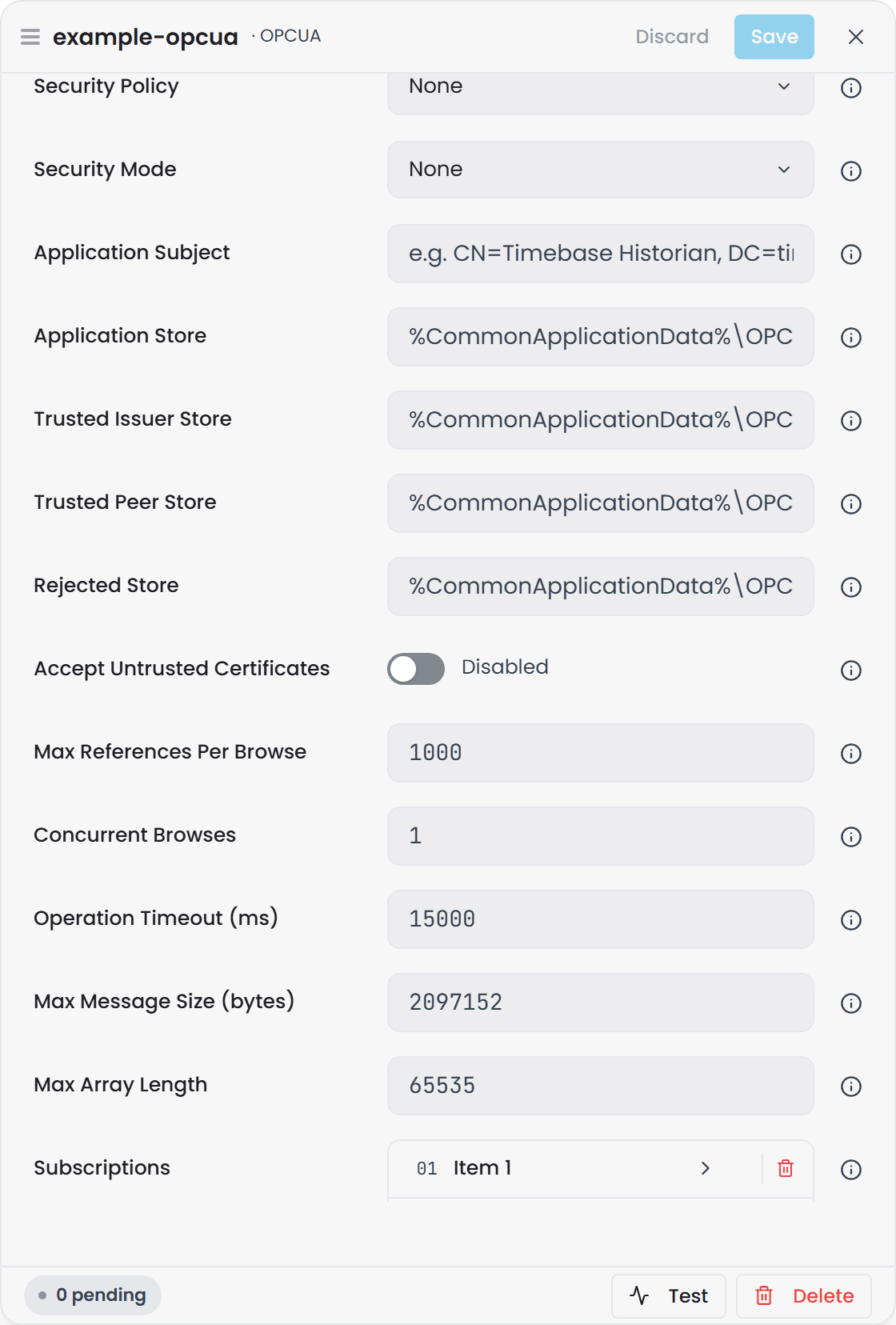
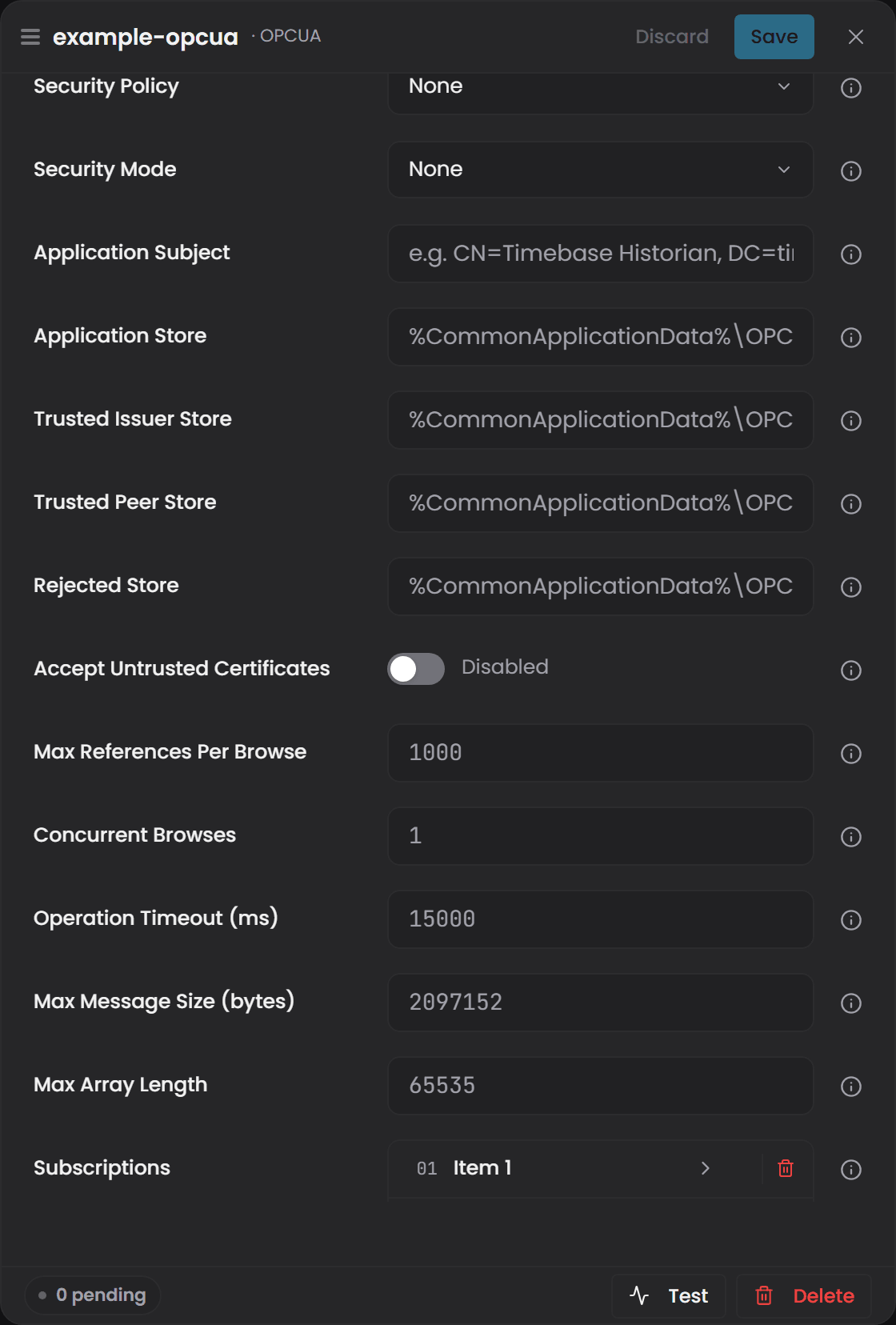
Before the collector can connect securely, the client certificate generated by Timebase must be trusted on the OPC UA server, and the server must allow the chosen Security Policy and Security Mode.
Most connection failures in secure OPC UA environments occur because the server administrator has not yet approved the client certificate or because the server is configured to allow only a different combination of policy and mode than what the Collector is using.
Security Policy: Specifies the cryptographic algorithm suite used to secure the OPC UA session, determining how messages are signed and encrypted during communication with the server.
Most modern OPC UA deployments use Basic256Sha256 for strong encryption while older systems may only support weaker policies such as Basic128Rsa15, so if you are unsure where to start, choose the strongest policy supported by the server and ensure the server trusts the client certificate before a secure connection will succeed.
Security Mode: Defines the level of protection applied to OPC UA messages, where options include no security, sign only, or sign and encrypt, allowing you to match the server’s required balance between performance and confidentiality.
The Security Mode determines how each OPC UA message is protected and typically offers None, Sign, or Sign and Encrypt, where None should only be used in development environments, Sign protects message integrity without encrypting data, and Sign and Encrypt offers full confidentiality for production systems.
Both the Security Mode and Security Policy must match the server configuration, and the server must be configured to accept encrypted client connections if you select a secure mode here.
Troubleshooting: Many server brands, including Kepware, must be reinitialized before any security changes will take effect on the server.
The video below featuring Lenny Smit demonstrates these security principals and will be helpful if you are new to securing an OPC server. This highlights the older JSON configuration option (Timebase Collector v1.0), but is still relevant in concept and application for the latest version.
Video - OPC UA security modes and policies. A link will be added here once the recording is published.
Certificate#
Application Subject: The unique name assigned to the Timebase OPC UA client certificate, which identifies the Collector to the server during the secure connection handshake and must match the subject entry that the OPC UA server approves when trusting the certificate.
Application Store: The folder path where the Collector stores its own certificate and private key, typically generated automatically on first launch, and this folder must remain accessible so the collector can reuse the same certificate for reconnects rather than creating new certificates each time. On Windows it defaults to C:\ProgramData\OPC Foundation\CertificateStores\MachineDefault; on Linux and in Docker it defaults to {Certificates}/opcua/pki/own. Paths you set yourself are used as given on every platform.
Trusted Issuer Store: The folder path that contains certificate authorities (CAs) that the Collector trusts to sign OPC UA server certificates, and if the OPC UA server uses a CA-signed certificate rather than a self-signed one, the CA must be present here for the Collector to validate the server.
Trusted Peer Store: The folder path that contains individual server certificates that the Collector has explicitly trusted, and if the OPC UA server uses a self-signed certificate, the server’s certificate must be copied into this folder for the secure connection to succeed.
Rejected Store: The folder path where certificates are placed when the Collector receives them from an OPC UA server but does not yet trust them, making this the first place to check when a connection fails due to certificate trust issues because the administrator can promote a rejected certificate into the trusted store.
Accept Untrusted Certificates: Allows the collector to accept and use untrusted server certificates without requiring approval through the trust store, which can simplify development or testing environments but should not be enabled in production because it bypasses certificate validation and eliminates protection against man-in-the-middle attacks.
Where the stores live in a container
On Linux and in Docker the four stores default to {Certificates}/opcua/pki/own, .../issuer, .../trusted and .../rejected. In the Collector image that is /collector/certificates/opcua/pki/.... The folders are shared by every OPC UA instance in the Collector, the same as the Windows machine store. Inside each store, certs/ holds the certificates as .der files named by thumbprint, private/ (own store only) holds the private key, and crl/ holds revocation lists.
the stores are on the Collector's volume, so they survive container updates and recreates and the OPC UA server trusts the Collector once.
Linux has no shared standard location, so trust between the Collector and another OPC UA application is always set up by copying the other side's .der file into the matching trusted store, or through a Global Discovery Server.
Carrying a trust list over from an older container
Earlier images kept the stores inside the container at /usr/share/OPC Foundation/CertificateStores/ and were lost when the container was removed. The simplest path is to let the new container create a fresh certificate and trust it on the OPC UA server once.
If you cannot re-trust on the server, copy the existing certificate out of the stopped old container before you remove it, then into the volume with a throwaway helper container. Do this before the new container has started an OPC UA instance, or after deleting the own/certs/* and own/private/* it created. Use your own container name, and your Collector's volume name in place of collector.
docker cp "old-collector:/usr/share/OPC Foundation/CertificateStores/MachineDefault" ./own
docker cp "old-collector:/usr/share/OPC Foundation/CertificateStores/UA Applications" ./trusted
docker run --rm -v collector:/collector -v "$PWD":/import alpine sh -c '
  mkdir -p /collector/certificates/opcua/pki/own /collector/certificates/opcua/pki/trusted &&
  cp -r /import/own/certs /import/own/private /collector/certificates/opcua/pki/own/ &&
  cp -r /import/trusted/certs /collector/certificates/opcua/pki/trusted/ &&
  chown -R 1654:1654 /collector/certificates/opcua'
The chown is there because the images run unprivileged as user 1654, which must own the files to read the private key.
Troubleshooting Common Issues
If the collector cannot establish a secure OPC UA session, the problem is almost always related to trust configuration between the client (Timebase) and the server. The most common causes are:
1. The OPC UA server has not yet trusted the Timebase client certificate. Check the server’s rejected or pending certificates list and approve the Timebase certificate so it moves to the server’s trusted store.
2. The collector does not trust the OPC UA server’s certificate. If the server uses a self-signed certificate, download or copy the server certificate into the collector’s Trusted Peer Store; if the server uses a CA-signed certificate, ensure the CA certificate is in the Trusted Issuer Store.
3. The Security Policy and Security Mode do not match between client and server. The certificate will appear “invalid” if the server only accepts certain policy/mode combinations; confirm that both sides are configured for the same values.
4. File system access problems on the certificate folders. If the collector cannot read or write its Application Store, Trusted stores, or Rejected store due to file/folder permissions, the client certificate cannot be reused and the connection will fail.
5. A new certificate was generated but the server is still expecting an older one. If the Application Store was deleted or replaced, the collector may present a new certificate the server does not recognize; approve the new certificate on the server or restore the original Application Store.
6. “Accept Untrusted Certificates” was enabled too early or too late. If enabled before the first handshake, some servers will downgrade to insecure mode and block the session; if disabled in a mixed-trust environment, the secure connection may fail until the trust chain is fully configured.
6a. Every node is matched, and few or no values arrive from a large plant. Two different causes, told apart in the logs. If the collector's log says a CreateMonitoredItems of 1000 items was too big for the connection; sending 500 at a time, that is the collector splitting a call the server refused for its size, and the values will follow; nothing to do. If instead values trickle in or stop while the server's log shows QUEUE OVERFLOW, the server is dropping notifications it cannot hold, and the collector cannot lift that limit: raise MaxNotificationsPerPublish and MaxMessageQueueSize on the server, as described under Large address spaces. A line in the collector's log counting nodes that failed in one batch, with a reason that is not about size, is a server-side limit on those nodes; they are retried next cycle, and the server's own log says why.
7. The session connects but a folder cannot be browsed. The log shows browse failed on node '...': BadSecureChannelClosed (or BadEncodingLimitsExceeded) a few seconds after the session is created, the cycle ends with 0 nodes matched, and the collector reconnects. The folder is too wide to be returned in one Browse response: either the server dropped the connection because the response exceeded its own limit, or the collector aborted the channel because the response exceeded a Transport limit. Set Max References Per Browse to a value below the folder's width (the default of 1000 covers most cases; 0 disables paging) so the folder is read in pages. Keep Concurrent Browses at 1 for embedded servers. Only if paging is not possible on that server, raise Max Message Size and Max Array Length.
Subscriptions#
Each subscription is an item in the Subscriptions list at the bottom of the Settings tab. Add item adds one, and clicking an item opens its own page in the drawer.
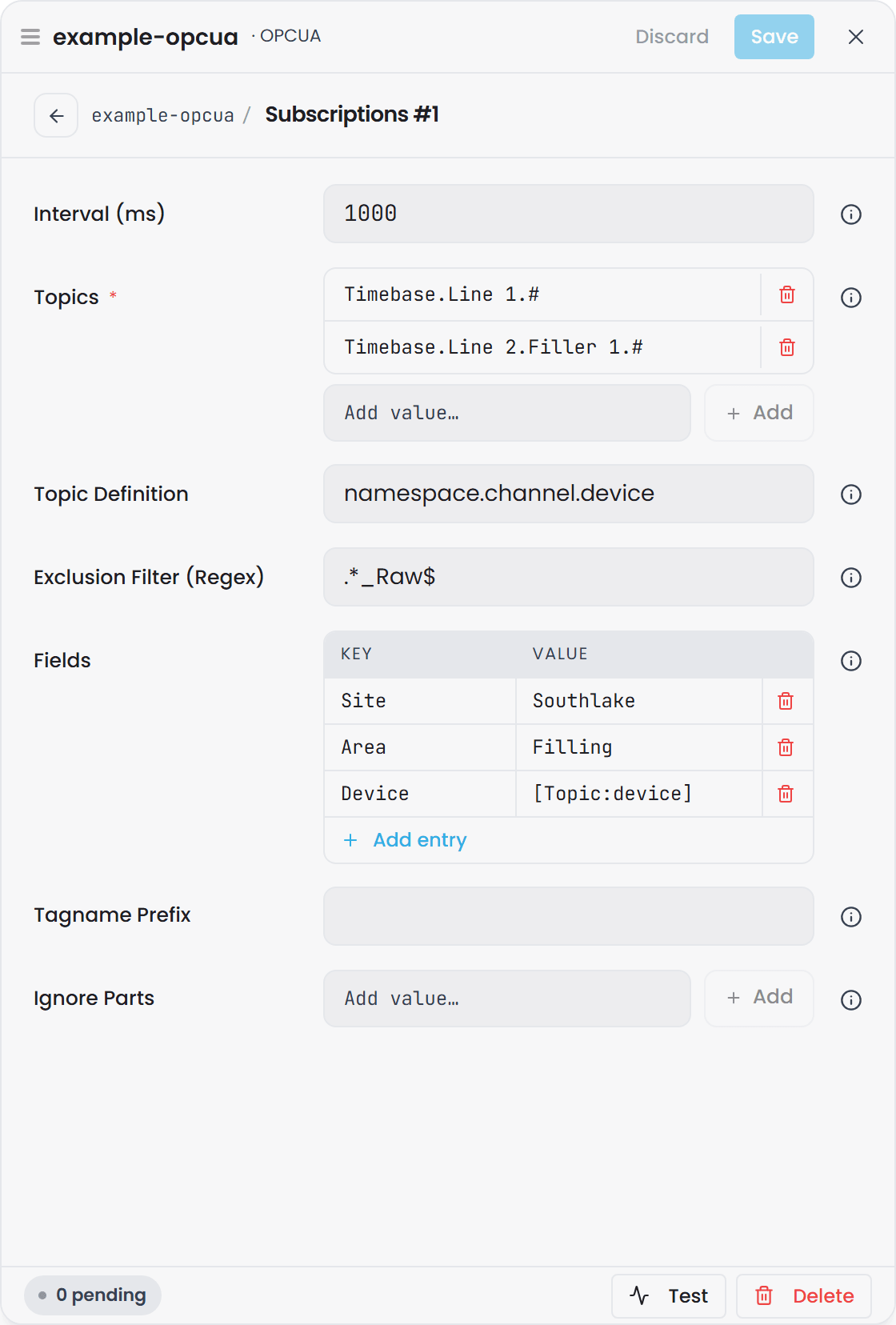
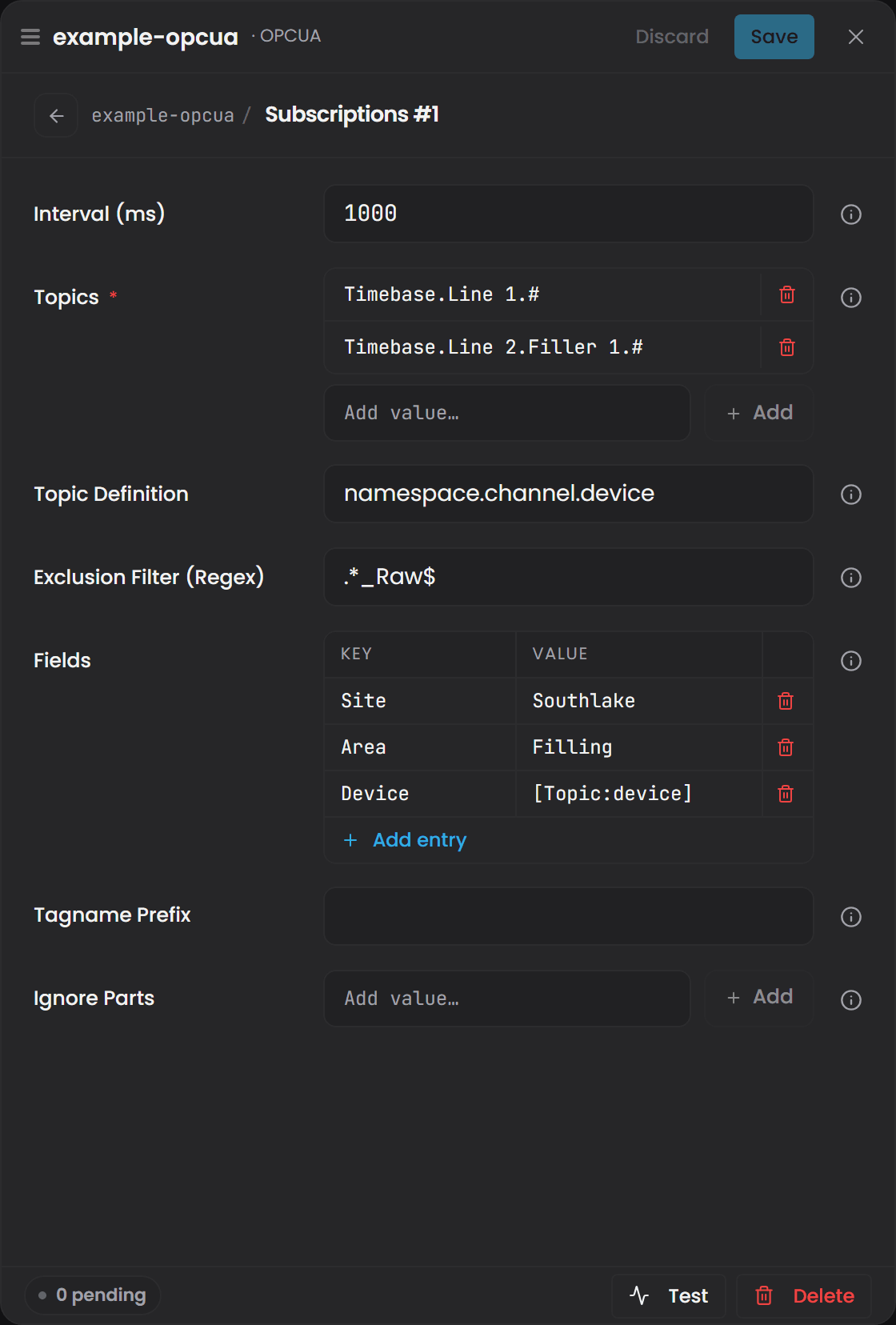
Interval (ms): How often the collector requests fresh data from the OPC UA server for all monitored tags, in milliseconds.
Topics: A list of OPC UA namespace paths that serve as entry points for tag discovery. Type each one and press Add.
In OPC UA, a Topic represents the hierarchical path to an asset, subsystem, or data tree inside the server’s address space. By choosing the right topics, you decide what parts of the plant you intend to historize rather than logging the entire address space. Subscribing to broad topics provides for faster setup but does not require you to historize unnecessary data as adding Filters later in the config will provide for exclusion lists to be built.
Wildcards: Timebase supports two wildcards for OPC UA topic browsing, and both make large namespace subscriptions scalable without listing every device by hand.
- The
+wildcard matches exactly one level of the address space. Use it when a segment varies but the depth stays the same, so the structure is consistent across areas or lines. - The
#wildcard matches everything below that point, at any depth, and must be the last segment of the topic. Use it to take a whole branch, including equipment added later.
Unlike MQTT or Sparkplug, where wildcards operate on topic strings inside a broker, OPC UA wildcards operate on the server’s folder-based address space, allowing the collector to browse and discover tags directly from the server. Wildcards make OPC subscriptions future-proof: they allow new equipment added under the same structure to be discovered automatically, while still letting you target only the meaningful branches of the namespace instead of the entire server.
Topic Examples: The configuration in the below examples uses a mixed strategy, combining wildcard discovery for some equipment and explicit targeting for others:
Topic 1: Area 1.Line 1.Filler.#
Focuses only on a Filler in Area 1 Line 1, but still auto-discovers new fillers that appear under that branch. Useful when the location is fixed, but equipment may grow or change.
Topic 2: Area 1.+.Cappers
Uses the + wildcard to capture every Capper on every line in Area 1 that has a single level of structure. Ideal when equipment is consistent across the plant and you want to scale without constantly editing the topic list.
Topic 3: Austin Site.+.Boilers
Collects boiler data only from a single site, but across all boiler rooms or utility sub-areas inside that site even if the folder structure has different levels from area to area.
Topic Definition:
A list of semantic keys that tells the OPC UA Collector how to interpret each segment of the browse path, so those values can be used as dynamic fields on the generated tags.
How Topic Definition Works
OPC UA address spaces usually encode meaningful structure such as area, line, equipment type, and physical asset name, but the OPC UA Collector cannot know which folder represents which concept unless you define it. Topic Definition allows you to map each level of the OPC UA path to a semantic role by listing the keys in order, and the Collector then extracts those values from every discovered tag to populate metadata fields and assist with tag naming.
Example: with a Topic Definition of area/line/equipment, and an OPC UA node path of Area 1.Line 1.Capper 4.Motor Speed, the collector resolves:
- area = Area 1
- line = Line 1
- equipment = Capper 4
Anything deeper than the defined levels (in this case Motor Speed) is ignored for semantic mapping and can be handled separately using Fields, Filters, or naming options. This approach allows Timebase to derive meaningful context directly from the OPC UA namespace rather than requiring that information to be stored inside every tag.
Exclusion Filter (Regex): A .NET regular expression (regex) used to omit metrics from logging; the collector evaluates the regex against each tag name and excludes any tag that matches the pattern, allowing broad subscriptions while preventing unwanted tags from being written to the historian.
How .NET Regex Filtering Works
The .NET regex engine matches your pattern against the full metric name provided in each Sparkplug message; if the name matches the pattern, the collector does not log that metric, which helps keep the historian focused on meaningful operational data.
Simple Contains Match
To exclude any metric containing the word Debug, simply enter Debug into the filter.
Prefix Based Filtering
To exclude all metrics beginning with a specific device prefix, use: ^Filler02_.* which removes Filler02_Speed, Filler02_Temp, and all other metrics starting with Filler02_.
Excluding Classes of Metrics
If alarm metrics follow a known prefix such as Alarm_, you can exclude them using: ^Alarm_.* which keeps the historian from filling with high-frequency alarm chatter.
Matching Multiple Patterns
To exclude metrics belonging to either of two prefixes, use: ^(Filler02_|Capper01_).* which uses .NET grouping and alternation.
Using Negative Lookahead
To keep all metrics except those containing the word Test, use: ^(?!.*Test).* which is a .NET negative lookahead pattern and excludes any name containing Test while allowing everything else.
For a online tutorial in regex or to learn more, we recommend the website RegExr - https://regexr.com/
Fields: Allows the Collector to extract values from each level of the OPC UA folder path and store them as metadata on every historized tag so the tag always carries context such as area, line, or equipment.
In OPC UA, Fields pull extra information from the node path and append it to each tag as metadata, the same way they do for MQTT or Sparkplug. The difference is that instead of pulling values out of a payload or topic string, OPC UA Fields extract values from the folder path of the node.
Fields in OPC UA can be populated in two ways: you can hardcode a value (for example, setting Site = Austin), or you can dynamically extract a value from the OPC UA folder path using Topic Definition. The dynamic method is especially powerful because it allows Timebase to derive metadata from the namespace automatically rather than forcing the user to manually type values for each subscription.
When you configure a Topic Definition such as namespace.channel.group1, each segment of the OPC UA path now has a semantic label that the collector can reference. If the OPC UA node being historized sits under a path like Austin/Packaging/Filler/Filler B/Motor Speed.pv, the collector does not inherently know that “Austin” represents a site, “Packaging” represents an area, or “Filler” represents an equipment type. However, because Topic Definition has mapped the first three segments of the path to meaningful labels, Fields can now pull those values automatically.
For example, you can add a Field whose Key is “Site” and the Value is [Topic:namespace]. This instructs the collector to take the first segment of the OPC UA path (mapped as namespace through Topic Definition) and record it as the Site metadata on the tag. The result is that every tag in that namespace will automatically include Austin as the "Site" without hardcoding the word Austin anywhere in configuration.
You could achieve the same result by hardcoding Austin as the "Site", but the advantage of using Topic Definition becomes clear when dealing with attributes that vary, such as area, line, or equipment type. By linking Fields to Topic Definition rather than typed values, the tag metadata always stays correct even when new equipment appears or when multiple lines and asset types exist. This makes OPC UA subscriptions scalable, self-describing, and far easier to maintain as the plant evolves.
Tagname Prefix: Static text automatically prepended to every generated tag name to help identify the data source or system origin. It is applied after the exclusion filter.
Ignore Parts: Plain text removed from every tag name, one entry at a time with Add, matched literally. Dots left dangling at either end are trimmed afterwards, and the prefix is applied after the removal. Adding DeviceSet.CODESYS Control Win V3 x64.Resources.Application. strips that prefix from every tag the subscription produces.
Connection status#
The instance's status in the Collector says whether it holds a session with the server, separately from whether it started. A blank or malformed endpoint URL, or a subscription list with nothing in it, reads Connection Fault at once with the reason. While a lost session is being re-established the instance reads Connecting…, and Connection Fault once the outage has lasted a minute; it recovers on its own when the server answers. See Plugin Instance States, Connection Status and Retries.