Configuring Gage LLM providers and models
Register an LLM provider in Pulse Gage and choose the models the Timebase AI assistants can use.
Overview#
Gage is Pulse's central LLM gateway. Atlas, Historian, and Collector do not declare models of their own; they proxy all AI requests through Pulse and read the model catalogue from it. This document covers the complete Gage configuration - registering LLM providers, defining the logical models they expose, setting quotas and allowlists, and interpreting usage logs. It is for Pulse administrators who configure the AI infrastructure the whole product uses.
Getting the assistant working for the first time? Quick Start: Turn On the AI Assistant walks the shortest path through Pulse and the component together, and names each error you might see. Come back here for the full reference.
Prerequisites#
-
The
pulse:administratorrole. Gage in Pulse is an administrator capability throughout: every/app/gage/*read is administrator-gated, including the providers catalogue, provider detail, the client and user policies, and the usage log. A non-administrator receives a403rather than a filtered view, and the Ask Gage assistant does not render for them inside Pulse at all.This is deliberately stricter than
/app/clientsand/app/users, whose reads any signed-in operator can make. The usage log spans every caller in the install, and the provider records are deployment configuration carrying credentials. -
An OAuth client with administrator privileges to perform write operations.
-
At least one LLM API key (or equivalent authentication for a wire-compatible backend you control).
The Wire model#
A wire is the protocol a provider speaks - one of exactly two request/response shapes the Gage proxy understands. The wire drives three things: the upstream authentication scheme, the relay behaviours, and the canonical upstream path when none is configured. The two wires are:
| Wire | Name | Canonical path | Upstream auth | Relay behaviours |
|---|---|---|---|---|
0 |
Anthropic | /v1/messages |
x-api-key header + Anthropic version header |
Injects missing max_tokens (default 4096); corrects extended-thinking request shape for pre-adaptive-thinking models |
1 |
OpenAI | /v1/chat/completions |
Authorization: Bearer <key> |
No modifications beyond model rewrite |
Branding (the display name "Anthropic", "OpenAI", "Google Gemini", "Local Ollama") lives in the provider's DisplayName, not in the wire. Any backend that speaks OpenAI's Chat Completions format is wire 1 - including local Ollama servers and Google Gemini's OpenAI-compatibility endpoint (see worked examples below).
Provider fields#
A GageProvider carries these fields:
| Field | Type | Default | Required | Notes |
|---|---|---|---|---|
Id |
string | - | Yes | Provider identifier. Lowercase, URL-safe, immutable once created (^[a-z0-9][a-z0-9-]*$). Part of model handles. Cannot be changed after creation. |
DisplayName |
string | - | Yes | Human-friendly label shown in the admin UI. Carries all branding. No restrictions; can be changed anytime. |
Wire |
enum (0 or 1) | - | Yes | The protocol: 0 = Anthropic Messages, 1 = OpenAI Chat Completions. Drives auth scheme and relay behaviour. |
Endpoint |
string | - | Yes | Base URL of the upstream provider (e.g., https://api.anthropic.com, https://generativelanguage.googleapis.com). |
UpstreamPath |
string | null | No | Optional path appended to Endpoint for the actual relay POST. When null/empty, the wire's canonical path applies (e.g., /v1/messages for Anthropic). Leading slash is added if missing. See section below for how this unlocks non-standard paths. |
ApiKey |
string | - | Yes (on create) | The provider API key or bearer token. Stored verbatim in the configuration store. Write-only: never returned by any read API; use the /set-key route to rotate. An empty key is allowed at creation and rotated later. |
Enabled |
bool | true |
No | Whether this provider can be resolved, called, and used as a fallback. A disabled provider is completely invisible to callers. Disable instead of delete to retain configuration. |
Models |
list | [] |
No | Embedded list of logical models this provider exposes. Each model has its own Id, DisplayName, RealModelId, FallbackEnabled, and Enabled flags. |
CreatedAt |
datetime | - | (set by server) | UTC timestamp when created. Read-only. |
UpdatedAt |
datetime | - | (set by server) | UTC timestamp when last modified. Read-only. |
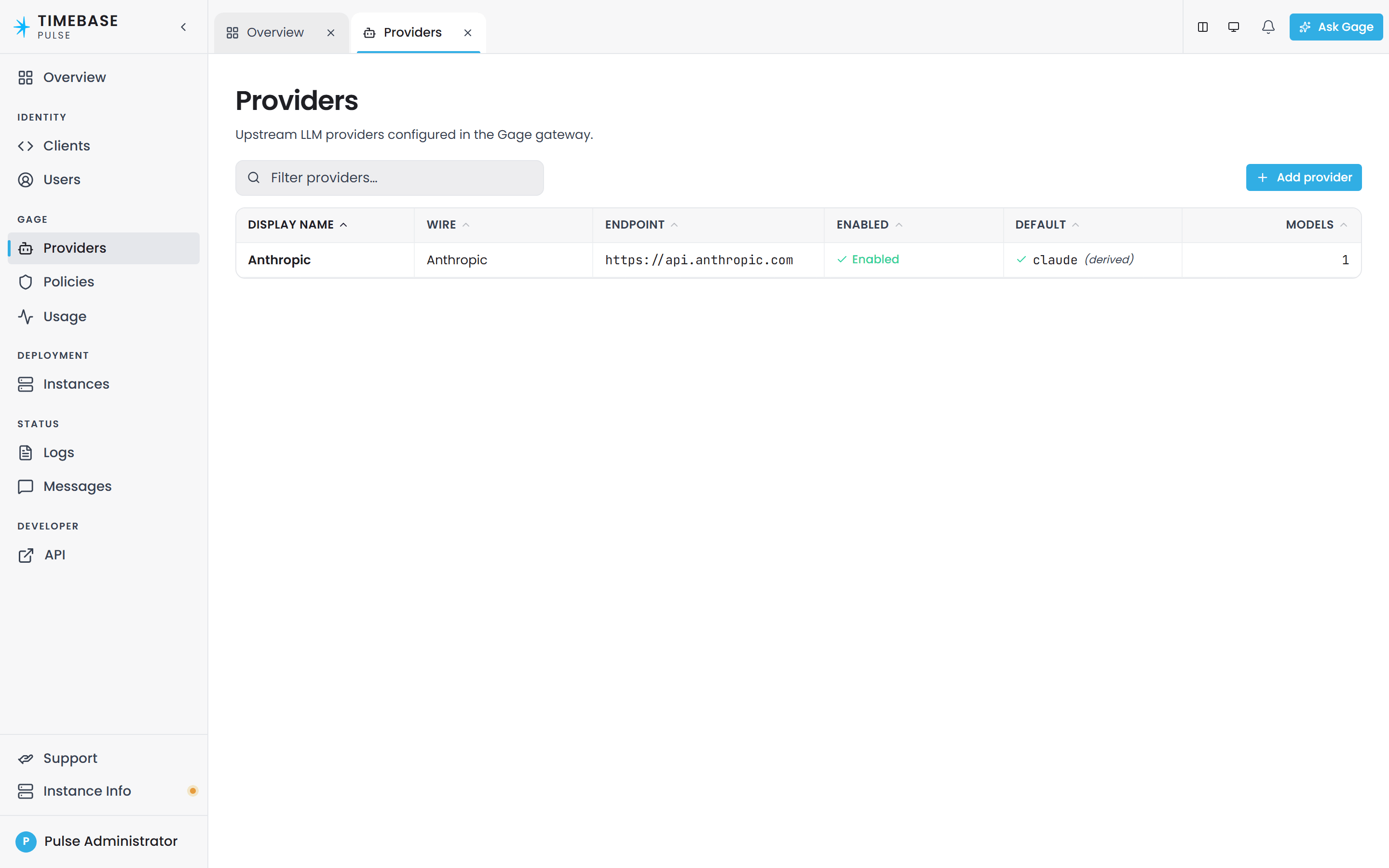
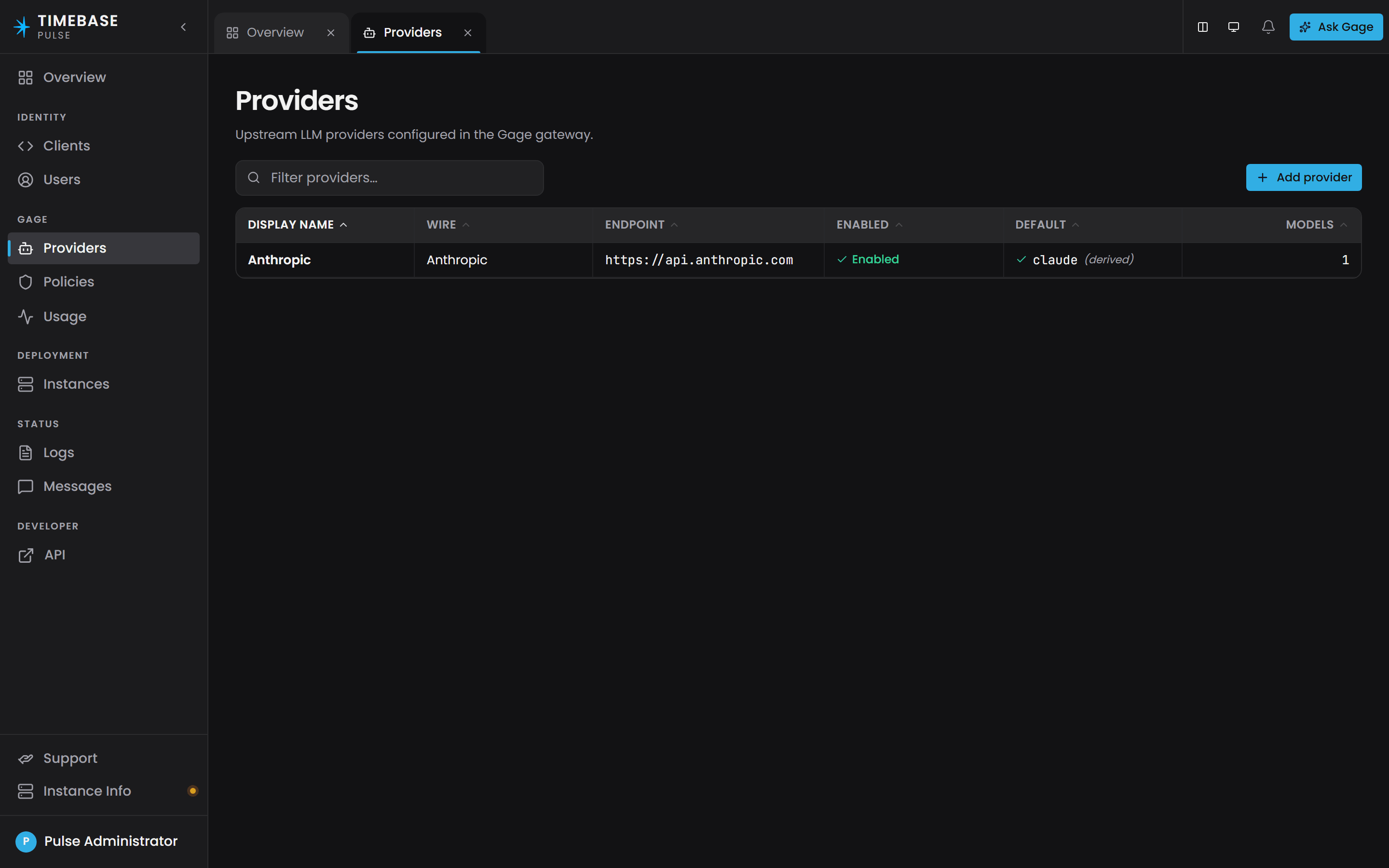
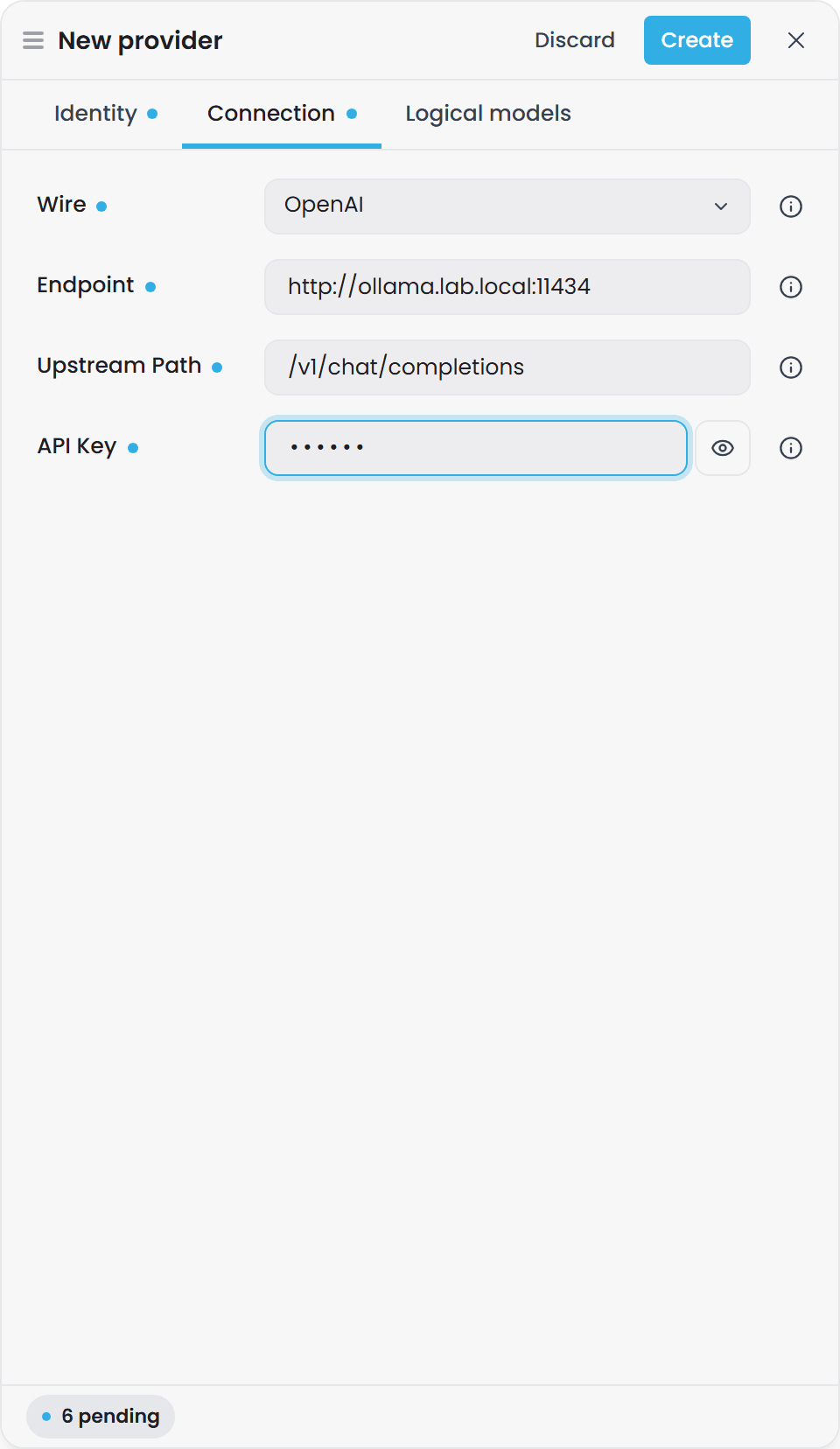
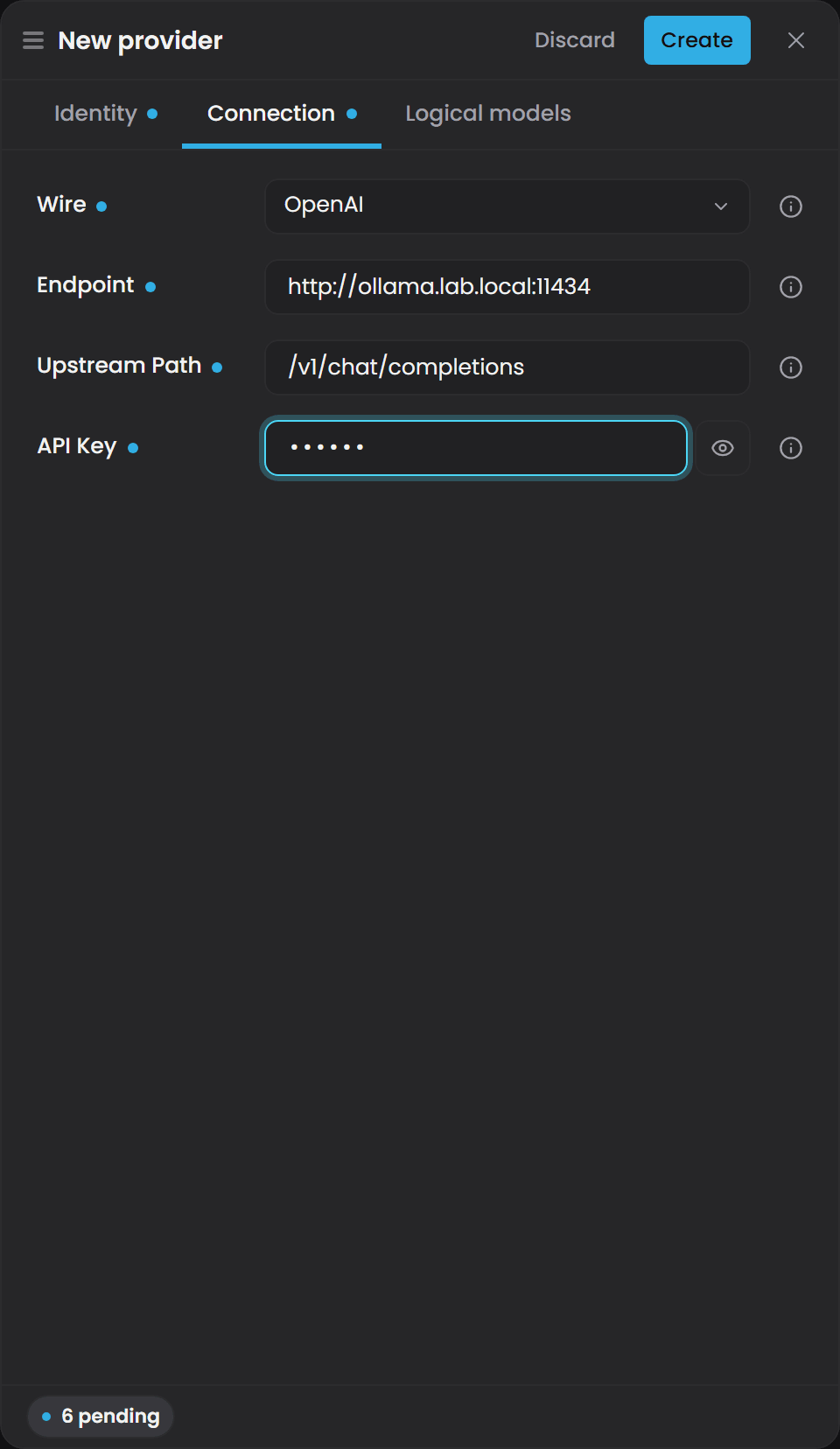
In the interface, Providers under Gage lists them with their wire, endpoint, state, default model and model count; Add provider opens a drawer with the id, display name and switch on Identity, the wire, endpoint, upstream path and API key on Connection, and the models on Logical models.
UpstreamPath - reachable non-standard backends#
UpstreamPath is the single most useful under-known field in Gage. It decouples the caller-facing front-door path (/api/gage/proxy/v1/chat/completions or /v1/messages) from the actual upstream relay target. This makes any wire-compatible backend served at a non-standard path reachable by configuration alone, no proxy code change required.
Worked example: local Ollama server#
You run Ollama locally on your machine at http://localhost:11434/v1/chat/completions.
Create a wire-1 (OpenAI) provider with:
{
  "Id": "ollama-local",
  "DisplayName": "Local Ollama",
  "Wire": 1,
  "Endpoint": "http://localhost:11434",
  "UpstreamPath": "/v1/chat/completions",
  "ApiKey": "",
  "Enabled": true,
  "Models": [
    {
      "Id": "mistral",
      "DisplayName": "Mistral 7B (local)",
      "RealModelId": "mistral",
      "FallbackEnabled": true,
      "Enabled": true
    }
  ]
}
A caller sends {"model": "ollama-local/mistral", ...} to /api/gage/proxy/v1/chat/completions. Gage relays to http://localhost:11434/v1/chat/completions with the model rewritten to mistral.
Worked example: Google Gemini's OpenAI compatibility endpoint#
Google offers an OpenAI-compatible endpoint. Create a wire-1 provider with:
{
  "Id": "gemini-compat",
  "DisplayName": "Google Gemini (OpenAI-compatible)",
  "Wire": 1,
  "Endpoint": "https://generativelanguage.googleapis.com",
  "UpstreamPath": "/v1beta/openai/chat/completions",
  "ApiKey": "<your-gemini-api-key>",
  "Enabled": true,
  "Models": [
    {
      "Id": "gemini-pro",
      "DisplayName": "Gemini 2.0 Flash",
      "RealModelId": "gemini-2.0-flash",
      "FallbackEnabled": true,
      "Enabled": true
    }
  ]
}
Callers send to /api/gage/proxy/v1/chat/completions with handle gemini-compat/gemini-pro. Gage relays to https://generativelanguage.googleapis.com/v1beta/openai/chat/completions with the API key in the Authorization: Bearer header and the model rewritten to gemini-2.0-flash.
In both cases, the caller is unaware of the actual upstream path. The admin changes the configuration; the caller's code is unaffected.
Logical models and handles#
A handle is the caller-facing identifier for a model: providerId/logicalModelId (e.g., anthropic-prod/fast). Both segments are lowercase, URL-safe (^[a-z0-9][a-z0-9-]*$), and immutable once created. An admin can remap the real upstream model (change RealModelId) without breaking the caller's code - they keep using the same handle.
Logical model fields#
A LogicalModel (embedded in a provider) carries:
| Field | Type | Default | Notes |
|---|---|---|---|
Id |
string | - | The second segment of the handle. Immutable, lowercase URL-safe. |
DisplayName |
string | - | Human-friendly label in the admin UI. Can change anytime. |
RealModelId |
string | - | The actual model name passed to the upstream provider (e.g., claude-haiku-4-5, gpt-4o). Can be changed to remap the handle to a different upstream model. |
FallbackEnabled |
bool | true |
Whether this model participates in cross-provider fallback for its logical ID. See Fallback section below. |
Enabled |
bool | true |
Whether this model can be resolved and called. A disabled model is invisible to callers. |
Handle resolution#
When a consuming app (Atlas, Historian, Collector) sends a Gage proxy call with a handle like anthropic-prod/fast, Gage resolves it as follows:
- Look up the provider by
providerId(anthropic-prod). - Look up the logical model by
logicalModelId(fast) within that provider. - Combine them into a
GageModelResolution(provider, logicalModel)tuple. - Use the provider's wire, endpoint, and upstream path to construct the relay target.
- Rewrite the request's
modelfield to the logical model'sRealModelId. - Apply wire-specific corrections (Anthropic
max_tokensinjection, thinking-shape normalization). - Relay to the upstream, re-evaluating per fallback attempt.
Wire-mismatch failure - critical callout#
The proxy does NO wire translation. If you create a provider with Wire: 1 (OpenAI) but the backend is actually Anthropic, or vice versa, the mismatch will not be caught when you save the provider. It surfaces only on the first actual chat call, when the upstream returns a 4xx or 5xx error because the request body is wrong-shaped.
Example: You intend to configure Claude via an OpenAI-compatible wrapper, but you set Wire: 1 (OpenAI) when the actual backend is Wire: 0 (Anthropic). When a caller sends a call with the handle, the proxy will send an OpenAI-format body ({ "messages": [...] } plus OpenAI-specific fields) to an Anthropic endpoint. The endpoint rejects it with HTTP 400. The error appears in the logs and returns to the caller; it does not appear in the provider configuration UI.
Prevention: Verify that the Wire you set matches the actual backend's native request format, not just its branding. If in doubt, check the upstream provider's own documentation.
Fallback#
When a provider call fails with a transient error (HTTP 429, 5xx, connection timeout) before any response is streamed, Gage automatically retries the same logical model on the next enabled provider of the same wire. Fallback keeps the request body valid on every attempt: the proxy forwards it verbatim (subject to wire-specific corrections), so a cross-wire redirect would send a wrong-shaped body and burn the retry.
Fallback selection algorithm#
Given a requested handle, Gage selects the ordered list of providers to attempt as follows:
- Start with the primary provider specified in the handle.
- Check: is the primary provider enabled AND is the requested logical model enabled? If not, fallback is empty; return immediately.
- Add the primary to the attempt list.
- If the primary's model has
FallbackEnabled: true:- Iterate through ALL other providers (in storage order, which is the priority order).
- Include each provider that is: enabled, same wire as the primary, and exposes an enabled, fallback-enabled model with the same logical ID.
- Add them to the attempt list in the order encountered.
- Return the list. If it has only the primary, no fallback is available for that handle.
Storage order is the priority - there are no explicit chains. Disabling the model, the provider, or setting FallbackEnabled: false removes it from fallback.
Example:
| Id | Wire | Enabled | Model | Model Enabled | FallbackEnabled |
|---|---|---|---|---|---|
anthropic-prod |
0 | ✓ | fast |
✓ | ✓ |
anthropic-backup |
0 | ✓ | fast |
✓ | ✓ |
openai-prod |
1 | ✓ | fast |
✓ | ✓ |
A call to handle anthropic-prod/fast attempts in order:
anthropic-prod(primary)anthropic-backup(same wire, same model enabled, fallback enabled)
It skips openai-prod because wire mismatch would invalidate the request body.
Policies and quotas#
Gage enforces rate limits and budgets through two kinds of policies: Client policies (keyed by OAuth client ID) and User policies (keyed by Pulse User GUID). When a call arrives, Gage applies whichever layer is relevant:
- If the caller is a Pulse User (the
X-Gage-Subjectheader parses as a GUID), Gage enforces the User layer. - If the caller is an opaque subject or a
client_credentialstoken (which has no User layer), Gage enforces the Client layer.
Each policy kind has a reserved [default] record that applies to every caller in that scope when no per-entity override exists. The [default] policy cannot be deleted, and it is not empty: the Policies page shows the shipped [default] client policy with a Current session budget of 10M tokens per rolling 5 hours and a Weekly limits budget of 100M per 7 days, both set to Block, and the [default] user policy, which appears once a signed-in user has called Gage, with 1M per 5 hours and 10M per 7 days. Neither carries an allow-list, so Allowed models reads All.
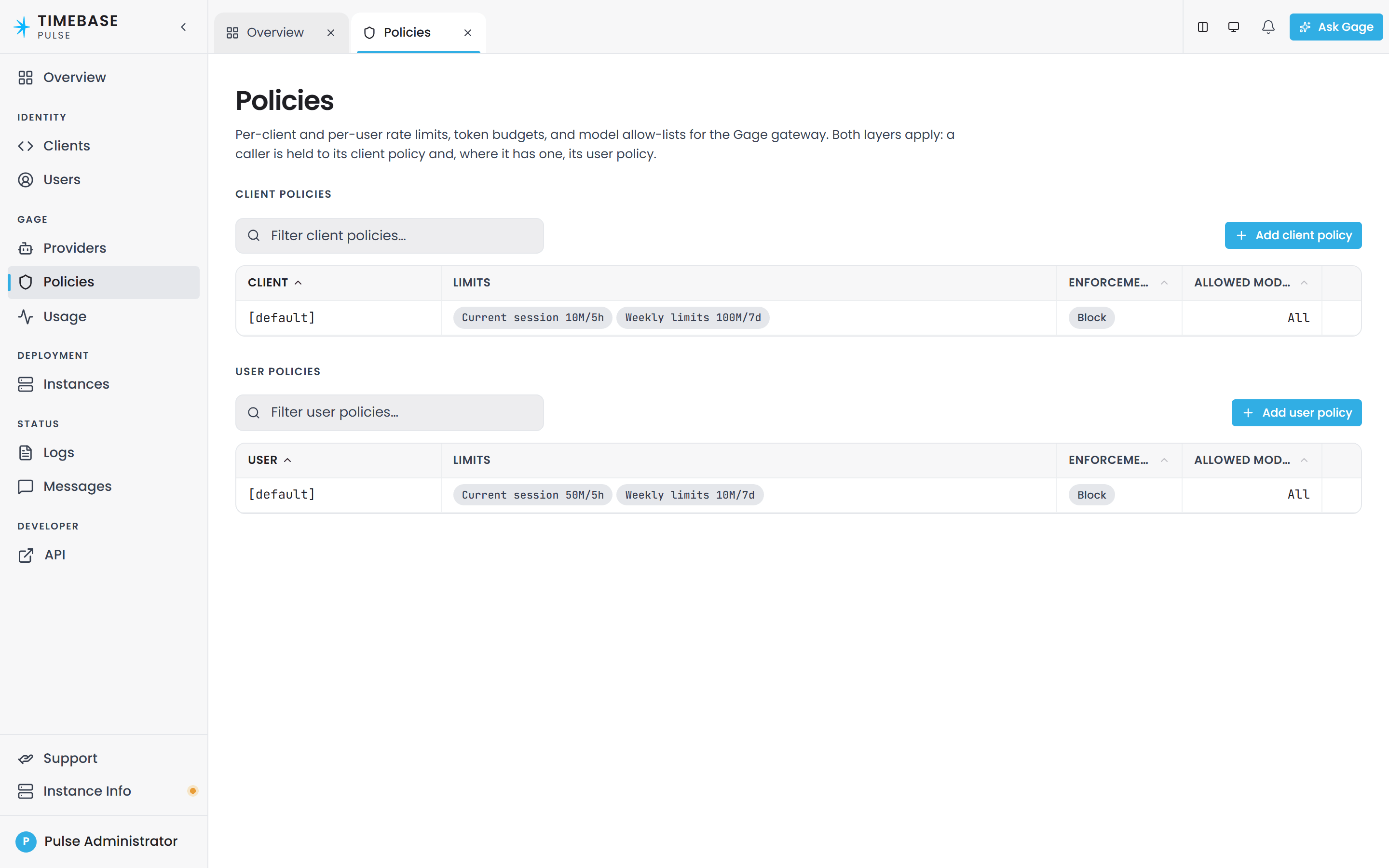
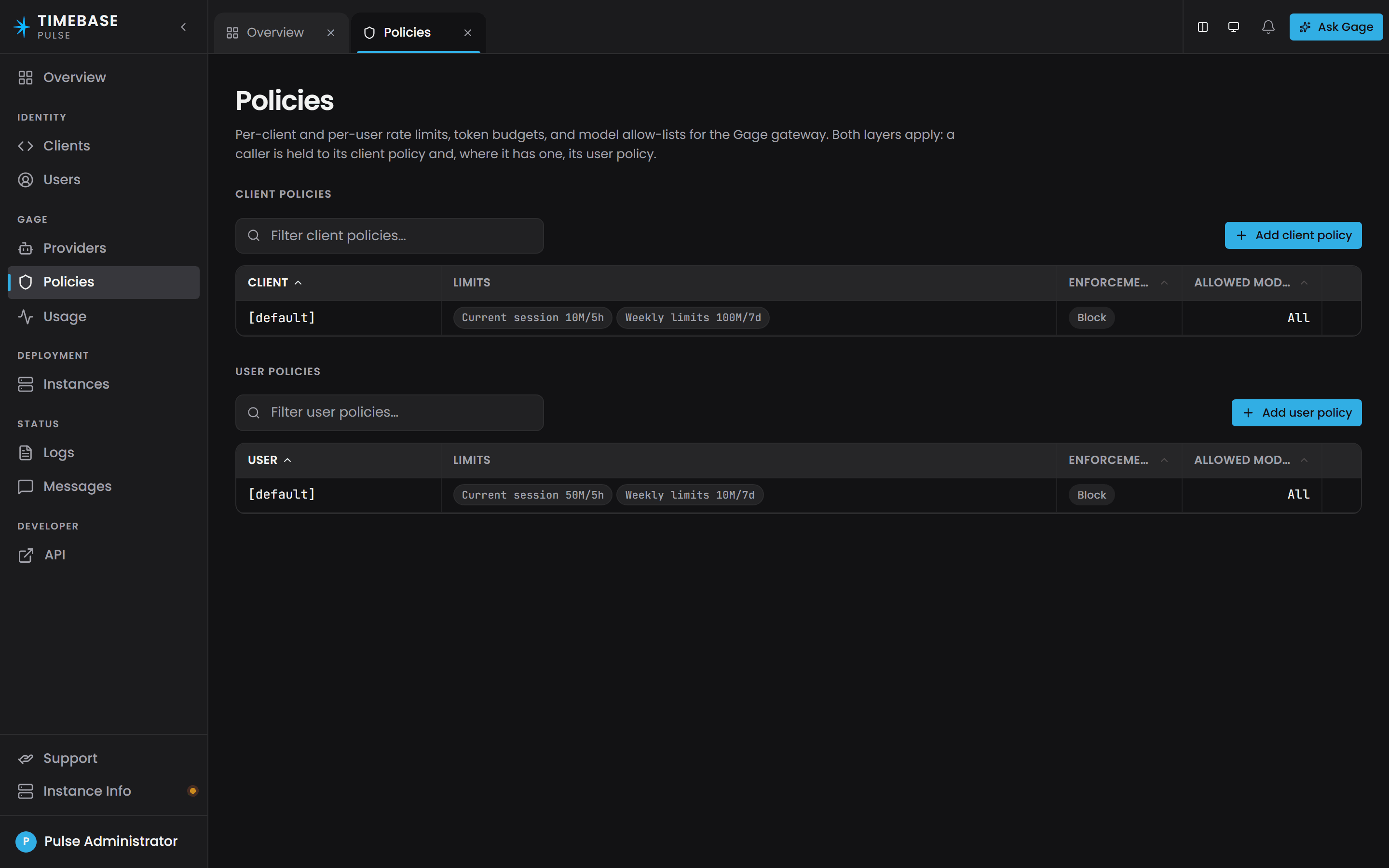
a busy assistant reaches the user budget sooner than you might expect, because every call carries the agent's tool descriptions as prompt tokens. When the assistant reports Rate limit or budget exceeded, open the policy, pick the metric and raise its Limit, or set a negative limit for unlimited.
Policy fields#
A GagePolicyDto carries:
| Field | Type | Default | Notes |
|---|---|---|---|
Id |
string | - | The policy key: client ID, User GUID, or the literal string [default]. |
Metrics |
dict | {} |
Named metrics (e.g., tokens.daily). Each metric has a Limit (number), optional Window (timespan; null = static count), and Policy (0 = Soft, 1 = Throttle, 2 = Block). |
AllowedModels |
list of strings | [] |
Allow-list of model handles. Empty means all models allowed (subject to the proxy's pre-flight check). Non-empty means only listed models are reachable. |
CreatedAt, UpdatedAt |
datetime | - | Read-only audit timestamps. |
Metrics and enforcement#
v1 meters token count only. Each metric name (e.g., tokens.daily) is a label; there is no metric-unit system yet. A metric can be:
- Unlimited:
Limit: -1(or any negative). The metric never enforces. - Static count:
Window: null. The metric is a cumulative counter that never resets. - Rolling rate:
Window: <timespan>(e.g.,PT1Hfor one hour). The metric rolls over the window; calls older than the window are dropped from the accumulated count.
When usage hits a threshold, the Policy triggers:
- Soft (
0): Records the overage but never blocks. Allows +25% overage before recording. - Throttle (
1): Returns HTTP 429 (Too Many Requests) with aRetry-Afterheader. Allows +10% overage before throttling. - Block (
2): Rejects the call outright. Allows +5% overage before blocking.
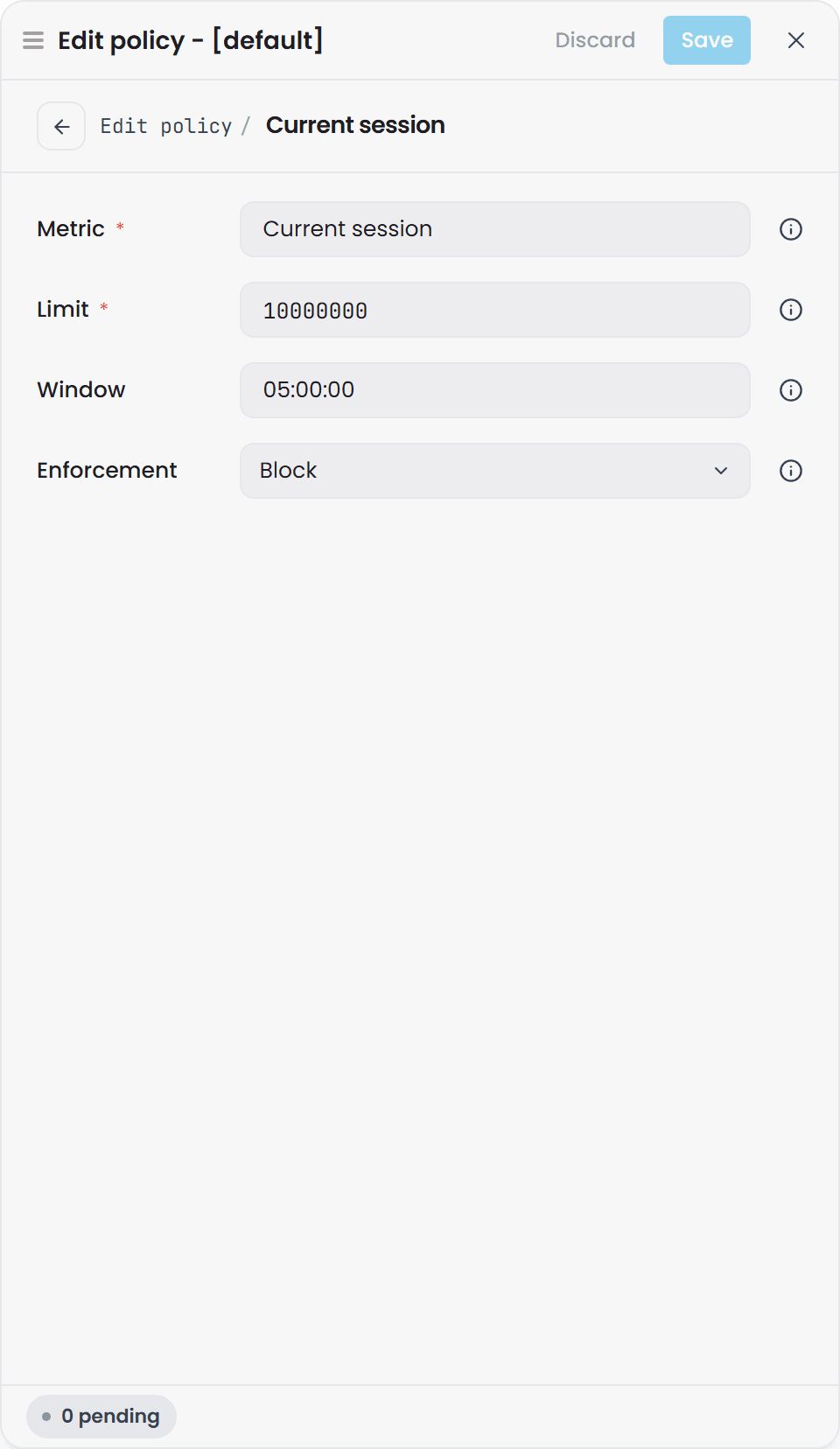
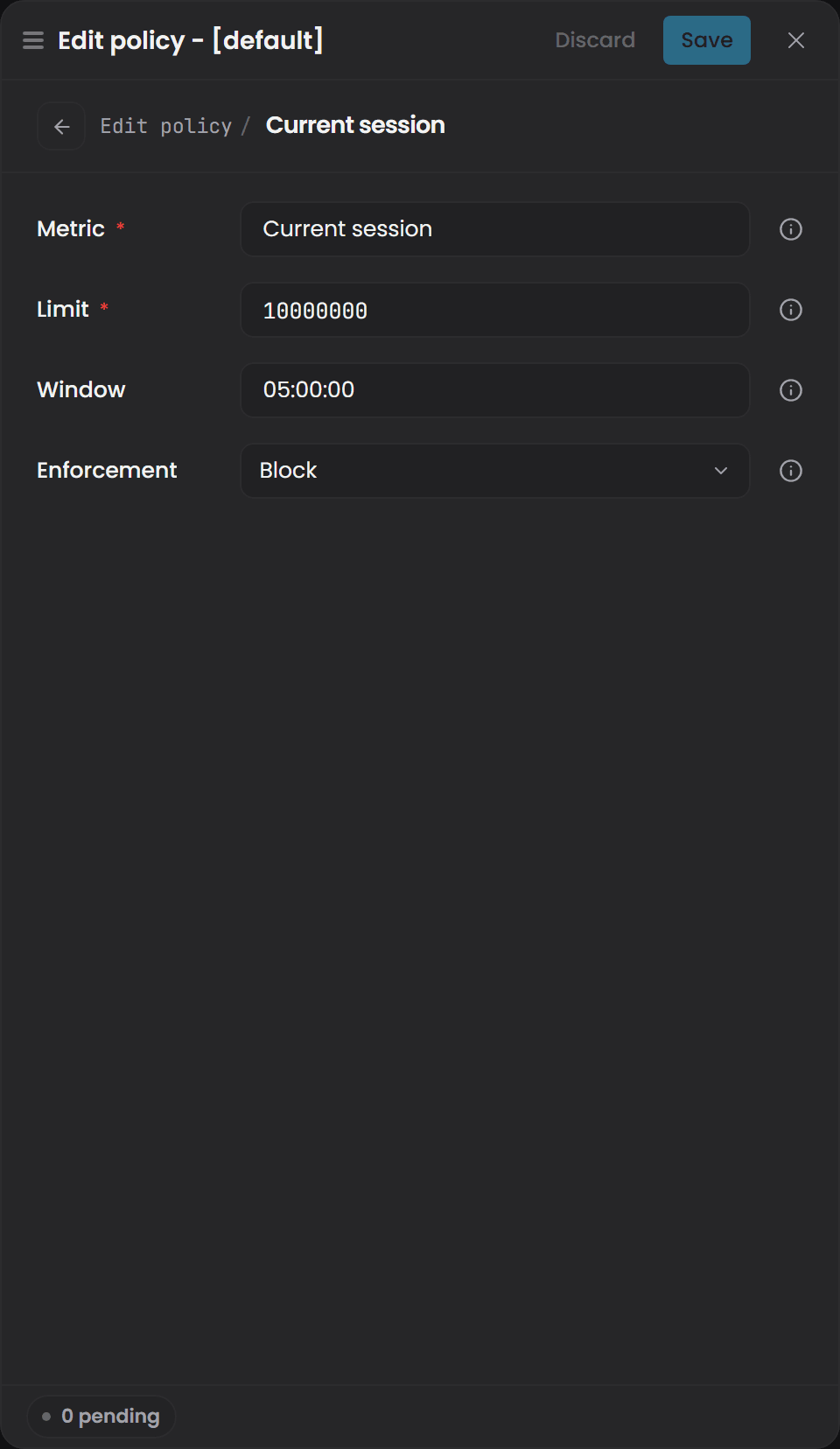
In the Pulse interface, Edit policy opens the policy with three tabs: Identity, Rate & budget limits and Model allow-list. Each metric on the limits tab opens its own page with the Metric name, the Limit, the Window as a .NET TimeSpan such as 05:00:00, and the Enforcement.
Setting client policies#
PUT /api/gage/client-policies/{clientId}
Authorization: Bearer <admin-token>

{
  "Metrics": {
    "tokens.daily": {
      "Limit": 1000000,
      "Window": "1.00:00:00",
      "Policy": 2
    }
  },
  "AllowedModels": ["anthropic-prod/fast", "anthropic-prod/smart"]
}
Returns 200 OK with the full policy DTO.
Setting user policies#
PUT /api/gage/user-policies/{userId}
Authorization: Bearer <admin-token>

{
  "Metrics": {
    "tokens.daily": {
      "Limit": 100000,
      "Window": "1.00:00:00",
      "Policy": 1
    }
  },
  "AllowedModels": []
}
An absent metric or AllowedModels inherits the [default]. An override with an explicit AllowedModels: [] (empty list) still inherits - only a non-empty list replaces the default.
Usage and logging#
Gage maintains a JSONL rolling usage log (default retention: 90 days). Every successful call is logged, regardless of outcome (even 429s and timeouts count).
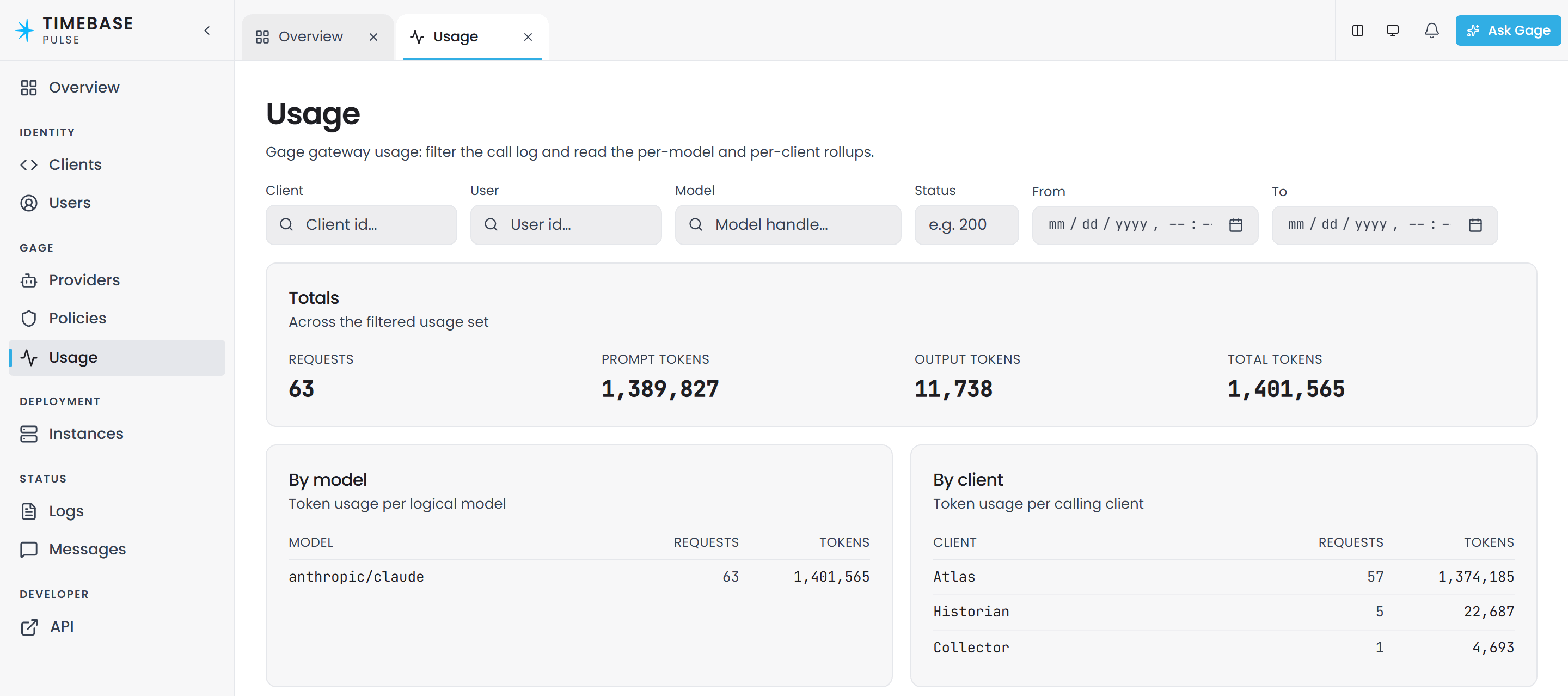
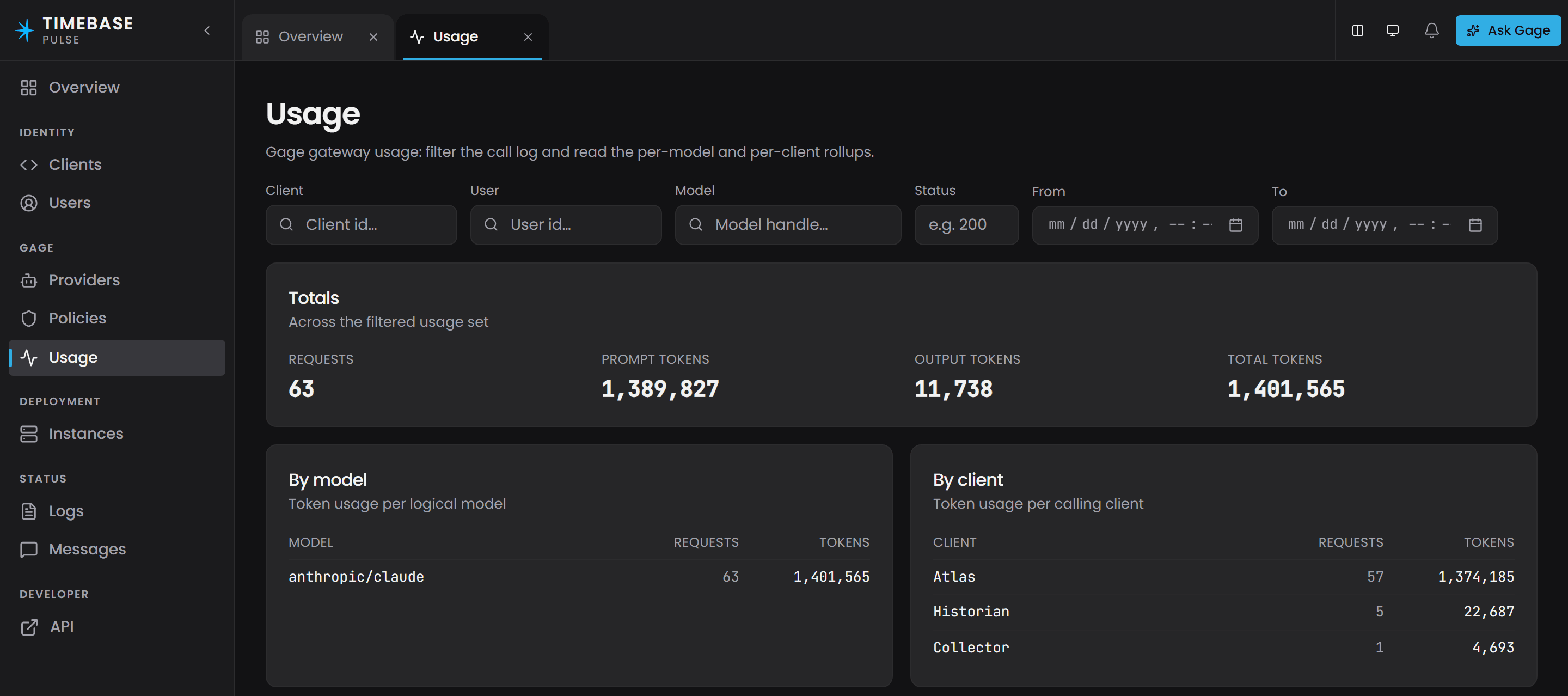
The Usage page in Pulse reads the same log: filters by client, user, model, status and time, totals for the filtered set, and rollups per logical model and per calling client above the call grid.
UsageLogEntry fields#
| Field | Type | Recorded | Privacy notes |
|---|---|---|---|
Timestamp |
datetime | Always | UTC when the call completed. |
ClientId |
string | Always | The OAuth token subject (client ID or User ID of the caller). |
UserId |
string | When applicable | If X-Gage-Subject parses as a GUID (Pulse User), stored for audit. Otherwise null (opaque subject or client_credentials). |
Model |
string | Always | The logical-model handle (providerId/logicalModelId). NOT the real model ID passed upstream. |
PromptTokens, OutputTokens |
long | Always | Token counts estimated by a character-heuristic (~chars/4), not authoritative provider usage. Useful for quota accounting, not for actual billing. |
Status |
int | Always | HTTP status (200, 429, 5xx, etc.). |
Charges |
list | Always | Counter charges applied to enforce quotas on recovery after restart. Internal; not for external interpretation. |
What is NOT logged#
- API keys are never logged.
- Prompt contents or response bodies are never logged. The usage log contains only metadata: tokens, status, model, timestamps.
- Wire-specific request transformations are not logged. The log records the logical-model handle, not the rewritten body sent upstream.
Querying usage#
GET /api/gage/usage?clientId=atlas&from=2026-08-01&to=2026-08-08&take=50&skip=0
Authorization: Bearer <admin-token>
Query params (all optional): clientId, userId, model, from (ISO datetime), to (ISO datetime), status (HTTP code), skip (default 0), take (default 100).
Returns newest-first:
{
  "items": [
    {
      "timestamp": "2026-08-08T15:30:45Z",
      "clientId": "atlas",
      "userId": null,
      "model": "anthropic-prod/fast",
      "promptTokens": 500,
      "outputTokens": 200,
      "status": 200
    }
  ],
  "total": 1
}
API key storage and rotation#
API keys are stored verbatim in the configuration store, matching Pulse's existing secret posture. They are not hashed, encrypted per-key, or obscured; anyone with read access to the configuration database can read them. This is a deployment consideration: restrict database access accordingly.
Read-only key handling#
When you read a provider (GET /api/gage/providers/{id}), the API key is never returned. The response carries only a HasApiKey boolean flag indicating whether one is set. This holds for both the UI and machine API planes.
In the UI: Create and update forms have separate key fields. On create, you enter the key. On update, the key field is optional; leaving it empty preserves the stored key. To rotate the key, use the dedicated POST /app/gage/providers/{id}/set-key endpoint (UI plane) or update via the machine API with a new key.
On the machine API: Use PUT /api/gage/providers/{id} with a new key in the request to rotate.
Example: key rotation via UI plane#
POST /app/gage/providers/anthropic-prod/set-key
Cookie: [identity-cookie]

{
  "ApiKey": "sk-ant-[new-key-material]"
}
Returns 200 OK with the updated provider detail (key field masked; HasApiKey: true).
Walkthrough: add a provider and model, verify in the catalogue#
Before you start: a first-run Pulse already has an
anthropicprovider carrying aclaudelogical model, enabled but without a key. If Anthropic is your provider, you do not need this walkthrough - enter a key on that provider instead. See Quick Start: Turn On the AI Assistant. Follow the walkthrough below to add a second provider, or a provider of a different kind.
Step 1: Create a provider#
Send a POST request to the admin endpoint with a new provider:
POST /api/gage/providers
Authorization: Bearer <admin-token>
Content-Type: application/json

{
  "Id": "anthropic-prod",
  "DisplayName": "Anthropic (Production)",
  "Wire": 0,
  "Endpoint": "https://api.anthropic.com",
  "UpstreamPath": null,
  "ApiKey": "sk-ant-[your-api-key]",
  "Enabled": true,
  "Models": [
    {
      "Id": "fast",
      "DisplayName": "Claude Haiku (Fast)",
      "RealModelId": "claude-haiku-4-5",
      "FallbackEnabled": true,
      "Enabled": true
    },
    {
      "Id": "smart",
      "DisplayName": "Claude Opus (Smart)",
      "RealModelId": "claude-opus-4-1",
      "FallbackEnabled": true,
      "Enabled": true
    }
  ]
}
The response is 201 Created with the provider DTO:
{
  "Id": "anthropic-prod",
  "DisplayName": "Anthropic (Production)",
  "Wire": 0,
  "Endpoint": "https://api.anthropic.com",
  "UpstreamPath": null,
  "Enabled": true,
  "HasApiKey": true,
  "Models": [
    {
      "Id": "fast",
      "DisplayName": "Claude Haiku (Fast)",
      "RealModelId": "claude-haiku-4-5",
      "FallbackEnabled": true,
      "Enabled": true
    },
    {
      "Id": "smart",
      "DisplayName": "Claude Opus (Smart)",
      "RealModelId": "claude-opus-4-1",
      "FallbackEnabled": true,
      "Enabled": true
    }
  ],
  "CreatedAt": "2026-08-08T16:00:00Z",
  "UpdatedAt": "2026-08-08T16:00:00Z"
}
Note: HasApiKey: true, but the raw key is never returned.
Step 2: (Optional) add another model to the provider#
Update the provider to add a third model:
PUT /api/gage/providers/anthropic-prod
Authorization: Bearer <admin-token>
Content-Type: application/json

{
  "Id": "anthropic-prod",
  "DisplayName": "Anthropic (Production)",
  "Wire": 0,
  "Endpoint": "https://api.anthropic.com",
  "UpstreamPath": null,
  "ApiKey": "",
  "Enabled": true,
  "Models": [
    {
      "Id": "fast",
      "DisplayName": "Claude Haiku (Fast)",
      "RealModelId": "claude-haiku-4-5",
      "FallbackEnabled": true,
      "Enabled": true
    },
    {
      "Id": "smart",
      "DisplayName": "Claude Opus (Smart)",
      "RealModelId": "claude-opus-4-1",
      "FallbackEnabled": true,
      "Enabled": true
    },
    {
      "Id": "extended",
      "DisplayName": "Claude Opus (Extended Thinking)",
      "RealModelId": "claude-opus-4-1-20250805",
      "FallbackEnabled": true,
      "Enabled": true
    }
  ]
}
Note: ApiKey is empty (""), so the stored key is preserved. The response is 200 OK with the updated provider.
Step 3: Verify the models appear in the public catalogue#
Any authenticated caller (not admin-gated) can fetch the model catalogue:
GET /api/gage/models
Authorization: Bearer <any-app-token>
The response includes only enabled models from enabled providers:
{
  "models": [
    {
      "Handle": "anthropic-prod/extended",
      "DisplayName": "Claude Opus (Extended Thinking)",
      "Wire": 0
    },
    {
      "Handle": "anthropic-prod/fast",
      "DisplayName": "Claude Haiku (Fast)",
      "Wire": 0
    },
    {
      "Handle": "anthropic-prod/smart",
      "DisplayName": "Claude Opus (Smart)",
      "Wire": 0
    }
  ],
  "Default": "anthropic-prod/extended"
}
The list is sorted alphabetically by handle. Default is the handle the reserved word default
resolves to on every consuming component, and it is whichever of these applies:
- the model an administrator marked with the Default Model toggle in the provider editor - install-wide, at most one across every provider, and marking one clears the flag on every other;
- otherwise the alphabetically first handle in the list, which is what an installation that has never chosen keeps using.
A change that would leave the installation with other models but no usable default is refused with a
400 naming the model that blocks it. Move the default by marking another model, not by clearing the
current one. Disabling or deleting the last usable provider is always allowed.
Step 4: Confirm a consuming component can resolve and call the model#
A consuming app (e.g., Historian, Atlas) sends a proxy call:
POST /api/gage/proxy/v1/messages
Authorization: Bearer <app-token>
X-Gage-Subject: <optional-user-id>
Content-Type: application/json

{
  "model": "anthropic-prod/fast",
  "max_tokens": 1024,
  "messages": [
    {
      "role": "user",
      "content": "Hello, Claude."
    }
  ]
}
Gage resolves anthropic-prod/fast:
- Looks up provider
anthropic-prod(found, enabled). - Looks up model
fastin that provider (found, enabled). - Enforces pre-flight quota (based on
X-Gage-Subjectand client ID). - Rewrites
modelfield toclaude-haiku-4-5. - Injects
max_tokens: 1024as-is (already present, no injection). - Forwards to
https://api.anthropic.com/v1/messageswith the rewritten body andx-api-key: sk-ant-[key]header. - Streams the response back to the caller as SSE (if
"stream": true) or JSON (if absent orfalse). - Logs the call:
ClientId(app token subject), optionalUserId,Model: anthropic-prod/fast, tokens, status, timestamp.
If the call returns HTTP 429 or 5xx before streaming starts, Gage checks for a fallback model (anthropic-prod/fast with FallbackEnabled: true) on another provider of wire 0. If one exists (e.g., anthropic-backup/fast), it retries there.
Troubleshooting#
Symptom: "No provider exposes the model handle"#
Request: POST /api/gage/proxy/v1/messages with "model": "anthropic-prod/fast"
Response: HTTP 404, body: No provider exposes the model handle 'anthropic-prod/fast'.
Possible causes:
- The provider or model does not exist. Check step 3 above; list the catalogue with
GET /api/gage/models. - The provider or model is disabled (
Enabled: false). Check the provider detail:GET /api/gage/providers/anthropic-prod. SetEnabled: trueand re-test. - The handle is malformed (not
providerId/logicalModelIdor segments contain uppercase/spaces). Verify the format is lowercase and matches^[a-z0-9][a-z0-9-]*$.
Fix: Create the provider (step 1), enable it, and verify the catalogue (step 3).
Symptom: Request accepted, but upstream returns 4xx on the first proxy call#
Request: POST /api/gage/proxy/v1/messages with a valid handle.
Response: HTTP 400 or similar (upstream status), body from upstream error.
Possible causes:
- Wire mismatch (most common): The
Wireyou set does not match the actual backend. For example, you setWire: 1(OpenAI) but the backend is Anthropic. The proxy sends an OpenAI-format body to an Anthropic endpoint; the endpoint rejects it. - Upstream path is wrong:
UpstreamPathdoes not match where the backend actually listens. For example, you configured/v1/chat/completionsbut the backend serves/v1/completions. - API key is invalid or expired: The upstream authenticates the request and rejects it because the key is wrong.
- No API key set: The provider has no key at all. A first-run Pulse's seeded
anthropicprovider is enabled from the start but has no key until you enter one, so the upstream refuses every call to it with a 401.
Fix:
- Verify the
Wirematches the upstream's native format (not its branding). See the Wire section. - Test the upstream directly with a curl or similar tool:
curl -X POST <Endpoint>/<UpstreamPath> -H "Authorization: Bearer <key>" -d '...'for OpenAI wire, or-H "x-api-key: <key>"for Anthropic. - Set or rotate the API key:
POST /api/gage/providers/{id}/set-keywith a new key, then re-test.
Symptom: HTTP 429 (Too Many Requests) on a proxy call#
Response: HTTP 429, Retry-After header set, body: error message about quota.
Possible causes:
- A token quota (
tokens.daily,tokens.hourly, etc.) is breached for the caller's Client or User policy. - The enforcement policy is set to
Throttle(1) orBlock(2).
Fix:
- Check the caller's policy:
GET /api/gage/client-policies/{clientId}orGET /api/gage/user-policies/{userId}. - Increase the limit or extend the window:
PUT /api/gage/client-policies/{clientId}with a higherLimitor longerWindow. - Or change the policy to
Soft(0) to allow the overage without blocking. - Check the usage log:
GET /api/gage/usage?clientId={id}&from=<today>to see what was consumed.
Symptom: HTTP 403 (Forbidden) - "Requested handle is not in the caller's allow-list"#
Request: Valid handle, valid provider, but the response is HTTP 403.
Possible cause: The caller's Client or User policy has a non-empty AllowedModels list that does not include the requested handle.
Fix:
- Check the policy:
GET /api/gage/client-policies/{clientId}. - Add the handle to
AllowedModels, or clear the list to allow all models:PUT /api/gage/client-policies/{clientId}with"AllowedModels": [].
Symptom: Consuming app (Atlas, Historian) reports no models available#
Possible causes:
- No providers are configured or all are disabled.
- No models are enabled (all have
Enabled: false). - The consuming app's token lacks the
ApiAccessorApiAdministratorAccessrole.
Fix:
- Create a provider (step 1) and enable it.
- Enable at least one model:
PUT /api/gage/providers/{id}withModels[*].Enabled: true. - Verify the catalogue is non-empty:
GET /api/gage/models. It should return at least one model. - Confirm the app is using a valid Pulse API token with authenticated access.
Related documentation#
- Pulse authentication: See the Pulse configuration guide for OAuth client setup and token issuing.
- Atlas Gage integration: Atlas uses the
/api/gage/modelscatalogue and/api/gage/proxy/*front doors. No Atlas-specific configuration required. - Historian Gage integration: Similarly uses the catalogue and proxy endpoints; no agent role required for calling the proxy.