Late Data Handling
Late data is data that arrives at the Historian with a timestamp earlier than the most recently stored point - out of chronological order.
Overview#
Late data is data that arrives at the Historian with a timestamp earlier than the most recently stored point - out of chronological order. This happens regularly in industrial deployments: a field device has a clock that drifts, a Collector goes offline and buffers data locally, or a store-and-forward replay delivers a backlog of measurements after a network outage.
Timebase accepts and stores late data automatically, governed by two per-dataset settings that do different jobs:
- Late Data Age (
lda, days, default 30) is the window: how far behind the newest stored point a late point is still accepted. Points further behind are discarded. This is the setting a backfill or historian-to-historian migration plan cares about. - Late Data Tolerance (
ldt, milliseconds, default 0; a dataset created from the interface's Add dataset form starts at 100) is the clock-skew filter: points within it are treated as duplicates from drifting clocks and discarded, so genuine backfill data is not polluted by jitter.
Late points that are accepted come back with quality 193 rather than 192: the Historian sets quality bit 0 to mark lateness, so backfilled data stays identifiable after the fact.
How late data works#
Storage and the .late file#
When a data point arrives with a timestamp that falls inside a completed hourly block, the Historian cannot write it directly into that block - the block may already be in use by a reader. Instead, the Historian buffers the late point in a temporary .late file alongside the corresponding .data block. During the next maintenance cycle (approximately every minute), the Historian merges all pending .late files back into their .data blocks and deletes the .late files. After merging, the data is available for queries.
You can monitor late data arrival using the Dataset.Writes.Late system tag, which reports the rate of late data ingestion in points per second.
Late Data Tolerance#
The Late Data Tolerance setting defines a clock-skew window in milliseconds. Its purpose is to distinguish genuine late data (a backfill) from clock-skew noise (a device whose clock is slightly off and repeatedly sends timestamps a few milliseconds in the past).
| Scenario | Behaviour |
|---|---|
| Data arrives with a timestamp within the tolerance window of the most recent stored point | Treated as clock-skew or a duplicate. Discarded. |
| Data arrives with a timestamp beyond the tolerance window (further back in time) | Treated as genuine late data. Accepted and stored via the .late buffer. |
Example: With Late Data Tolerance set to 100 ms, a point arriving 50 ms before the most recent stored timestamp is discarded as clock noise. A point arriving 5 seconds before the most recent stored timestamp is accepted as a genuine backfill point.
Late Data Age#
The Late Data Age setting bounds the window in days. A late point beyond the tolerance window is
stored only while it is no more than lda days behind the newest stored point:
| Scenario (lda = 30, the default) | Behaviour |
|---|---|
| Point 1 hour / 25 hours / 29 days behind | Accepted and stored, quality 193 |
| Point 31 days / 400 days behind | Discarded. The write still returns 200 - check the r.lda count in the response body |
lda set to 0 |
All late data is rejected |
Importing history older than 30 days (a migration from another historian, a long backfill) requires
raising lda first - for example to 400 to import roughly a year of history - and it can be lowered
again once the import completes.
How to configure#
In the Historian browser (Dataset Editor)#
- Open the Historian at
https://<historian>:4512. - Choose Datasets in the sidebar.
- Select the edit pencil at the right of the dataset's row.
- Enter the tolerance in Late Data Tolerance (ms) and the window in Late Data Age (days). The two purge limits sit above them.
- Select Save.
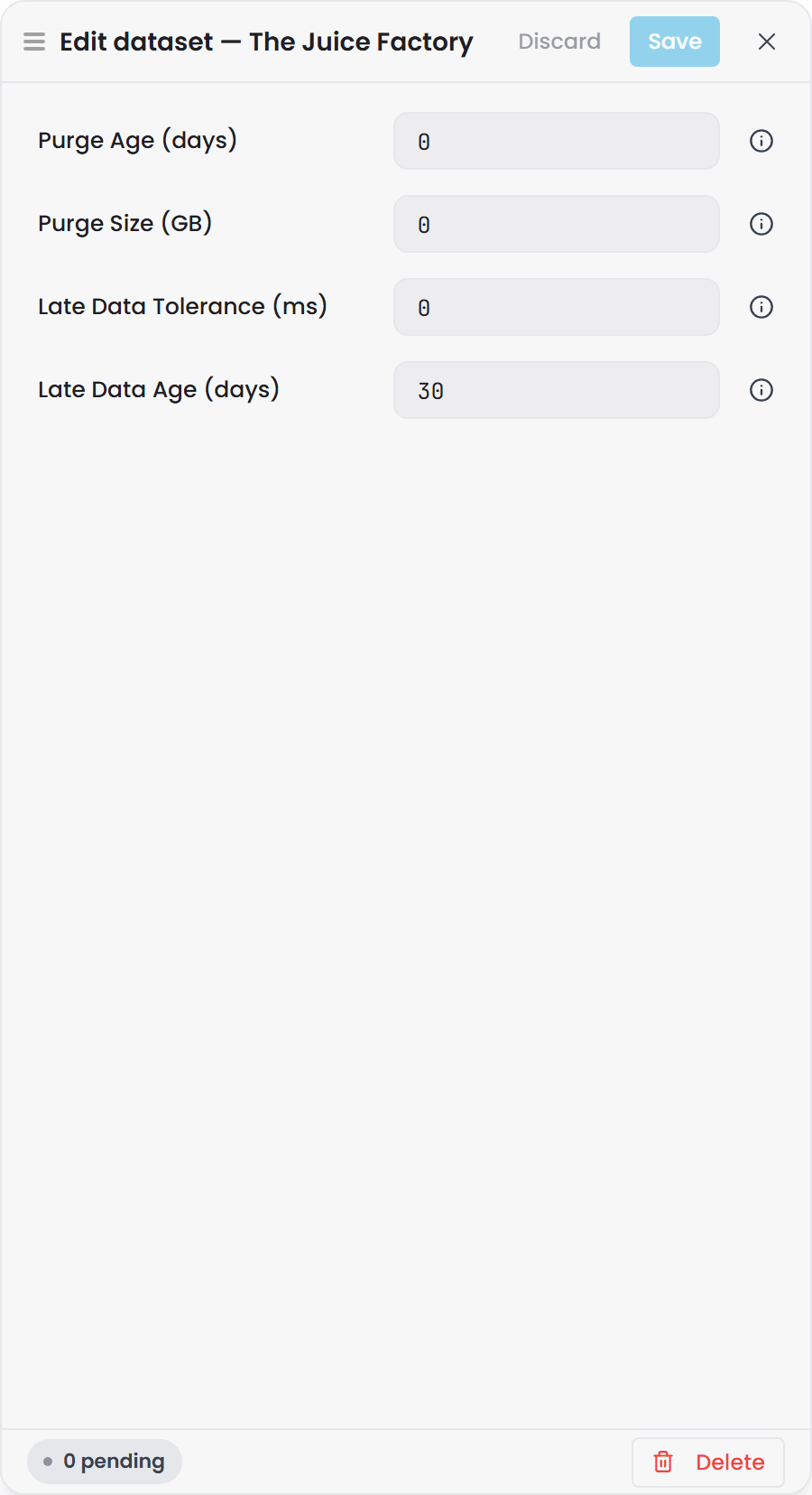
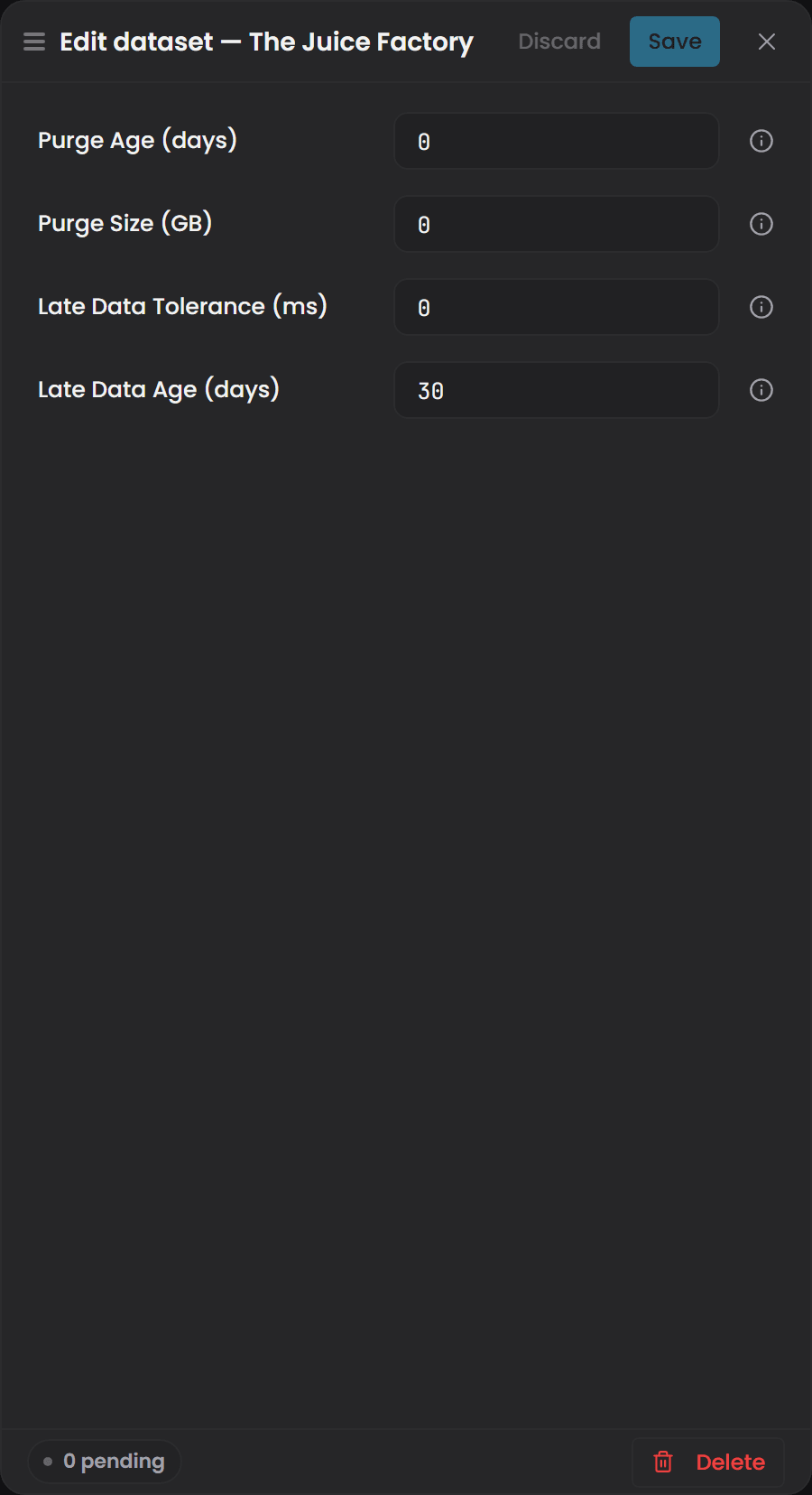
Expand a dataset's row on the Datasets page and its current Late Data Tolerance and Late Data Age are shown beside its purge limits, with its late-write rate among the live status cards below.
Via the REST API#
Set ldt (Late Data Tolerance, milliseconds) and/or lda (Late Data Age, days) when creating or
updating a dataset. The update body is a partial update: only the fields you send are changed, so
adjusting the tolerance cannot disturb the late-data window.
POST /api/datasets/{datasetId}
Content-Type: application/json

{
  "ldt": 100
}
Both fields are returned in GET /api/datasets and GET /api/datasets/{datasetId} responses, and
every data write's response body reports how many points were accepted and how many were dropped per
reason (see the Historian REST API).
Choosing a value#
| Value | When to use |
|---|---|
0 (default) |
All out-of-order data is accepted. Use when data sources have accurate clocks and you want all backfill data stored. |
100 (100 ms) |
A reasonable starting point for sources with minor clock jitter. Discards duplicates within 100 ms without filtering genuine backfills. |
| Higher values | Use for sources with known significant clock drift. Set to the maximum expected clock error for that data source. |
Troubleshooting#
| Symptom | Likely cause | What to do |
|---|---|---|
Dataset.Writes.Late is non-zero during normal operation with no known outage |
A data source has a clock that drifts behind and is sending timestamps slightly in the past | Check which Collector is sending late data and which data source it is connected to. Set the Late Data Tolerance to slightly above the observed clock drift to discard those duplicates. If the drift is significant, fix the clock on the data source device |
| Late data is being discarded when it should be accepted - backfill data is missing | Late Data Tolerance is set too high and is filtering out genuine late data alongside clock-skew noise | Reduce the Late Data Tolerance or set it to 0 to accept all late data. The backfill will be replayed the next time the Collector reconnects |
.late files remain on disk for an extended period |
The Historian maintenance cycle has not merged them yet (runs approximately every minute), or the merge was interrupted by an unexpected shutdown | Allow the Historian to run - merges happen automatically. If .late files persist for more than a few minutes with no new data arriving, check the Historian log files for merge errors. The Maintenance.Failure system tag becoming active at the same time confirms a maintenance cycle error |
After a store-and-forward replay, the Historian shows Dataset.Writes.Late elevated for a long time |
A large volume of backfill data is being replayed. This is normal and expected | No action required. The elevated rate will return to zero once the backfill is complete. Do not stop the Collector during replay as this may cause data loss from the buffer |
| A backfill of old history returns 200 but the points never appear | The points are further behind than the Late Data Age window (lda, default 30 days), or lda is 0 |
Check the r.lda count in the write response. Raise lda beyond the age of the oldest point you are importing, run the import, then restore it |