Timebase Historian Connector Plugin
The Timebase Historian Connector re-exposes an existing Timebase Historian server as an Atlas datasource.
Overview#
The Timebase Historian Connector re-exposes an existing Timebase Historian server as an Atlas datasource. One plugin instance connects to a single Historian and publishes operator-defined topics from its datasets. Use this plugin when you have a Timebase Historian running alongside Atlas and want to browse its historical tags and subscribe to realtime updates.
Configuration#
Type string: Timebase.Historian
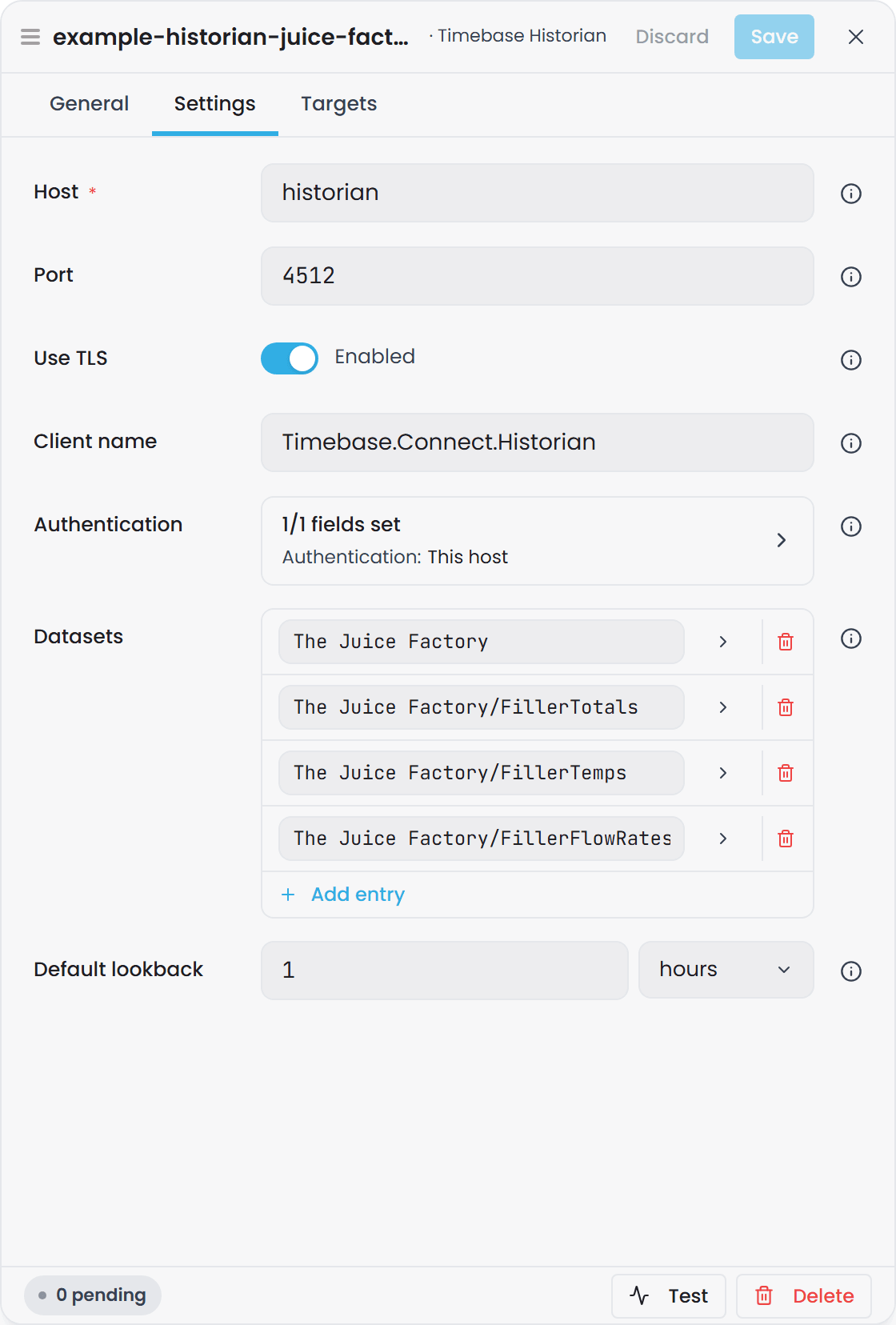
In the Connect interface these are the Settings tab of the source's Edit drawer. Authentication and each Datasets entry open as pages of their own inside the drawer.
| Option | Type | Default | Required | Description |
|---|---|---|---|---|
| Host | string | (none) | Yes | Hostname or IP address of the Timebase Historian to read from. Left blank, the instance reads Connection Fault until it is set. |
| Port | uint | 4512 |
No | TCP port the Historian listens on: 4512 is its HTTPS listener, 4511 plain HTTP. |
| Use TLS | bool | true |
No | Connect to the Historian over a TLS-secured channel. Switch off only together with port 4511. |
| Client name | string | Timebase.Connect.Historian |
No | Client identifier this connector presents to the Historian (shown in its connection list). |
| Authentication / Mode | None, This host or Custom client |
This host for a new connector |
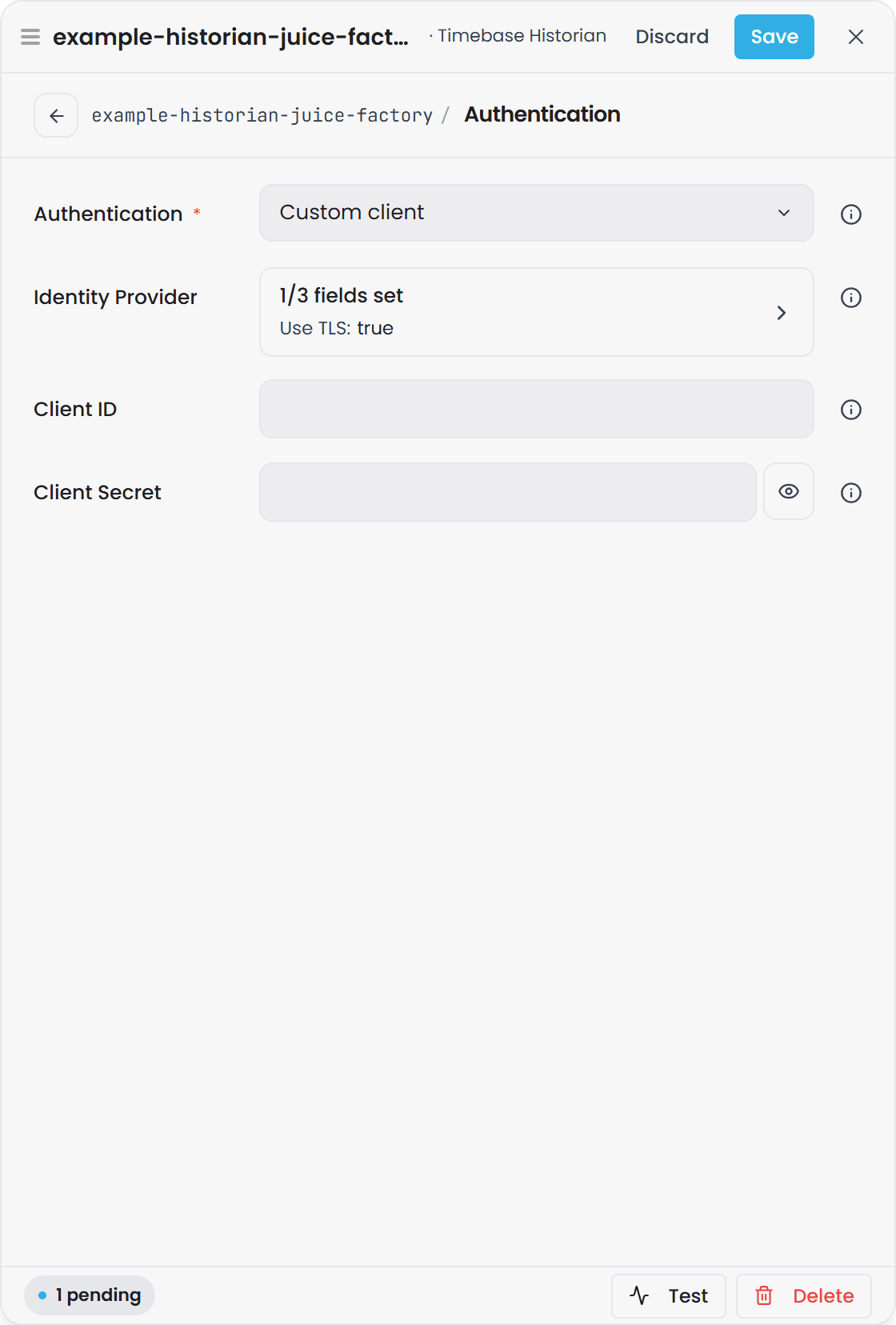
No | Whose identity the connector presents to the Historian. None sends no token, for a Historian with authentication off. This host signs in with Connect's own Pulse identity, which is right whenever the Historian trusts the same Pulse. Custom client uses the client and identity provider below. See Connection authentication. |
| Authentication / Client ID | string | - | Custom client only | The Pulse client the connector signs in as. |
| Authentication / Client Secret | string | - | Custom client only | That client's secret (renders as a masked field). |
| Authentication / Identity Provider / Host | string | (none) | Custom client only | Hostname or IP of the Pulse that issues the token. No default: a Custom client with this blank reads Connection Fault, naming it. |
| Authentication / Identity Provider / Port | uint | (none) | Custom client only | TCP port that Pulse listens on, 4542 on a default installation. |
| Authentication / Identity Provider / Use TLS | bool | true |
No | Connect to Pulse over a TLS-secured channel. |
| Datasets | dict | empty | No | Published datasets keyed by operator-chosen topic name. Each entry becomes a binding path and contributes to per-tag templates. |
| Default lookback | TimeSpan | 01:00:00 (1 hour) |
No | Lookback window for per-tag template reads that carry no explicit time bounds. Catalog paths are unaffected. |
Datasets sub-fields#
Each entry in the Datasets dictionary contains:
| Field | Type | Required | Description |
|---|---|---|---|
| Dataset | string | Yes | Historian dataset (logical group) this topic reads from. Also used in the topic's per-tag template path. |
| Filter | string | No | Historian-native contains-search filter (substring match in v1) applied to tag selection. Passed through verbatim - the Historian owns the dialect. A server-side parse error surfaces as a logged warning and produces an empty rowset. |
Connection authentication#
The connector talks to another Timebase component, so its Authentication / Mode follows the rule every such link shares:
| Mode | What is sent | When to use it |
|---|---|---|
| None | No token | The Historian has authentication switched off. Against a secured Historian every call is refused with 401. |
| This host | A token for Connect's own Pulse identity, the one in its Pulse:Auth settings |
The normal case: one Pulse secures both. Nothing to configure on the connector, and the Historian sees the request as coming from Connect. |
| Custom client | A token for the client named here, from the identity provider named here | The Historian trusts a different Pulse, or you want this connector to appear as a client of its own, with its own audience and secret. |
A Custom client block that cannot get a token, because its client, secret or identity provider host is blank, reads Connection Fault at once with the reason naming what is missing. So does This host on a Connect whose own Pulse sign-in is switched off. A Pulse that cannot be reached is an outage, not a refusal: the instance reads Connecting… and keeps trying on the fast ladder.
An instance created on an earlier Beta build with the old Authentication / Enabled switch is converted on load: enabled becomes Custom client, or This host when the client it named was Connect's own; disabled becomes None.
Connection setup#
-
Ensure the Timebase Historian is running and reachable on the configured Host/Port.
-
Choose the Authentication / Mode. A new connector starts on This host, and that is the right answer whenever the Historian is secured by the same Pulse as Connect: nothing else to fill in. Choose Custom client only when the Historian trusts a different Pulse, or must see the connector as a client of its own, and then provide the Client ID, Client Secret and the Identity Provider host and port. Choose None only for a Historian with authentication switched off.
-
If the Historian uses TLS, set Use TLS to
trueand ensure the certificate is trusted. -
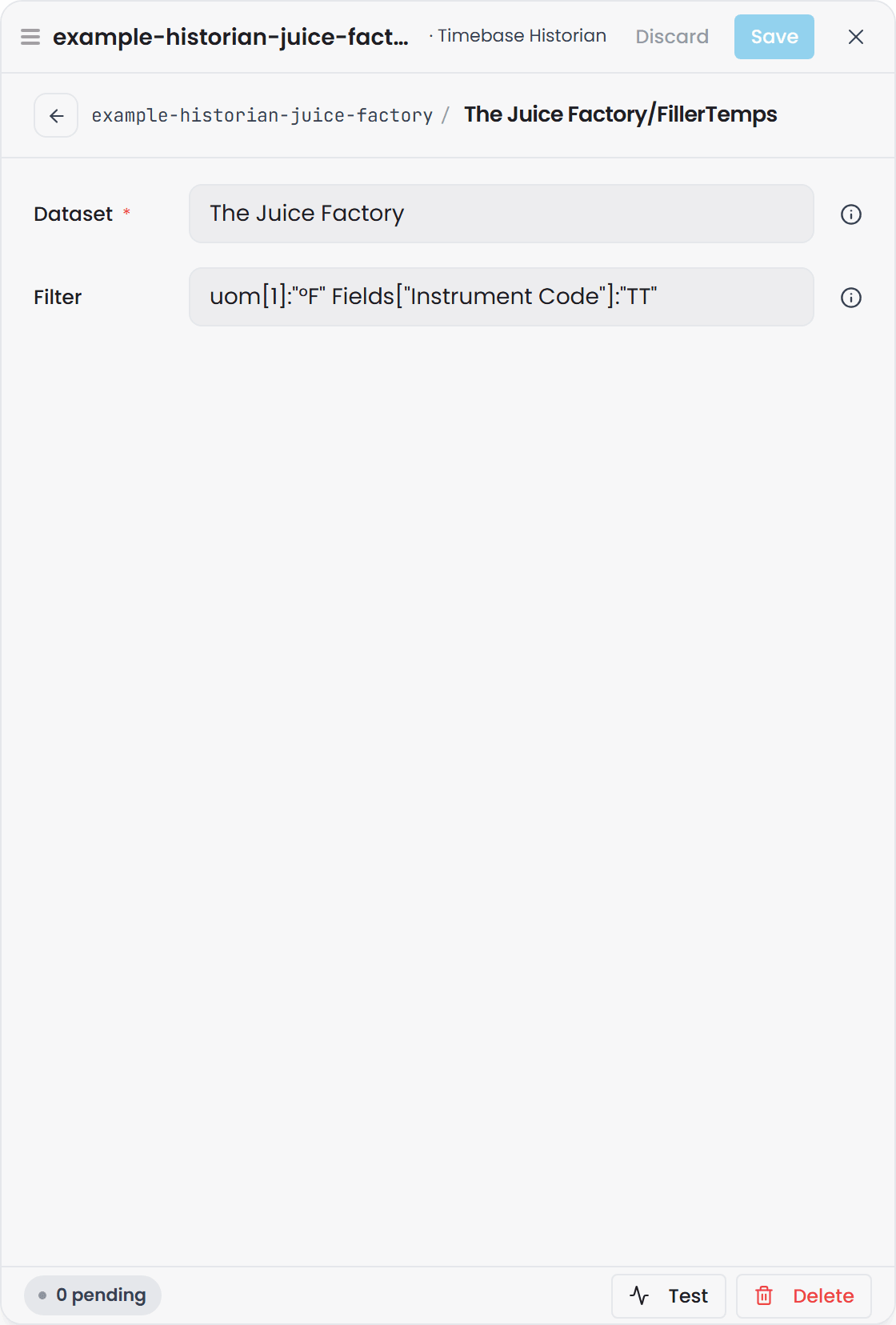
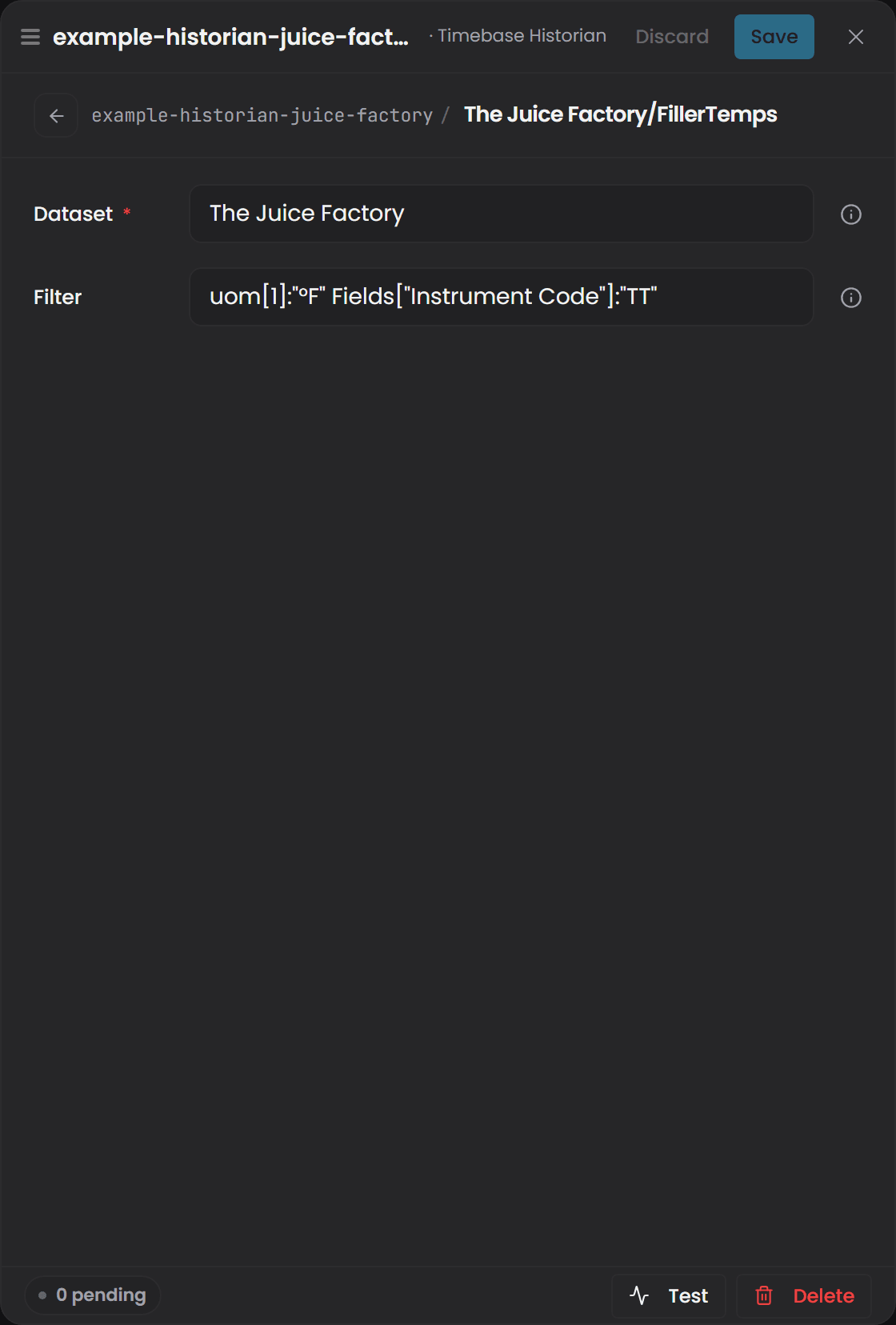
Under Datasets, select Add entry for each topic you want to publish. The entry's key is the topic name, and its page holds the two fields:
- Key - operator-chosen topic name (e.g.,
"JuiceFactory/Temps"). Slashes preserve a hierarchical look in the binding path. - Dataset - the Historian dataset name to query (e.g.,
"The Juice Factory"). - Filter - the Historian search filter to apply (e.g.,
uom[1]:"°F" Fields["Instrument Code"]:"TT").
- Key - operator-chosen topic name (e.g.,
-
Use Test to verify connectivity without going live. The test probes the first configured dataset and reports the tag count.
Binding paths#
This plugin advertises two types of binding paths - one pair per topic - from a single datasource descriptor:
Concrete catalog paths#
Each entry in the Datasets dictionary becomes a concrete binding path:
{InstanceId}/{TopicKey}
{InstanceId}is the connector instance id (e.g.,historian-1).{TopicKey}is the dictionary key (e.g.,"JuiceFactory/Temps"→historian-1/JuiceFactory/Temps).
A GetRange request on a catalog path calls the Historian's tag browse API with the topic's Filter applied and returns a 6-column rowset listing matching tags and their metadata.
All six columns are strings:
| Column | Holds |
|---|---|
name |
The tag name, never null. This is the value that fills the {Tag} segment of the per-tag template path |
description |
The tag's description, or null |
format |
The tag's display format, such as 0.00, or null |
dataType |
The tag's data type, such as System.Double, or null |
uom |
The tag's unit dictionary as a JSON object, such as {"1":"°F"} for an analog tag or {"0":"Idle","20":"Running"} for a state tag. Null when the tag has none |
fields |
The tag's fields as a JSON object, such as {"Area":"Filling","Instrument Code":"TT"}. Null when the tag has none |
To turn these rows into Atlas instances with their description, unit and format filled in, including how to pull a single value out of uom or fields, see Using connector metadata in instance maps.
Per-tag template paths#
Independently, one template is emitted for each distinct Dataset value referenced across all topics:
{InstanceId}/{Dataset}/{Tag:path}
{InstanceId}is the connector instance id.{Dataset}is the dataset name (e.g.,"The Juice Factory").{Tag:path}is the actual tag name: everything after the dataset, slashes included (e.g.,historian-1/The Juice Factory/TT-001).
A GetRange request on a template path captures the tag name and returns a 3-column time-series rowset: Timestamp, Value (typed to match the tag's data type), and Quality (OPC byte: 192 = Good, 64 = Uncertain, 0 = Bad).
Tag names that contain a slash#
The tag part of the path is everything after the dataset, slashes included. A tag whose name is itself a path, such as one written by the Ignition module (which names each tag after its Ignition tag path), is bound by writing the name exactly as it appears in the source:
historian-1/The Juice Factory/site/area/hall-2/Process/humidity
Here the tag is site/area/hall-2/Process/humidity.
- Do not escape the slashes.
%2F,\/and square brackets around the tag are not decoded; they become part of the tag name, so the path matches nothing. - Instance-map variables still work inside the tag, for example
.../Line[Num, 00]/Process/humidity. - Overlapping datasets: if one configured dataset starts with another followed by
/(PlantandPlant/Area1), a path is matched against the longer one first..../Plant/Area1/TT1is tagTT1underPlant/Area1, never tagArea1/TT1underPlant.
Version: tag names that contain
/bind from the first Timebase release after 2.0.0, which needs both Atlas and Connect from that release. In 2.0.0 the tag part of the path is a single segment, so a path to such a tag is never routed: the domain compiles and the property stays empty, with nothing logged.
Asymmetry example#
The catalog key and the dataset value are different things, and mixing them up is the usual reason a path does not bind. Consider this config:
"Datasets": {
  "JuiceFactory/Temps": {
    "Dataset": "The Juice Factory",
    "Filter": "uom[1]:\"°F\""
  },
  "JuiceFactory/Flows": {
    "Dataset": "The Juice Factory",
    "Filter": "Fields[\"Instrument Code\"]:\"FT\""
  }
}
This instance publishes:
-
Two catalog paths (one per topic key):
historian-1/JuiceFactory/Temps- browse Temps from "The Juice Factory" datasethistorian-1/JuiceFactory/Flows- browse Flows from "The Juice Factory" dataset
-
One template (one per distinct dataset):
historian-1/The Juice Factory/{Tag:path}- time-series read for any tag in "The Juice Factory"
To bind to a specific tag's time-series in Atlas, you must use the template path, not a catalog path:
- Correct:
historian-1/The Juice Factory/TT-001(matches the template) - Wrong:
historian-1/JuiceFactory/Temps/TT-001(no template, no data)
The catalog paths return tag metadata; templates return time-series data. They live in separate URL spaces.
Path resolution order#
When the plugin receives a GetRange request, it resolves the path in this order:
- Exact match against catalog paths - if the path matches one of the concrete paths, return the tag-browse rowset.
- Regex match against templates - if the path matches a per-tag template pattern, return the time-series rowset.
- Neither - return empty.
This order ensures a concrete path is served even if its name happens to partially match a template pattern.
Quality column#
This plugin emits a Quality column (OPC-UA integer) for every time-series rowset. The URI is atlas-common:Quality, type xsd:integer. Values:
- 192 - Good (normal data)
- 64 - Uncertain (e.g., out of range, last-known)
- 0 - Bad (e.g., device offline)
A null Value does not reset Quality; if a measurement is null, its Quality byte is preserved.
Live subscriptions#
Per-tag template paths ({InstanceId}/{Dataset}/{Tag:path}) support live subscriptions. When a subscription is opened:
- A snapshot is fetched over the configured Default lookback window.
- Only the most recent TVQ (timestamp, value, quality) is emitted.
- Subsequent realtime updates flow as they arrive from the Historian.
Catalog/topic paths do not support live subscriptions; their tag-browse rowset structure is incompatible with the per-tag TVQ stream.
Connection status#
The instance's status in Connect says whether it can reach the Historian, separately from whether it started. Connect checks about every 20 seconds, by signing in to it when it holds no live stream and from the live stream when it does, and the check never writes anything to the Historian. A blank host, or an authentication block that cannot get a token, reads Connection Fault at once, with the reason naming the setting. A Historian that cannot be reached reads Connecting… for a minute and then Connection Fault; the subscriptions are kept through the outage and resume when it answers. A change to the connection settings is applied in place and checked at once, without restarting the instance. See Plugin Instance States, Connection Status and Retries for the status model and the retry ladders.
Troubleshooting#
| Symptom | Cause | Fix |
|---|---|---|
| Connecting… for a minute, then Connection Fault, reason says the Historian could not be reached | Host or Port wrong, Historian not running, firewall blocking the port, or Use TLS set the wrong way for the port. | Verify Host and Port match the Historian's address: 4512 with TLS on, 4511 with it off. Check firewall rules. The instance recovers on its own when the Historian answers. |
| Connection Fault at once, reason names the host or the authentication block | Host is blank, or the Mode cannot get a token: a Custom client missing its client, secret or identity provider, or This host on a Connect whose own sign-in is off. | Fill in what the reason names. The change is checked the moment it is saved. |
| Every call is refused with 401 | Mode is None against a secured Historian, or the client the token names is not accepted by the Historian. | Set Mode to This host when the same Pulse secures both. For a Custom client, verify the client and secret in Pulse and that the Historian is among the client's audiences. |
| Catalog path returns no rows | Filter is invalid or matched no tags in the Historian. | Test the same filter directly against the Historian to confirm syntax and that matching tags exist. Check that the Dataset name is spelled correctly. |
| Template path returns nothing | Request time range is outside stored data, or Default lookback is too short. | For reads without explicit time bounds, adjust Default lookback to cover the data you expect. For explicit-bound reads, verify the time window overlaps the tag's history. |
| Empty rowset but no error | Zero matching tags or data. | Check the Historian logs for parse errors on the filter syntax. Verify at least one tag exists in the target dataset. Use Test to probe reachability and see the dataset's tag count. |
Use the Test button in Connect's admin UI to probe the Historian without going live. The test reports the reachable Host/Port and the tag count of the first configured dataset.