Exporting Data with Bridge
Bridge runs as a separate service from Atlas - it runs independently on its own ports and initiates outbound connections to Atlas.
Overview#
Bridge is the data egress service for Timebase Atlas. It connects to Atlas, subscribes to live property values in your compiled domains, and streams them to downstream systems. It can also send the compiled description of a type, as a Type description subscription. Bridge is how Atlas data reaches data warehouses, messaging systems, APIs, and other external consumers.
Bridge runs as a separate service from Atlas - it runs independently on its own ports and initiates outbound connections to Atlas. Multiple Bridge instances can run simultaneously, and one host can run multiple egress destinations from a single configuration file.
Supported Destinations#
Bridge can write to eight types of downstream systems. Each destination is identified by a Type string - the exact value you enter in the Bridge configuration file.
| Type string | Destination | Use case |
|---|---|---|
Microsoft.SqlServer |
SQL Server, Azure SQL Database | Relational warehouses, operational databases |
PGDG.PostgreSql |
PostgreSQL, TimescaleDB, Amazon RDS | Open-source relational stores, time-series |
Oracle.MySql |
MySQL, MariaDB, Amazon RDS | MySQL-compatible databases |
MQTT |
MQTT brokers (3.1.1, 5.0) | IoT platforms, lightweight publish-subscribe |
Apache.Kafka |
Kafka, Amazon MSK, Confluent Cloud | Event streaming, data pipelines |
Microsoft.EventHubs |
Azure Event Hubs | Azure-native event ingestion |
Snowflake.SnowpipeStreaming |
Snowflake (via SnowPipe Streaming) | Cloud data warehouse, real-time ingest |
IETF.Http |
HTTP/REST endpoints, webhooks, InfluxDB line protocol | Custom APIs, time-series ingestion, integrations |
There is no file sink and no Historian sink. These eight are the destinations Bridge supports today.
How Bridge Works#
Bridge subscribes to the Atlas value hub - the same real-time data feed that powers live queries in the UI. The path is:
/hubs/v1/branches/{branch}/domains/{domain}/subscribe
Atlas pushes each property change down that connection. Bridge receives the rowsets, decodes them, and passes them to the configured downstream target. The target does the actual write - Bridge is a conduit, not a transformer.
There is no shape map, no query planner, and no buffering of data on Bridge's side. Bridge keeps no copy of your data - it subscribes to what Atlas has and passes it through.
Subscription Modes#
A Bridge subscription has a kind, chosen when you add it:
- Values subscriptions stream property values. They have four scopes, determined by the subscription
Mode. - Type description subscriptions stream a type's compiled shape instead of any values. They have one mode,
TypeDescription.
| Mode | Kind | Scope | Required URIs |
|---|---|---|---|
InstanceProperty |
Values | One property of one instance | Instance URI + Property URI |
Instance |
Values | Every property of one instance | Instance URI (only) |
TypeProperty |
Values | One property across all instances of a type | Type URI + Property URI |
Type |
Values | Every property of every instance of a type | Type URI (only) |
TypeDescription |
Type description | The compiled description of one type | Type URI (only) |
The widest value scope is one entity type - Bridge has no "domain-wide" subscription mode. If you need properties from multiple types, create separate subscriptions.
Adding a subscription: Values or Type description#
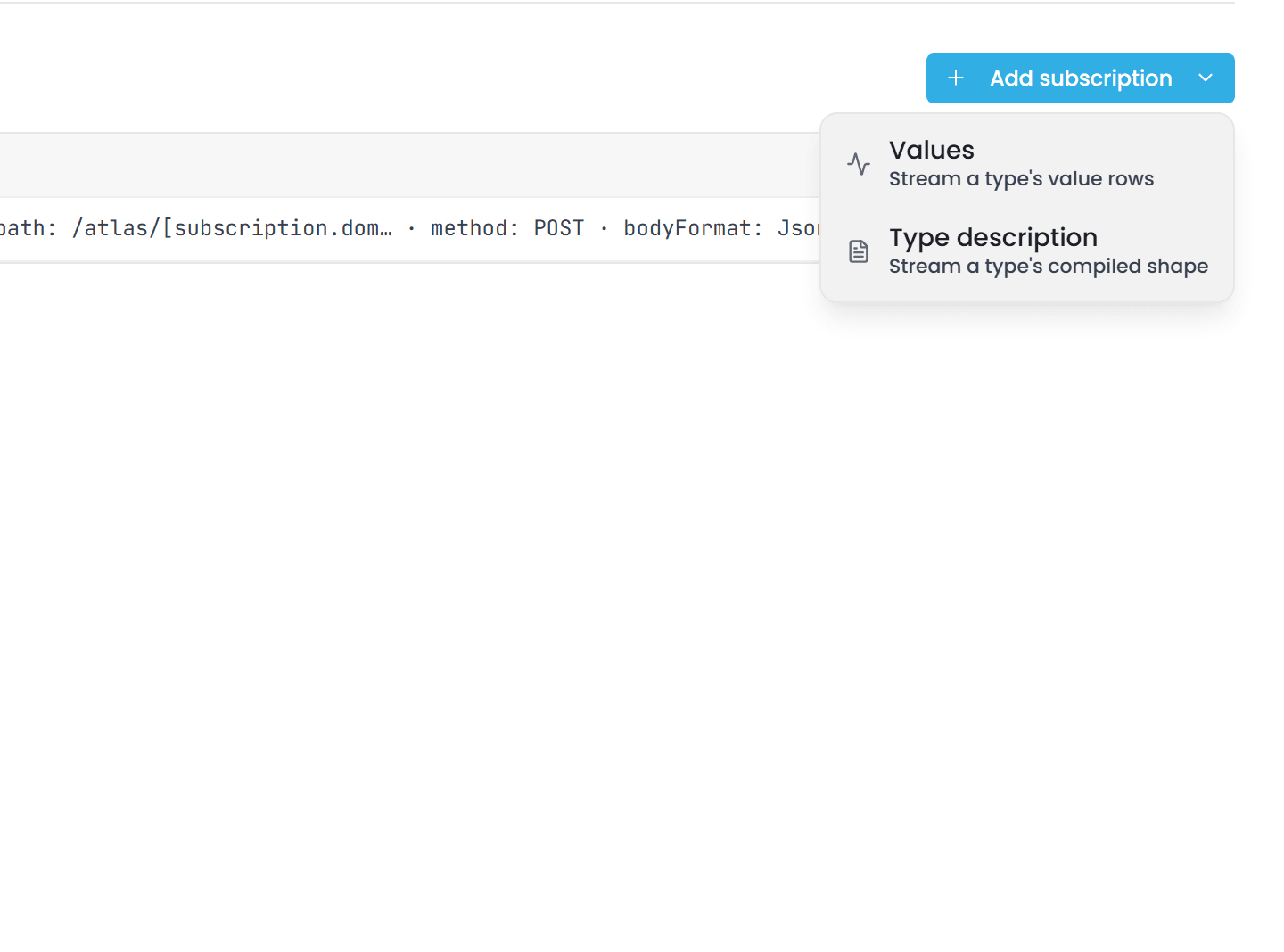
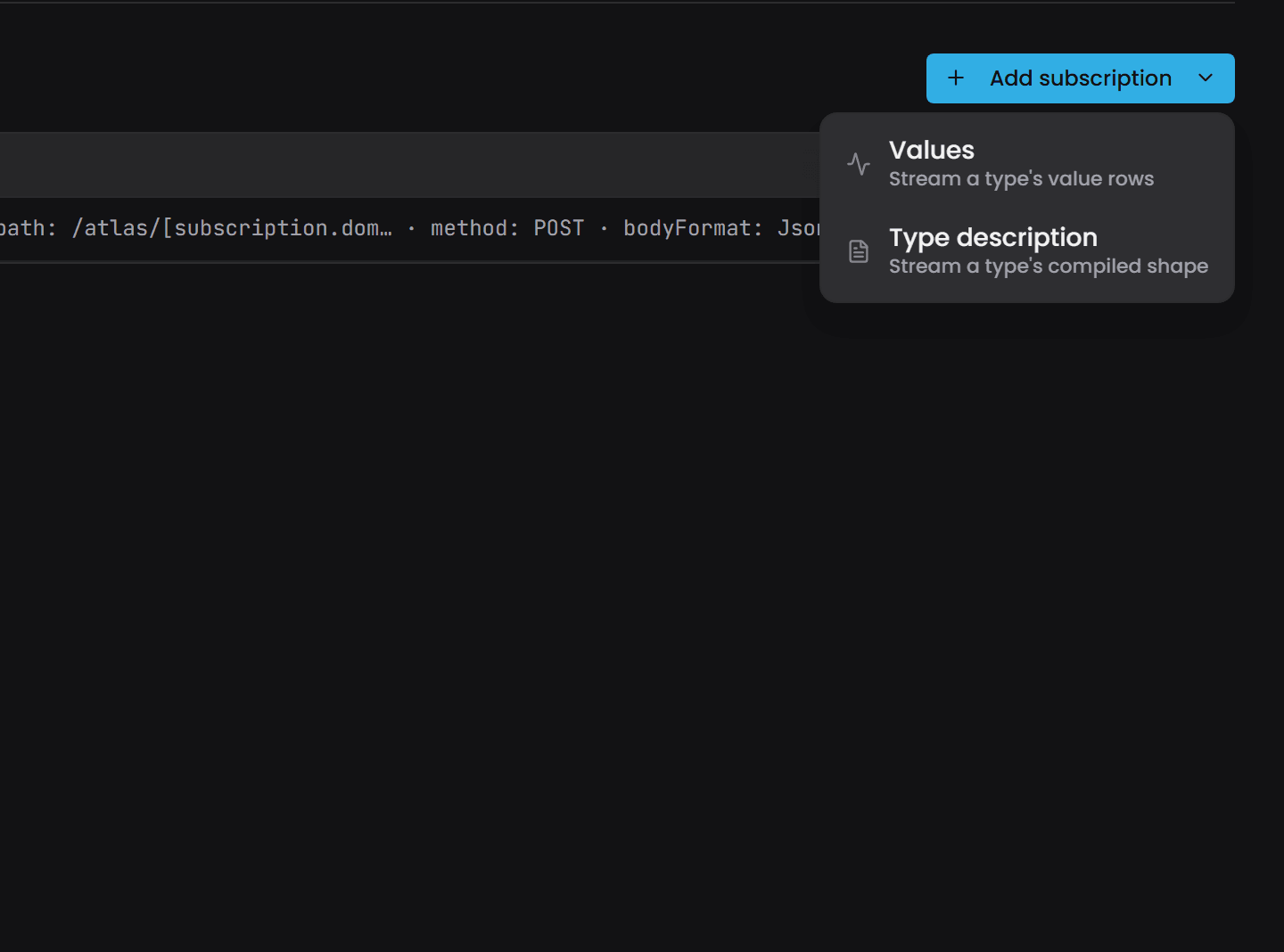
On a target's page in the Bridge interface, the Add subscription button is a menu with two choices:
- Values opens the editor for the four value modes.
- Type description opens an editor that asks only for the World (the domain and branch) and the Type.
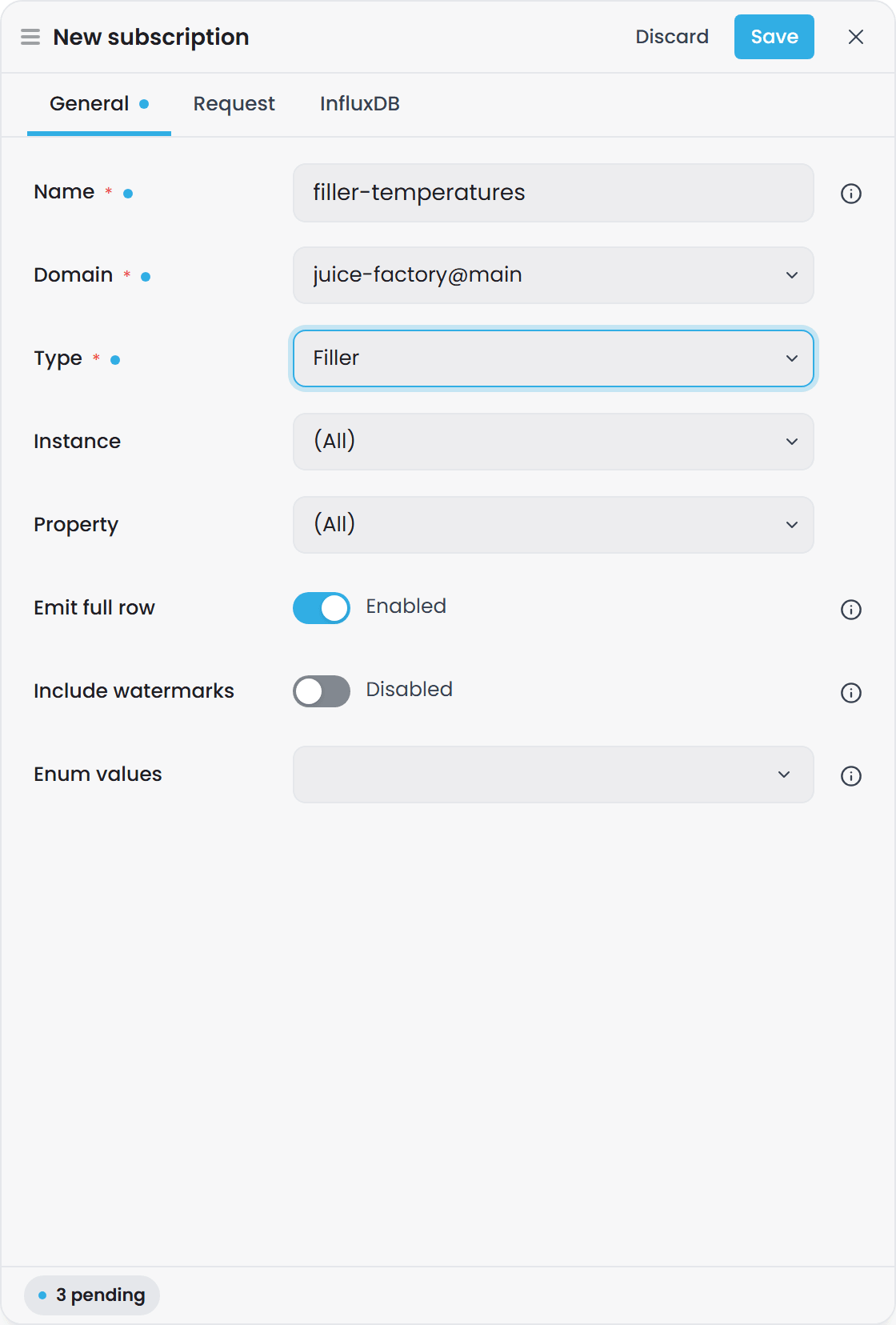
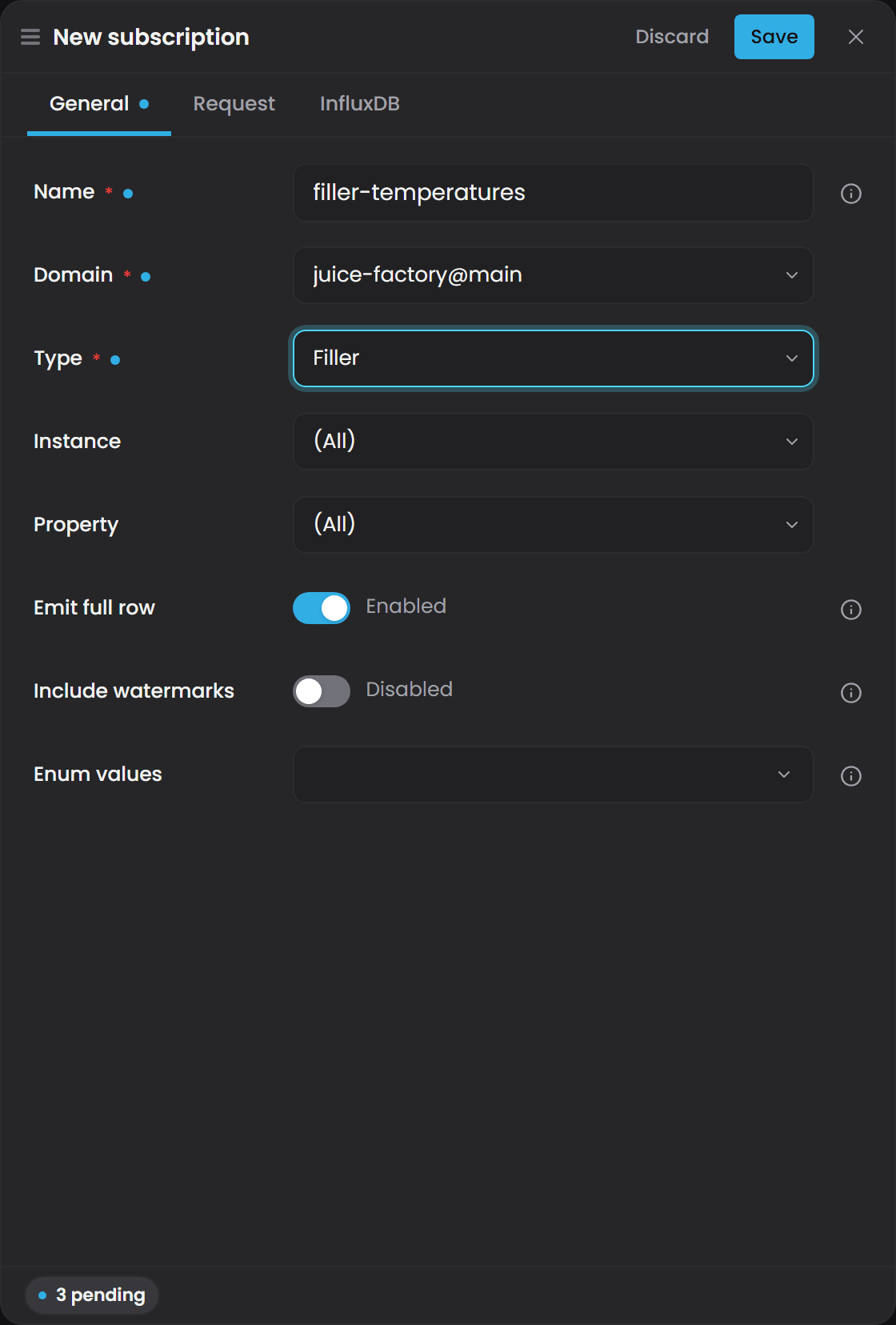
The Values editor derives the Mode from what you pick: a Domain (shown with its branch), a Type, and then an Instance and a Property, each of which may stay at (All). Both left at (All) is the Type mode; an instance alone is Instance; a property alone is TypeProperty; both is InstanceProperty. The lists are read from Atlas, so the domain has to be compiled. The Emit full row, Include watermarks and Enum values settings sit below, and the plugin's own destination fields are on the editor's second tab.
The kind is fixed when you add the subscription. The subscription's page shows it but cannot change it, because the SQL, the destination and the columns you wrote for value rows mean nothing against a description. To change kind, delete the subscription and add a new one. A Values subscription and a Type description subscription on the same type can sit side by side.
For a Type description subscription, the Type picker also lists enumeration types, which a Values subscription does not offer. An enumeration's description carries its member roster.
a Type description subscription needs only a World and a Type. It has no instance, no property and no backfill - a Resend button takes backfill's place - and its EmitFullRow and IncludeWatermarks settings are ignored. See Type Description Subscriptions for what it emits.
Configuring Bridge#
Bridge has its own interface at https://<YourBridgeHostHere>:4572. Its Targets page lists every destination grouped by plugin type, with the branch and domain each one reads, its resolved destination and how many subscriptions it has, and the header counts how many are running. Bridge calls its destinations Targets in the interface; the configuration file and this article call them instances. They are the same thing.
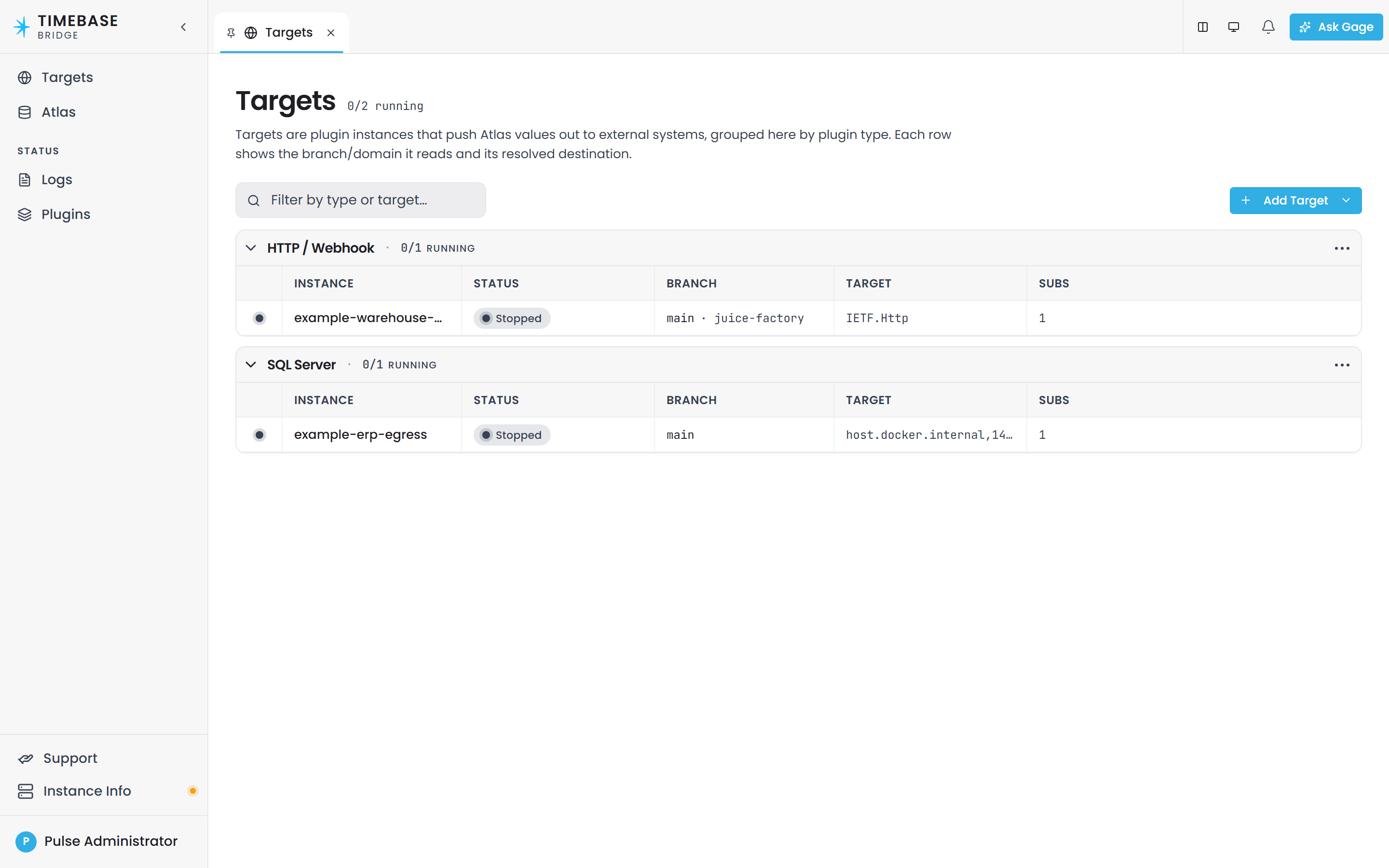
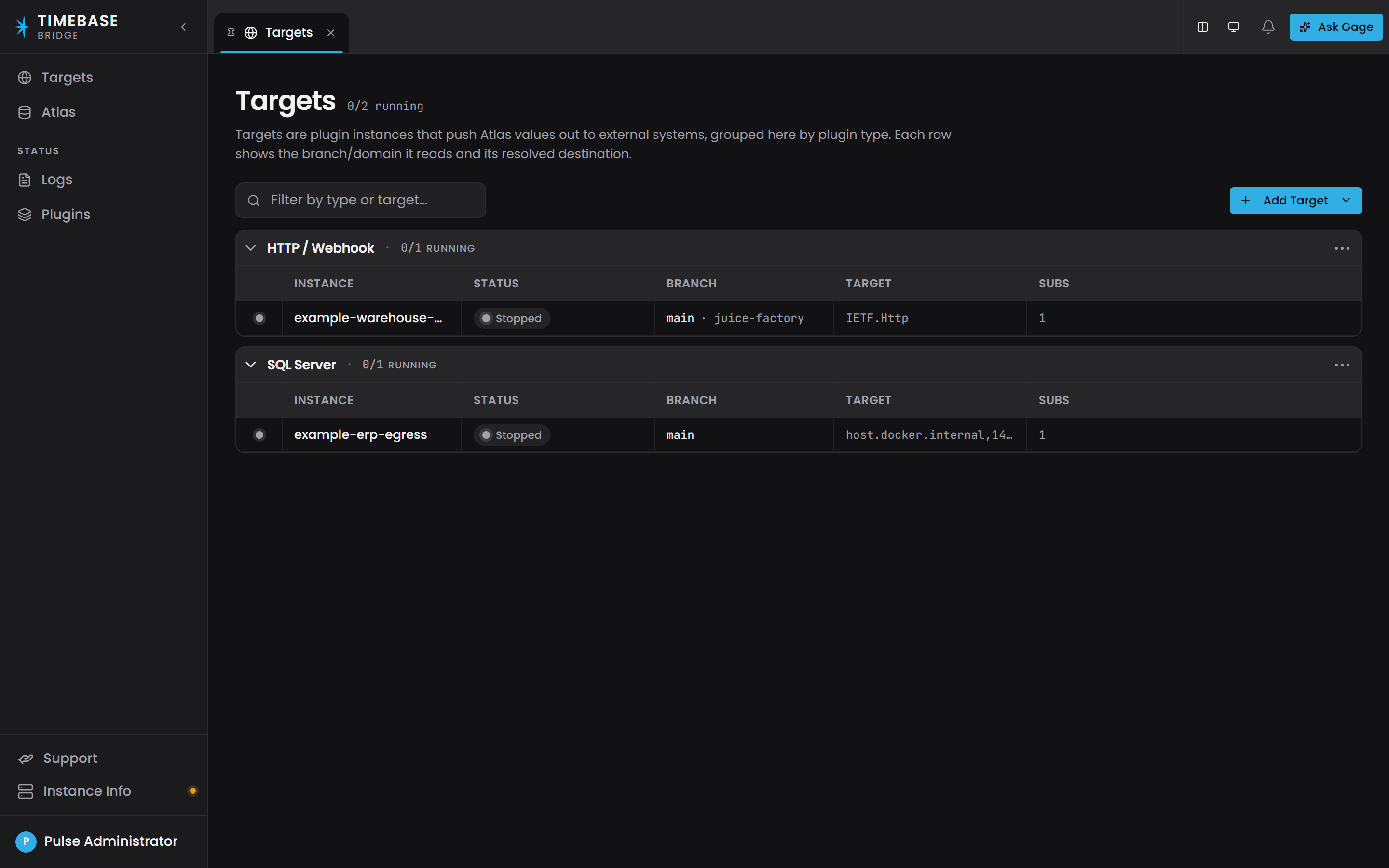
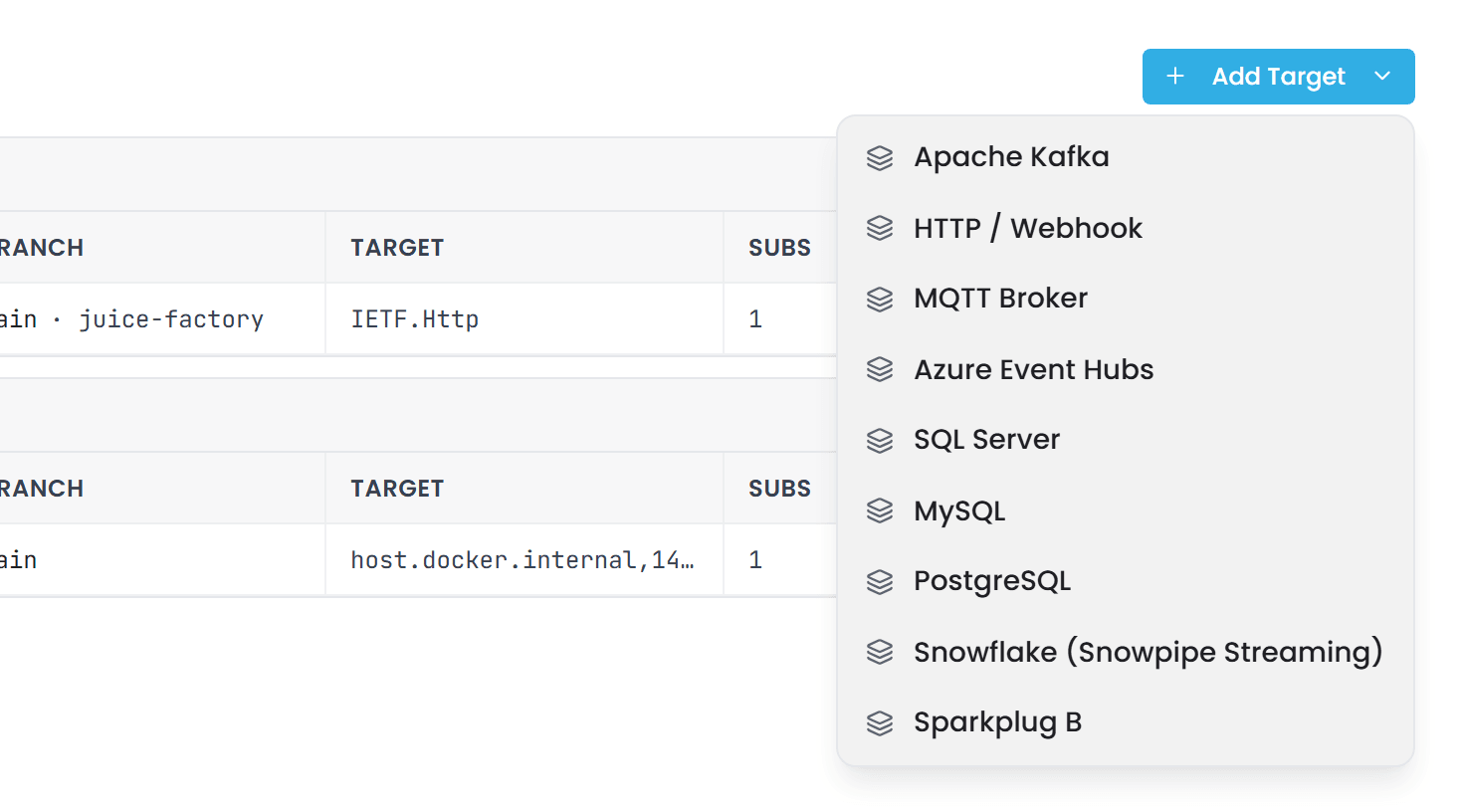
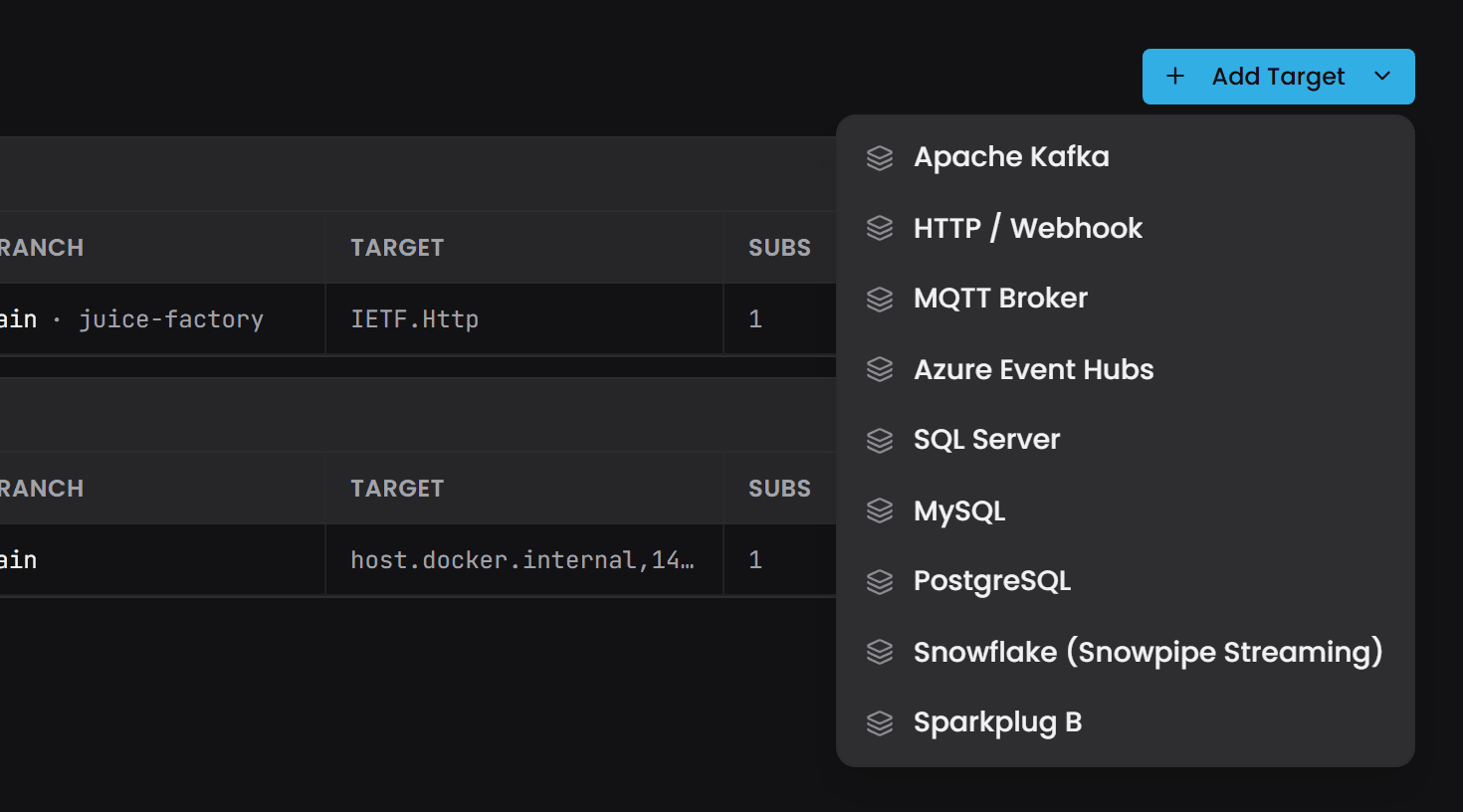
To add one, select Add Target and choose the plugin. A New target drawer opens with a General tab for the name and description and a Settings tab for the plugin's own connection fields; Create writes the record. Subscriptions are added afterwards, from the target's page.
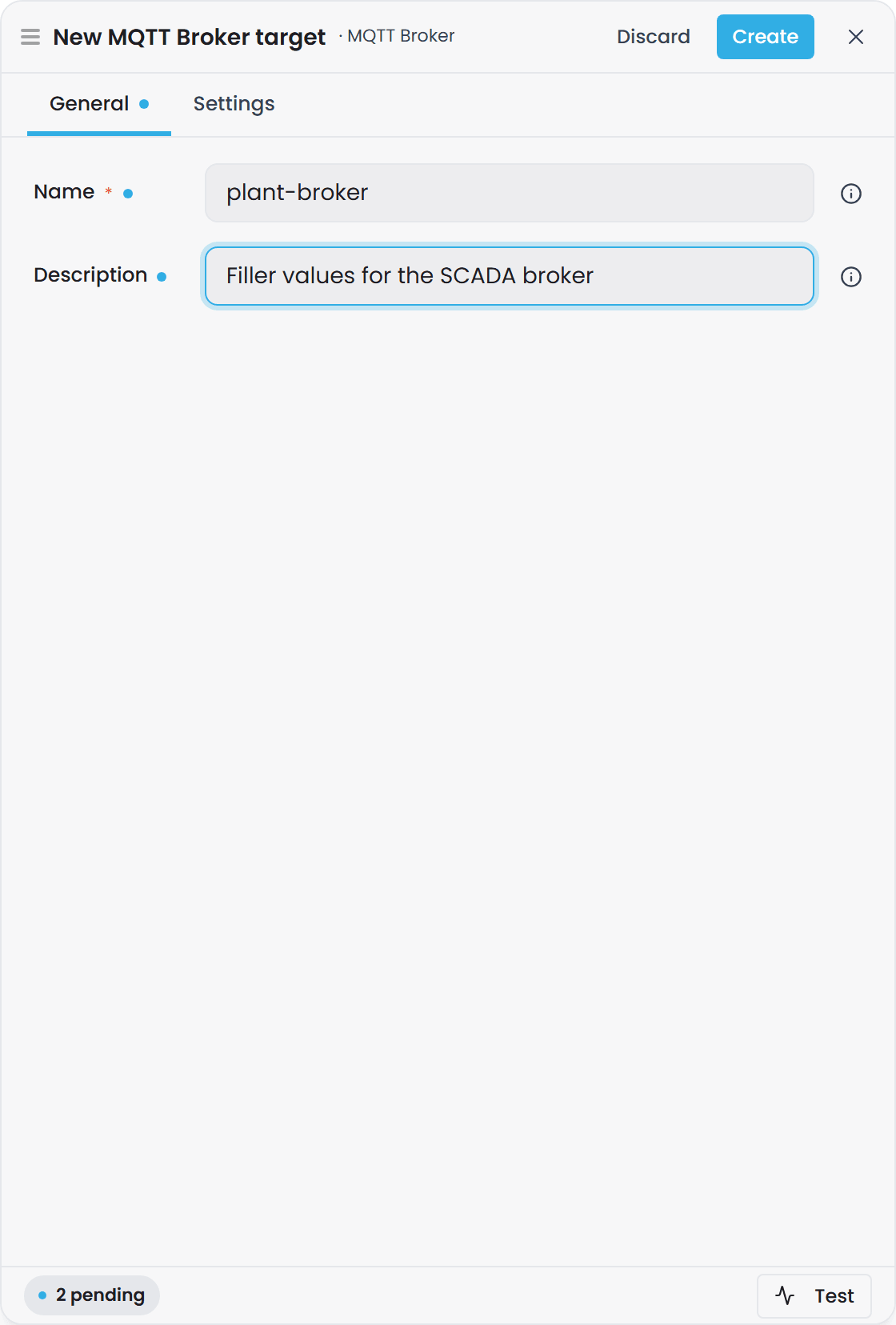
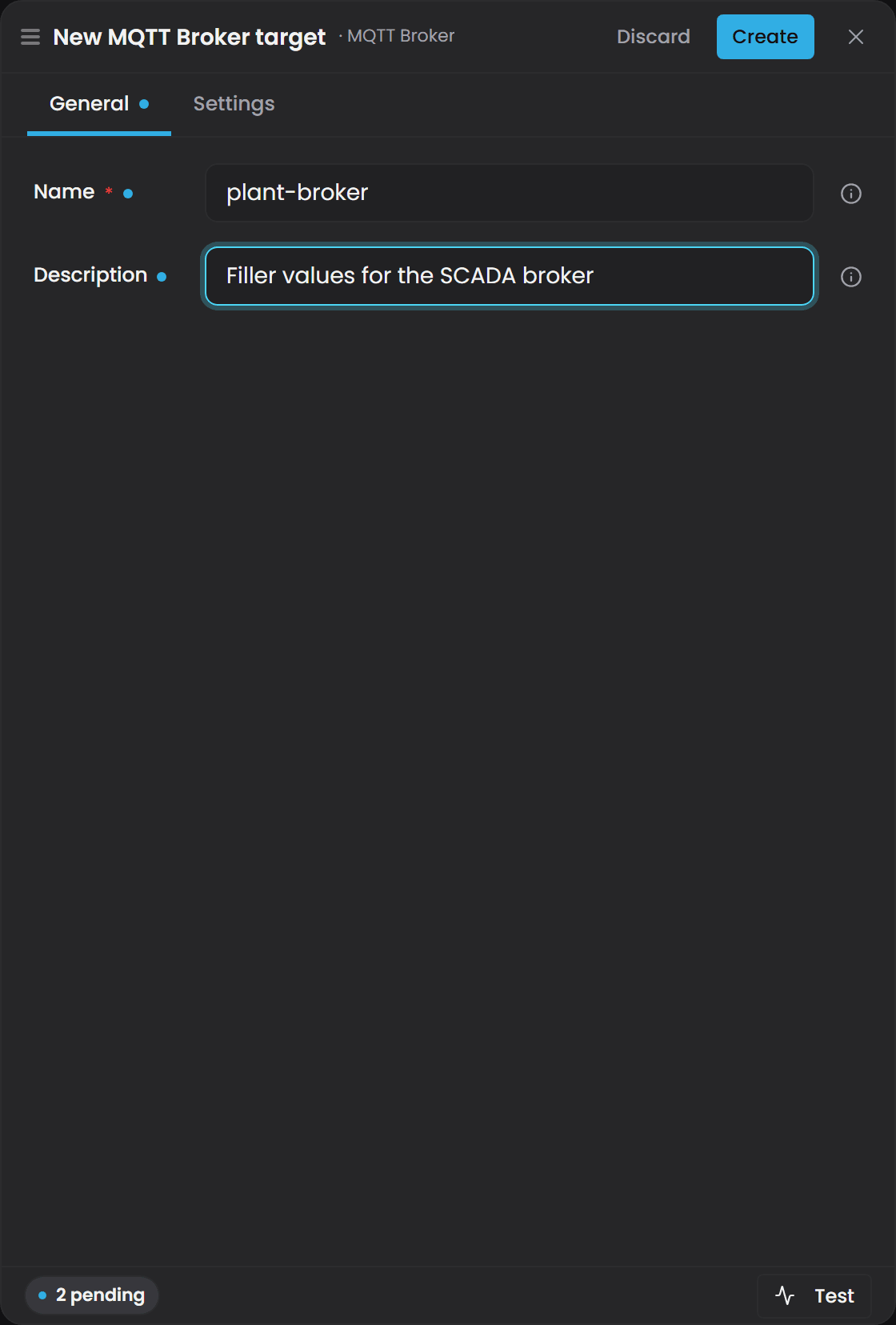
The same records live in a JSON file at C:\ProgramData\Flow Software\Timebase\Bridge\Config\bridge.config (Windows) or the equivalent data directory on Docker, and you can edit that file directly.
The configuration is hot-reloadable - edit the file and Bridge reconciles its connections live without a restart.
Basic Structure#
Destinations live in a bridges map, keyed by an id Bridge mints (brg_ plus six hex characters).
The key is the instance's identity: it appears in routes, logs and environment-variable overrides, and
never changes. Do not invent one, and do not reuse a name as a key.
Each record carries four fields of its own and one config sub-tree:
| Field | Description |
|---|---|
name |
The display label. Never an identity: renaming moves only this, and two destinations may share a name. |
type |
The plugin type string, exactly as listed in the plugin's own article. |
enabled |
Whether the destination is started. |
config |
Everything the plugin owns, Subscriptions included. |
The casing differs between the two levels on purpose. The record's own fields are lowerCamel and
belong to Bridge; everything under config keeps the plugin's own casing, which is PascalCase for
every plugin that ships.
Overriding one setting from the environment names the key and the nesting, for example
bridges__brg_5c1f28__config__ConnectionString. Look the id up in the file: it is rename-proof, which a position in an array never was.A file still holding a
Bridges[]array predates this shape. Delete it and let Bridge write a fresh one, or convert it by hand.
{
  "bridges": {
    "brg_5c1f28": {
      "name": "example-erp-egress",
      "type": "Microsoft.SqlServer",
      "enabled": true,
      "config": {
        "ConnectionString": "Server=warehouse.mycompany;Database=Atlas;...",
        "CommandTimeout": "00:00:30",
        "Subscriptions": {
          "all-fillers": {
            "Branch": "main",
            "Domain": "default",
            "Mode": "Type",
            "TypeUri": "urn:demo:Filler",
            "EmitFullRow": true,
            "IncludeWatermarks": false,
            "Sql": "MERGE dbo.Fillers AS t USING {{source}} AS s ON t.InstanceUri = s.InstanceUri WHEN MATCHED THEN UPDATE SET … WHEN NOT MATCHED THEN INSERT …"
          }
        }
      }
    }
  }
}
Per-Instance Fields#
These apply to every record in the bridges map:
| Field | Required | Default | Notes |
|---|---|---|---|
The key (brg_ + 6 hex) |
Minted | The instance's identity. Shown on the target's page, and used in environment-variable overrides. Let Bridge mint it | |
name |
Yes | The display label. Not an identity, and two instances may share one | |
type |
Yes | Must match one of the type strings above |
|
enabled |
Yes | Set to false to disable without removing the configuration |
|
config |
Yes | The plugin's own settings, Subscriptions included. Each plugin type has its own keys (see below) |
Per-Subscription Fields#
These are identical across all eight plugins and appear under Subscriptions:
| Field | Required | Default | Notes |
|---|---|---|---|
Branch |
Yes | Git branch the domain is on (usually "main") |
|
Domain |
Yes | Domain name (lowercase, hyphenated) | |
Mode |
Yes | One of InstanceProperty, Instance, TypeProperty, Type, TypeDescription |
|
TypeUri |
Required if Mode is Type, TypeProperty or TypeDescription |
URN of the entity type to subscribe to. For TypeDescription it may also name an enumeration type |
|
InstanceUri |
Required if Mode is Instance or InstanceProperty |
URN of the instance to subscribe to. Absent for TypeDescription |
|
PropertyUri |
Required if Mode is *Property |
URN of the property to subscribe to. Absent for TypeDescription |
|
EmitFullRow |
No | true |
Send all columns in each update (true) or only changed columns (false). Ignored for TypeDescription |
IncludeWatermarks |
No | false |
Include internal ordering metadata for last-write-wins semantics. Ignored for TypeDescription |
EnumValues |
No | Key |
What an enumeration-typed property's value is written as: Key, Name or Label. See Enumeration values. Ignored for TypeDescription |
Important: fill in every URI the mode requires. A subscription missing one loads and reports healthy without receiving data, and the Bridge log records the validation warning.
Plugin-Specific Fields#
SQL Server, PostgreSQL, MySQL - configure the database connection:
ConnectionString(required)CommandTimeout(optional, default00:00:30)Sql(required) - operator-authored INSERT/UPDATE/MERGE/DELETE statement. Read the batch via the{{source}}placeholder:MERGE dbo.Fillers … USING {{source}} AS s …SourceColumns(optional) - a column-name to property-URI mapping. Example:"SourceColumns": { "TargetTemp": "urn:demo:targetTemperature", "Quality": "urn:atlas:common:Quality" }. The column name is the key, the property URI is the value (URIs contain colons, which config parsers treat as paths, so this direction avoids collisions). At load and on every reload, the SQL is scanned and warnings are logged if you declare a column the SQL never reads or forget to declare one it does.
MQTT - configure the broker connection:
Host(required) - broker addressPort(optional, default1883)UseTls(optional, defaultfalse)CleanSession(optional, defaulttrue)KeepAlive(optional, default15s)- Per-subscription
Topic,Qos(defaultAtLeastOnce),Retain(defaultfalse)
Apache Kafka - configure the cluster:
BootstrapServers(required)LingerMs(optional, default20)BatchSize(optional, default1000000)Compression(optional, defaultLz4)EnableIdempotence(optional, defaulttrue)MessageTimeout(optional, default30s)- Per-subscription
Topic,MessageKey(default[instance.@uri])
Azure Event Hubs - configure the connection:
AuthMode(optional, defaultConnectionString)SendTimeout(optional, default30s)- Per-subscription
PartitionKey(default[instance.@uri])
HTTP / REST - configure the target:
BaseUrl(required) - the endpoint baseRequestTimeout(optional, default30s)MaxAttempts(optional, default3) - retry attempts on network failureInitialBackoff(optional, default1s)- Per-subscription
Path,Method(defaultPOST),BodyFormat(defaultJson),BatchMode(defaultSingleRequest)
Snowflake - configure the warehouse connection:
AccountIdentifier(required) - account nameUser(required)- Private key (required)
Database(required)Schema(required)Pipe(required)Channel(required)
Host Settings#
Edit C:\ProgramData\Flow Software\Timebase\Bridge\Settings\settings.config to configure Bridge's own behavior and its connection to Atlas.
| Setting | Type | Default | Notes |
|---|---|---|---|
Atlas:Host |
text | localhost |
Hostname of the Atlas instance to subscribe to |
Atlas:Port |
number | 4551 |
Atlas's port. 4551 plain, 4552 for TLS |
Atlas:UseTls |
true/false | false |
Whether to reach Atlas over HTTPS |
Atlas:Auth:Enabled |
true/false | false |
Off means authenticate as this host does. Switch on only when Atlas is served by a different Pulse. See below |
Atlas:Auth:ClientId |
text | (empty) | The client to present to that Atlas's Pulse |
Atlas:Auth:ClientSecret |
text | (empty) | Its secret |
Atlas:Auth:IdP:Host / :Port / :UseTls |
(empty) | The Pulse that signs the token for that Atlas |
When Atlas is served by a different Pulse#
Leave Atlas:Auth:Enabled off and Bridge authenticates to Atlas with its own Pulse:Auth identity, which is what every single-Pulse installation wants and is the shipped state.
Switch it on and Bridge presents the client named here, with its token obtained from the Pulse named in Atlas:Auth:IdP. That is the only way to reach an Atlas belonging to a different Pulse: a token from your own Pulse is signed by the wrong issuer, and the value hub refuses it.
This
IdPis not the one that was removed. The old component-wideAuth:IdPwas a second copy of the Pulse address and is gone. This one exists to name a different Pulse. If it would be the same asPulse:Host, leave the block off. |Queue:ChannelCapacity| integer |1024| How many rowsets to queue before applying backpressure | |Queue:HeldRowsPerInstance| integer |1000| How many rows to hold for each subscription and instance while a destination token has no value yet; beyond it the oldest held row is dropped | |Queue:BackpressureMode|WaitorDropOldest|Wait| On queue overflow: block the feed (Wait) or drop the oldest (DropOldest) - only safe for idempotent targets like SQL upsert |
The Atlas connection is also the Atlas page of the interface, which shows the host, port, transport and authentication it is running with and whether it is Connected, with an Edit button for the first three. There is exactly one.
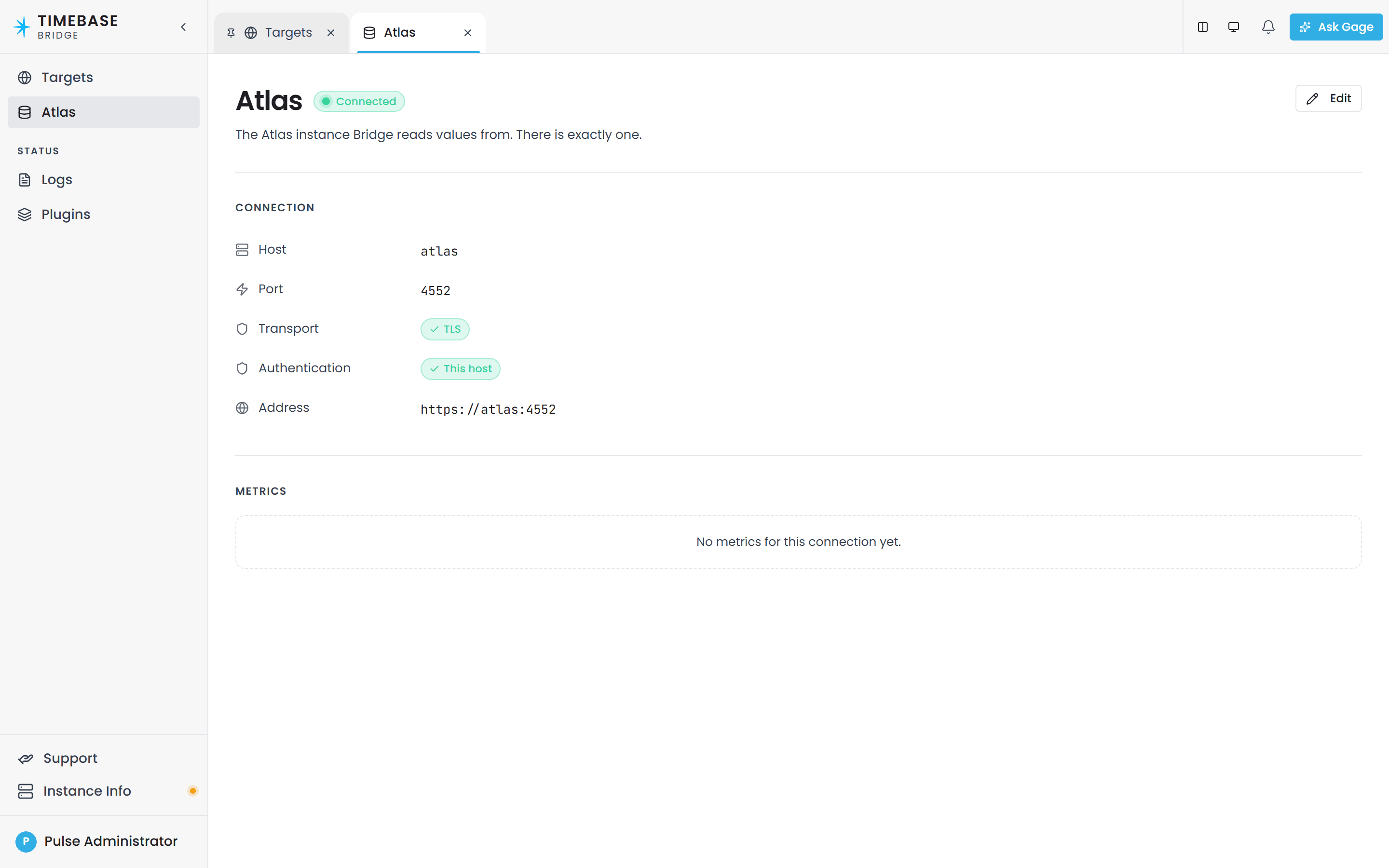
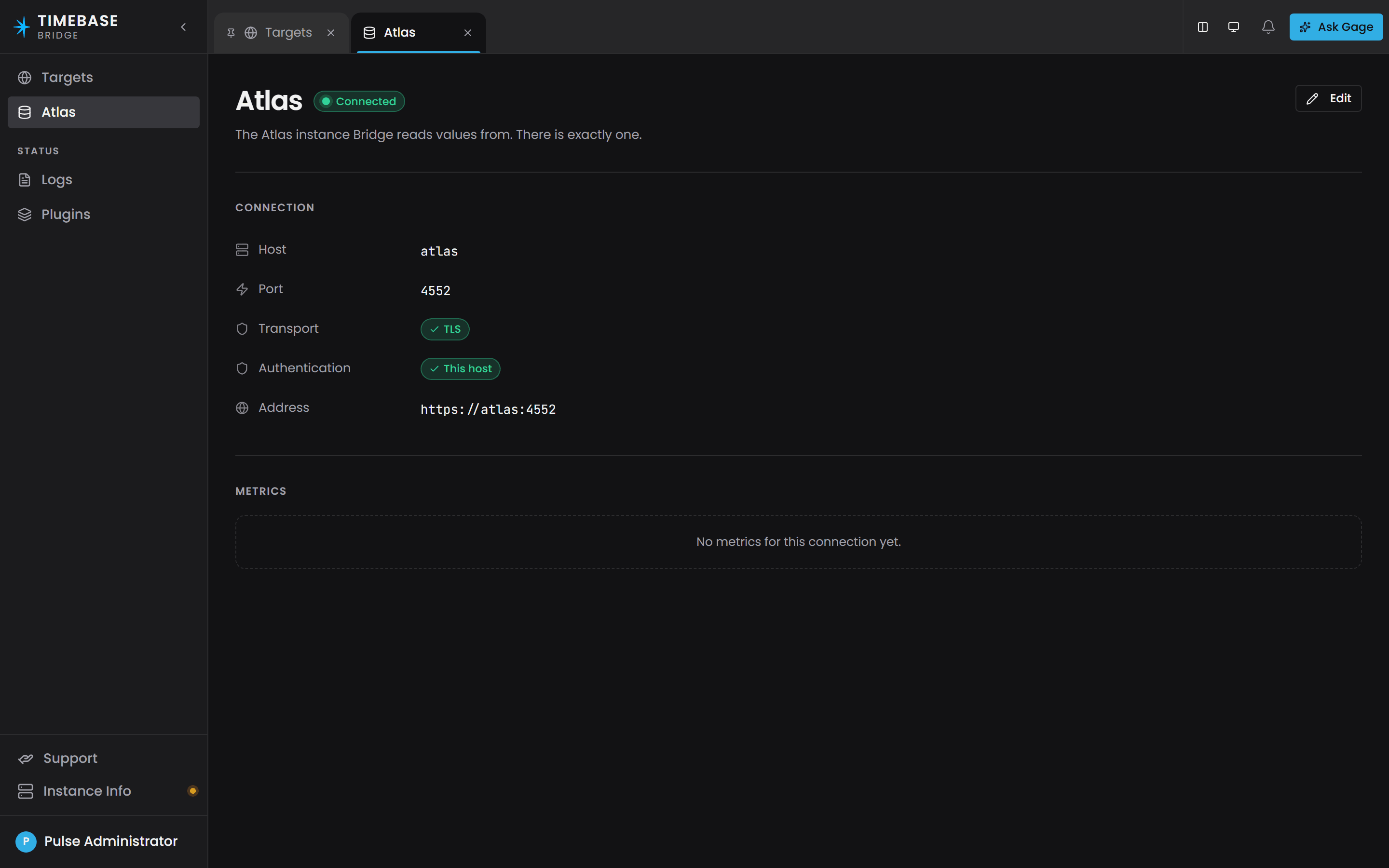
Bridge's own name and id are not in this file. They live in the host's state file, alongside its licensing serial, and you set them on the Instance Info tab. A
Bridge:IdorBridge:Nameleft in an oldersettings.configis not read.
The Atlas address is given as a host, a port and a TLS flag rather than a URL, matching how every
other component addresses a Timebase service. Bridge composes the URL from those three, and still
reports the composed value as atlasServerBaseUrl on its status endpoint.
Destination tokens#
Every broker-style plugin resolves the same [source.field] tokens in its destination string - the
MQTT topic, the Kafka topic, the Event Hubs event-hub name, the HTTP path, the Sparkplug device id.
The grammar, the full token list and the rules for escaping a literal bracket are documented once, in
MQTT Bridge Plugin.
Beyond the built-in fields, a destination can use [instance.label], [type.label], [property.label], [instance.<property>] (a declared property of the instance's type) and [instance.<compound>.<leaf>]. These resolve from the Atlas model, never from the row being published. Property values follow the model live: the first time a type or instance is used in a destination, Bridge opens a value subscription for it, takes the snapshot and applies each change as it arrives, so the next row after a change goes to the new destination. Labels are read once, when the instance is first seen, and a label change reaches destinations when Bridge re-subscribes (restart or reconnect). A static value edited in Atlas and recompiled is not pushed to an open subscription; it reaches the destination at the next re-subscribe. Write @ before uri, name or label (for example [instance.@uri]) whenever you mean the built-in field. The rules are in Tokens from the Atlas model.
Every substituted value is made legal for the sink it lands in, so a / in a label cannot split an MQTT topic and a : in a URN cannot break a Kafka topic; the text you typed in the template is never changed, and a Kafka record key or Event Hubs partition key is never changed. The rules for each sink are in Values are made legal for the sink.
A destination that cannot resolve yet (the instance was just seen, its type's shape has not arrived, or the property has no value) does not drop the row: Bridge holds it for that subscription and instance, and releases held rows in order once the value is known, without delaying other instances. The hold is capped by Queue:HeldRowsPerInstance; beyond it the oldest held row is dropped with one warning per hold. A property declared on the type but never set holds that instance's rows until the cap, so set it or use [instance.@name]. See Rows wait for their destination. When a destination moves while rows flow, an MQTT subscription with Retain: true clears the old retained topic first; see Retained messages follow the topic. The exception is a Kafka record key or an Event Hubs partition key: the record goes out unkeyed and the reason is logged at Debug, never dropped. The shipped Kafka Record key and Event Hubs Partition key default to [instance.@uri], and a blank Sparkplug B Device ID means [instance.@uri] ([type.@name] for a type description).
A Type description subscription has no instance, so [type.uri], [type.name] and the [subscription.*] tokens resolve as usual, and any [instance.*] token in a destination template (the topic, the event hub name, the HTTP path, the Snowpipe channel or the Sparkplug device ID) is a validation error when the configuration loads. A record key or partition key is not a destination, so it may still carry one. See Type Description Subscriptions.
Templates written before Timebase 2.0 must be updated. The old curly-brace, flat-name tokens such as
{instanceUri}are no longer recognised: a destination carrying one is reported as a configuration error at load and refuses to resolve.
Connecting Bridge to a Secured Atlas#
If Atlas has Pulse:Auth:Enabled=true (the shipped default), the value hub requires authentication. Bridge uses Pulse client-credentials flow to obtain a bearer token.
Set these keys in settings.config:
"Pulse": {
  "Host": "pulse.mycompany",
  "Port": 4542,
  "UseTls": true,
  "Auth": {
    "Enabled": true,
    "ClientId": "Bridge",
    "ClientSecret": "YOUR_BRIDGE_CLIENT_SECRET"
  }
}
Before you start:
- Ensure the
Bridgeclient exists in Pulse withclient_credentialsgrant type. - Ensure that client lists
Atlasas an audience (in addition toPulse). - Rotate the secret into the
ClientSecretfield above.
confirm the token exchange succeeded before you look elsewhere. If it does not, Bridge connects without a bearer and Atlas answers the value-hub negotiate with a 401. Bridge's log records the token exchange, and Atlas's log records the 401.
What Arrives at the Destination#
Quality and Missing Data#
Bridge exports properties as they exist in the compiled world. One thing to plan for:
Important - properties waiting for a first sample: a property that has not yet received an update holds no value, so it reads as null rather than
0. Bridge passes cells through as they are, so the destination receives a null.Carry the timestamp and filter on it. A null
Timestampmeans no sample has arrived. A Quality of0is a reading that arrived and whose source reported Bad, so it is different from no value. IncludeTimestampin your subscription and guard on it in the SQLWHEREclause or in your consumer, so a KPI averages only sampled values.
Delta Emits#
When EmitFullRow=false on Instance or Type modes, Bridge sends only changed columns in each update:
IsPresent=true, IsNull=false- real, non-null valueIsPresent=true, IsNull=true- genuine NULLIsPresent=false- absent from this update (no change, do not touch this column)
In SQL, both the absent cell and the genuine NULL bind as DBNull, so write the statement to leave a column alone when it is not in the update:
-- Writes NULL over the existing value where a column is absent from the update
INSERT INTO Fillers SELECT * FROM {{source}};

-- Keeps the existing value where a column is absent from the update
MERGE dbo.Fillers t USING {{source}} s ON t.InstanceUri = s.InstanceUri
  WHEN MATCHED THEN UPDATE SET
    TargetTemp = ISNULL(s.TargetTemp, t.TargetTemp),  -- only update if present
    Quality = ISNULL(s.Quality, t.Quality)
  WHEN NOT MATCHED THEN INSERT …
Important - delta emits: turn on delta emits (
EmitFullRow=false) only where your SQL statement is idempotent, because a delta row carries a subset of the columns. Use delta mode once you understand the per-cell distinction above.
Watermarks and Ordering#
Bridge guarantees per-instance ordering. All updates for one instance arrive on a single pump task, in the order Bridge received them:
Subscription reset → Initial snapshot → Live updates → … → Reconnect reset → New snapshot → …
After a reconnect, you receive a fresh snapshot from Atlas, so write the statement to be idempotent - a MERGE or upsert rather than a plain INSERT.
Two extra columns arrive for free:
EmitTime(UTC) - the server wall-clock time this batch was sent. Identical for every row in a batch; audit-only, not a per-row watermark.Watermark(UTC, whenIncludeWatermarks=true) - the LWW (last-write-wins) coordinate. Use this in SQL guards:WHEN MATCHED AND s.Watermark >= t.LastWatermark THEN UPDATE …. Note: the first snapshot carries a null watermark, so allow for it:WHEN MATCHED AND (s.Watermark IS NULL OR s.Watermark >= t.LastWatermark) THEN UPDATE …Anchor(UTC) - the declared time-axis coordinate (theisTimeAxisproperty's Timestamp). Use this as your MERGE key if you lack a stable instance identity.
Enumeration values#
A property typed by an enumeration carries its key on the wire: the integer, string or boolean the member is stored as. Atlas never resolves the member for you (its interface does that at render time), so by default Bridge writes the key, which keeps the column the same type as the property.
Set a subscription's Enum values to Name or Label to write the member instead:
Key(the default) writes the stored key, typed as the property is.Namewrites the member's name, the codegen-safe identifier.Labelwrites the member's label, or its name where no label was authored.
In Name or Label mode the column arrives as a string on every sink, so a SQL table that received an integer column before needs a text column. A key the enumeration does not declare is written as the key's text, never left blank, and the Bridge log warns once per subscription, enumeration and key.
Bridge learns each enumeration's members from the type description stream, the same way it learns a type's columns for destination tokens. Until the members have arrived a row is held rather than written with the key, in order per instance and bounded the same way as a row waiting on a destination token, and released as soon as the members land. A member added to the enumeration later is picked up live.
a backfill does not wait. If the enumeration's members are not cached yet when a backfill runs, its rows are written with the keys as text and the log says so once per enumeration; run the backfill again once the live subscription has been running.
Type Description Subscriptions#
A Type description subscription sends a type's compiled description to a destination: what the type is called, what it derives from, which columns it carries, and (for an enumeration) its members. It uses the SubscribeToTypeDescription stream on the Atlas value hub, which is documented in Atlas API - Subscribing to Live Values. Use it to keep a catalogue, a schema registry or a metadata table in step with the model, or to build a decoder for the value rows of the same type.
When Bridge sends#
- The current description arrives first. It is sent as soon as the subscription starts, and again after every reconnect.
- A later description arrives only when the type's shape changes. A recompile that changes the label, the parent, the endpoints of a relationship type or the columns sends a new one. A recompile that changes only values or instances sends nothing.
- A tombstone arrives if the type is deleted. It is the same document with an empty
schemaanddeletedset totrue, and the stream ends after it. - Nothing is sent per instance. One description is one item, however many instances the type has.
A description is not metered against the licence. Backfill does not apply to it: the backfill route answers 400 and the Bridge interface hides the Backfill button for this kind. It has a resend instead.
Resending the description#
A destination can miss a description or lose it afterwards: a consumer that started after the description was sent, a broker or table that was reset, a message that was dropped. A description is not history, so there is no window to replay. Instead, the subscription's page carries a Resend button where a Values subscription carries Backfill. Press it and Bridge reads the type's current description from Atlas once and sends it to the destination again, through the same queue as the live stream and in the same order. It is sent even when it is identical to the last one, so a consumer that started late receives it. The button is available while the instance is running.
The interface calls this route for itself, under /app like the backfill routes:
POST /app/instances/{instanceId}/subscriptions/resend-description
Body:
{
  "subscriptionName": "pump-shape"
}
The subscription is addressed by its operator-chosen name, the dictionary key in the configuration. The route answers 204 once the description is queued for the destination, 400 for a Values subscription, 404 for an unknown instance or subscription, 409 when the instance is not running or the type no longer exists in Atlas, and 504 when Atlas does not answer within 30 seconds. The same route exists under /api for a bearer token.
The JSON document#
The sinks that publish JSON (MQTT, Kafka, Event Hubs, HTTP and Snowpipe Streaming) send one JSON document per description, to the destination resolved from the subscription. This is the description of a urn:demo:Filler type that has a name, an enum-typed run state and a compound flowRate property:
{
  "typeUri": "urn:demo:Filler",
  "label": "Filler",
  "kind": "entity",
  "parentUri": "urn:demo:Equipment",
  "schema": [
    {
      "name": "name",
      "uri": "urn:demo:name",
      "column": "urn:demo:name",
      "typeUri": "xsd:string",
      "kind": "scalar"
    },
    {
      "name": "runState",
      "uri": "urn:demo:runState",
      "column": "urn:demo:runState",
      "typeUri": "xsd:integer",
      "kind": "scalar",
      "enumTypeUri": "urn:demo:RunState"
    },
    {
      "name": "flowRate",
      "uri": "urn:demo:flowRate",
      "typeUri": "urn:demo:FlowReading",
      "kind": "compound",
      "fields": [
        {
          "name": "Timestamp",
          "column": "urn:demo:flowRate.Timestamp",
          "typeUri": "xsd:dateTime",
          "kind": "scalar",
          "isTimeAxis": true
        },
        {
          "name": "Value",
          "column": "urn:demo:flowRate.Value",
          "typeUri": "xsd:double",
          "kind": "scalar"
        }
      ]
    }
  ],
  "generation": 42,
  "emitTime": "2026-10-06T10:00:01Z",
  "deleted": false
}
| Member | Present | Meaning |
|---|---|---|
typeUri |
Always | The canonical type URI. It is the same typeUri key the value rows use, so a consumer can join a description to its rows. |
label |
When the type has one | The type's label. |
kind |
Always | entity, relationship or enum. |
parentUri |
When the type has a user-defined parent | The direct parent type. |
endpoints |
Relationship types only | { "sourceTypes": [...], "targetTypes": [...] }, the entity types allowed at each end. |
schema |
Always | The columns as a tree, in the type's declared order. Empty for an enumeration and on a tombstone. |
enumType |
Enumeration types only | { "keyType": "xsd:int", "members": [ { "key": "0", "name": "Off", "label": "Off" } ] }. A member's label is left out when it has none. |
generation |
Always | The generation of the compiled model the description was built from. It increases on every recompile. |
emitTime |
Always | When Atlas sent the description (UTC). |
deleted |
Always | true only on the tombstone. |
Each node in schema carries name, typeUri and kind, plus these when they apply:
uri- the property URI on a root node, or a composite member's URI.column- the exact column name the value rows use. It is on leaves only, never on acompoundorcompositeparent.kind-scalar,compound(a data-type property),composite, orendpoint(the Source and Target columns of a relationship type).isTimeAxis- written only whentrue, on the field that is the compound's time axis.enumTypeUri- the enumeration type whose keys type this column.fields- the child nodes, on a parent only.
Members that are null are left out of the document rather than written as null.
To decode value rows, match each row's columns to the description by the schema leaf's column name, never by position.
Which sinks support it#
| Sink | What it emits |
|---|---|
| MQTT, Kafka, Event Hubs, HTTP, Snowpipe Streaming | The JSON document above, one per description. |
| SQL Server, PostgreSQL, MySQL | A table of leaf columns through {{source}}, one row per column of the type. |
| Sparkplug B | One device with a single TypeDescription metric whose value is the JSON document. |
Backfill: Replaying History#
Bridge streams live values rather than tracking delivery state. If the destination is down, batches queue up to ChannelCapacity and then either block (Wait mode) or evict the oldest (DropOldest mode). To fill a gap after an outage, run a backfill for the window - see below. Backfill applies to Values subscriptions only; a Type description subscription has a Resend instead.
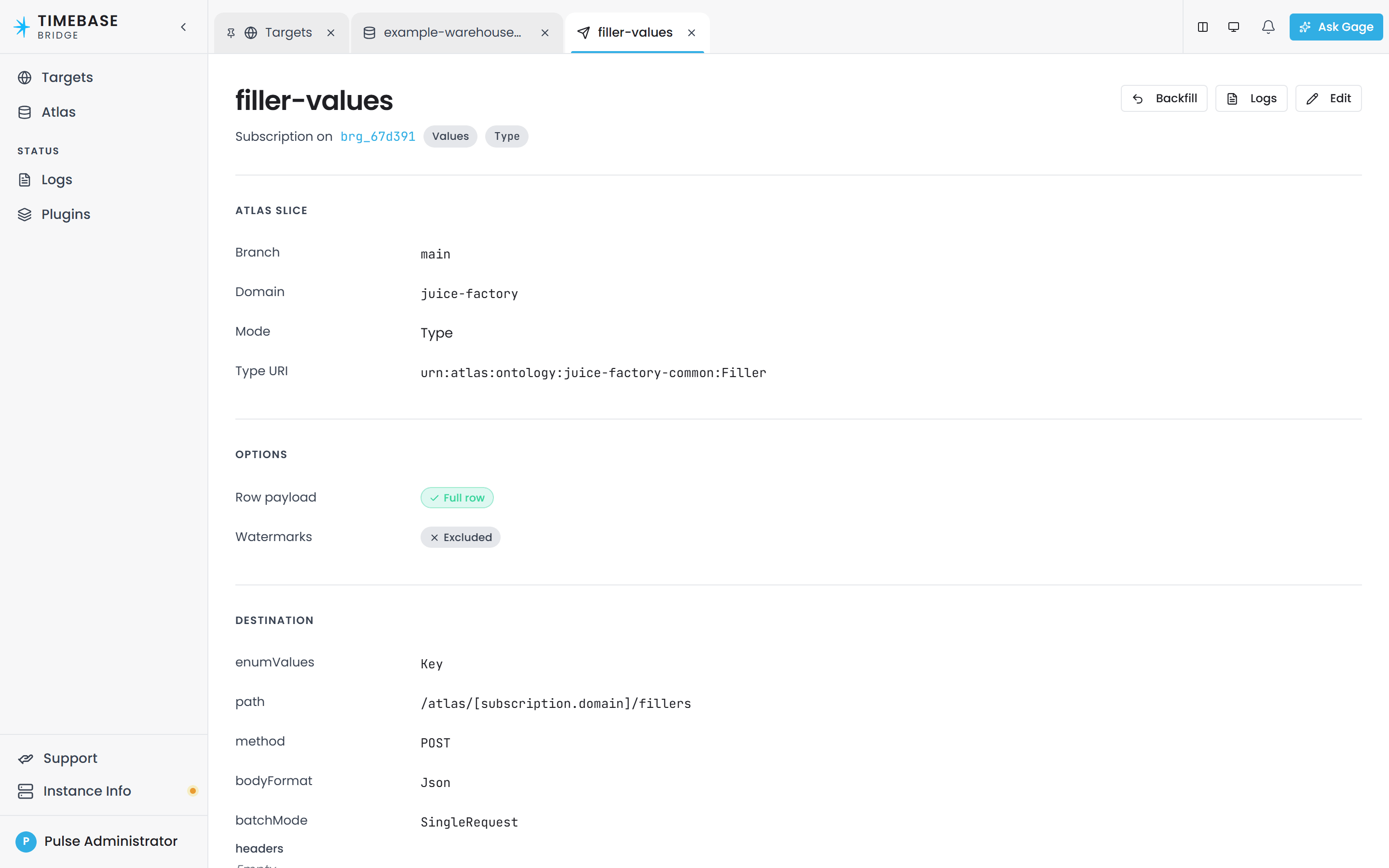
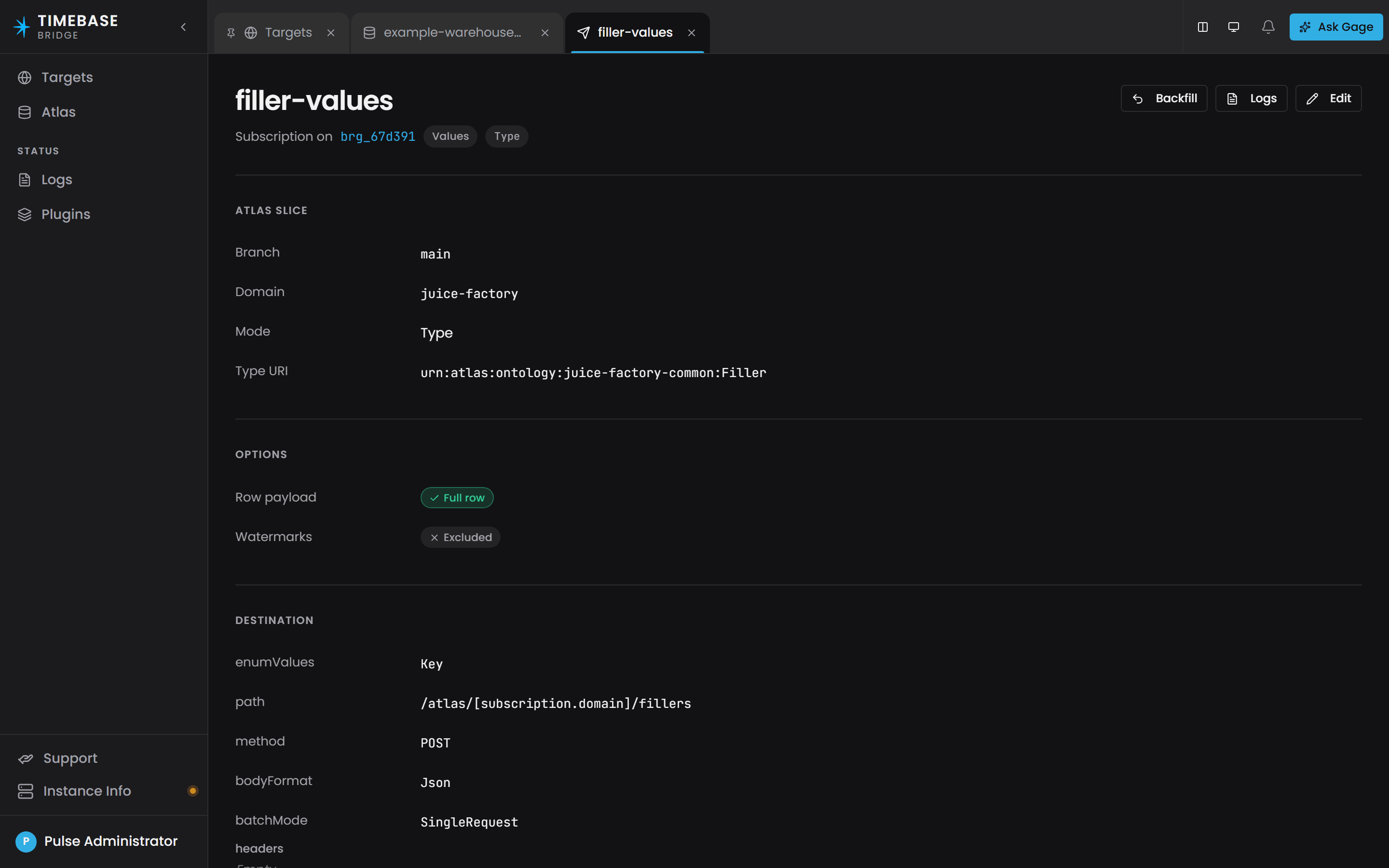
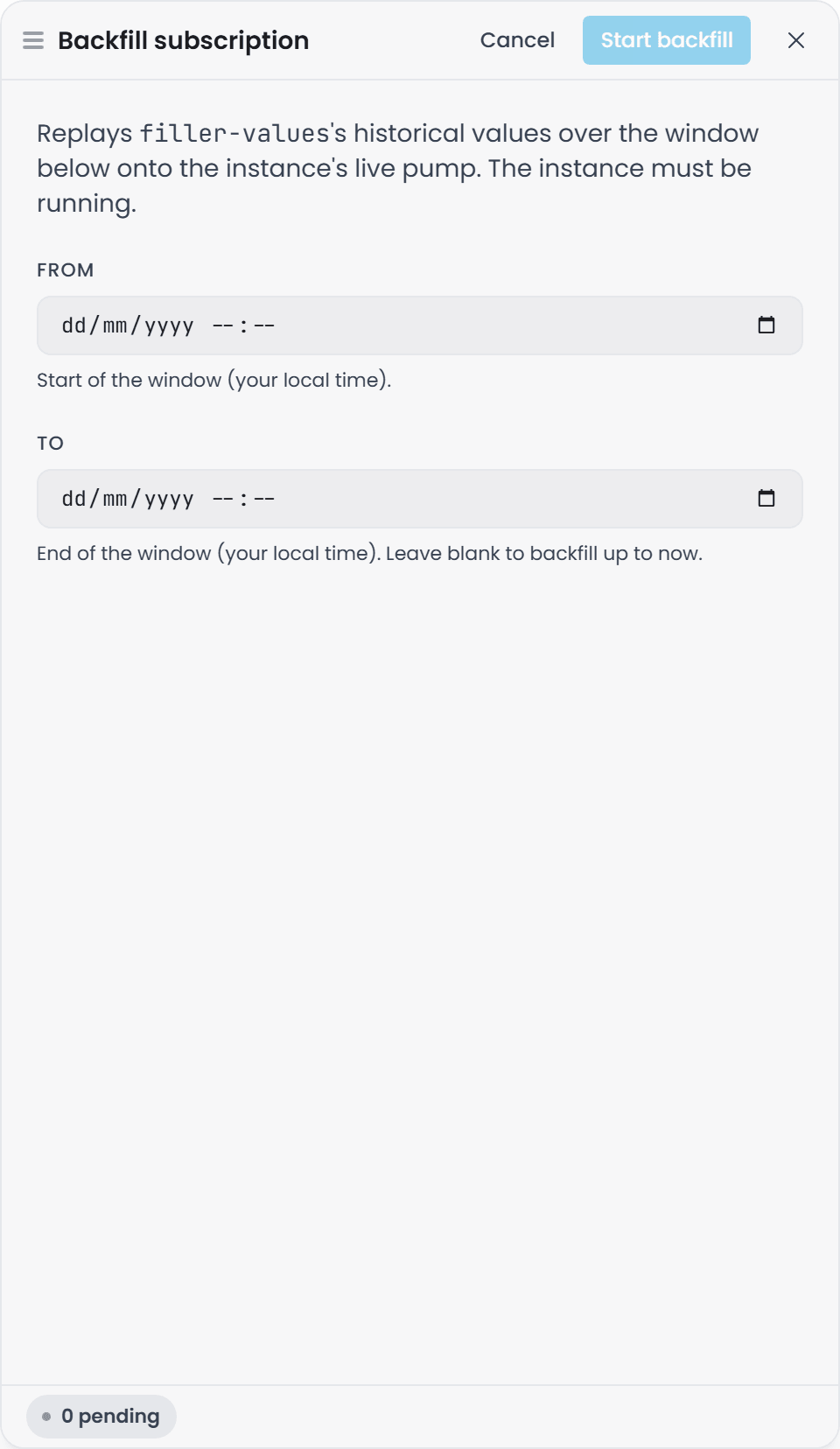
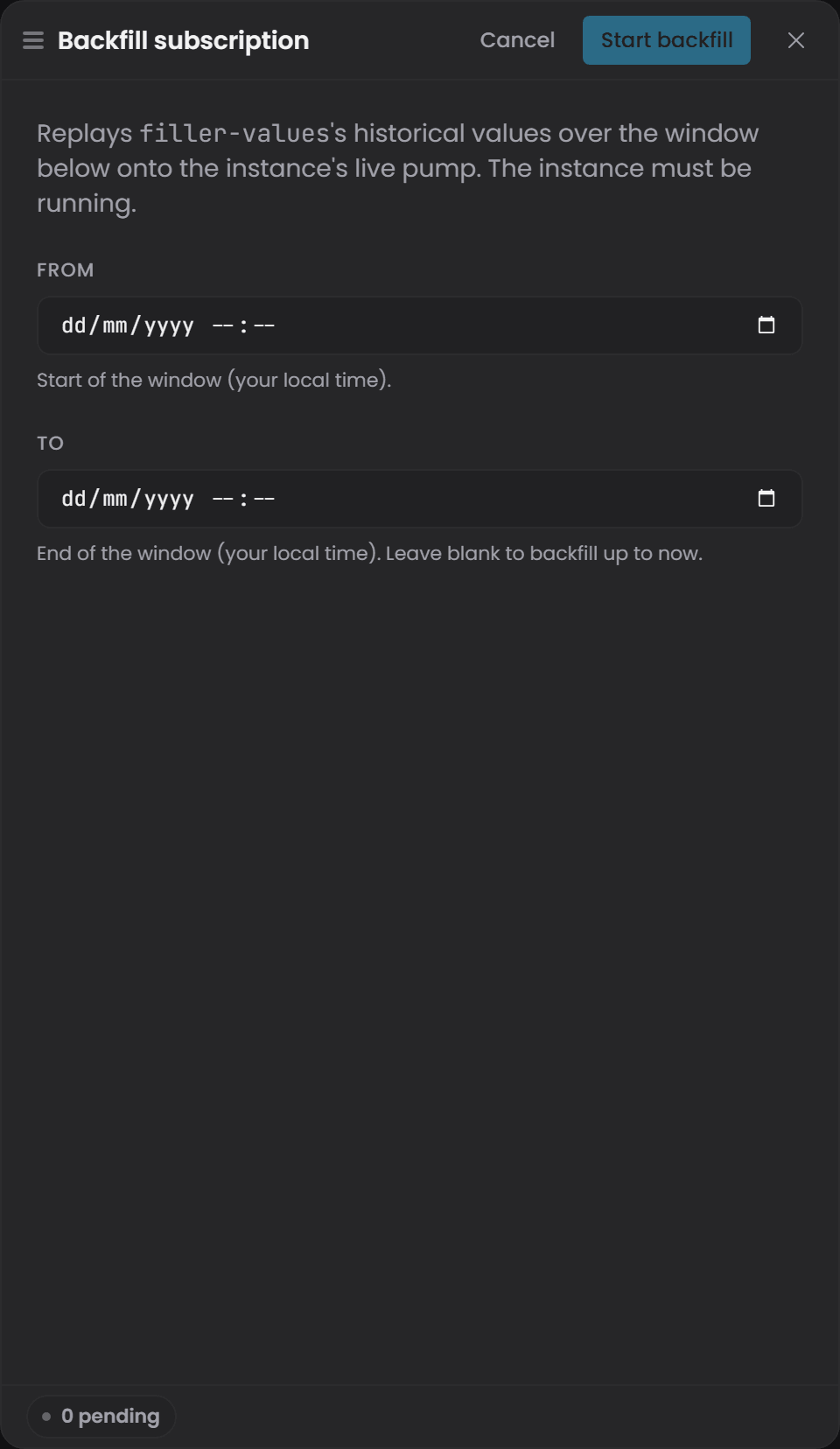
To fill a gap or replay history, start a backfill from the Bridge interface. Open the target's page, select the subscription, and select Backfill. The button is enabled only while the target is running. The drawer asks for a From and a To time in your local time; leave To blank to backfill up to now. Start backfill begins the replay and switches the drawer to a progress view, and Cancel backfill stops a running job.
the routes shown below are the ones the Bridge interface calls for itself. They sit under
/app, are not published in the API documents, and expect a browser session rather than a bearer
token. They are listed so you can recognise what the interface is doing and diagnose a backfill that
does not start. Start routine backfills from the Bridge interface.
POST /app/instances/{instanceId}/subscriptions/backfill
Body:
{
  "subscriptionName": "all-fillers",
  "from": "2026-08-01T00:00:00Z",
  "to": "2026-08-07T12:00:00Z"
}
Backfill streams historical data from Atlas onto the same pump as live data, so it interleaves correctly with live updates under LWW-by-watermark semantics. The job is in-memory only - lost on restart - and is addressed by the subscription's operator-chosen name (the dictionary key in the configuration, not the URIs).
Check status:
GET /app/instances/{instanceId}/backfills/{jobId}
Returns: Status, RowsEnqueued, StartedUtc, CompletedUtc, DurationMs, Error.
Cancel:
POST /app/instances/{instanceId}/backfills/{jobId}/cancel
Monitoring Bridge#
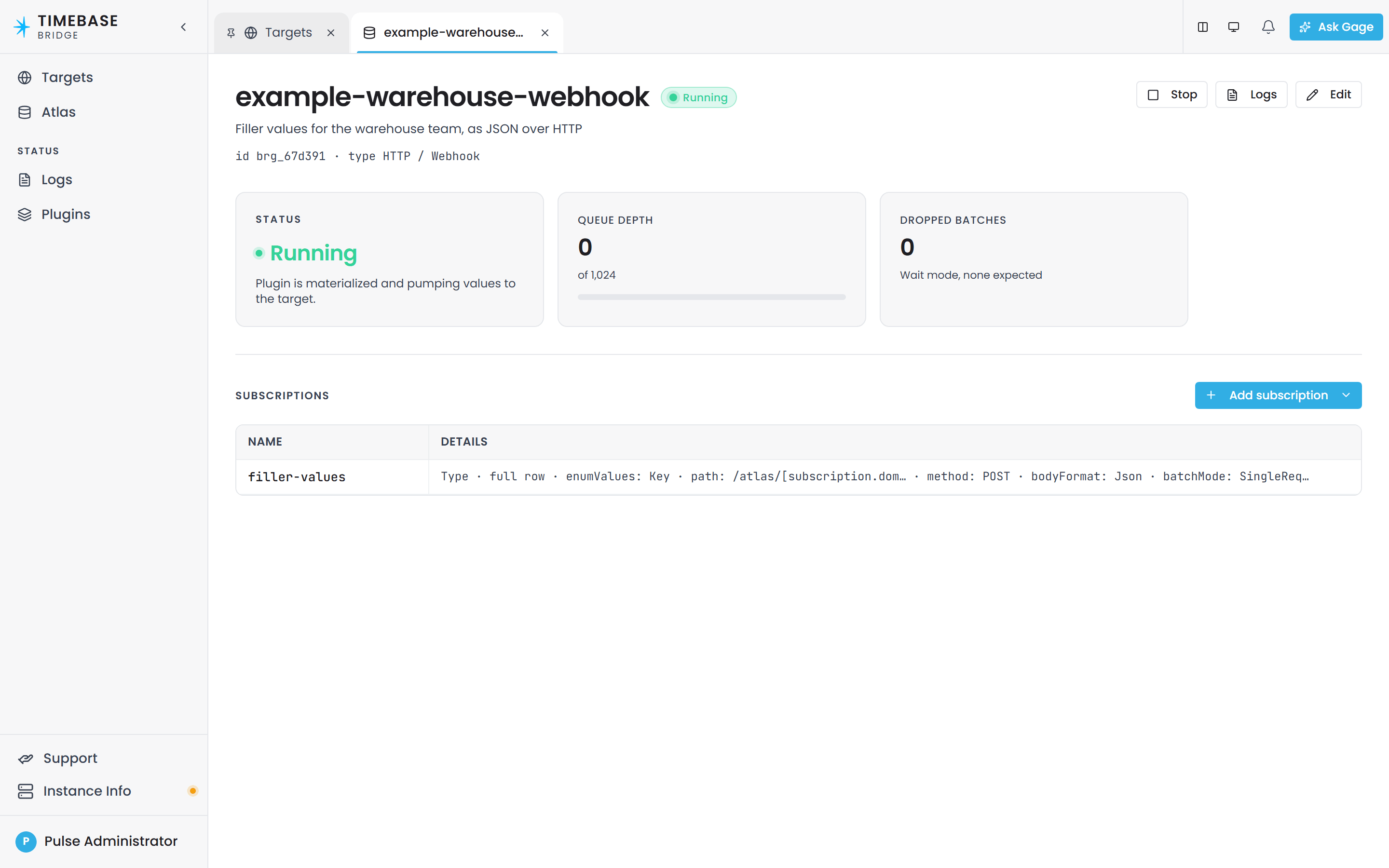
Each target's page in the Bridge interface shows its Status, its Queue depth against ChannelCapacity, and its Dropped batches count, and the Targets page header counts how many targets are running. A target reads Running once its plugin is materialized and pumping; a destination it cannot reach reads Connection Fault with the reason.
The same facts are behind the interface's own status call, which sits under /app and expects a browser session rather than a bearer token:
GET https://<bridge-host>:4572/app/status
There is no unauthenticated status endpoint on the plain HTTP port.
Bridge does NOT appear in Atlas. Bridge connects to Atlas, but Atlas does not track it. You monitor Bridge in its own interface, not in Atlas's.
Troubleshooting#
| Symptom | Diagnosis | What to do |
|---|---|---|
Bridge logs Connection refused or times out on the negotiate |
Bridge cannot reach the Atlas value hub | Confirm Atlas:Host, Atlas:Port and Atlas:UseTls in settings.config. Check that Atlas is running and reachable on that port from the Bridge host. Check firewall rules. |
Bridge logs 401 Unauthorized on the negotiate |
Token exchange failed, or Atlas is denying the bearer | Check Atlas logs for which error. Check the Pulse logs. Confirm the Bridge client exists in Pulse with the right secret in Pulse:Auth:ClientSecret. Confirm that client lists Atlas as an audience. Re-run the token exchange manually if needed. |
| Bridge is connected and no data arrives at the destination | The subscription configuration does not match, or the destination is rejecting the writes | Check the Bridge log for validation warnings on the subscription (missing URI, SQL error, connection error). Check that TypeUri, InstanceUri, and PropertyUri are spelled correctly and exist in the domain. Check the destination's ingest logs. For SQL, test the {{source}} query manually. For HTTP, check response status and body. |
| Data arrives at the destination but columns are NULL / missing | Either delta mode is enabled and the statement is not idempotent, or a subscription has a missing URI | If using EmitFullRow=false, review the SQL: it must be a MERGE or upsert that ignores NULL columns. If using full-row, check the logs for validation warnings on the subscription. |
| Queue is filling up / Bridge is slow | The destination is slower than the inbound value rate | Check the destination: is it locked, offline, or slow? Check the target's page for Dropped batches (if BackpressureMode=DropOldest) or see if Queue depth stays high (if BackpressureMode=Wait). Increase ChannelCapacity if the destination is temporarily slow. Monitor the destination's throughput. If drops are acceptable, you can ignore them; if not, speed up the destination or reduce the inbound data rate. |
| A destination never received a type description, or lost it | A description is sent when the subscription starts and when the shape changes, not on a schedule; a consumer that started later, or a store that was reset, has nothing to read | Open the Type description subscription's page in the Bridge interface and press Resend. The current description is sent again, even when it has not changed. |
| A subscription was corrected and the missed window is still empty | Bridge streams live values; a past window is filled by a backfill | Start a backfill from the Bridge interface for the window the subscription was missing, giving it from and to timestamps. |
Related Articles#
- Connecting Connectors to Atlas - how data gets in
- Cypher Queries and the Knowledge Graph - what data Bridge can subscribe to
- Atlas API Reference - the
/api/v1surface (Bridge uses the value hub, not the REST API)