Authoring an Atlas Agent
How to write an agent definition for Atlas: the manifest format, the tool list, delegation, and where the file has to live to be picked up.
Overview#
This article covers the agents that ship inside Atlas: how one is defined, how the runtime loads it, and how to author your own.
It is the developer view: the manifest file format, how the runtime resolves it, and how to add a new agent. For the end-user view of what the six shipped agents do and how they hand work to each other, see Atlas AI Agents - this chapter does not restate that roster.
The runtime that parses and runs an agent definition is shared across Timebase products.
Atlas is one host of that runtime; it contributes nine
tool providers, a Pulse-proxied model transport, and the six shipped agent files. Everything under
"The manifest format" through "Delegation" below is the shared runtime and applies to any host
that calls AddTimebaseAgent(). "Authoring surface and permissions" and "Deployment reality" are
Atlas-specific: the routes, the role gate, and the on-disk paths are Atlas's own wiring.
1. The manifest format#
An agent definition is one Markdown file: YAML frontmatter, then the system prompt as the
Markdown body. The parser is AgentParser.ParseMetadataFromContent, which uses
IgnoreUnmatchedProperties() on the YAML deserializer - an unrecognized key in the frontmatter is dropped, not
rejected. There is no schema validation beyond the eight fields below and the mcpServers
transport checks in section 3.
Complete frontmatter field list#
| Field | YAML type | Default when omitted | Consumed at runtime? |
|---|---|---|---|
name |
string | filename without .md |
Yes - the registry index key and the identifier a DelegateTask call must match. |
description |
string | falls back to name |
Yes - shown in the agent list (AgentInfoResponse.Description) and inlined verbatim into every other agent's DelegateTask tool description so the parent model can pick a target. Empty descriptions are rejected on save. |
model |
string | "default" |
Yes - keys the chat client (see section 3). |
icon |
string | "bot" |
Display only - returned in the agent responses for the interface avatar. |
color |
string (hex) | "#31AEE4" |
Display only, same as icon. |
displayOrder |
integer | 0 |
Yes - sorts the agent within its section of the Start an agent picker, ascending; agents sharing a value fall back to name order, and negatives are valid. Never orders across the User-defined / Built-in split. |
tools |
list of strings | null (every registered provider, unscoped) |
Yes - resolved by ToolScopeResolver.Resolve (see section 2). |
maxToolRounds |
integer | null, which means 40 |
Yes - caps the model-and-tool rounds per message. See below. |
mcpServers |
list of objects | [] |
Yes - see section 4. |
is the record these deserialize into; FilePath, Body, and
IsUserDefined are stamped by the registry/parser, never present in the file itself.
name, description and model are commonly described as required. In practice name and
model both have working fallbacks, and only an empty
description is rejected, and only when updating an agent rather than creating one - there is no check on
Description at all beyond the request model requiring the field to be present.
maxToolRounds#
maxToolRounds caps how many model-call-then-tool-call rounds one message may take. It is parsed
from the frontmatter, stored on the manifest, round-tripped through every authoring endpoint,
editable on the Agents page, and enforced: a run that reaches the cap ends with a visible notice
and the tool call it was about to make is not invoked. A manifest that leaves it out runs under
AgentManifest.DefaultMaxToolRounds, which is 40, the same ceiling every agent ran under before the
cap was wired. A delegated sub-agent that hits its own cap stops there and returns what it had.
Set it deliberately. Every round re-sends the whole conversation prefix, so the shipped agents cap
themselves below the default (gage at 30, the specialists between 8 and 25) and tell the model to
batch its reads. (Earlier Beta builds parsed the field and did nothing with it; that is no longer
the case.)
2. tools: - accepted values and resolution#
The sixteen names tools: accepts in an Atlas#
Ten are Atlas-specific, registered by AddAtlasAgentTools();
six are generic runtime tools registered by AddTimebaseAgent() and shipped to every host:
| Name | Read/write | Requires pulse:administrator? |
|---|---|---|
OntologyToolProvider |
read | No |
OntologyWriteToolProvider |
write | Yes |
DomainToolProvider |
read (list/inspect domains and libraries) | No |
DomainLifecycleToolProvider |
write (create/compile/import) | Yes |
InstanceMapToolProvider |
read | No |
InstanceMapWriteToolProvider |
write | Yes |
LibraryToolProvider |
read | No |
LibraryWriteToolProvider |
write | Yes |
CypherToolProvider |
read (executes Cypher against the compiled world) | No |
BranchToolProvider |
read (ListBranches, UseBranch: pick the conversation's branch when the page has none) |
No |
SkillToolProvider |
read (finds/loads skills: ListSkills, GetSkill) |
No - but see the note below |
SkillWriteToolProvider |
write (CreateSkill, UpdateSkill) |
Yes |
AgentToolProvider |
read (ListAgents, GetAgent, ListToolProviders) |
No |
AgentWriteToolProvider |
write (CreateAgent, UpdateAgent) |
Yes |
BashToolProvider |
write (shell) | Yes in Atlas - see below |
FileSystemToolProvider |
write (file read/write/glob) | Yes in Atlas - see below |
Each write/lifecycle provider declares its own RequiredRole in code
(public string? RequiredRole => AdminRole;, where AdminRole = MeMapper.AdminRole = "pulse:administrator",).
BashToolProvider and FileSystemToolProvider carry no role of their own - they are generic,
host-agnostic tools - but Atlas's wraps them in a RoleRestrictedToolProvider at
registration time via AgentOptions.BuiltInToolsRequiredRole = MeMapper.AdminRole. The effect is identical either way: a non-administrator caller
never sees these eight providers' tools, regardless of what an agent's tools: list names.
How resolution works#
ToolScopeResolver.Resolve
runs on every AgentFactory.CreateAgentAsync call:
- Every registered
IToolProvideris filtered byRequiredRoleagainst the caller's roles first - a provider the caller does not hold the role for is dropped before any spec matching happens, so an agent never even learns the tool existed. An anonymous caller (noIAgentExecutionContext.ActingUser) is never filtered - this is what keeps a bare single-operator deployment withPulse:Auth:Enabled=falsefully open. tools:omitted, or an empty list: every tool from every role-permitted provider."ProviderName": every tool from that one provider, matched case-insensitively."ProviderName:ToolName": one specific tool."mcp:{server}"or"mcp:{server}:{tool}": tools from a declared external MCP server (see section 4) -.
What happens when a name does not resolve#
Nothing is reported. The entry is dropped. An unrecognized "ProviderName" simply
finds no matching provider and contributes zero tools; an unrecognized
"ProviderName:ToolName" behaves the same way; an unknown MCP
server or tool name resolves to an empty tool list rather than an error. There is no exception, no log line visible to the agent author,
and no refusal to start the agent - the agent simply runs with fewer tools than its tools: list
implies. If every entry in the list fails to resolve, the agent starts with zero tools (not "every
tool" - that fallback only applies when the whole field is omitted or the list is empty, per point
2 above).
This is a materially different failure mode from a system that refuses to launch an agent whose
tools: list resolves to nothing. If an agent behaves as though it has no tools, check every spec
in its tools: list for a typo before assuming a permissions problem.
The live tool catalogue#
GET /app/v1/agent/tools lists every currently registered
provider and the tools within it, filtered by the SAME FilterByRequiredRole check
ToolScopeResolver.Resolve applies - so the Agents page's tool
picker never offers a spec the caller could not actually use. This is the authoritative source for
what names are valid in a given deployment; the table above is what ships by default.
SkillToolProvider is "mandatory" in the UI only, not in the runtime#
The Agents page's create/edit/duplicate panels hard-lock SkillToolProvider on in the tool picker
MANDATORY_AGENT_TOOL_PROVIDERS = ["SkillToolProvider"], consumed byToolPicker'smandatoryProviderNamesprop to disable its checkbox. That is a client-side convention only. has no special case forSkillToolProvideranywhere in its resolution logic - if you hand-author a manifest (or edit one through the Raw-text save path, section 6) with atools:list that omitsSkillToolProvider, the server accepts it and the agent loses the ability to find or load any skill. The UI lock only protects authors who never leave the form.
3. Model selection#
What model: accepts#
Atlas is wired as a Gage-proxied host: AddAtlasAgentGage()
replaces the runtime's default KeyedServiceAgentModelResolver with GageModelRegistry, which
implements both IAgentModelResolver and IAgentModelCatalog. Because of
this, an Atlas deployment's model catalog is always managed
(IAgentModelCatalog.IsManaged => true,), and only two kinds of value
are ever accepted in model::
- the reserved sentinel
"default"(GageModelRegistry.DefaultModelSentinel,), or - a literal handle in the exact form
providerId/logicalModelId(GageCatalogModel.Handle,) that Pulse's Gage catalog currently reports.
There is no alias vocabulary such as sonnet, opus or haiku in this system. All six shipped
agents declare model: default.
Validation happens server-side, independent of the UI, via
GageModelRegistry.ValidateForCreate, called from
CreateAgent, UpdateAgent, and the
raw-text save path:
- zero models currently pinned from Pulse: creation/update is refused outright, even for
"default"; "default": accepted whenever at least one model is pinned;- anything else: must exactly match a
Handlein the pinned catalog, or the save is rejected with"Model '<handle>' is not in the Gage catalog pinned from Pulse. Pick the reserved word 'default' or one of the handles Pulse currently reports.".
How Pulse:Gage model discovery interacts with a per-agent choice#
At startup (and on every live Gage-enabled toggle), GageModelRegistry.PinAsync fetches Pulse's full model catalog once
(GET {ProxyEndpoint}/api/gage/models, using the app's own client-credentials token) and holds it
as atomically-swappable state - no further Pulse round trip happens per chat turn. Resolution at
chat time (GageModelRegistry.ResolveChatClient,) follows a fixed
three-step precedence:
- The operator's
Pulse:Gage:Agentsmap (GageAgentOptions.Agents,) - an agent-name to handle-or-"default"override, keyed case-insensitively - always wins, over even a hand-authored manifest's ownmodel:value. This is the one deployment-level knob that retargets any agent, built-in or custom, without touching its file. - Else, the manifest's own
model:value, unless it is the"default"sentinel. - Else, the installation's default model - the one marked in Pulse's provider editor, or the alphabetically-first pinned handle.
If a manifest names a handle that later drops out of Pulse's catalog (a model disabled after the
agent was saved), the file is not re-validated - only a save is. The next chat turn against that
agent reports Agent '<name>' names Gage model '<handle>', which is not in the catalog pinned from Pulse on the chat stream, so the host keeps running and the message reaches you in the panel.
4. mcpServers: - outbound MCP client configuration#
An agent can declare external MCP servers it connects to as a client - distinct from Atlas's own
inbound MCP server that exposes every IToolProvider at /mcp
(AddAtlasMcpServer(), out of this chapter's scope).
Shape#
mcpServers:
  - name: timebase-historian
    transport: http
    endpoint: http://historian:4511/mcp
    toolTimeoutSeconds: 30
    auth: pulse
tools:
  - mcp:timebase-historian
  - LibraryToolProvider
transport: stdio servers use command / args / env instead of endpoint:
mcpServers:
  - name: everything
    transport: stdio
    command: npx
    args: ["-y", "@modelcontextprotocol/server-everything"]
    env:
      DEBUG: "1"
Parsing and validation live in AgentParser.ParseMcpServers, which throws
InvalidOperationException - caught by the raw-text save path and turned into a field-scoped 400 - for:
- a missing
nameor missingtransport; transport: httpwith noendpoint;transport: stdiowith nocommand;- any
transportother thanhttporstdio; auth:set to anything other thanpulse, orauth: pulseon astdioserver - outbound auth only applies totransport: http.
toolTimeoutSeconds#
Every MCP tool invocation is wrapped in a timeout: the global default is 60 seconds
(AgentResilienceOptions.DefaultToolCallTimeoutSeconds,
configurable via Pulse:Gage:Resilience:ToolCallTimeoutSeconds). A server entry's own
toolTimeoutSeconds overrides the global default for calls to that server
(AgentResilienceOptions.ResolveToolCallTimeout,); 0
disables the timeout for that server entirely, letting the call run unbounded. A timeout or
failure never throws into the model - it comes back as [tool '<name>' failed] <cause> text so
the model can reason about and retry the failure (per).
auth: pulse#
Setting auth: pulse on an http server stamps every outbound request to it with Atlas's own
client-credentials bearer token (McpServerConfig.PulseAuthScheme = "pulse",
wired via
AddGageMcpAuth(),). It is opt-in per server on purpose: the
token carries Atlas's own audiences and must never be sent to a third-party MCP server the
manifest author does not control.
The Docker service-name rule#
When the target MCP server runs in another container on the same Compose network, endpoint must
use that container's Docker service name (http://historian:4511/mcp), never a bridge IP
(http://172.22.0.2:4511/mcp) - bridge IPs are assigned dynamically and differ per machine and per
network recreation, so a hardcoded one works only by accident. Use
localhost only for a manifest connecting back to Atlas's own /mcp endpoint on its
own container's listener port.
One client per unique server name, shared across all manifests#
McpClientRegistry maintains one live connection per unique server name declared across every
agent manifest in the deployment, not one per agent.
McpClientInitializerHostedService connects them in the background without blocking host startup
and retries indefinitely on a constant backoff
(AgentResilienceOptions.McpReconnectBackoffSeconds, default 5s). The tools each server exposes
are cached under the synthetic mcp provider (McpClientToolProvider.Name => "mcp",) with wire names
mcp__{server}__{tool}, which is what the mcp:{server}:{tool} spec in tools: resolves against.
mcpServers: cannot be edited from the structured form#
UpdateAgentRequest and AgentFrontmatterWriter.ApplyEdit have no
mcpServers parameter at all. The Agents page's Form tab can view an existing mcpServers: block
(it survives an unrelated field edit unchanged, by the writer's own "leave what the caller didn't
mention alone" contract,) but cannot add or change one. The only
ways to declare or edit mcpServers: are: hand-editing the .md file on disk, or using the Raw
tab's full-file text save (ApplyRawTextUpdate,), if the deployment's
build of the Agents page exposes it.
5. Delegation: DelegateTask#
Every agent that runs inside a chat session gets a DelegateTask tool, appended after its own
tools: scoping is resolved - a manifest cannot narrow it away, and it is present even for an
agent whose tools: list is empty or names nothing else.
How it is attached#
MafAgentRuntime.ProcessMessageAsync builds delegation tools only when the chat request carries
both a session id and an instance id (_sessionId/_instanceId in the request parameters -
hasDelegation = !string.IsNullOrEmpty(sessionId) && !string.IsNullOrEmpty(instanceId),). These are the coordinates the Atlas chat panel always sends
for a session-scoped conversation; a bare programmatic call to POST /app/v1/agent/chat that
omits them gets no DelegateTask at all. When present, DelegationToolFactory.CreateDelegationTools builds one tool
listing every OTHER agent currently in the registry (a.Name != parentAgentId,) with each one's description inlined - this is why a vague description field actively harms
routing. AgentFactory.CreateAgentAsync appends this tool list after
ToolScopeResolver.Resolve runs, so it rides on top of, not through, the
manifest's own tool scoping.
Sub-agents cannot re-delegate#
When DelegateTask fires, DelegationToolFactory.ExecuteDelegationAsync builds the sub-agent
directly through context.AgentFactory.CreateAgentAsync(manifest, context.Parameters, ct: ct) - note the absence of an additionalTools argument. It never
routes back through MafAgentRuntime.ProcessMessageAsync, which is the only place delegation tools
are ever constructed. The sub-agent's tool set is therefore exactly
ToolScopeResolver.Resolve(subManifest.Tools, ...) with nothing appended - it structurally cannot
receive a DelegateTask of its own. This is not a configured depth limit that could be raised; it
is a consequence of which method builds the sub-agent.
The caller's role still gates writes#
IAgentExecutionContext
is populated once per HTTP request by AgentActingUserFilter from the
authenticated principal's identity and role claims, and is injected into AgentFactory as a
singleton captured at construction. ExecuteDelegationAsync calls
that SAME AgentFactory instance to build the sub-agent, so the sub-agent's
ToolScopeResolver.FilterByRequiredRole check runs against the identical role set the parent
agent's own tool resolution used. A non-administrator whose own agent had its write tools dropped
cannot recover them by delegating to builder or any other write-capable agent - the same
pulse:administrator gate drops those tools for the sub-agent too.
6. Authoring surface and permissions#
The Agents page and deep link#
The Agents page lists only agents where
IsUserDefined is true - the eight built-ins never appear there, even though they are fully
usable from chat and the "Start an agent" picker. parseAgentsDeepLink resolves
a URL of the exact shape /agents/{name} to the agent name to pre-select; it explicitly rejects
/agents and /agents/ (no segment, or an empty one) and any path with more than one segment
after the prefix.
The routes#
Standard surface, any authenticated user:
GET /app/v1/agent/status, GET /app/v1/agent/agents, GET /app/v1/agent/models,
POST /app/v1/agent/chat, GET /app/v1/agent/threads, DELETE /app/v1/agent/threads/{id},
GET /app/v1/agent/threads/{id}/messages. A deprecated, undocumented /api/agent/* alias mirrors
every one of these.
Authoring surface, pulse:administrator only:
| Route | Handler |
|---|---|
POST /app/v1/agent/agents |
CreateAgent |
GET /app/v1/agent/agents/{name} |
GetAgentDetail |
PATCH /app/v1/agent/agents/{name} |
UpdateAgent |
DELETE /app/v1/agent/agents/{name} |
DeleteAgent |
POST /app/v1/agent/agents/{name}/duplicate |
DuplicateAgent |
GET /app/v1/agent/tools |
GetToolCatalog |
AtlasAgentEndpoints.MapAgent
applies the split only when Pulse:Auth:Enabled is true: standard routes require
AuthExtensions.AuthPolicies.UiAccess, authoring routes require UiAdministratorAccess. With
authentication disabled, Atlas's DisabledAuthProvider would make either named policy 403 every
request, so the whole surface - authoring included - is mapped open instead. There is no anonymous-but-read-only middle ground: with
auth off, anyone can create or delete a custom agent.
Built-ins are refused on every authoring route#
GetAgentDetail, UpdateAgent, DeleteAgent, and DuplicateAgent each check
manifest.IsUserDefined and return 403 Forbidden with an explanatory message otherwise, for example:
'atlas' is a built-in agent and cannot be updated through this endpoint. CreateAgent and
DuplicateAgent additionally refuse a name that collides with a built-in - checked against
every configured agent directory, not just the user-defined one
(FindAgentNameCollision,), returning:
'<name>' is a built-in agent name. A shipped agent already uses this name - built-in agents cannot be overridden; choose a different name. A name is validated against
^[a-z0-9][a-z0-9-]*$ before any of this runs.
7. Deployment reality#
Where the file lands#
Two directories are configured, in this order, via AgentOptions.AgentDirectories:
- Built-in -
{AppContext.BaseDirectory}/agents. The six shipped.mdfiles are placed here when Atlas is built, not copied by hand. - User-defined -
{configPath}/agents, always the last entry, which is the conventionAgentRegistryand the create-agent endpoint both key off (AgentOptions.AgentDirectoriesdoc comment,AgentRegistry.ScanDirectories,). The store path resolves from theConfigsetting. On Windows with no explicit value it defaults to%ProgramData%\Flow Software\Timebase\Atlas\Config, so the user agents directory is...\Config\agents. In Docker the platform Compose file setsConfig=/atlas/config, so the directory is/atlas/config/agents.
AgentRegistry scans both directories at construction and, if a
name appears in more than one, the last-scanned directory wins in the shared index
(_index[manifest.Name] = ...,) - which, given the configured order, is the
user directory. The authoring API prevents this collision from ever being created through normal
use (FindAgentNameCollision, above), but a file dropped directly onto the server's user
directory with a built-in's exact name is not checked at scan time, and would shadow the built-in
in the registry. Use the authoring API rather than dropping files in by hand.
Reload() vs. a restart#
Every successful write through the authoring API - CreateAgent, UpdateAgent, DeleteAgent,
DuplicateAgent - calls registry.Reload(), which clears the whole index and rescans both
directories. An edit made on the Agents page is therefore live on the
agent's very next chat turn - no restart.
Nothing watches the filesystem. A .md file added or edited by hand (dropped onto the server, or
edited with a text editor) is only picked up the next time ScanDirectories runs, which happens at
AgentRegistry construction - i.e. Atlas process startup - or via an explicit
Reload() call from the authoring API. A hand-edited file therefore needs a full service restart
to take effect; the shipped states this plainly ("discovered on next
Atlas startup - no rebuild required" - no code rebuild, but the running process must
still restart to rescan).
Agents are held outside version control#
The {configPath}/agents/ and {configPath}/skills/ directories are excluded from the model's Git
repository. Atlas seeds /agents/ and /skills/ into that repository's .gitignore on every boot
and untracks either directory from the index if an earlier version committed it, leaving the working
tree untouched. The registries read both directories straight off disk, which keeps prompt edits out
of the model history.
Keep your own copy of any prompt worth restoring. An agent you create or edit has no history in Atlas, so overwriting its system prompt through the Agents page, or deleting it, cannot be undone from within the product.
8. Worked example: create, scope, invoke, verify#
This creates a minimal read-only agent scoped to two providers, using only the Agents page - no file system access to the server required.
1. Create#
Sidebar → Agents group → Agents → New agent (requires pulse:administrator, section
6). Fill in:
- Name:
graph-explainer(must match^[a-z0-9][a-z0-9-]*$). - Description:
Answers read-only questions about a domain's structure by inspecting the ontology and querying the compiled graph. Never writes.(This is what another agent'sDelegateTaskcall sees, section 5 - be specific.) - Model: leave as
default, unless the deployment's Pulse Gage catalog is empty, in which case creation is refused until an administrator pins at least one model in Pulse (section 3). - Tool access: switch on Restrict tool access, then check only
OntologyToolProviderandCypherToolProvider.SkillToolProvideris not offered because it is locked on (section 2): Atlas writes it into the file for you. Everything else - includingOntologyWriteToolProvider,BashToolProvider,FileSystemToolProvider- stays unchecked.
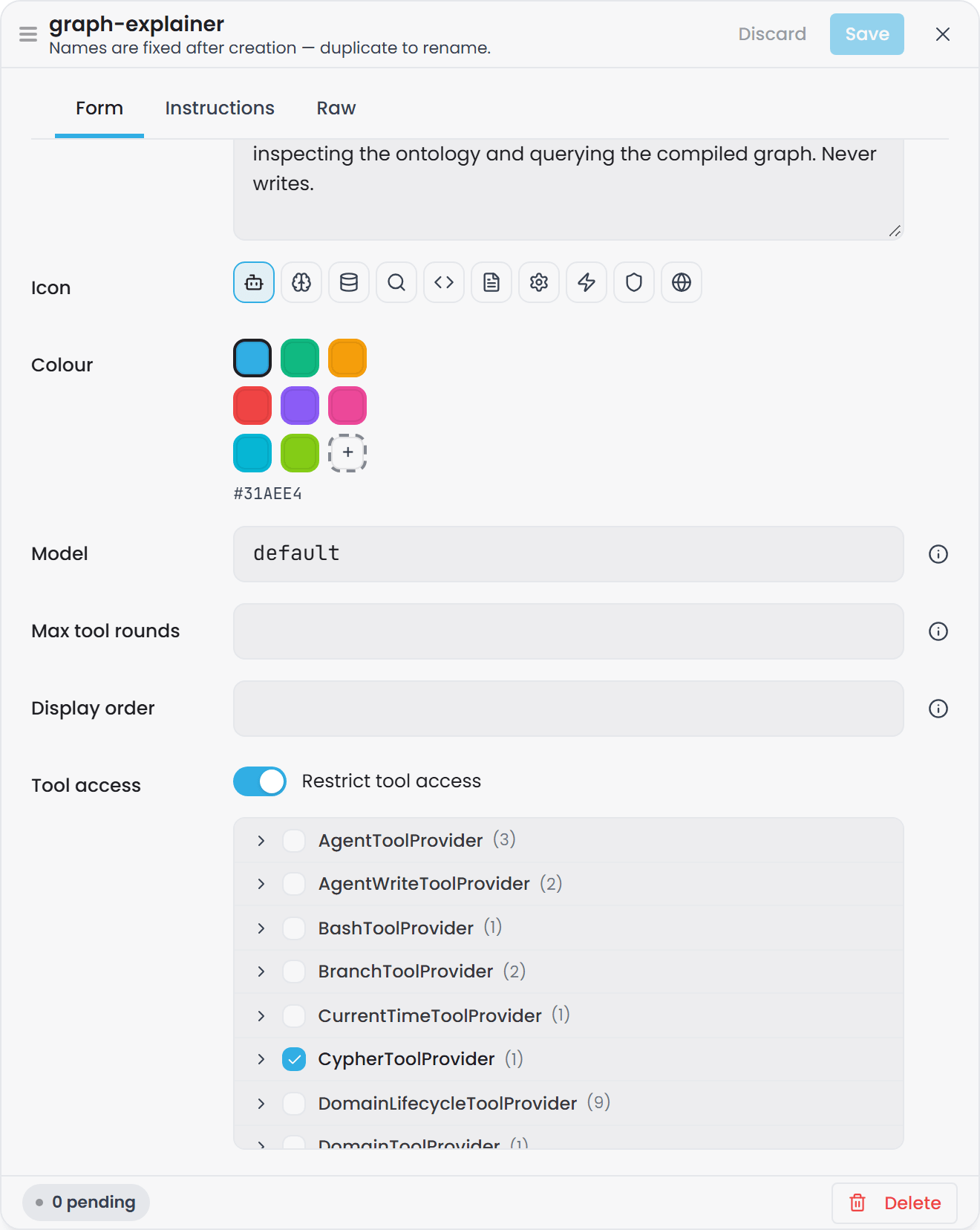
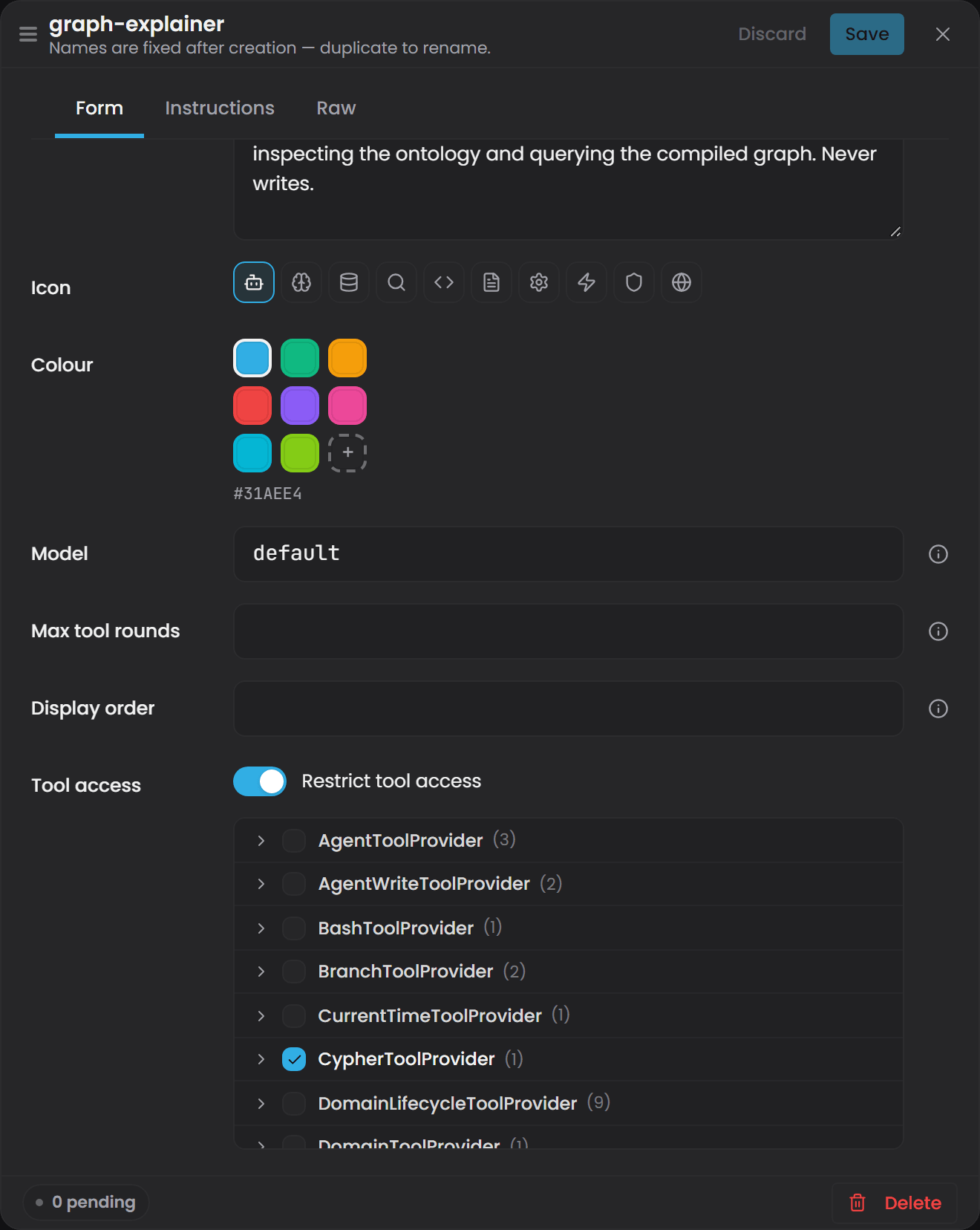
- Max tool rounds: leave blank for the default of 40, or set a lower cap (section 1).
- System prompt, on the Instructions tab: something like: "You answer questions about this domain's ontology and its
compiled instance graph. You inspect types and relationships with your ontology tools and run
Cypher with your query tool. You never propose or make a write - if the user asks for a change,
say that is out of scope for you and suggest
builderor the generalgageassistant instead."
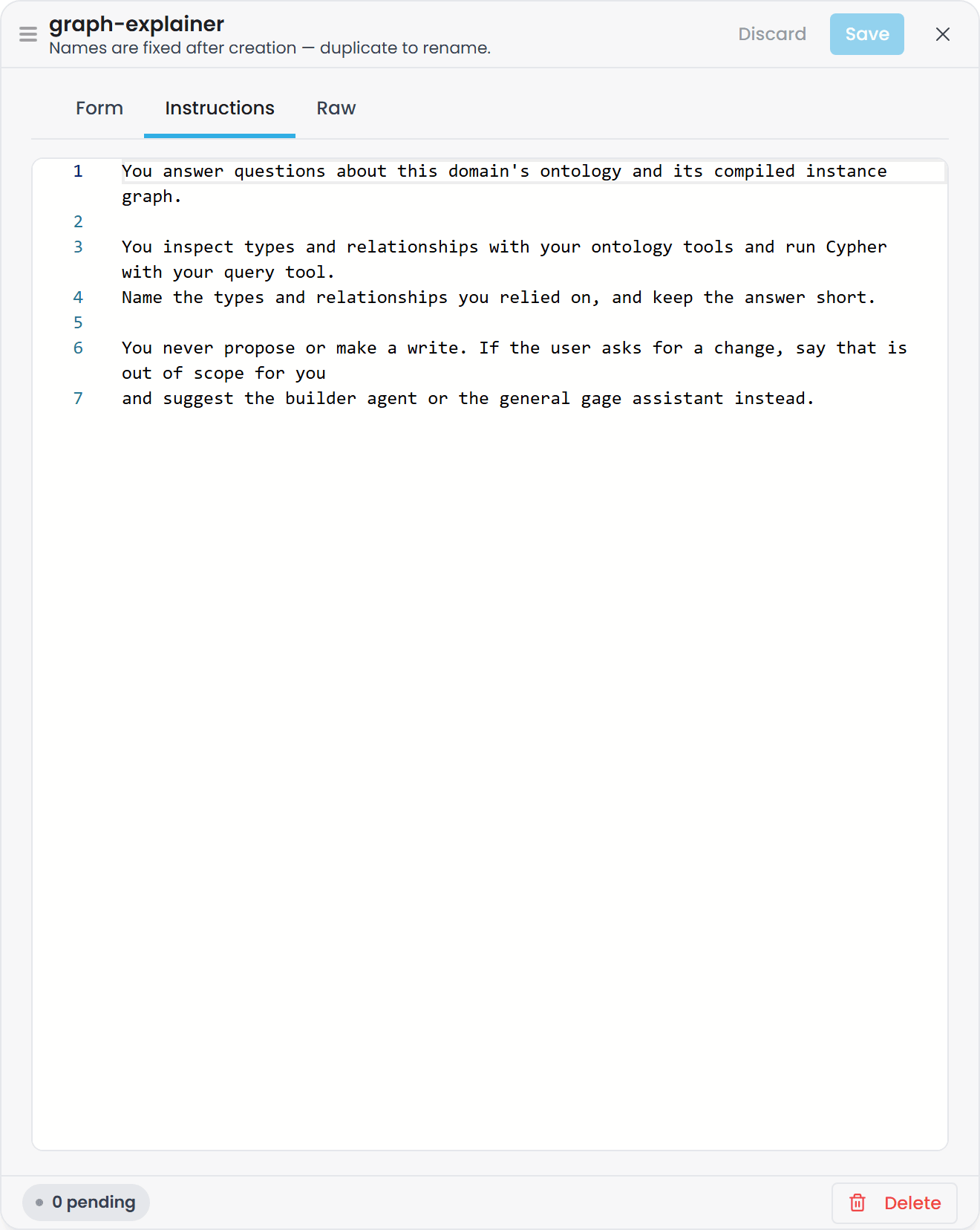
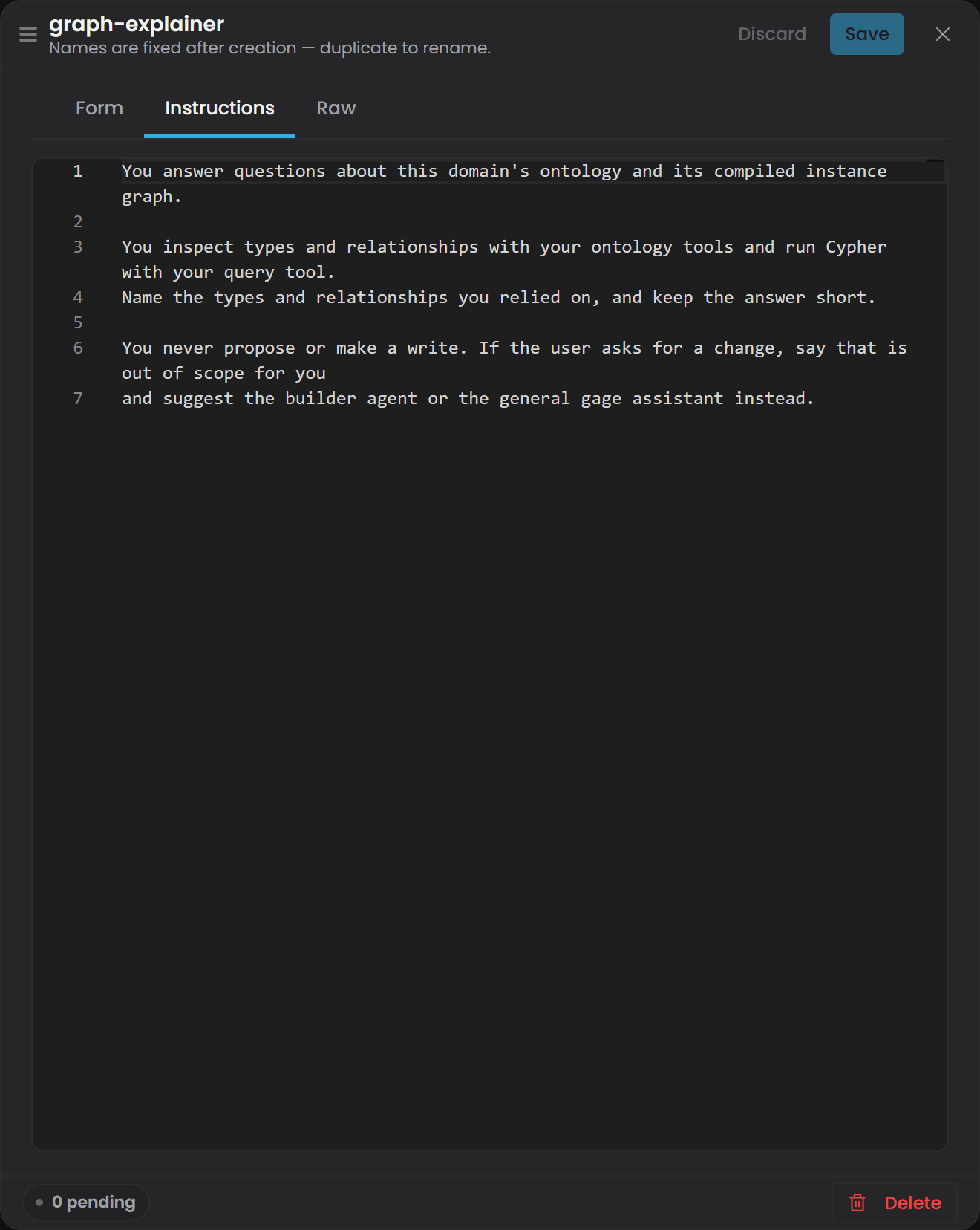
The Raw tab shows the manifest the form is building, frontmatter and body, and can be edited directly:
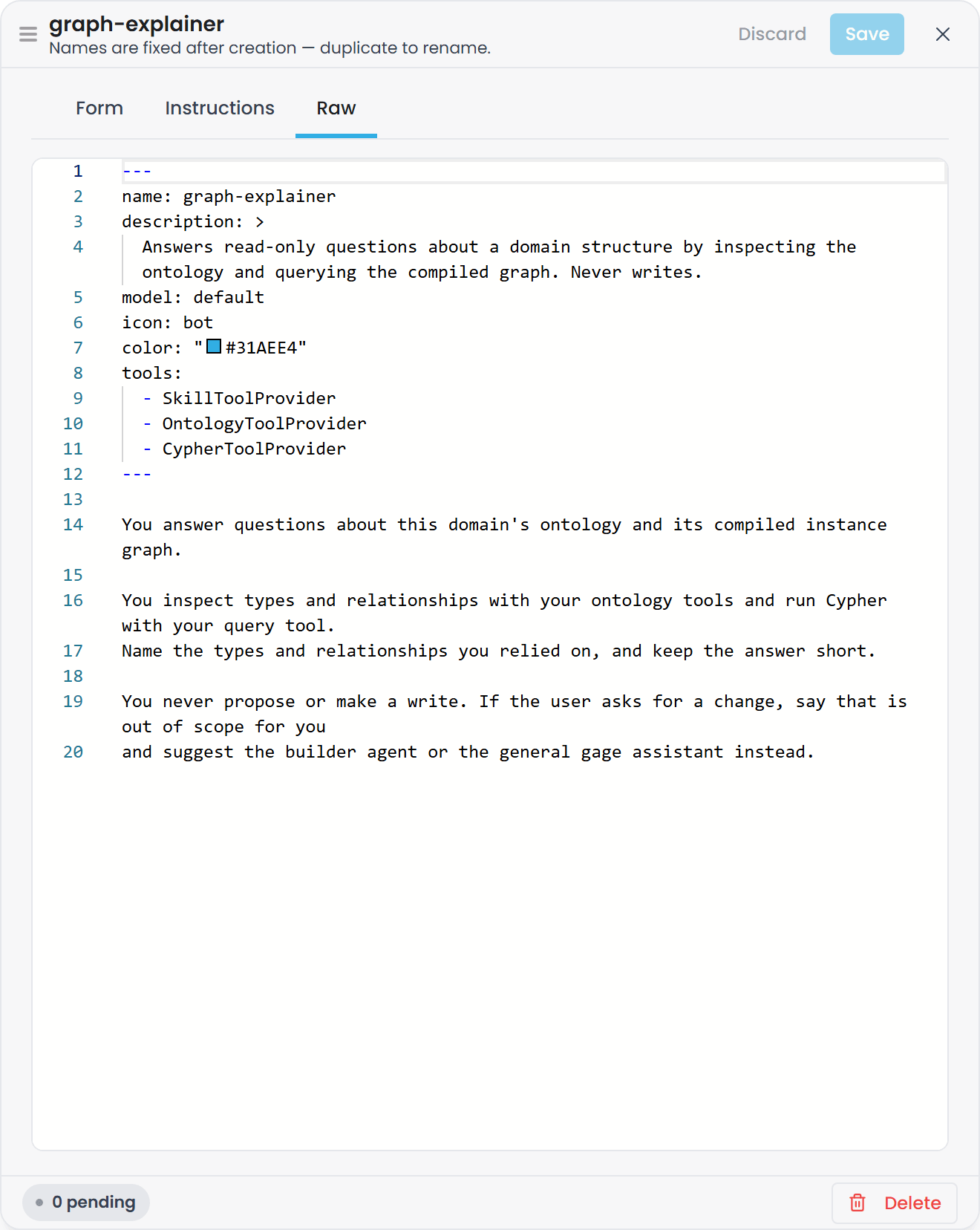
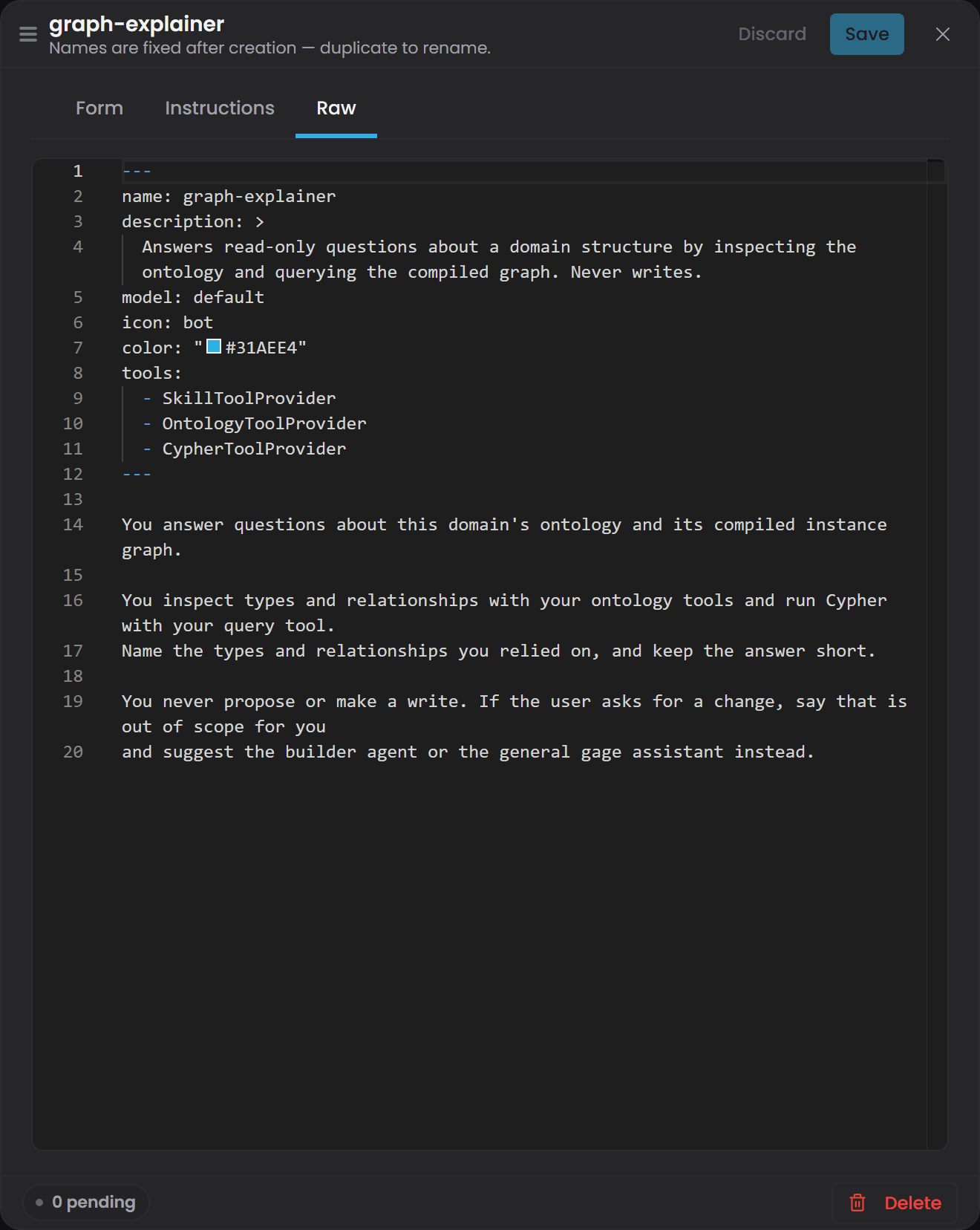
Select Create. This calls POST /app/v1/agent/agents
(CreateAgent,), writes
{configPath}/agents/graph-explainer.md, and calls registry.Reload() - the agent is live
immediately, with no restart (section 7).
2. Confirm the resulting file's shape#
The written file looks like:
---
name: graph-explainer
description: >
  Answers read-only questions about a domain's structure by inspecting the
  ontology and querying the compiled graph. Never writes.
model: default
icon: bot
color: "#31AEE4"
tools:
  - OntologyToolProvider
  - CypherToolProvider
---

You answer questions about this domain's ontology and its compiled instance graph. ...
Note SkillToolProvider is absent from tools: even though the UI showed it checked and locked -
CreateAgentRequest only writes what the caller actually sent, and
the create panel's own mandatoryProviderNames convention (section 2) only prevents unchecking
it in the picker; if this particular save path did not include it in the submitted list, the file
will not have it, and the agent gets no skill-discovery tools. Open the agent again on the page and
confirm SkillToolProvider shows checked before relying on it - or read the file directly if you
have server access.
3. Verify the tool scope actually took effect#
GET /app/v1/agent/tools (section 2) returns the full catalogue filtered by your own role; confirm
OntologyToolProvider and CypherToolProvider appear and that nothing your agent was not granted
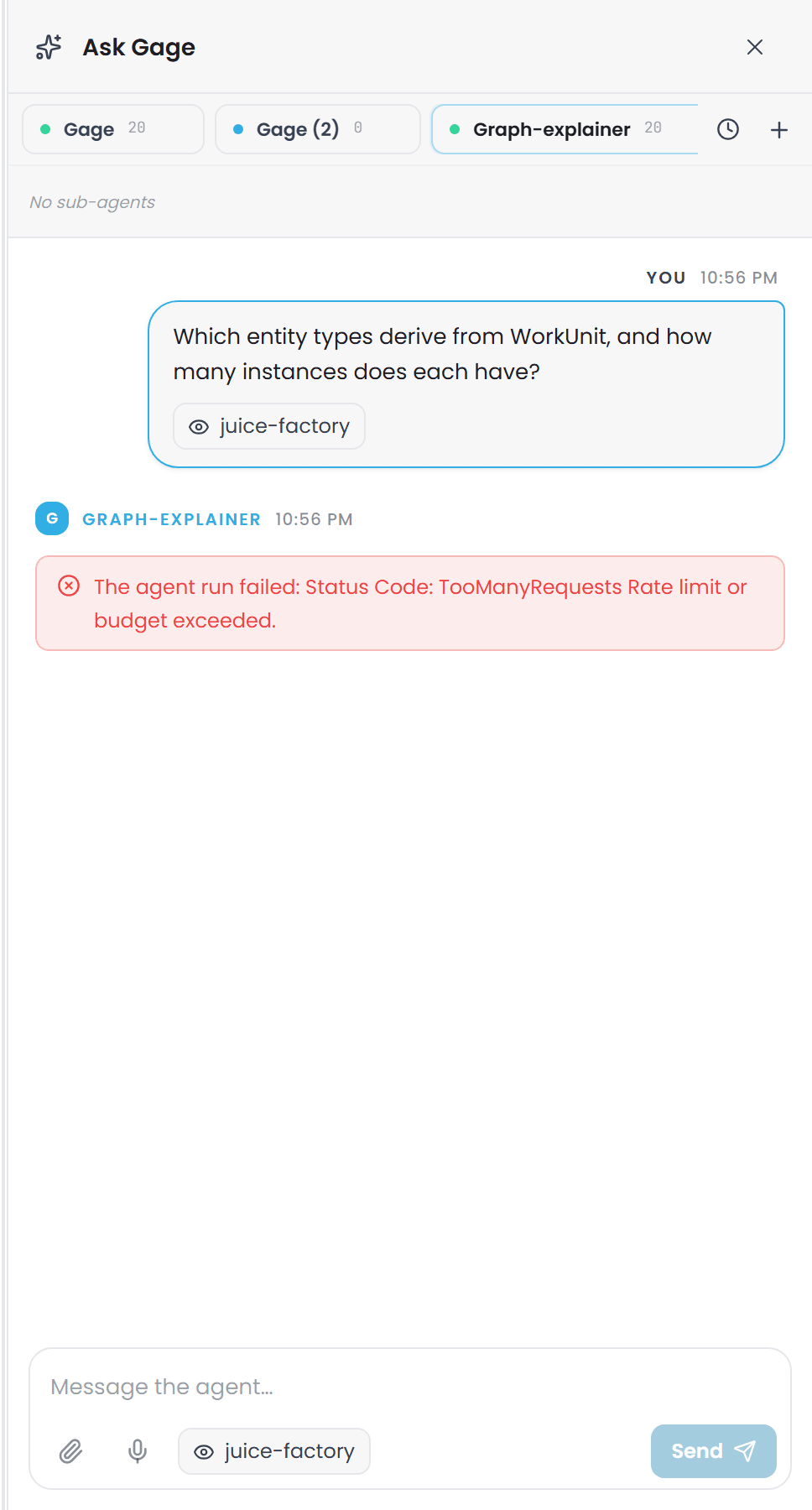
does. Then, in the Ask Gage panel, the + button lists graph-explainer under User-defined;
start it and ask it something the ontology tools can answer, e.g. "which entity types derive from
WorkUnit?" - and then ask it to create something. It should refuse the write per its own system
prompt; separately, even if the prompt did not refuse, OntologyWriteToolProvider was never
granted, so it has no tool that could carry the write out.
4. Verify delegation reaches it#
From the general gage assistant (or any other agent) in the same chat session, ask something
that names the new agent directly, e.g. "ask graph-explainer what feeds Tank 3." If the parent
agent calls DelegateTask(agent: "graph-explainer", task: "..."), you will see delegation_start /
delegation_end events in the stream and the
sub-agent's answer folded into the parent's response. Confirm the sub-agent could not itself
delegate further by asking it, directly, to hand a task to builder - it has no DelegateTask
tool at all (section 5), so it can only decline in its own words, never actually dispatch.
5. Clean up#
Delete on the Agents page calls DELETE /app/v1/agent/agents/graph-explainer, which removes the file and reloads the registry. Existing chat
threads that used the agent are left alone - a console tab still open on it hits the ordinary
"agent not found" handling on its next message.