Setting up Timebase Pulse
First-run setup for Pulse: identity, certificates, licensing and the Gage gateway that every other Timebase component depends on.
Overview#
Pulse is the on-premise identity provider, certificate authority, license source, and LLM gateway for every other Timebase component (Atlas, Historian, Collector, Connect, Explorer, Bridge). When Pulse is misconfigured, sign-in fails, assistants do not work, and downstream services cannot obtain certificates or verify tokens. This guide covers the configuration choices that must be made during first run.
Prerequisites#
- Pulse source code on branch, or a compiled Pulse binary
- A Linux or Windows host
- A DNS hostname or IP address that will serve Pulse within your network
- An LLM API key (if configuring Gage; see "Agent and Gage" below)
What Pulse provides#
Pulse supplies:
- Identity: sign-in for the React SPAs (Atlas, Historian, Collector, Connect, Pulse itself), OAuth 2.0 and OpenID Connect token issuance for machine clients (other Timebase components), and user account management
- Certificates: a root CA that signs leaf certificates for all Timebase components on startup, allowing them to prove their identity to each other over TLS
- Licensing: a local cache of licenses issued by Portal, your Timebase subscription manager in the cloud
- Gage: an LLM gateway that metered requests to a configured LLM provider, with per-user and per-client rate limits and model allow-lists
- Control plane: the HTTP endpoints for these functions, listening on ports 4541 (HTTP) and 4542 (HTTPS)
HTTP planes: three surfaces to keep distinct#
Pulse exposes three HTTP surface types. Confusing them is the most common first-run error.
| Plane | Prefix | Who it is for | Auth | When to use |
|---|---|---|---|---|
| Auth | /auth/* |
OIDC token issuance and sign-in | None (or form-body credentials) | Call /auth/token to obtain a JWT; post to /auth/authorize or /app/login to sign in |
| Public API | /api/* |
Machine clients and inter-service calls | JWT (Bearer token) or client credentials | Call when automating or scripting; when another Timebase component calls Pulse |
| UI plane | /app/* |
The React SPA and human operators | Identity cookie | Call from the SPA (via XMLHttpRequest); not documented for operator scripts |
Two routes carry .AllowAnonymous() because they are safe. Do not treat them as a security hole:
GET /api/careturns the Pulse root CA public certificate (DER format, no private key). The certificate is public information by definition; every Timebase component downloads it on startup. This endpoint needs no secret.POST /api/ca/signaccepts a PKCS#10 certificate signing request (CSR) containing only a public key and metadata. A CSR carries no secret. The signed leaf certificate is valid only within Pulse's internal TLS transport. This allows components to obtain a signed certificate without holding a pre-shared secret.
Ports and networking#
Pulse listens on two ports:
- 4541: plain HTTP (typically used only in Development)
- 4542: HTTPS (the production endpoint)
These are set in the Kestrel:Endpoints section of settings.config. The configuration reads:
"Kestrel": {
  "Endpoints": {
    "Http": {
      "Url": "http://0.0.0.0:4541"
    },
    "Https": {
      "Url": "https://0.0.0.0:4542",
      "Certificate": {
        "Path": ""
      }
    }
  }
}
- The
0.0.0.0address means Pulse listens on all network interfaces. Replace with a specific IP if you require a single interface. - On first run, Pulse auto-generates a self-signed server certificate if certificate auto-management is enabled (
Cert:Enabled=true). - Other Timebase components connect to Pulse via
https://your-pulse-hostname:4542by default.
The token issuer#
Every token Pulse issues names Pulse as its issuer, the iss claim, and Pulse publishes the same value as issuer in its discovery document at /auth/.well-known/openid-configuration. The other Timebase components read it from that document and accept only tokens that carry it, so none of them holds its own copy.
It is derived, not set#
The issuer is Pulse's public address plus /auth:
Auth:PublicAddress |
Issuer |
|---|---|
https://pulse.mycompany.com:4542 |
https://pulse.mycompany.com:4542/auth |
| empty | Pulse's HTTPS endpoint, Kestrel:Endpoints:Https:Url with 0.0.0.0 read as localhost, plus /auth - for example https://localhost:4542/auth |
It has to be a real address. Standard OpenID Connect clients, MCP clients among them, find Pulse's endpoints by adding /.well-known/openid-configuration to the issuer, and refuse a document whose issuer differs from the address they loaded it from. Auth:PublicAddress is already the address clients reach Pulse at, so one setting serves both and nothing has to be kept in step.
There used to be an
Auth:Issuersetting, shipped as the placeholderhttps://<YourIssuerDomain>. Upgrading removes it from settings.config and from the Service Starter's Pulse settings. A value left anywhere else, such as an environment variable, is ignored, and Pulse names it in a warning at startup. Images up to2.0-gc2still read it, and on those the placeholder is what tokens carry.
When to set the public address#
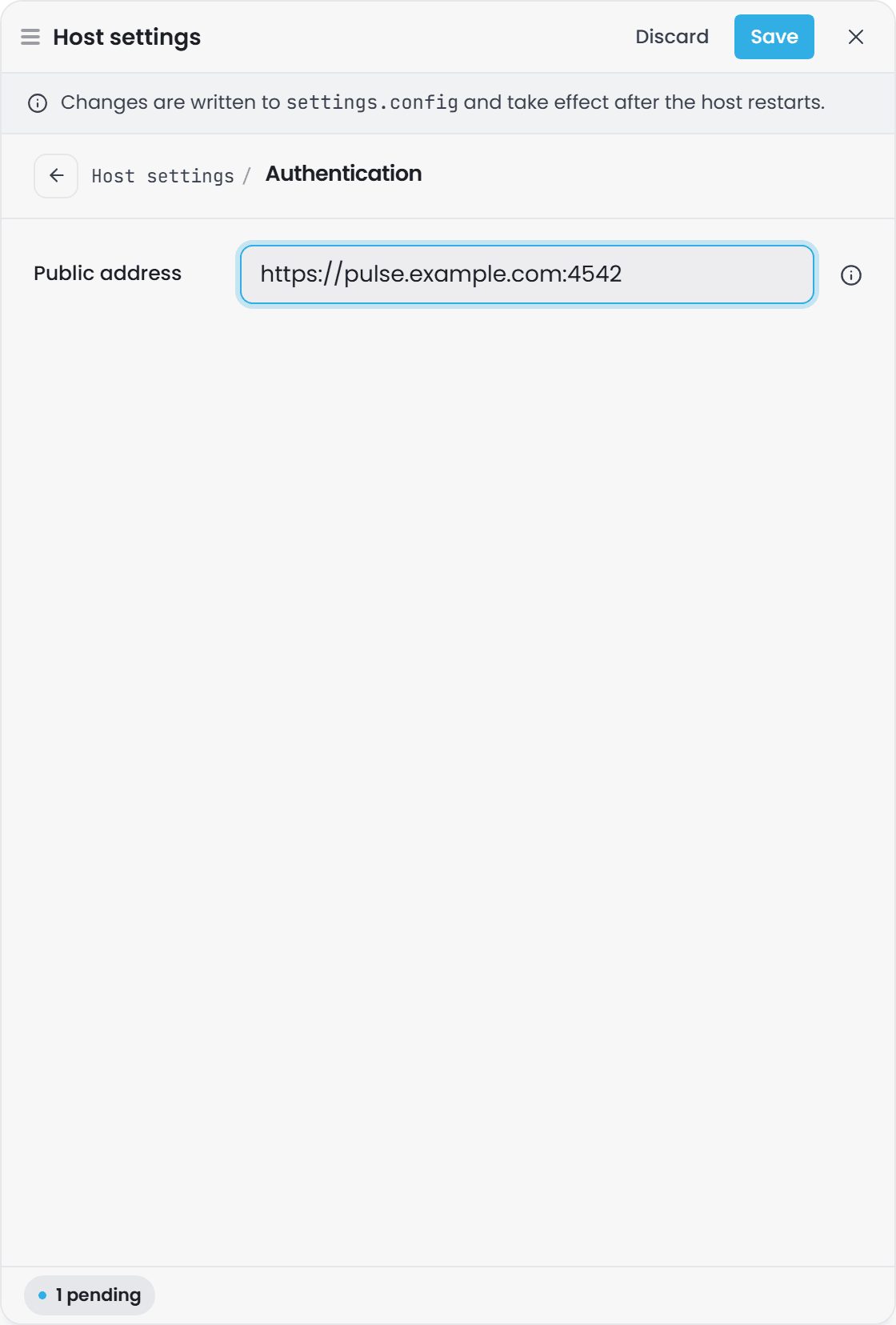
Set Auth:PublicAddress whenever anything reaches Pulse from another machine: browsers signing in, OpenID Connect clients, MCP clients. "Auth" below gives its rules. Pulse also uses it for itself:
- Pulse's assistant connects to it to get its token and to call Gage, so a certificate issued for that host name works for the assistant even without a
localhostname. If Pulse cannot reach itself at its public address, for example behind a proxy or a NAT without hairpinning, setGage:SelfAddressto an address it can reach and its certificate covers, written ashttps://host:portwith no path. - Pulse adds its host name to the certificate it generates for itself. A certificate you supply must already include it.
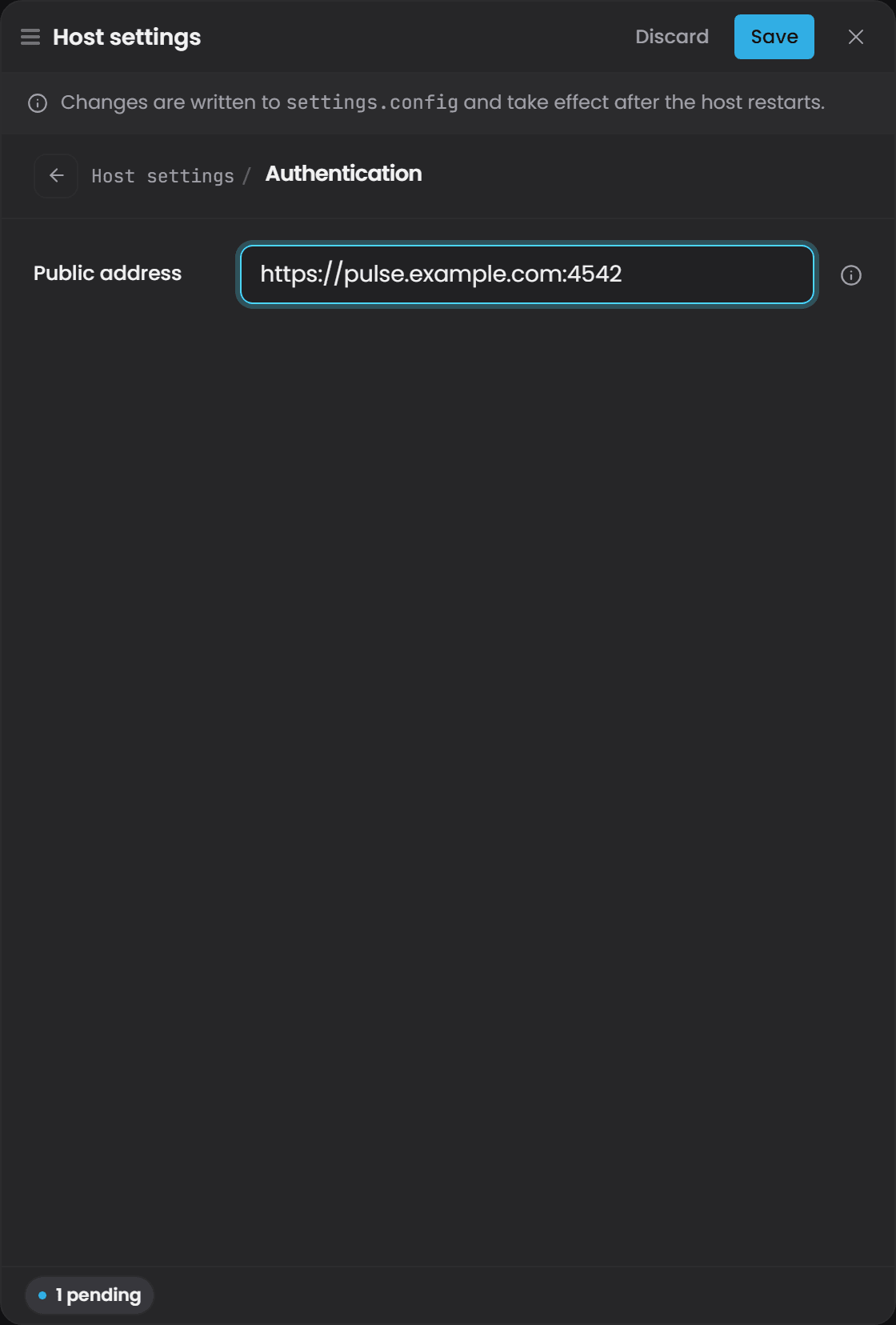
In the interface the setting is under Instance Info, then Edit host settings, in the Authentication section.
After changing it#
- Restart Pulse, then restart the other components. They keep a copy of Pulse's discovery document and do not see the new issuer until they restart.
- Tokens issued under the old address are rejected from then on, so users sign in again. If you are going to set it, do it before connecting the other components.
How to verify it#
Check the issuer Pulse publishes:
curl -sk https://localhost:4542/auth/.well-known/openid-configuration
The issuer field is the value in effect. Pulse also logs it once it starts validating tokens:
Information: Configuring JwtBearerOptions dynamically...
Information: Using Issuer: https://pulse.mycompany.com:4542/auth
Settings.config sections#
Cert#
"Cert": {
  "Enabled": true
}
- Enabled (default
true): whentrue, Pulse auto-generates a root CA and server certificate on first run, stores them locally, and watches for expiry. Whenfalse, Pulse does not manage certificates; you must supply your own. - Restart required: yes. Pulse uses the state it established on boot, so restart after changing it.
Serilog#
"Serilog": {
  "MinimumLevel": {
    "Default": "Warning",
    "Override": {
      "Timebase.Pulse": "Information",
      "Timebase.Core.Agent": "Information",
      "Microsoft.AspNetCore.Authentication": "Information"
    }
  }
}
- MinimumLevel.Default: the global log level for all components. The default is
Warning; set lower to see more detail. - Override: per-namespace log levels. The overrides above enable
Informationlogging for Pulse itself, the Agent runtime, and authentication events, even when the default isWarning. - Restart required: yes.
Kestrel#
See "Ports and networking" above. The endpoints are read at startup.
- Restart required: yes.
Auth#
"Auth": {
  "PublicAddress": ""
}
Also includes an optional Auth:Enabled setting (not shown) to gate authentication entirely. When Auth:Enabled=false, the identity/messaging surface and the subscribe hub serve anonymously, and Gage is not registered. The default is true.
- PublicAddress (default empty): where browsers and clients reach Pulse, as an
httpsaddress with no path, for examplehttps://pulse.mycompany.com:4542. Set it when anything reaches Pulse from another machine, or when users cannot reach Pulse at the address the other components use, as in Docker, where that is the service name. It also names Pulse in every token: see "The token issuer" above. Empty sends each browser to the address its component uses. A value Pulse cannot use is ignored, with a warning in the log. - Enabled (optional; default
true): whenfalse, Pulse serves without authentication. Set this only for isolated testing; production deployments should always authenticate. - Restart required: yes. A PublicAddress change also changes the issuer, so restart the other components afterwards too, because they keep a copy of Pulse's discovery document.
Gage#
"Gage": {
  "Enabled": true,
  "Agents": {},
  "Guardrails": {
    "Enabled": true,
    "AdditionalAllowedRoots": []
  },
  "Dictation": {
    "Enabled": true
  },
  "Resilience": {}
}
This section configures Pulse's own assistant, not how other components reach theirs. Pulse's agent dogfoods through Pulse's own Gage proxy over loopback, so its traffic is metered, logged and policied like every other consumer's.
There is nothing here about models, addresses or credentials, and that is deliberate. Pulse
derives its own loopback address from its public address, the same value its token issuer comes
from, so the two cannot disagree unless you override the first with Gage:SelfAddress, and it reads its own client secret straight from its client store at each token exchange
rather than asking you to copy a secret between two surfaces of one process. Models come from the
Gage catalogue that every other component reads, so enabling a provider in Settings > Gage is
picked up without editing this file.
The section is the same shape the six proxied components carry at Pulse:Gage, minus the connection
settings none of them needs either. On Pulse it sits at the root: a Pulse:Gage section on Pulse
would name Pulse's connection to itself.
- Enabled (default
true): offer the assistant at all. - Agents (default empty): pin a named agent to a specific model handle,
providerId/logicalModelId. An agent left out uses the handle in its own definition file, then the installation's default model - the one marked in the provider editor, or the alphabetically first handle where none is. - Restart required: no for Guardrails, yes for the rest.
Gage:Guardrails (optional)
"Gage": {
  "Guardrails": {
    "Enabled": true,
    "AdditionalAllowedRoots": []
  }
}
This controls the sandbox the Pulse agent runs in. The Bash and file tools are confined to the agent's own session workspace by default.
- Enabled (default
true): the sandbox. Whenfalse, the agent has access to the entire filesystem (debug only; never use in production). - AdditionalAllowedRoots (default empty): extra directories the agent may read or write, beyond its session workspace. For example, a shared import folder.
Restart required: no. This section is registered via Configure<T> and reads through IOptionsMonitor<T>, so changes to Guardrails take effect on the agent's next tool call, without restarting Pulse.
The first administrator user and initial clients#
First administrator user#
When Pulse starts, it checks whether any users exist in storage. If the storage is empty (first run), Pulse automatically creates one user:
- Username:
Administrator - Full name:
Pulse Administrator(first name:Pulse, last name:Administrator) - Initial password:
timebase - Role: Administrator
Change this password before the instance is reachable by anyone else.
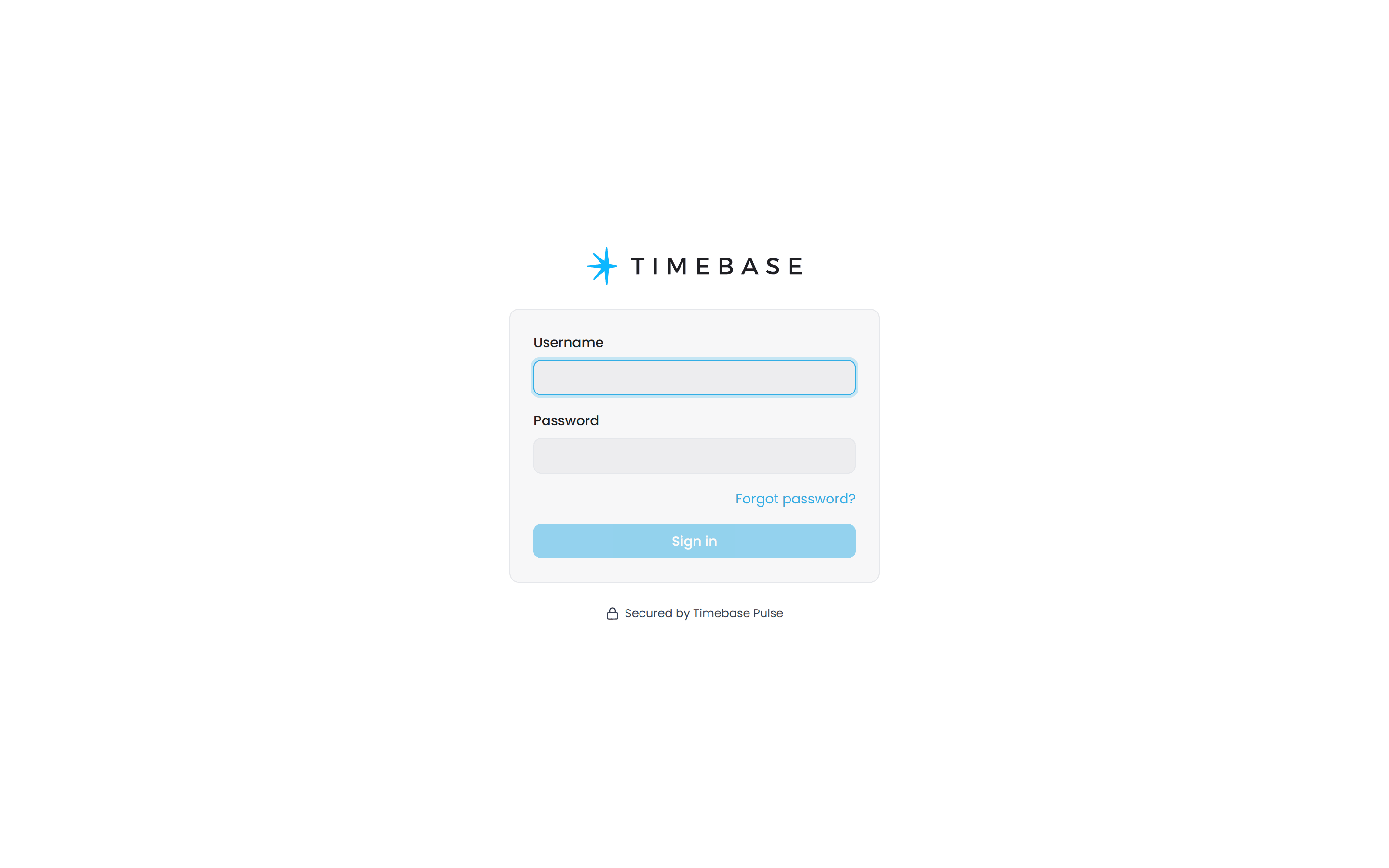
Administrator/timebaseis the documented first-run default and is the same on every new installation. An unchanged Pulse is an unchanged administrator account for the identity provider, the certificate authority and the LLM gateway of the entire stack. Treat changing it as part of installing Pulse, not as a follow-up task.
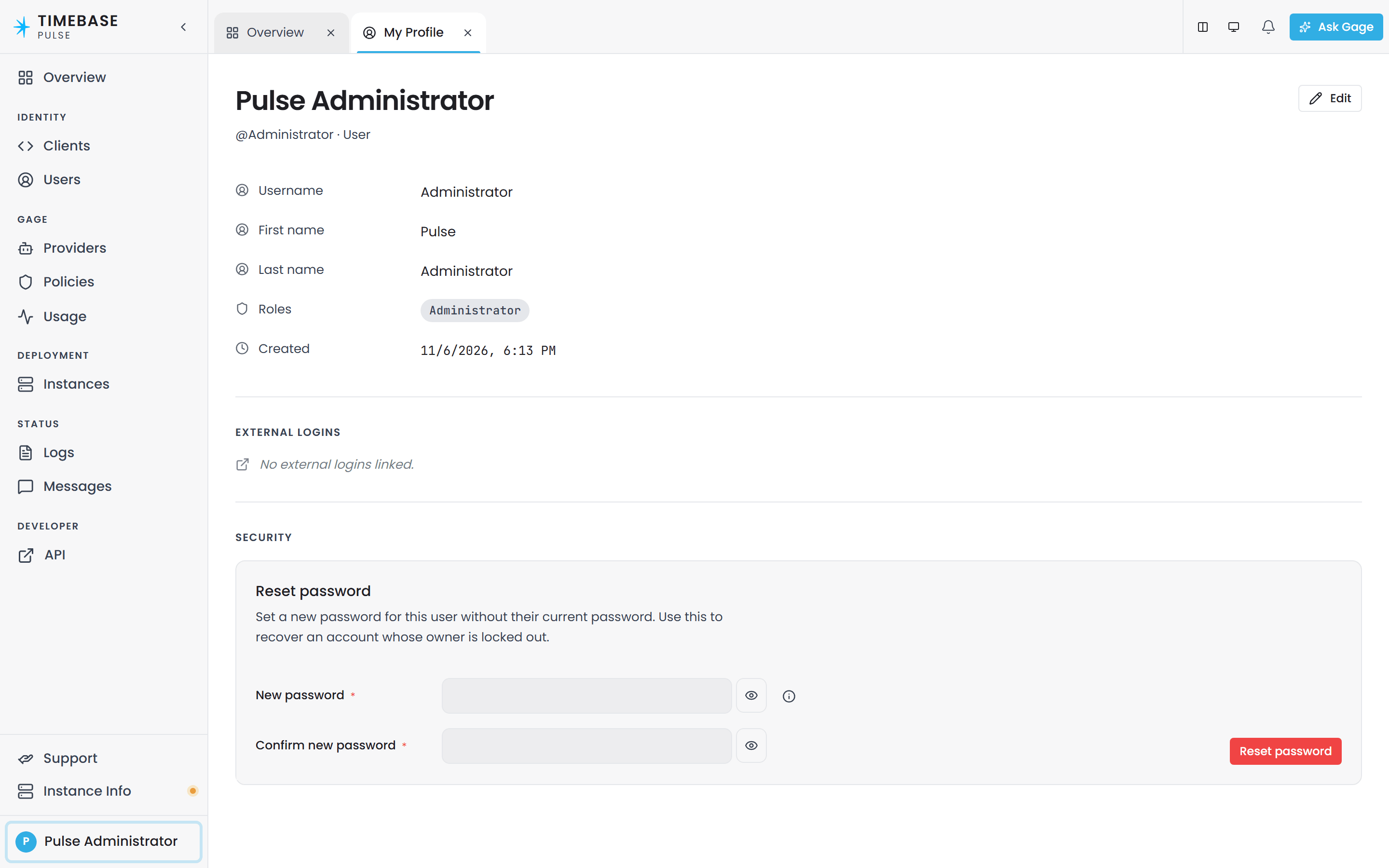
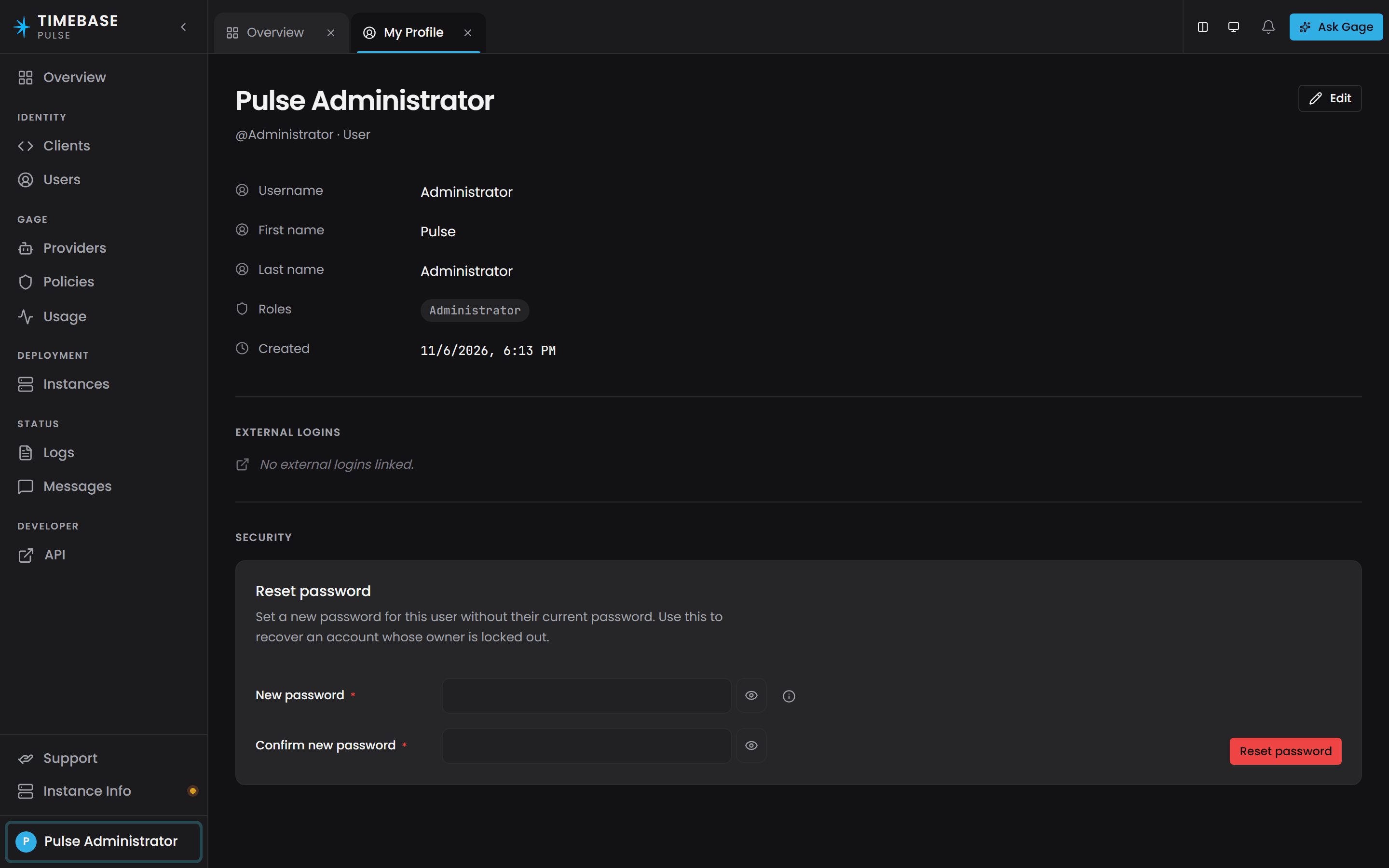
Use these credentials for the first sign-in only, then change the password from your own profile: open the account menu at the foot of the sidebar, choose View profile, and set a new password under Security.
This bootstrap happens only on the very first startup, when the user storage is empty. If you delete the user storage file and restart Pulse, a new Administrator is created with the same default password. That makes it a first-run convenience, not a recovery mechanism - and it also means deleting the user store reopens the default credential.
First-run clients#
Similarly, Pulse creates six default OAuth clients on first startup if the client storage is empty:
- Historian: redirects to
https://localhost:4512/callback - Collector: redirects to
https://localhost:4522/callback - Atlas: redirects to
https://localhost:4552/callback - Connector: redirects to
https://localhost:4562/callback - Explorer: redirects to
https://localhost:4532/callback - Bridge: redirects to
https://localhost:4572/callback
Each client is granted:
- Audiences: the downstream services this client's tokens are valid for (e.g., Atlas gets
["Pulse", "Historian"]so it can call both Pulse and Historian with the same token) - Grant types:
["client_credentials", "authorization_code", "refresh_token"] - Scopes:
["openid", "profile", "offline_access"] - Token expiry: 3600 seconds (1 hour) by default
- Refresh token expiry: 604800 seconds (7 days) by default
Each client is issued a random ClientSecret on creation. You do not need to copy this secret into other services' configuration; the first-run bootstrap is automatic. However, if you need to inspect or reset a client secret, use the Pulse UI (Settings > Clients) or the /api/clients API.
The pulse:administrator role#
The pulse:administrator role gates administrative operations:
- Creating, reading, updating, or deleting users
- Creating, reading, updating, or deleting OAuth clients
- Configuring Gage providers, policies, and model allow-lists
- Downloading the server certificate's private key (PFX/PEM format)
- Regenerating the server certificate
- Viewing agent configuration and running agents (if the Pulse agent is enabled)
When a user signs in with the Identity cookie (via the React SPA), the pulse:administrator role determines whether they can access the Settings screens. When a client obtains a JWT via client_credentials, the token never carries the pulse:administrator role, even if the client is created by an administrator; this prevents an automated process from gaining admin privilege.
The initial Administrator user carries this role by default. To grant it to other users, use the Pulse UI (Settings > Users > [user] > Admin checkbox) or the API.
Data storage#
Pulse stores configuration and runtime data on disk using MessagePack (binary format). The storage locations are:
From Timebase 2.0 the timebase/pulse image no longer runs as root. It runs as the unprivileged user app (uid 1654), so a volume written by an earlier release, which ran as root, is not writable by it and Pulse exits with a message naming the directory. The Compose files we provide carry a volume-init service that hands the volume over on every start. If you run the image any other way - your own Compose file, docker run, a bind mount, Kubernetes - do it once yourself before starting the 2.0 image: see Timebase 2.0 Release Notes.
Config path (operator configuration)#
- Location: resolved via the
Configsetting (default:[Pulse root]/Config) - Contents:
clients.config: OAuth 2.0 clients (redirects, secrets, grant types, audiences)users.config: user accounts, passwords (hashed), and administrator flagsgage-providers.config: configured LLM providers and API keysgage-client-policies.config: per-client Gage rate limits and model allow-listsgage-user-policies.config: per-user Gage rate limits and model allow-lists
These files are persistent across restarts. Delete them to reset Pulse to its initial state (next startup recreates defaults).
Data path (runtime state)#
- Location: resolved via the
Datasetting (default:[Pulse root]/Data) - Contents:
keys.data: JWT signing keys (public/private key material)tokens.data: issued tokens (for refresh-token validation and revocation)instances.data: local read-mirror of Portal-issued Timebase instancesinstance-relationships.data: local read-mirror of Portal-issued instance relationshipslicenses.data: cached licenses from Portalmessages.data: outbound telemetry ring buffer (for forwarding to Portal)gage/usage/*.data: usage log for each Gage client/user (token count, model calls, timestamps)gage/state/*.data: rate-limit counter snapshots for each Gage client/user
These files are generated at runtime and should not be edited manually. Deleting them causes Pulse to regenerate them on next startup (tokens and counters are lost, but the system continues to function).
Settings path#
- Location: resolved via the
Settingssetting (default:[Pulse root]/Settings) - Contents: settings.config, the main configuration file
Settings that reload live versus settings that require restart#
Live reload (changes take effect immediately, no restart needed)#
Gage:Guardrails:EnabledandGage:Guardrails:AdditionalAllowedRoots: the agent sandbox configuration reloads viaIOptionsMonitor<T>, so a change in the live settings.config overlay takes effect on the next agent tool call.
Require restart (changes take effect only after Pulse restarts)#
- All other settings, including:
Auth:PublicAddress,Auth:EnabledCert:EnabledSerilog(log levels)Kestrel(ports and endpoints)
The distinction exists because Pulse binds most configuration at startup and caches the result. Changes to the settings file are detected (file-watchers observe reloadOnChange: true), but DI-registered services do not re-read the configuration unless the service explicitly uses IOptionsMonitor<T>. Pulse's agent guardrails use this pattern; everything else uses IOptions<T> (singleton binding at startup) or direct configuration reads.
Checking Pulse is running#
-
Sign in to the UI: open
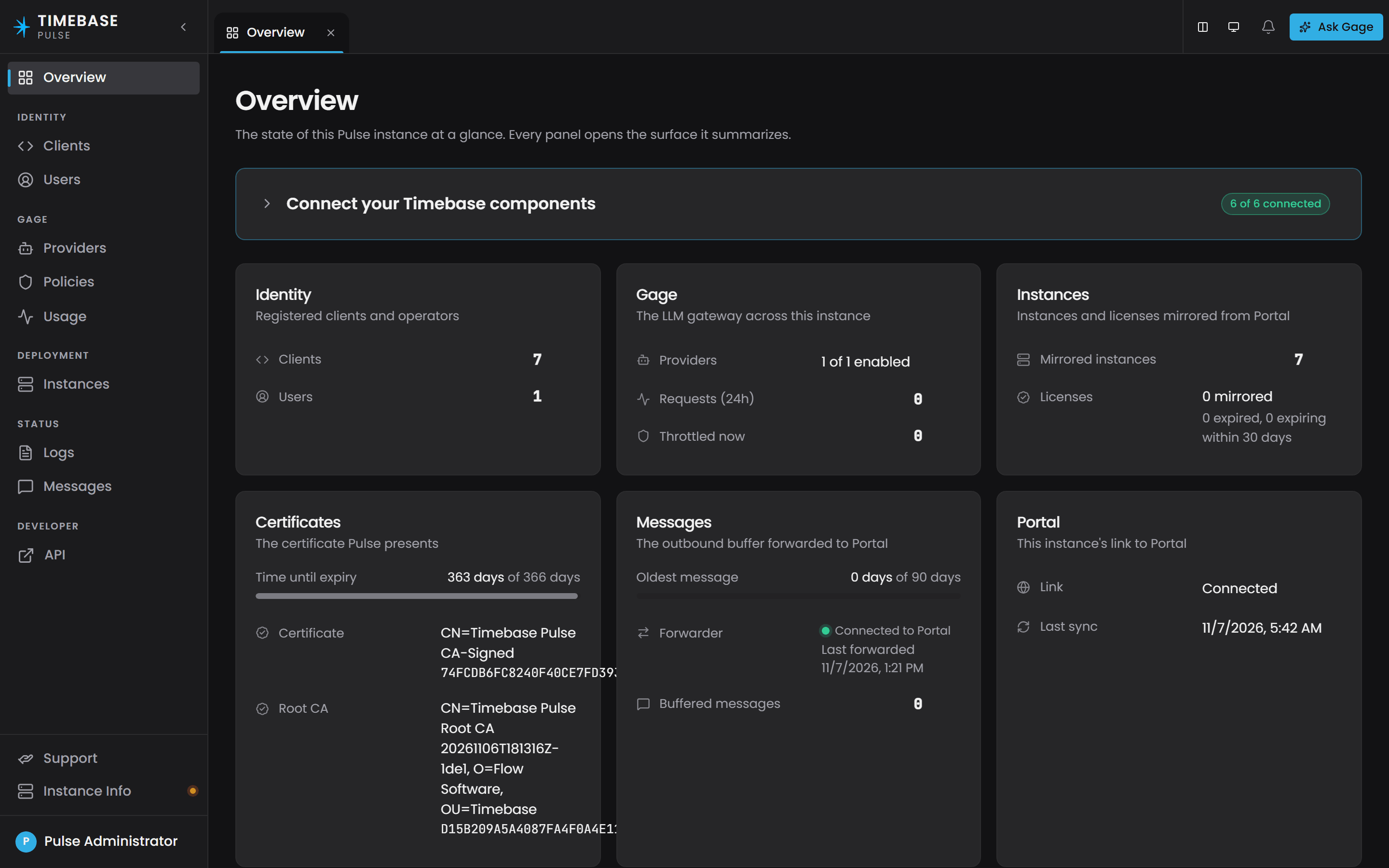
https://your-pulse-hostname:4542/sign-inin a browser. If Pulse is running, the sign-in form appears. Sign in with usernameAdministratorand passwordtimebase. The Overview that opens reports how many Timebase components have connected and summarises clients, users, Gage, instances, certificates and the Portal link.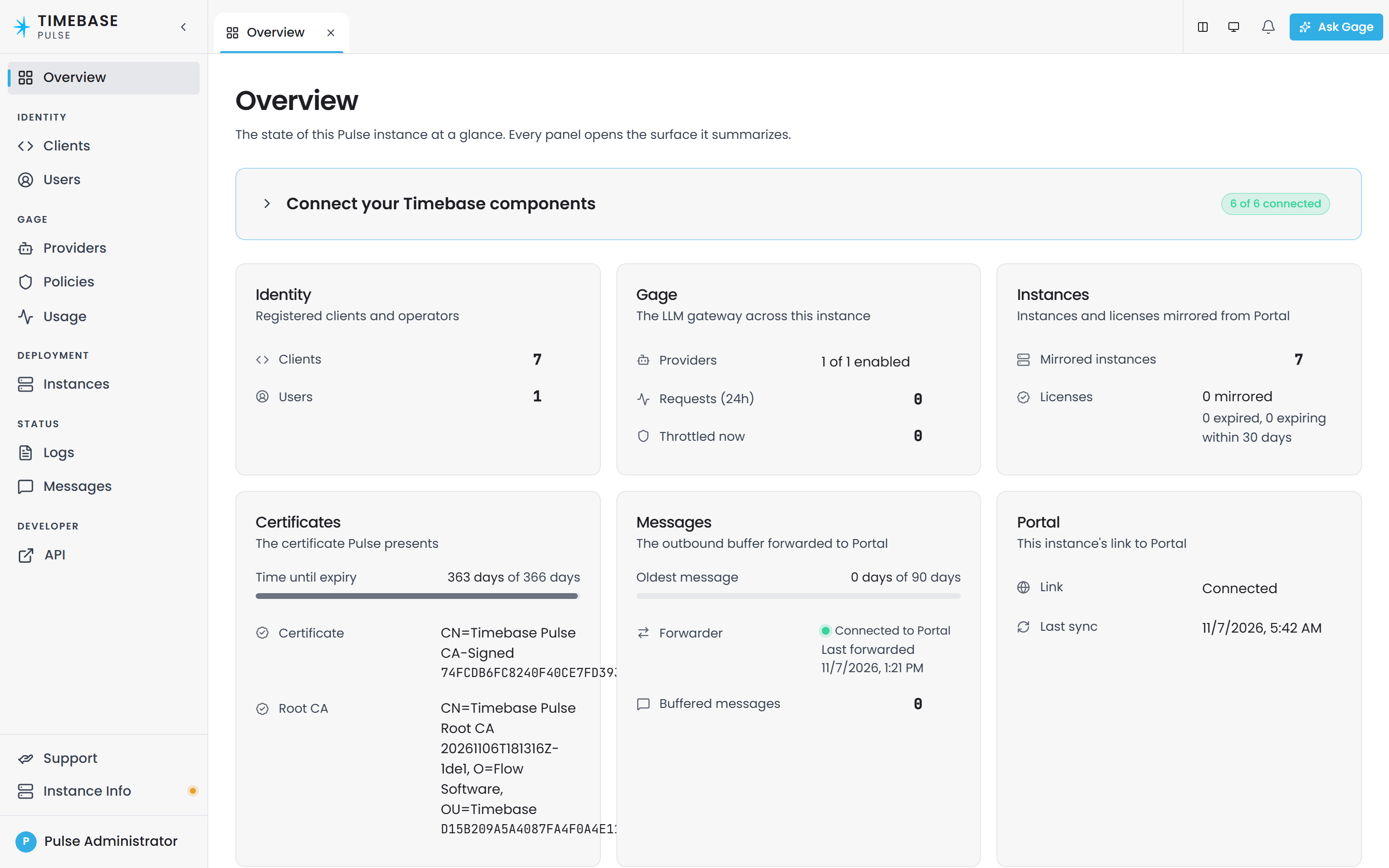
-
Check the API: call
GET https://your-pulse-hostname:4542/api/ca. If Pulse is responding, you receive the root CA certificate (binary DER format; your browser may prompt to download it). -
Check the logs: review the console output and the log file (under the Logs path, default
[Pulse root]/Logs/) for startup messages and errors.
If sign-in fails or the API returns 401/403, check:
- Is Pulse running? (check process list, console output)
- Is the hostname correct? (does DNS resolve? is Pulse listening on that address?)
- Is
Auth:PublicAddressthe address clients reach Pulse at? (checkissuerin the discovery document) - Are you using HTTPS? (port 4541 is HTTP only; use 4542)
- Is the certificate trusted? (on first run, Pulse uses a self-signed cert; import the root CA or bypass the browser warning)
Troubleshooting#
Sign-in fails with "incorrect username or password"#
Check:
- Is the username exactly
Administrator(case-sensitive)? On a fresh start, the bootstrap user isAdministrator, notadministrator. - Is the password exactly
timebase? (unchanged from the first-run default) - Is the initial user still in storage? If you deleted the
users.configfile and restarted, a newAdministratoruser was created. Check the startup log for "created {Count} default user".
JWT validation fails ("Invalid token" or similar in downstream components)#
Check:
- Has Pulse been restarted after changing
Auth:PublicAddress? The issuer follows it, and Auth settings require a restart. - Have the downstream components been restarted since? They keep a copy of Pulse's discovery document, so they go on expecting the old issuer until they restart.
"No signing keys found" error in JWT validation#
This is a critical startup failure. The signing key storage is corrupted or missing.
Check:
- Is the Data path writable? Check the Pulse startup log for "'{Component}' '{Setting}' path set to {Path}".
- Does the
keys.datafile exist in the Data path? If not, Pulse should auto-create it on startup. If Pulse logs an error creating it, check disk space and permissions. - If the file exists but is corrupted, delete it and restart Pulse to regenerate it.
"No validation keys provided by IKeyProvider" warning#
Pulse started but has no keys to validate incoming tokens. This causes every /api/* request to fail with 401.
Check:
- Is the Data path writable and accessible? Pulse should auto-generate
keys.dataon first startup. - Have any keys been created? Check the logs for "created {Count} default key".
- If keys exist in storage, ensure they are not corrupted (delete and restart to regenerate).
Assistant in Atlas or Historian says "assistant is unconfigured"#
The downstream component is running but Pulse has no models configured.
Check:
- Is there an enabled provider with an enabled model? Check Settings > Gage > Providers in the Pulse interface, or call
/api/gage/providers. A first-run Pulse ships an enabledanthropicprovider, so a new installation only reaches this state if that provider or its model has been switched off or deleted. - Does the catalogue return anything?
GET /api/gage/modelslists every usable handle. An empty catalogue is what every component reports as "unconfigured". - Check the Pulse startup log for "No Gage models configured" warnings.
Nothing about models is configured in Pulse's settings.config. Pulse resolves its own assistant against the same catalogue every other component reads, so a model enabled in the Gage admin pages is picked up without a restart.
Pulse cannot connect to Portal#
Pulse syncs licenses and instances from Portal. If the connection fails, you see warnings in the logs.
Pulse always connects to Portal at portal.timebase.com on port 443 over TLS. This is not configurable. If settings.config still has a Portal section from an earlier release, Pulse ignores it and says so in its startup log.
Check:
- Can your network reach
portal.timebase.comon port 443? Allow outbound HTTPS to it through any firewall or proxy. (usecurlto test) - Is Pulse running? Sync is a background task that starts after Pulse boots.
This is non-fatal; Pulse continues to operate even if Portal is unreachable. You will not see the latest licenses or instances, but identity, certificates, and Gage continue to function.